BEE-MS - Detector BeeSecure - Free user manual and instructions
Find the device manual for free BEE-MS BeeSecure in PDF.

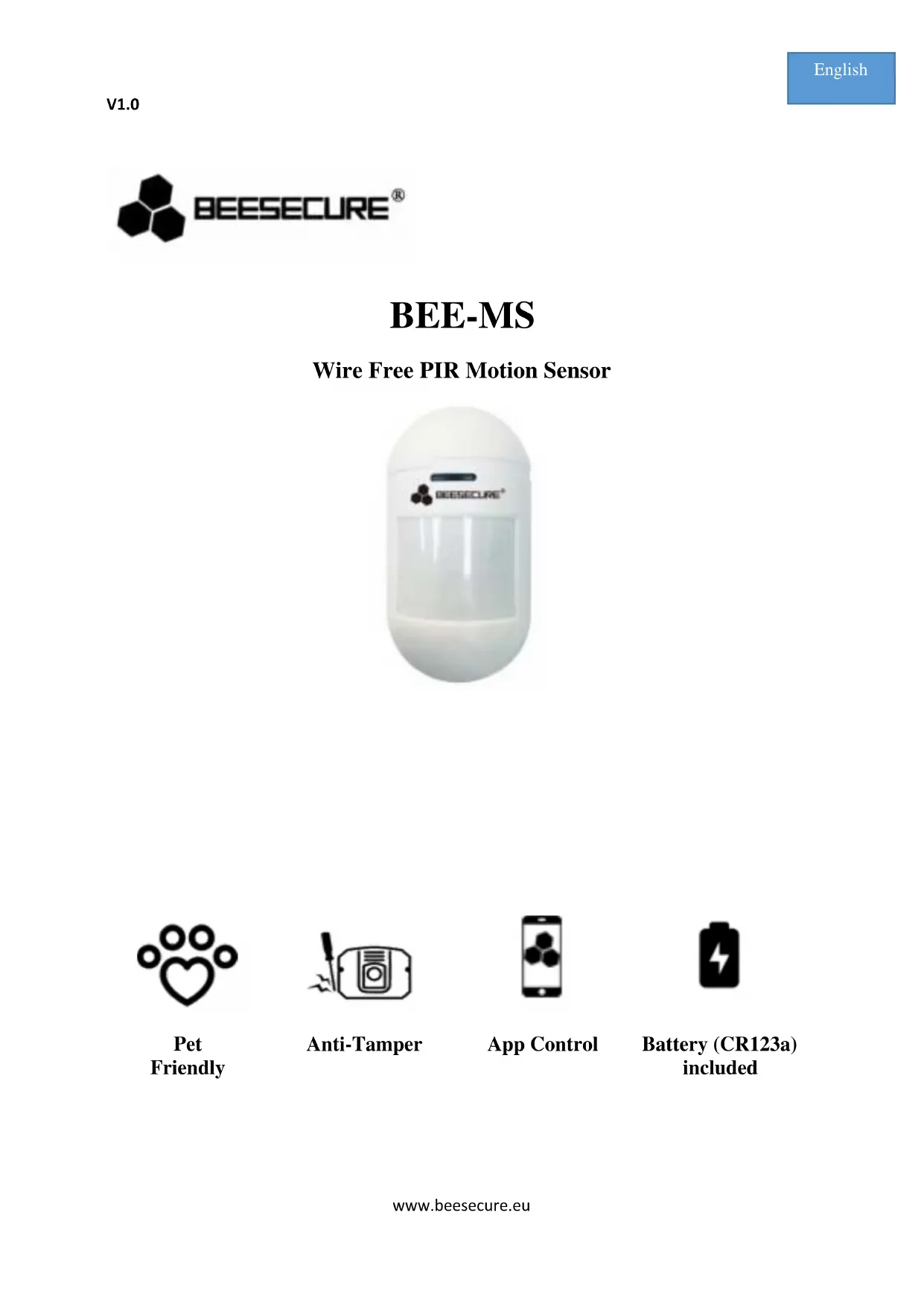


| Brand | BeeSecure |
| Model | BEE-MS |
| Product type | Wireless infrared motion detector |
| Dimensions (L x D x H) | 115 mm x 60 mm x 37.8 mm |
| Power supply | CR123A battery (DC 3V) |
| Consumption (active) | 15 mA |
| Consumption (standby) | 25 μA |
| Detection distance | 12 meters (at 2 m height) |
| Detection angle | 90 degrees (-45° to +45°) |
| Recommended mounting height | 2.0 meters |
| Communication protocol | ZigBee |
| Wireless range (with hub) | Up to 20 meters |
| Main functions | Motion detection, pet immunity <25 kg, smartphone notifications, anti-tamper, low battery |
| LED indicator | 3 green flashes (power on), 1 red flash (motion or reset), 1 green flash (successful connection) |
| Reset | Press the button for 5 seconds until red flash |
| Maintenance and cleaning | Weekly test, clean every 2 months with a dry or slightly damp microfiber cloth |
| Security | Anti-tamper (detachment detection), real-time alert |
| General information | Do not expose to sunlight, outdoors, near heat sources or air conditioning |
Frequently Asked Questions - BEE-MS BeeSecure
User questions about BEE-MS BeeSecure
0 question about this device. Answer the ones you know or ask your own.
Ask a new question about this device
Download the instructions for your Detector in PDF format for free! Find your manual BEE-MS - BeeSecure and take your electronic device back in hand. On this page are published all the documents necessary for the use of your device. BEE-MS by BeeSecure.
USER MANUAL BEE-MS BeeSecure

Battery (CR123a) included
Thank you for choosing BeeSecure BEE-MS Pet Friendly Motion Sensor.
BEE-MS is a wire free pet friendly passive infrared motion sensor with high accuracy to detect the motion within an assigned monitored area. The motion sensor will ignore a pet that weighs up to approximately 25kg to prevent false alarms. Whenever a larger motion (25kg and above) is detected, you will immediately receive an alarm notification on your mobile phone. You can remotely set up your motion sensor from the BeeSecure App (BEE-HUB is required).
Please ensure you read the user manual before using the BEE-MS. Read the full version of user manual online to add and set up your BEE-MS from the app, scan the QR code below.

Download
BeeSecure App


Read
Full User Manual
1. Introduction
1.1 Product Description
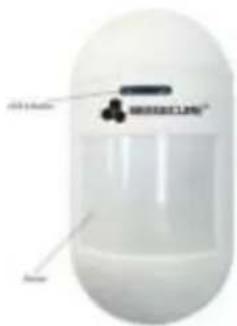
Front View
Back View
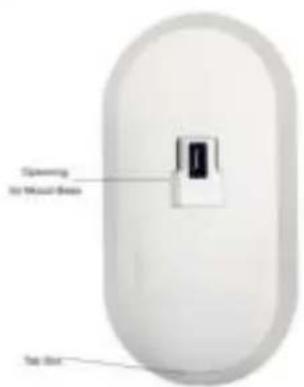
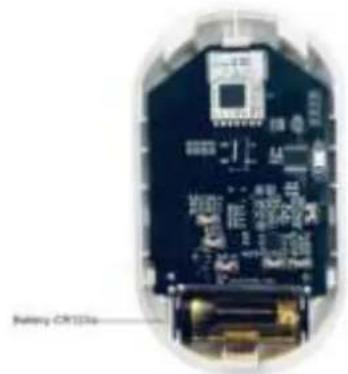
1.2 Specifications
| Dimensions | 115mm (L)×60mm(W)* 37.8mm (Height) |
| Battery | DC 3V (CR123a) |
| Alarm Current | 15mA |
| Standby Current | 25 μA |
| Detecting Distance | 12 meters (when mounted at 2 meters above ground) |
| Detecting Angle | 90 degree (-45 ~ +45 degree) |
| Pet Friendly Level | <25 kg |
| Suggested Mounting Height | 2.0 meters |
| Alarming | LED flash + Mobile Notification |
| Transmission Protocol | ZigBee |
The product should not be modified in any way except in accordance with those modifications described in the instructions
1.3 What's in the Box
| Name | Quantity | Picture |
| Motion Sensor | 1 | ← |
| Mounting Base | 1 | × |
| Screw + Anchor Plug | 2 | → |
| User Manual | 1 | i |
1.4 Product Features
The motion sensor will send instant notifications whenever larger size motions (bigger than 25kg ) is detected, or whenever someone tries to detach the sensor from the mounting base and deactivate it. Together with the BEE-HUB (purchased separately), you can set up your motion sensor remotely, including features such as:
- Rename the sensor
View history events
Receive instant notifications
-
Anti-Tamper Notification
-
Low battery warning
1.5 Steps to Follow
- Step 1: Download the BeeSecure App and Register
- Step 2: Install the Battery of the sensor
- Step 3: Add the BEE-HUB to the Wi-Fi from the App
- Step 4: Pair BEE-MS with the BEE-HUB from the App
- Step 5: Install the BEE-MS
- Step 6: Set up the BEE-MS from the APP
Read the full version of user manual online or follow BeeSecure in-app instructions to add and set up your BEE-MS
It is suggested to follow the steps to install and set up your device. While connecting the BEE-MS with the hub, please keep the distance between the sensor and the hub as close as possible. After successfully connecting the hub and motion sensor, you can install the sensor up to 20 meters from the hub (depending on the working environment).
2. Install the Battery
- Press the tab slot on the back of the sensor and open it from the sides
- Remove the insulating film between the battery and the metallic blade.
- Put the cover back
After installing the battery, the LED light on the sensor will blink 3 times, the sensor will start to initiate. The process will take about 9 seconds.
3.Install the BEE-MS
After pairing the motion sensor and the hub, the motion sensor can be installed up to 20 meters from the hub (depending on the working environment). To ensure the distance between the motion sensor and the hub is within communication range, you can check the status next to the sensor in the Home page of BeeSecure App. Green light indicates the sensor is online and functioning, orange light indicates the sensor is offline/outside of the communication range.
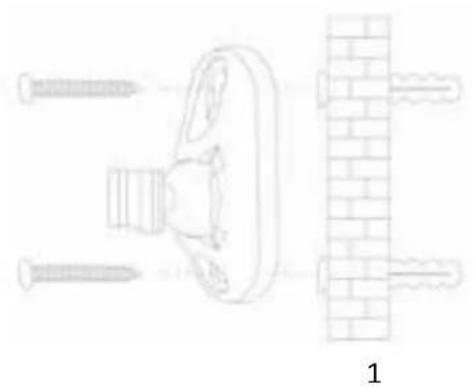
- Connect the mounting base by pressing the roller ball towards the base and punch through the holes provided to mount the sensor on walls or at the corner of a room.
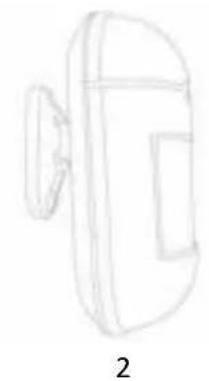
- Attach the motion sensor with the mounting base
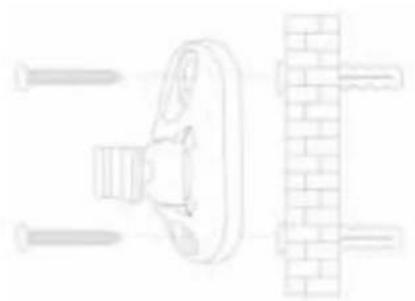
1
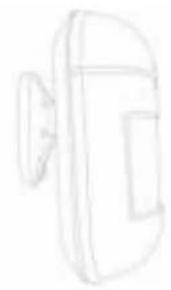
2
Mounting Location:
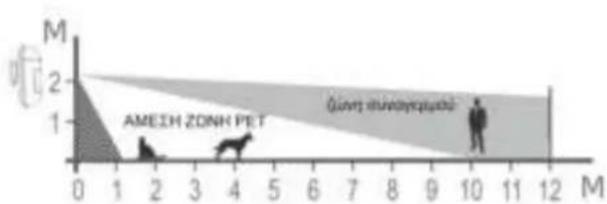
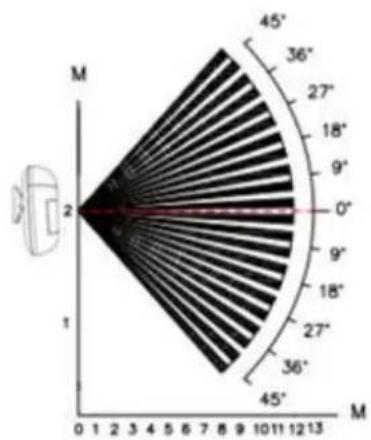
BEE-MS is designed to give a typical detection range of 12 meters with human motion and an immune area of 10 meters for pets (below 25kg ) when mounted at 2 meters above the ground (see the diagram below). It is recommended to install the motion sensor at 1.8 -2.1 meters above the ground for the best performance.
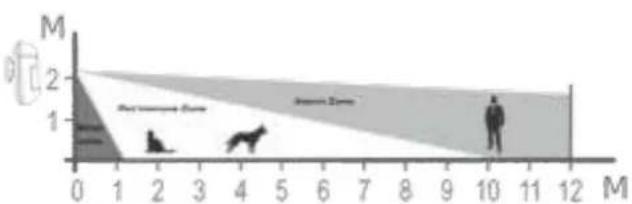
Detection Distance
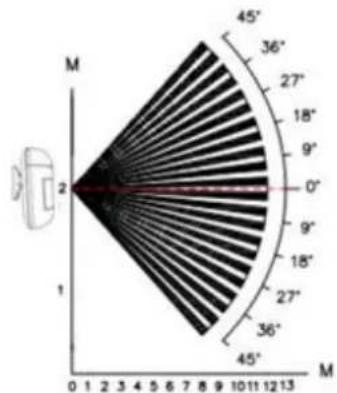
Detection Angle
Whenever motion is detected, the LED light will flash red once and send an instant notification (when the alarm status on the BeeSecure App is on). Please note, to avoid receiving constant alarms, BEE-MS will trigger a push notification to your phone every 2 minutes when motion is detected.
- Keep the distance between the motion sensor and the hub within communication range.
- Mount the motion sensor in a position where an intruder is most likely to pass through
It is suggested to mount the motion sensor in a corner to give the widest view - Take into consideration the blind spot. The blind spot underneath the motion sensor enlarges proportionally to the installation height. At a height of 2 meters, detection range starts from 1 meter.
- Do not install the motion sensor directly facing the sunlight
- Do not install the motion sensor for outdoor use
-
Mount the motion sensor where the field of view will not be obstructed by other objects e.g. curtains
-
Avoid installing the motion sensor in areas where the temperature might change rapidly, e.g. air conditioners, heaters etc.
4. Reset the Device
If the device is not functioning, you can try to reset the device by long pressing the button on the motion sensor for more than 5 seconds until the LED light flashes in red, release the button now. After resetting, the motion sensor will flash once in red to indicate reset has been successful. The device is now restored to manufacturing settings but all the data stored on the BeeSecure cloud will remain, including device name and history messages.
5. Device Status
The status of the LED on the motion sensor indicates the device status.
| LED | Device Status |
| Flash green for 3 times | Battery Activated |
| Flash once in red | Motion Detected |
| Reset succeeded | |
| No flash | Working/Normal |
| Flash once in green | Pair with BEE-HUB succeeded |
6. Battery Replacement
Whenever the battery level of the motion sensor is low, you will receive a notification on the app. You can easily replace the battery following the same steps used when installing the battery. After replacing the battery, all user data including history message, sensor settings will remain. You will not lose any data.
7. Maintenance and Care
- Carry out a test by moving within the detection range of the motion sensor weekly to ensure the device is functioning
- Do not touch the sensor screen to avoid impacting the sensitivity accuracy
- Avoid high humidity areas which can cause condensation
- Relocate the motion sensor if it generates unwanted alarms. Refer to section 3 on 'Mounting Locations' for more details on which locations to avoid
- Clean the sensor at least once every couple of months with a dry or slightly damp microfiber cloth
BEE-MS
Protection anti-sabotage
Eeeyoc uoeo Tns eapnpoync

IIepuaouvctau a a p i a (CR123a)
EuXapIoToUe yia tvn eIauoy nov faiKou npoc ta Katoikidia aioohtnpa kivnonc BeeSecure BEEMS.To BEE-MS eivaiaoiOHTnpac Kivnonc, xwpic kaawla, pfiko npoc ta Katoikidia uynanakipieia, wote va avixveuei tvn kivnon ano to mepoc nou npapakoouthetai. O aoonpac kivnonc 0 ayvoane i eva zo nou zuyie 25 kla npinou ia v na xwnnoe eoalmeva o ouvayepoc.KaEe fopao nuavixveetai kivnon (25 kla kai avw), 0a laubave tce aeoowc ellonoian oto kiVnto oac. Mnpoeite va puOmuotetov aoonnpa kivnonc akoun ano tvv efapouyn BeeSecure(aanateitai to BEE-HUB)an' onoudelta note piookooate.
Papakawiyoupeuteiote xetese diaboei npwto yxepidio xnotn npv tn xpnoTou BEEMS. Aiae Tnv nnpn ekdoon e ouvdeoyn ia va npoofoeTE kalva diaoppwoeTe to BEE-MS aTo n efapoyn, kai okaapeTe tov kwdko QR napakatw.
Aiaaote to npecs Eeyepio xpnns
1.Euaayyn
PpOBoAnIaToPiouVeyovotWv
AnyEi8oOnnOeWv aeoov ouvayepuov
Eldooinon oε πeipintwon npαβiaoc
Eisooinon xaunn cmuataipiaac
1.5 Ta nov npεπει va akoλoovθησετε
Bnα1:KATEβaTe Tnv εΦaρouy tou BeeSecure kaεγγαΦειτε
Bnμα2:Tooθεποτεtnμαntαρia tou αιθηπήρα
Bnμα 3: Προθεοτε to BEE-HUB oTo Wi-Fi από την εφαρμούŋ
Bnα4:EvwotBEE-MS to BEE-HUB ano tyn eapouyn
Bnμα5: EykaataotntoE to BEE-MS
Bnμα 6: Puθiote to BEE-MS aπo tny εφαρuyn
3. EykataoToe to BEE-MS
Meta tnv evwon tou BEE-MS kai tou , o aioohtnpac kivnonc mnopei va eykaotaotaeic wC kai 20 eTpa ano to (avaloya to epyaoiako nepiaalov). Iva va a i w i t e oti anoataon avapeo aotov aothntpao kivnonc kai tou eiva evtoc emuieac enkuovviac, mopeite va eleyeTe tv kataoataon dinla a no BEE-MS otnv Kevtpikn zaiida tn c eoapouync BeeSecure.To npaoivo c dixvei otu ouokueun eiva ouvdeedevn kai aeitoupyei, to npotokali fwo c deiyvei otu oukeun eiva ektoc ouvdeon/ektoctou eupouc enkoivwviaic.
- u v e t Tn Bao n OTepewong, nawvTac tn mala tou kulivspou npoc tn Bao n Kau Tpuinote tic onec nou npexovtaia va tonoetnoete tov aoonnpa oToixouc n otnywvia evoc domegaatiou
- Suvδεοτε tov αιοθητήρα κίνησος με τη βάσο στερεωός
Baoon oTepewonc:
To BEE-MS éxéi oxδiaotéi yia va παρεxé i eva tunió εúpoc αvixveuongc 12 μεtpwν με αvθρωπivn kivnon kal μia avoon πεipoxh 10 μεtpwν yia ta katoukida zwa (katw twv 25 kλwv) ortav tonoθeetiat στa 2 μεtpa naw aπo to εδaφoc (δεite to npakatw δiaypμα). Suviotatai va eykataohtne tov aiθntnpa kivnonc σε 1.8-2.1 μεtpa naw aπo to εδaφoc yia tnv kaλutepn anóðoon.
Anoostaon Avixveuonc
Γωvia αινχνευούς