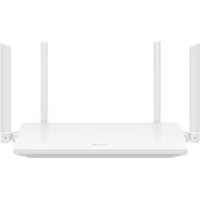
WiFi AX2 - Router HUAWEI - Free user manual and instructions
Find the device manual for free WiFi AX2 HUAWEI in PDF.



| Product type | Wi-Fi Router |
| Brand | Huawei |
| Model | WiFi AX2 (WS7001 V2) |
| Wi-Fi Protocol | Wi-Fi 6 (802.11ax) |
| Frequency bands | 2.4 GHz and 5 GHz |
| RF Power (2.4 GHz) | 20 dBm |
| RF Power (5 GHz) | 23 dBm (5150-5350 MHz), 30 dBm (5470-5600 & 5650-5725 MHz) |
| Antennas | 4 external antennas |
| Ports | 1 auto-adaptive WAN/LAN port, 3 LAN ports |
| LED indicators | Solid green (connected), solid red (not connected), blinking (device to be paired) |
| Configuration | Via browser (192.168.3.1) or HUAWEI AI Life app |
| Main functions | Dual-band Wi-Fi, parental control, guest network, 5 GHz prioritization, OTA update |
| RF Safety | Minimum distance of 20 cm from body |
| Operating temperature | 0 °C to 40 °C |
| Storage temperature | -40 °C to +70 °C |
| Power supply | AC adapter (12 V / 1 A) |
| Dimensions (approx.) | 200 x 120 x 30 mm |
| Weight (approx.) | 300 g |
| Care and cleaning | Avoid dust, humidity, magnetic fields; clean with a dry cloth |
| Recycling | Follow local regulations for electronic waste; do not dispose of with household waste |
| Repairability | Spare parts not specified; contact Huawei support |
Frequently Asked Questions - WiFi AX2 HUAWEI
User questions about WiFi AX2 HUAWEI
0 question about this device. Answer the ones you know or ask your own.
Ask a new question about this device
Download the instructions for your Router in PDF format for free! Find your manual WiFi AX2 - HUAWEI and take your electronic device back in hand. On this page are published all the documents necessary for the use of your device. WiFi AX2 by HUAWEI.
USER MANUAL WiFi AX2 HUAWEI
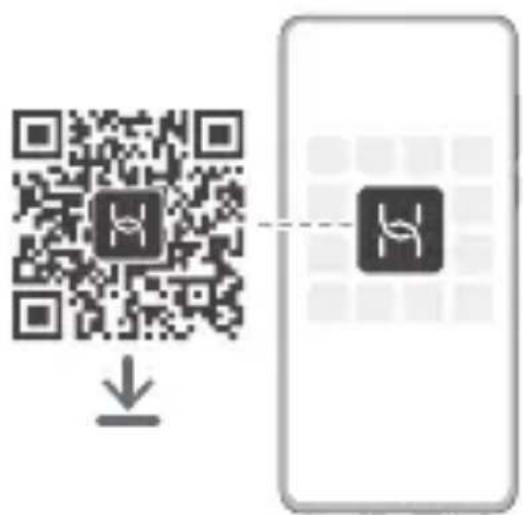
Check whether the package contains the product warranty card. If not, please scan the QR code to download.
3
Quick Start Guide....1
Quick Start Guide....1
Safety Information....19
Safety Information......21
Before using the device, review and download the latest Quick Start Guide at https://consumer.huawei.com/en/support/.
Getting Started
- Connect the power adapter to the router, then connect the WAN port or WAN/LAN auto-adaptation port of the router to the LAN port of the optical/broadband modem or a wall-mounted network port using a network cable. (Erect all antennas upright to ensure optimized Wi-Fi signals.)
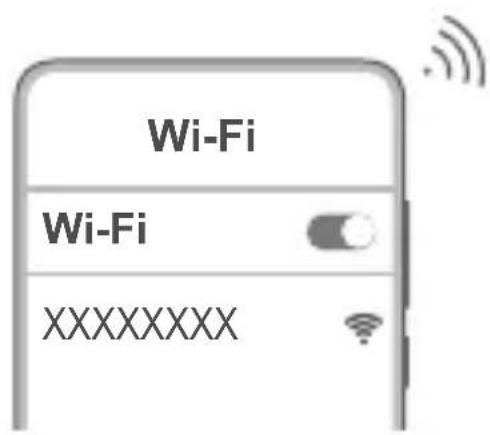
- Connect your mobile phone or computer to the router's Wi-Fi network (no password required). Check for the Wi-Fi name on the bottom of the router.
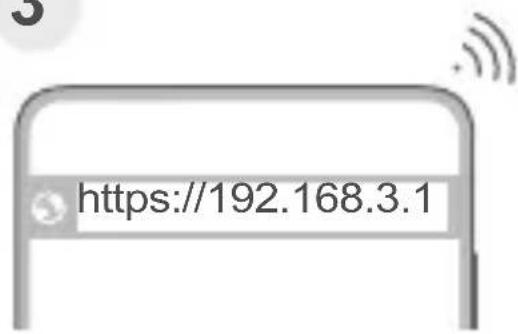
- Open the browser, then enter 192.168.3.1 in the address bar. Follow the instructions to set up your router.
Indicator
| Steady green Connected to the network |
| Steady red Not connected to the network |
| Flashing The router has detected a pairable device |
English (United Kingdom)
Before using the device, review and download the latest Quick Start Guide at https://consumer.huawei.com/uk/support/.
Getting Started
- Connect the power adapter to the router, then connect the WAN port or WAN/LAN auto-adaptation port of the router to the LAN port of the optical/broadband modem or a wall-mounted network port using a network cable. (Erect all antennae upright to ensure optimised Wi-Fi signals.)
- Connect your mobile phone or computer to the router's Wi-Fi network (no password required). Check for the Wi-Fi name on the bottom of the router.
- Open the browser, then enter 192.168.3.1 in the address bar. Follow the instructions to set up your router.
Indicator
| Steady green Connected to the network |
| Steady red Not connected to the network |
| Flashing The router has detected a pairable device |
Français
https://consumer.huawei.com/certification.
https://consumer.huawei.com/tr/support/warranty-policy/
https://consumer.huawei.com/tr/legal/privacy-policy/
No.2 of Xincheng Road, Songshan Lake Zone, Dongguan, Guangdong
523808, People's Republic of China
Web: www.huawei.com/tr/
E-posta: mobile.tr@huawei.com
Çin'de üretilmiştir
https://consumer.huawei.com/tr/
mobile.tr@huawei.com
KVK Teknik Servis Kartal
- Please consult your doctor and the device manufacturer to determine if using your device may interfere with the operation of your medical device.
-
Avoid using the device in a dusty, damp, or dirty place, or near a magnetic field.
-
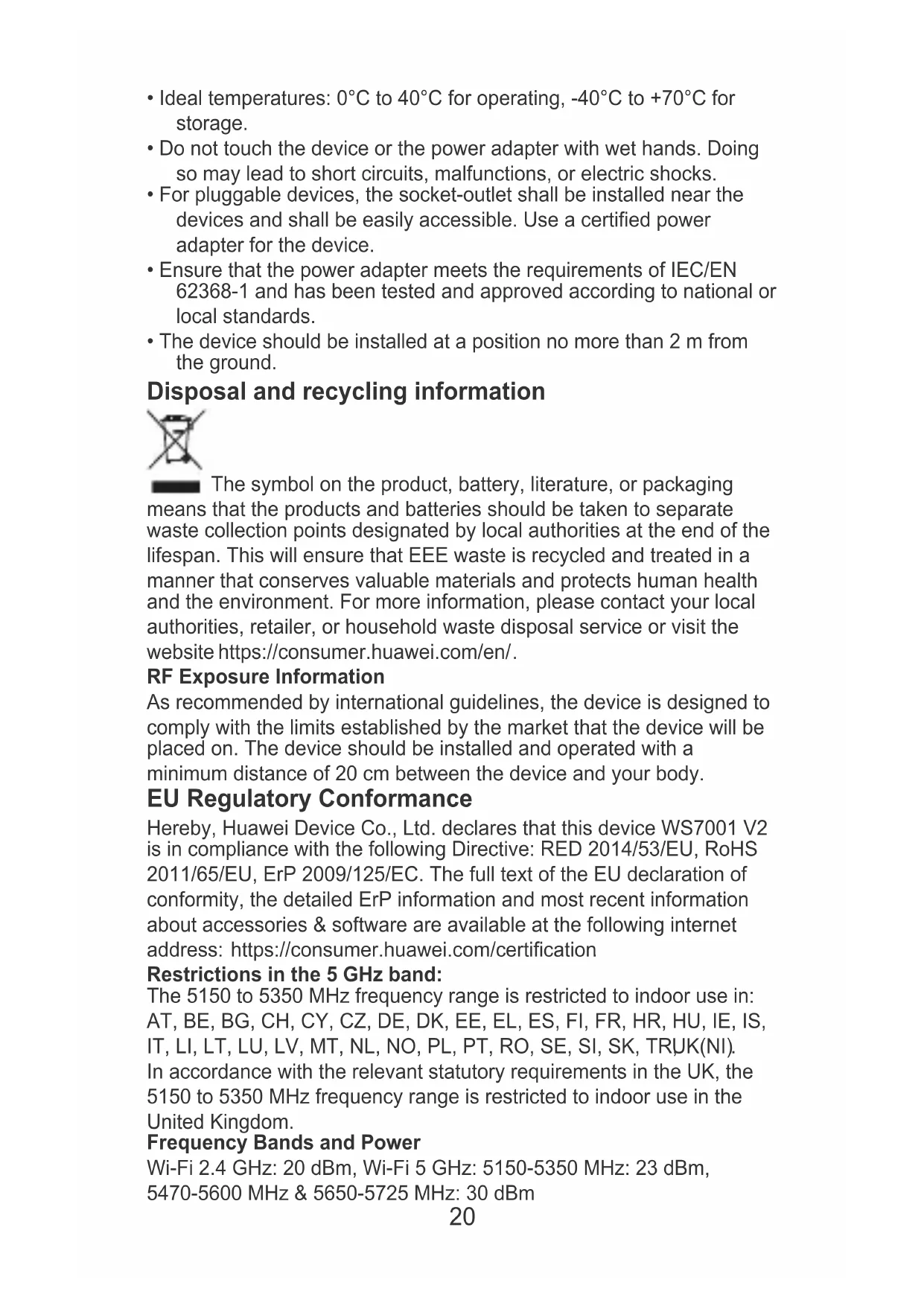
Ideal temperatures: 0°C to 40°C for operating, -40°C to +70°C for storage.
- Do not touch the device or the power adapter with wet hands. Doing so may lead to short circuits, malfunctions, or electric shocks.
- For pluggable devices, the socket-outlet shall be installed near the devices and shall be easily accessible. Use a certified power adapter for the device.
- Ensure that the power adapter meets the requirements of IEC/EN 62368-1 and has been tested and approved according to national or local standards.
- The device should be installed at a position no more than 2 m from the ground.
Disposal and recycling information

The symbol on the product, battery, literature, or packaging means that the products and batteries should be taken to separate waste collection points designated by local authorities at the end of the lifespan. This will ensure that EEE waste is recycled and treated in a manner that conserves valuable materials and protects human health and the environment. For more information, please contact your local authorities, retailer, or household waste disposal service or visit the website https://consumer.huawei.com/en/.
RF Exposure Information
As recommended by international guidelines, the device is designed to comply with the limits established by the market that the device will be placed on. The device should be installed and operated with a minimum distance of 20 cm between the device and your body.
EU Regulatory Conformance
Hereby, Huawei Device Co., Ltd. declares that this device WS7001 V2 is in compliance with the following Directive: RED 2014/53/EU, RoHS 2011/65/EU, ErP 2009/125/EC. The full text of the EU declaration of conformity, the detailed ErP information and most recent information about accessories & software are available at the following internet address: https://consumer.huawei.com/certification
Restrictions in the 5 GHz band:
The 5150 to 5350 MHz frequency range is restricted to indoor use in: AT, BE, BG, CH, CY, CZ, DE, DK, EE, EL, ES, FI, FR, HR, HU, IE, IS, IT, LI, LT, LU, LV, MT, NL, NO, PL, PT, RO, SE, SI, SK, TRUK(NI). In accordance with the relevant statutory requirements in the UK, the 5150 to 5350 MHz frequency range is restricted to indoor use in the United Kingdom.
Frequency Bands and Power
Wi-Fi 2.4 GHz: 20 dBm, Wi-Fi 5 GHz: 5150-5350 MHz: 23 dBm, 5470-5600 MHz & 5650-5725 MHz: 30 dBm
Version Update
In order to improve the security of the product and provide you with a better user experience, we will push version update information to you on a regular basis when an important update is released.
End User License Agreement
Please read and agree to the End User License Agreement (HUAWEI EULA) on the product's management page before using the product. For more information on accessibility features, please visit the Huawei official website and refer to the Accessibility Guide of Access Point Products.
Guidance on how to enable and disable wireless networks
- 2.4 GHz Wi-Fi: a. Connect your computer to the router's Wi-Fi network (or connect the computer to the router's LAN port using an Ethernet cable). Enter 192.168.3.1 in the browser's address bar and log in to your router's web-based management page. b. Choose My Wi-Fi, toggle off Prioritize 5 GHz, and enable or disable 2.4 GHz
Wi-Fi. 2. 5 GHz Wi-Fi: a. Connect your computer to the router's Wi-Fi network (or connect the computer to the router's LAN port using an Ethernet cable). Enter 192.168.3.1 in the browser's address bar and log in to your router's web-based management page. b. Choose My
Wi-Fi, toggle off Prioritize 5 GHz, and enable or disable 5 GHz Wi-Fi.
English (United Kingdom) Safety Information
- Please consult your doctor and the device manufacturer to determine if using your device may interfere with the operation of your medical device.
- Avoid using the device in a dusty, damp, or dirty place, or near a magnetic field.
- Ideal temperatures: 0°C to 40°C for operating, -40°C to +70°C for storage.
- Do not touch the device or the power adapter with wet hands. Doing so may lead to short circuits, malfunctions, or electric shocks.
- For pluggable devices, the socket-outlet shall be installed near the devices and shall be easily accessible. Use a certified power adapter for the device.
- Ensure that the power adapter meets the requirements of IEC/EN 62368-1 and has been tested and approved according to national or local standards.
- The device should be installed at a position no more than 2 m from the ground.
Disposal and recycling information

The symbol on the product, battery, literature, or packaging means that the products and batteries should be taken to separate waste collection points designated by local authorities at the end of the lifespan. This will ensure that EEE waste is recycled and treated in a manner that conserves valuable materials and protects human health and the environment. For more information, please contact your local authorities, retailer, or household waste disposal service or visit the website https://consumer.huawei.com/en/.
RF Exposure Information
As recommended by international guidelines, the device is designed to comply with the limits established by the market that the device will be placed on. The device should be installed and operated with a minimum distance of 20 cm between the device and your body.
EU Regulatory Conformance
Hereby, Huawei Device Co., Ltd. declares that this device WS7001 V2 is in compliance with the following Directive: RED 2014/53/EU, RoHS 2011/65/EU, ErP 2009/125/EC. The full text of the EU declaration of conformity, the detailed ErP information and most recent information about accessories & software are available at the following internet address: https://consumer.huawei.com/certification
Restrictions in the 5 GHz band:
The 5150 to 5350 MHz frequency range is restricted to indoor use in: AT, BE, BG, CH, CY, CZ, DE, DK, EE, EL, ES, FI, FR, HR, HU, IE, IS, IT, LI, LT, LU, LV, MT, NL, NO, PL, PT, RO, SE, SI, SK, TRUK(NI). In accordance with the relevant statutory requirements in the UK, the 5150 to 5350 MHz frequency range is restricted to indoor use in the United Kingdom.
Frequency Bands and Power
Wi-Fi 2.4 GHz: 20 dBm, Wi-Fi 5 GHz: 5150-5350 MHz: 23 dBm, 5470-5600 MHz & 5650-5725 MHz: 30 dBm
UK Regulatory Conformance
Hereby, Huawei Device Co., Ltd. declares that this device WS7001 V2 is in compliance with the relevant statutory instruments in the UK. The full text of the declaration of conformity is available at the following internet address: https://consumer.huawei.com/certification.
UK PSTI Conformance
This product meets the relevant security requirements specified in Schedule 1 of the Product Security and Telecommunications Infrastructure (Security Requirements for Relevant Connectable Products) Regulations 2023. The full text of the PSTI Statement of
Compliance is available at the following website:
https://consumer.huawei.com/certification.
Version Update
In order to improve the security of the product and provide you with a better user experience, we will push version update information to you on a regular basis when an important update is released.
End User Licence Agreement
Please read and agree to the End User Licence Agreement (HUAWEI EULA) on the product's management page before using the product. For more information on accessibility features, please visit the Huawei official website and refer to the Accessibility Guide of Access Point Products.
Guidance on how to enable and disable wireless networks
- 2.4 GHz Wi-Fi: a. Connect your computer to the router's Wi-Fi network (or connect the computer to the router's LAN port using an Ethernet cable). Enter 192.168.3.1 in the browser's address bar and log in to your router's web-based management page. b. Choose My Wi-Fi, toggle off Prioritise 5 GHz, and enable or disable 2.4 GHz Wi-Fi. 2. 5 GHz Wi-Fi: a. Connect your computer to the router's Wi-Fi network (or connect the computer to the router's LAN port using an Ethernet cable). Enter 192.168.3.1 in the browser's address bar and log in to your router's web-based management page. b. Choose My Wi-Fi, toggle off Prioritise 5 GHz, and enable or disable 5 GHz Wi-Fi.
Français
https://consumer.huawei.com/certification.
https://consumer.huawei.com/certification.
https://consumer.huawei.com/certification.
И 038 22
Više informacija o funkcijama pristupačnosti potražite na zvaničnom veb-sajtu Huawei i u Vodiču za pristupačnost proizvoda koji su pristupne tačke (Accessibility Guide of Access Point Products).
https://consumer.huawei.com/certification.
https://consumer.huawei.com/certification.
Ograničenja za pojas od 5 GHz:
Raspon frekvencije od 5150 do 5350 MHz ograničen je na uporabu u zatvorenim prostorima u: AT, BE, BG, CH, CY, CZ, DE, DK, EE, EL, ES, FI, FR, HR, HU, IE, IS, IT, LI, LT, LU, LV, MT, NL, NO, PL, PT, RO, SE, SI, SK, TR, UK(NI).
https://consumer.huawei.com/certification.
Omejitve v 5-GHz pasu:
Frekvenčni razpon med 5150 in 5350 MHz je omejen na notranjo uporabo v naslednjih državah: AT, BE, BG, CH, CY, CZ, DE, DK, EE, EL, ES, FI, FR, HR, HU, IE, IS, IT, LI, LT, LU, LV, MT, NL, NO, PL, PT, RO, SE, SI, SK, TR, UK(NI).


- GETTING STARTED
- ENGLISH (UNITED KINGDOM)
- FRANÇAIS
- DISPOSAL AND RECYCLING INFORMATION
- RF EXPOSURE INFORMATION
- EU REGULATORY CONFORMANCE
- RESTRICTIONS IN THE 5 GHZ BAND
- FREQUENCY BANDS AND POWER
- VERSION UPDATE
- END USER LICENSE AGREEMENT
- GUIDANCE ON HOW TO ENABLE AND DISABLE WIRELESS NETWORKS
- ENGLISH (UNITED KINGDOM) SAFETY INFORMATION
- UK REGULATORY CONFORMANCE
- UK PSTI CONFORMANCE
- END USER LICENCE AGREEMENT
- OGRANIČENJA ZA POJAS OD 5 GHZ
- OMEJITVE V 5-GHZ PASU
Brand : HUAWEI
Model : WiFi AX2
Category : Router