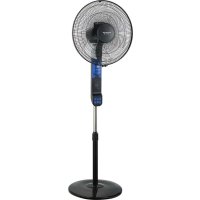
Boreal Digital NoMoskit - Fan TAURUS - Free user manual and instructions
Find the device manual for free Boreal Digital NoMoskit TAURUS in PDF.

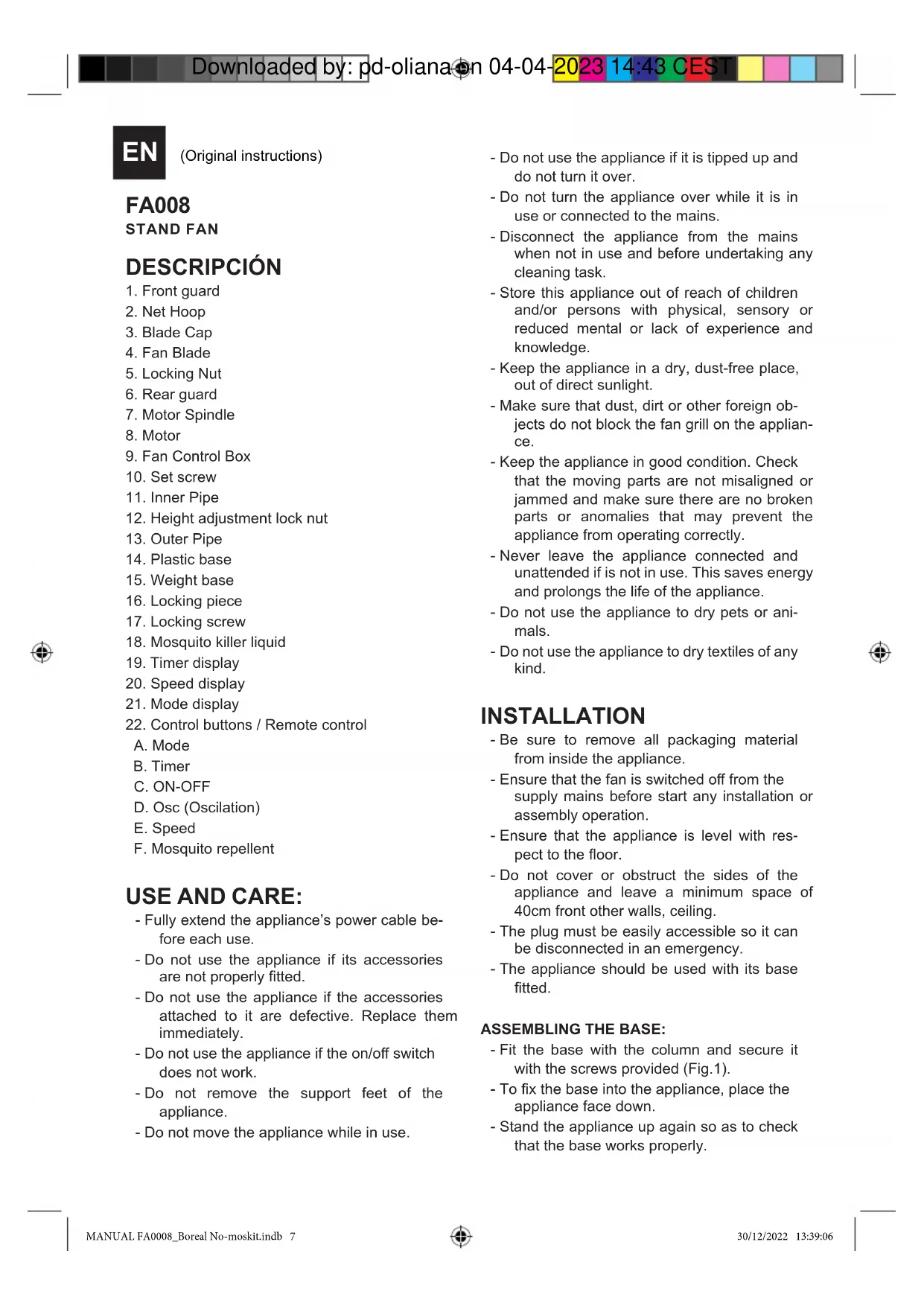


| Product type | Pedestal fan |
| Brand | Taurus |
| Model | Boreal Digital NoMoskit |
| Power supply | 220-240 V ~ 50/60 Hz |
| Power | 50 W |
| Number of speeds | 3 (P1, P2, P3) |
| Modes | Normal, Natural, Sleep |
| Timer | 0.5 to 7.5 hours |
| Oscillation | 75° |
| Anti-mosquito function | Yes, with reservoir for repellent |
| ECO function | Yes (automatic speed adjustment according to ambient temperature) |
| Remote control | Yes |
| Adjustable height | Yes |
| Cleaning | Damp cloth, do not immerse |
| Safety | Thermal protection device against overheating |
| Warranty | In accordance with current legislation (contact technical service) |
Frequently Asked Questions - Boreal Digital NoMoskit TAURUS
User questions about Boreal Digital NoMoskit TAURUS
0 question about this device. Answer the ones you know or ask your own.
Ask a new question about this device
Download the instructions for your Fan in PDF format for free! Find your manual Boreal Digital NoMoskit - TAURUS and take your electronic device back in hand. On this page are published all the documents necessary for the use of your device. Boreal Digital NoMoskit by TAURUS.
USER MANUAL Boreal Digital NoMoskit TAURUS
Boreal Digital No-Moskit
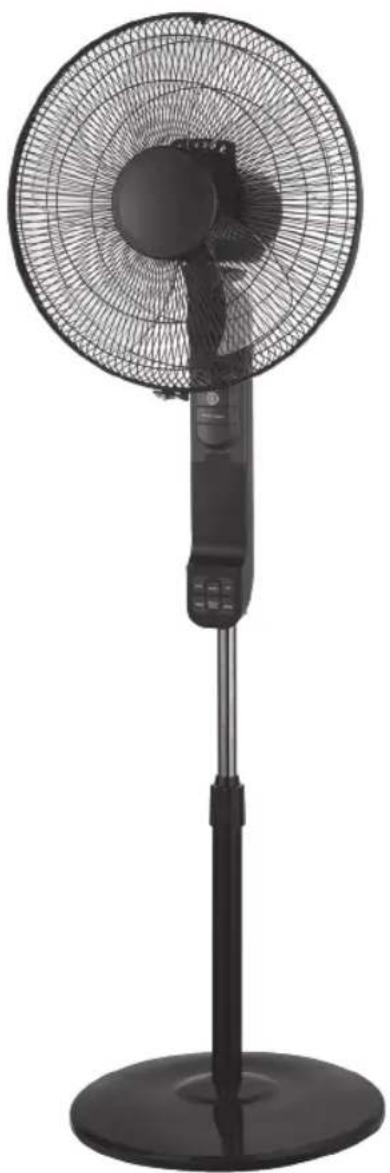
ES. Instrucciones de uso
EN. Instructions for use
FR. Mode d'emploi
PT. Instruções de uso
IT. Istruzioni per l'uso
CA. Instruccions d'us
DE. Gebrauchsanleitun
NL. Gebruiksaanwijzing
RO. Instruetioni de'utilizare
PL. nstrukcja obslugi
BG. INHctpyKzna 3aynoTpe6a
EL. Odyiecs xphons
CS. Navod k pouziti
AR.
taurus
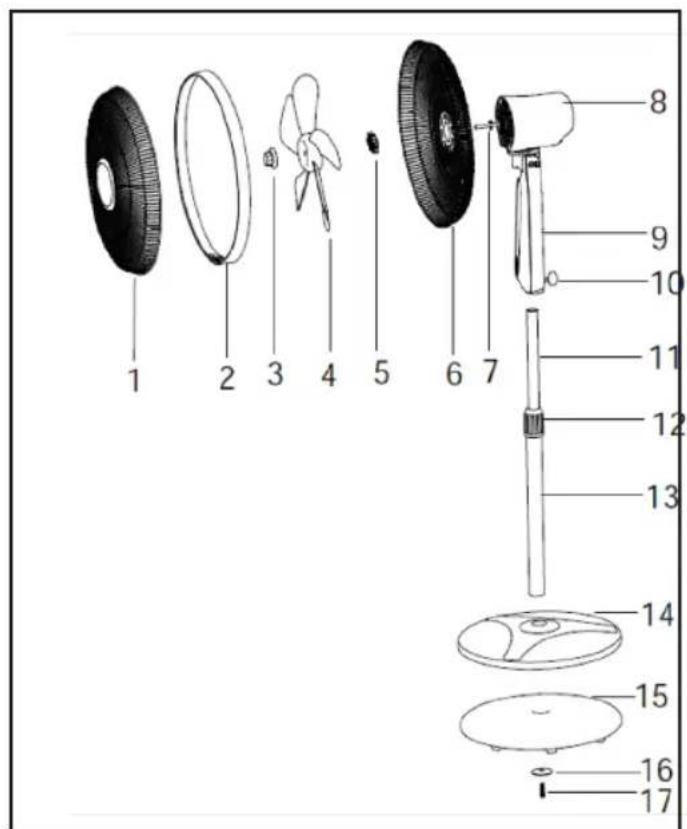
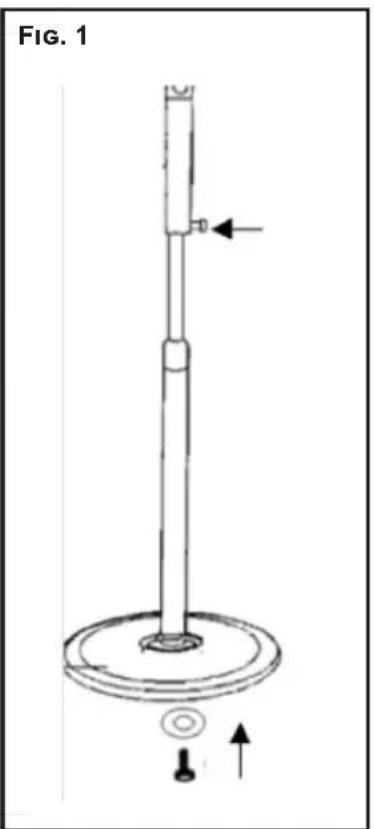


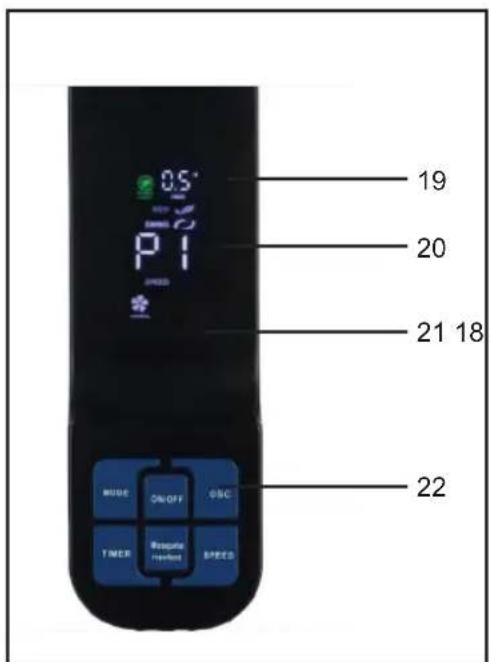

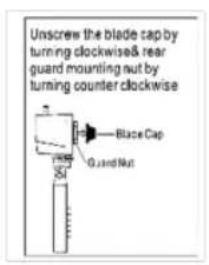
FIG.2



ES
(Original instructions)
FA008
STAND FAN
DESCRIPCION
- Front guard
- Net Hoop
- Blade Cap
- Fan Blade
- Locking Nut
- Rear guard
- Motor Spindle
- Motor
- Fan Control Box
- Set screw
- Inner Pipe
- Height adjustment lock nut
- Outer Pipe
- Plastic base
- Weight base
- Locking piece
- Locking screw
- Mosquito killer liquid
- Timer display
- Speed display
21.Mode display - Control buttons / Remote control
A. Mode
B. Timer
C. ON-OFF
D.Osc (Oscillation)
E. Speed
F. Mosquito repellent
USE AND CARE:
- Fully extend the appliance's power cable before each use.
- Do not use the appliance if its accessories are not properly fitted.
- Do not use the appliance if the accessories attached to it are defective. Replace them immediately.
- Do not use the appliance if the on/off switch does not work.
- Do not remove the support feet of the appliance.
-
Do not move the appliance while in use.
-
Do not use the appliance if it is tipped up and do not turn it over.
- Do not turn the appliance over while it is in use or connected to the mains.
- Disconnect the appliance from the mains when not in use and before undertaking any cleaning task.
- Store this appliance out of reach of children and/or persons with physical, sensory or reduced mental or lack of experience and knowledge.
- Keep the appliance in a dry, dust-free place, out of direct sunlight.
- Make sure that dust, dirt or other foreign objects do not block the fan grill on the appliance.
- Keep the appliance in good condition. Check that the moving parts are not misaligned or jammed and make sure there are no broken parts or anomalies that may prevent the appliance from operating correctly.
- Never leave the appliance connected and unattended if is not in use. This saves energy and prolongs the life of the appliance.
- Do not use the appliance to dry pets or animals.
- Do not use the appliance to dry textiles of any kind.
INSTALLATION
- Be sure to remove all packaging material from inside the appliance.
- Ensure that the fan is switched off from the supply mains before start any installation or assembly operation.
- Ensure that the appliance is level with respect to the floor.
- Do not cover or obstruct the sides of the appliance and leave a minimum space of 40cm front other walls, ceiling.
- The plug must be easily accessible so it can be disconnected in an emergency.
- The appliance should be used with its base fitted.
ASSEMBLING THE BASE:
- Fit the base with the column and secure it with the screws provided (Fig.1).
- To fix the base into the appliance, place the appliance face down.
- Stand the appliance up again so as to check that the base works properly.


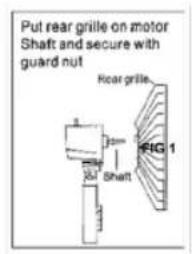
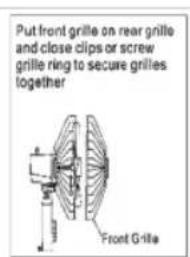
ASSEMBLING THE GRILL AND THE PROPELLER: (FIG 2)
- Fit the rear grill on the motor housing, matching their fitting points.
- Tight the grill nut that attaches the grill, Make sure of a correct setting.
- Fit the propeller on the motor shaft.
- Tight the nut that attaches the propeller,
Make sure of a correct setting. - Check the correct rotation of the propeller.
- Fit the front grill front the rear grill,
- Fix the front grill turning around its fixing belt and tight the security screw by using a screwdriver.
INSTRUCTIONS FOR USE
BEFORE USE:
- Make sure that all products' packaging has been removed.
- Prepare the appliance according to the function you wish to use:
USE:
- Extend the cable completely before plugging.
- Connect the appliance to the mains.
- Guide the appliance to direct the flow of air in the desired direction.
- Turn the appliance on, by using the on/off button (22C).
- Select the appliance function desired.
- Select the desired speed (P1, P2, P3).
FAN FUNCTION:
- Select the fan position.
- Select the desired ventilation speed.
MODES
- Press" Mode" to set the Choose between the following modes "Normal / Nature/ Sleep"
TIMER FUNCTION:
- The appliance's operating time can be controlled, 0.5-7.5H.
- To program the operating time simply select it using the timer (22, B) button.
- The time programmed or remaining time will appear on the display (19).
- After the selected time the appliance will switch off automatically.
OSCILLATION FUNCTION:
- The oscillation function makes it possible to direct the flow from the apparatus so that it automatically alternates over a range of 75^ .
- To activate this function, press the (22, D) OSC button.
- To deactivate this function, follow the procedure for switching it on in reverse.
THE ECO FUNCTION
- When the ambient temperature is less than 26^ , the fan runs on 1=low speed; When the ambient temperature between 26 to 29^ , the fan runs on 2=middle speed; When the ambient temperature is more than 30^ , the fan runs on 3=high speed. Press ECO button again, ECO function off.
MOSI/MOSQUITOKILLER
- Push button (22, F) to activate/ inactivate the mosquito killer function.
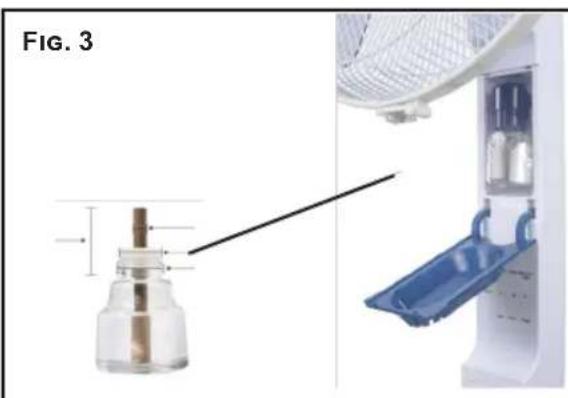
- Install mosquito repellent (Fig 3)
-
- Please purchase a suitable repellent
-
- please Install the mosquito repellent as directed
| Mode | Function |
| Constant speed at the adjusted level | |
| The night mode is like the natural mode and, starting from the selected start speed, it automatically switches between the levels. After about 30 minutes, the fan changes to the next lower speed level. Once it reaches the lowest level, it remains in this mode until the device is turned off by the sleep timer or manually. | |
| The device changes the speed at intervals depending on the selected starting speed, thereby producing pleasant and natural air circulation. |
- 3.Pay attention to check whether the repellent used up.
HEIGHT ADJUSTMENT
- The appliance height can be adjusted, it's just necessary to unlock the knob (12) place the appliance at the desired height and lock again the knob (12).
ONCE YOU HAVE FINISHED USING THE APPLIANCE:
- Turn the appliance off, using the on/off button (22 C).
- Unplug the appliance from the mains.
- Clean the appliance.
SAFETY THERMAL PROTECTOR:
- The appliance has a safety device, which protects the appliance from overheating.
- If the appliance turns itself off and does not switch itself on again, disconnect it from the mains supply, and wait for approximately 15 minutes before reconnecting. If the machine does not start again seek authorised technical assistance.

CLEANING
- Disconnect the appliance from the mains and allow it to cool before undertaking any cleaning task.
- Clean the equipment with a damp cloth with a few drops of washing-up liquid and then dry.
- Do not use solvents, or products with an acid or base pH such as bleach, or abrasive products, for cleaning the appliance.
- Do not let water or any other liquid get into the air vents to avoid damage to the inner parts of the appliance.
- Never submerge the appliance in water or any other liquid or place it under running water.
- If the appliance is not in good condition of cleanliness, its surface may degrade and inexorably affect the duration of the appliance's useful life and could become unsafe to use.

FR
VOETMESSAGE-APPARAAT
BESCHRIJVING
MOS/SRODEK ODSTRASZAJACY KOMARY".
YKA3AHNIA 3A PABOTA C YPEDA
IPEINIbPBOHAUJIHAYNOTPEBA:
- Ybepete ce, Ye cTe OTcTpaHnIu cJaNaTa onaKOBka oT ypeHa.
-Подговerte урета в завсимост OT келаня реким:
YNOTPEBA:
-Предиуnotpe6aиВКЛIOчBAHeHaурda, pa3BnTe HAnbIHo 3axpaHbAuzna Ka6eI.
-BkHouTe ypeJa KbM eJNeKtpo3aXpaHaBaHeTo.
-Hacouete ypeTa Taka, Ye Bb3DyUHnT NOtOK Da Teue BKeNaHaTa nocoka.
- 3aDééntBaɪte ypeɪda ypeɪs 6yToH on/off 22C).
-Изберетежеланатункця. - IV36epete ckopoct (P1/P2/P3).
-ФУHКЛИ“BEHTUNATOP”:
-Изберете поожене "Вerte NaTop".
-Изберетскорост haобдухвае.
PEKIMN
- HatncheTe "Pexm", 3a da n36peTe n3MeJy cIeHnTe pexm: "ObnuaeH/ EcTeCTBeH/ NouVBka".
(12) 8jzlll jai jai jia jia jia jia
12) 0j jll jn jn jn jlll (jll jll
jgl jlaauiu 10 gii
ON/OFF (22C).
jai jai
jies1
aalll s j
j j 1
jzai j.
JgE gill 2y jai cia Jz jiee Jaa
15 15
Claa 10
ooaol gai pcl
ON/OFF (22C).
a.1234567890
a ball a ball (P1, P2, P3).
g
a.
-2y10all 2e
E
e bina "MODE"/ sale": aieiie
Jsw/1g"
gai 1
0.5-7.5 jai jui ci gai diis
22) C3jdy.000011111111111111111111111111111111111
19) aaiiie aiiaai iaiii
jidi jiei iabisw sddn ae wll e y
i
jll j 1gll aaggl gss sgs
75.
jll baxia 0000 OSC (22,D)
Sall jaoaai jai laojai g.
ECO
Jaa 26 aai jai jai Jss
jra 12
22029,26
e e 1j
eellll 1111 jai jai 3j.
- (5, 11) a, b, c, d S, a + b + c + d S, j
gblai jao jaoi jso aai ai
1golal 10
all 200
LgolS) 10
aal 1
aalgl aalal alal
1 1
Joo
J31 JiaXiJi
aal 1 a 1 1 1 1 1 1 1 1
101 101
Jaa
Jlll Jg Jg Jg llll
yjdy jdy jdy jdy
jllal alal jll algal jall jall
aaii i 1
aai jao gao, jiall jao gla, laljla sa jie jiai
j 1 j 1 j 1 j 1 j 1 j 1 j 1 j 1 j 1 j 1 j 1 j 1 j 1 j 1 j 1 j 1 j 1 j 1 j 1 j 1 j 1 j 1 j
yasjaiolcljz1n jao sS. yssall jgall 1e bala
jlaaie g ooska e jai aeg g aaii jai all ne jz
jglall cai nae ie gaii
1 1 1 1 1 1 1 1 1 1 1 1 1 1 1 1 1 1 1
Cil gall jlae gaiy lgl gail gial jgll Jaaas Y. 1
1
jll jld jno wlll gill 1 go all j no sll.
jia jie jie jia jia jia
40 1 Jai Y aIu u jil jiei I iJz Jia
J 1
aiaial aiele e jolll J
a.cii.
1 (kill) aall jll (gill, gall)
| العربية | العربية |
| العربية | العربية |
| العربية | العربية |
| العربية | العربية |
| العربية | العربية |
| العربية | العربية |
| العربية | العربية |
| العربية | العربية |
| العربية | العربية |
| العربية | العربية |
| العربية | العربية |
- jia gai li shi zai jilin
()
AR
19.
20.45
21.
- 10
A. 无氧呼吸
B. 与之关于
C. | - |
D.OSC
E. a
Jaxy 4 ayalalil jay1 / jayll alj 13 jayll Jaxiny.
jall jalaa all jpaY.
Janaizil 124 jS Jai 125
a 2, b. 1
jill jgsj Jaxu 1s jyL a cll jie 11
pall lglalaxil p 111 jlll jlll lalac
g j 1
FA008
aagaae
g1
1.
2.
3.aaal yjy jal gao
4.
5.4.11 4.11
6.
7.
8.
9.aa jollpa
10.
11.
12.
13.
- A 与 S 相交 x_1 = 32
15.
16.
17.


Espanol
GARANTÍA Y ASISTENCIÀ TÉCNICA
This product enjoys the recognition and protection of the legal guarantee in accordance with current legislation. To enforce your rights or interests you must go to any of our official technical assistance services.
You can find the closest one by accessing the following web link: http://taurus-home.com/
You can also request related information by contacting us.
You can download this instruction manual and its updates at http://taurus-home.com/
François
GARANTIE ET ASSISTANCE TECHNIQUE
gai jia aai jia aai g i ci ly jiu bui u 1u 1u 1u 1u 1u 1u 1u 1u
ai^j = 12( ai - 1a_i + 1)
aawjll aaiil daleuol ciolal j5jo j5jo
1 1
:JWJg
http://taurus-home.com (a)
JlaiyI jzrbjz alall lcllogb1 ub ciS Ls
.
gogblde dllao g ldo oolal Jus Juae elsg
http://taurus-home.com
COUNTRY ADDRESS PHONE
| Algeria Zone d'Activite, N° 62, Constantine 21377077756 | ||
| Argentina Av. del Libertador 1298,(B1638BEY), Vicente López (Pcia. Buenos Aires) | 541153685223 | |
| Belgium Mariëndonkstraat 5, 5154 EG, Elshout 31620401500 | ||
| Bulgaria | 265,Okolovrasten Pat, Mladost 4, 1766, Sofia | 35929211120 / 35929211193 |
| Congo (Republic of) 98 Blvd General Charles de Gaulle, Pointe Noire 242066776656 | ||
| Cyprus 20, Bethlehem Str. / P.O.Box 20430, 2033, Strovolos | 35722711300 | |
| Czech Republic Milady Horakove 357/4, 568 02, Svitavy 420 461 540 130 | ||
| Equatorial Guinea | SN Av Patricio Lumumba y C/ Jesus B, Bata | 00240 333 082958 / 00240 333 082453 |
| Equatorial Guinea | Calle de las Naciones Unidas, PO box 762, Malabo | 240333082958 / 240333082453 |
| Espana | Avda Barcelona, S/N, 25790 Oliana (Lleida) atencioncliente@taurus.es | 945 551 242 |
| France | Za les bas musats 18, 89100, Malay-le-Grand | 03 86 83 90 90 |
| Ghana | Ederick Place, Accra-Ghana | 302682448 / 302682404 |
| Gibraltar | 11 Horse Barrack Lane, 54000, Gibraltar | 00350 200 75397 / 00350 200 41023 |
| Greece Sapfous 7-9, 10553, Athens | +30 21 0373 7000 | |
| Hong Kong | Unit H,13/F., World Tech Centre, Hong kong | (852) 2448 0116 / 9197 3519 |
| Hungary | Késmárk utca 11-13, 1158, Budapest +36 1 370 4519 | |
| India | C-175, Sector-63, Noida, Gautam Budh Nagar - 201301, Delhi | (+91) 120 4016200 |
| Ivory Coast 01 Rue Des Carrossiers-Zone 3, B.P 3747, Abidjan 01 (RCI) | 22521251820 / 225 21 353494 | |
| Luxembourg Mariëndonkstraat 5, 5154 EG, Elshout 31620401500 | ||
| Marruecos Big distribution society 4 Rue 13 Lot. Smara Oulfa, Casablanca | (+212) 522 89 40 21 | |
| Mauritania 134 Avenue Gamal Abdener Ilot D, Nouakchott 2225254469 / 2225251258 | ||
| Mexico Rosas Moreno N° 4-203 Colonia de San Rafael C.P. 06470 – Delegación Cuauhtémoc, Ciudad de México | (+52) 55 55468162 | |
| Montenegro Rastovac bb, 81400, Niksic +382 40 217 055 | ||
| Netherlands Mariëndonkstraat 5, 5154 EG, Elshout 31620401500 | ||
| Nigeria 8, Isaac; John Str,G.R.A Ikeja Lagos 23408023360099 | ||
| Paraguay Denis Roa 155 c/ Guido Spano, Asunción 21665100 | ||
| Peru Calle los Negocios 428, Surquillo, Lima (511) 421 6047 | ||
| Portugal Avenida Rainha D. Amélia, n°12-B, 1600-677, Lisboa | +351 210966324 | |
| Romania Dudesti Pantelimon 23, 410554, Bucharest | 031.805.49.58 | |
| Serbia Rastovac bb, 81400, Niksic +382 40 217 055 | ||
| Slovakia Milady Horakove 357/4, 568 02, Svitavy | 420 461 540 130 | |
| Southafrica Unit 25 & 26, San Croy Office Park, Die Agora Road, Croydon, Kempton Park, 1619, Johannesburg | (+27) 011 392 5652 | |
| Tunisia 2, Rue de Turquie, Tunis | 21671333066 | |
| Ukraine Block 6, Ap Housing Estate Topol-2, B, 49000, Dnepropetrovsk | 380563704161 / 380563704161 | |
| Uruguay Luis Alberto de Herrera 3468, 11600, Montevideo | 598 2209 28 00 | |
| Vietnam Lot 7 Ind. Zone for, Ha Noi | 84437658111 / 84437658110 | |
taurus
www.taurus-home.com
30/12/2022