
Gazelle S - Stroller CYBEX - Free user manual and instructions
Find the device manual for free Gazelle S CYBEX in PDF.


| Product type | Modular stroller |
| Brand | CYBEX |
| Model | Gazelle S |
| Number of configurations | 2 (high seat and low seat) |
| Weight | 12.5 kg |
| Dimensions (unfolded) | 110 × 60 × 105 cm (approx.) |
| Dimensions (folded) | 85 × 60 × 40 cm (approx.) |
| Recommended age | From birth to 22 kg |
| Weight capacity per seat | Up to 22 kg |
| Frame material | Aluminium |
| Wheels | 4 wheels, front swivel, rear fixed, front and rear suspension |
| Brake | Foot-operated parking brake |
| Harness | 5-point, height adjustable |
| Canopy | XXL sun canopy with mesh window and flap |
| Footrest | Adjustable recline |
| Handlebar | Height adjustable |
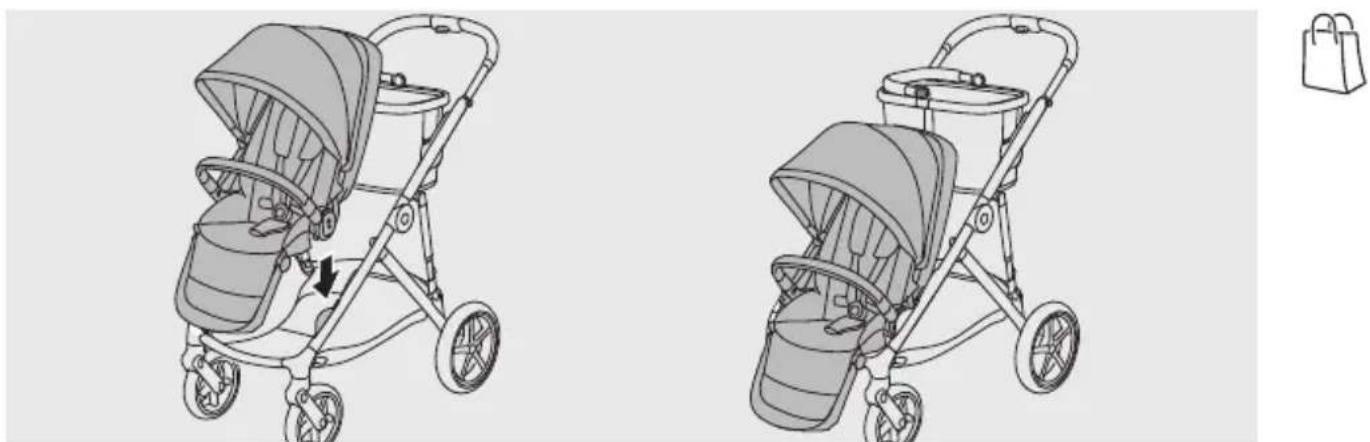
| Basket | Spacious shopping basket, attachment points for kid board |
| Fold | Compact fold with anti-fold safety and lock |
| Care | Machine washable covers at 30°C |
| Included accessories | Bumper bar, harness pads, cup holder |
| Compatibility | CYBEX car seats and carrycots (MONO and DUO) |
| Spare parts | Available (covers, wheels, adapters, etc.) |
Frequently Asked Questions - Gazelle S CYBEX
User questions about Gazelle S CYBEX
0 question about this device. Answer the ones you know or ask your own.
Ask a new question about this device
Download the instructions for your Stroller in PDF format for free! Find your manual Gazelle S - CYBEX and take your electronic device back in hand. On this page are published all the documents necessary for the use of your device. Gazelle S by CYBEX.
USER MANUAL Gazelle S CYBEX
natural_image
Line drawing of a two-wheeled stroller with bucket cover and wheels (no text or symbols)GAZELLE S
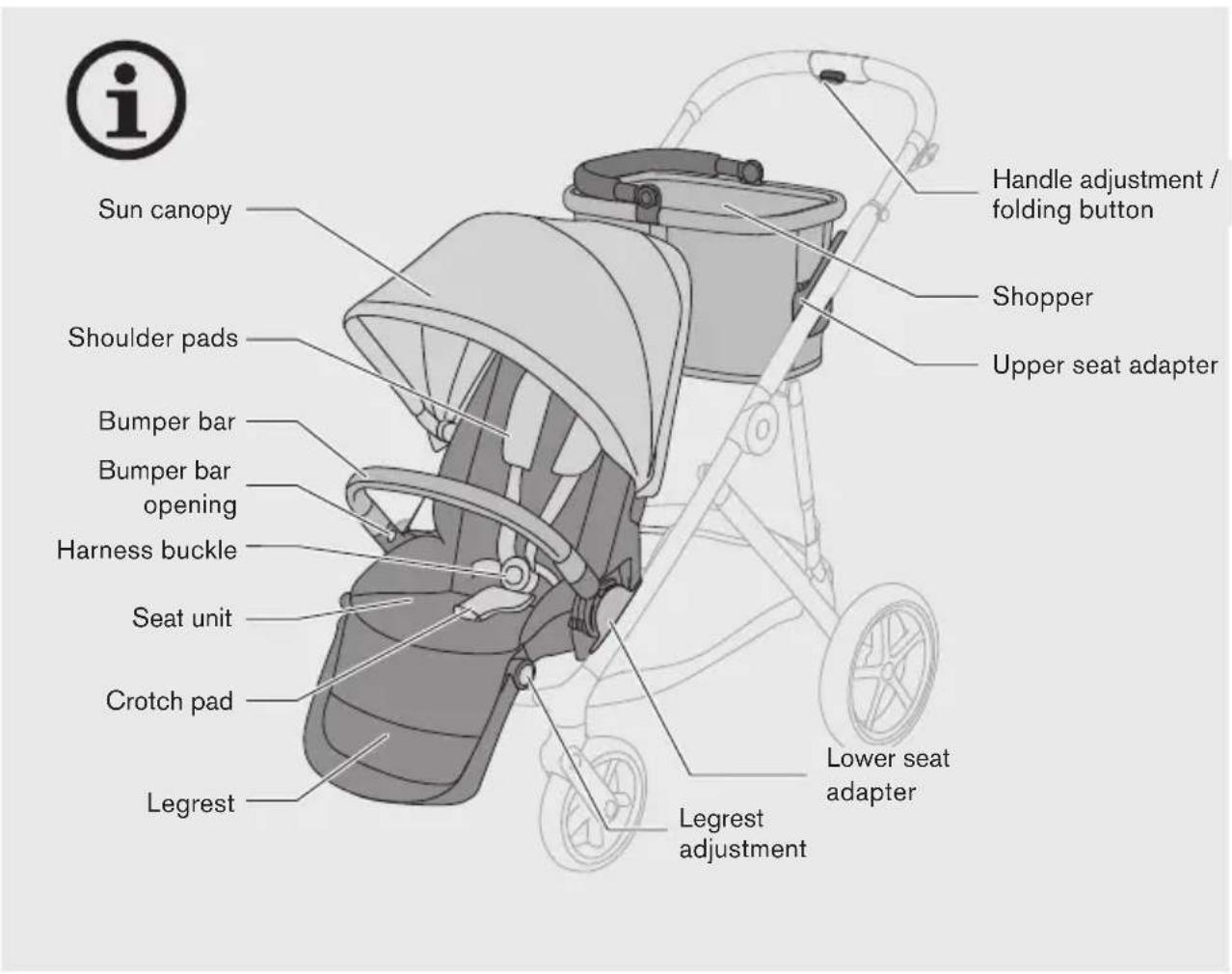
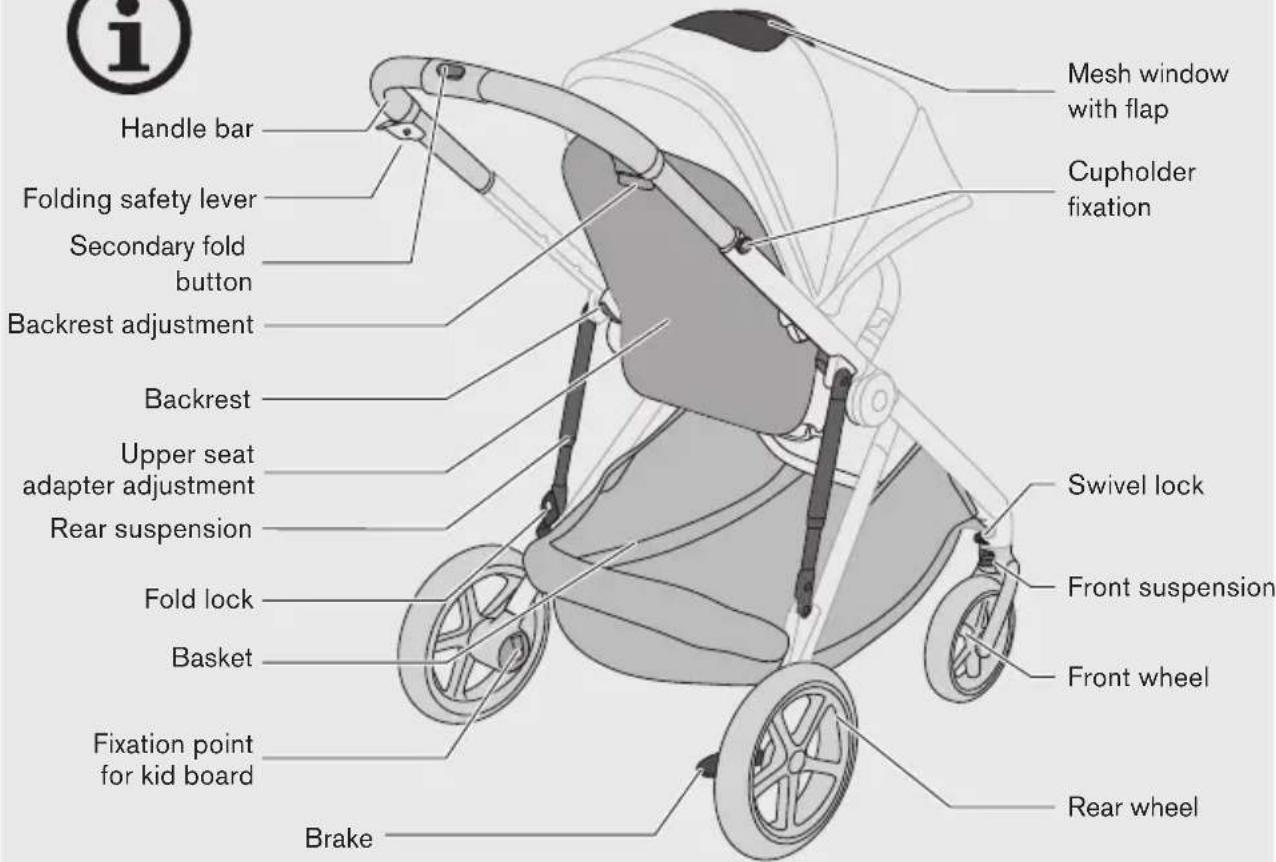
Stroller overview 4
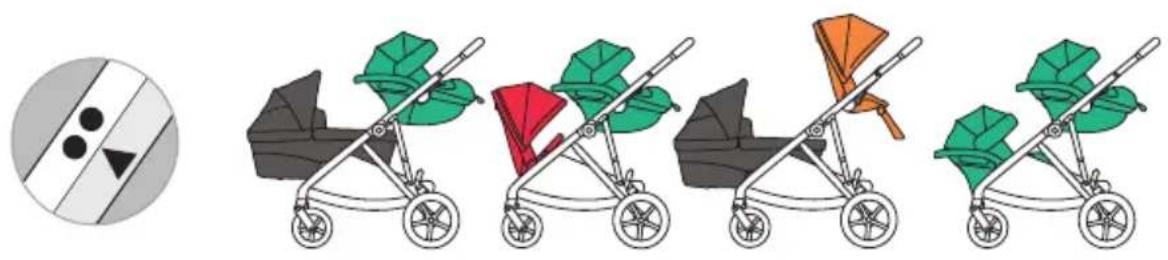
Configurations 18
Tutorial video 21
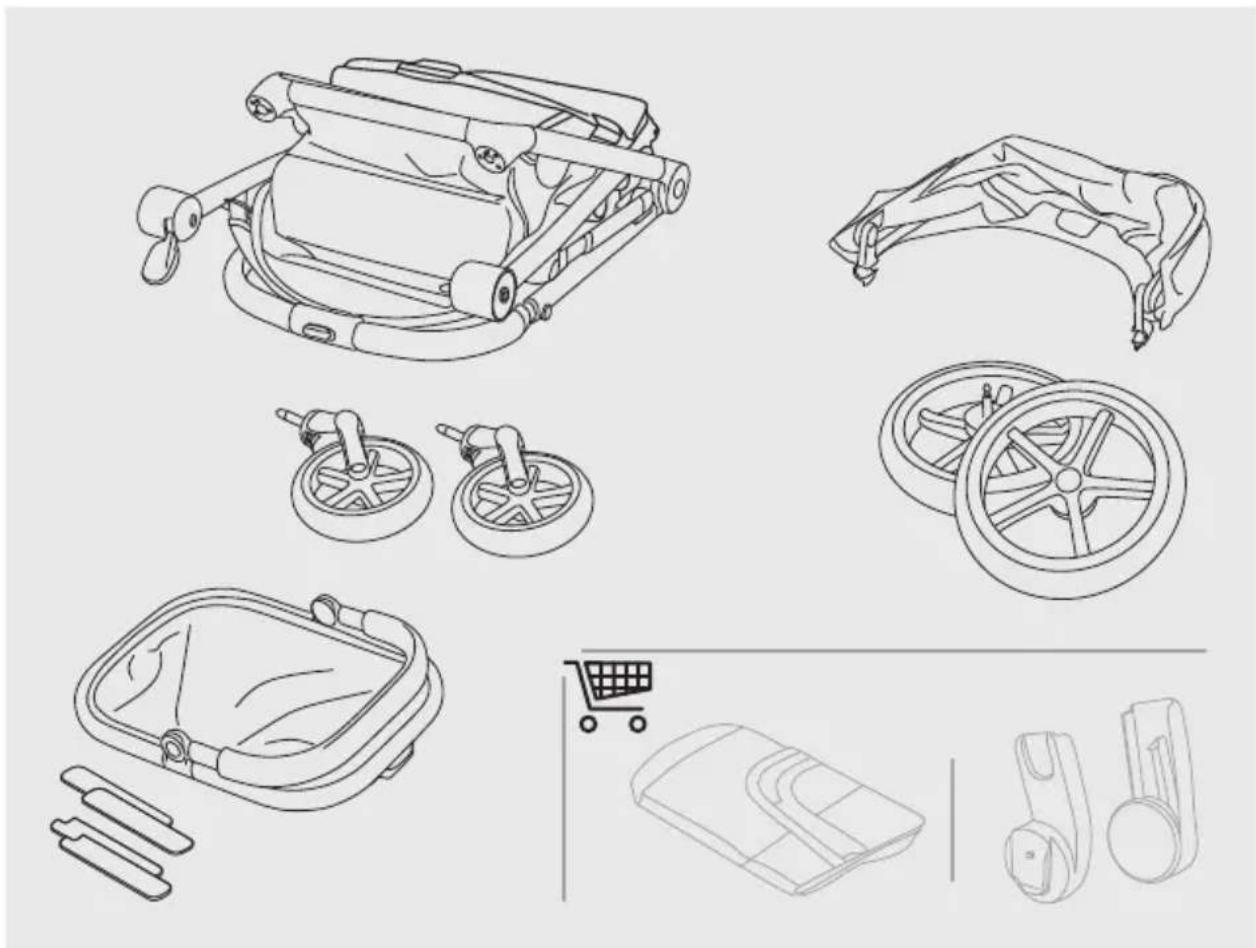
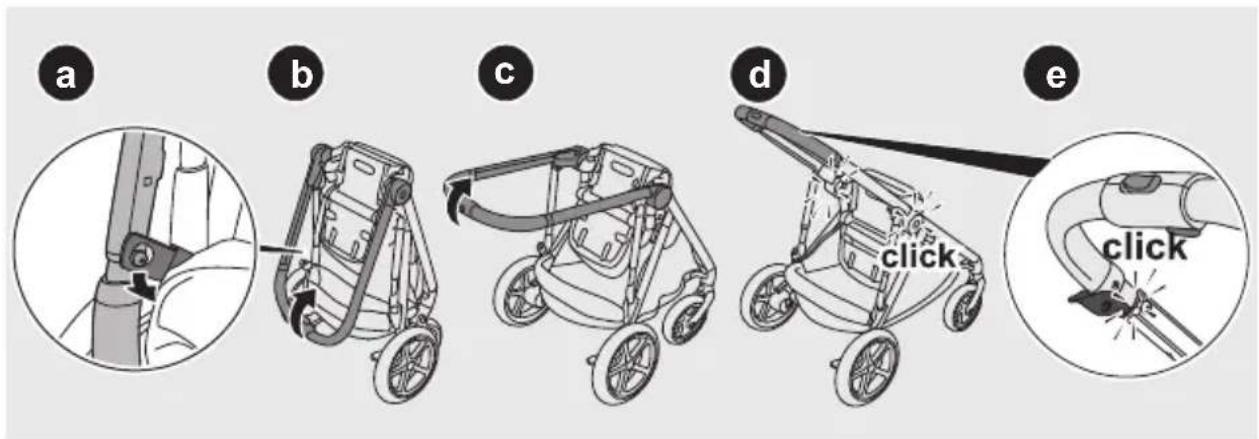
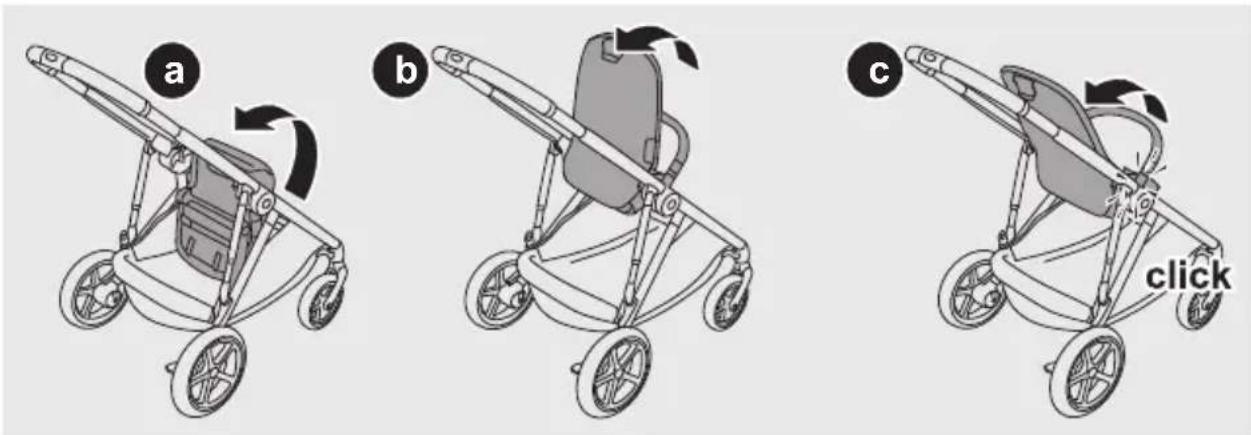
Preparing the stroller 22
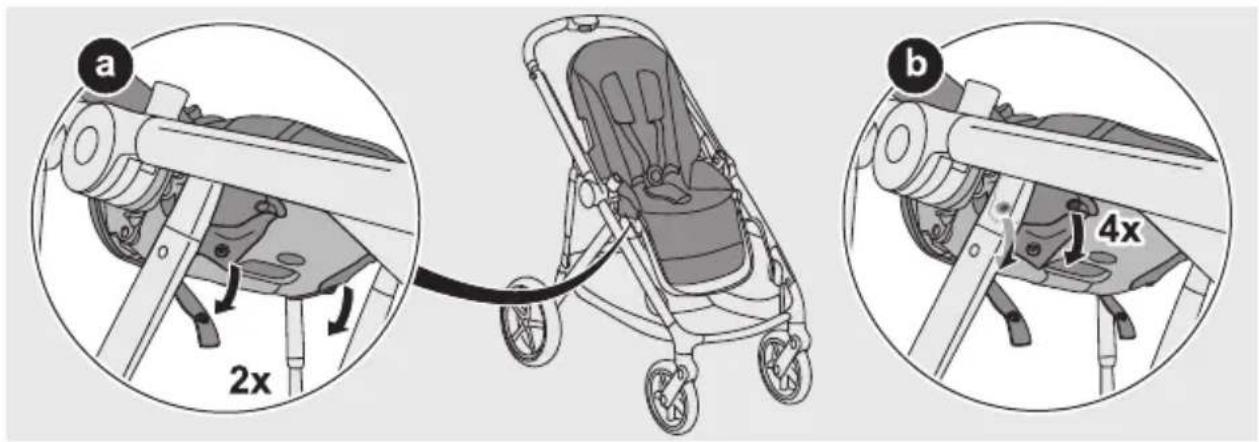
Adjusting the seat adapters 27
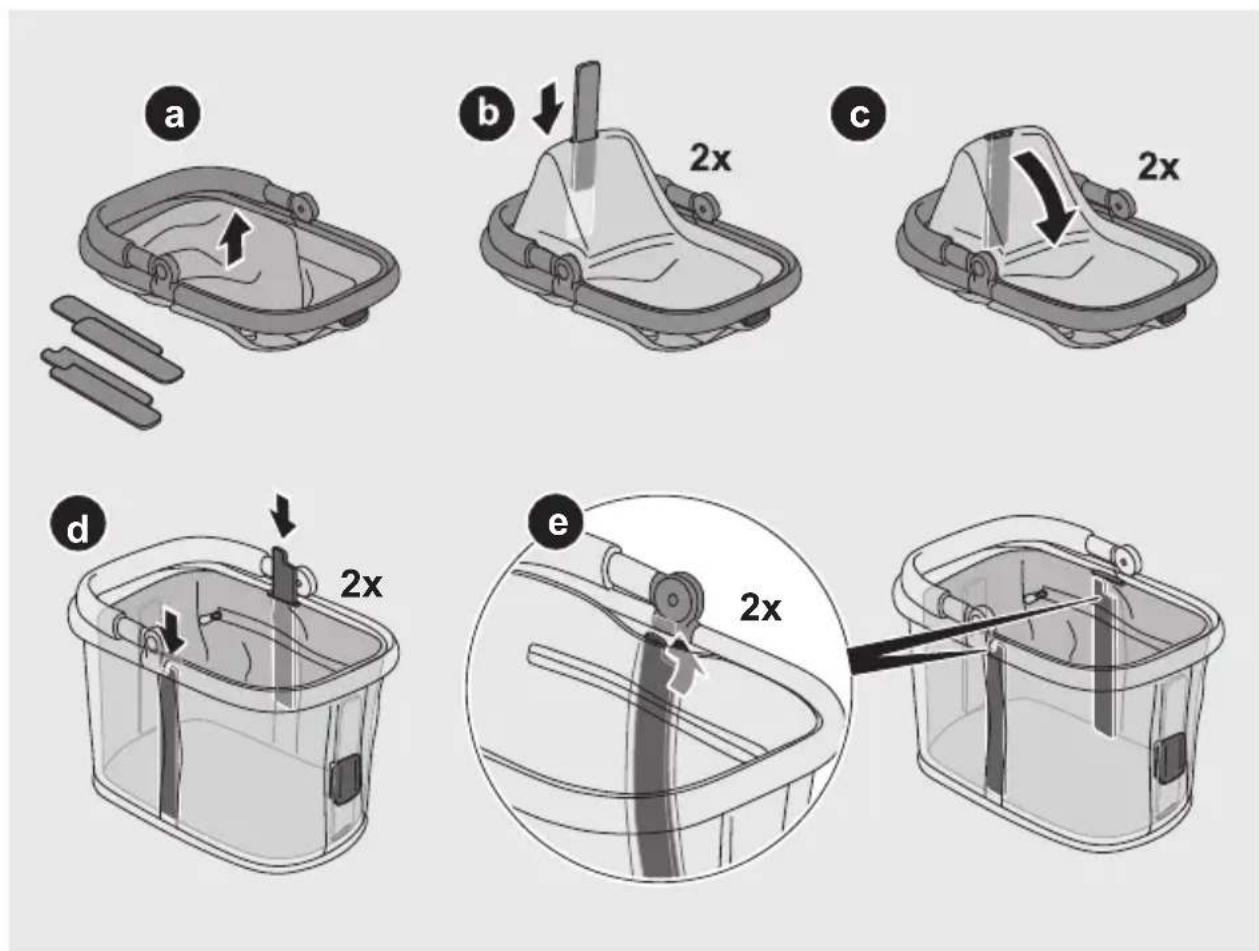
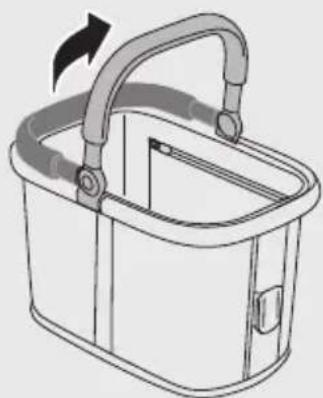
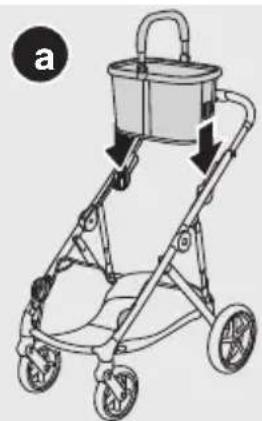
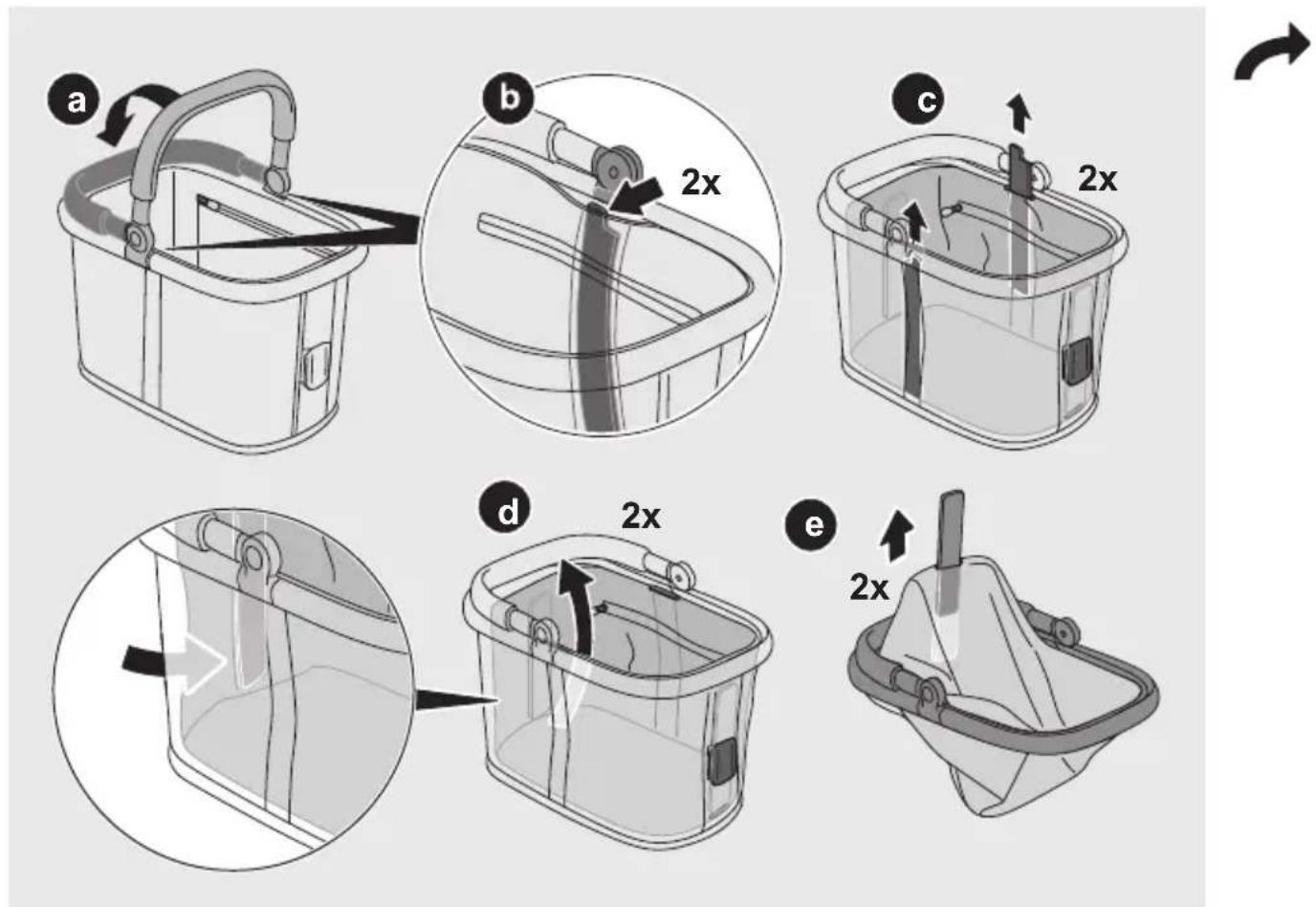
Preparing the shopping basket 29
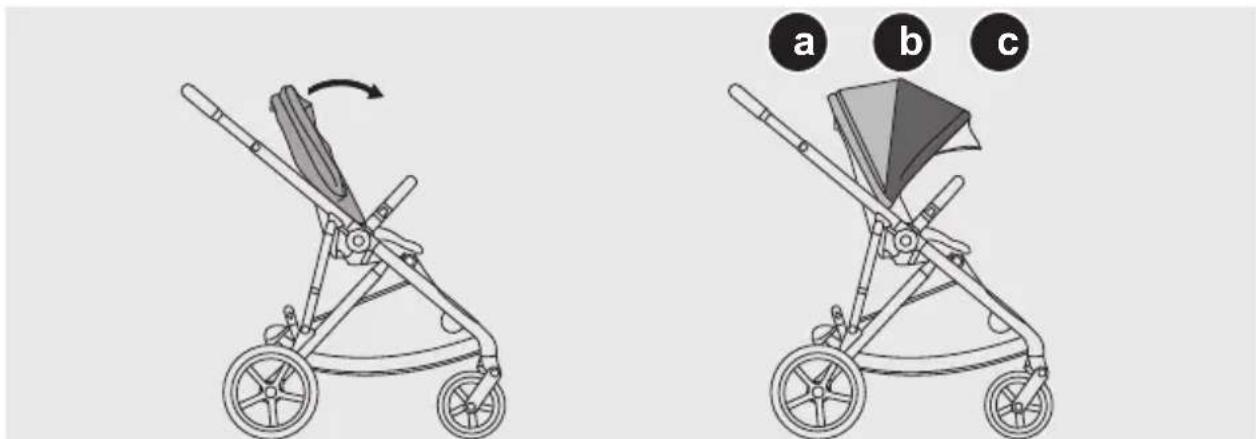
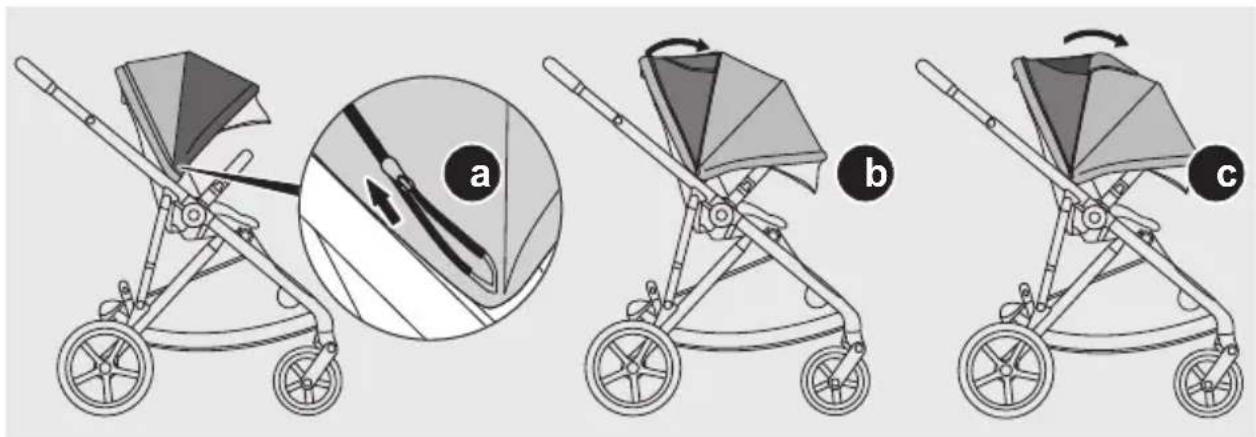
Using the XXL sun canopy 32
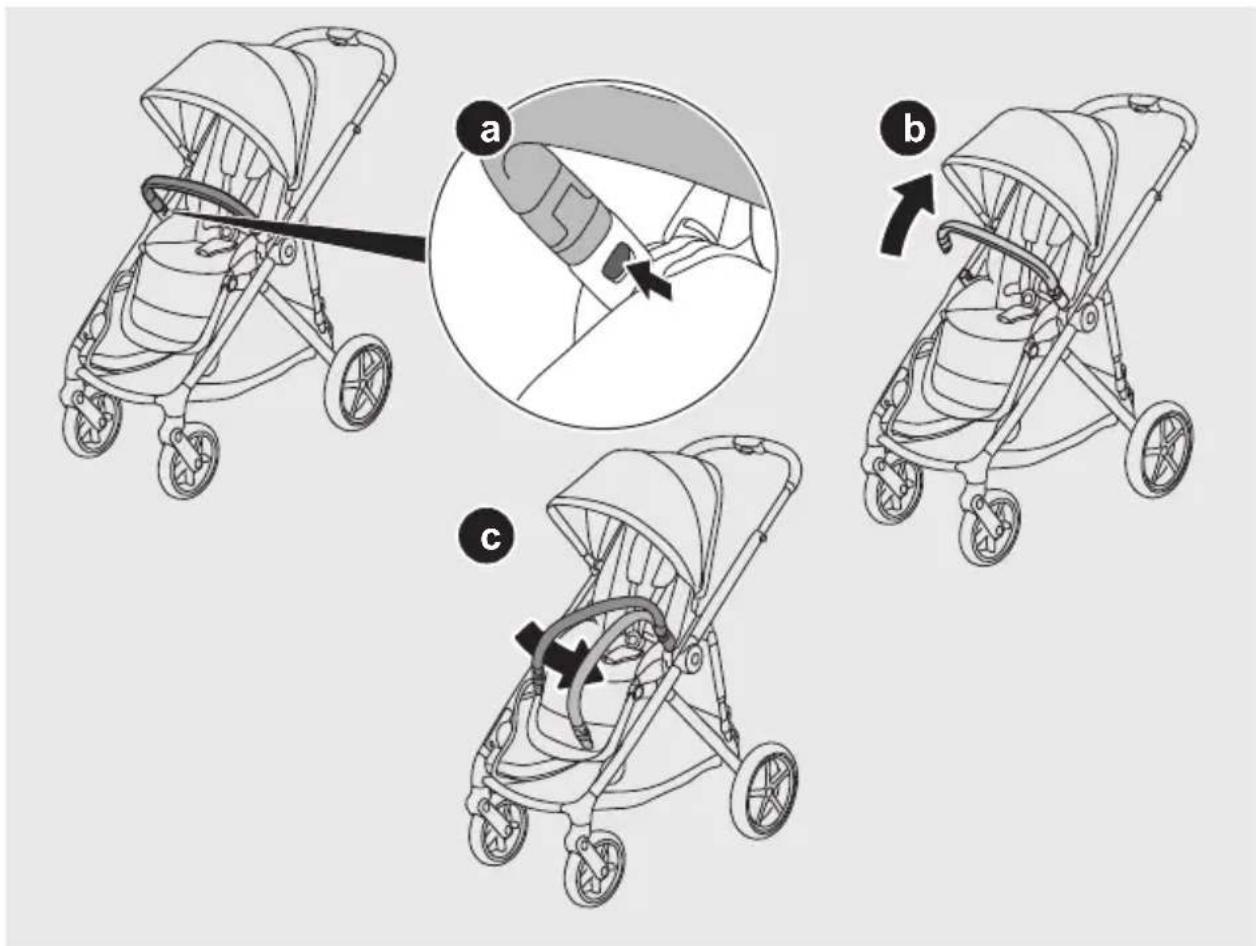
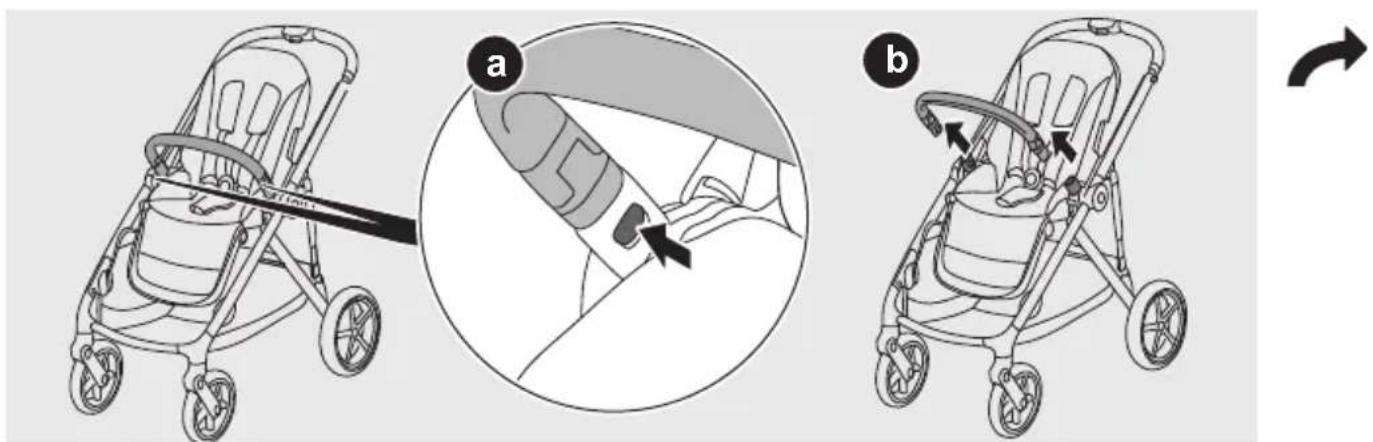
Using the bumper bar 34
Using the brake 35
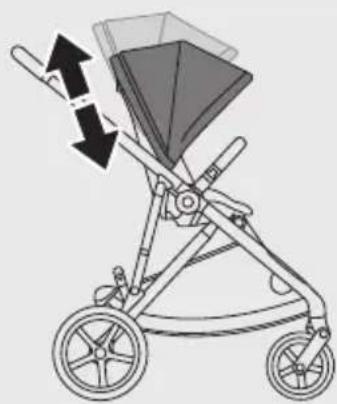
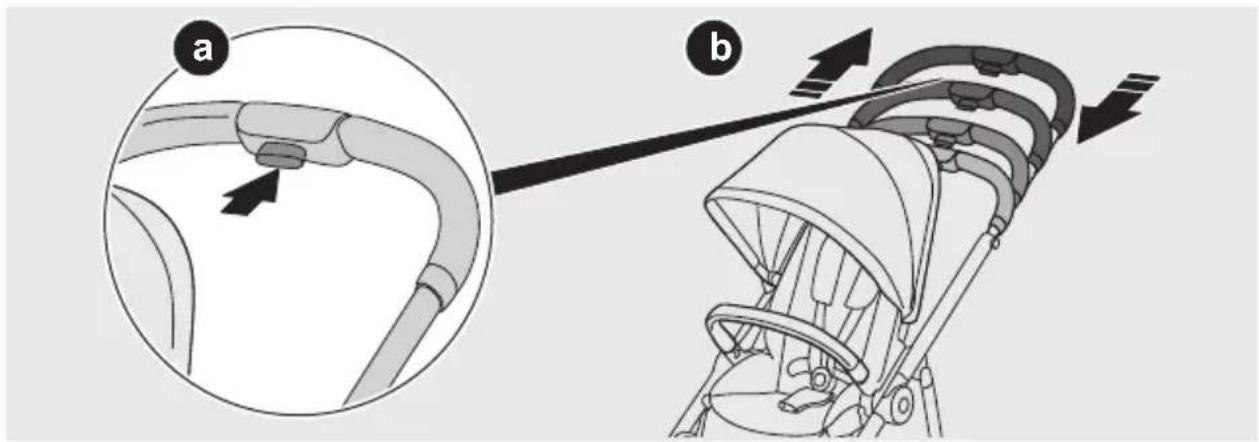
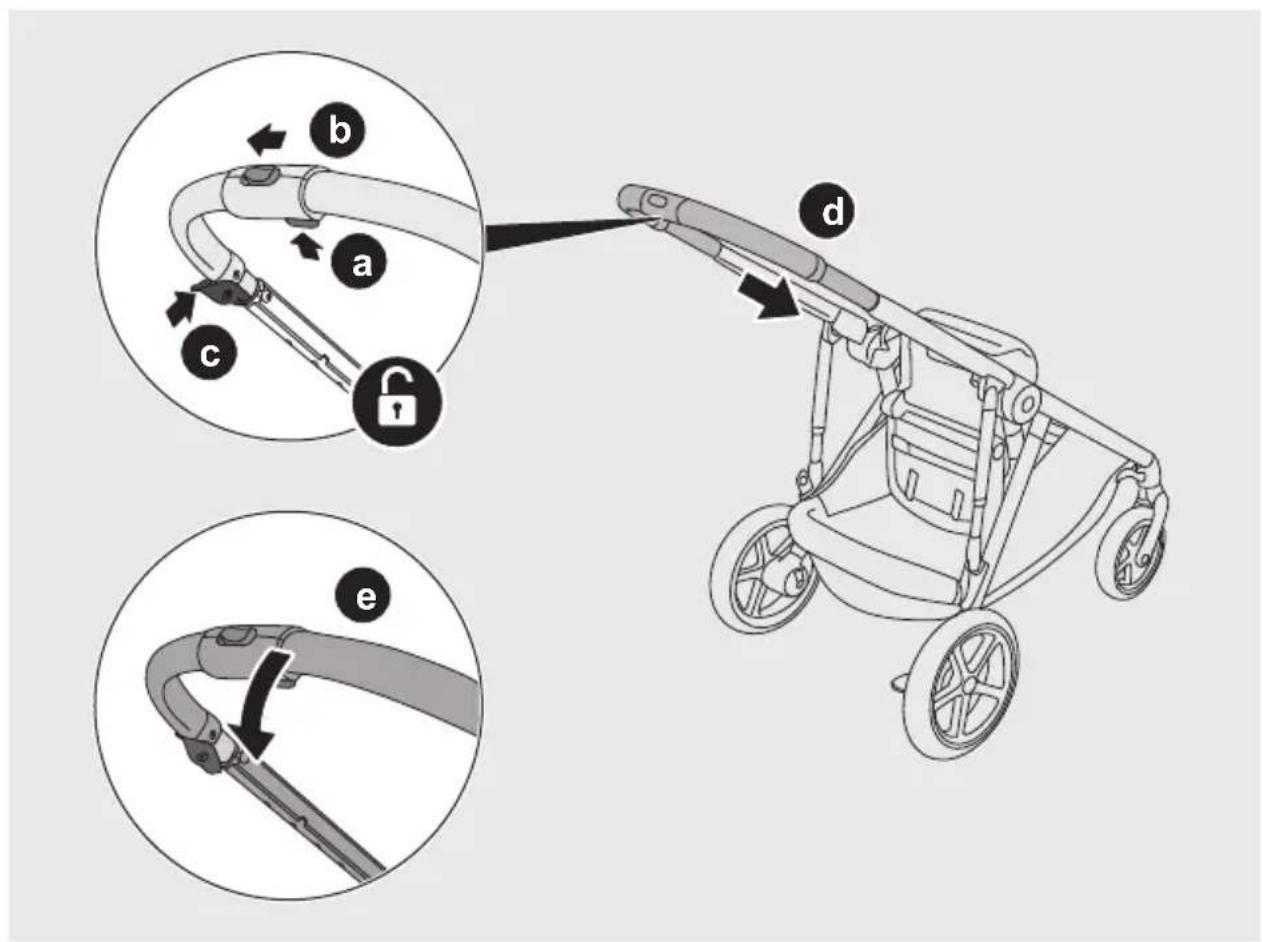
Adjusting the handle bar 35
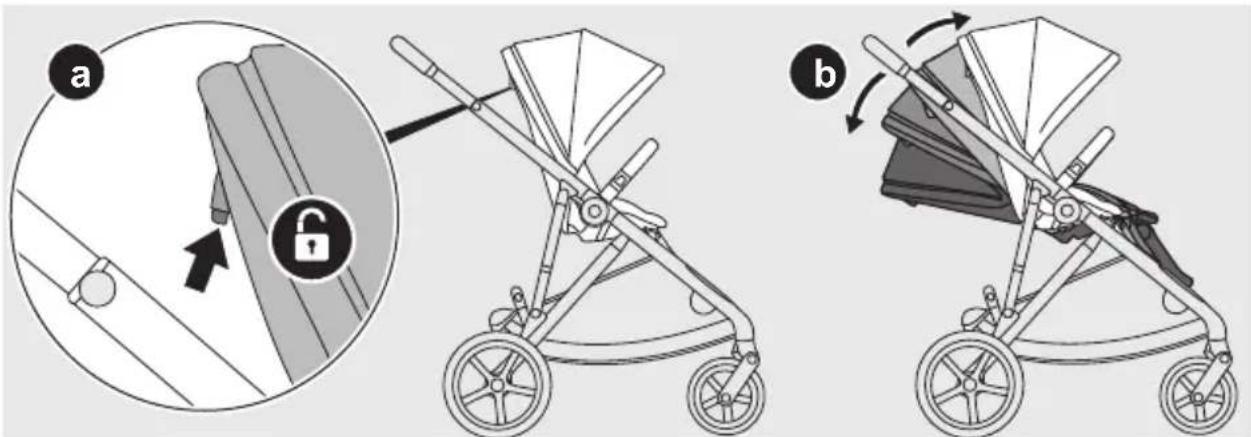
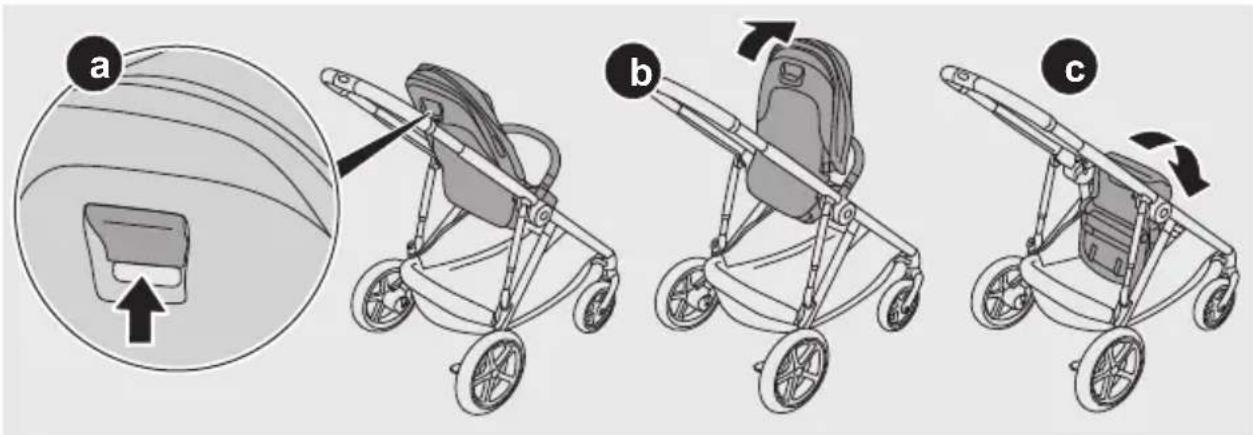
Adjusting the seat position 36
Adjusting the leg rest 37

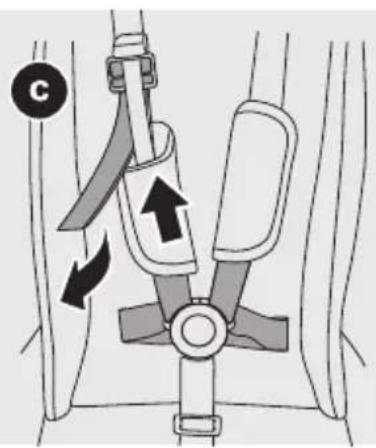
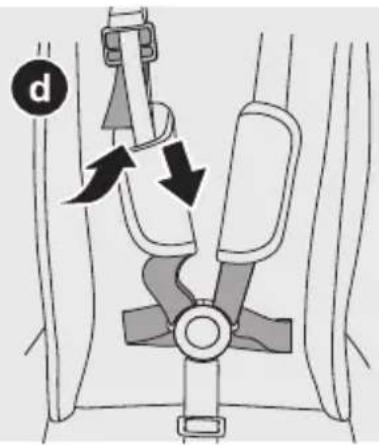
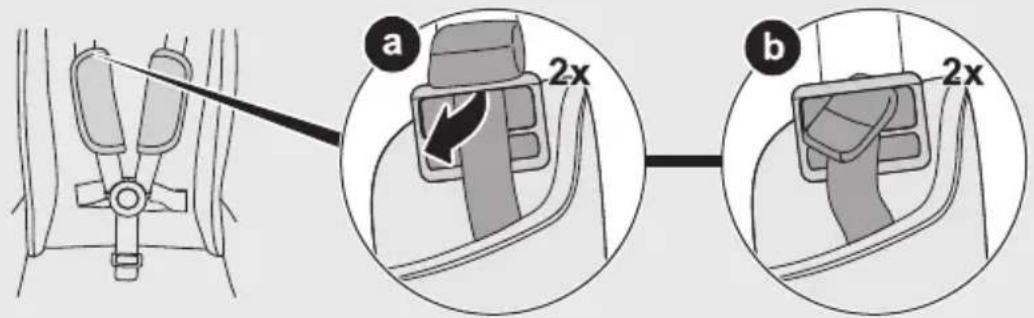
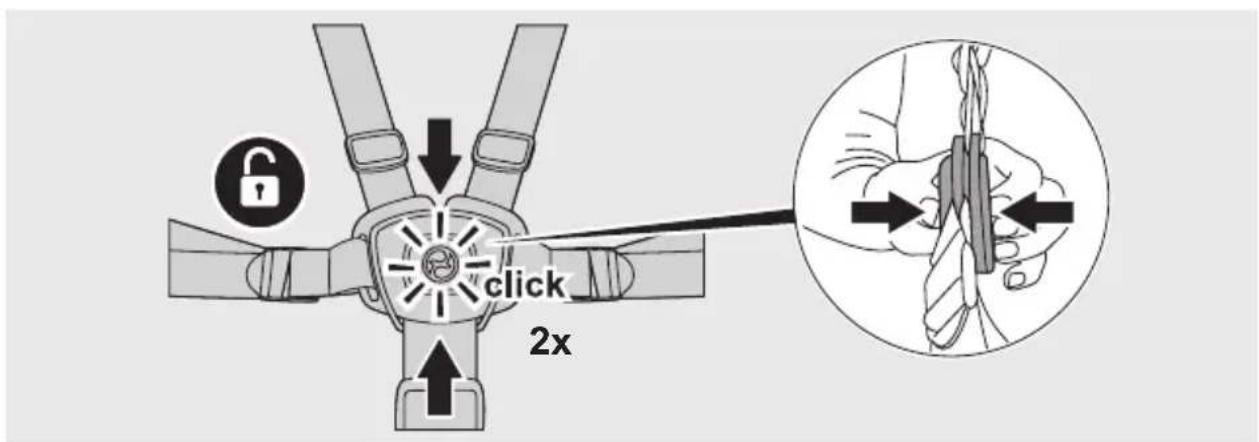
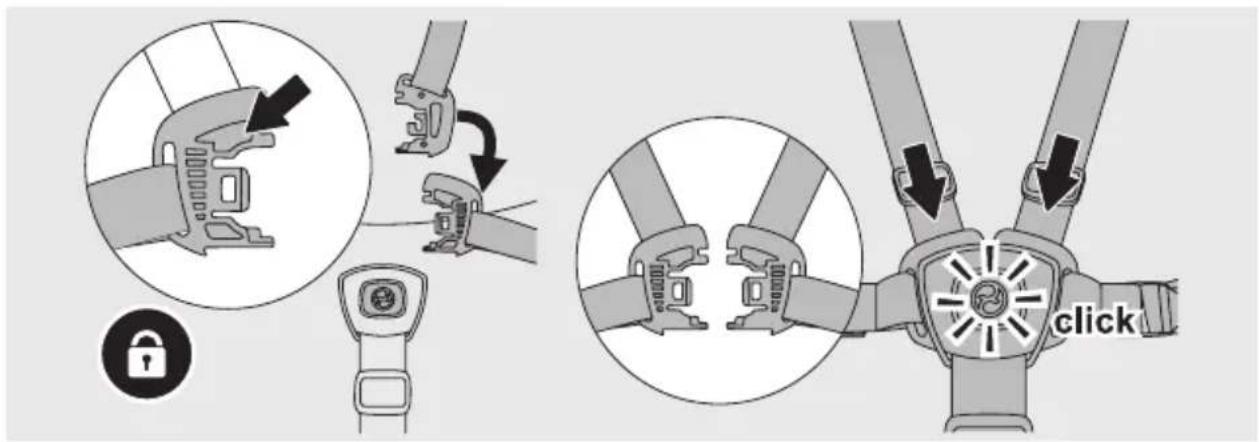
Using the harness system 38
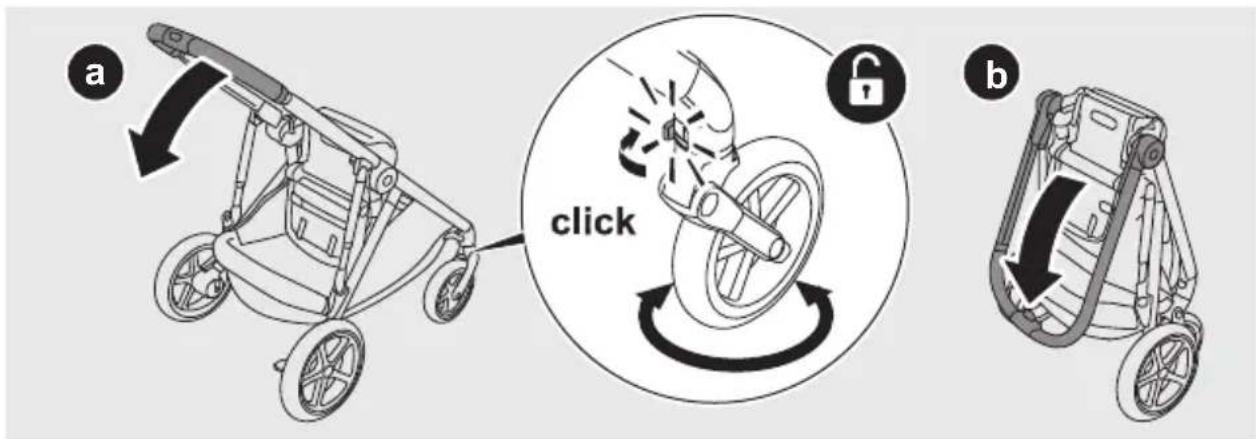
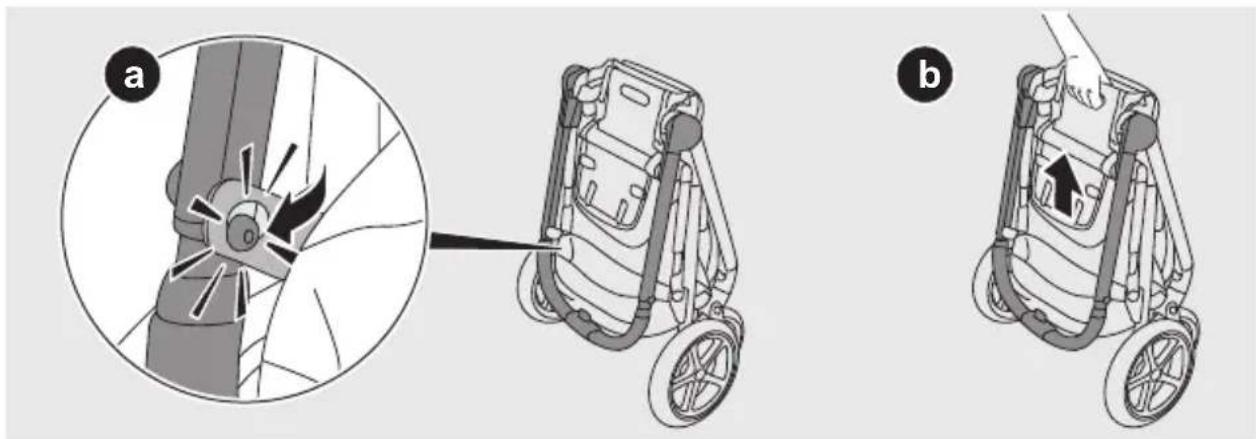
Folding 42
Free-standing position 45
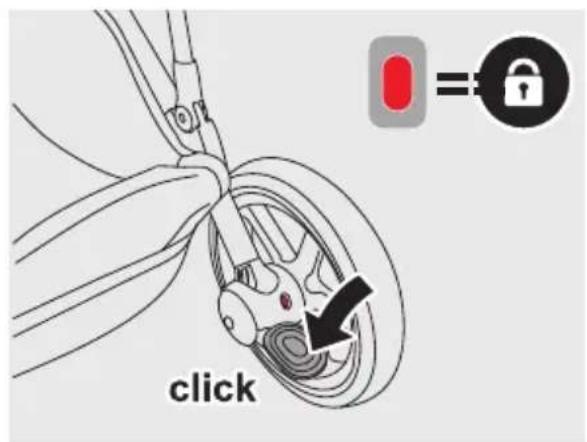
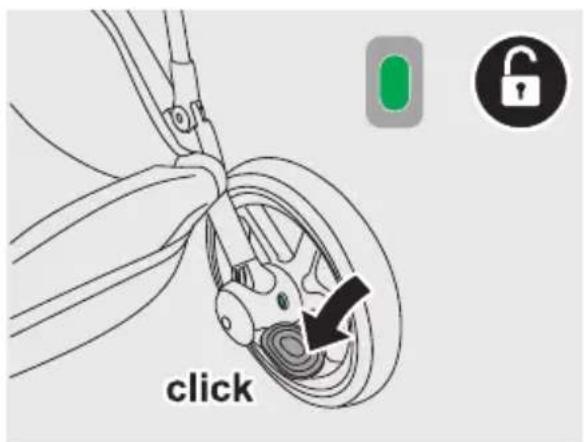
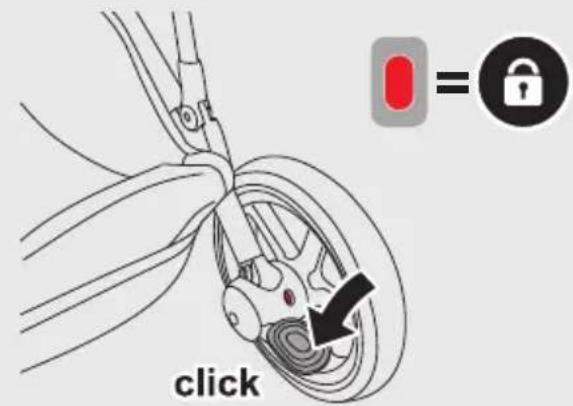
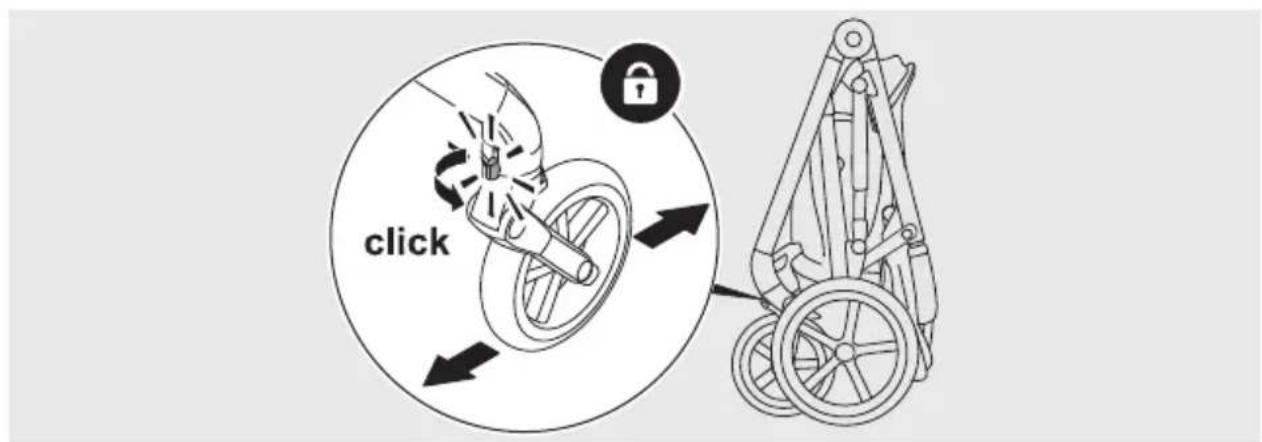
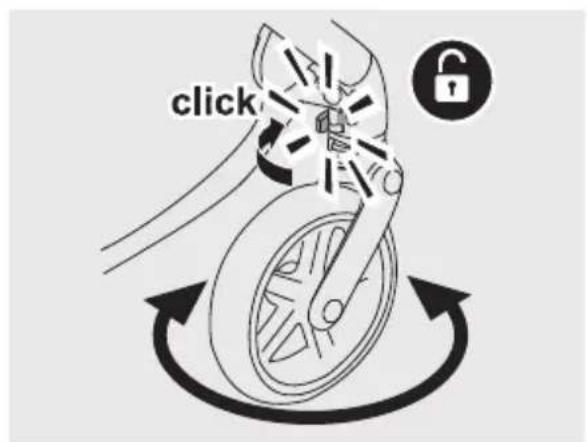
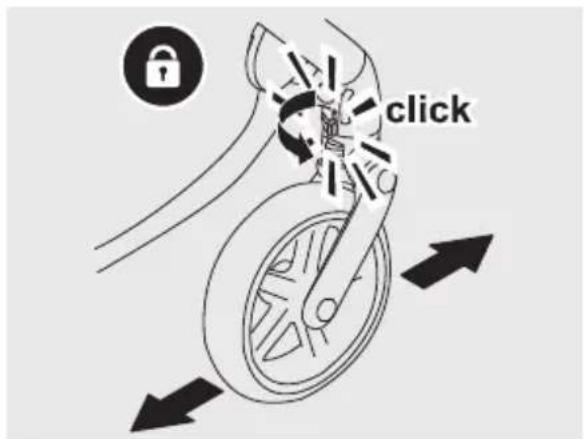
Using the swivel locks 45
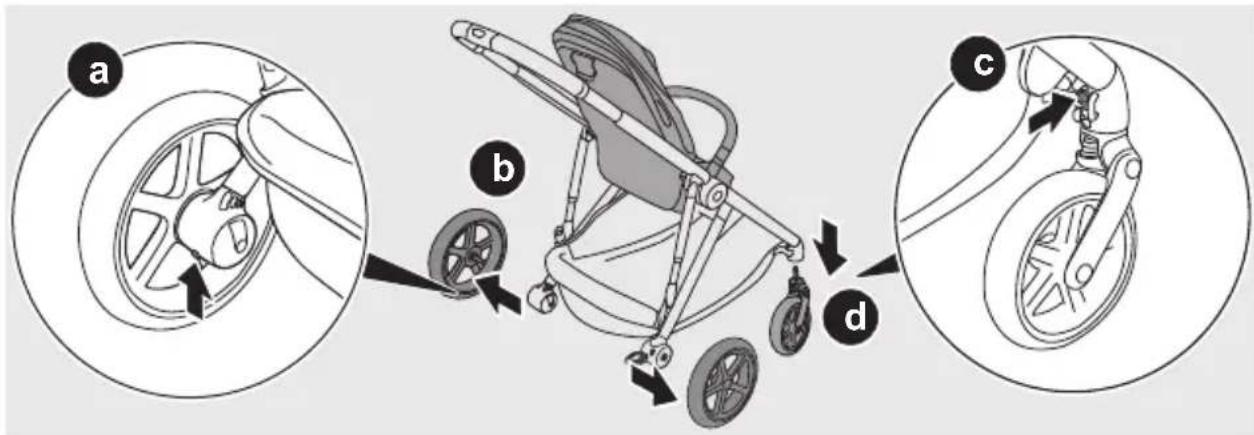
Removing the wheels 46
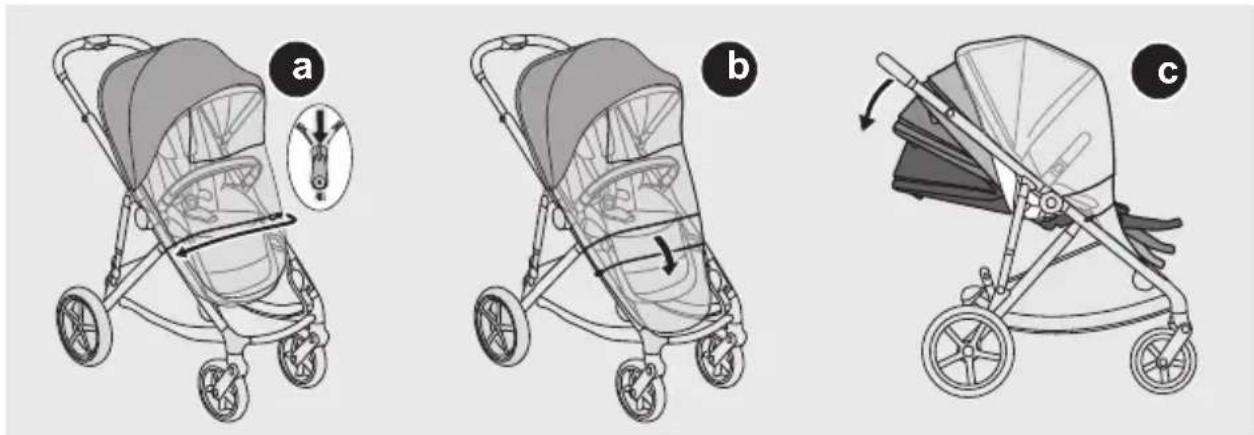
Using the raincover 47
Attaching the infant car seat MONO 49
Attaching the infant car seat DUO 52
Attaching the carry cot MONO 57
Attaching the carry cot DUO 58
Attaching the soft carry cot 62
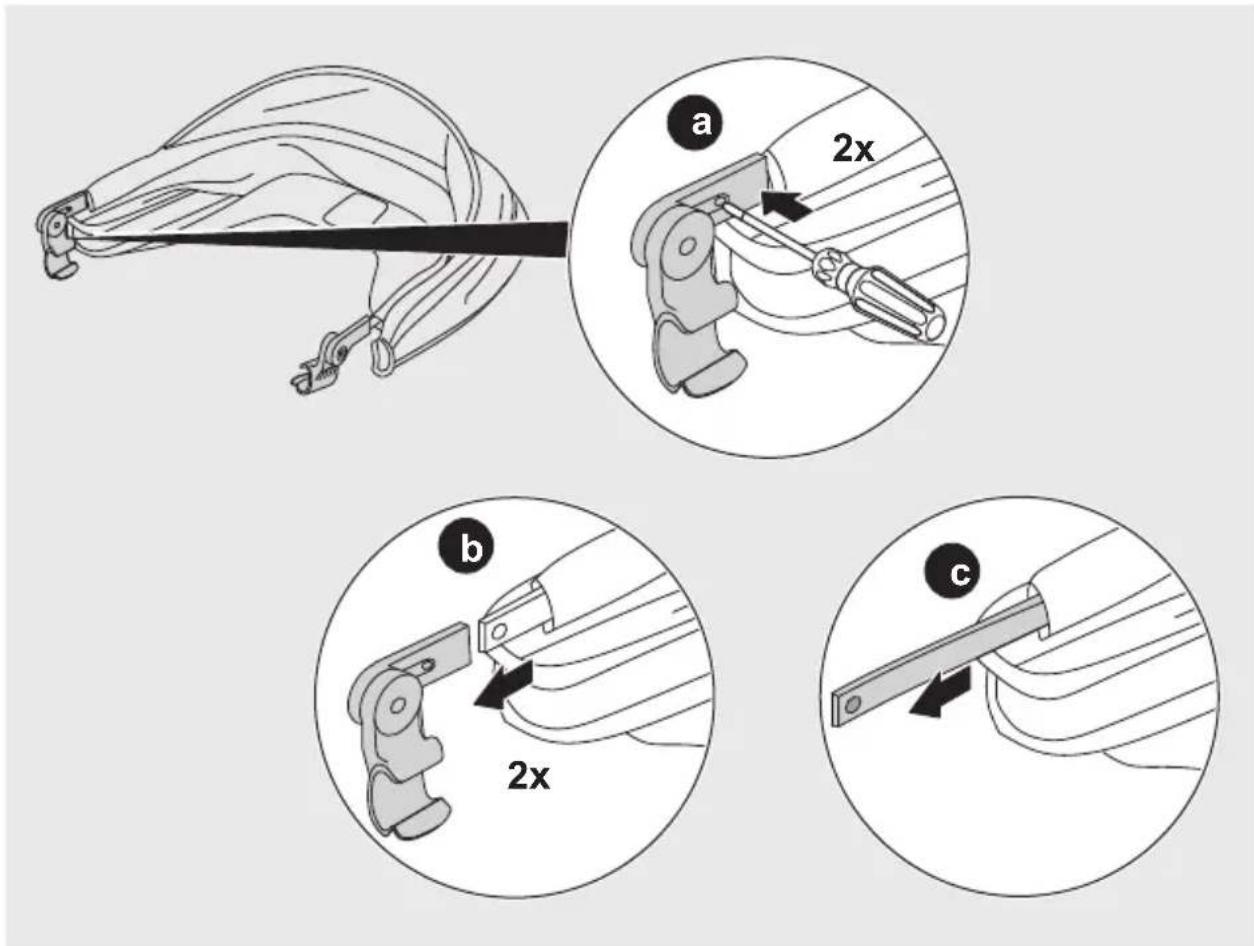
Removing the fabric 63

flowchart
graph TD
    A["Hand icon"] --> B["Hand icon with 'Pine'"]
    B --> C["Wheel icon"]
    C --> D["Wheel icon with 'Spiral'"]
    D --> E["Wheel icon with 'Circle'"]
    E --> F["Wheel icon with 'Rainfall'"]
    F --> G["Wheel icon with 'Dress' or 'Weather Circle'"]
    G --> H["Wheel icon with 'Water' and 'Bicycle'"]
    H --> I["Wheel icon with 'Candle' and 'Bottle'"]
    I --> J["Wheel icon with 'Washing Bar' and 'Groove Bar'"]
    J --> K["Wheel icon with 'Balance Bar' and 'Balance Bar' with 'Balance Bar'"]
flowchart
graph TD
    A["Handrail"] --> B["Wheel"]
    B --> C["Wheel"]
    C --> D["Wheel"]
    D --> E["Wheel"]
    E --> F["Wheel"]
    F --> G["Cloud"]
    G --> H["Dry"]
    H --> I["Water"]
    I --> J["Wheel"]
    J --> K["Wheel"]
    K --> L["Wheel"]
    L --> M["Wheel"]
    M --> N["Wheel"]
    N --> O["Wheel"]
    O --> P["Wheel"]
    P --> Q["Wheel"]
    Q --> R["Wheel"]
    R --> S["Wheel"]
natural_image
Three sequential illustrations of a bicycle-mounted device with lever mechanisms, showing mechanical assembly and adjustment (no text or symbols)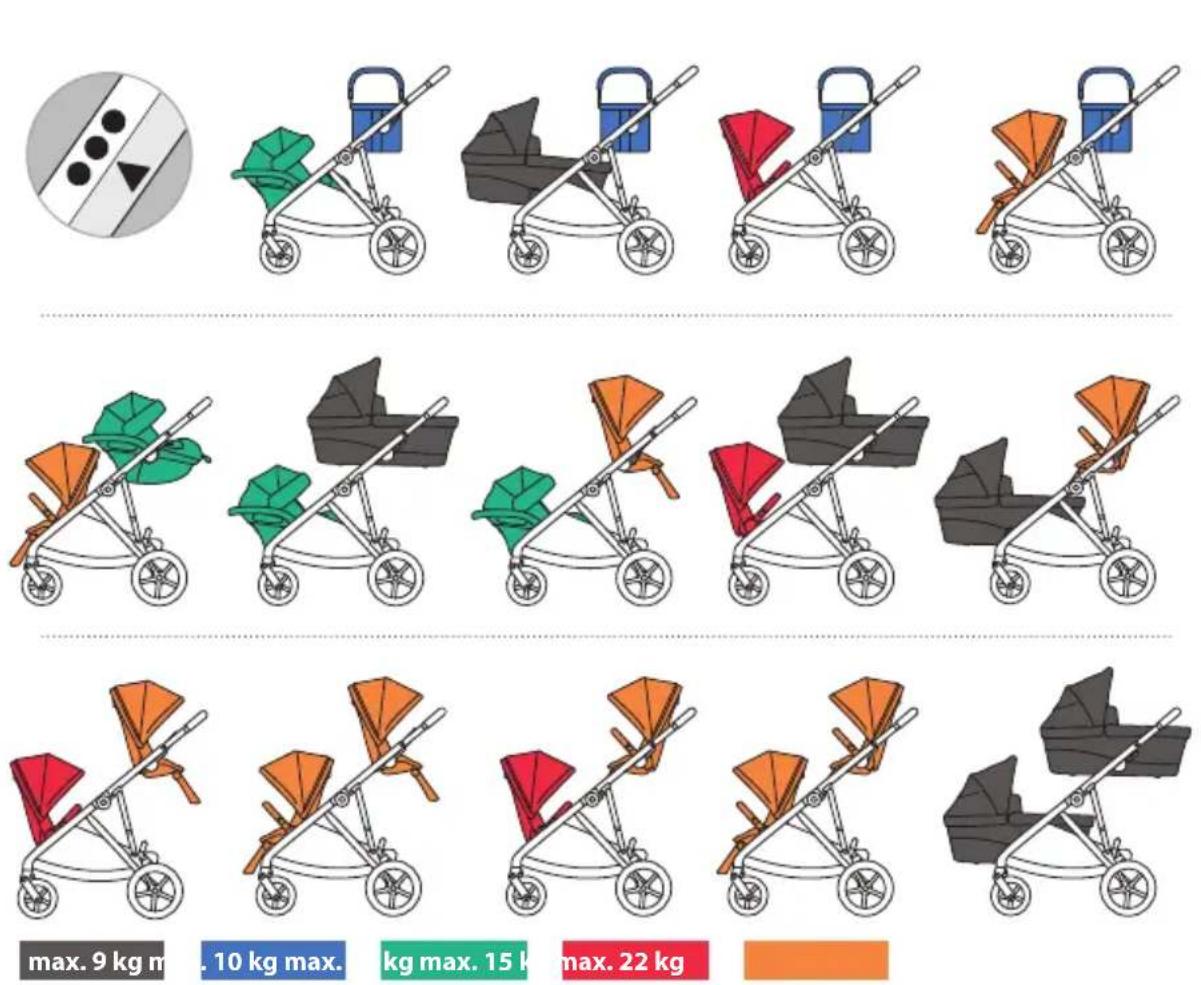
max. 9 kg m
. 10 kg max.
kg max. 15 k
max. 22 kg

natural_image
Illustration of a stroller with various leaf-shaped designs and a circular symbol on the left (no text or symbols present)
natural_image
Illustration of a stroller with different colors and designs, including a circular inset showing a pattern (no text or symbols)max, 9 kg m
. 10 kg max.
kg max. 15 k
max. 22 kg



natural_image
Line drawings of various automotive components including a drone, wheel rim, and battery pack (no text or labels)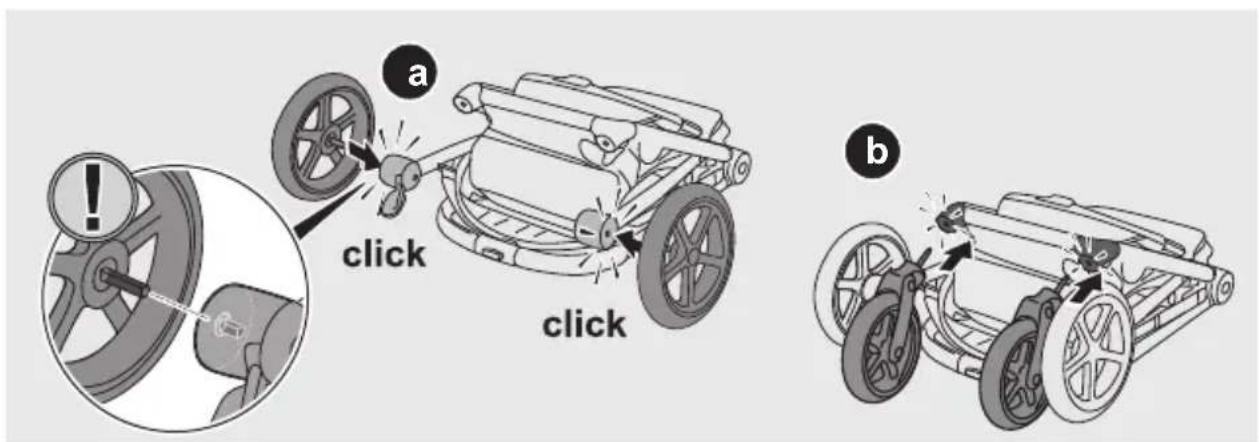

2
3

4
5


natural_image
Line drawing of a baby stroller with a magnified inset showing the blade and handle (no text or symbols)
natural_image
Illustration of a baby stroller with a magnified inset showing the blade and handle (no text or symbols)

1
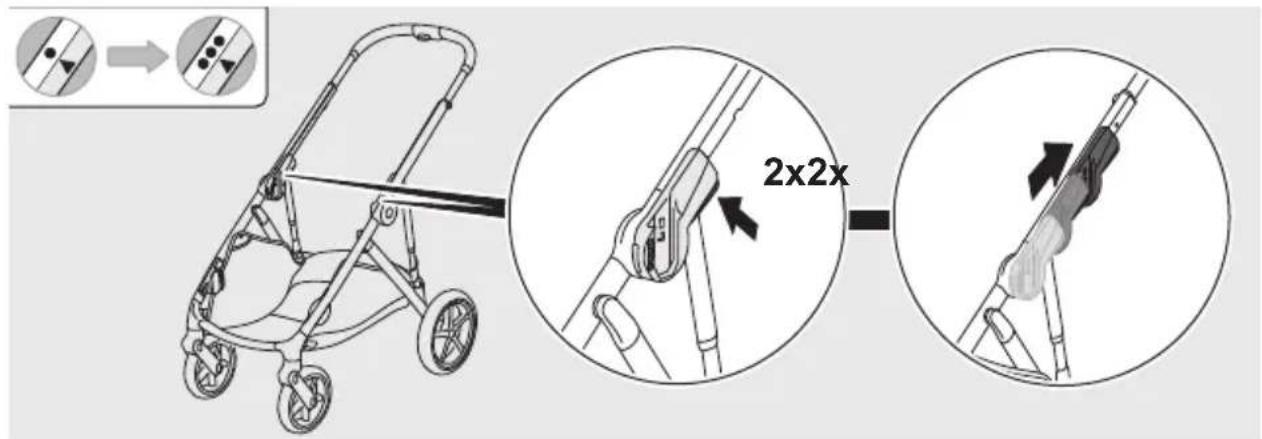
2

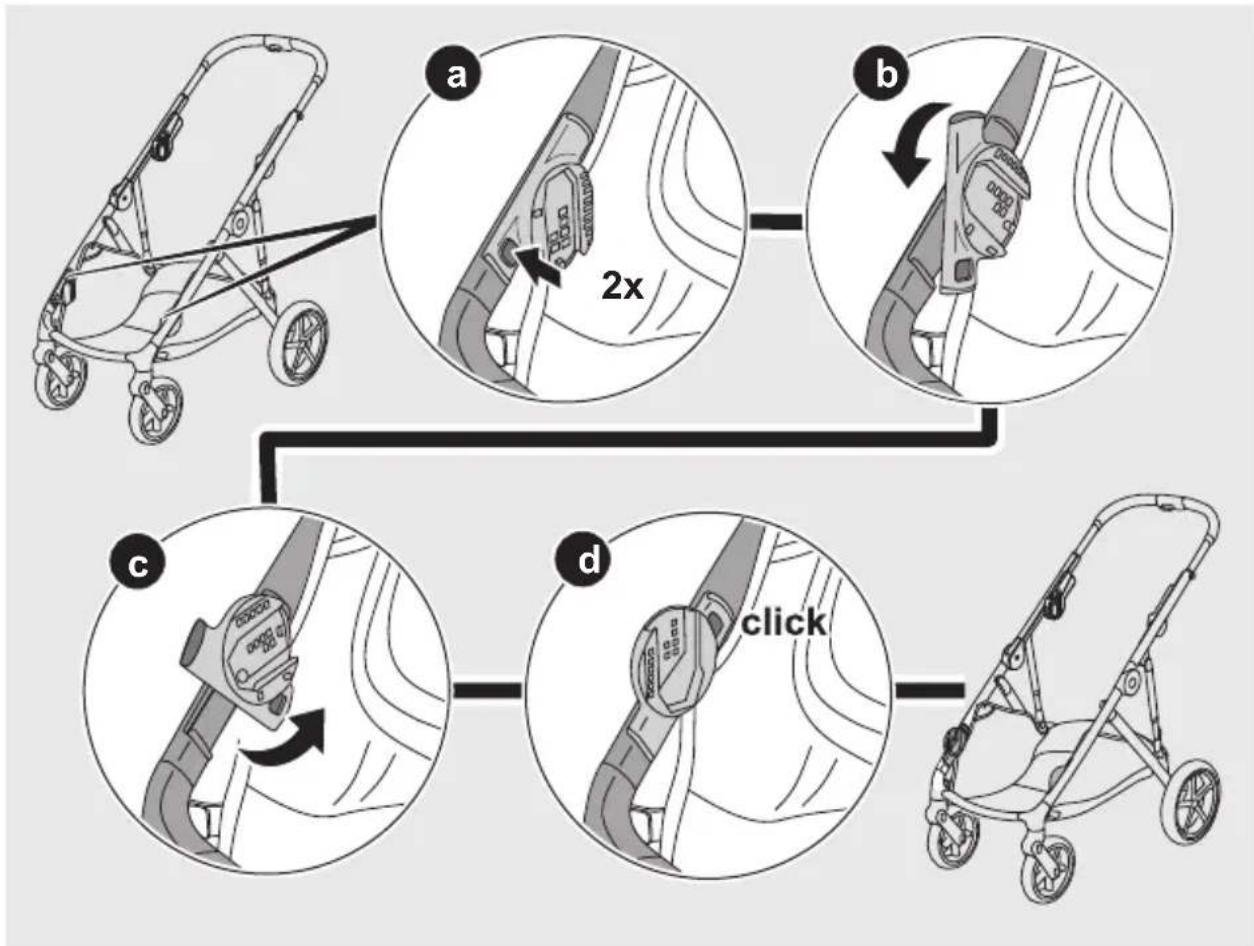
flowchart
graph TD
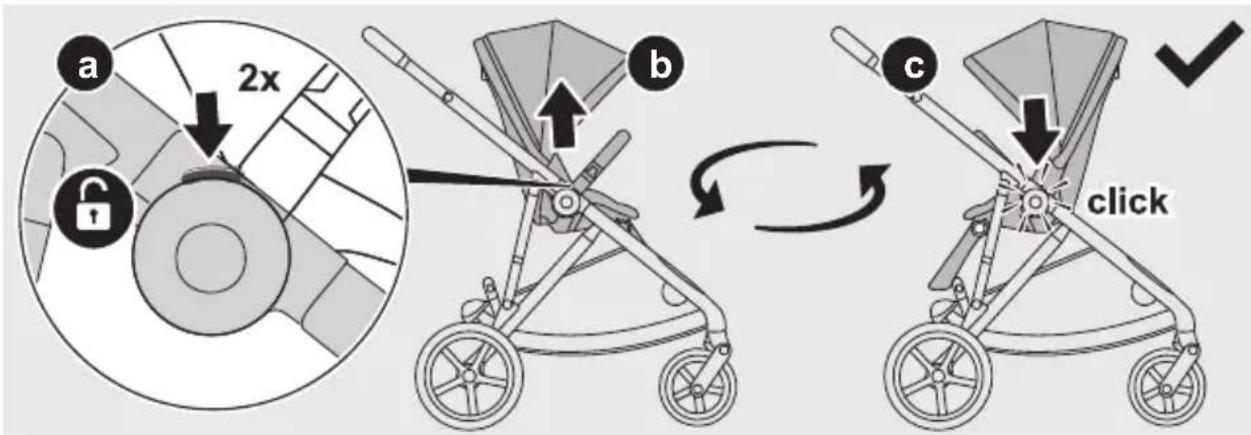
    A["Step a: Stroller with handle"] --> B["Step b: Lock with 2x speed limit"]
    B --> C["Step c: Stroller with 2x speed limit switch"]
    C --> D["Step d: Click the stroller"]


natural_image
Illustration of a rectangular metal toolbox with a handle and handle, showing an arrow indicating rotation (no text or symbols)2
natural_image
Illustration of a stroller with wheels and a bucket, showing directional arrows indicating motion (no text or symbols)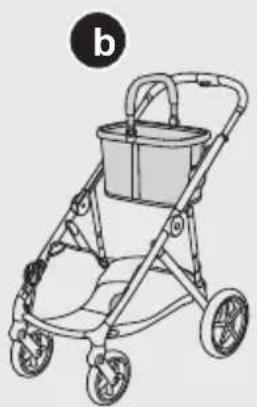
natural_image
Line drawing of a baby stroller with a bucket and wheels (no text or symbols)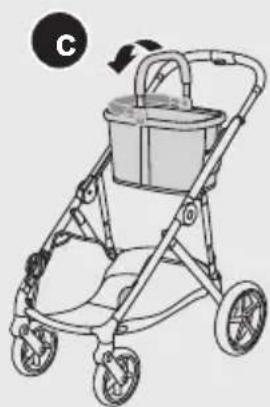
natural_image
Illustration of a stroller with a bucket and wheels, no text or symbols present3
natural_image
Illustration of two baby strollers with buckets and wheels, one showing a change in the arrow (no text or symbols present)4

natural_image
Three-step illustration of a stroller with handrails, showing body positioning and adjustment (no text or symbols)
natural_image
Illustration of a stroller with a seatbelt, showing two different states of change (a and b, labeled 1, 2, 3) — no text or symbols present.1
2
natural_image
Illustration of a stroller with arrows indicating motion or movement (no text or symbols)

1
1
2

1


1
2

1

1
natural_image
Diagram of a car seatbelt mechanism showing two arms and a central circular component with directional arrows (no text or labels)2
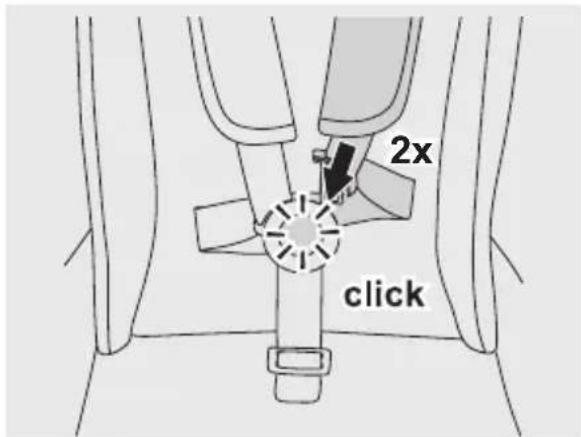
3
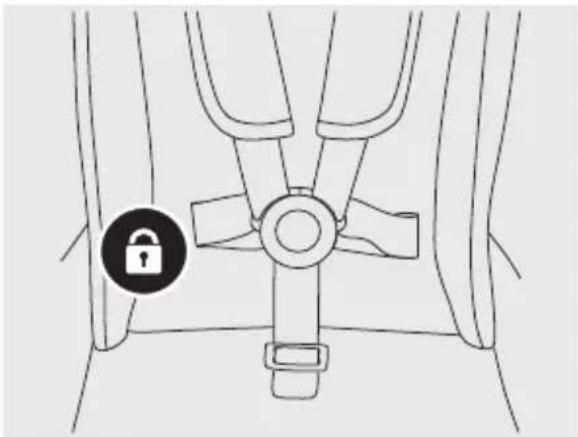
natural_image
Line drawing of a vehicle seatbelt with a lock icon (no text or symbols)4
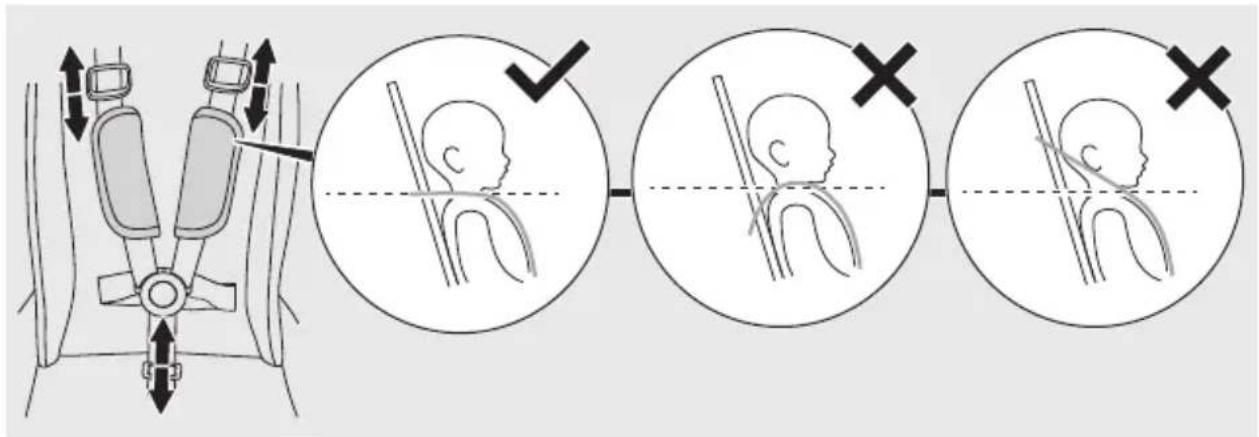

5
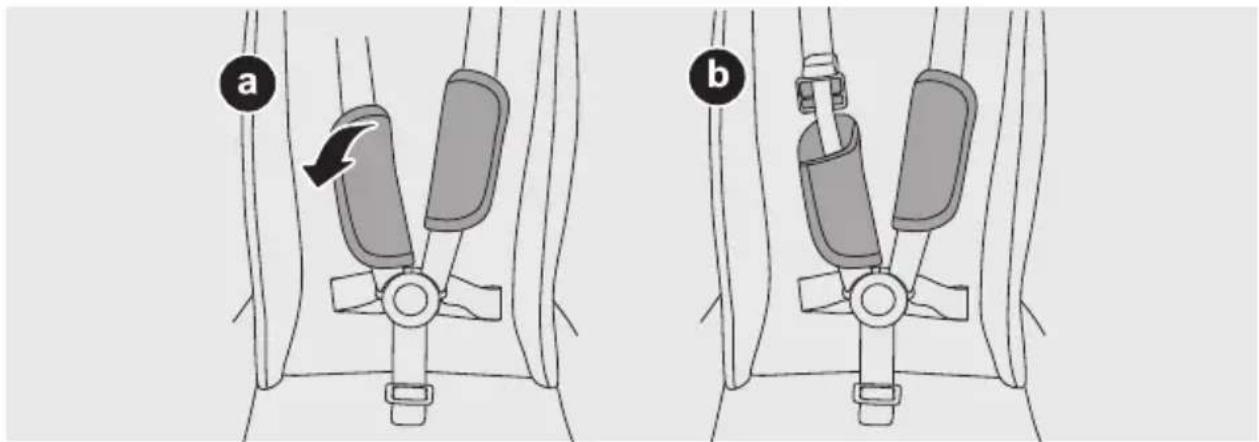
natural_image
Diagram showing two views (a and b) of a car seatbelt buckle assembly with no text or symbols6

natural_image
Diagram of a car seatbelt mechanism showing two directional arrows indicating rotation (no text or symbols present)7
8
AUS
1
2

1
2


4
natural_image
Three-step diagram showing a car steering wheel assembly with a close-up and a hand holding the wheel (no text or symbols present)5

1
1
2


natural_image
Illustration of a computer mouse with a shopping cart icon nearby (no text or symbols)
1

natural_image
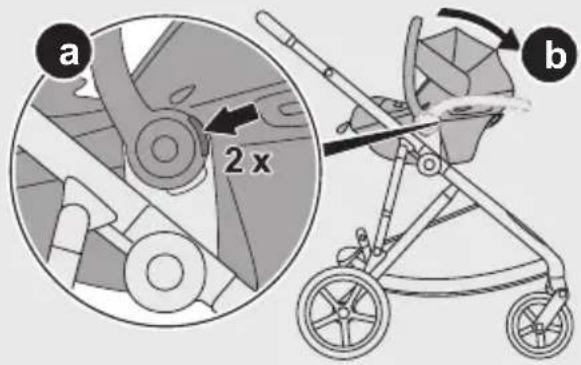
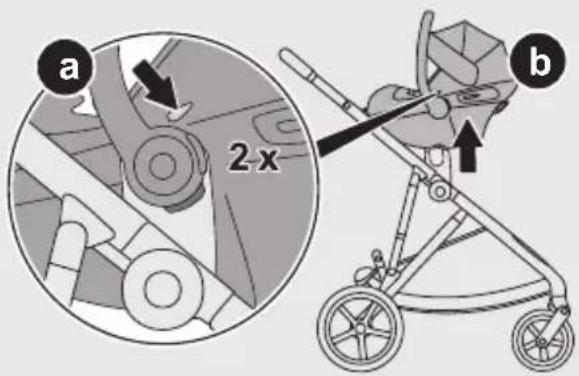
Illustration of a stroller with labeled parts (a and b), no text or symbols present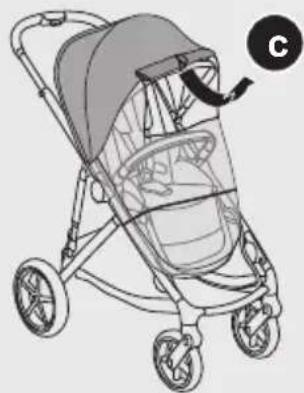
natural_image
Illustration of a baby stroller with a curved arrow indicating rotation (no text or symbols)2

3
natural_image
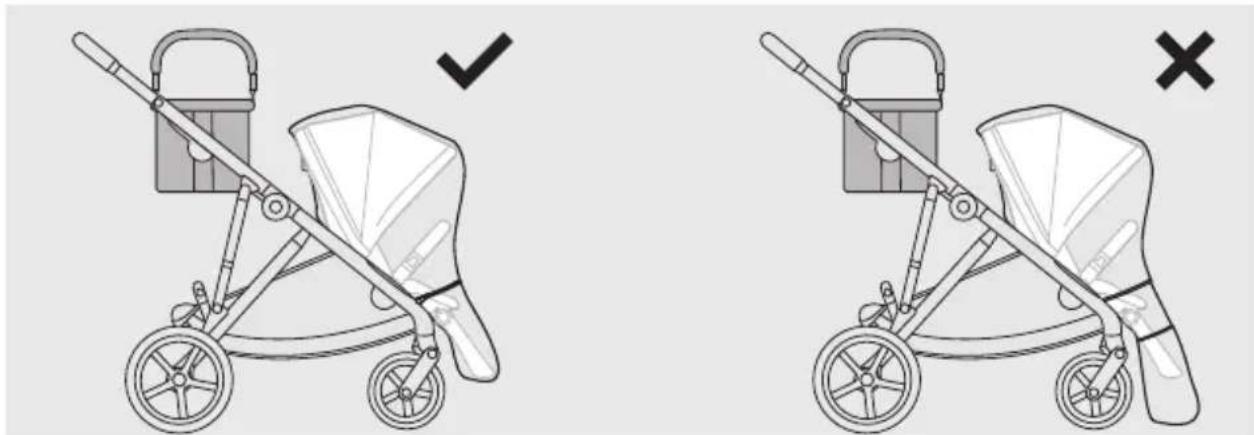
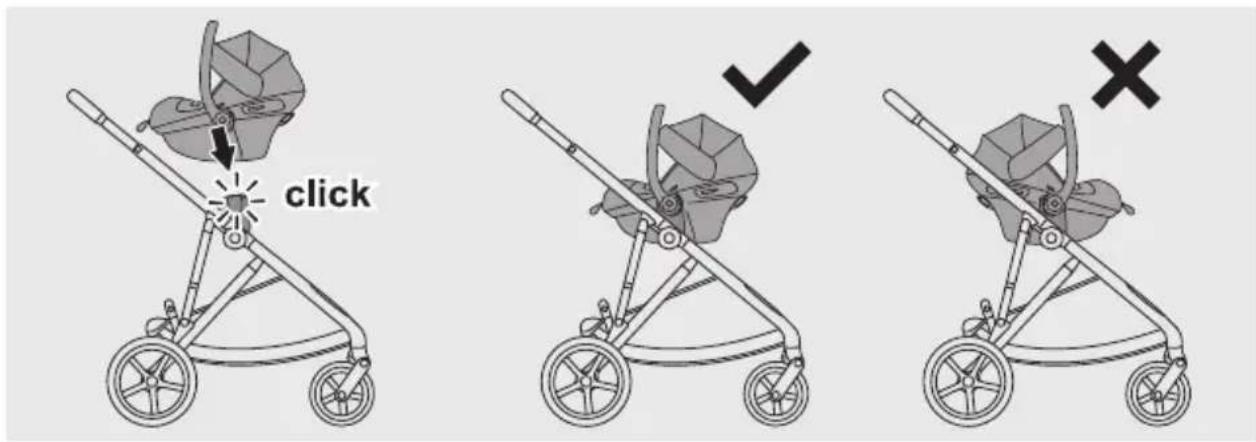
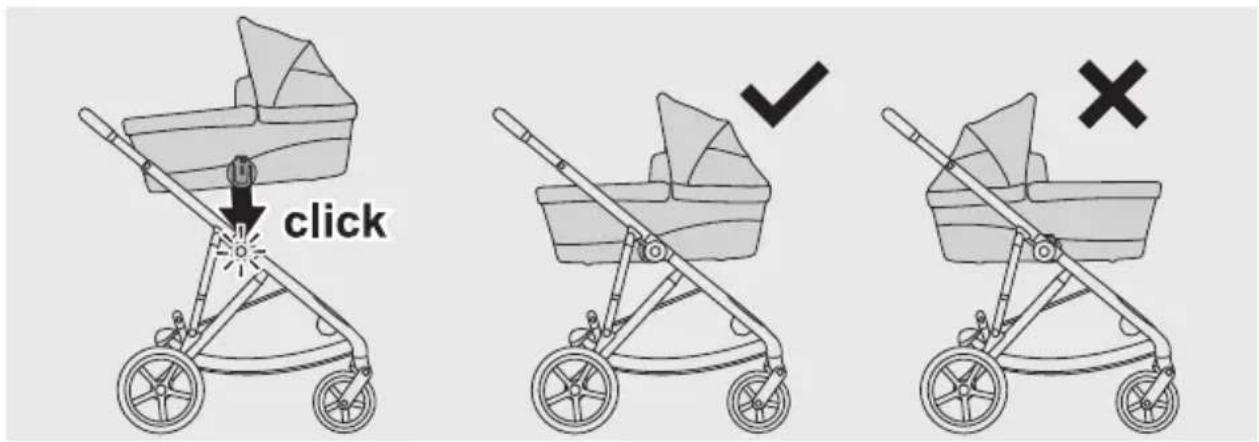
Illustration of a two-wheeled baby stroller with a basket and handle, showing correct and incorrect states (no text or symbols)4
natural_image
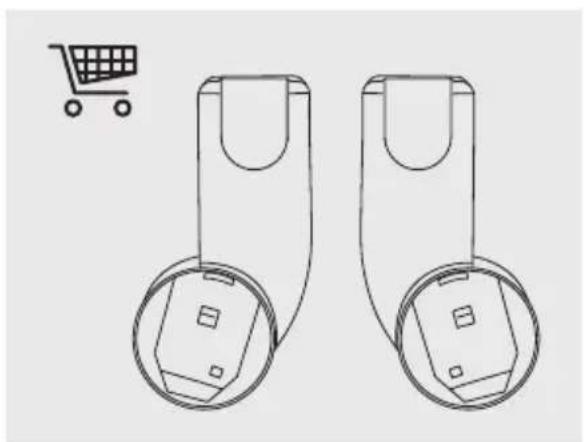
Two identical mechanical components with circular ends and a shopping cart icon in the corner (no text or symbols)1
2
3
4
5
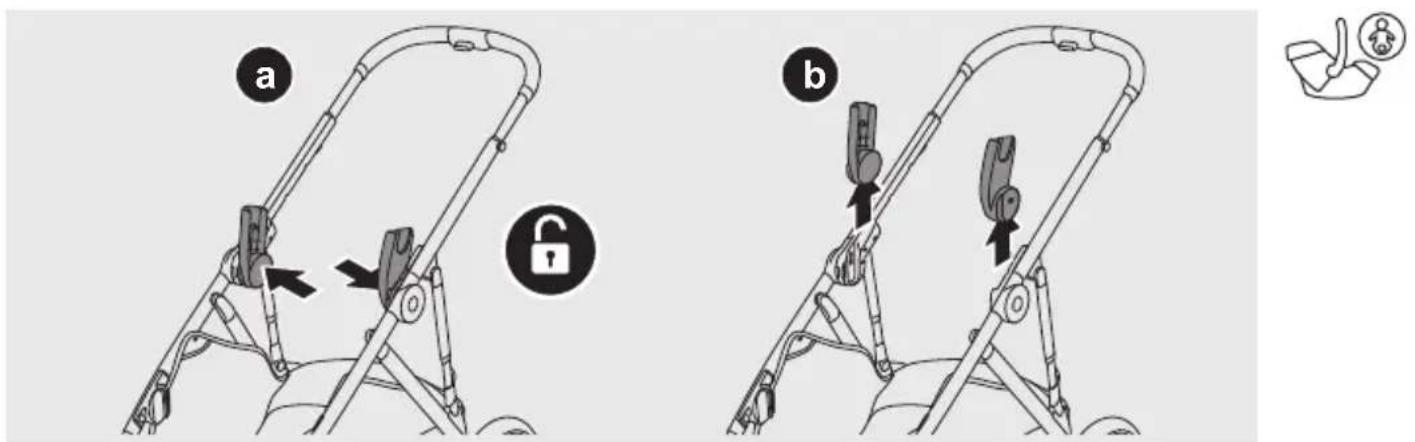
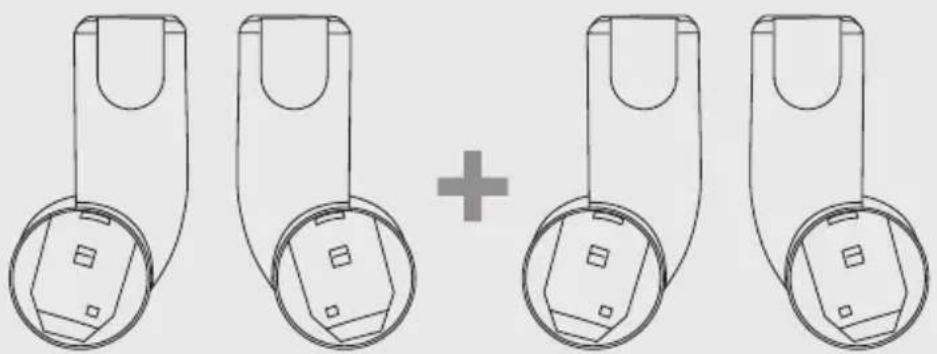
natural_image
Diagram showing four identical mechanical components with circular bases and a plus sign, no text or symbols present.1
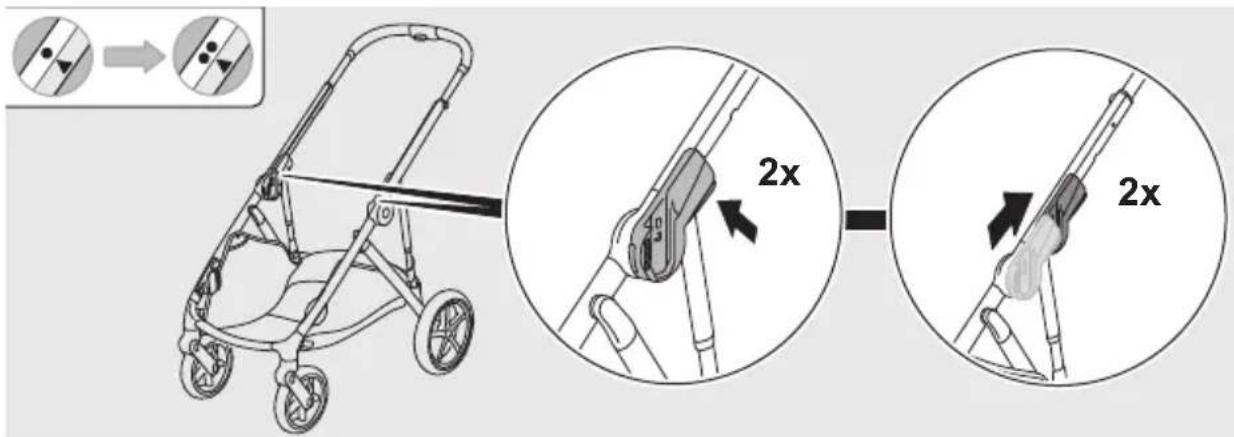
2
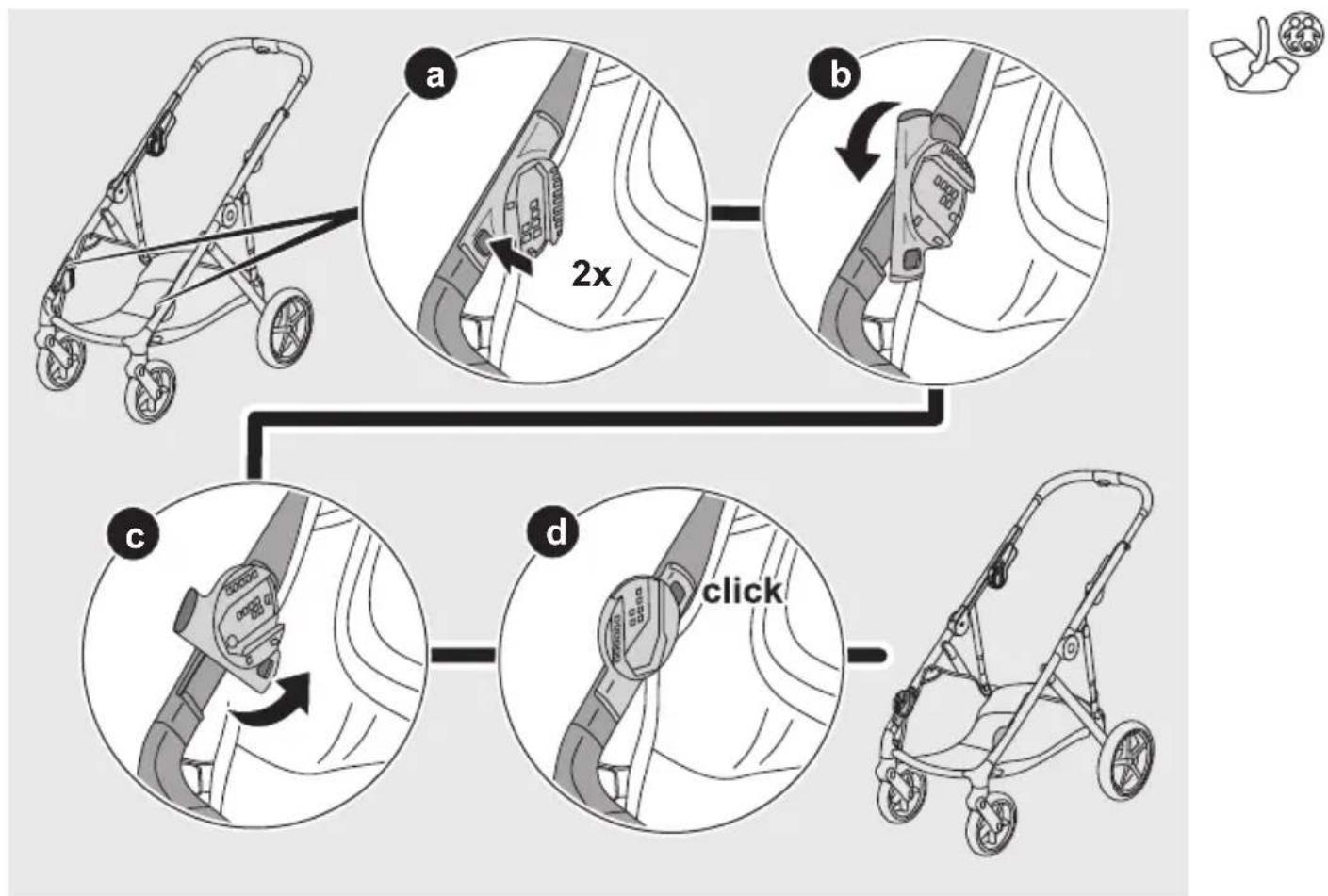
flowchart
graph TD
    A["Start: Stroller"] --> B["Step a: 2x speed adjustment"]
    B --> C["Step b: 2x speed adjustment with 2x speed"]
    C --> D["Step c: 2x speed adjustment with 2x speed"]
    D --> E["Step d: Click 2x speed adjustment"]
    E --> F["End: Stroller with 2x speed adjustment"]
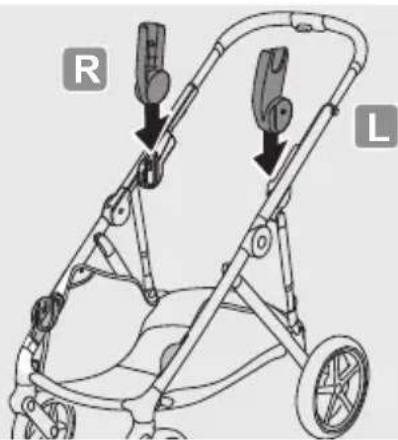
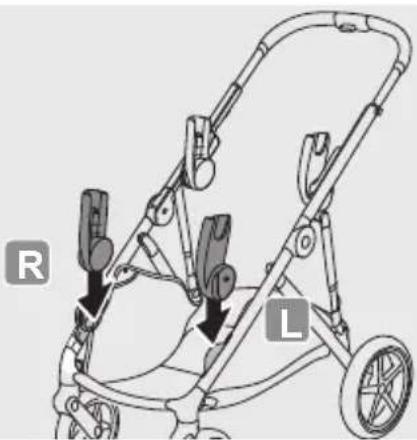
natural_image
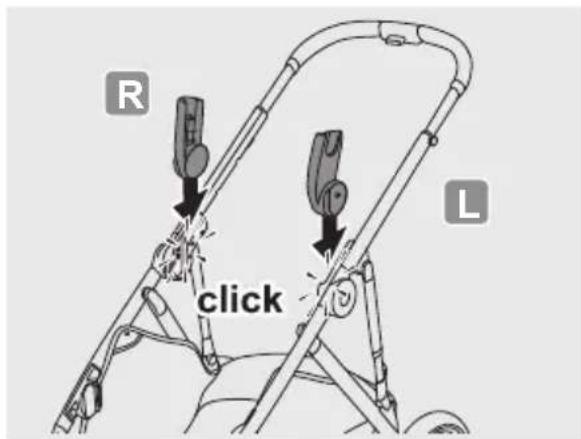
Diagram of a baby stroller with labeled parts R and L, showing mechanical components and wheels (no text or symbols beyond labels)4
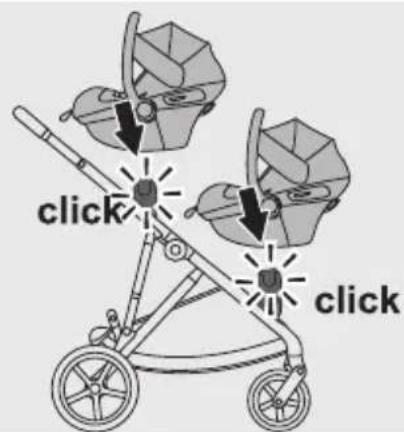
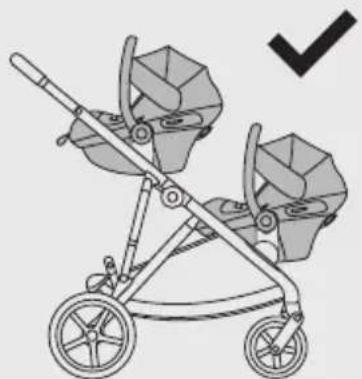
natural_image
Illustration of a two-wheeled stroller with two baby crates and a checkmark indicating selection (no text or symbols)5
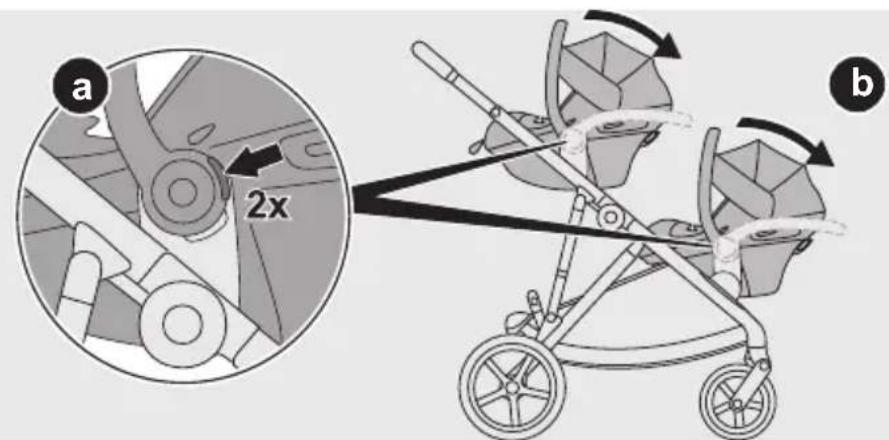
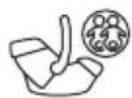
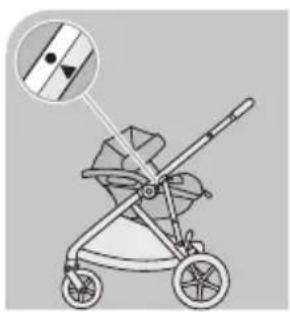
natural_image
Illustration of a baby stroller with a magnified inset showing the blade and handle (no text or symbols)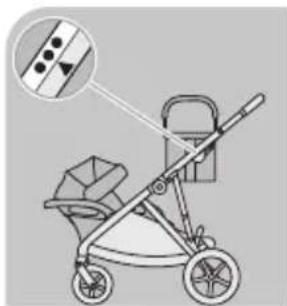
natural_image
Illustration of a baby stroller with a basket and handle, showing no text or symbols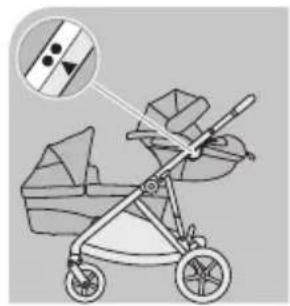
natural_image
Illustration of a baby stroller with a magnified inset showing internal structure (no text or symbols)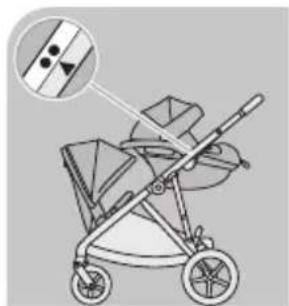
natural_image
Illustration of a baby stroller with a magnified inset showing internal components (no text or symbols)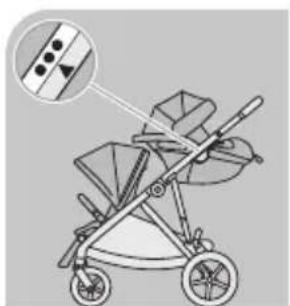
natural_image
Illustration of a stroller with two seats and a handle, showing internal components (no text or symbols)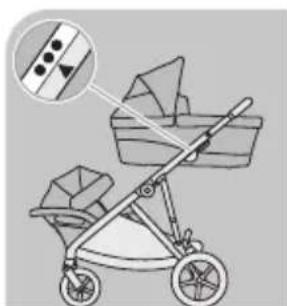
natural_image
Illustration of a baby stroller with a basket and two bags, showing no text or symbols.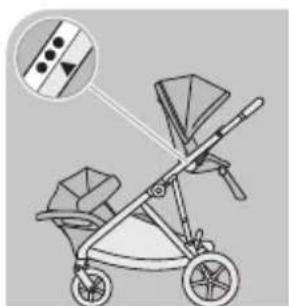
natural_image
Illustration of a two-wheeled stroller with a handbag, showing front and side views (no text or symbols)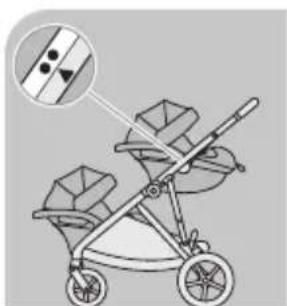
natural_image
Illustration of a two-wheeled stroller with a magnified inset showing a diagonal stripe (no text or symbols)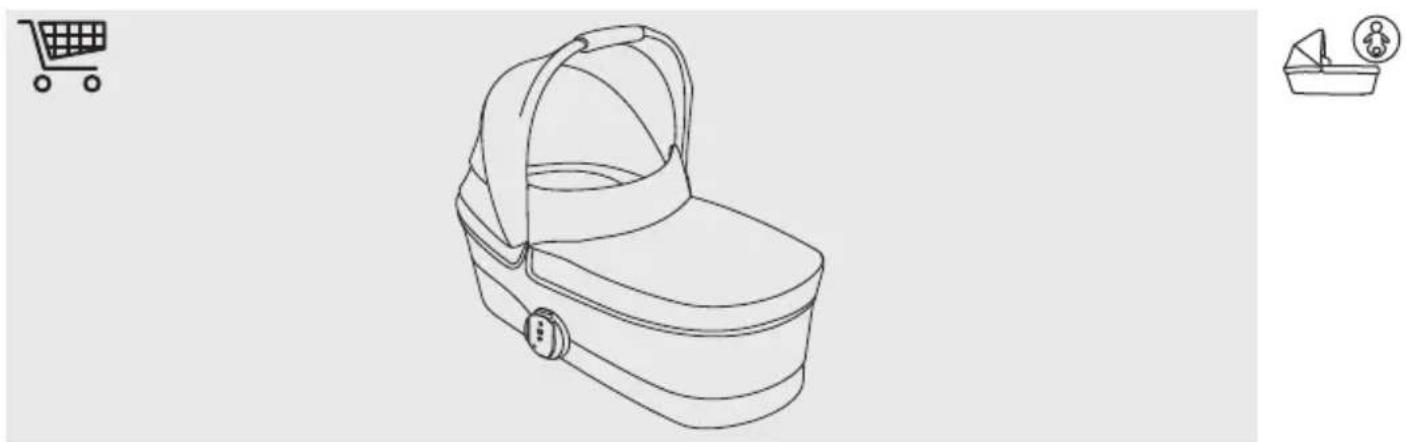
1
2
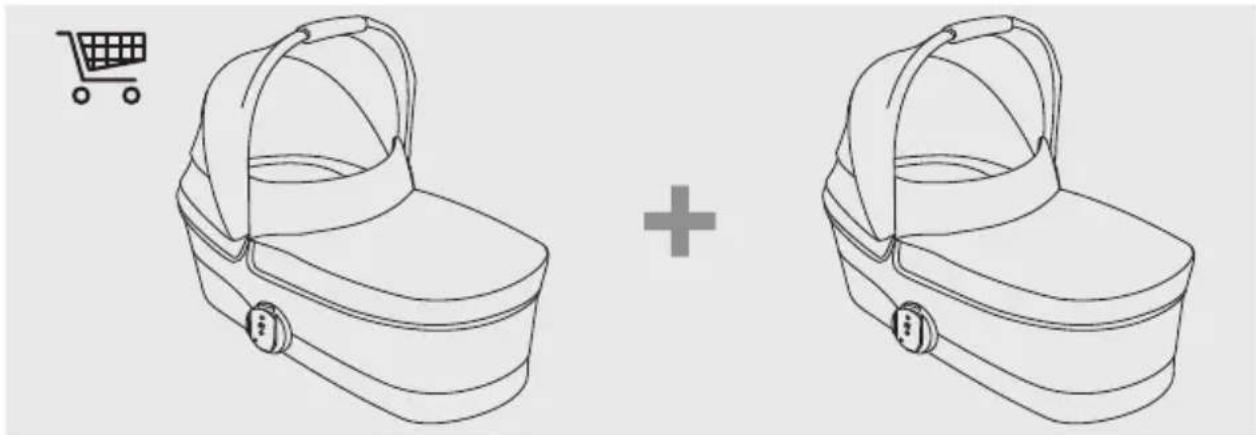
natural_image
Line drawing of two identical buckets with a shopping cart icon above (no text or symbols)1
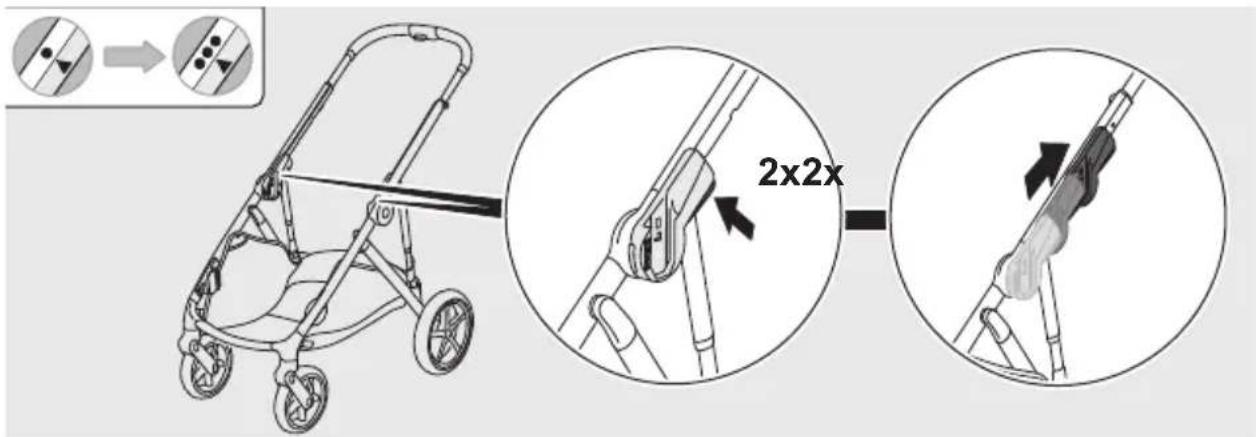
2
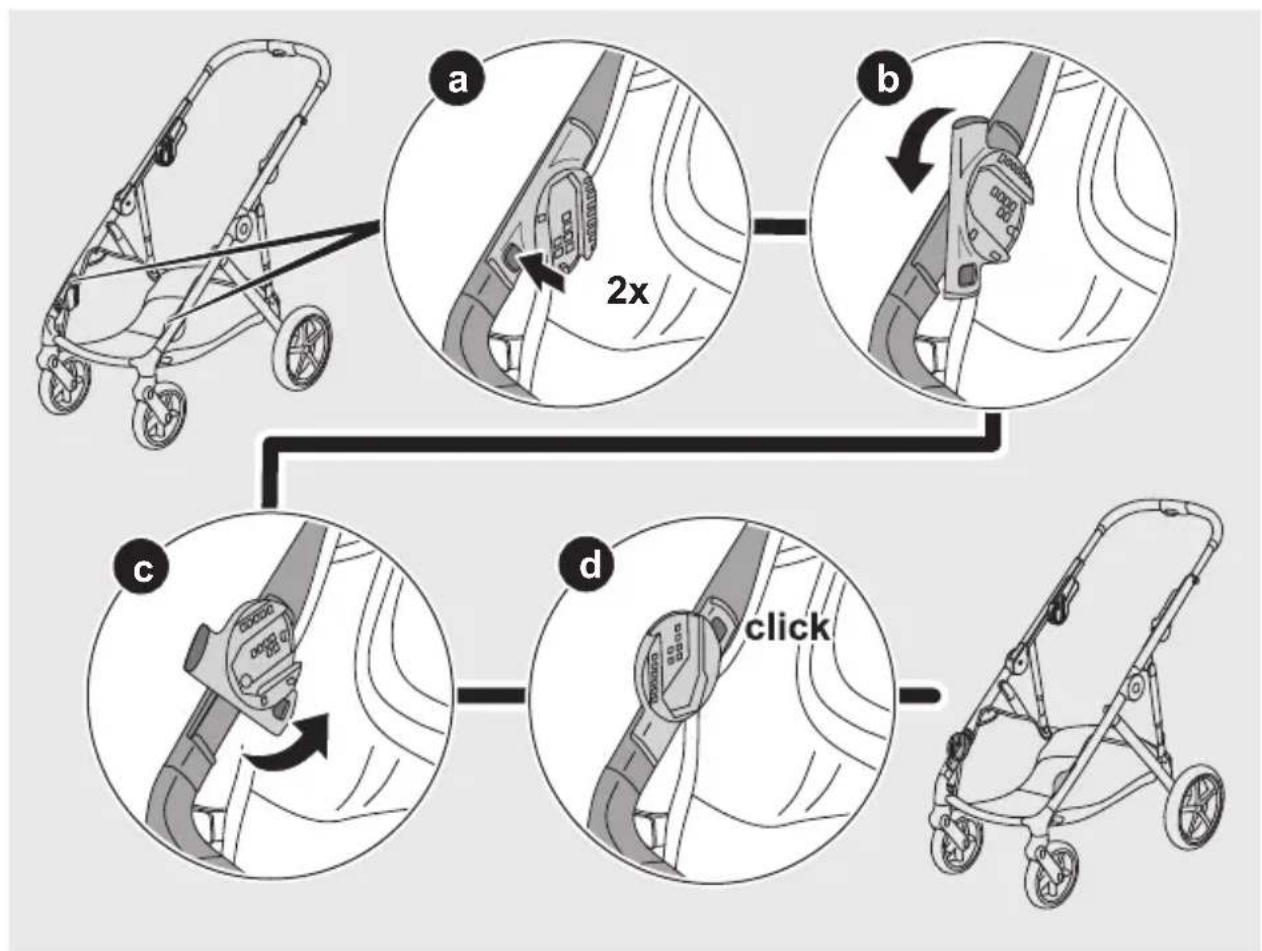
flowchart
graph TD
    A["Start: Stroller with 2x speed limit"] --> B["Step a: Insert 2x speed limit"]
    B --> C["Step b: Insert 2x speed limit"]
    C --> D["Step c: Insert 2x speed limit"]
    D --> E["Step d: Click 2x speed limit"]
    E --> F["End: Stop"]
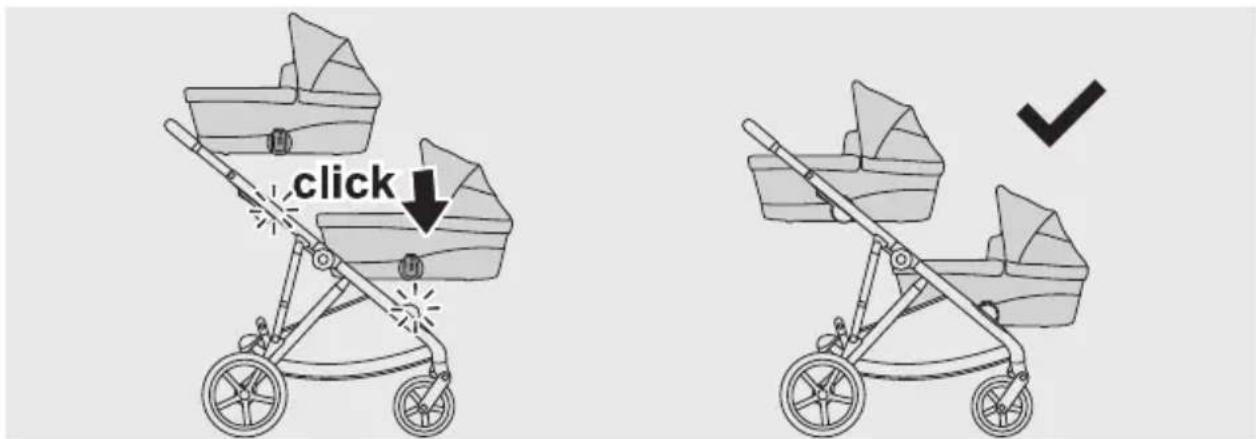
4
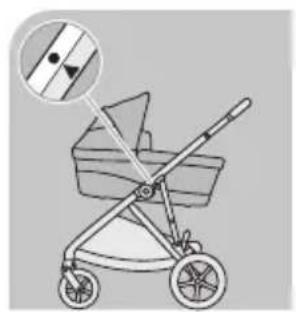
natural_image
Illustration of a baby stroller with a magnified inset showing the handle (no text or symbols)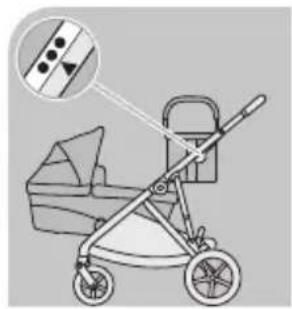
natural_image
Illustration of a baby stroller with a magnified inset showing the handle and seat detail (no text or symbols)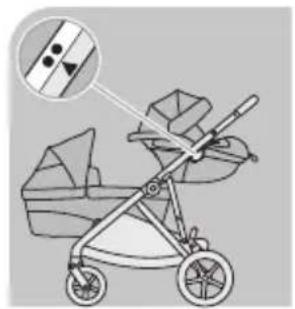
natural_image
Illustration of a baby stroller with a magnified inset showing a section detail (no text or symbols)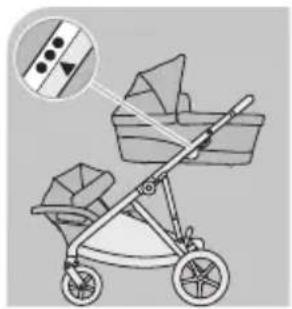
natural_image
Illustration of a baby stroller with a basket and two bags, showing no text or symbols.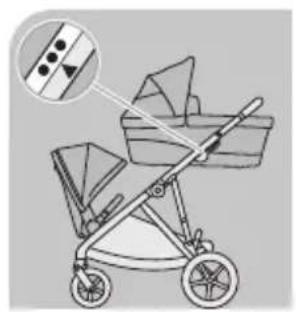
natural_image
Illustration of a baby stroller with a magnified inset showing fabric texture (no text or symbols)
natural_image
Illustration of a two-wheeled baby stroller with a magnified inset showing fabric texture (no text or symbols)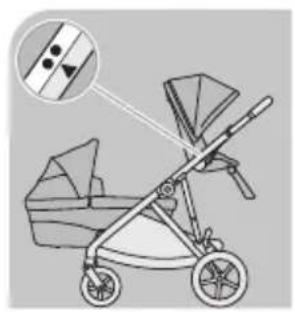
natural_image
Illustration of a baby stroller with a magnified inset showing the blade and seat details (no text or symbols)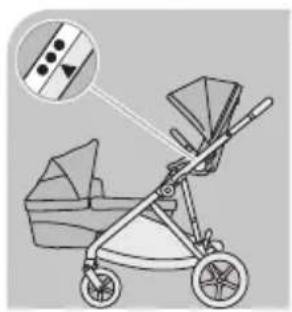
natural_image
Illustration of a baby stroller with a magnified inset showing internal components (no text or symbols)


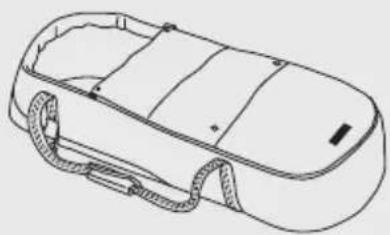
COCOON S
natural_image
Line drawing of a car chassis with visible structural components and coiled arms (no text or symbols)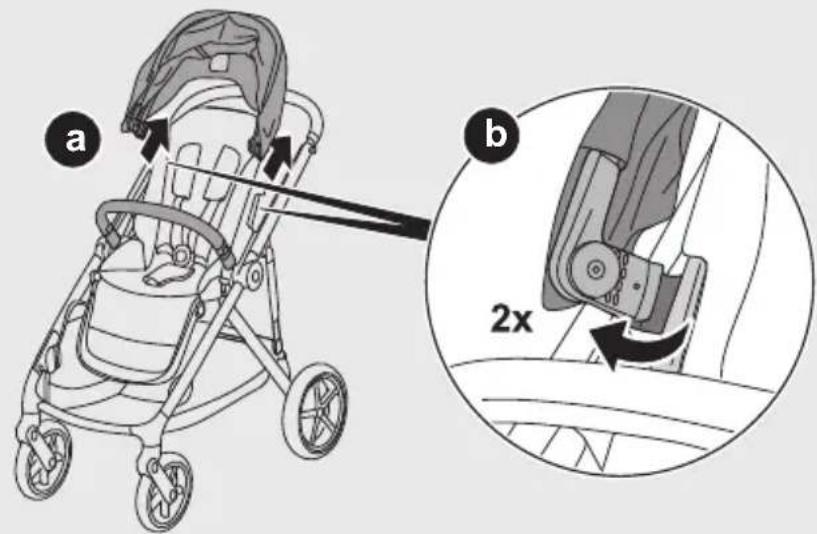


3
4

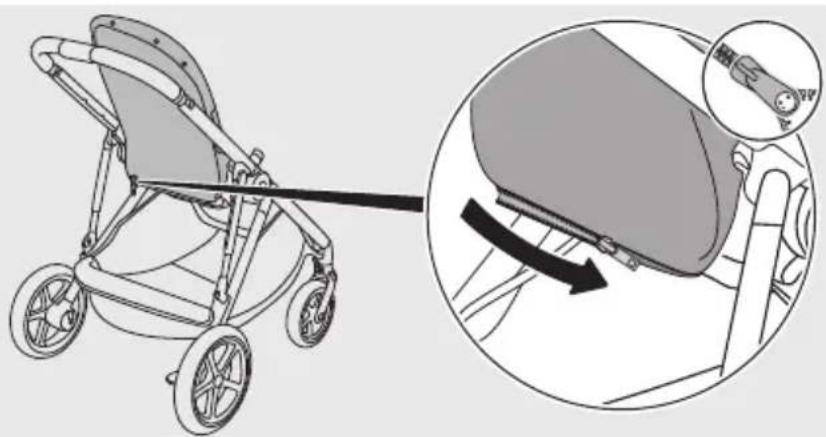
natural_image
Illustration of a stroller with a close-up view showing the seatbelt mechanism (no text or symbols present)5
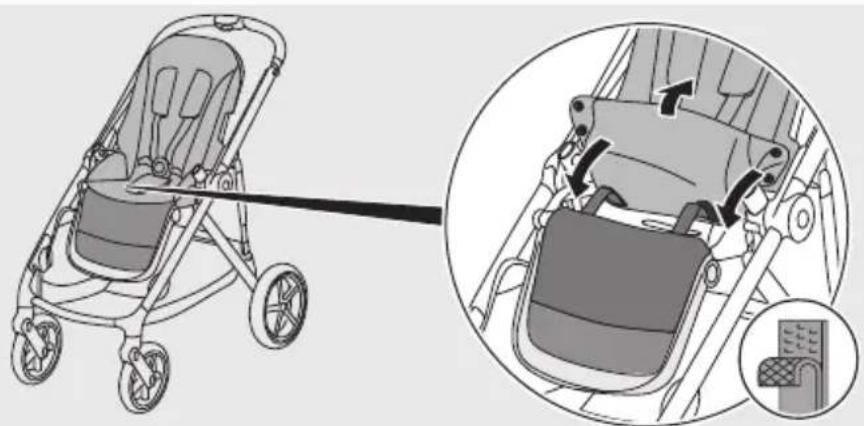
natural_image
Illustration of a stroller with a cable inserted, showing internal components and a close-up view of the seat assembly (no text or symbols present)6

natural_image
Line drawing of a baby seat with an arrow indicating the seat's direction (no text or symbols present)
7
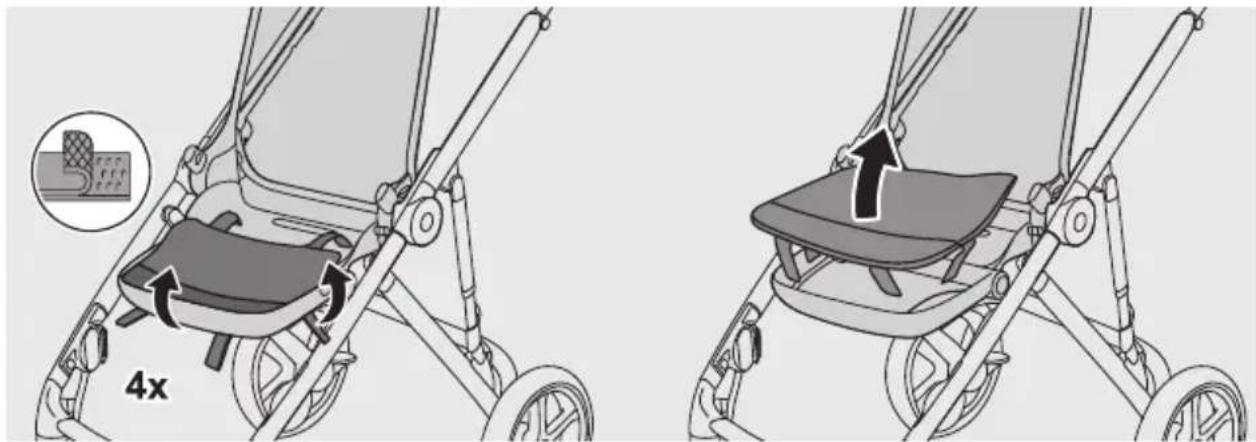
8

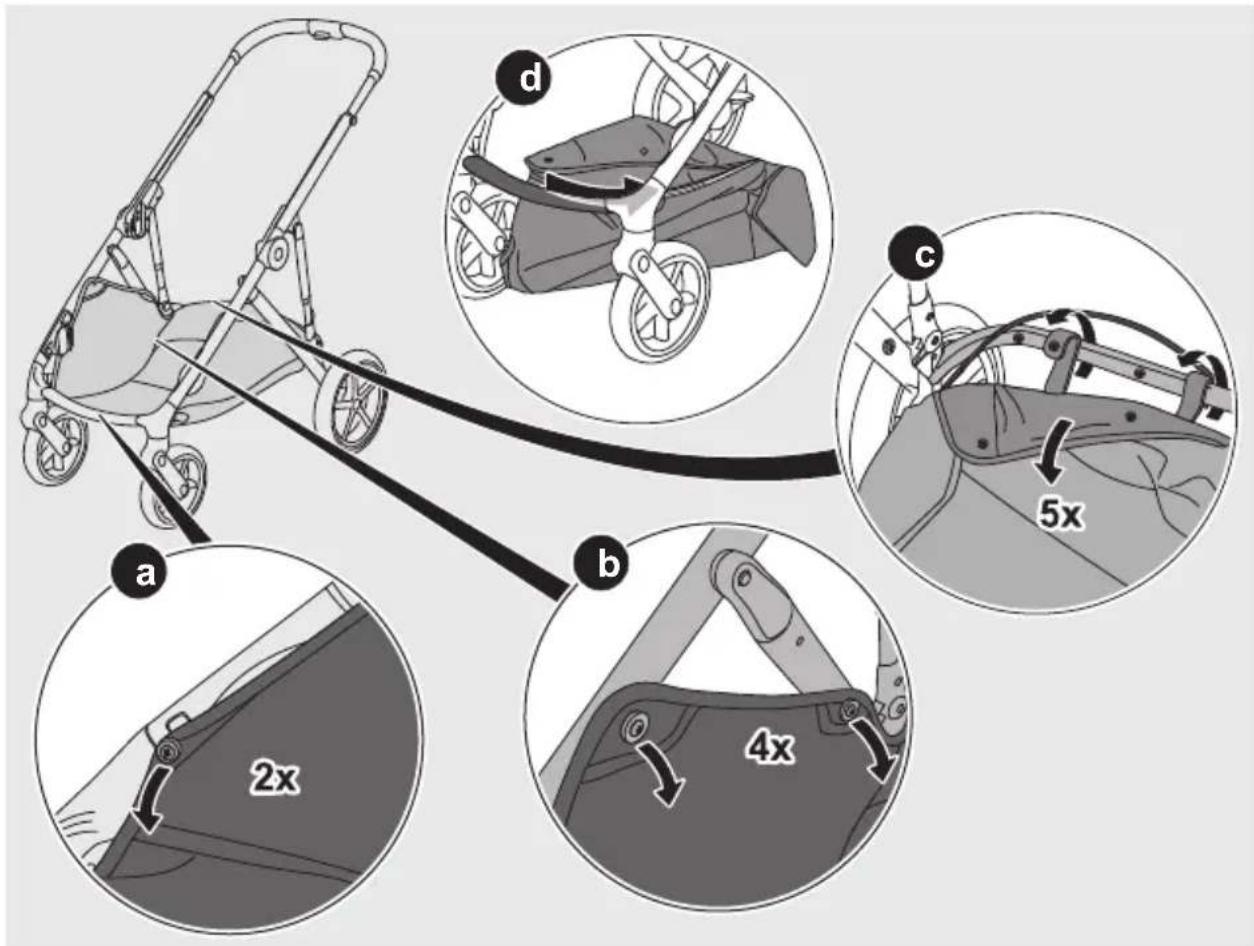

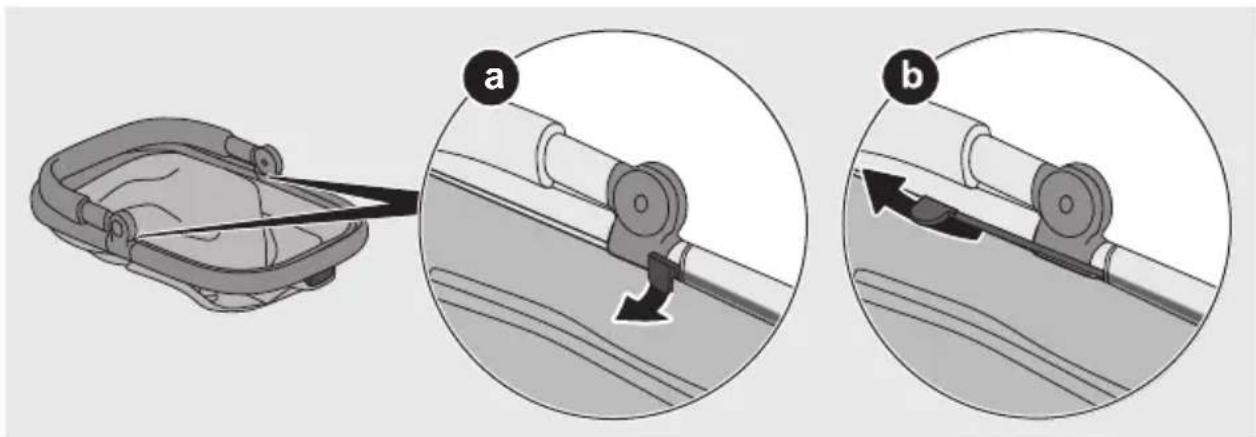
natural_image
Illustration of a car seatbelt device with two views (a and b) showing mechanical adjustment, no text or symbols present.11

natural_image
Diagram of a mechanical clamp or bracket with an arrow indicating force application, no text or symbols present12
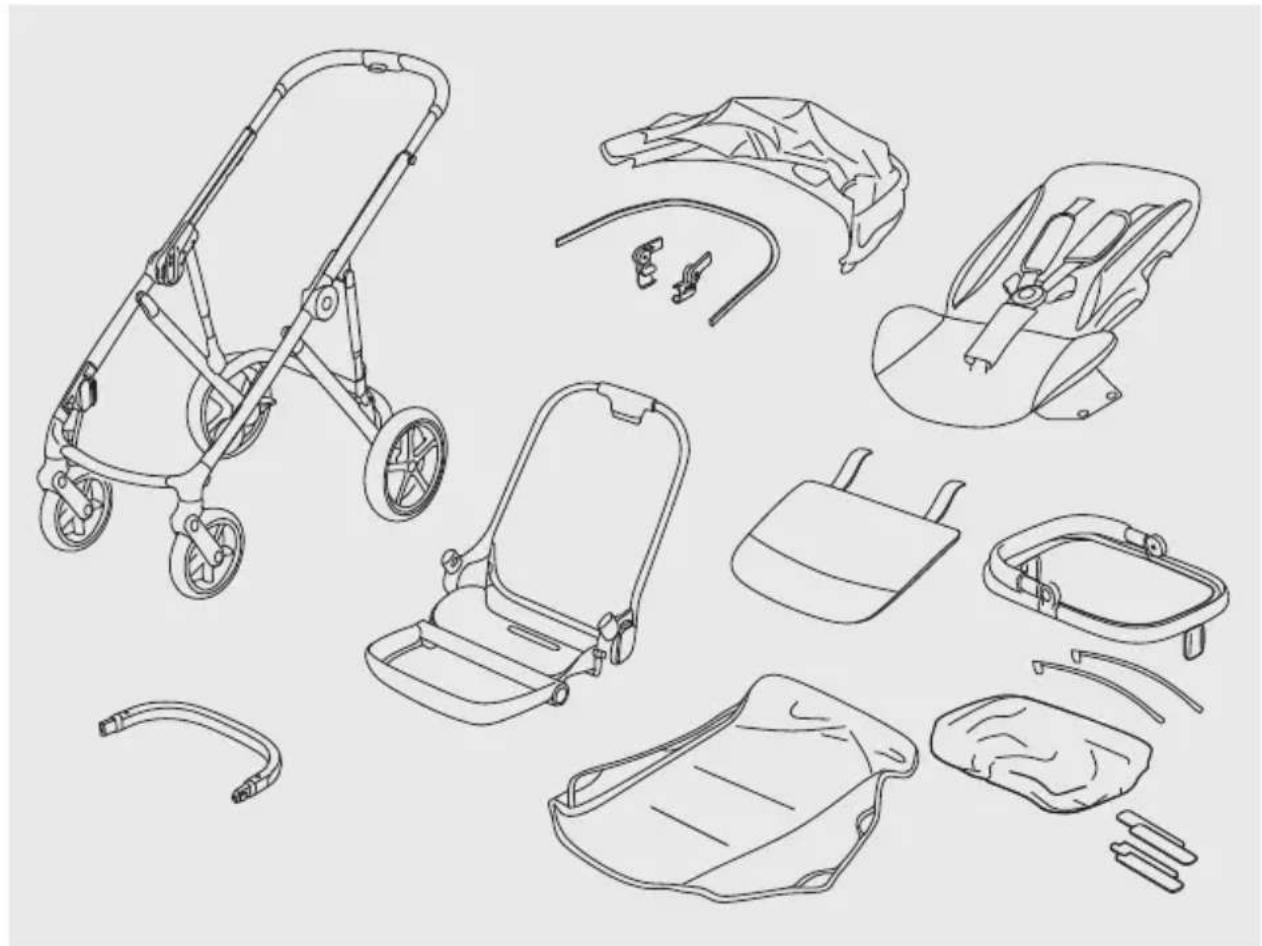
natural_image
Line drawings of various strollers and accessories, including a baby in a car seat and accessories (no text or labels)


CYBEX GmbH
Riedingerstr. 18 | 95448 Bayreuth | Germany
+49 (0) 921-78 511-0 | info@cybex-online.com
www.cybex-online.com

cybex