
Z11 Pro - Receiver Formuler - Free user manual and instructions
Find the device manual for free Z11 Pro Formuler in PDF.


| Brand | Formuler |
| Model | Z11 Pro |
| Product type | Android TV multimedia receiver |
| Power supply | 12 V DC, 1.0 A |
| Connectivity | HDMI, USB 2.0, Ethernet RJ45, Wi-Fi 802.11 b/g/n, Bluetooth |
| Video resolution | 4K HDR |
| Operating system | Android TV |
| Main functions | IPTV playback, streaming, recording, timeshift, program guide |
| Safety | Use approved power adapter, do not expose to moisture, do not open the casing |
| Maintenance and cleaning | Unplug before cleaning, use a soft dry cloth |
| Operating temperature | 5 °C to 30 °C |
| Included accessories | IR remote control, power adapter, HDMI cable |
| Technical support | https://support.formuler.tv |
| Declaration of conformity | Available from COBOPLUS, C/ INDEPENDENCIA, N2 BAJO DERECHA A y B, 28013, MADRID, SPAIN |
Frequently Asked Questions - Z11 Pro Formuler
User questions about Z11 Pro Formuler
0 question about this device. Answer the ones you know or ask your own.
Ask a new question about this device
Download the instructions for your Receiver in PDF format for free! Find your manual Z11 Pro - Formuler and take your electronic device back in hand. On this page are published all the documents necessary for the use of your device. Z11 Pro by Formuler.
USER MANUAL Z11 Pro Formuler
Thank you for your purchase.
Enter the giveaway for a chance to win a prize.
GIVE AWAY

natural_image
Gray icon of a gift box with a ribbon and letter F on the side (no text or symbols beyond the graphic)Go to the link below for #GIVEAWAY rule information
https://formuler.tv/giveaway
Installation Guide
EN
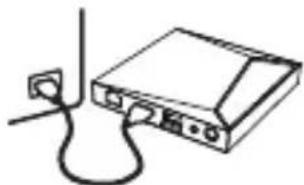
1 Connect your FORMULER to your TV with an HDMI cable.
natural_image
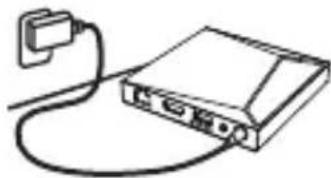
Simple line drawing of a device with cables and connectors (no text or symbols)2 Connect your FORMULER to power using the power cord.
natural_image
Simple line drawing of a portable electronic device connected to a cable (no text or symbols)3 Turn on your TV and switch to the correct HDMI input.
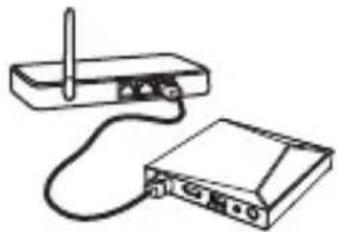
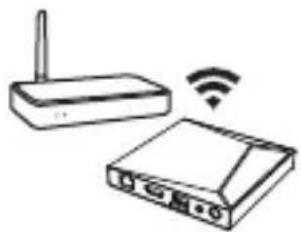
4 Set-up your FORMULER and connect to your local network.
natural_image
Line drawing of a wireless router connected to a physical device (no text or symbols present)Wired Network W
natural_image
Illustration of a wireless router with WiFi signal icon (no text or symbols)K
5 Install your favorite apps to enjoy streaming contents*.
EN
What's in the Box?
natural_image
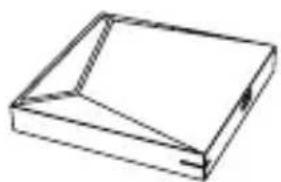
Simple line drawing of a rectangular box with a triangular cutout on top (no text or symbols)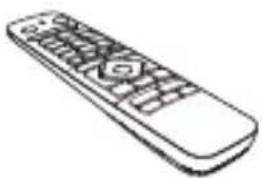
natural_image
Line drawing of a remote control with keypad and scroll (no text or symbols)Remote ControlMedia Receiver
natural_image
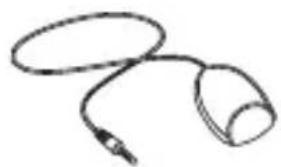
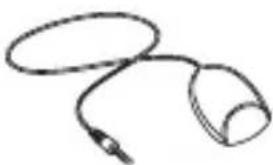
Simple line drawing of a coiled cable or connector (no text or symbols)Remote Control Extender
natural_image
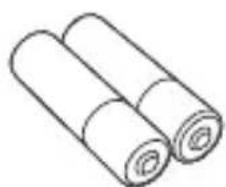
Simple line drawing of two rolled-up cylindrical objects (no text or symbols)2x Batteries
natural_image
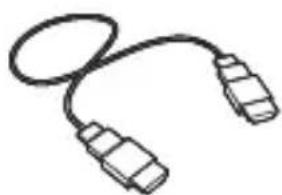
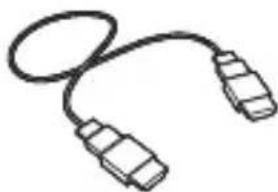
Simple line drawing of a USB cable with two connectors (no text or symbols)TV Cable
natural_image
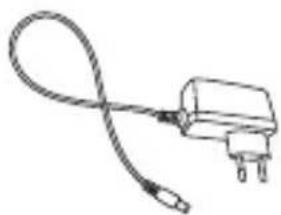
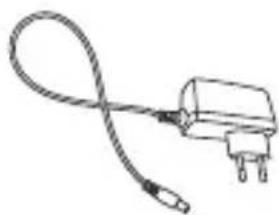
Simple line drawing of a cable or wire connector with two terminal pins (no text or symbols)Power Adapter
natural_image
Simple line drawing of a device with cables and a power outlet (no text or symbols)natural_image
Simple line drawing of a portable electronic device connected to a cable (no text or symbols)natural_image
Simple line drawing of a rectangular box with a folded corner (no text or symbols)Medienempfänger
natural_image
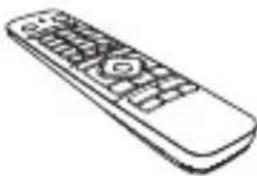
Line drawing of a remote control with keypad and scroll (no text or symbols)Fernbedienung
natural_image
Simple line drawing of a coiled cable or connector (no text or symbols)natural_image
Simple line drawing of two rolled-up cylindrical objects (no text or symbols)2 x Batterien
natural_image
Simple line drawing of a broadband cable with two connectors (no text or symbols)TV-Kabel Netzteil
natural_image
Simple line drawing of a cable and plug (no text or symbols)RED Declaration
FORMULER hereby declares that this wireless device complies with all material requirements and other relevant provisions of the 2014/53/EU Directive. A copy of the Declaration of Conformity may be obtained directly from COBOPLUS [C/ INDEPENDENCIA, N2 BAJO DERECHA A y B, 28013, MADRID, SPAIN]
For technical support, regulatory compliance information, and user guide, visit https://support.formuler.tv
SAFETY INFORMATION
FORMULER products are designed to operate safely when installed and used according to the product instructions and general safety practices. The guidelines included in this document explain the potential risks associated with equipment operation and provide important safety practices designed to minimize these risks. By carefully following the information contained in this document, you can protect yourself from hazards and create a safer environment.
This product is designed and tested to meet IEC 62368-1, the Standard for Safety of Information Technology Equipment. This also covers the implementation of IEC 62368-1 based safety standards around the world, e.g. UL 60950-1.
Retain and follow all product safety and operating instructions. Always refer to the documentation supplied with your equipment. Observe all warnings on the product and in the operating instructions.
Note: Read all safety information below and operating instructions before using FORMULER to avoid injury.
WARNING: FAILURE TO FOLLOW THESE SAFETY INSTRUCTIONS COULD RESULT IN FIRE, ELECTRIC SHOCK OR OTHER INJURY OR DAMAGE. ELECTRICAL EQUIPMENT CAN BE HAZARDOUS IF MISUSED. OPERATION OF THIS PRODUCT, OR SIMILAR PRODUCTS, MUST ALWAYS BE SUPERVISED BY AN ADULT. DO NOT ALLOW CHILDREN ACCESS TO THE INTERIOR OF ANY ELECTRICAL PRODUCT AND DO NO PERMIT THEM TO HANDLE AND CABLES.
SYMBOLS ON THE EQUIPMENT

This is a universal recycling symbol indicating that the battery cannot be disposed of in the trash and must be recycled according to the regulations and/or ordinances of the local community.
To reduce the risk of personal injury, electric shock, fire, or damage to the equipment, observe the following precautions:
Follow all cautions and instructions marked on the equipment
- Do not bend, drop, crush, puncture, incinerate, or push objects into openings of FORMULER.
- Do not connect or disconnect any cables or perform maintenance or reconfiguration of this product during an electrical storm.
- Do not use FORMULER in wet locations. In case FORMULER gets wet, unplug all cables and turn off before cleaning, and allow it to dry thoroughly before turning it on again.
- Never turn on any equipment when there is evidence of fire, water, or structural damage.
- Place the product away from heat sources.
- Never force a connector into a port. Make sure the connector matches the port before inserting.
- Always use a FORMULER approved power adapter. Do not connect or disconnect the AC Power Adapter with wet hands. The power adapter is intended for indoor use only.
- Operate the AC adapter in a ventilated area.
- Do no make mechanical or electrical modifications to the equipment.
- Never attempt to repair FORMULER yourself. Do not attempt to open, disassemble the device. You run the risk of electric shock.
- Operate FORMULER in a place where the temperature is always between 5 and 30 degrees Celsius.
- Use this product only with approved equipment and/or accessories.
POWER RATING : 12 VDC, 1.0A
Déclaration RED
RF Frequency and Max Power
Get the most out of your FORMULER Set Top Box.
Check out our FAQs, instructional videos and user forums.

https://support.formuler.tv
Help Desk
https://www.formuler-support.tv
Official Forums
https://www.youtube.com/formuler-official
Youtube
@FormulerTV
@FormulerOfficial
*Requires Internet connection. *Availability of services varies by country and language.
*Subscriptions for services may be required.
Memo
Memo
FORMULER
© Aloys Inc. All rights reserved. FORMULER and the FORMULER logo are trademarks of Aloys Inc. Other brand and product names are trademarks or registered trademarks of their respective holders. FCC ID: 2AV9UFZ104
Manufacturer: Aloys Inc.
4-5, Yanghyeon-ro 405beon-gil, Seongnam-si, Gyeonggi-do, 13438, Rep. of Korea
EU Importer: Coboplus S.L.U.
The terms HDMI, HDMI High-Definition Multimedia Interface, and the HDMI Logo are trademarks or registered trademarks of HDMI Licensing Administrator, Inc.

www.formuler.tv