
Syncro System Smart Logic 7690 - Razor BRAUN - Free user manual and instructions
Find the device manual for free Syncro System Smart Logic 7690 BRAUN in PDF.
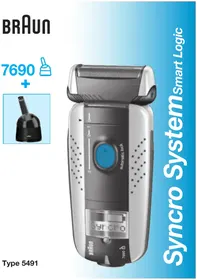


| Product type | Electric shaver |
| Brand | Braun |
| Model | Syncro System Smart Logic 7690 |
| Power supply | AC adapter 100-240 V, 50/60 Hz; shaver input voltage: 12 V |
| Power | 7 W |
| Battery type | Rechargeable nickel-metal hydride |
| Runtime | Approximately 50 minutes of cordless shaving |
| Charging time | First charge: 4 hours; subsequent charges: 1 hour |
| Display | LCD display with charge indicator, remaining time, and SmartLogic functions |
| Shaving head | Pivoting with angle lock for hard-to-reach areas |
| Trimmer | Retractable integrated |
| Technology | SmartLogic: analyzes shaving habits and adapts battery management and cleaning cycles |
| Automatic cleaning | Compatible with Braun Clean&Charge cleaning charger (optional) |
| Manual cleaning | Brush and recommended Braun cleaning liquid |
| Lubrication | "oil!" indicator on display; use a drop of sewing machine oil |
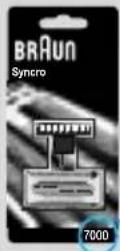
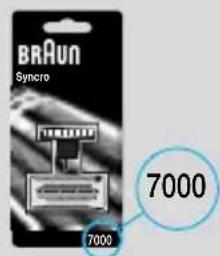
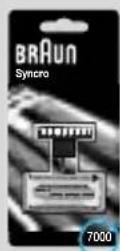
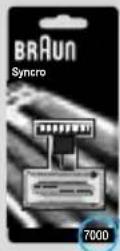
| Spare parts | Foil and cutter block reference no. 7000, to be replaced every 18 months |
| Warranty | 2 years |
| Safety | Low-voltage adapter; do not handle the device; ideal charging temperature 15-35 °C |
| Environmental protection | Battery recyclable; do not dispose of in household waste |
Frequently Asked Questions - Syncro System Smart Logic 7690 BRAUN
User questions about Syncro System Smart Logic 7690 BRAUN
0 question about this device. Answer the ones you know or ask your own.
Ask a new question about this device
Download the instructions for your Razor in PDF format for free! Find your manual Syncro System Smart Logic 7690 - BRAUN and take your electronic device back in hand. On this page are published all the documents necessary for the use of your device. Syncro System Smart Logic 7690 by BRAUN.
USER MANUAL Syncro System Smart Logic 7690 BRAUN
Syrscro SystemSmart Logic
Type 5491

Braun Infoline
German 4, 9, 77
English 10, 14, 77
French 15, 20, 77
Spanish 21, 26, 77
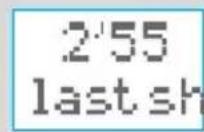
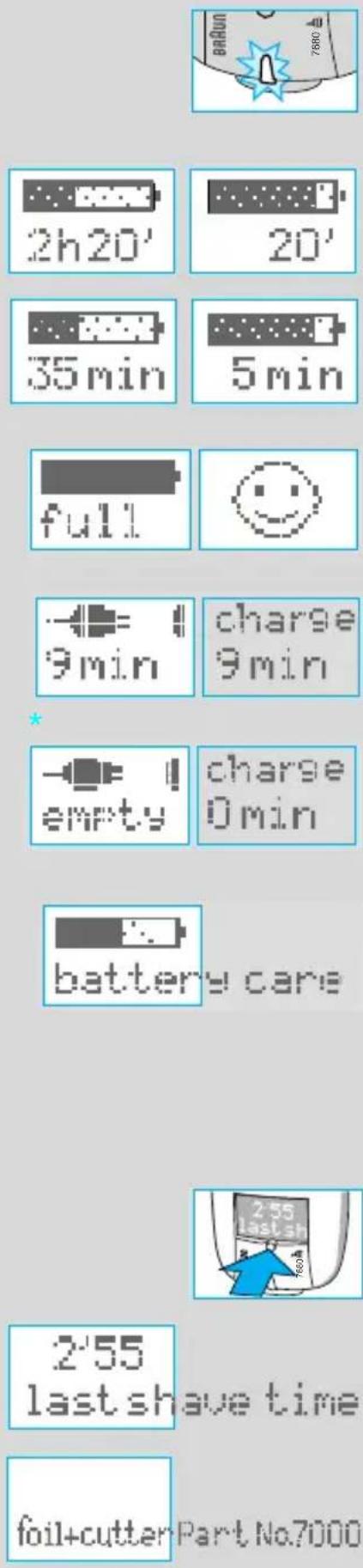
2'55 last shave time
foil+cutter Part No.7000


7000
Manual cleaning
Warranty
Our products are designed to meet the highest standards of quality, functionality and design.
We hope you enjoy your new Braun shaver.
Your Braun Syncro is supplied with a Braun Clean&Charge (please see separate use instructions).
SmartLogic Inside
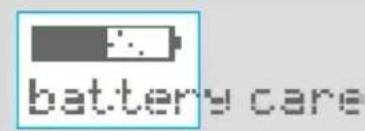
The «SmartLogic» electronics inside your shaver analyzes your personal shaving patterns and the type of beard you have, and then adapts the battery care and cleaning cycles to ensure optimal performance.
Warning
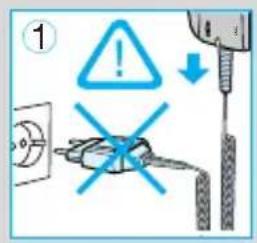
Your shaver is provided with a low voltage adaption system. Therefore you must not exchange or manipulate any part of it. Otherwise there is risk of electric shock.
Technical specifications:
• Wattage via low voltage cord: 7 W - Power supply via mains adapter, input voltage: 100-240 V ~/50 or 60 Hz (automatic adaptation) • Shaver input voltage: 12 V
Description
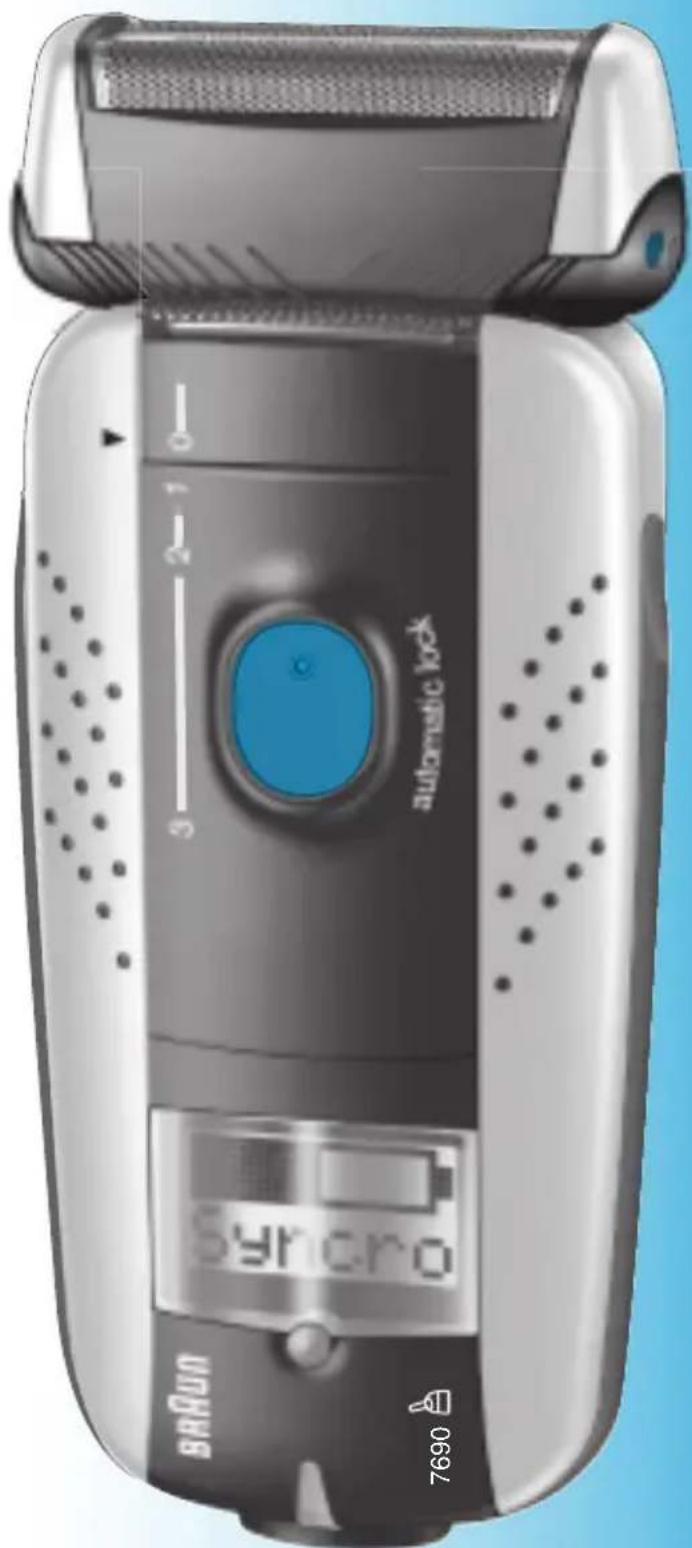
1 Foil protection cap 7 Display 2 Shaver foil 8 Info key 3 Cutter block 9 Pilot light 4 Foil release button 10 Shaver socket 5 Long hair trimmer 11 Power supply cord set 6 Switch
Charging the shaver
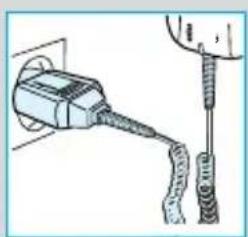
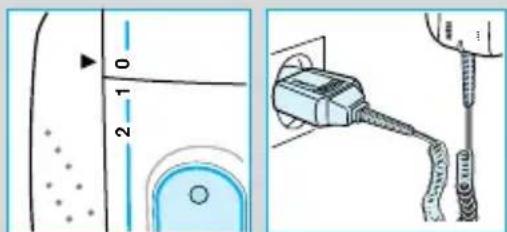
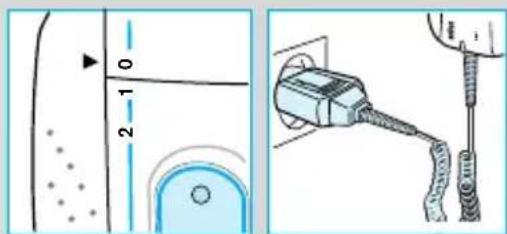
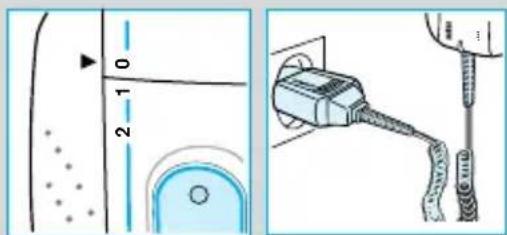
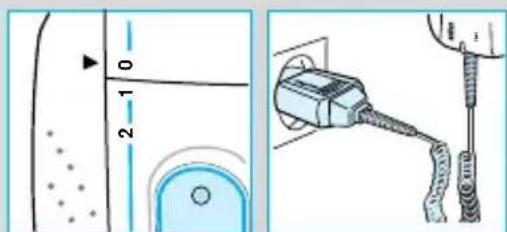
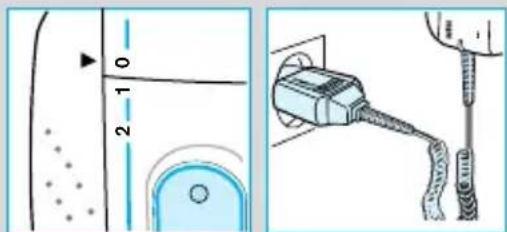
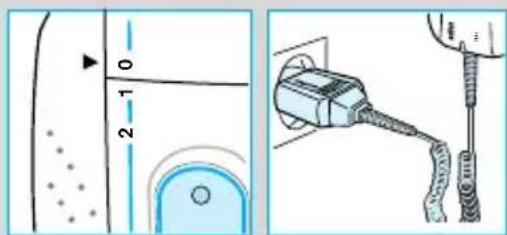
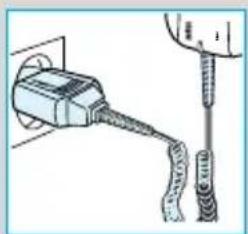
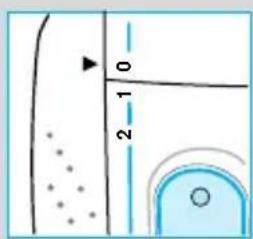
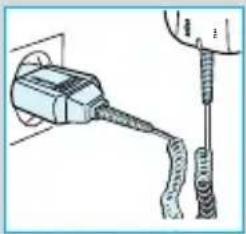
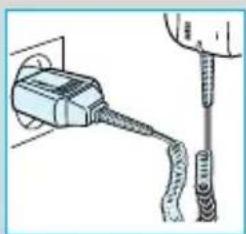
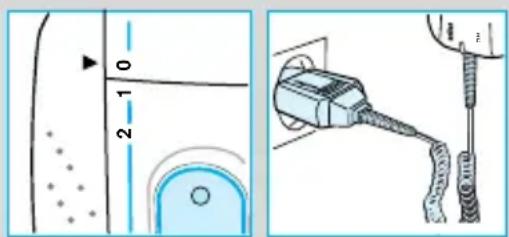
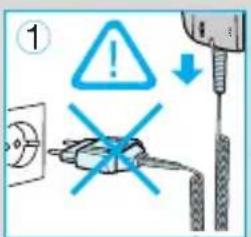
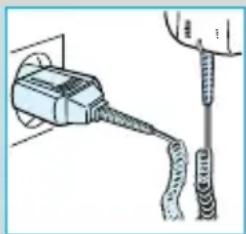
- First charging: Using the power supply cord set, connect the shaver to the mains with the switch on position «0» and charge it for at least 4 hours (plug might get warm). From now on, the SmartLogic inside your shaver will ensure optimal care of the battery.
- A full charge will give up to 50 minutes of cordless shaving time depending on your beard growth. However, the maximum battery capacity will only be reached after several charging/discharging cycles.
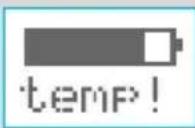
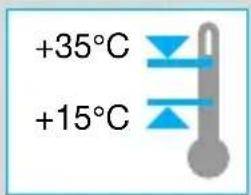
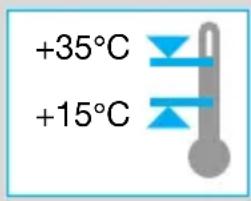
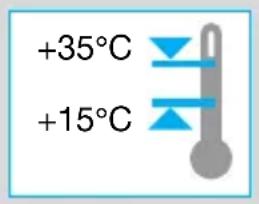
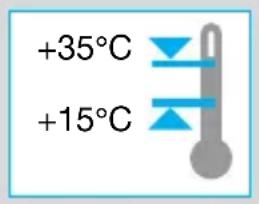
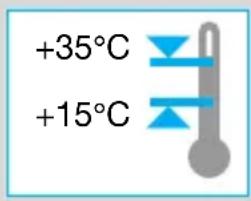
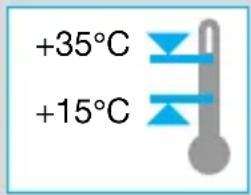
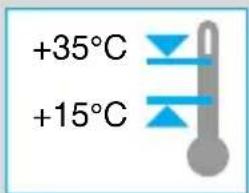
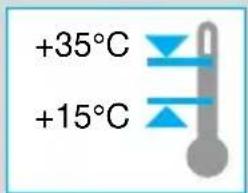
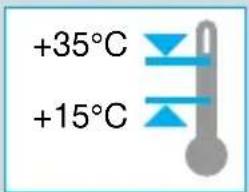
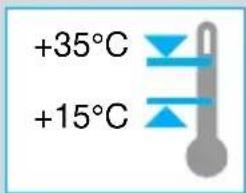
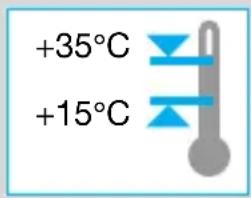
- Best environmental temperature range for charging is 15°C to 35°C.
- Do not expose the shaver to temperatures of more than 50 °C for longer periods of time.
Display
The pilot light shows that the shaver is connected to the mains.
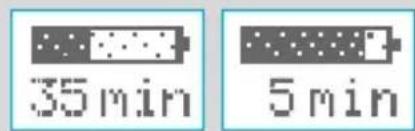
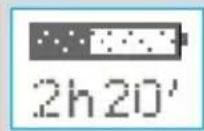
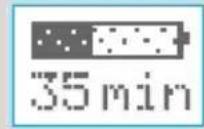
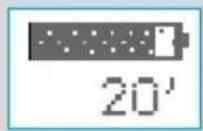
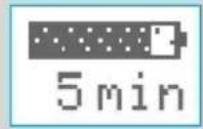
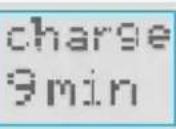
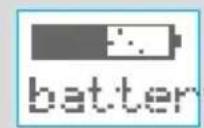
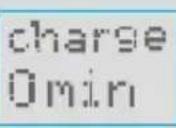
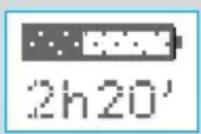
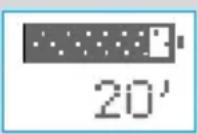
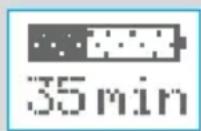
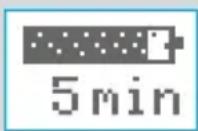
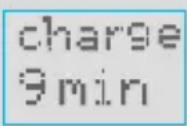
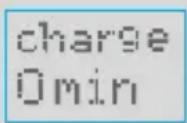
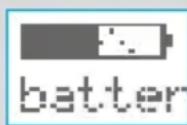
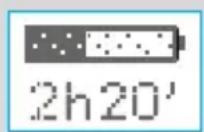
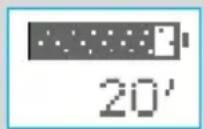
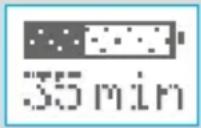
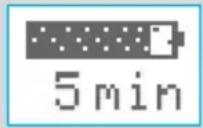
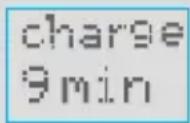
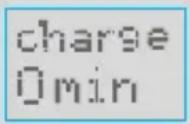
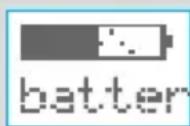
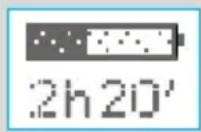
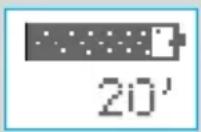
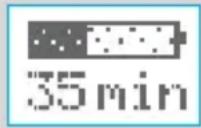
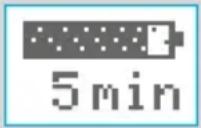
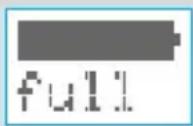
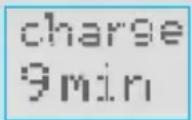
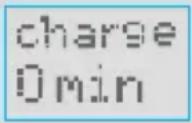
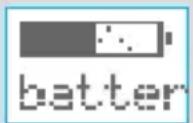
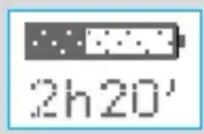
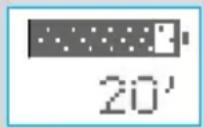
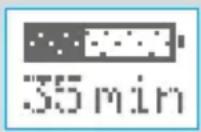
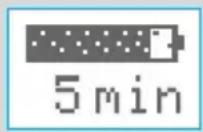
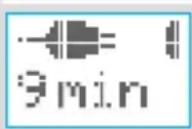
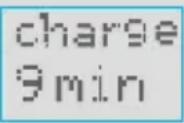
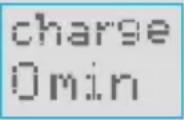
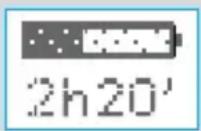
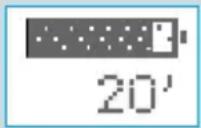
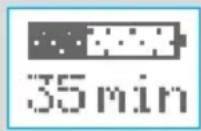
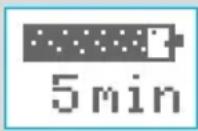
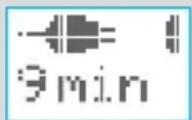
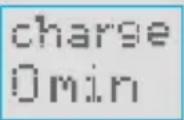
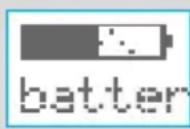
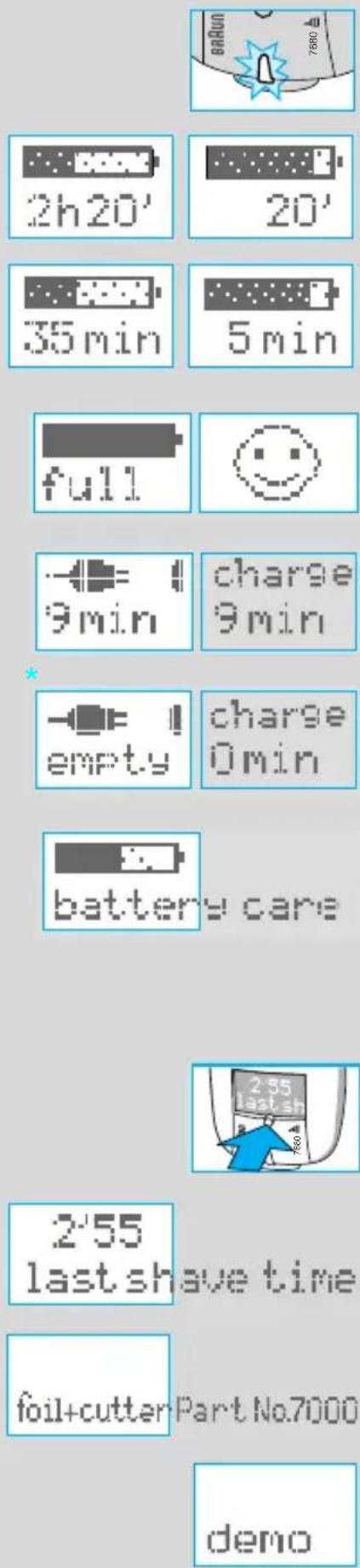
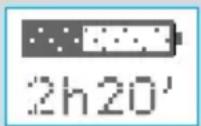
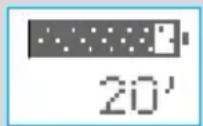
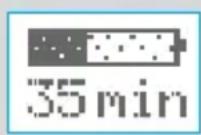
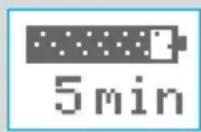
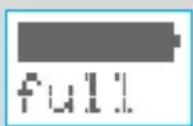
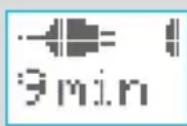
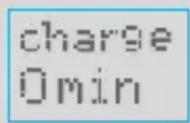
The display shows the operation mode and charging conditions of the shaver: During charging, the display shows the battery capacity symbol increasing by 20% segments and the remaining charging time (flashing).
First charging (4 h):
The display counts down in 20-minute steps.
Subsequent charging (1 h):
The display counts down in 5-minute steps.
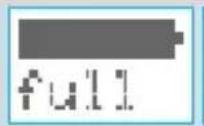
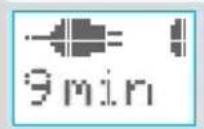
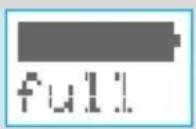
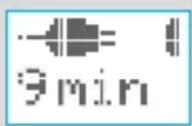
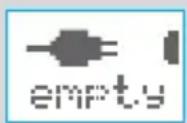
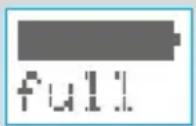
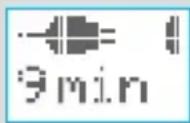
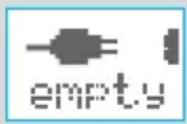
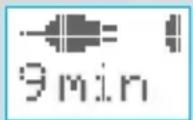
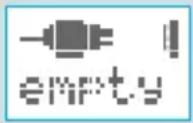
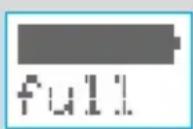
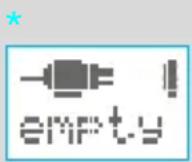
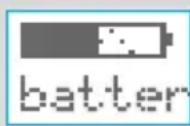
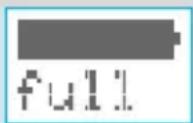
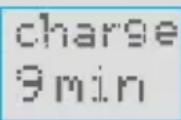
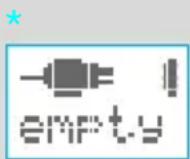
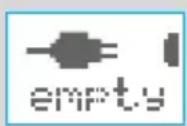
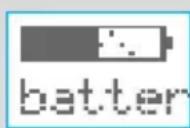
The battery is fully charged. SmartLogic inside monitors the battery and communicates when it is still well charged. Below 10 minutes remaining shaving time, the display shows the minutes left. The "moving" plug symbol indicates that you should charge your shaver. If there is insufficient battery charge for a cordless shave, either recharge the shaver or shave via the power supply cord connected to the mains.
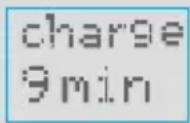
The display changes to this format when the shaver is in the Clean&Charge.
The SmartLogic inside your shaver automatically monitors the condition of the batteries as well as the charging/discharging processes and adapts them to your personal shaving patterns. For instance, if it is your routine to never let the batteries run low, the SmartLogic will recognize this, look for a pause when you are likely to not use the shaver and completely discharge and then recharge your shaver to recondition the batteries (every six months at the most, and only when necessary).
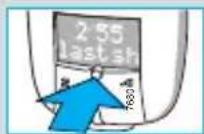
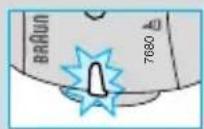
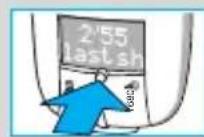
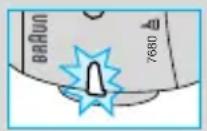
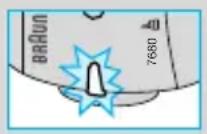
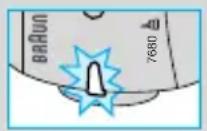
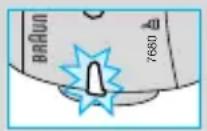
For additional information, press the info key:
Press once:
- To display the duration of the last shave.

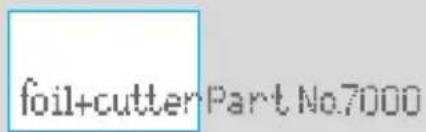


Press again:
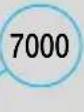
- To display the key part number for shaver foil and cutter block.
Hold for 3 seconds:
- To run a display demo.
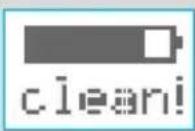
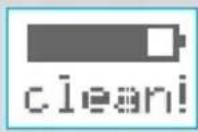
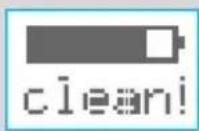
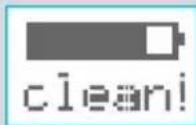
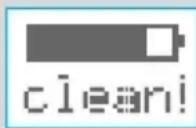
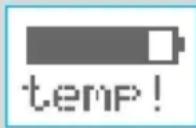
The SmartLogic inside your shaver will detect when the shaver needs to be cleaned (refer to paragraph «Manual cleaning» or to separate «Clean&Charge» use instructions). To reset the display, push the info key.
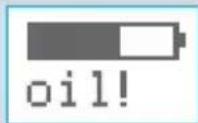
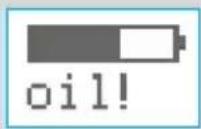
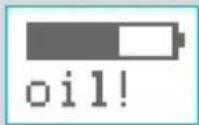
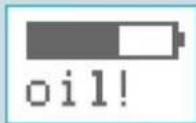
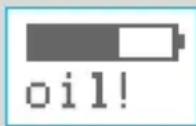
The SmartLogic inside will recognize when the shaver has to be lubricated (refer to paragraph «Manual cleaning» or to separate «Clean&Charge» use instructions). To reset the display, push the info key.
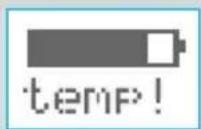
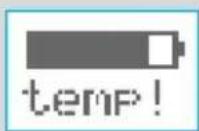
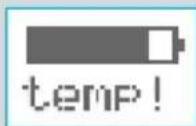
The shaver cannot be charged if the environmental temperature is too low (<0 °C) or too high (>55 °C). Allow the shaver to remain for some time at room temperature for optimal charging conditions.
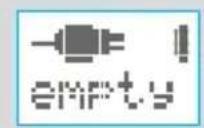
No display: The rechargeable battery is completely discharged and has to be recharged.
Shaving
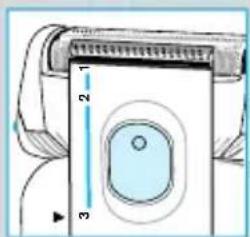
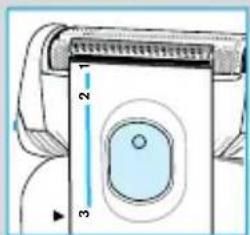
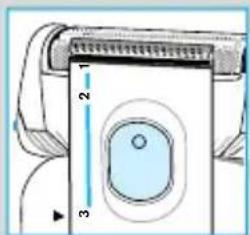
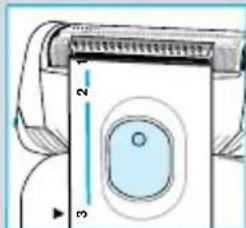
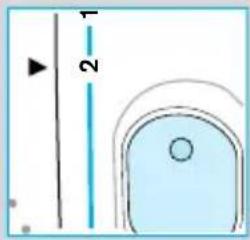
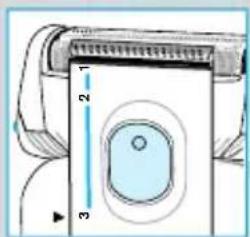
Switch positions
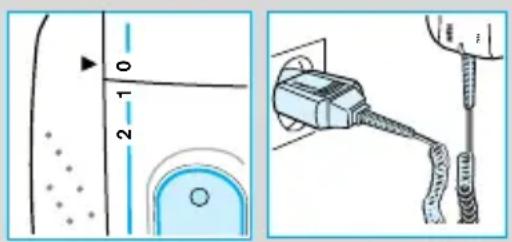
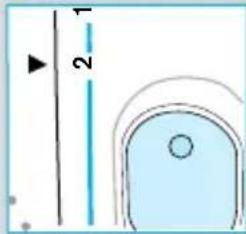
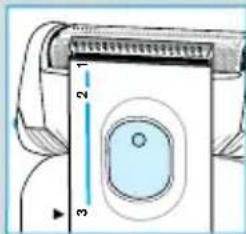
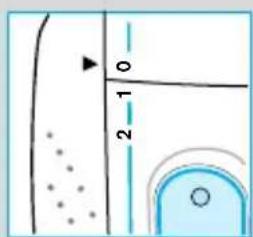
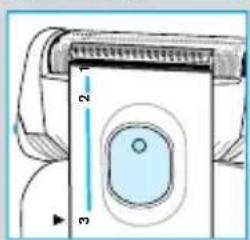
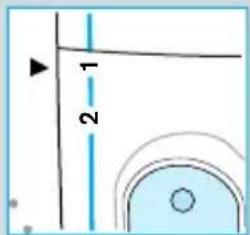
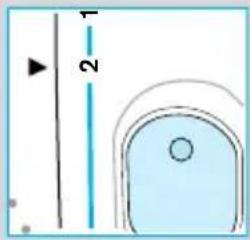
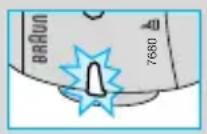
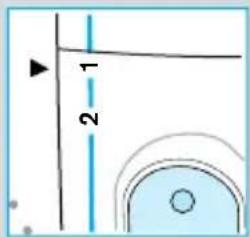
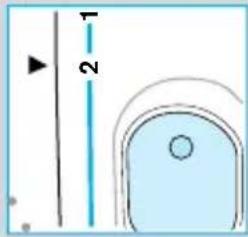
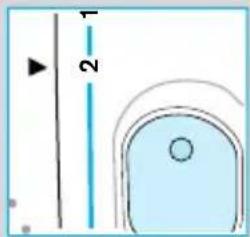
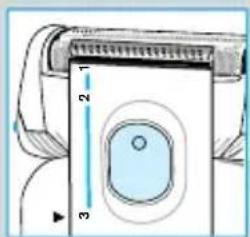
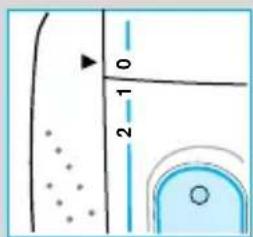
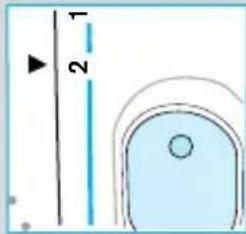
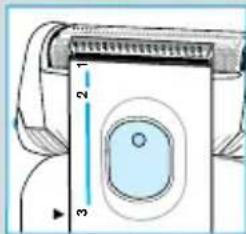
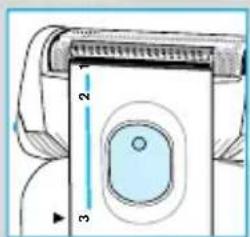
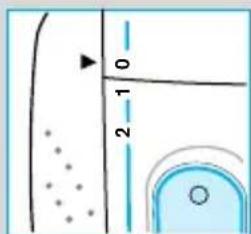
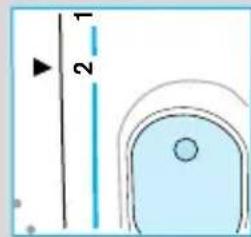
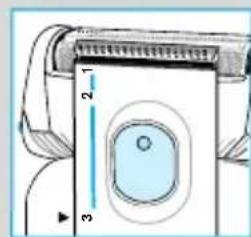
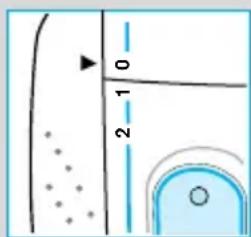
0 = Off (switch is locked) Press and push up the switch to operate the shaver
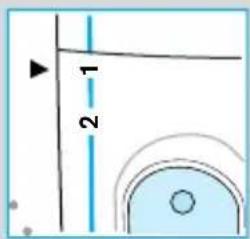
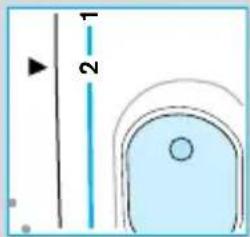
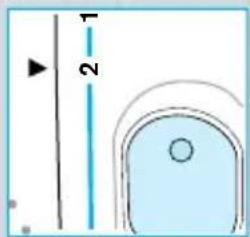
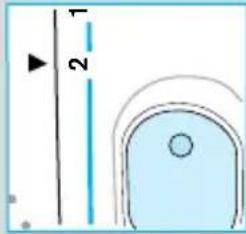
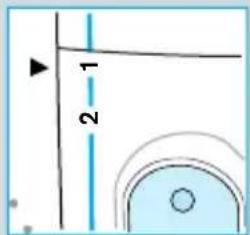
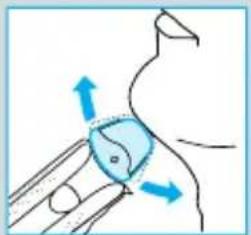
1 = Shaving with the pivoting head The pivoting cutting system automatically adjusts to every contour of your face
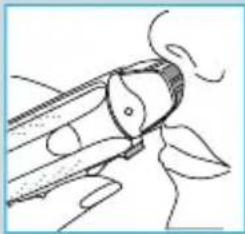
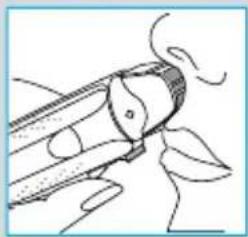
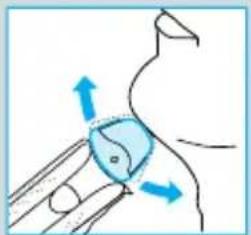
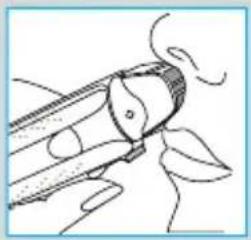
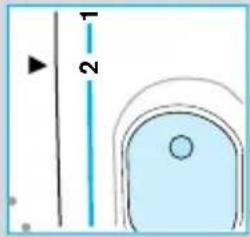
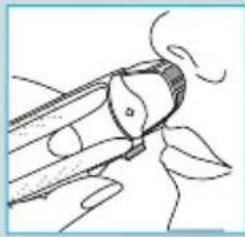
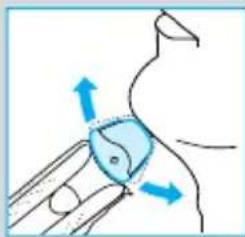
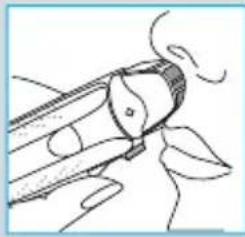
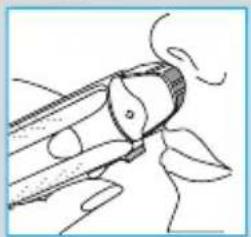
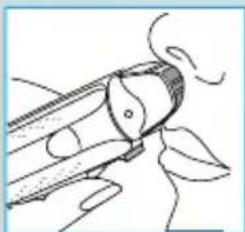
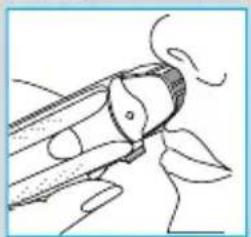
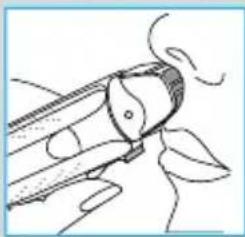
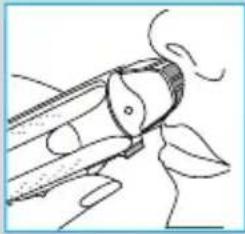
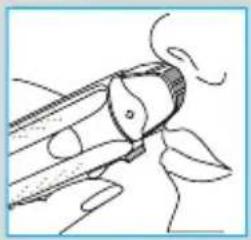
2 = Shaving with the pivoting head locked at an angle (to permit shaving in difficult areas, e.g. under the nose)
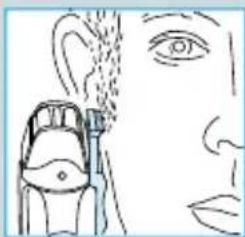
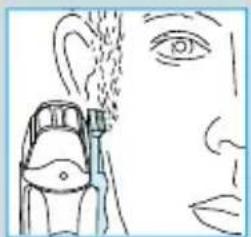
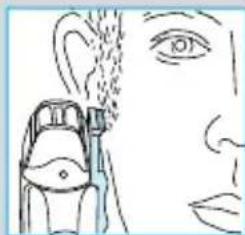
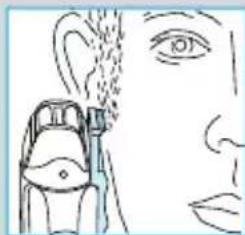
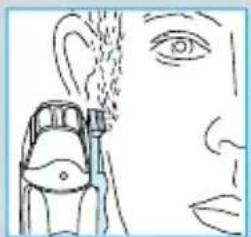
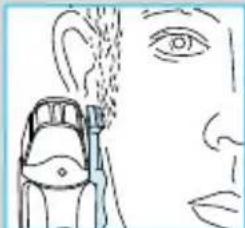
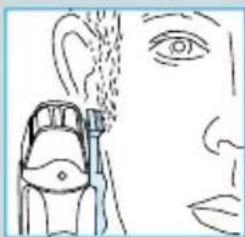
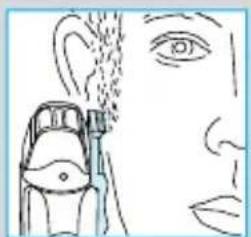
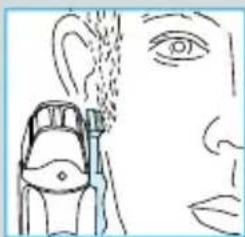
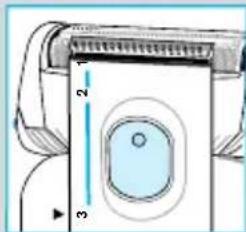
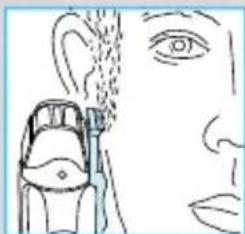
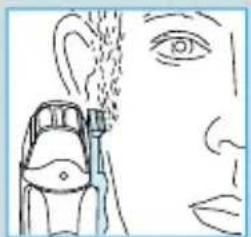
3 = The long hair trimmer is activated (for trimming sideburns, moustache and beard)
Shaving with the cord
If the rechargeable battery is discharged, you may also shave with the shaver connected to the mains via the power supply cord set.
(If the shaver does not run immediately, charge it with the switch on position «0» for approx. 1 minute.)
Tips for the perfect shave
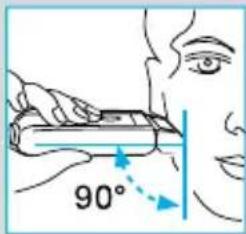
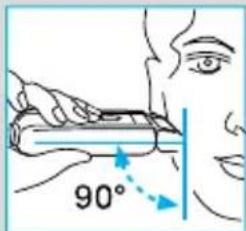
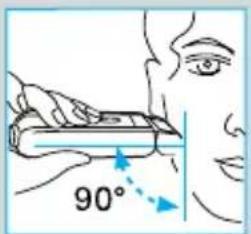
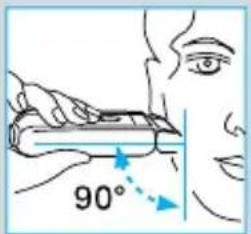
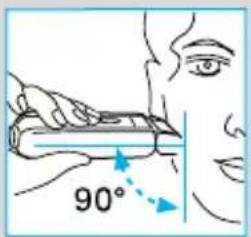
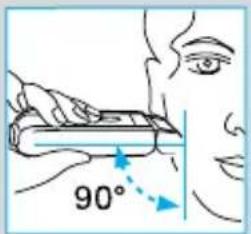
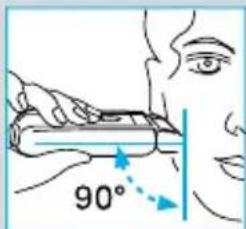
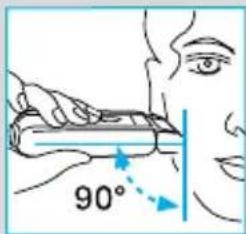
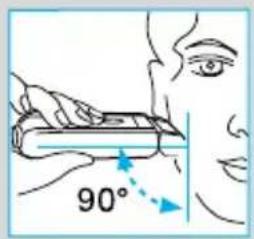
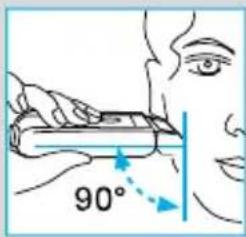
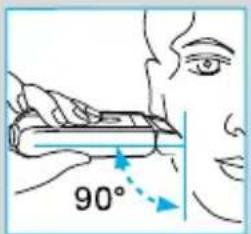
• We recommend that you shave before washing, as the skin tends to be slightly swollen after washing. - Hold the shaver at right angles (90°) to the skin. - Stretch your skin and shave against the direction of beard growth. - Replace the shaver foil and cutter block every 1.5 years, or when the parts are worn, to ensure optimum shaving performance.
Keeping your shaver in top shape
Automated cleaning
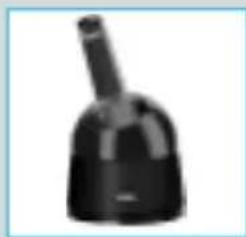
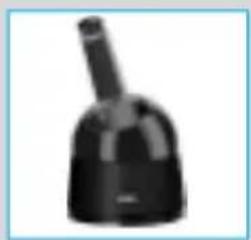
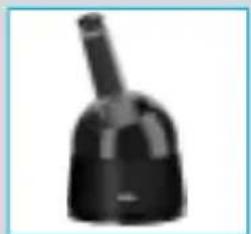
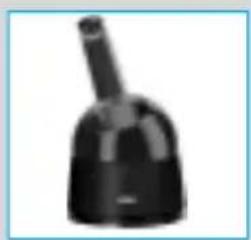
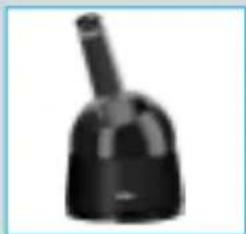
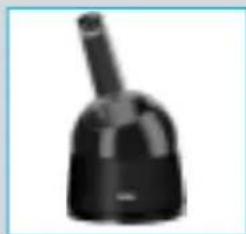
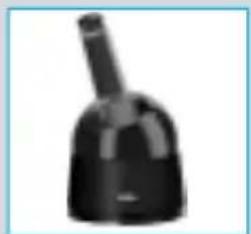
The Braun Clean&Charge takes care of all cleaning and lubrication needs of your shaver. Please refer to the separate use instructions.
If not supplied already with your shaver, the Braun Clean&Charge is available at your dealer or Braun Service Centres.
Manual cleaning
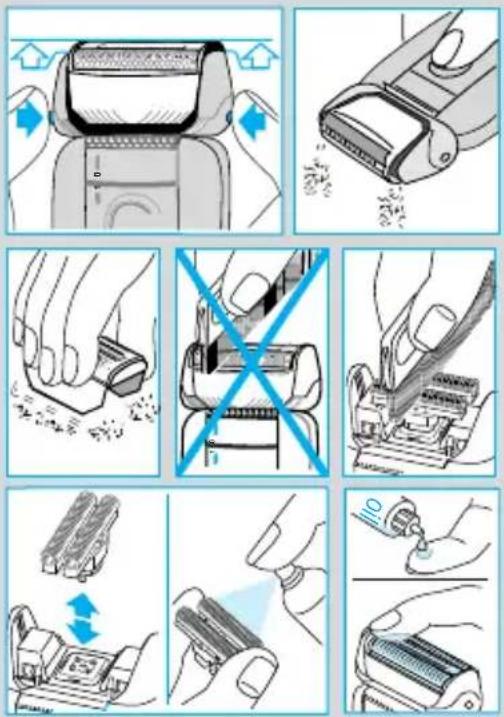
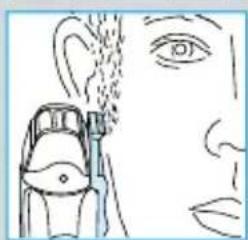
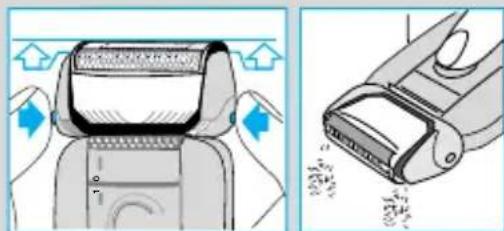
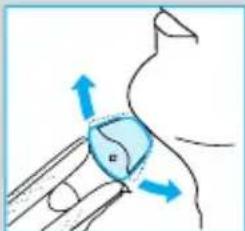
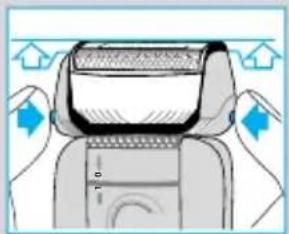
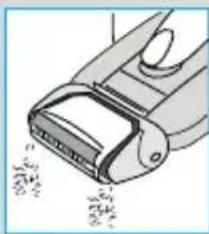
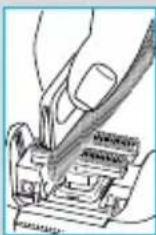
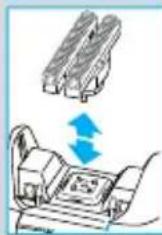
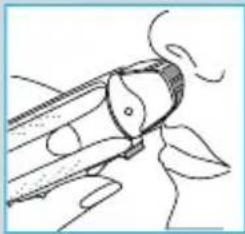
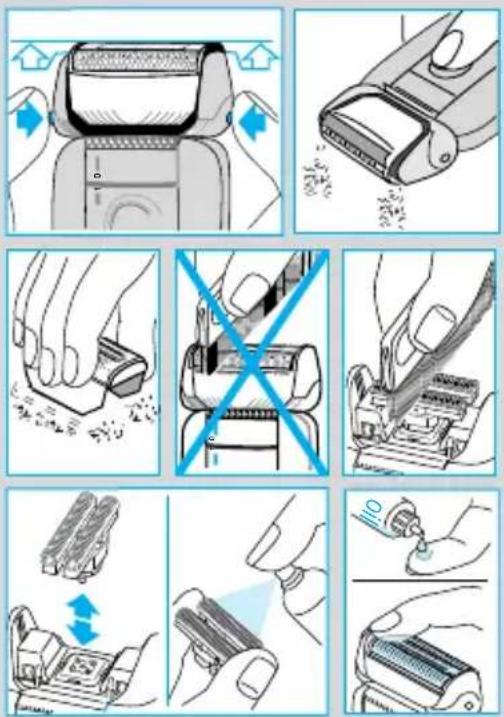
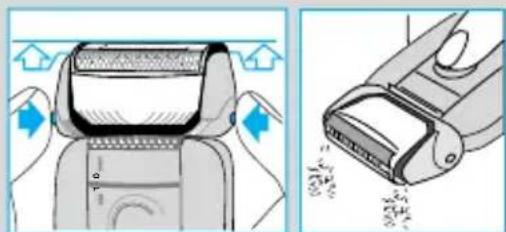
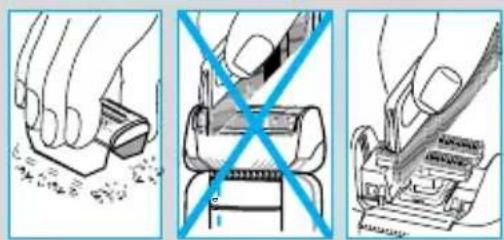
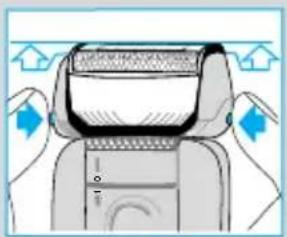
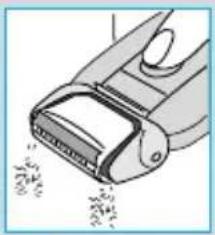
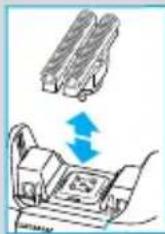
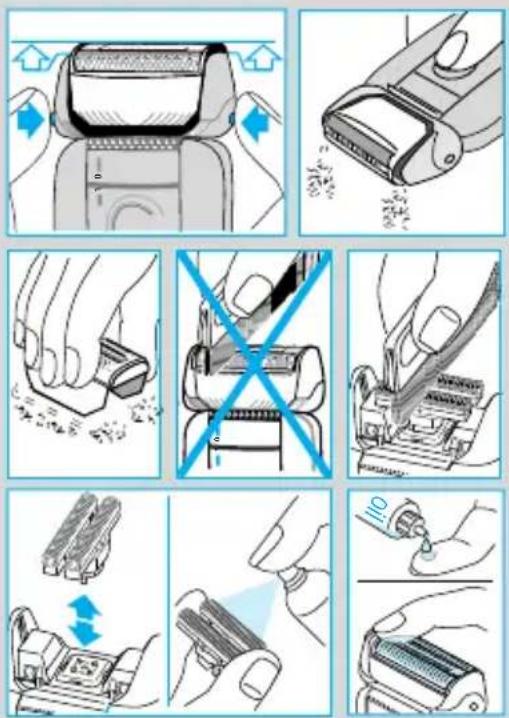
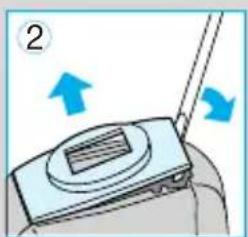
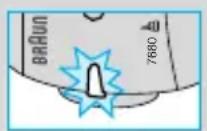
For easy cleaning after each shave, switch the shaver off. Press the release buttons to lift the shaver foil (do not remove the foil completely). Switch on the shaver for approx. 5-10 seconds so that the shaved stubbles can fall out.
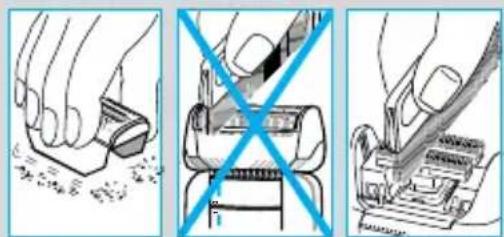
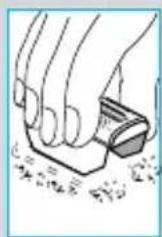
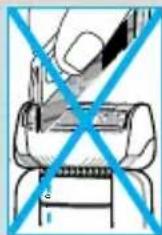
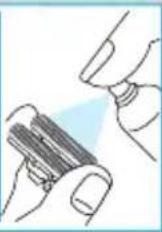
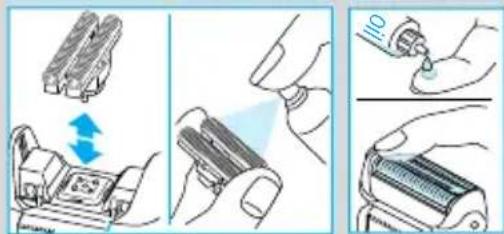
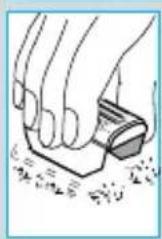
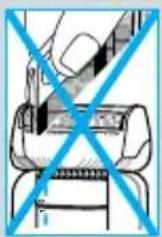
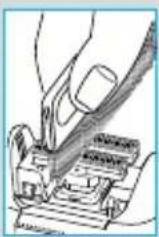
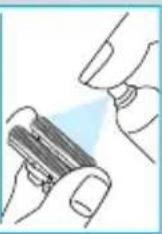
For a thorough cleaning (weekly), remove the shaver foil and tap it out on a flat surface. Using the brush, clean the cutter block and the inner area of the pivoting head. About every four weeks, clean the cutter block with Braun cleaning agents.
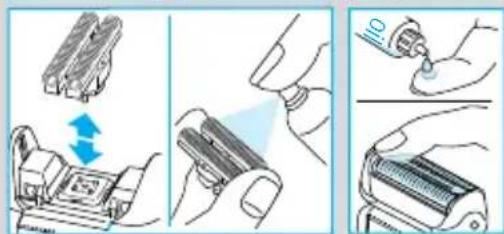
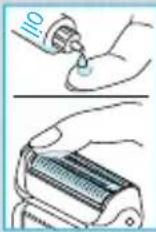
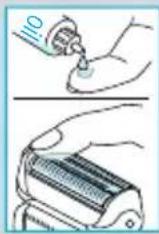
If your skin is very dry and you notice a reduced operation time of the shaver or if the display shows «oil!», apply a drop of light machine oil onto the shaver foil.
Replacing the shaving parts
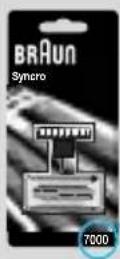
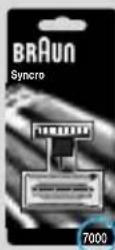
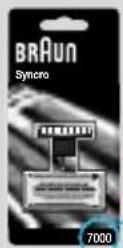
The shaver foil and cutter block are precision parts that, in time, are subject to wear. Replace your foil and cutter block every 18 months and get a 25% better shave.* (Shaver foil and cutter block: part No. 7000. Available at your dealer or Braun Service Centres.)
(* Overall evaluation from Braun users comparing their shave with new parts and those used for 18 months.)
Environmental notice
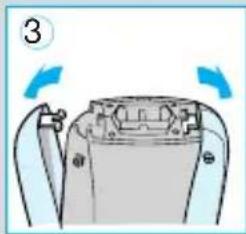
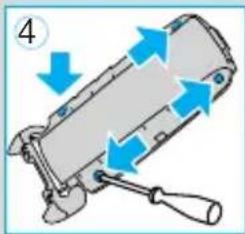
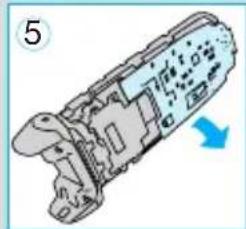
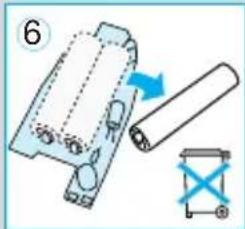
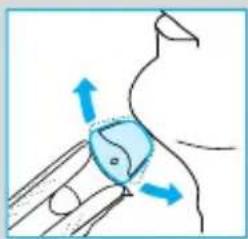
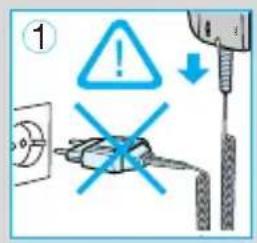
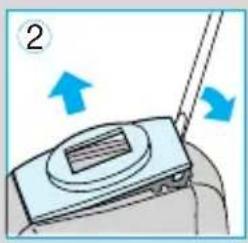
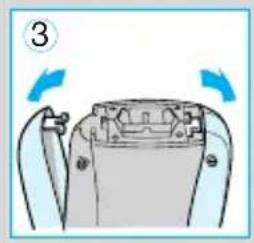
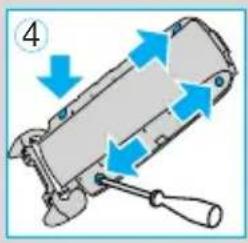
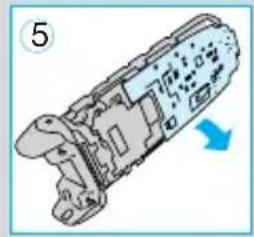
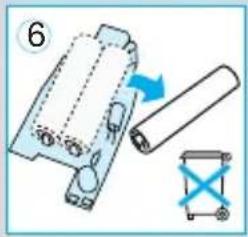
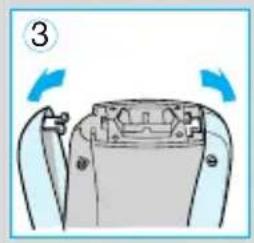
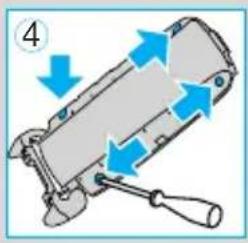
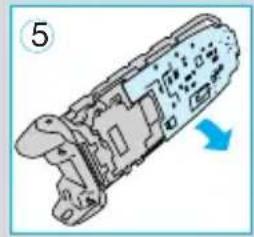
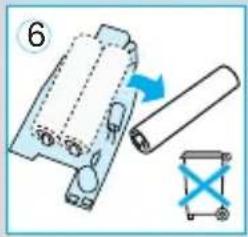
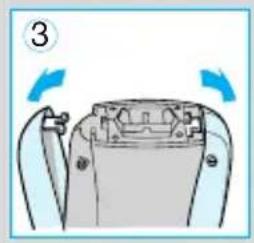
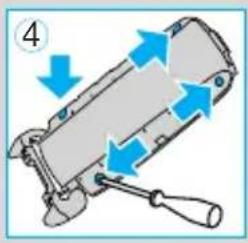
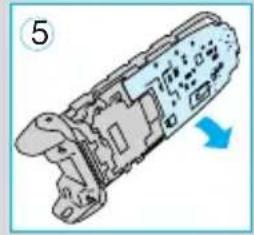
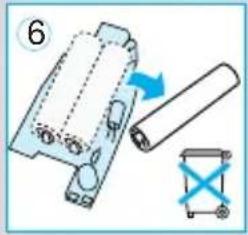
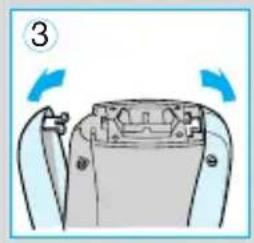
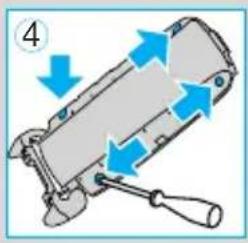
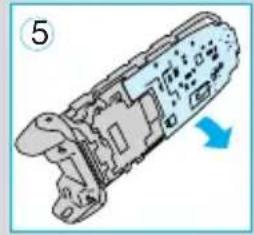
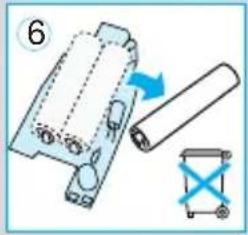
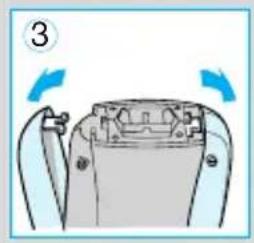
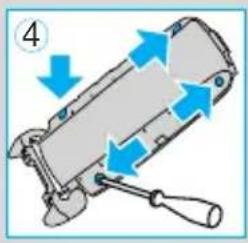
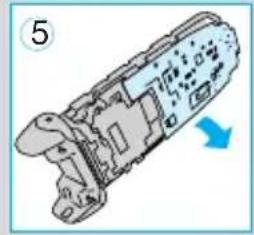
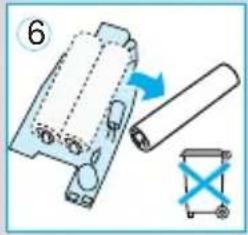
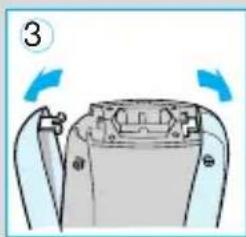
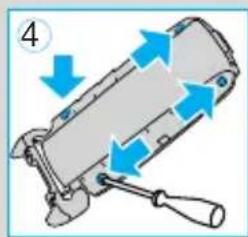
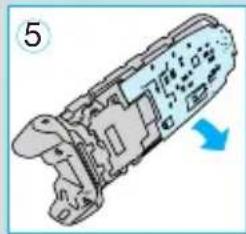
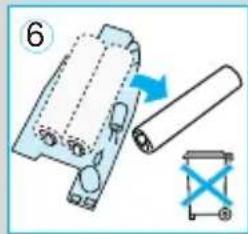
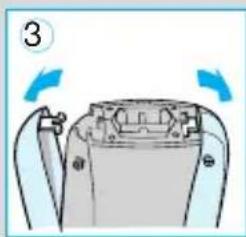
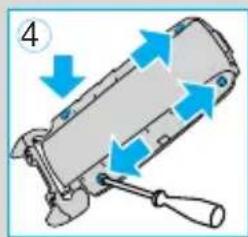
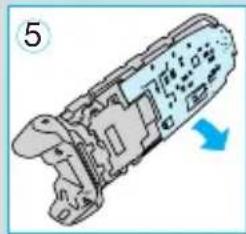
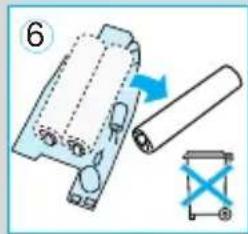
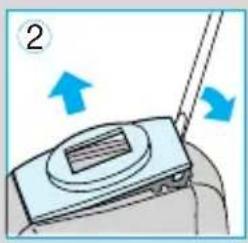
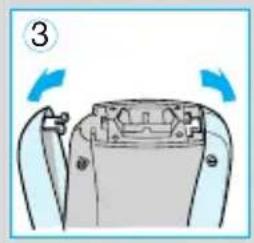
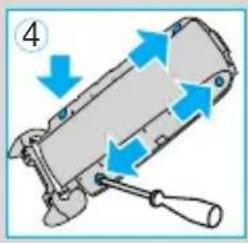
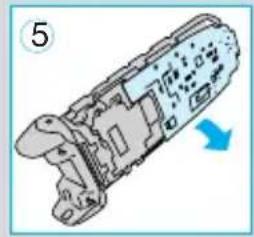
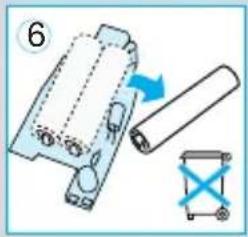
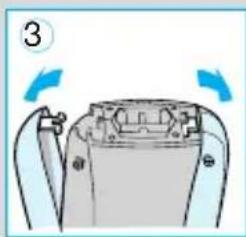
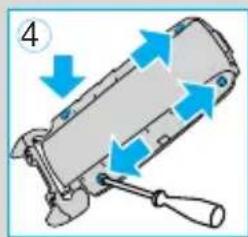
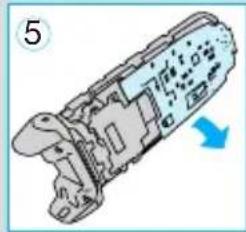
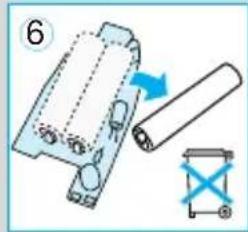
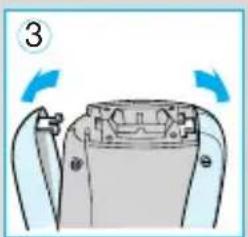
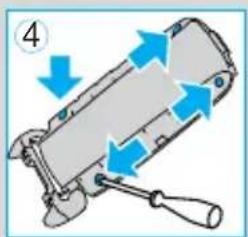
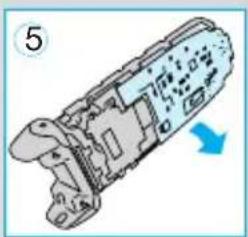
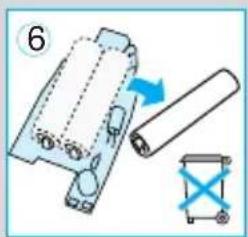
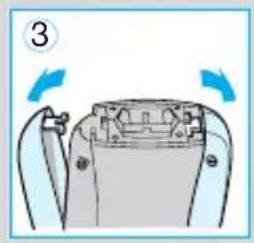
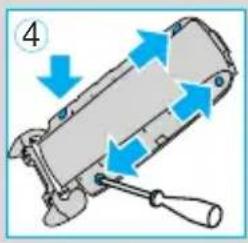
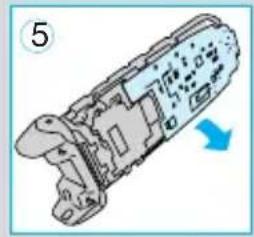
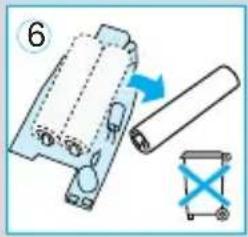
This appliance is provided with nickel-hydride rechargeable batteries. To protect the environment, do not dispose of the appliance in the household waste at the end of its useful life. Open the housing as shown, remove and dispose of the batteries at your retail store or at appropriate collection sites according to national or local regulations.
Subject to change without notice.
This product conforms to the EMC-Requirements as laid down by the Council Directive 89/336/EEC and to the Low Voltage Regulation (73/23 EEC).

Guarantee
We grant 2 years guarantee on the product commencing on the date of purchase. Within the guarantee period we will eliminate, free of charge, any defects in the appliance resulting from faults in materials or workmanship, either by repairing or replacing the complete appliance as we may choose.
This guarantee extends to every country where this appliance is supplied by Braun or its appointed distributor.
This guarantee does not cover: damage due to improper use, normal wear or use as well as defects that have a negligible effect on the value or operation of the appliance. The guarantee becomes void if repairs are undertaken by unauthorised persons and if original Braun parts are not used.
To obtain service within the guarantee period, hand in or send the complete appliance with your sales receipt to an authorised Braun Customer Service Centre.
For UK only:
This guarantee in no way affects your rights under statutory law.



Shaving


Shaving
Ecological note


Shaving
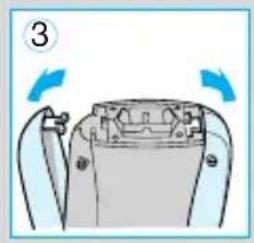
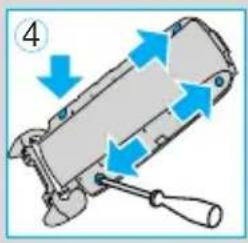
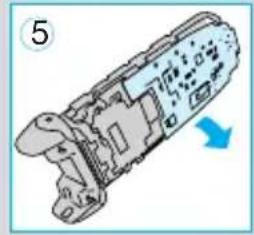
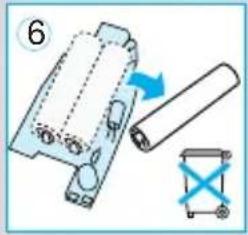




Shaving

Shaving
Switch positions
Environment
Average time
Part No. 7000
Display
7000
Keep your shaver in tip-top condition
Automatic cleaning
Warranty
7000
Manual cleaning
Warranty
7000
Environmental information
Average time
Part No. 7000
Display panel
7000
Warranty



Finding
Guarantee and Service Centers
Gillette Australia Pty. Ltd., Private Bag 10, Scoresby, Melbourne, Victoria 3179, 1 800 641 820
Austria
Stuart's Ltd., Reid Street, P.O. Box HM 2705, Hamilton OR, 2 95 54 96
Brazil
Picolli Service, Rua Túlio Teodoro de Campos, 209, São Paulo – SP, ☎ 0800 16 26 27
Bulgaria
Stambouli Ltd., 12, Hrist Botev Str., Sofia, Bulgaria ☎ + 359 2 528 988
Canada
Gillette Canada Company, 4 Robert Speck Parkway, Mississauga L4Z 4C5, Ontario, (905) 566-5000
Czech Republic
PH SERVIS sro., V Mezihori 2, 18000 Prague 8, (02) 663 105 74
Chile
Viseelec, Braun Service Center Chile, Av. Concha y Toro #4399, Puente Alto, Santiago, ☎ 2 288 25 18
China
Gillette (Shanghai) Sales Co. Ltd. 550 Sanlin Road, Pudong, Shanghai 200124, 800 820 13 57
Colombia
Gillette de Colombia S.A., Calle 100 No. 9A - 39 Piso 3. Bogotá, D.C., 9800-5-27286
Croatia
Iskra elektronika d.o.o., Bozidara Magovca 63, 10020 Zagreb, ☎ 1-6 60 17 77
Cyprus
Kyriakos Papavasiliou Trading 70, Kennedy Ave., 1663 Nicosia, 📞 3572 314111
Denmark
Gillette Group Danmark A/S, Teglholm Allé 15, 2450 Copenhagen SV, 70 15 00 13
United Sons International Trading, 25 Makram Ebied Street, P.O. Box 7607, Cairo, 02-2740652
Spain
Braun Espanola S.A., Braun Service, Enrique Granados, 46, 08950 Esplugues de Llobregat (Barcelona), 📞 901 11 61 84
Estonia
Servest Ltd., Raua 55, 10152 Tallinn, 627 87 39
France
Groupe Gillette France - Division Braun, 9, Place Marie Jeanne Bassot, 92693 Levallois Perret Cédex, (1) 4748 70 00, Minitel 3615 code Braun.
Great Britain
Gillette Group UK Ltd., Braun Consumer Service, Great West Road, Isleworth TW7 5NP; Middlesex, 0800 783 70 10
Greece
Berson S.A., 47, Agamemnonos, 17675 Kallithea Athens, 1-9 47 87 00
Guadeloupe
Ets. André Haan S.A., Zone Industrielle B.P. 335, 97161 Pointe-à-Pitre, 26 68 48
Hong Kong
Audio Supplies Company, Room 506, St. George's Building, 2 ICE House Street, Hong Kong, 25 24-93 77
Hungary
Kisgép KFT, Pannonia u. 23, 1136 Budapest, 13 494 955
Iceland
Verzlunin Pfaff h.f., Grensasvegur 13, Box 714, 121 Reykjavik, ☎ 5 33 22 22
India
Braun Division, c/o Gillette Div. Op. Pvt. Ltd., 34, Okhla Industrial Estate, New Delhi 110 020, 11 68 30 218
Iran
Tehran Bouran Company Irtuc Building, No 874 Enghelab Ave., P.O. Box 15815-1391, Tehran 11318, 021 67 03 50
Ireland (Republic of)
Gavins Shaver Centre, 83/84, Lower Camden Street, Dublin 2, 1800 509 448
Israel
S. Schestowitz Ltd., 8 Shacham Str., Tel-Aviv, 49517, 1 800 335 959
Italy
Servizio Consumatori Braun Gillette Group Italy S.p.A., Via G.B. Pirelli, 18, 20124 Milano, ☎ 02 / 6678623
Jordan
Dajani Group, Shamaisani/Sherif Jamil Bin Naser, P.O. Box 926976, Amman 11110, 📞 962-6552 5545
Kenya
Radbone-Clark Kenya Ltd., P.O. Box 40833, Nairobi-Mombasa Road, Nairobi, 2 82 36 60
Korea
STC Industries Corp. Braun Division, 32, Mullae-Dong 3-KA, Youngdeungpo-Ku, Seoul 150-090, ☎ 080 258 25 89
Kuwait
Union Trading Co., Braun Service Center, P.O. Box 28 Safat, Safat Code 13001, Kuwait, ☎ 04 83 32 74
Latvia
Latintertehserviss Co., 72 Bullu Street, House 2, Riga 1067, ☎ 2 40 39 11
Lebanon
Magnet SAL - Fattal HLDG, P.O. Box 110-773, Beirut, 1 51 20 02
Libya
Al-Muddy Joint-Stock Co., Istanbul Street 6, P.O. Box 4996, Tripoli, 21 333 3421
Lithuania
Elektronas AB, Kareiviu 6, 2600 Vilnius, ☎ 277 76 17
Luxembourg
Sogel S.A., 1 Dernier Sol, BP 1941, 1019 Bonnevoie, 4 00 50 51
Malaysia
Gillette Malaysia Sdn. Bhd., Braun Customer Service, 11 A Persiaran Selangor, 40200 Shah Alam, 3 55 19 23 10
Malta
Kind's, 287, Republic Street, Valletta VLT04, 24 71 18
Morocco
J. Kalachand & Co. Ltd., Bld DBM Industrial Estate, Stage 11, Plaine Lauzun, 2 12 84 13
Mexico
Gillette Manufactura, S.A. de C.V./ Gillette Distribuidora, S.A. de C.V. Atomo No. 3 Parque Industrial Naucalpan Naucalpan de Juarez Estado de México, C.P. 53370 ☎ 01-800-508-58-00
Netherlands
Netherlands Antilles
Boolchand's Ltd, Heerenstraat 4 B, P.O. Box 36, Curacao, 00802, Netherlands Antilles 9 61 22 62
New Zealand
Key Service Ltd., c/o Gillette NZ, 69 Druces Rd., Manakau City, Auckland, 📞 9-262 58 35
Japan
Braun Gillette Japan Inc., Siber Hegner Bldg., 7th Floor, 89-1 Yamashita-cho, Naka-ku, P.O. Box 247, Yokohama 231-0023, 045-6817591
Norway
Gillette Group Norge AS, Nils Hansensvei 4, P.O. Box 79 Bryn, 0667 Oslo, Phone: 022-72 88 10
Oman (Sultanate of)
Naranjee Hirjee & Co. LLC., 10 Ruwi High, P.O. Box 9, Muscat 113, 703 660
Pakistan
Gillette Pakistan Ltd., Dr. Ziauddin Ahmend Road, Karachi 74200, Phone: 21 56 88 930
Paraguay
Paraguay Trading S.A., Avda. Artigas y Cacique Cara Cara, Asunción, Phone: 21203350/48/46
Philippines
Gillette Philippines Inc.,
Braun Service Centre
Villongco Road, Sucat,
Paranaque City,
28423154
Poland
Gillette Poland S.A.,
Budynek Orion,
ul. Domaniewska 41,
02-672 Warszawa,
22 548 89 74
Portugal
Gillette Portuguesa, Ltd.,
Braun Service,
Gillette Romania srl.
P.O. Box 743, Tabuk Street,
21421 Jeddah,
657 31 11
Singapore (Republic of)
Beste (S) Pte. Ltd.,
6 Tagore Drive,
# 03-04 Tagore Industrial Building,
Singapore 787623,
4 552 24 22
Slovakia
Techno Servis Bratislava spol. s.r.o.,
Bajzova 11/A,
82108 Bratislava.
(02) 555 68 161
Slovenia
Coming d.d.
Slovenceva 024, 1000 Ljubljana,
386-01-560-40-00
South Africa (Republic of)
Fixnet After Sales Service,
17B Allandale Park,
P.O. Box 5716,
Cnr Le Roux and Morkels Close,
Johannesburg 1685,
Midrand, Gauteng,
11 315 9260/1
St. Maarten
Ashoka,
P.O. Box 79,
Philipsburg,
Netherlands Antilles,
52 29 31
St.Thomas
Boolchand's Ltd.,
31 Main Street,
P.O. Box 5667,
00803 St. Thomas,
US Virgin Islands,
340 776 0302
Finland
Gillette Group Finland Oy/Braun,
P.O. Box 9.
Niittykatu 8, P.O. Box 9,
02200 Espoo
09-45 28 71
Sweden
Gillette Group Sweden AB,
Dept. Sweden,
Stockholm Gillette
Räsundavägen 12,
Box 702,
16927 Solna,
020-21 33 21
Syria
c/o Khalil Daoud
Amro Ibn Kalthoum Str.
Unisyria, P.O. Box 35002,
Damascus,
11 622 28 81
Taiwan
Audio & Electr. Supplies Ltd.,
Brothers Bldg., 10th Floor,
85 Chung Shan N Rd., Sec. 1,
Taipei (104),
0 80 221 630
Thailand
Gillette Thailand Limited,
109 Moo 4,
Chalongkrung Rd.,
Lamplatew Ladkrabang,
Bangkok 10520,
645-0800 22 16 30
Tunisia
United Arab Emirates
The New Store,
P.O. Box 3029
The Gillette Company - SBMC
Braun Consumer Service,
- Gillette Park 4k-16,
Boston, MA 02127-1096,
1-800-272-8611
Venezuela
Gillette de Venezuela S.A.,
Saba Stores for Trading,
26th September Street,
P.O. Box 5278,
Taiz.
967 4-25 23 80
Yugoslavia
BG Elektronik,
Bulevar revolucije 34,
11000 Beograd,
11 3240 030

- BRAUN INFOLINE
- MANUAL CLEANING
- WARRANTY
- SMARTLOGIC INSIDE
- WARNING
- TECHNICAL SPECIFICATIONS
- DESCRIPTION
- CHARGING THE SHAVER
- DISPLAY
- FIRST CHARGING (4 H)
- SUBSEQUENT CHARGING (1 H)
- SHAVING
- SWITCH POSITIONS
- SHAVING WITH THE CORD
- TIPS FOR THE PERFECT SHAVE
- KEEPING YOUR SHAVER IN TOP SHAPE
- AUTOMATED CLEANING
- REPLACING THE SHAVING PARTS
- ENVIRONMENTAL NOTICE
- GUARANTEE
- FOR UK ONLY
- ECOLOGICAL NOTE
- ENVIRONMENT
- KEEP YOUR SHAVER IN TIP-TOP CONDITION
- AUTOMATIC CLEANING
- ENVIRONMENTAL INFORMATION
- DISPLAY PANEL
- FINDING
- GREAT BRITAIN
- GREECE
- GUADELOUPE
- HONG KONG
- HUNGARY
- ICELAND
- INDIA
- IRAN
- IRELAND (REPUBLIC OF)
- ISRAEL
- ITALY
- JORDAN
- KENYA
- KOREA
- KUWAIT
- LATVIA
- LEBANON
- LIBYA
- LITHUANIA
- LUXEMBOURG
- MALAYSIA
- MALTA
- MOROCCO
- MEXICO
- NETHERLANDS
- NETHERLANDS ANTILLES
- NEW ZEALAND
- JAPAN
- NORWAY
- OMAN (SULTANATE OF)
- PAKISTAN
- PARAGUAY
- PHILIPPINES
- POLAND
- PORTUGAL
- SINGAPORE (REPUBLIC OF)
- SLOVAKIA
- SLOVENIA
- SOUTH AFRICA (REPUBLIC OF)
- ST. MAARTEN
- ST.THOMAS
- FINLAND
- SWEDEN
- SYRIA
- TAIWAN
- THAILAND
- TUNISIA
- UNITED ARAB EMIRATES
- VENEZUELA
- YUGOSLAVIA
Brand : BRAUN
Model : Syncro System Smart Logic 7690
Category : Razor