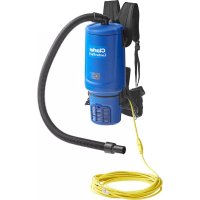
Comfort Pak 10 - Vacuum Cleaner Clarke - Free user manual and instructions
Find the device manual for free Comfort Pak 10 Clarke in PDF.


| Product Type | Vacuum Cleaner |
| Brand | Clarke |
| Model | Comfort Pak 10 |
| Power Supply Voltage | 120 V, 60 Hz |
| Filtration Type | HEPA filter, pre-filter and exhaust filter |
| Thermal Protection | Yes, automatic thermal cutout |
| Double Insulation | Yes (double insulated appliance, double insulated Electro nozzle) |
| Grounding | Yes, plug with grounding pin |
| Power Cord Length | Extension cord of 50 ft (15.24 m) |
| Carrying Mode | Back with adjustable harness (straps and belt) |
| Included Accessories | Hose, extension tubes, floor nozzle, brush nozzle, crevice nozzle, festoon nozzle, Electro nozzle (depending on model) |
| Container Capacity | Dust bag (capacity not specified) |
| Maintenance | Bag replacement, cleaning/replacement of HEPA filter, pre-filter, exhaust filter |
| Use Conditions | Indoor, non-hazardous dry dust |
| Storage Temperature | 0 °C to 60 °C |
| Usage | Domestic and commercial (hotels, schools, hospitals, etc.) |
| Safety | Unplug before maintenance, do not vacuum liquids, do not use outdoors |
| Control | On/off switch located on the housing |
| Weight | Not specified |
| Dimensions | Not specified |
Frequently Asked Questions - Comfort Pak 10 Clarke
User questions about Comfort Pak 10 Clarke
0 question about this device. Answer the ones you know or ask your own.
Ask a new question about this device
Download the instructions for your Vacuum Cleaner in PDF format for free! Find your manual Comfort Pak 10 - Clarke and take your electronic device back in hand. On this page are published all the documents necessary for the use of your device. Comfort Pak 10 by Clarke.
USER MANUAL Comfort Pak 10 Clarke
natural_image
Technical line drawings of two identical electric vacuum cleaner units with power leads and wiring (no text or symbols)INSTRUCTIONS FOR USE - MODE D'EMPLOI - INSTRUCCIONES DE USE

READ THIS BOOK LEA ESTE LIBRO LISEZ CE MANUEL
This book has important information for the use and safe operation of this machine. Failure to read this book prior to operating or attempting any service or maintenance procedure to your Clarke machine could result in injury to you or to other personnel; damage to the machine or to other property could occur as well. You must have training in the operation of this machine before using it. If your operator(s) cannot read this manual, have it explained fully before attempting to operate this machine.
For new books write to: Clarke ^® , 2100 Highway 265, Springdale, Arkansas 72764.
Printed in China
823 0100 060 Edition P00 2008-02

READ THIS BOOK LEA ESTE LIBRO LISEZ CE MANUEL

This book has important information for the use and safe operation of this machine. Failure to read this book prior to operating or attempting any service or maintenance procedure to your Clarke machine could result in injury to you or to other personnel; damage to the machine or to other property could occur as well. You must have training in the operation of this machine before using it. If your operator(s) cannot read this manual, have it explained fully before attempting to operate this machine.
Contents/ Contenido/ Table des matières
4-15, 24 English
4-12, 16-18 Français
4-12, 19-21 Espanol\~
22 Service
22 Specifications
For new books write to: Clarke ^® , 2100 Highway 265, Springdale, Arkansas 72764.
natural_image
Black-and-white photo of a vacuum cleaner with coiled hose and cloth, placed on wooden floor (no visible text or symbols)3 ADJUSTMENT
natural_image
Close-up of hands installing or adjusting a device component with a tool, no visible text or symbols3:1
natural_image
Close-up of a hand holding a white electronic device with a black button and arrow pointing to it (no visible text or symbols)4 ADJUSTMENT
natural_image
Close-up of a hand adjusting a black athletic belt buckle (no text or symbols visible)5
natural_image
Person adjusting a black safety harness on a white chair (no text or symbols visible)5:1 5:2
natural_image
Person handling white spray bottles with black connectors, next to a circular pipe (no visible text or symbols)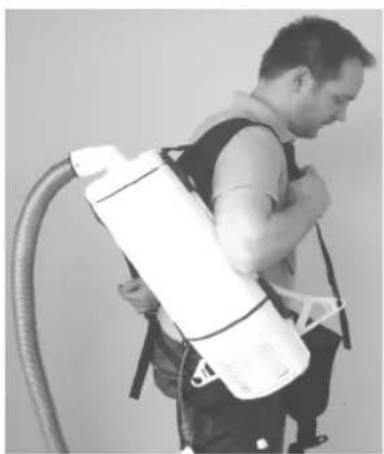
natural_image
Person carrying a white spray bag attached to a curved pipe (no text or symbols visible)4
2 HOSE CONNECTION
natural_image
Close-up of a white appliance with a black cylindrical component being inserted, showing a hand holding the pipe (no text or symbols visible)2:1
natural_image
Close-up of a hand pressing down on a white appliance lid (no visible text or symbols)2:2
natural_image
Close-up of a hand pressing down on a white industrial vacuum cleaner's lid (no visible text or symbols)4:1 4:2
natural_image
Close-up of a mechanical component with a hand pointing to a textured surface (no visible text or symbols)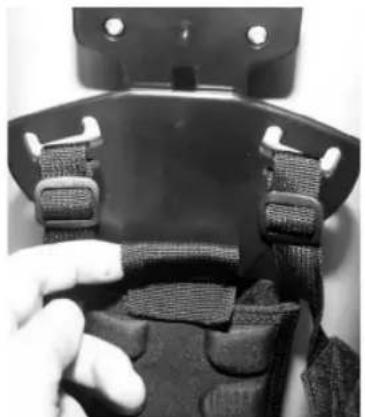
natural_image
Close-up of a black athletic belt buckle with straps and a finger pointing to the side (no text or symbols visible)4:3
natural_image
Close-up of a hand adjusting a black mechanical component with a black arrow pointing to it (no text or symbols visible)5:3
natural_image
Person wearing a belt buckle and holding a bag, with a white arrow pointing to the belt (no text or symbols visible)5:4
natural_image
Person wearing a belt buckle and adjusting a black belt buckle (no visible text or symbols)5:5
natural_image
Close-up of hands adjusting a black belt buckle (no text or symbols visible)5:6 5:7 5:8
natural_image
Person wearing a full-body safety harness with white arrows indicating measurement or direction (no text or symbols)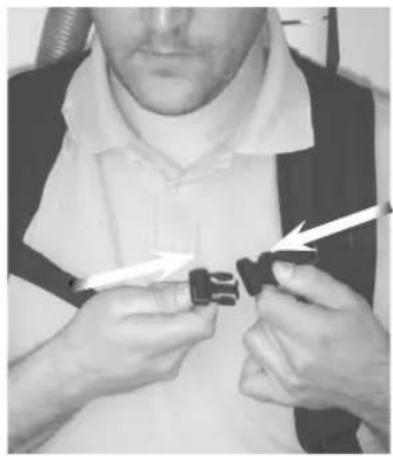
natural_image
Person adjusting a black plastic buckle with a white arrow pointing to the buckle (no text or symbols visible)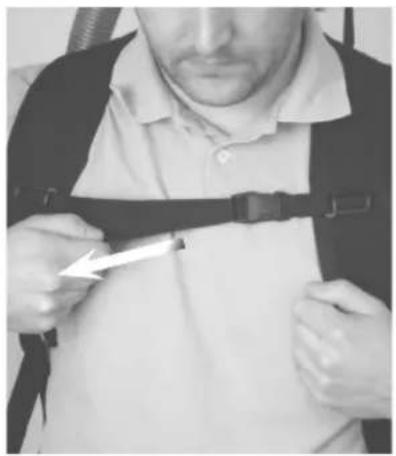
natural_image
Person wearing a seatbelt and harness, holding a tool near the seat (no visible text or symbols)6:1
natural_image
Close-up of hands adjusting a black plastic buckle buckle (no text or symbols visible)6:2
natural_image
Close-up of a black plastic buckle strap with textured straps (no text or symbols visible)6:3
natural_image
Close-up of hands adjusting a black belt buckle (no text or symbols visible)8 CORD RELIEVE
natural_image
Close-up of a hand holding a metallic keychain with a white arrow pointing to it (no text or symbols visible)8:1
natural_image
Close-up of a white electrical plug with metal loop attached to a dark fabric (no text or symbols visible)8:2
natural_image
Close-up of a medical device with white tubing and black connectors, no visible text or symbols6

5:105:9
natural_image
Person wearing a full-body seatbelt with straps, hands adjusting the seat (no visible text or symbols)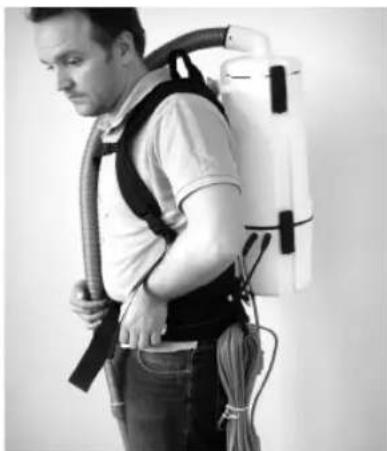
natural_image
Side profile of a person wearing a spray can and harness, carrying a white spray can (no text or symbols visible)6
natural_image
Person wearing a full-body medical harness and cap, hands on hips (no visible text or symbols)7 CORD SET
natural_image
Close-up of hands adjusting a zipper on jeans, with arrows pointing to the seam (no text or symbols visible)7:1 7:2
natural_image
Close-up of hands holding a black cable tied with a spring, no visible text or symbols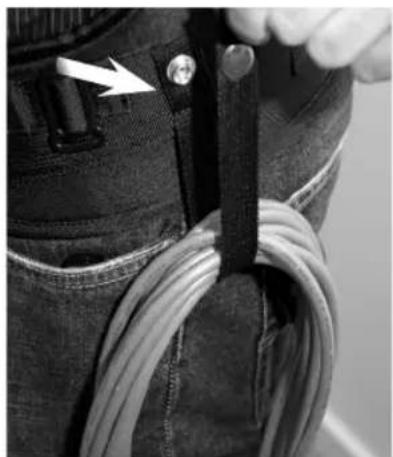
natural_image
Close-up of a person's jacket with a cable and zipper, showing a white arrow pointing to a detail (no text or symbols visible)9 ON/OFF
9:1 OPERATION
natural_image
Side profile of a person wearing a vacuum cleaner's vest and harness, holding a hose (no visible text or symbols)7
10 DUST BAG
natural_image
White plastic funnel-shaped object with a circular opening, no text or symbols visible10:1
natural_image
Close-up of a white vacuum cleaner with a hose and blue cover, shown in black with arrows (no text or symbols visible)10:2
natural_image
Person holding a small container with an upward arrow, possibly indicating a process or movement (no text or symbols visible)11 MAIN FILTER
natural_image
Cylindrical object with textured surface, no visible text or symbols11:1
natural_image
Person holding a container with arrows indicating upward and downward motion (no text or symbols visible)11:2
natural_image
Person holding a white container with a downward arrow, no visible text or symbols12 HEPA-FILTER
natural_image
Close-up of a white plastic electronic component with a circular vent and radial blades (no text or symbols visible)12:1
natural_image
Close-up of a gloved hand inserting a black arrow into a device (no visible text or symbols)12:2
natural_image
Close-up of a hand holding a white industrial device with a curved arrow indicating rotation (no text or symbols visible)8
10:3 10:4
natural_image
Close-up of a hand holding a white paper sheet with geometric patterns (no text or symbols visible)10:5
natural_image
Close-up of hands holding a white paper bag with a curved edge (no text or symbols visible)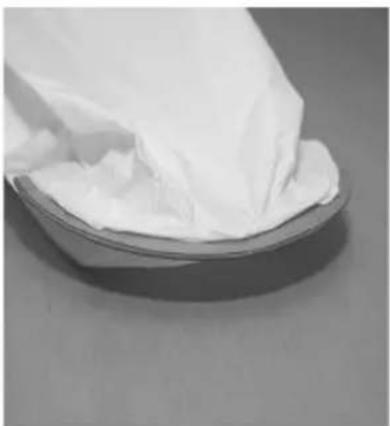
natural_image
Close-up of a white cloth or paper towel partially covered in it, placed on a metallic surface (no text or symbols visible)11:3
natural_image
Person using a vacuum cleaner device with a downward arrow indicating airflow or pressure (no text or symbols visible)11:4 11:5
natural_image
Person holding a white vacuum cleaner with a coiled hose, no visible text or symbols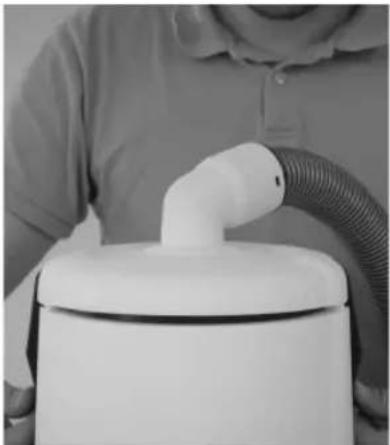
natural_image
Person holding a white spray canister with a coiled hose (no visible text or symbols)12:3
natural_image
Close-up of a white appliance with a circular base and ventilation slots, showing a hand inserting a black arrow to the lid (no text or symbols visible)12:4
12:5
9
13 PRE-FILTER

natural_image
Solid dark oval shape with no text or symbols13:1
natural_image
Close-up of a gloved hand holding a black rectangular object with an arrow pointing to it (no visible text or symbols)13:2
natural_image
Interior view of a medical or laboratory equipment setup with mechanical components and a white object (no visible text or symbols)14 EXHAUST FILTER
natural_image
Close-up of a white rectangular object with a small dark mark on the right side, set against a dark textured background (no text or symbols visible)14:1
natural_image
Close-up of a hand pressing down on a white ceramic appliance with a black arrow pointing to the handle (no text or symbols visible)14:2
natural_image
Close-up of a hand holding a small white plastic clip with an arrow pointing to it, against a plain background (no text or symbols visible)15 POWER NOZZLE
natural_image
Close-up of a white vacuum cleaner with a black handle and screwdriver (no visible text or symbols)15:1
natural_image
Close-up of a black plastic clip attached to a white wall, with a black arrow pointing to a small black component (no text or symbols visible)15:2
natural_image
Close-up of a black cable with a black connector attached, no visible text or symbols13:3
natural_image
Close-up of a hand using a tool to clean or adjust a white plastic appliance with a circular vent (no visible text or symbols)13:4
natural_image
Close-up of hands pressing a circular component on a white cylindrical device (no visible text or symbols)13:5
natural_image
Close-up of a hand holding a black plastic clip, with no visible text or symbols14:3
natural_image
Close-up of hands holding a white plastic component with a black arrow pointing downward (no text or symbols visible)14:4
natural_image
Close-up of a white plastic container with black arrows pointing to internal components (no text or symbols visible)14:5
natural_image
Close-up of a hand holding a white plastic fan or vent device with a handle, showing airflow or ventilation (no text or symbols visible)15:3
natural_image
White vacuum cleaner placed on a textured surface with a black tool inserted (no visible text or symbols)16
natural_image
Hand holding a black mechanical component with threaded shaft (no visible text or symbols)16:2
natural_image
Close-up of hands holding a white cylindrical object with an arrow indicating motion (no text or symbols visible)17
natural_image
Close-up of hands holding a metallic cylindrical object with two black arrows pointing to each side (no text or symbols visible)18
natural_image
Close-up of hands holding a tool with a black arrow pointing downward to a mechanical component (no text or symbols visible)18:2 18:3
natural_image
Hand holding a mechanical tool with a curved arrow, resting on a wooden surface (no text or symbols visible)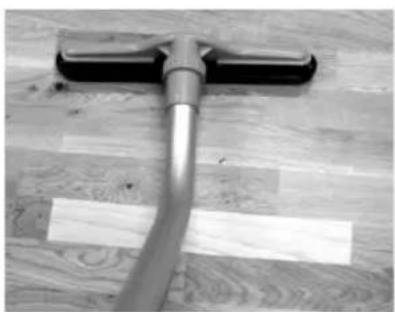
natural_image
Close-up of a hand cleaning a wooden floor with a white plastic strip (no text or symbols visible)19
natural_image
Close-up of a hand holding a cylindrical mechanical component with a black arrow pointing downward (no text or symbols visible)19:2 19:3
natural_image
Close-up of hands holding a cylindrical object with a curved arrow indicating rotation or movement (no text or symbols visible)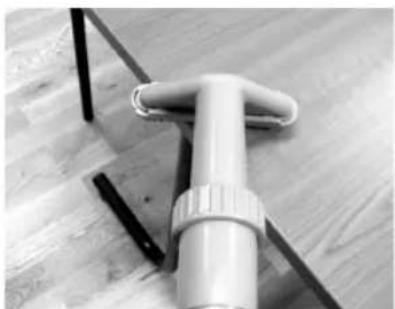
natural_image
Close-up of a white plastic tool with a handle and flange, resting on a wooden surface (no text or symbols visible)20
natural_image
Close-up of a hand holding a spray nozzle with a black arrow pointing to the nozzle (no text or symbols visible)20:2
natural_image
Close-up of a metal pipe joint securing a wooden window frame (no text or symbols visible)12
ENGLISH
IMPORTANT SAFETY INSTRUCTIONS
When using an electrical appliance, basic precautions should always be followed, including the following:
READ ALL INSTRUCTIONS BEFORE USING THE VACUUM CLEANER!
WARNING!

To reduce the risk of fire, electric shock, or injury:
* Do not leave appliance when plugged in. Unplug from outlet when not in use and before servicing.
* To reduce the risk of electric shock - do not use outdoor or on wet surfaces.
* Connect to a proper grounded outlet only. See grounding instructions.
* Do not allow to be used as a toy. Close attention is necessary when used by or near children.
* Use only as described in this manual. Use only the manufacturer's recommended attachments.
* Do not use with damaged cord or plug. If appliance is not working as it should, has been dropped, damaged, left outdoors or dropped into water, return it to a service center.
* Do not pull or carry by the cord, use cord as a handle, close a door on cord, or pull cord around sharp edges or corners. Do not run the appliance over cord. Keep cord away from heated surfaces.
* Do not unplug by pulling on cord. To unplug, grasp the plug, not the cord.
* Do not handle plug, cord or appliance with wet hands.
* Do not put any object into openings. Do not use with any opening blocked; keep free of dust, lint, hair, and anything that may reduce air flow.
* Keep hair, loose clothing, fingers, and all parts of body away from openings and moving parts.
* Turn off all controls before unplugging.
* Use extra care when cleaning on stairs.
* Do not use to pick up flammable or combustible liquids such as gasoline or use in areas where they may be present.
* Do not pick up anything that is burning or smoking, such as cigarettes, matches, or hot ashes.
* This machine is not suitable for picking up health endangering dust, unless all special authorized local/state federal precautions are complied with.
* Do not use without dust bag and filters in place.
* Always turn off the vacuum cleaner before connecting or disconnecting motorized nozzle.
* Do not use outdoor or on wet surfaces. Do not expose to rain. Store indoors between max. 60°C (degrees centigrade), and min. 0°C (degrees centigrade), or 140°Fahrenheit / 32°Fahrenheit.
* Do not pick up water or other liquids.
SAVE THESE INSTRUCTIONS
(Only for grounded appliances):
GROUNDING INSTRUCTIONS
This appliance must be grounded. If it should malfunction or breakdown, grounding provides a path of least resistance for electric current to reduce the risk of electric shock. This appliance is equipped with a cord having an equipment-grounding conductor and grounding plug.
The plug must be inserted into an appropriate outlet that is properly installed and grounded in accordance with all local codes and ordinances.
WARNING!
Only motorized nozzle is double insulated. To reduce risk of electric shock - connect this vacuum cleaner to a properly grounded outlet.
WARNING!
Improper connection of the equipment-grounding conductor can result in a risk of electric shock. Check with a qualified electrician or service person if you are in doubt as to whether the outlet is properly grounded. Do not modify the plug provided with the appliance - if it will not fit the outlet, have a proper outlet installed by a qualified electrician.
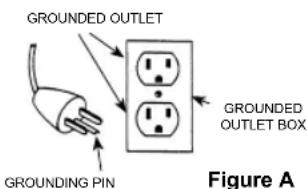
This appliance is for use on a nominal 120-volt circuit and has a grounding attachment plug that looks like the plug illustrated in figure A below. Make sure that the appliance is connected to an outlet having the same configuration as the plug. No adapter should be used with this appliance.
(Only for double-insulated, cord-connected appliances):
SERVICING OF DOUBLE-INSULATED APPLIANCES
A double insulated appliance is marked with one of the following: The words "DOUBLE INSULATION" or "DOUBLE INSULATED" or the double insulation symbol (square within a square).
In a double-insulated appliance, two systems of insulation are provided instead of grounding. No grounding means is provided on a double-insulated appliance, nor should a means for grounding be added to the appliance. Servicing a double-insulated appliance requires extreme care and knowledge of the system, and should be done by qualified service personnel. Replacement parts for a double-insulated appliance must be identical to the parts they replace.
WARNING!
Only motorized nozzle is double insulated. To reduce risk of electric shock - connect vacuum cleaner to a properly grounded outlet.
MAINTENANCE
Always keep the vacuum cleaner in a dry place. The cleaner is designed for continuous heavy work. Depending on the number of running hours – the dust filters should be replaced. The dust bag must be replaced at the same time the sack filter is replaced/cleaned. Keep the container clean with a dry cloth, and a small amount of spray polish. Any other servicing should be performed by an authorized service representative.
Do not use with damaged cord or plug. If appliance is not working as it should, has been dropped, damaged, left outdoors or dropped into water, return it to a service center.
While the machine is in use do not pull or carry by the cord, use cord as a handle, close a door on cord, or pull cord around sharp edges or corners. Keep cord away from heated surfaces.
The size and quality of the dust bag and filters affect the machine efficiency. Use of non original dust bags or non original filters can cause restricted air flow which may lead to machine overload.
This machine is equipped with a thermal cut-out to protect the motor and other vital machine parts from overheating. Should the machine cut out, you will have to wait at least 5-10 minutes for it to automatically reset. While you are waiting, switch the machine off and unplug it, then check the hose, dust bag and filters to be sure that nothing is blocking the flow of air through the machine.
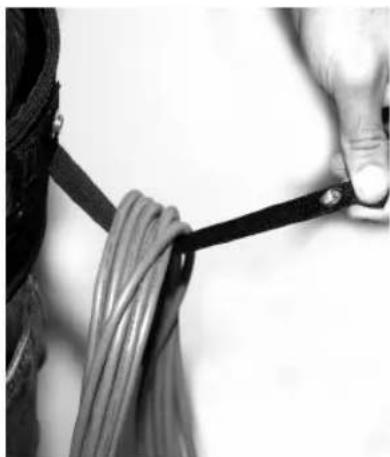
When cleaning is performed roll up the extension cord starting at the machine end and store it at the machine belt by snapping the nylon tie around the cord.
IMPORTANT WARNINGS
- This machine is also suitable for commercial use, for example in hotels, schools, hospitals, factories, shops and offices and for normal housekeeping purposes.
- This machine is not suitable for picking up health endangering dust, unless all special authorised local/state federal precautions are complied with.
- This machine is for dry use only and shall not be used or stored outdoors in wet conditions. Store indoors between max. 60°C (degrees centigrade) and min. 0°C (degrees centigrade) 140°Fahren heit / 32°Fahrenheit..
- The machine must not be used for the suction of water or other liquids.
- Live conductors must not be vacuum cleaned by the machine for dry dust before their current has been switch off. This is to avoid creating a short circuit through the dust remaining in the nozzles and tubes.
- The machine must not be used for picking up combustible or explosive materials, nor should it be used in an explosive atmosphere.
- Under no circumstances should the machine be used for picking up hot material. In particular the machine must not be used for cleaning open and closed fireplaces, ovens or similar objects that contain warm or glowing ashes.
- The machine must not be used if the electrical cord or plug shows any sign of damage. Regularly inspect the cord and plug for damage, in particular if it has been crushed, shut in a door or run over.
- The machine must not be used if it is faulty.
- Do not unplug by pulling on cord. To unplug, grasp the plug, not the cord.
- Always turn off this vacuum cleaner before connecting or disconnecting motorized nozzle.
- When repairing or replacing the cord, the same type of cord as originally supplied with the machine must be used. This cord can be supplied by the manufacturer.
12b. If the fixed supply cord is damaged, it must be replaced by the manufacturer or its service agent or a similarly qualified person in order to avoid a hazard. - The plug must always be removed from the socket outlet before starting any maintenance of the machine or the cord.
- Disconnect vacuum cleaner before servicing and when not in use. Do not leave unattended vacuum cleaner plugged in.
- No changes or modifications to the mechanical or electrical safety devices should be made.
INSTRUCTIONS FOR USE
Before using the vacuum cleaner make sure that the voltage shown on the rating plate on the vacuum cleaner corresponds with the main voltage.
Accessories shown in the illustrations may vary from model to model.
GENERAL INSTRUCTION FOR USE
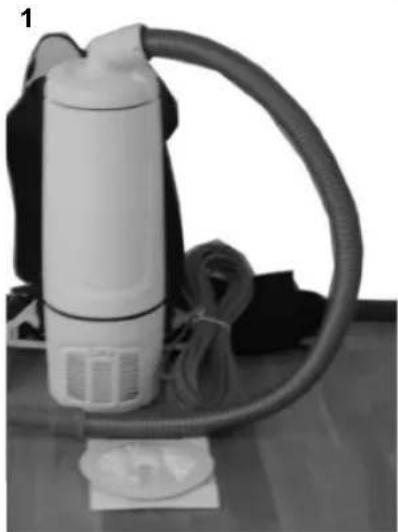
Numbered sections below correspond to numbered photos on pages 4-12
1. General overview of equipment:
Accessories shown in the illustrations may vary from model to model.
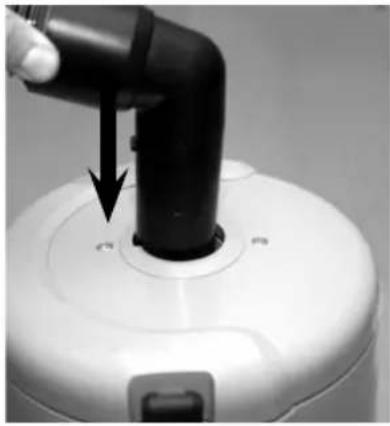
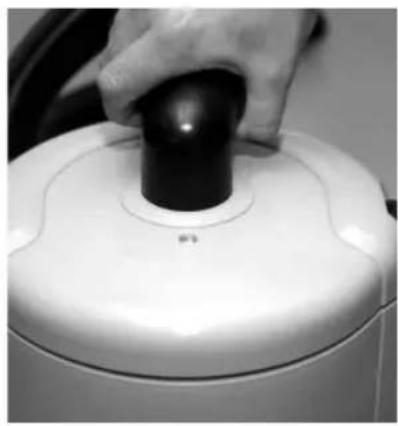
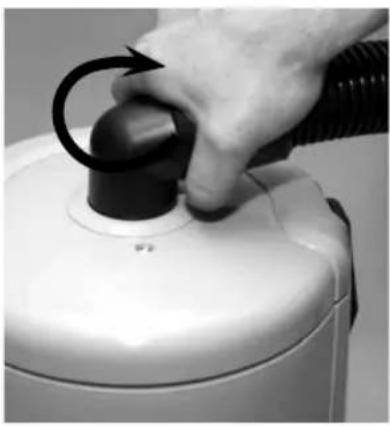
2. Hose connection:
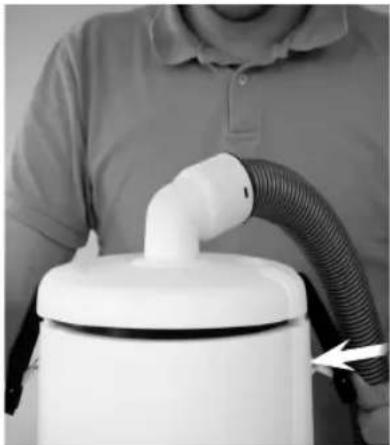
Fit the hose inlet sleeve into the opening on the upper lid. Apply soft pressure and turn the inlet sleeve approximately half a turn to ensure it is firmly secured. Turn clockwise to lock, counterclockwise to release.
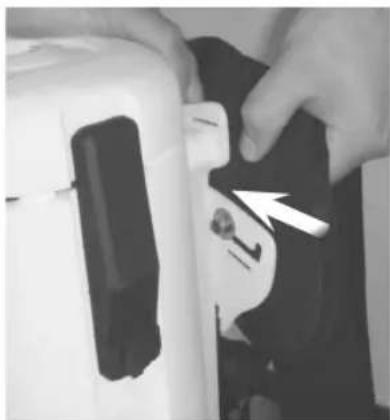
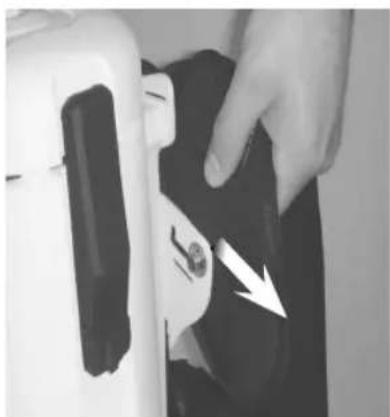
3. Adjustment of strap position on support plate:
On the primary strap, the position of the strap can be adjusted for your individual comfort by moving the adjustment plate to the inner or outer position.
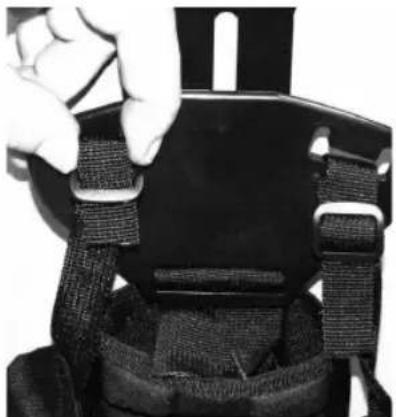
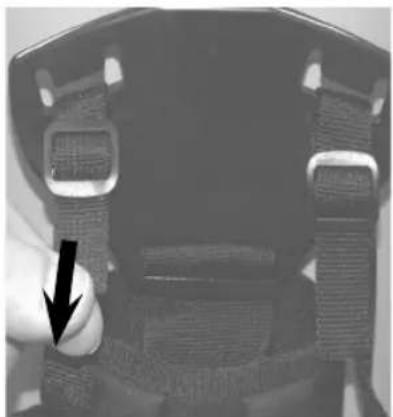
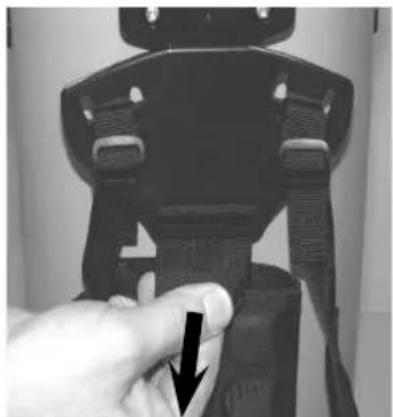
4. Adjustment of tension ties on the strap's support plate:
You can adjust the tension ties for your individual comfort. Form a loop with your finger, then move the tie through the clip forwards or backwards to the required length. Remove your finger. Tension the tie.
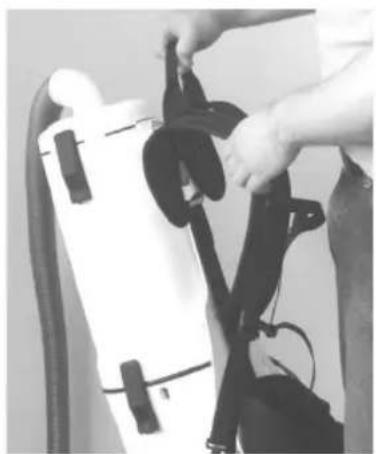
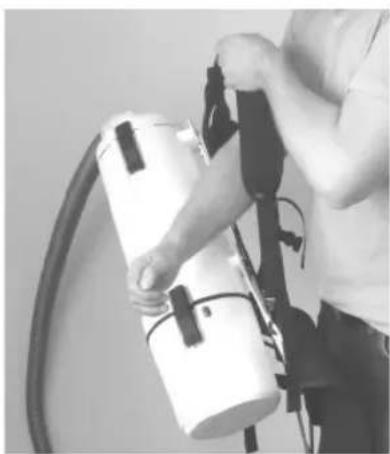
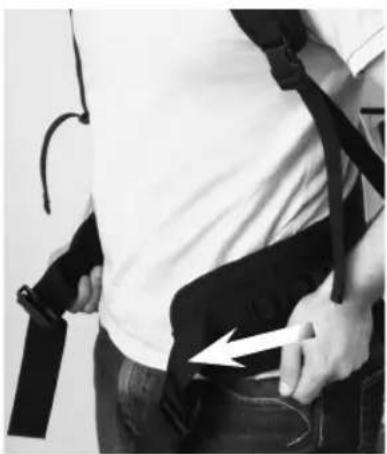
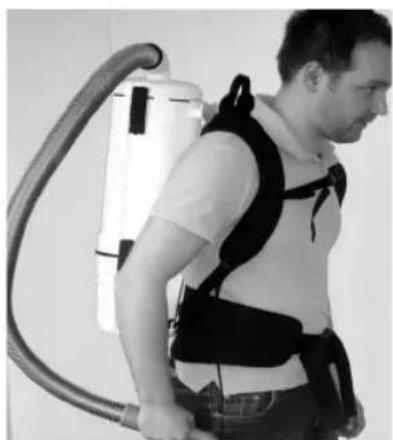
5. Adjusting the vacuum cleaner to sit comfortably on your back:
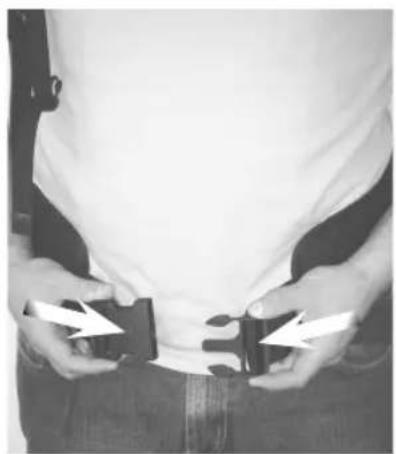
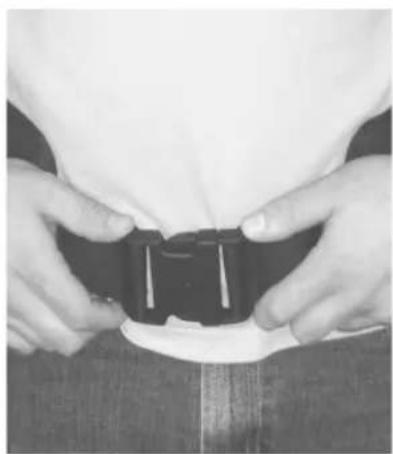
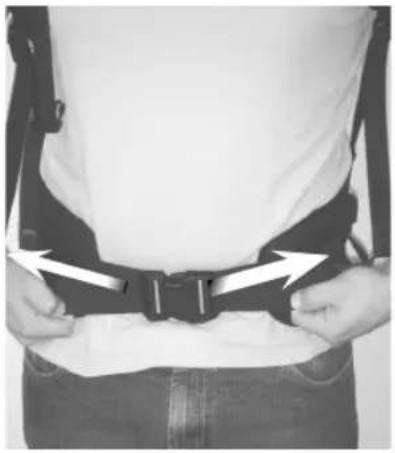
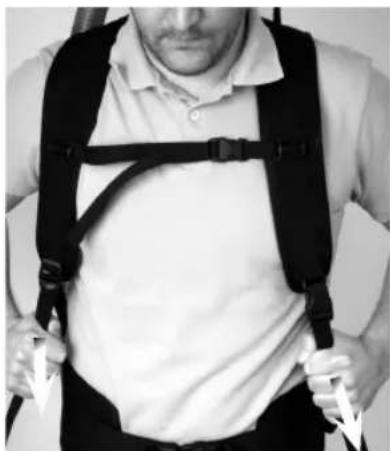
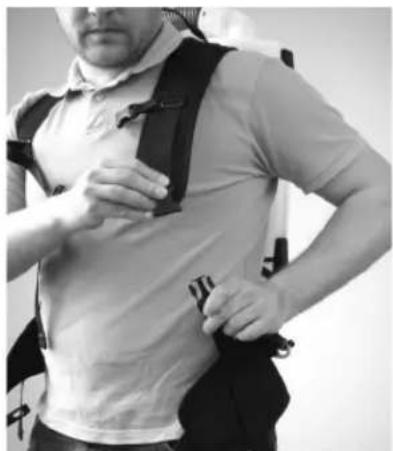
Pick up the vacuum cleaner. Put your arms through the shoulder straps. Snap the waistbelt clip shut. Adjust the length. Snap the chest clip shut. Adjust the straps vertically by pulling down on both ties as shown in the picture.
6. Tension tie clip:
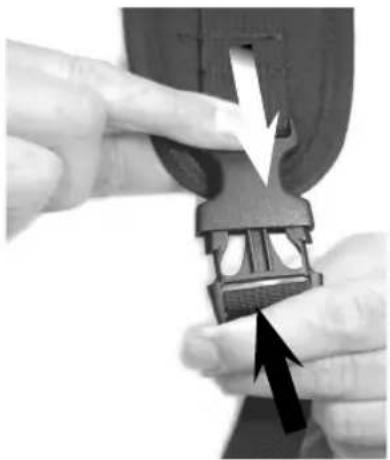
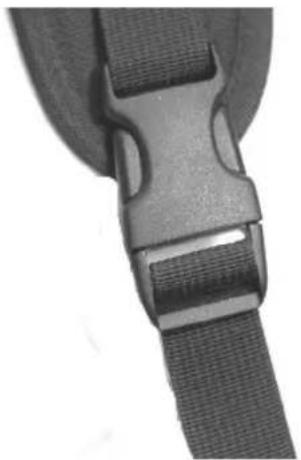
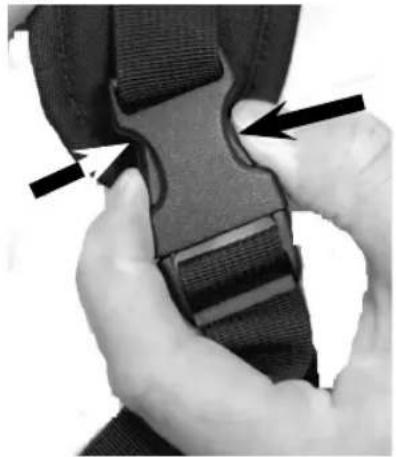
Snap the two halves of the clip together. Make sure they are securely fastened. To unlock, press both sides of the clip simultaneously.
7. Cord set:
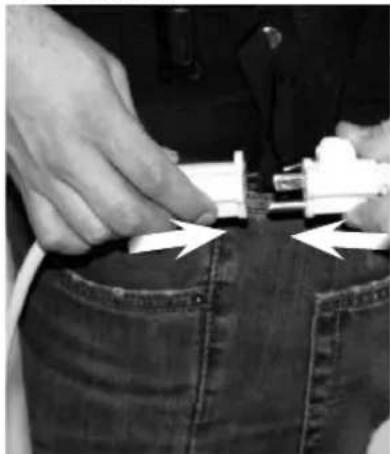
This vacuum cleaner is equipped with a 50 ft extension power cord, of type 3x16AWG, 125V, SJT, SJO, that must be connected to the cord set from the machine.
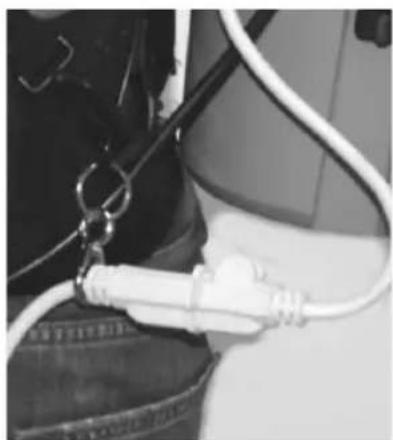
Always use and connect such an extension cord to this vacuum cleaner. Place the end of the extension cord in to the snap hook from the vacuum cleaner in order to create a cord relieve by the hook. When cleaning is performed roll up the extension cord starting at the machine end and store it at the machine belt by snapping the nylon strap around the cord.
8. Cord Relief:
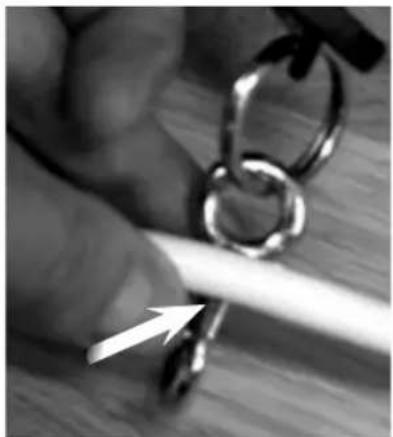
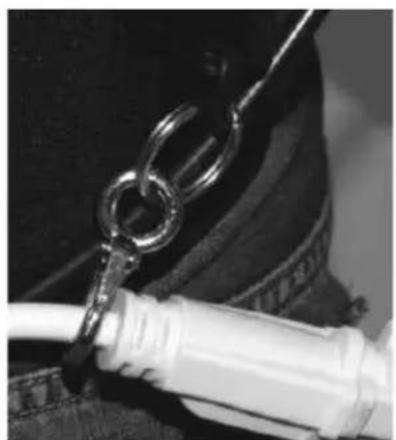
Connect the extension cord to the outlet from the cleaner. Place the end of the extension cord in to the snap hook that is placed at the vacuum cleaner in order to create a Cord Relief by the hook. Make sure the cord is properly secured in the hook.
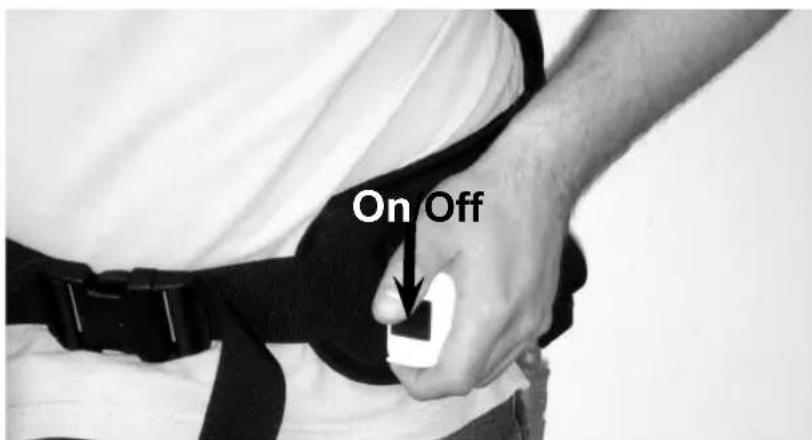
9. On/Off:
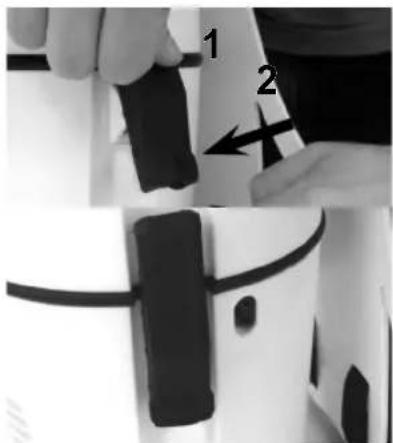
The on/off switch is located in a separate housing attached to the right side of the waistbelt. Tilt the switch for ON or OFF function.
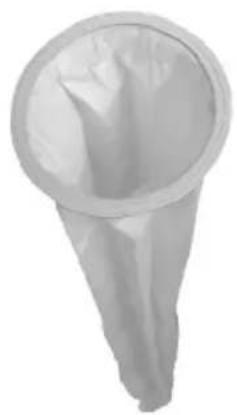
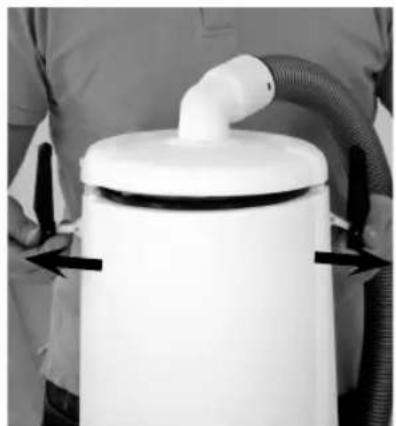
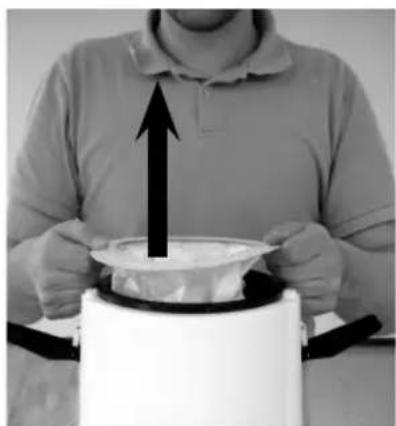
10. Dust bag:
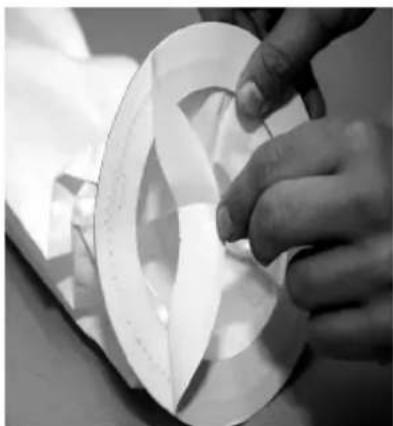
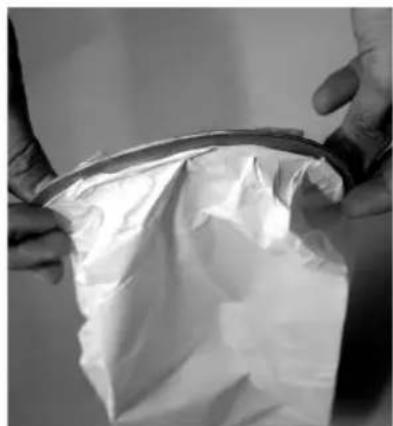
If the suction power diminishes, it may be time to replace the dust bag. Check the bag frequently to make sure that you don't overfill. Release the latches on the upper lid. Lift up the lid from the container. Grasp at the cardboard part of the dust bag and carefully lift the bag out of the container. Some types of dust bag can be sealed to prevent any dust/rubbish from being released.
In that case, peel off the protective paper and fold the cardboard collar to seal the bag.
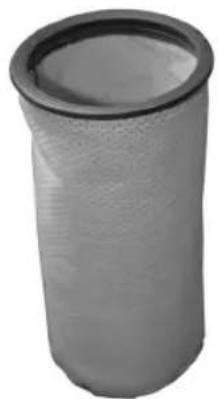
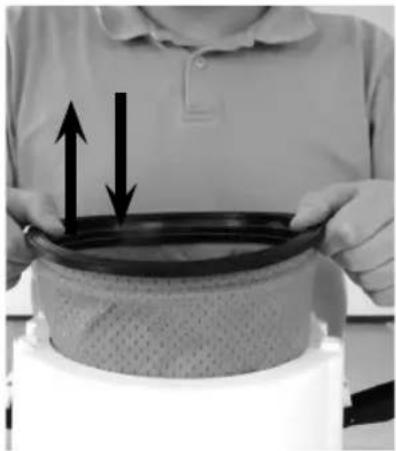
11. Main filter (Sack filter):
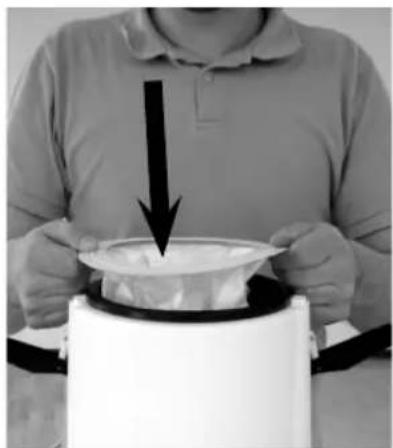
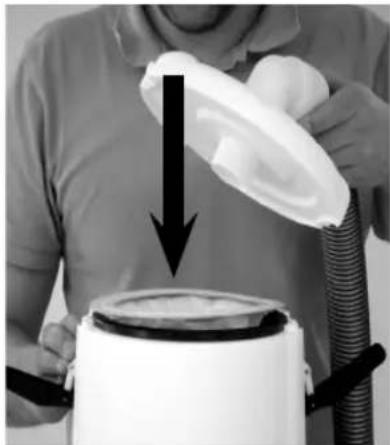
When you replace the dustbag also replace or clean the Main filter. This can be done after you have lifted out the dust bag. Clean the filter by shaking it well. Reinstall the filter into the machine or replace it with a new one if it can not be cleaned. Replace the dust bag and slide it in place to the main filter. Then put back the lid and close the latches.
12. HEPA filter:
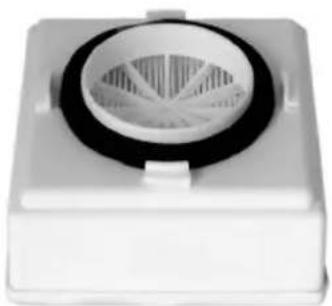
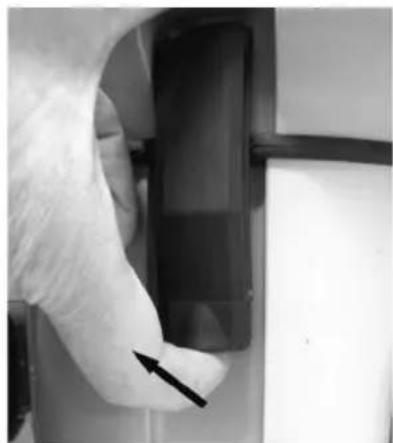
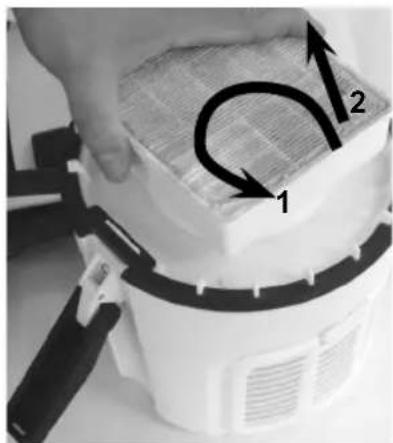
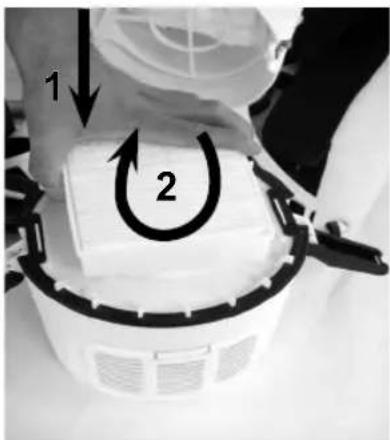
HEPA filters cannot be cleaned or washed. Once they have become dirty, they must be replaced. Check and change the HEPA filter frequently. When handling a new HEPA filter, avoid touching the surface of the filter. Take hold of the plastic framework instead to insure the HEPA filter functions properly. To replace the HEPA filter: Unlock the lower set of latches that secure the motor base to container. Lift off the container and lid assembly. Turn the HEPA filter counterclockwise and lift filter directly upward to remove. Repeat in reverse order to install new HEPA filter.
13. Pre-filter:
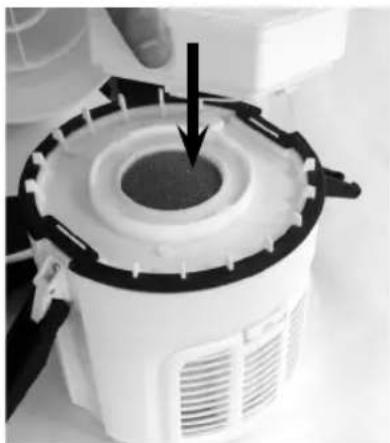
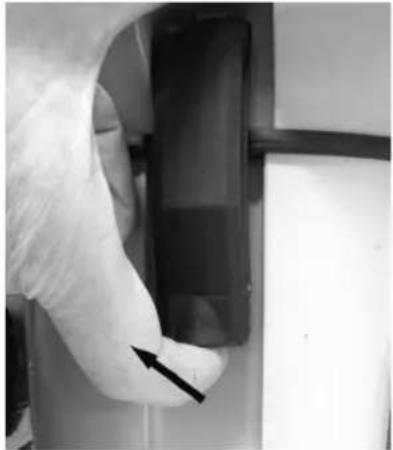
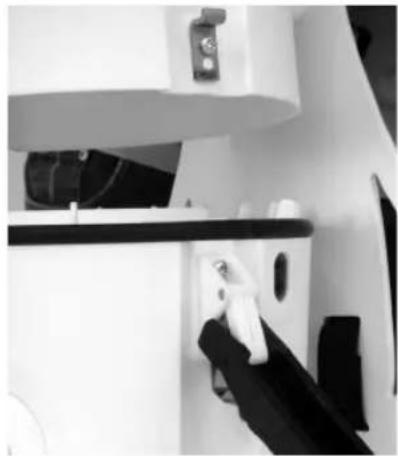
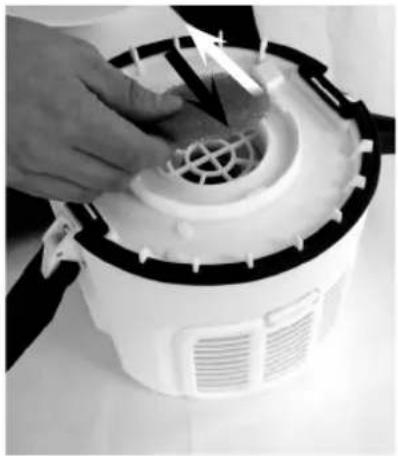
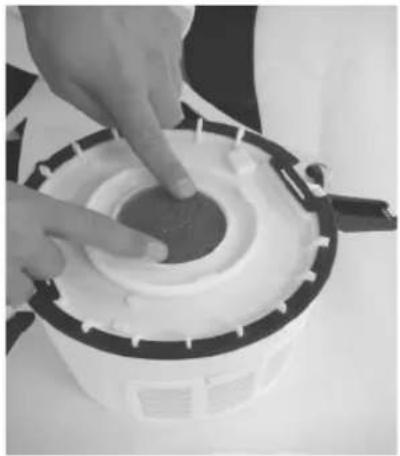
Check the pre-filter frequently. Never run the vacuum cleaner without the pre-filter in place. Once the HEPA filter is removed (see Section 12 above) it is possible to inspect and replace the pre-filter if needed. Release the two latches on the motor top. Remove the container and the upper lid. Place the pre-filter in the centre of the motor top. Lock both latches down.
14. Exhaust filter:
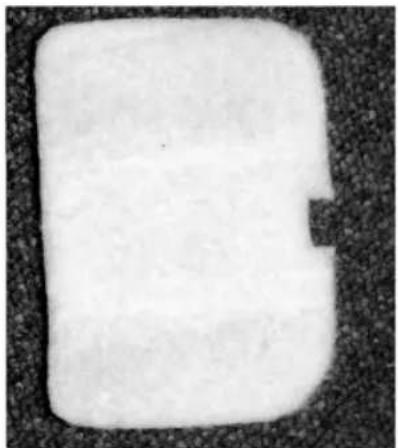
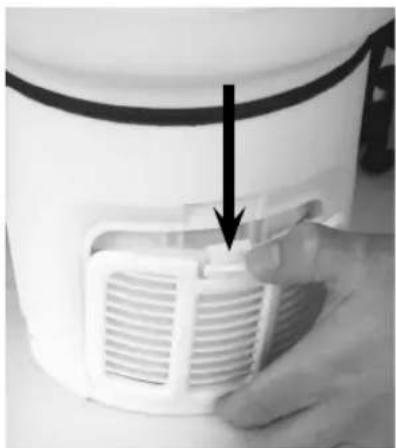
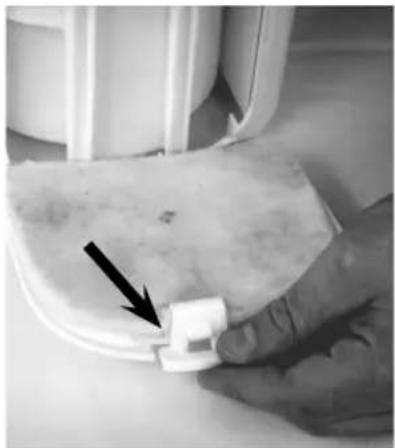
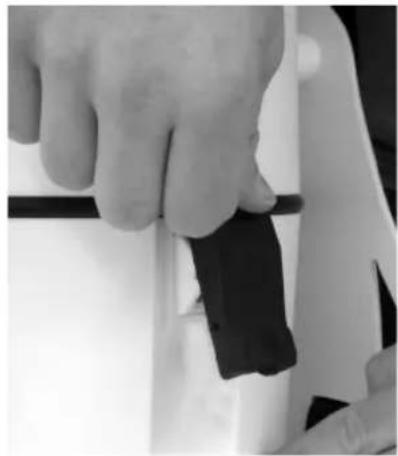
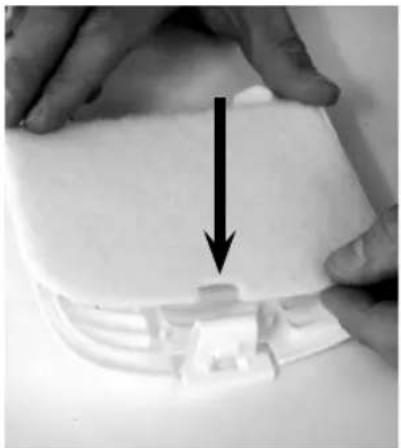
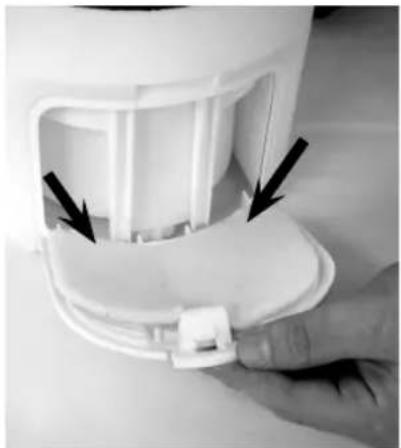
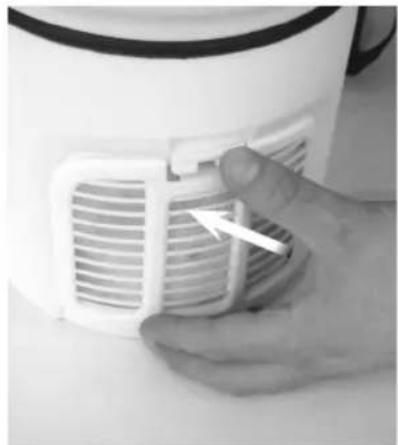
This exhaust filter is used to clean the exhaust air coming from the motor. To replace exhaust filter: press down on the center tab of the exhaust cover and pull outward to remove the cover from machine. Place a new exhaust filter into the cover and replace the cover onto the machine.
15. Power Nozzle:
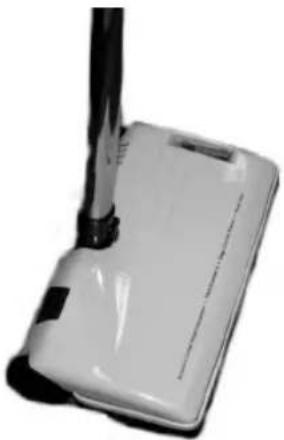
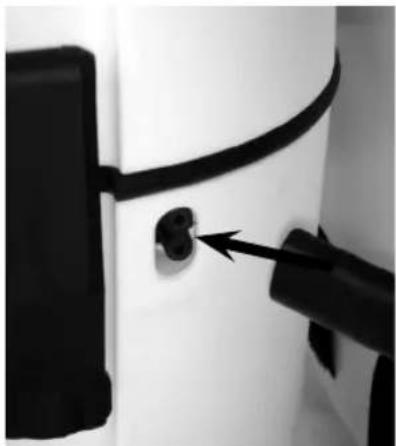
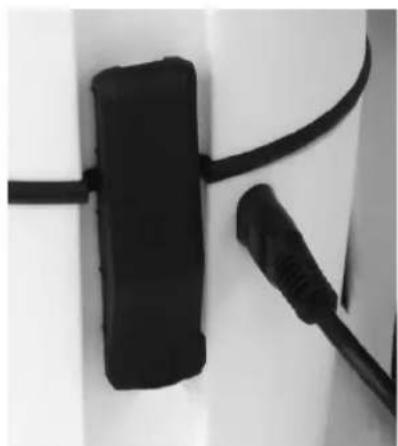
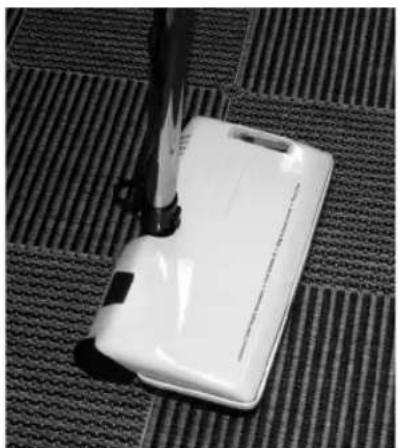
Always turn off the vacuum cleaner before connecting or disconnecting motorized nozzle. Plug the cord of the nozzle into the socket outlet on the side of the machine. The power outlet for the Power Nozzle is only available on some models.
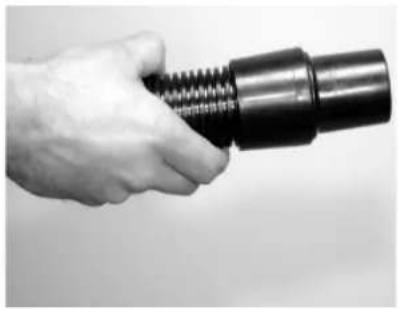
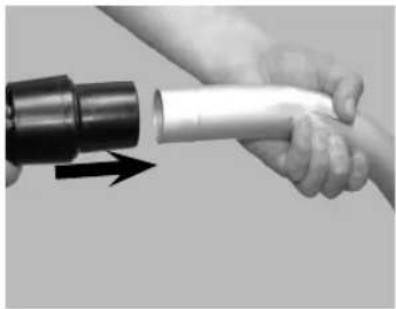
16. Connection of hose and tube end:
Connect the hose sleeve and the bent tube end by pushing the bent end into the hose sleeve.
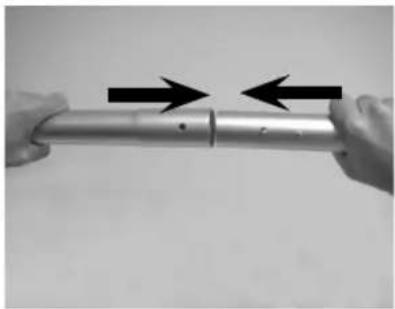
17. Extension tubes:
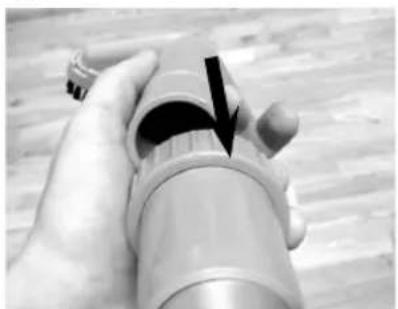
Fit the to tubes together and secure them by pressing down the knob. Make sure the knob is securing the two tubes.
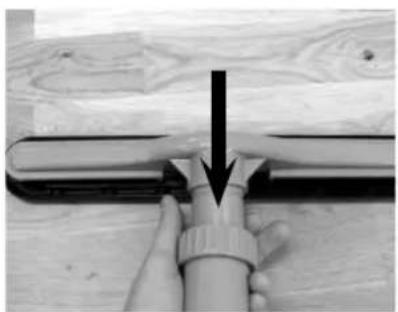
18. Scallop nozzle:
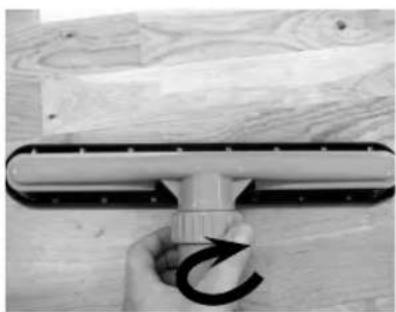
Brush floor nozzle for both hard floors and carpets. Fit the nozzle to the tube end coupling. Secure and fasten the nozzle by turning the nut at the tube to the right. To unlock - turn the nut to the left.
19. Brush nozzle:
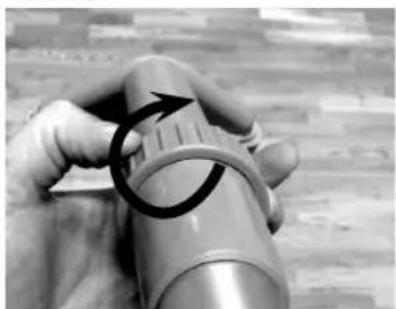
Useful tool for cleaning furnishings etc. Fit the nozzle to the tube end coupling. Secure the nozzle by turning the nut at the tube to the right. To unlock - turn the nut to the left.
20. Crevice nozzle:
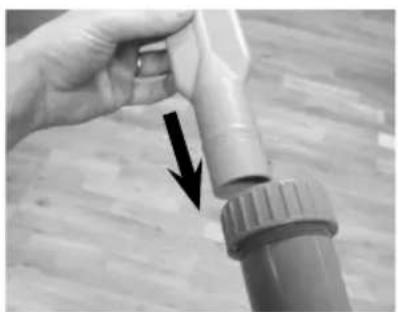
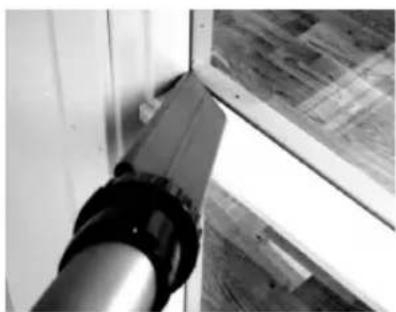
For cleaning tight spaces such as furniture, radiators and corners. Secure the nozzle by turning the nut at the tube to the right.
FRANÇAIS
IMPORTANTES MESURES DE SECURITE
| SPECIFICATION | Comfort Pak 6 | Comfort Pak 10 |
| Voltage @ 60Hz, volts 120 120 | ||
| Type of Power no. of phases 1 1 | ||
| Power, max watts 1300 1300 | ||
| Current Draw, max (Amps) 12 with power outlet 12 with power outlet | ||
| Current Draw, (Amps) 10 10 | ||
| Protection grade (dust, moist) – IP 20 IP 20 | ||
| Protection class (electrical) Grounded I | I | |
| Waterlift, max. inches H2O | 99 99 | |
| Airflow, max (cfm) 144 144 | ||
| Filter Area, main filter (Sq. in.) | 217 311 | |
| Main Filter Filter Efficiency, DIN 44956-2 | 98.2% | 98.2% |
| Dust bag capacity (Gallon) | 1.0 | 1.8 |
| Tank Capacity (Gallon) | 1.5 | 2.6 |
| Machine Inlet, (in/mm) | 1.5 / 38 | 1.5 / 38 |
| Sound pressure level, BS 5415 dB(A) | 62 62 | |
| Dimensions w x h, (in) | 8.2 x 22,3 | 9.4 x 23 |
| Weight, cleaner only (lbs.) | 9.3 | 10.8 |
| Cord Length (ft.) | 50 50 | |
Specifications and details are subject to change without prior notice.
Clarke®, 2100 Highway 265, Springdale, Arkansas 72764.
CLARKE PRODUCT SUPPORT BRANCHES
U.S.A. Locations
PRODUCTION FACILITIES
Clarke ^® , Springdale, Arkansas 2100 Highway 265 Springdale, Arkansas 72764 (479) 750-1000 Customer Service - 1-800-253-0367 Technical Service - 1-800-356-7274
American Lincoln®, Bowling Green, Ohio 43402 1100 Haskins Road
SERVICE FACILITIES
Clarke ^® , Elk Grove, Illinois 60007 2280 Elmhurst Road (847) 956-7900
Clarke ^® , Denver, Colorado 80204 1955 West 13th Ave. (303) 623-4367
Clarke ^® , Houston, Texas 77040 7215 North Gessner Road 713-937-7717
SERVICE AND SALES FACILITY
American Lincoln® / Clarke, Madison Heights, Michigan 48071-0158 29815 John R. (810) 544-6300
American Lincoln® / Clarke, Marietta, Georgia 30066 1455 Canton Road (770) 973-5225
SALES AND DISTRIBUTION CENTER
Clarke®, Secaucus, NJ 07094 74 Henry Street (201) 864-5503
Clarke® US WARRANTY
This Clarke Industrial/Commercial Product is warranted to be free from defects in materials and workmanship under normal use and service for a period of two years (tank warranted for 5 years) from the date of purchase, when operated and maintained in accordance with Clarke's Maintenance and Operations instructions.
This warranty is extended only to the original purchaser for use of the product. It does not cover normal wear parts such as electrical cable, rubber parts, hoses and motor brushes.
If difficulty develops with the product, you should:
(a). Contact the nearest authorized Clarke repair location or contact the Clarke Service Operations Department, 2100 Highway 265, Springdale, Arkansas 72764, for the nearest authorized Clarke repair location. Only these locations are authorized to make repairs to the product under this warranty.
(b). Return the product to the nearest Clarke repair location. Transportation charges to and from the repair location must be prepaid by the purchaser.
(c). Clarke will repair the product and or replace any defective parts without charge within a reasonable time after receipt of the product.
Clarke's liability under this warranty is limited to repair of the product and/or replacement of parts and is given to purchaser in lieu of all other remedies, including INCIDENTAL AND CONSEQUENTIAL DAMAGES.
THERE ARE NO EXPRESS WARRANTIES OTHER THAN THOSE SPECIFIED HEREIN. THERE ARE NO WARRANTIES WHICH EXTEND BEYOND THE DESCRIPTION OF THE FACE HEREOF. NO WARRANTIES, INCLUDING BUT NOT LIMITED TO WARRANTY OF MERCHANTABILITY, SHALL BE IMPLIED. A warranty registration card is provided with your Clarke product. Return the card to assist Clarke in providing the performance you expect from your new floor machine.
Clarke reserves the right to make changes or improvements to its machine without notice. Always use genuine Clarke Parts for repair.
Clarke®
2100 Highway 265
Springdale, Arkansas, 72764
- INSTRUCTIONS FOR USE - MODE D'EMPLOI - INSTRUCCIONES DE USE
- READ THIS BOOK LEA ESTE LIBRO LISEZ CE MANUEL
- Contents/ Contenido/ Table des matières
- ENGLISH
- IMPORTANT SAFETY INSTRUCTIONS
- READ ALL INSTRUCTIONS BEFORE USING THE VACUUM CLEANER!
- WARNING!
- SAVE THESE INSTRUCTIONS
- GROUNDING INSTRUCTIONS
- SERVICING OF DOUBLE-INSULATED APPLIANCES
- MAINTENANCE
- IMPORTANT WARNINGS
- INSTRUCTIONS FOR USE
- GENERAL INSTRUCTION FOR USE
- General overview of equipment:
- Hose connection:
- Adjustment of strap position on support plate:
- Adjustment of tension ties on the strap's support plate:
- Adjusting the vacuum cleaner to sit comfortably on your back:
- Tension tie clip:
- Cord set:
- Cord Relief:
- On/Off:
- Dust bag:
- Main filter (Sack filter):
- HEPA filter:
- Pre-filter:
- Exhaust filter:
- Power Nozzle:
- Connection of hose and tube end:
- Extension tubes:
- Scallop nozzle:
- Brush nozzle:
- Crevice nozzle:
- FRANÇAIS
- IMPORTANTES MESURES DE SECURITE
- CLARKE PRODUCT SUPPORT BRANCHES
- PRODUCTION FACILITIES
- SERVICE FACILITIES
- SERVICE AND SALES FACILITY
- SALES AND DISTRIBUTION CENTER
- Clarke® US WARRANTY
Brand : Clarke
Model : Comfort Pak 10
Category : Vacuum Cleaner