
05973 - Posture Corrector Maxxmee - Free user manual and instructions
Find the device manual for free 05973 Maxxmee in PDF.



| Product Type | Electronic Posture Corrector |
| Brand | Maxxmee |
| Model | 05973 (VE-37910) |
| Main Unit Dimensions | Approximately 8.8 x 8.8 x 1.5 cm |
| Estimated Weight | Approximately 0.2 kg |
| Power Supply | Li-Ion 3.7V, 350mAh rechargeable via USB 5V DC |
| Charging Time | 1 to 2 hours |
| Estimated Battery Life | Up to several days depending on usage |
| Materials | Plastic, fabric straps |
| Sensor | Built-in tilt sensor |
| Operation | Vibrates at 25° tilt to remind you to straighten up |
| Wearing | Over or under clothing |
| Adjustment | Adjustable straps via buckles |
| Power On | Long press approx. 1 second |
| LED Indicator | Blue: operating/full charge; Red: charging |
| Care | Clean with a damp cloth, dry completely |
| Storage | In a dry place, away from dust and sunlight, out of reach of children |
| Safety | Do not immerse, do not expose to +40°C, do not puncture, do not disassemble |
| Intended Use | Household, non-medical, non-therapeutic |
| Contraindications | Pacemaker, herniated disc, recent fractures, etc. Consult a doctor if in doubt |
| Package Contents | Posture corrector, USB cable, instruction manual |
Frequently Asked Questions - 05973 Maxxmee
User questions about 05973 Maxxmee
0 question about this device. Answer the ones you know or ask your own.
Ask a new question about this device
Download the instructions for your Posture Corrector in PDF format for free! Find your manual 05973 - Maxxmee and take your electronic device back in hand. On this page are published all the documents necessary for the use of your device. 05973 by Maxxmee.
USER MANUAL 05973 Maxxmee
When May the Product Not Be Used? 9
Safety Notices 9
Charging Up the Battery 10
Use 11
Cleaning and Storage 11
Troubleshooting 11
Disposal 12
Technical Data 12
ITEMS SUPPLIED
1 x posture corrector
1 x USB cable
1 x operating instructions
Check the items supplied for completeness and the components for transport damage. If you find any damage, do not use the product but contact our customer service department.
Remove any possible films, stickers or transport protection from the product.

To connect the product to a plug socket, a USB mains adapter (not supplied with the product) is also required.
AT A GLANCE
(Picture A)
1 Charging socket
2 Main unit
3 Strap
4 On/ Off button (lit up blue: in operation or the battery is full; lit up red: the battery is charging)
5 Buckle
Dear Customer,
We are delighted that you have chosen the MAXXMEE posture corrector.
This product can help you over the long term to prevent tension and back pain caused by adopting an unhealthy posture. The integrated inclination sensor monitors the angle of your posture in real time and reminds you to correct your posture with a vibration. The MAXXMEE posture corrector can be worn both over your clothing and inconspicuously under your clothing.
If you have any questions about the product and about spare parts/accessories, contact the customer service department via our website: www.dspro.de/kundenservice We hope you have a lot of fun with your MAXXMEE posture corrector.
Information About the Operating Instructions
Before using the product for the first time, please read through these operating instructions carefully and keep them for future reference and other users. They form an integral part of the product. The manufacturer and importer do not accept any liability if the information in these operating instructions is not complied with.
SYMBOLS

Danger symbols: These symbols indicate possible dangers. Read the associated safety notices carefully and follow them.


Supplementary information

Read operating instructions before use!

Symbol for direct current
SIGNAL WORDS
DANGER warns of serious injuries and danger to life
WARNING warns of possible serious injuries and danger to life
NOTICE warns of material damage
INTENDED USE
■ This product is intended to be used to provide short-term support for the posture. It is not suitable for permanent use.
■ The product is not designed for medical or therapeutic purposes.
■ The product is for personal use only and is not intended for commercial applications.
■ Use the product only for the specified purpose and as described in the operating instructions. Any other use is deemed to be improper.
■ The warranty does not cover faults caused by incorrect handling, damage or attempted repairs. The same applies to normal wear and tear.
WHEN MAY THE PRODUCT NOT BE USED?
■ Do not use the product while sleeping.
■ The product may not be used or may only be used following consultation with a doctor in the case of:
- people who are fitted with a pacemaker or other medical implants,
- slipped disc,
- disc protrusion,
- degenerative joint diseases,
o diseases of the spine, - fractures of the spine, shoulders or ribs,
- osteoporosis,
- serious cardiovascular or respiratory diseases,
- people who belong to a risk group or who have concerns about their health.
■ Do not use the product on regions which have recently been operated on or are scarred.
■ Do not use the product on injured or infected skin.
If pain or discomfort occurs during or after use, remove the product immediately and consult a doctor.
SAFETY NOTICES
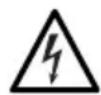
DANGER – Danger of Electric Shock
If the product falls into water while it is connected to the mains power, pull the mains adapter out of the plug socket immediately! Only after this should you pull the product out of the water and dispose of it.
■ Never touch the product and the connecting cable with wet hands when these components are connected to the mains power.
■ The product must always be disconnected from the mains power before it is cleaned..
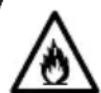
WARNING – Danger from Rechargeable Batteries
■ The product with a built-in battery must not be taken apart, thrown into a fire or exposed to high temperatures of over +40°C. The battery could ignite or explode.
■ Make sure that the product cannot get wet. Do not immerse in water! Do not use the product if liquid has got into it. The battery could ignite or explode.
- Do not squash or puncture the product with built-in battery. High pressure on the battery may cause an internal short circuit and overheating.

WARNING – Danger of Injury
- Keep children and animals away from the packaging material. There is a danger of suffocation.
■ The product is not a toy! Do not leave children and animals unsupervised with the product. There is a danger of injury from incorrect use.
- Do not use if there is visible damage to the product or on the connecting cable, the product has malfunctioned or fallen into water. Have it checked in a specialist workshop before putting it back into operation.
- Do not make any modifications to the product or the connecting cable. It may only be taken apart and / or repaired by the manufacturer, customer service department or a similarly qualified person (e.g. specialist workshop) in order to avoid any hazards.
If the battery leaks, do not allow your skin, eyes and mucous membranes to come into contact with the battery acid. If you touch battery acid, rinse the affected areas with abundant clear water straight away and seek medical assistance immediately. There is a danger of burns from battery acid.
NOTICE – Risk of Damage to Material and Property
■ Store the product only in closed rooms.
■ Protect the product from: impacts, direct sunlight, sub-zero temperatures and moisture.
■ Do not place heavy objects on the product or its connecting cable.
■ Lay the connecting cable so that it is not squashed, bent or laid over sharp edges and does not come into contact with hot surfaces.
■ Use only original accessories from the manufacturer in order to guarantee that there is no interference that may prevent the product from working and to avoid possible damage.
CHARGING UP THE BATTERY

To connect the product to a plug socket, a USB mains adapter (not supplied with the product) is also required. Note the specifications about the power supply (see "Technical Data").
If the product cannot be switched on, the battery is too weak and needs to be charged.
- Switch off the product.
- Fully unwind the USB cable.
-
Connect the USB cable to the charging socket (1) and to a power source, e.g. a computer or via a USB mains adapter to the plug socket.
-
The charging process begins and the ⏻ On/Off button (4) lights up red.
-
As soon as the On/Off button lights up blue, the battery is fully charged. Disconnect the USB cable from the power source and then from the charging socket.
USE
Please Note!
-
Do not pull the straps too tight so that you do not impede blood circulation. Wearing the posture corrector should not be an unpleasant experience.
■ To achieve success, the posture corrector should be worn regularly. -
Adjust the length of the straps (3). To do this, move the buckles (5) (Picture B).
- Place your arms through the straps. The main unit (2) must be positioned centrally between your shoulder blades and the straps should pull the shoulders back slightly (Picture C, D). If this is not the case, remove the posture corrector and adjust the straps to the correct length.
- Assume a good posture: Straighten your back and stick out your chest.
- Press the On/Off button (4) for approx. 1 second to switch on the main unit. This vibrates 3 x when it is switched on and has saved the correct posture. The On/Off button lights up blue.
- When the back is bent by 25° , the main unit vibrates to remind you to correct your posture.
- To switch off the main unit, press the ⏻ On / Off button for approx. 1 second until the light goes out.
CLEANING AND STORAGE
Please Note!
■ The product must be switched off and disconnected from the mains power during cleaning.
■ Do not use any sharp or abrasive cleaning agents to clean the product. These may damage the surfaces.
- Wipe down the product with a damp cloth if necessary. Allow the product to dry completely before storing it away.
- Store in a cool and dry place protected from dust and direct sunlight out of the reach of children and animals.
TROUBLESHOOTING
If the product does not work properly, check whether you are able to rectify the problem yourself. If the problem cannot be solved with the steps below, contact the customer service department.

Do not attempt to repair an electrical product yourself!
The product vibrates too often.
▶ Loosen the straps (3).
▶ Switch off the main unit (2), adopt a new posture and switch the main unit on again.
The product is not sensitive enough.
▶ Tighten the straps (3).
▶ Switch off the main unit (2), adopt a more correct posture and switch the main unit on again.
The product does not work.
The battery is weak and needs to be charged.
▶ Follow the instructions in the "Charging Up the Battery" chapter.
The battery should be charging, but the control lamp does not light up.
The USB cable is not connected correctly.
▶ Slide the plug until you feel some resistance into the charging socket (1) and the socket of the power source.
The plug socket is defective.
▶ Try another plug socket.
There is no mains voltage.
▶ Check the fuse of the electrical distributor (fuse box).
DISPOSAL

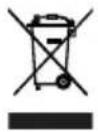

Dispose of the packaging material in an environmentally friendly manner so that it can be recycled.
This product is governed by the European Directive 2012/19/EU on waste electrical and electronic equipment (WEEE). Do not dispose of the product with built-in battery as normal domestic waste, but rather in an environmentally friendly manner via an officially approved waste disposal company.
TECHNICAL DATA
Article number: 05973
Model number: VE-37910
Power supply: 5 V DC (Li-ion battery, 350 mAh)
Charge time: 1 to 2 hours
Dimensions: approx. 8.8 x 8.8 x 1.5 cm
ID of operating instructions: Z 05973 M DS V1 0420 md

All rights reserved.
SOMMAIRE
Composition 13
Aperçu général 13
Symboles 14
WAARSCHUWING – Gevaar door accu's
WAARSCHUWING – Verwon- dingsgevaar
De contactdoos is defect.
- ITEMS SUPPLIED
- AT A GLANCE
- (PICTURE A)
- DEAR CUSTOMER
- INFORMATION ABOUT THE OPERATING INSTRUCTIONS
- SYMBOLS
- SIGNAL WORDS
- INTENDED USE
- WHEN MAY THE PRODUCT NOT BE USED
- SAFETY NOTICES
- DANGER – DANGER OF ELECTRIC SHOCK
- WARNING – DANGER FROM RECHARGEABLE BATTERIES
- WARNING – DANGER OF INJURY
- NOTICE – RISK OF DAMAGE TO MATERIAL AND PROPERTY
- CHARGING UP THE BATTERY
- USE
- PLEASE NOTE
- CLEANING AND STORAGE
- TROUBLESHOOTING
- DO NOT ATTEMPT TO REPAIR AN ELECTRICAL PRODUCT YOURSELF
- THE PRODUCT DOES NOT WORK
- THE BATTERY SHOULD BE CHARGING, BUT THE CONTROL LAMP DOES NOT LIGHT UP
- DISPOSAL
- TECHNICAL DATA
- SOMMAIRE
- WAARSCHUWING – GEVAAR DOOR ACCU'S
- WAARSCHUWING – VERWON- DINGSGEVAAR
Brand : Maxxmee
Model : 05973
Category : Posture Corrector