ManualGo.com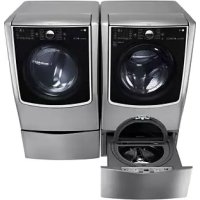
RV1840CD7 - Washing machine LG - Free user manual and instructions
Find the device manual for free RV1840CD7 LG in PDF.



Download the instructions for your Washing machine in PDF format for free! Find your manual RV1840CD7 - LG and take your electronic device back in hand. On this page are published all the documents necessary for the use of your device. RV1840CD7 by LG.
USER MANUAL RV1840CD7 LG
Before beginning installation, read these instructions carefully. This will simplify installation and ensure that the product is installed correctly and safely. Leave these instructions near the product after installation for future reference. RV1840CD4 RV1840CD7 MFL67863756 Rev.00_011222 EN ENGLISH ES ESPAÑOL FR FRANÇAIS2 CONTENTS
17 Specification 18 Accessories 18 Control panel features
PRODUCT FEATURES ARTISTIC DESIGN Modern front panel look and big clear glass door make your dryer look stylish
An entire selection of user-friendly functions makes operating the dryer easy.
COMMERCIAL LAUNDRY APPS
- Laundry Lounge Installer : This app allows installers to register products on the server. It is only available to authorized users.
Download Laundry Lounge Installer at shared link from Official LG B2B channel. - Laundry Lounge : This app allows users to do real-time monitoring of registered stores and products.
WARNING For your safety, the information in this manual must be followed to minimize the risk of fire or explosion, electric shock, or to prevent property damage, Injury to persons, or death. Your Safety and the safety of others is very important. We have provided many important safety messages in this manual and on your appliance. Always read and obey all safety messages. This is the safety alert symbol. This symbol alerts you to potential hazards that can kill or hurt you and others. All safety messages will follow the safety alert symbol and either the word DANGER, WARNING, or CAUTION. These words mean: DANGER You will be killed or seriously injured if you don’t immediately follow instructions. WARNING You can be killed or seriously injured if you don’t follow instructions. CAUTION You may be slightly injured or cause damage to the product if you do not follow instructions. All safety messages will tell you what the potential hazard is, tell you how to reduce the chance of injury, and tell you what can happen if the instructions are not followed.5
IMPORTANT SAFETY INSTRUCTIONS
This appliance can be used by children aged from 8 years and above and persons with reduced physical, sensory or mental capabilities or lack of experience and knowledge if they have been given supervision or instruction concerning use of the appliance in a safe way and understand the hazards involved. Children shall not play with the appliance. Cleaning and user maintenance shall not be made by children without supervision. Children of less than 3 years should be kept away unless continuously supervised.
WARNING To reduce the risk of fire, electric shock, or injury to persons when using this appliance, follow basic precautions, including the following:
- Read all instructions before using the dryer.
- Before use, the dryer must be properly installed as described in this manual.
- Do not place items exposed to cooking oils in your dryer. Items contaminated with cooking oils may contribute to a chemical reaction that could cause a load to catch fire.
- Do not dry articles that have been previously cleaned in, washed in, soaked in, or spotted with gasoline, dry-cleaning solvents, or other flammable or explosive substances as they give off vapors that could ignite or explode.6
- Do not reach into the dryer if the drum or any other part is moving.
- Do not repair or replace any part of the dryer or attempt any servicing unless specifically recommended in this Owner’s Manual or in published user- repair instructions that you understand and have the skills to carry out.
- Do not tamper with controls.
- Before the dryer is removed from service or discarded, remove the door to the drying compartment.
- Do not allow children to play on or in the dryer. Close supervision of children is necessary when the dryer is used near children.
- Do not use fabric softeners or products to eliminate static unless recommended by the manufacturer of the fabric softener or product.
- Do not use heat to dry articles containing foam rubber or similarly textured rubber-like materials.
- Keep area around the exhaust opening and adjacent surrounding areas free from the accumulation of lint, dust, and dirt.
- The interior of the dryer and exhaust vent should be cleaned periodically by qualified service personnel.
- Do not install or store the dryer where it will be exposed to the weather.
- Always check the inside of the dryer for foreign objects.
- Clean lint screen before or after each load.
- Do not dry unwashed items in the tumble dryer.
- Items that have been soiled with substances such as cooking oil, acetone, alcohol,petrol,kerosene,spot removers, turpentine, waxes and wax removers should be washed in hot water with an extra amount of detergent before being dried in the tumble dryer.
- Items such as foam rubber(latex foam), shower caps, waterproof textiles, rubber backed articles and clothes or pillows fitted with foam rubber pads should not be dried in the tumble dryer.
- Fabric softeners, or similar products, should be used as specified by the fabric softener instructions.7
WARNING Never stop a tumble dryer before the end of the drying cycle unless all items are quickly removed and spread out so that the heat is dissipated.
- The lint filter should be cleaned after every cycle or every day.
- Lint must not to be allowed to accumulate around the tumble dryer.
- Adequate ventilation has to be provided to avoid the back flow of gases into the room from appliances burning other fuels, including open fires.
- Electric Dryer Max capacity is 13,6 kg
- This appliance is not intended for use by persons (including children) with reduced physical, sensory or mental capabilities, or lack of experience and knowledge, unless they have been given supervision or instruction concerning use of the appliance by a person responsible for their safety.
- Children should be supervised not to play with the appliance.
- The tumble dryer is not to be used if industrial chemicals have been used for cleaning
- The final part of a tumble dryer cycle occurs without heat(cool down cycle) to ensure that the items are left at a temperature that ensures that the items will not be damaged.
- If the supply cord is damaged, it must be replaced by the manufacturer, its service agent or similarly qualified persons in order to avoid a hazard.
- Never operate the dryer without lint filter in place. Never operate the dryer with a wet lint filter.
- This appliance is intended to be used in areas for communal use or in launderettes only and not in household applications.
- Remove all objects from pockets such as lighters and matches.
- The fixed wiring insulation must be protected by insulating sleeving having an appropriate temperature rating.
- If the appliance is not fitted with a supply cord and a plug, means for disconnection must be incorporated in the fixed wiring in accordance with the wiring rules.8
Disposal of your old appliance
1. This crossed-out wheeled bin symbol indicates that
waste electrical and electronic products (WEEE) should be disposed of separately from the municipal waste stream.
2. Old electrical products can contain hazardous
substances so correct disposal of your old appliance will help prevent potential negative consequences for the environment and human health. Your old appliance may contain reusable parts that could be used to repair other products, and other valuable materials that can be recycled to conserve limited resources.
3. You can take your appliance either to the shop where you purchased
the product, or contact your local government waste office for details of your nearest authorised WEEE collection point. For the most up to date information for your country please see www.lg.com/global/ recycling What is not covered. Service trips to instruct you on the product. If the product is connected to any voltage other than that shown on the rating plate. Damage caused by lightning strike or power surge. If the fault is caused by accidents, neglects, misuses and atural disasters. If the fault is caused by reasons except for normal use or use in accordance with the owner’s manual. If the fault is caused by pests, for example, rats or cockroaches etc... Correcting the installation for example, leveling the product. Normal maintenance recommended by the owner’s manual. Removal of foreign objects/substances from the machine, for example, grit, nails, bra wires and buttons etc... Replace fuses in or correct wiring.9
Correction of unauthorized repairs. Incidental or consequential damage to personal property caused by possible defects with this appliance. If the product is installed outside the normal service area, any cost of transportation involved in the repair of the products, or the replacement of a defective part, shall be borne by the owner.
READ ALL INSTRUCTIONS BEFORE USE
WARNING For your safety, the information in this manual must be followed to minimize the risk of fire or explosion, electric shock, or to prevent property damage, Injury to persons, or death.
- Do not store or use gasoline or other flammable vapors and liquids in the vicinity of this appliance or any other appliances.
- Install an emergency stop device that can forcibly turn off the power in case of an emergency.
- Installation and service must be performed by a qualified installer, service agency.10
WARNING For your safety, the information in this manual must be followed to minimize the risk of fire or explosion, electric shock, or to prevent property damage, injury to persons, or death. GROUNDING INSTRUCTIONS This appliance must be grounded. In the event of malfunction or breakdown, grounding will reduce the risk of electric shock by providing a path of least resistance for electric current. This appliance must be equipped with a cord having an equipmentgrounding conductor and a grounding plug. The plug must be plugged into an appropriate outlet that is properly installed and grounded in accordance with all local codes and ordinances. Do not use an adapter or extension cord. Do not remove ground prong. If you don’t have the proper outlet, consult an electrician. Do not modify the plug provided with the appliance. If it will not fit the outlet, have a proper outlet installed by a qualified electrician. This appliance must be connected to a grounded metal, permanent wiring system or an equipmentgrounding conductor must be run with the circuit conductors and connected to the equipmentgrounding terminal or lead on the appliance. Electric shock can result if the dryer is not properly grounded. The appliance may only be installed in a room if the room meets the appropriate ventilation requirements specified in the national installation regulations. Minimum required spacing of 2,54cm to adjacent appliances, walls and furniture. WARNING Improper connection of the equipment-grounding conductor can result in a risk of electric shock. Check with a qualified electrician or service person if you are in doubt as to whether the appliance is properly grounded.11
WARNING To reduce the risk of fire, electric shock, or injury to persons when using this appliance, follow basic precautions, including the following:
- Properly ground dryer to conform with all governing codes and ordinances. Follow details in the installation instructions. Electric shock can result if the dryer is not properly grounded.
- Before use, the dryer must be properly installed as described in this manual. Electric shock can result if the dryer is not properly grounded.
- Install and store the dryer where it will not be exposed to temperatures below freezing or exposed to the weather.
- All repairs and servicing must be performed by an authorized servicer unless specifically recommended in this Owner’s Manual. Use only authorized factory parts. Failure to follow this warning can cause serious injury, fire, electric shock, or death.
- To reduce the risk of electric shock, do not install the dryer in humid spaces. Failure to follow this warning can cause serious injury, fire, electric shock, or death.
- Connect to a properly rated, protected, and sized power circuit to avoid electrical overload. Improper power circuit can melt, creating electric shock and/or fire hazard.
- Remove all packing items and dispose of all shipping materials properly. Failure to do so can result in death, explosion, fire, or burns.
- Place dryer at least 18 in. above the floor for a garage installation. Failure to do so can result in death, explosion, fire, or burns.
- Keep all packaging from children. Packaging material can be dangerous for children. There is a risk of suffocation.
- Keep the area underneath and around your appliances free of combustible materials such as lint, paper, rags, chemicals, etc. Failure to do so can result in fire.
- Do not place candles, smoking materials, or other flammables on to top of the product. Dripping wax, smoke, or fire can result.12
- Remove all protective vinyl film from the product. Failure to do so can cause product damage, smoke or fire.
- Means for disconnection with contact separation at least 3mm is that the means for disconnection must be incorporated in the fixed wiring according to the wiring rules.
- When the dryer repairs and services, the product should be power off. An authorized servicer must be able to check that the product power off.
- When an accident or breakdown occurs on the operating, the power cord should be unplugged.
- The dryer must be moved on vertically standing direction.
WARNING For your safety, the information in this manual must be followed to minimize the risk of fire or explosion, electric shock, or to prevent property damage, injury to persons, or death.
SAFETY INSTRUCTIONS FOR INSTALLATION
- The appliance is not to be used by children or persons with reduced physical, sensory or mental capabilities, or lack of experience and knowledge, unless they have been given supervision or instruction. Children being supervised not to play with the appliance.
- That the appliance must not be installed behind a lockable door, a sliding door or a door with a hinge on the opposite side to that of the tumble dryer, in such a way that a full opening of the tumble dryer door is restricted.13
- Dryers MUST be exhausted to the outside. Failure to follow these instructions can result in fire or death.
- The dryer exhaust system must be exhausted to the outside of the dwelling. If the dryer is not exhausted outdoors, some fine lint and large amounts of moisture will be expelled into the laundry area. An accumulation of lint in any area of the home can create a health and fire hazard.
- Use only rigid metal or flexible metal 4-inch (10,2 cm) diameter ductwork inside the dryer cabinet or for exhausting to the outside. Use of plastic or other combustible ductwork can cause a fire. Punctured ductwork can cause a fire if it collapses or becomes otherwise restricted in use or during installation.
- Ductwork is not provided with the dryer, and you should obtain the necessary ductwork locally. The end cap should have hinged dampers to prevent backdraft when the dryer is not in use. Failure to follow these instructions can result in fire or death.
- The exhaust duct must be 4 inches (10,2 cm) in diameter with no obstructions. The exhaust duct should be kept as short as possible. Make sure to clean any old ducts before installing your new dryer. Failure to follow these instructions can result in fire or death.
- DO NOT use sheet metal screws or other fasteners which extend into the duct that could catch lint and reduce the efficiency of the exhaust system. Secure all joints with duct tape. For complete details, follow the Installation Instructions. Failure to follow these instructions can result in fire or death.
- In the appliance enclosure or in the built-in structure, keep ventilation opening clear of obstruction.14
- Adequate ventilation has to be provided to avoid the back flow of gases into the room from appliances burning other fuels, including open fires Do not dry unwashed items in the tumble dryer.
- A carpet must not obstruct the openings.
WARNING For your safety, the information in this manual must be followed to minimize the risk of fire or explosion, electric shock, or to prevent property damage, injury to persons, or death. WARNING To reduce the risk of fire, electric shock, or injury to persons when using this appliance, follow basic precautions, including the following:
- Do not, under any circumstances, cut or remove the ground prong from the power cord. To prevent injury to persons or damage to the dryer, the electrical power cord must be plugged into a properly grounded outlet.
- For personal safety, this dryer must be properly grounded. Failure to do so can result in electric shock or injury.
- Refer to the installation instructions in this manual for specific electrical requirements for your model. Failure to follow these instructions can create an electric shock hazard and/or a fire hazard.
- This dryer must be plugged into a properly grounded outlet. Electric shock can result if the dryer is not properly grounded. Have the wall outlet and circuit checked by a qualified electrician to make sure the outlet is properly grounded. Failure to follow these instructions can create an electric shock hazard and/or a fire hazard.15
- The dryer should always be plugged into its own individual electrical outlet which has a voltage rating that matches the rating plate. This provides the best performance and also prevents overloading house wiring circuits which could cause a fire hazard from overheated wires.
- Never unplug your dryer by pulling on the power cord. Always grip plug firmly and pull straight out from the outlet. The power cord can be damaged, resulting in a risk of fire and electric shock.
- Repair or replace immediately all power cords that have become frayed or otherwise damaged. Do not use a cord that shows cracks or abrasion damage along its length or at either end. The power cord can melt, creating electric shock and/ or fire hazard.
- When installing or moving the dryer, be careful not to pinch, crush, or damage the power cord. This will prevent injury and prevent damage to the dryer from fire and electric shock.
- To reduce the risk of injury to persons, adhere to all industry recommended safety procedures including the use of long sleeved gloves and safety glasses. Failure to follow all of the safety warnings in this manual could result in property damage, injury to persons or death.
- The final part of the tumble dryer cycle occurs without heat (cool down cycle) to ensure that the items are left at a temperature that ensures that the items will not be damaged.
CAUTION These instructions are only valid if the following country code is on the appliance. If this code is not present on the appliance, it is necessary to refer to the technical instructions which will provide the necessary information concerning the modification of the appliance to the condition of use for the country.
- the method of connection and the installation regulations in the country where the appliance is to be installed (if such regulations exist); also the ventilation dimensions shall be given for the purposes of installation in those countries where there are no appropriate regulations. WARNING Never stop a tumble dryer before the end of the drying cycle unless all items are quickly removed and spread out so that the heat is dissipated. WARNING The appliance must not be supplied through an external switching device, such as a timer, or connected to a circuit that is regularly switched on and off by a utility.
Accessories Control panel features Card type - Side by Side - Stack Upper - Stack Lower
OPL type - Side by Side (RV1840CD4) - Stack Upper (RV1840CD7) - Stack Lower
OPL sheet (only for OPL type)
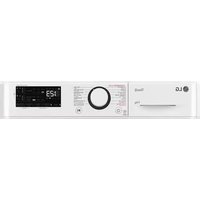
Control panel features Coin type - Side by Side
Display LED Cycle button Start/Pause button Status LED Display LED The Display shows the vend price, remaining time, and programming options. Error codes are also displayed here. Cycle button Press the cycle button to Select the desired cycle based on laundry types and conditions. High Temp. Use this cycle to get high heat for heavy fabrics, such as jeans corduroys or work clothes (High heat). Med Temp. Use for drying sturdy fabrics such as work casual clothes (Medium heat). Low Temp. Use for drying synthetic fabrics,washable knit fabrics and noiron finishes (Low heat). No Heat Use for items that require heat-free drying such as plastics or rubber. Start/Pause button The Start LED flashes when the full vend price has been satisfied then the cycle has been chosen or the machine is paused. The Start LED flashes when a card is inserted to add time to the current cycle. If you press the Start/Pause button while dryer is working, machine will be paused. Status LED LED Description LED flashes when the duct is blocked by lint. Check and clean the duct. LED flashes whenever the heating cycle is in operation. LED flashes whenever the cool down cycle is in operation. LED flashes when the Wi-Fi is connecting. LED stays lit when the Wi-Fi is connected.21
All types of machines show ‘PUSH’
- Pricesettingvariesbycountry.
- Setyourcountryfrom mode. (Refer How to enter the
Press the desired button and the display will show you the price of the cycle.(You cannot change the cycle while the machine is running.) When the card balance is not enough, machine displays the balance for 5 seconds and then displays message repetitively NOTE Insert a sufficient amount of change that is a more than the programmed vend price for a selected cycle.
3. Insert Coin/Card (Not for OPL type)
Insert a sufficient amount of change that is more than the programmed vend price for the selected cycle. Insert a card that has a sufficient balance. The card balance should be more than the programmed vend price for the selected cycle. The last 2 minutes of the remaining time are always for the cool down portion. NOTE
4. Top off (To add more time)
After a debit card is inserted, the operating time can be increased to 5 minutes / 0,10 when the Start button or the chosen course button has been pressed. (The card should have enough balance to satisfy increasing time.) The operating time can be increased to 5 minutes / 0,10 (default) by adding more coins. Owner can control the additional time(Top Off Time) and money setting (refer to Top off Price setting
NOTE When the COOL DOWN has been working, if time is added, it goes back to the Dry. Time can be added up to 99 minutes.
You can not change the cycle while the machine is running.
After the Cool Down of cycle, the machine stops and the display shows ‘End’ with beep sound.22 PROGRAMMING MODE
PROGRAMMING MODE You can check machine information or change setting on Program setup or Diagnostic test. There are two methods that you can enter programming mode. How to enter Programming mode: - Coin type – Turn on/off the toggle switch. - Card type – Insert the service card. - All types –
1) Press the 1st & 3rd button at the same time.
2) Press the 2nd & 3rd buttons to toggle numbers.
Then, press the 4th button to move to the next digit.
3) Press the Start button to finish password input.
※ Default Password : 3000 <Control Panel > 1st 2nd 3rd 4th Start
- Pricesettingvariesbycountry.
Structure of Programing mode – Card/Coin type Algorithm Flow Chart shows how to control programming mode. Before program set, check the structure of programming mode. is to set price value, time value and vend type etc. consists of line test, reset, free cycle and kill cycle. Is to collect the usage data. Structure of Programming mode
- Itisonlyusedininspectingthemachine.
- This function is for Card type only. NOTE24 PROGRAMMING MODE
Structure of Programing mode – OPL type Algorithm Flow Chart shows how to control programming mode. Before program set, check the structure of programming mode. is to set price value, time value and vend type etc. consists of line test, reset, free cycle and kill cycle. Is to collect the usage data. Structure of Programming mode
- Itisonlyusedininspectingthemachine. NOTE25 PROGRAMMING MODE
PROGRAMMING MODE - Setup Mode Setup Mode : (display) You can change dryer vend price, cycle time, and cycle parameters, etc. How to enter Programming mode: - Coin type – Turn on/off the toggle switch. - Card type – Insert the service card. - All types - Enter password.
1) Press the 1st & 3rd button at the same time.
2) Press the 2nd & 3rd buttons to toggle numbers.
Then, press the 4th button to move to the next digit.
3) Press the Start button to finish password input.
※ Default Password : 3000 <Control Panel > 1st 2nd 3rd 4th Start
1. Regular Price Setup
This function sets the regular prices for all/each cycle. Regular Price Setup Display Enter SVC Mode Press 1st button Press 2nd button Press Start button Press 2nd button or 3rd button Until display shows Press Start button Select the price you want Button functions : Start button = Select 1st button = Go back a step 2nd button = Move up or Increase value 3rd button = Move down or Decrease value Start button to select : 1st button to go back a step : 2nd button to move up : 3rd button to move down : Press Start to set the price The next cycle setting will be displayed.
- ALL is to select the default prices for all the cycles at once.
- Select individual price for COS1~4
- COS4 : No Heat ※ Individual cycle prices are prioritized above 'ALL'.
- Set your country from (Refer to Currency Type Setup) NOTE26 PROGRAMMING MODE
This function sets special prices for all/each cycle. Special Price Setup Display Enter SVC Mode Press 1st button Press 2nd button Press Start button Press 2nd button or 3rd button Until display shows Press Start button Select the price you want Button functions : Start button = Select 1st button = Go back a step 2nd button = Move up or Increase value 3rd button = Move down or Decrease value Press Start to set the price The next cycle setting will be displayed.
- ALL is to select the default prices for all the cycles at once.
- Select individual price for COS1~4
- COS4 : No Heat ※ Individual cycle prices are prioritized above ‘ALL’.
- Set your country from (Refer to Currency Type Setup) NOTE27 PROGRAMMING MODE
This function sets the Top Off Price. Top Off Price Setup Display Enter SVC Mode Press 1st button Press 2nd button Press Start button Press 2nd button or 3rd button Until display shows Press Start button Select the price you want Button functions : Start button = Select 1st button = Go back a step 2nd button = Move up or Increase value 3rd button = Move down or Decrease value Press Start to set the price The next menu will be displayed.
- Select individual price for COS1~4
4. Features of the Machine (1st Set)
This function sets up multiple features of each machine, under FEA1. Features of the Machine (1st Set) Display Enter SVC Mode Press 1st button Press 2nd button Press Start button Press 2nd button or 3rd button Until display shows Select the setting you want Button functions : Start button = Select 1st button = Go back a step 2nd button = Move up 3rd button = Move down
4-1. Special Price Day Setup Special Price Day Setup can be used to set special prices. Special Price Day Setup Display Enter SVC Mode Press 1st button Press 2nd button Press Start button Press 2nd button or 3rd button Until display shows Press Start button Press Start button Select the feature you want Button functions : Start button = Select 1st button = Go back a step 2nd button = Move up 3rd button = Move down Press Start to enable or disable The next menu setting will be displayed.30 PROGRAMMING MODE
4-2. Sense Dry Setup Sense Dry Setup can be used to enable/disable Sense Dry. Sense Dry Setup Display Enter SVC Mode Press 1st button Press 2nd button Press Start button Press 2nd button or 3rd button Until display shows Press Start button Press 2nd button or 3rd button Until display shows Press Start button Select the features you want Button functions : Start button = Select 1st button = Go back a step 2nd button = Move up 3rd button = Move down Press Start to enable or disable The next menu setting will be displayed.31 PROGRAMMING MODE
4-3. Top Off Setup Top Off Setup can be used to enable/disable drying time add-on function. Top Off Setup Display Enter SVC Mode Press 1st button Press 2nd button Press Start button Press 2nd button or 3rd button Until display shows Press Start button Press 2nd button or 3rd button Until display shows Press Start button Select the features you want Button functions : Start button = Select 1st button = Go back a step 2nd button = Move up 3rd button = Move down Press Start to enable or disable The next menu setting will be displayed.32 PROGRAMMING MODE
4-4. Pause Function Setup Pause Function Setup can be used ro enable/disable the ability to pause the cycle when pressing the Start/Pause button. Pause Function Setup Display Enter SVC Mode Press 1st button Press 2nd button Press Start button Press 2nd button or 3rd button Until display shows Press Start button Press 2nd button or 3rd button Until display shows Press Start button Select the features you want Button functions : Start button = Select 1st button = Go back a step 2nd button = Move up 3rd button = Move down Press Start to enable or disable The next menu setting will be displayed.33 PROGRAMMING MODE
Special Price Day Setup can be used to select which days to apply special prices. Special Price Day Setup Display Enter SVC Mode Press 1st button Press 2nd button Press Start button Press 2nd button or 3rd button Until display shows Press Start button Press Start button Select the setting you want Button functions : Start button = Select 1st button = Go back a step 2nd button = Move up 3rd button = Move down Press Start to enable or disable The next menu setting will be displayed.
- Make sure to set up the Time feature before using this feature. NOTE34 PROGRAMMING MODE
Special Price Beginning Time Setup can be used to set the start time of special prices. Special Price Beginning Time Setup Display Enter SVC Mode Press 1st button Press 2nd button Press Start button Press 2nd button or 3rd button Until display shows Press Start button Select the setting you want Button functions : Start button = Select 1st button = Go back a step 2nd button = Move up or Increase value 3rd button = Move down or Decrease value Press Start to set time The next menu setting will be displayed.
- Make sure to set up the Time feature before using this feature.
Special Price Ending Time Setup can be used to set the end time for special prices. Special Price Ending Time Setup Display Enter SVC Mode Press 1st button Press 2nd button Press Start button Press 2nd button or 3rd button Until display shows Press Start button Select the setting you want Button functions : Start button = Select 1st button = Go back a step 2nd button = Move up or Increase value 3rd button = Move down or Decrease value Press Start to set the time The next menu setting will be displayed.
- Make sure to set up the Time feature before using this feature.
Dry Time Setup can be used to set the duration of drying. Dry Time Setup Display Enter SVC Mode Press 1st button Press 2nd button Press Start button Press 2nd button or 3rd button Until display shows Press Start button Select the time you want Button functions : Start button = Select 1st button = Go back a step 2nd button = Move up or Increase value 3rd button = Move down or Decrease value Press Start to set the time The next cycle setting will be displayed.
Special Day Dry Time Setup can be used to set the duration of drying. Special Day Dry Time Setup Display Enter SVC Mode Press 1st button Press 2nd button Press Start button Press 2nd button or 3rd button Until display shows Press Start button Select the length of time you want Button functions : Start button = Select 1st button = Go back a step 2nd button = Move up or Increase value 3rd button = Move down or Decrease value Press Start to set the time The next cycle setting will be displayed.
Top Off Time Setup can be used to set the add time for each cycle. Top Off Time Setup Display Enter SVC Mode Press 1st button Press 2nd button Press Start button Press 2nd button or 3rd button Until display shows Press Start button Select the length of time you want Button functions : Start button = Select 1st button = Go back a step 2nd button = Move up or Increase value 3rd button = Move down or Decrease value Press Start to set the time The next cycle setting will be displayed.
Coin 1 Value Setup can be used to set the value of each coin signal received. Coin 1 Value Setup Display Enter SVC Mode Press 1st button Press 2nd button Press Start button Press 2nd button or 3rd button Until display shows Press Start button Select the price you want Button functions : Start button = Select 1st button = Go back a step 2nd button = Move up or Increase value 3rd button = Move down or Decrease value Press Start to set the price The next menu setting will be displayed.
Penny Increment Pricing Offset Setup can be used to set additional cent increase when card is used. Penny Increment Pricing Offset Setup Display Enter SVC Mode Press 1st button Press 2nd button Press Start button Press 2nd button or 3rd button Until display shows Press Start button Select the price you want Button functions : Start button = Select 1st button = Go back a step 2nd button = Move up or Increase value 3rd button = Move down or Decrease value Press Start to set the price The next menu setting will be displayed.
- Penny increment pricing offset is available only when set to card type.
- It does not affect the coin type’s price setting NOTE41 PROGRAMMING MODE
Beep Volume Setup can be used to set the volume of the control and end-of-cycle sounds. Beep Volume Setup Display Enter SVC Mode Press 1st button Press 2nd button Press Start button Press 2nd button or 3rd button Until display shows Press Start button Select the setting you want Button functions : Start button = Select 1st button = Go back a step 2nd button = Move up or Increase value 3rd button = Move down or Decrease value Press Start to set the volume. The next menu setting will be displayed.42 PROGRAMMING MODE
Thermistor control temperature Setup Display Enter SVC Mode Press 1st button Press 2nd button Press Start button Press 2nd button or 3rd button Until display shows Press Start button Select the Temperature you want Button functions : Start button = Select 1st button = Go back a step 2nd button = Move up or Increase value 3rd button = Move down or Decrease value Press Start to set the temperature The next course setting will be displayed.
- COS3 : Low Temp (COS3 is not available in tEPt)
Standby Return Time Setup can be used to set how long the input payment is held until the machine resets to standby mode. Stanby Return Time Setup Display Enter SVC Mode Press 1st button Press 2nd button Press Start button Press 2nd button or 3rd button Until display shows Press Start button Select the length of time you want Button functions : Start button = Select 1st button = Go back a step 2nd button = Move up or Increase value 3rd button = Move down or Decrease value Press Start to set the time The next menu setting will be displayed.
- 0 : Holds input payment permanently.
- 1~180 : Holds input payment for selected amount of time, then returns to standby mode. NOTE44 PROGRAMMING MODE
Type can be used to set the machine’s various type settings. Type Display Enter SVC Mode Press 1st button Press 2nd button Press Start button Press 2nd button or 3rd button Until display shows Select the setting you want Button functions : Start button = Select 1st button = Go back a step 2nd button = Move up 3rd button = Move down
16-1. Product Type Setup Product Type Setup can be used to set the machine’s payment type (Pay or Free). Product Type Setup Display Enter SVC Mode Press 1st button Press 2nd button Press Start button Press 2nd button or 3rd button Until display shows Press Start button Select the type you want Button functions : Start button = Select 1st button = Go back a step 2nd button = Move up 3rd button = Move down Press Start to set the type Display returns to standby mode.
16-3. Vend Type Setup Vend Type Setup can be used to set the payment type (Coin/Card). Vend Type Setup Display Enter SVC Mode Press 1st button Press 2nd button Press Start button Press 2nd button or 3rd button Until display shows Press Start button Press 2nd button or 3rd button Until display shows Press Start button Select the type you want Button functions : Start button = Select 1st button = Go back a step 2nd button = Move up 3rd button = Move down Press Start to set the type Display returns to standby mode.
16-4. Card Reader Type Setup Card Reader Type Setup can be used to set the card reader company. Card Reader Type Setup Display Enter SVC Mode Press 1st button Press 2nd button Press Start button Press 2nd button or 3rd button Until display shows Press Start button Press 2nd button or 3rd button Until display shows Press Start button Select the type you want Button functions : Start button = Select 1st button = Go back a step 2nd button = Move up or Increase value 3rd button = Move down or Decrease value Press Start to set the type Display returns to standby mode.
16-5. Coin Drop Type Setup Coin Drop Type Setup can be used to set the coin pulse signal setting for coin drops. Coin Drop Type Setup Display Enter SVC Mode Press 1st button Press 2nd button Press Start button Press 2nd button or 3rd button Until display shows Press Start button Press 2nd button or 3rd button Until display shows Press Start button Select the type you want Button functions : Start button = Select 1st button = Go back a step 2nd button = Move up or Increase value 3rd button = Move down or Decrease value Press Start to set the type Display returns to standby mode.
Programming Mode – Test Mode Diagnostic tests : (display) This program has been added for testing the dryer and detecting errors.
Test features can be used to check and change various machine settings. Test Display Enter SVC Mode Select the feature you want Button functions : Start button = Select 1st button = Go back a step 2nd button = Move up 3rd button = Move down
- : Password Setup NOTE How to enter Programming mode: - Coin type – Turn on/off the toggle switch. - Card type – Insert the service card. - All types –
1) Press the 1st & 3rd button at the same time.
2) Press the 2nd & 3rd buttons to toggle numbers.
Then, press the 4th button to move to the next digit.
3) Press the Start button to finish password input.
※ Default Password : 3000 <Control Panel > 1st 2nd 3rd 4th Start51 PROGRAMMING MODE
Diagnostic Test can be used to check functionality of various machine parts. Press Start to move through the check points. Number of times the Start button is pressed Check point Display 0 Enter SVC Mode - Press 2nd button or 3rd button 1 Check the version and code for machine. Displays , P0:XX, LU:XX, Ld:XX, LF:XX alternately (Version) 2 PDA Check 3 Motor runs Measured moisture value (70~239)
- Gas Type : Motor runs Current temperature (5~70) (Display shows the temperature inside the drum in Celsius)
- Gas Type : Gas valve runs (Motor +Valve) Current temperature (5~70) (Display shows the temperature inside the drum in Celsius)
Door switch (Motor&Heater Off, Buzzer beeps seven times) dE (The door is open. Please close the door completely)
Test goes back at step 3. (Motor on & Heater Off) Measured moisture value (70~239)
- Make sure the drum is empty when diagnostic test is being performed. Do not use . NOTE52 PROGRAMMING MODE
Factory Reset is used to reset the machine to default settings. Factory Reset Display Enter SVC Mode Press 2nd button or 3rd button Until display shows Press Start button Press 2nd button Until display shows Press Start button
- Default values for Card/Coin type dryer. - Drying time : 40 minutes - Top off time : 5 minutes
- Drying time in OPL machine can be changed from 1 to 100 minutes by pressing the cycle button.
- Price setting varies by country
- After Factory Reset, set your country from (Refer to Currency Type Setup) NOTE53 PROGRAMMING MODE
Time Setup can be used to set the current year, month, day, hour, and minute. Time Setup Display Enter SVC Mode Press 2nd button or 3rd button Until display shows Press Start button Display shows you 2000(Year) → 0101(Month/ Date) → Sat(Day) → 0000(Time(24hr)) Press Start button Press 2nd button or 3rd button Until display shows the year you want (i.e. 2020) Press Start button Press 2nd button or 3rd button Until display shows the month you want in the left two digits (i.e. June = 0601) Press Start button Press 2nd button or 3rd button Until display shows the day you want in the right two digits (i.e. June 11th = 0611) Press Start button Press 2nd button or 3rd button Until display shows the hour you want (i.e. 2:00 PM = 1400) Press Start button Press 2nd button or 3rd button Until displays shows the minute you want (i.e. 2:15 PM = 1415) Press Start button Display shows you 2020 → 0611(Month/Date) → tHU(Day) → 1415(Time(24hr)) Press 1st button Until display returns to standby mode
- Time is displayed in military time format.
- Time Setup must be set to use Special Day Price feature.
- When the machine is powered off, Time Setup is reset to default. NOTE54 PROGRAMMING MODE
Courtesy Cycle is a free cycle given to customers for Pay Type machines. Courtesy Cycle Display Enter SVC Mode Press 2nd button or 3rd button Until display shows Press Start button Press 2nd button Until display shows Press Start button Machine is ready to use. User can choose desired course and press Start.
Kill Cycle is used to end the currently operating cycle. Cycle Kill Display Enter SVC Mode Press 2nd button or 3rd button Until display shows Press Start button Press 2nd button Until display shows Press Start button Machine ends the cycle and goes back to standby mode.
- Only works for machine that is currently operating.
- Cycle can be ended with Cycle Kill Card for Card Type machines. NOTE
- OPL type : Dryer will end the cycle by opening the door. NOTE55 PROGRAMMING MODE
Duct Check is used to check when if duct is installed well. Duct Check Display Enter SVC Mode Press 2nd button or 3rd button Until display shows Press Start button Displays the number of duct blockages. Press Start button The installation check starts. Wait for the examination to complete. If you stop the product in the middle, the check may not be successful. End is displayed at normal end. The flashes on the display when checking for abnormalities. Turn off the power and reconfirm the do installation.
Password Setup can be used to change the password to enter Service mode. Password Setup Display Enter SVC Mode Press 2nd button or 3rd button Until display shows Press Start button Button functions : Start button = Select 1st button = Go back a step 2nd button = Increase value 3rd button = Decrease value 4th button = Move to next digit Input current password Default Password : 3000
1) Press the 2nd & 3rd buttons to toggle
2) Press the 4th button to move to the next digit.
Press Start button Button functions : Start button = Select 1st button = Go back a step 2nd button = Increase value 3rd button = Decrease value 4th button = Move to next digit Input new password (i.e. 1234)
1) Press the 2nd & 3rd buttons to toggle
2) Press the 4th button to move to the next digit.
Press Start button New password is set57 PROGRAMMING MODE
Programing Mode – Collect Mode Collect Information Data : (display) The dryer collects the usage data so that the owner can check various information like number of various cycles used, how many times card or coins used, etc. Collect Mode Collect Mode Display Enter SVC Mode Press 1st button Press 2nd button or 3rd button Until display shows Press Start button Select the category you want Button functions : Start button = Select 1st button = Go back a step 2nd button = Move up 3rd button = Move down Refer to the follow Collect Mode Data List How to enter Programming mode: - Coin type – Turn on/off the toggle switch. - Card type – Insert the service card. - All types –
1) Press the 1st & 3rd button at the same time.
2) Press the 2nd & 3rd buttons to toggle numbers.
Then, press the 4th button to move to the next digit.
3) Press the Start button to finish password input.
<Control Panel > 1st 2nd 3rd 4th Start58 PROGRAMMING MODE
Collect Mode Data List No. Abbreviation Meaning Description 1 rgPr Regular Price (Default Price)
- Interval Cycles are reset to 0 after data is collected with Collect Card.
- Accumulated Cycles do not count Service or Trouble Cycles.
- Price settings vary by country. NOTE60 SMART FUNCTIONS
- To identify RF module installed in the appliance, refer to the label attached to the appliance. Wireless function S/W version: V 1.0 For consideration of the user, this device should be installed and operated with a minimum distance of 20 cm between the device and the body. Declaration of Conformity Hereby, LG Electronics declares that the radio equipment type Dryer is in compliance with Directive 2014/53/EU. The full text of the EU declaration of conformity is available at the following internet address: http://www.lg.com/global/support/cedoc/cedoc# LG Electronics European Shared Service Centre B.V. Krijgsman 1, 1186 DM Amstelveen, The Netherlands Open Source Software Notice Information To obtain the source code under GPL, LGPL, MPL, and other open source licenses, that is contained in this product, please visit http://opensource.lge.com. In addition to the source code, all referred license terms, warranty disclaimers and copyright notices are available for download. LG Electronics will also provide open source code to you on CD-ROM for a charge covering the cost of performing such distribution (such as the cost of media, shipping, and handling) upon email request to opensource@lge. com. This offer is valid for a period of three years after our last shipment of this product. This offer is valid to anyone in receipt of this information. LG Electronics EU Importer names and addresses Nazivi i adrese uvoznika LG Electronics u EU Noms et adresses des importateurs pour LG Electronics EU Nomi e indirizzi degli importatori UE di LG Electronics Nombres y direcciones de importadores para la UE de LG Electronics Ainmneacha agus seolaí Iompórtálaí AE LG Electronics Namen und Adressender LG Electronics EU-Importeure LG Electronics ES importuotojų pavadinimai ir adresai JLA Meadowcroft Lane, Ripponden, West Yorkshire HX6 4AJ, United Kingdom Bijelisviset Kranjceviceva 50, Zagreb, Croatia, OIB 31225259453 IMESA FRANCE 210 RUE HENNEBIQUE - ZI LES MILLES 13796 AIX EN PROVENCE - France MS Group
MAINTENANCE Regular cleaning WARNING To reduce the risk of fire, electric shock, or injury to persons when using this appliance, follow basic precautions, including the following:•Unplugthedryerbeforecleaningtoavoidtheriskofelectric shock. Failure to follow this warning can causeserious injury, fire, Electric shock, or death.•Neveruseharshchemicals,abrasivecleanersorsolvents to clean the dryer. They will damage the finish. Cleaning the Exterior Proper care of your dryer can extend its life. The outside of the machine can be cleaned with warm water and a mild, nonabrasive household detergent. Immediately wipe off any spills with a soft, damp cloth.Do not use methylated spirits, solvents, or similar products. Never use steel wool or abrasive cleansers; they can damage the surface. NOTE Cleaning the Interior Wipe around the door opening and seal with a soft, damp cloth to prevent lint and dust buildup that could damage the door seal. Clean the window with a soft cloth dampened with warm water and a mild, nonabrasive household detergent; then wipe dry. The stainless steel drum can be cleaned with a conventional stainless steel cleaner, used according to the manufacturer’s specifications. Never use steel wool or abrasive cleansers; they can scratch or damage the surface. Cleaning Around and Under the Dryer Vacuum lint and dust from around the dryer and underneath it regularly. Vent ductwork should be checked for lint buildup and cleaned at least once per year. If any noticeable reduction in airflow or drying performance occurs, immediately check ductwork for obstructions and blockages. Maintaining Ductwork Vent ductwork should be checked for lint buildup and cleaned at least once per year. If any noticeable reduction in airflow or drying performance occurs, immediately check ductwork for obstructions and blockages. Contact a qualified technician or service provider.• Certain internal parts are intentionally not grounded and may present a risk of electric shock only during servicing. Service personnel - Do not contact the following parts while the appliance is energized: Motor, Control board. Cleaning the Lint Filter Always clean the lint filter after every cycle.Lint FilterTo clean, open the dryer door and pull the lint filter straight up.Then:1. Roll any lint off the filter with your fingers, or2. Vacuum the lint filter, or3. If the lint filter has become very dirty or clogged with fabric softener, wash the lint filter in warm, soapy water and allow to dry thoroughly before reinstalling.NEVER operate the dryer without the lint filter in place. NEVER operate the dryer with a wet lint filter. Recommended frequency of periodic servicing is once a year NOTE62
1. Suitable model for stacking
- Stacking kit is provided in the upper dryer. Components
- Rearstackingbracket(1)
- Frontstackingbracket(2)
- Screw(8) - The machine can be stacked only on the model designated as suitable by LGE. - Do not stack the washer on the top. - You can order the parts for stacking from Qualified dealer or Qualified SVS agent of LGE. NOTE63
Please refer to Service Manual for detail to explain how to stack and fix the machine NOTE
3. Stacking the machine
1. Lift and stack the upper dryer on the lower model.
2. Remove the screw and disassemble the panels.
3. Fix the upper and lower model using 2 front stacking
kits (①). Fasten two(2) screws in one bracket.
4. Install the rear stacking bracket at the rear of the
stacked models and fasten the four(4) screws.
5. For upper model, change the panel position and
assemble using screws.
6. Assemble the lower model panel with screws.64
ERROR MODE Meaning of Error Codes that LED displays during occurrence or problem. Dryer error code
PROBLEM POSSIBLE CAUSE SOLUTION
It is displayed when Outlet thermistor is opened or shorted shorted Thermistor should be replaced. When a fire inside the product is detected, or the temperature of the Outlet Thermistor is abnormal. Check the duct blocked and fire occurred It is displayed when Inlet thermistor is opened or shorted shorted Thermistor should be replaced.
1. Motor harness is disconnected
2. Motor coil or hall sensor is damaged
1. Check the Motor harness.
In case of power failure the machine stops running but the time display remains on, showing the time just before power failure. Press the START button after the power is restored, then the machine will restart.
- Pricesettingvariesbycountry.
※ The below installation guide is limited applicable only for model Model : RV1840CD4, RV1840CD7 Installation Guide for Harmonics (EN 61000-3-2 & EN 61000-3-12) □ This equipment complies with IEC (EN) 61000-3-2. □ This equipment complies with IEC (EN) 61000-3-12 in harmonic currents emission limits corresponding Rsce =33. ■ This equipment complies with IEC (EN) 61000-3-12 provided that the short-circuit power Ssc is greater than or equal to 766 kVA at the interface point between the user’s supply and the public system. It is the responsibility of the installer or user of the equipment to ensure, by consultation with the distribution network operator if necessary, that the equipment is connected only to a supply with a short-circuit power Ssc greater than or equal to 766 kVA.” Installation Guide for Flicker (EN 61000-3-3 & EN 61000-3-11) □ This equipment complies with IEC (EN) 61000-3-3. □ This equipment complies with reference impedance for IEC (EN) 61000-3-11. ■ This device is intended for the connection to a power supply system with a maximum permissible system impedance ZMAX of 0.3938(0.334 + j0.209) Ω at the interface point (power service box) of the user’s supply. The user has to ensure that this device is connected only to a power supply system which fulfills the requirement above. If necessary, the user can ask the public power supply company for the system impedance at the interface point.66 ENwww.lg.com Copyright © 2022 LG Electronics Inc. Todos los Derechos Reservados. SECADORA COMERCIAL