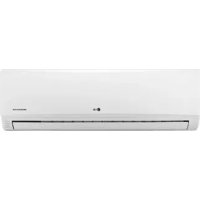
TMNH186BTG0 - Air-conditioner LG - Free user manual and instructions
Find the device manual for free TMNH186BTG0 LG in PDF.


| Product Type | Ceiling-Mounted Duct Type Air Conditioner |
| Brand | LG |
| Model | TMNH186BTG0 |
| Remote Controller Type | Wired (standard), wireless optional |
| Operating Modes | Cooling, Soft Dry, Heating (heat pump), Fan, Auto |
| Weekly Programming | Yes, with day-by-day setting |
| Timer | Yes, delayed start/stop |
| Child Lock Function | Yes, activatable by key combination |
| Telephone Control | Optional, allows remote on/off |
| Air Filter | Washable, clean every 2 weeks |
| Exterior Cleaning | Soft dry cloth, no aggressive detergents |
| Safety | Unplug before maintenance, use dedicated circuit, proper circuit breaker |
| Assistance | Contact authorized after-sales service |
| Display | LCD screen on remote controller |
| Self-Diagnosis | Yes, displays "CH" if there is a problem |
| Preheating | Yes, displays "PREHEAT" |
| Defrost | Yes, displays "DEFROST" |
| Fan Speed | 3 speeds (High, Medium, Low) |
| Cooling Temperature Range | 18°C to 30°C |
| Heating Temperature Range | 16°C to 30°C |
Frequently Asked Questions - TMNH186BTG0 LG
User questions about TMNH186BTG0 LG
0 question about this device. Answer the ones you know or ask your own.
Ask a new question about this device
Download the instructions for your Air-conditioner in PDF format for free! Find your manual TMNH186BTG0 - LG and take your electronic device back in hand. On this page are published all the documents necessary for the use of your device. TMNH186BTG0 by LG.
USER MANUAL TMNH186BTG0 LG
Air Conditioner(Ceiling Duct Type)
OWNER'S MANUAL
Prior to installation, this air-conditioning unit must be submitted for approval by the utility service which provides electricity (EN 61000-2 Norm, EN 61000-3 Norm).
IMPORTANT
- Please read this owner's manual carefully and thoroughly before installing and operating your room air conditioner.
- Please retain this owner's manual for future reference after reading it thoroughly.
TABLE OF CONTENTS
Safety Precautions....3
Operating Instructions......8
Care and maintenance......23
Before you call for service.....25
FOR YOUR RECORDS
Write the model and serial numbers here:
Model #
Serial #
You can find them on a label on the side of each unit.
Dealer's Name
Date Purchased
■ Staple your receipt to this page in the event you need it to prove date of purchase or for warranty issues.

READ THIS MANUAL
Inside you will find many helpful hints on how to use and maintain your air conditioner properly. Just a little preventive care on your part can save you a great deal of time and money over the life of your air conditioner.
You'll find many answers to common problems in the chart of troubleshooting tips. If you review our chart of Troubleshooting Tips first, you may not need to call for service at all.

PRECAUTION
- Contact the authorized service technician for repair or maintenance of this unit.
- Contact the installer for installation of this unit.
- The air conditioner is not intended for use by young children or invalids without supervision.
- Young children should be supervised to ensure that they do not play with the air conditioner.
- When the power cord is to be replaced, replacement work shall be performed by authorized personnel only using only genuine replacement parts.
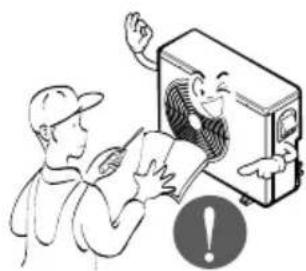
- Installation work must be performed in accordance with the National Electric Code by qualified and authorized personnel only.
natural_image
Simple line drawing of people enjoying a picnic at a table with sun and palm trees (no text or symbols)Safety Precautions
To prevent injury to the user or other people and property damage, the following instructions must be followed.
■ Incorrect operation due to ignoring instruction will cause harm or damage. The seriousness is classified by the following indications.

WARNING
This symbol indicates the possibility of death or serious injury.

CAUTION
This symbol indicates the possibility of injury or damage to properties only.
■ Meanings of symbols used in this manual are as shown below.


Be sure not to do.
Be sure to follow the instruction.

WARNING
■ Installation
Do not use a defective or underrated circuit breaker. Use this appliance on a dedicated circuit.
• There is risk of fire or electric shock.
For electrical work, contact the dealer, seller, a qualified electrician, or an Authorized Service Center.
- Do not disassemble or repair the product. There is risk of fire or electric shock.
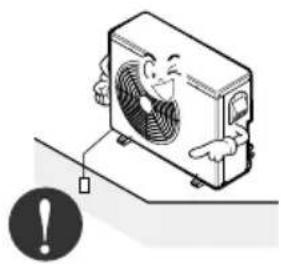
Always ground the product.
• There is risk of fire or electric shock.
natural_image
Cartoon illustration of a smiling air conditioner unit with a warning symbol (no text or labels)Install the panel and the cover of control box securely.
- There is risk of fire or electric shock.
Always install a dedicated circuit and breaker.
- Improper wiring or installation may cause fire or electric shock
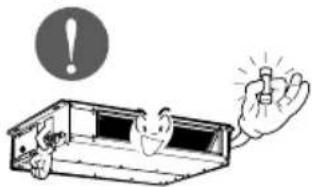
Use the correctly rated breaker or fuse.
• There is risk of fire or electric shock.
natural_image
Illustration of a person reading a document with a fan inside an air conditioner unit, no text or symbols present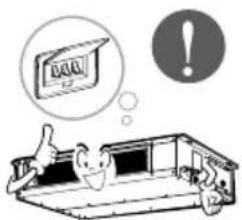
natural_image
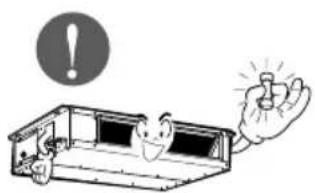
Illustration of a smiling computer with a hand holding a light bulb, accompanied by an exclamation mark (no text or symbols present)Do not modify or extend the power cable.
• There is risk of fire or electric shock.
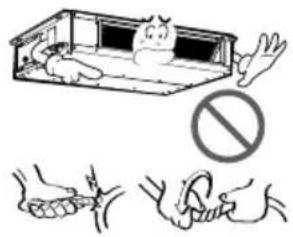
For installation, always contact the dealer or an Authorized Service Center.
• There is risk of fire, electric shock, explosion, or injury.
natural_image
Illustration of a person in thought bubble and a briefcase with a surprised face, no text or symbols presentDo not let the air conditioner run for a long time when the humidity is very high and a door or a window is left open.
- Moisture may condense and wet or damage furniture.
Do not plug or unplug the power supply plug during operation.
• There is risk of fire or electric shock.
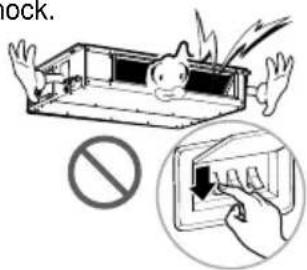
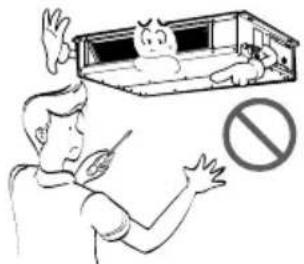
Do not install, remove, or re-install the unit by yourself (customer).
• There is risk of fire, electric shock, explosion, or injury.
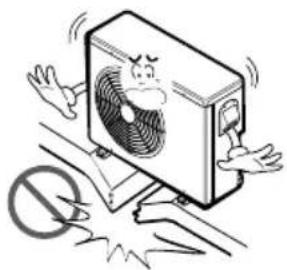
Do not install the product on a defective installation stand.
- It may cause injury, accident, or damage to the product.
natural_image
Cartoon illustration of a distressed air conditioner unit with arms and legs, standing on a surface with a no-smoking symbol below (no text or symbols present)■ Operation
Take care to ensure that power cable could not be pulled out or damaged during operation.
- There is risk of fire or electric shock.
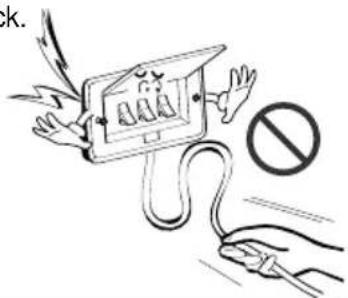
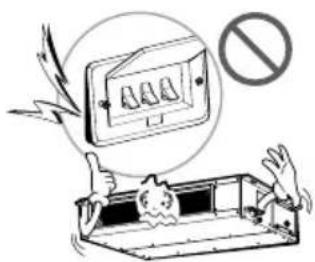
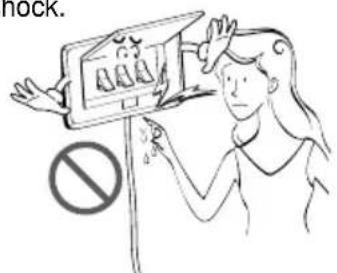
Do not touch(operate) the product with wet hands.
• There is risk of fire or electrical shock.
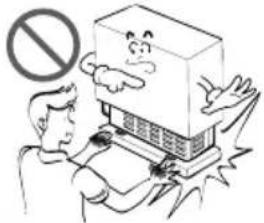
Be cautious when unpacking and installing the product.
- Sharp edges could cause injury. Be especially careful of the case edges and the fins on the condenser and evaporator.
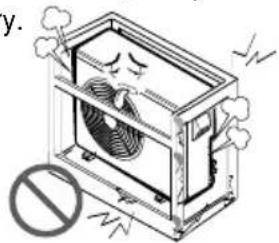
Be sure the installation area does not deteriorate with age.
- If the base collapses, the air conditioner could fall with it, causing property damage, product failure, and personal injury.
natural_image
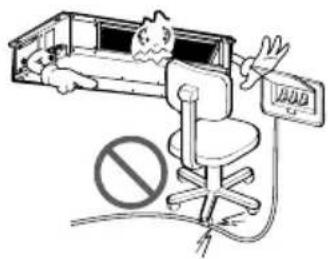
Illustration of a refrigerated air conditioner unit with cooling fan and smoke, no text or symbols presentDo not place anything on the power cable.
• There is risk of fire or electric shock.
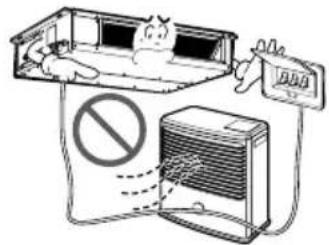
Do not place a heater or other appliances near the power cable.
• There is risk of fire and electric shock.
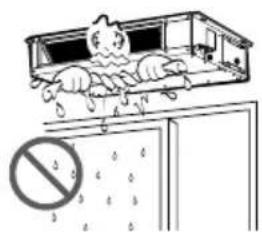
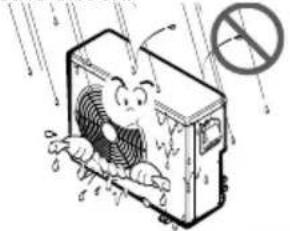
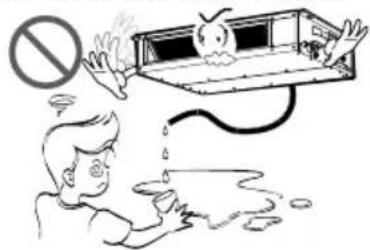
Do not allow water to run into electric parts.
- It may cause There is risk of fire, failure of the product, or electric shock.
natural_image
Cartoon illustration of a distressed air conditioner unit with raindrops and a prohibition sign (no text or symbols on the main image)When flammable gas leaks, turn off the gas and open a window for ventilation before turn the product on.
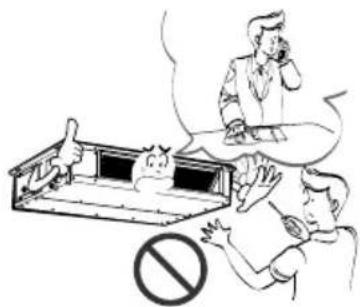
- Do not use the telephone or turn switches on or off. There is risk of explosion or fire
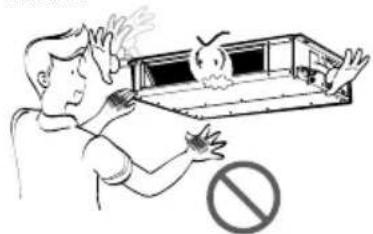
Do not open the inlet grill of the product during operation. (Do not touch the electrostatic filter, if the unit is so equipped.)
• There is risk of physical injury, electric shock, or product failure.
natural_image
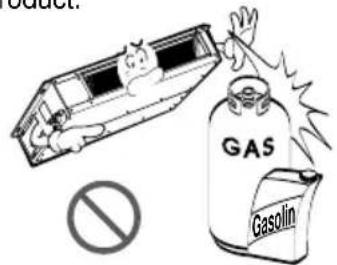
Illustration of a person emitting smoke from a firecracker (no text or symbols)Do not store or use flammable gas or combustibles near the product.
• There is risk of fire or failure of product.
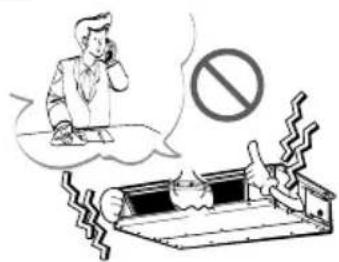
If strange sounds, or small or smoke comes from product. Turn the breaker off or disconnect the power supply cable.
- There is risk of electric shock or fire.
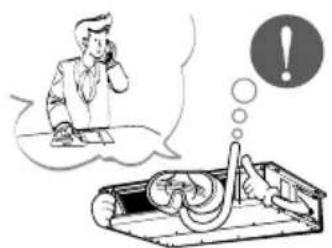
When the product is soaked (flooded or submerged), contact an Authorized Service Center.
• There is risk of fire or electric shock.
natural_image
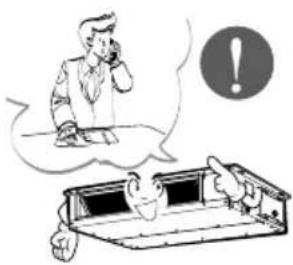
Illustration of a person using a phone to call into a device with an exclamation mark (no text or symbols present)Do not use the product in a tightly closed space for a long time.
• Oxygen deficiency could occur.
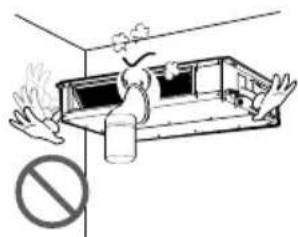
natural_image
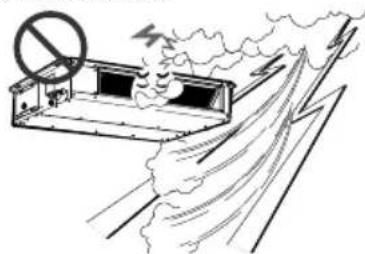
Illustration of a person inside a cabin with steam rising, no text or symbols presentStop operation and close the window in storm or hurricane. If possible, remove the product from the window before the hurricane arrives.
• There is risk of property damage, failure of product, or electric shock.
natural_image
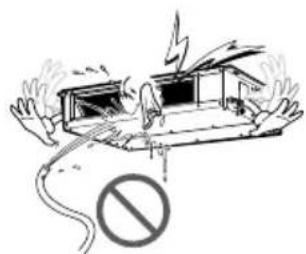
Diagram of a fire safety checkpoint with smoke and no-smoking symbol (no text or labels)Be cautious that water could not enter the product.
• There is risk of fire, electric shock, or product damage.
natural_image
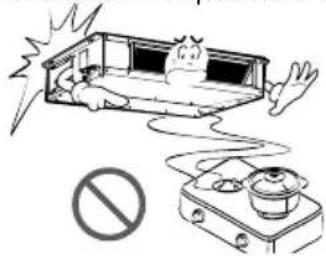
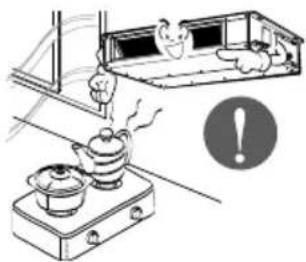
Illustration of a damaged vehicle with a lightning bolt and no warning symbol (no text or labels)Ventilate the product from time to time when operating it together with a stove, etc.
• There is risk of fire or electric shock.
natural_image
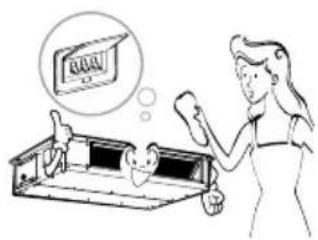
Illustration of a cooking setup with a stove, a pot, and a tray (no text or symbols)Turn themainpoweroffwhencleaning maintaining the product.
• There is risk of electric shock.
natural_image
Illustration of a woman cleaning a tray with a thought bubble showing a sign (no text or symbols present)When the product is not be used for a long time, disconnect the power supply plug or turn off the breaker.
- There is risk of product damage or failure, or unintended operation.
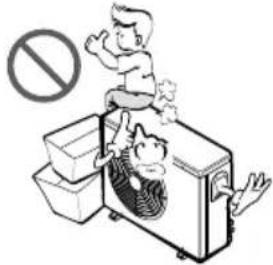
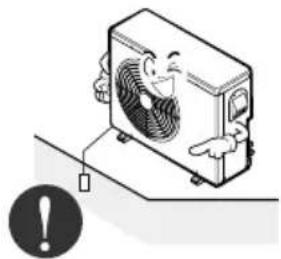
Take care to ensure that nobody could step on or fall onto the outdoor unit.
• This could result in personal injury and product damage.

CAUTION
■ Installation
Always check for gas (refrigerant) leakage after installation or repair of product.
- Low refrigerant levels may cause failure of product.
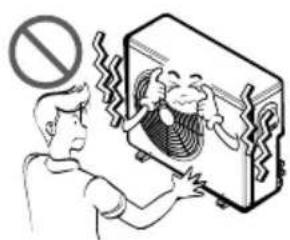
Do not install the product where the noise or hot air from the outdoor unit could damage the neighborhoods.
- It may cause a problem for your neighbors.
natural_image
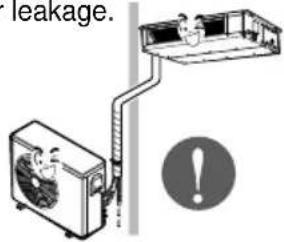
Illustration of a person reacting to a device with a speaker, no text or symbols presentInstall the drain hose to ensure that water is drained away properly.
- A bad connection may cause water leakage.
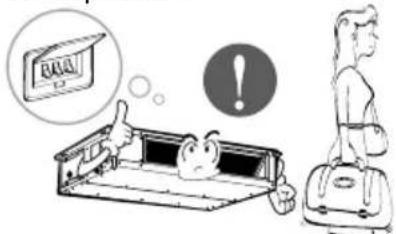
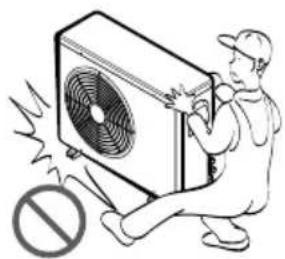
Use two or more people to lift and transport the product.
- Avoid personal injury.
natural_image
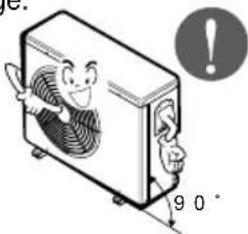
Illustration of a worker pushing an air conditioner unit with a warning symbol (no text or labels)Keep level even when installing the product.
• To avoid vibration or water leakage.
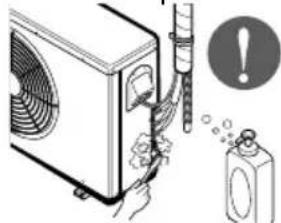
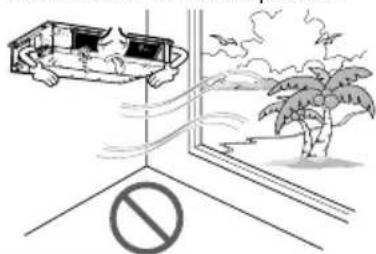
Do not install the product where it will be exposed to sea wind (salt spray) directly.
- It may cause corrosion on the product. Corrosion, particularly on the condenser and evaporator fins, could cause product malfunction or inefficient operation.
■ Operation
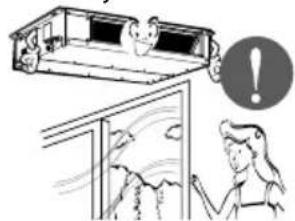
Do not expose the skin directly to cool air for long periods of time. (Don't sit in the draft.)
• This could harm to your health.
natural_image
Illustration of a person relaxing in a bed with an exclamation mark, next to a window and a person gesturing (no text or symbols)Do not use the product for special purposes, such as preserving foods, works of art, etc. It is a consumer air conditioner, not a precision refrigeration system.
• There is risk of damage or loss of property.
natural_image
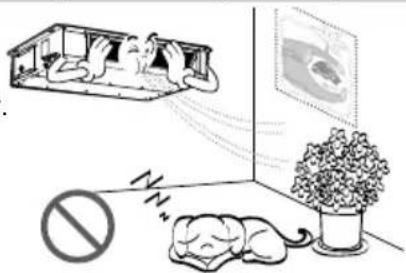
Illustration showing a person sleeping in a barn with a thought bubble, a potted plant, and a prohibition symbol (no text or labels)Do not block the inlet or outlet of air flow.
• It may cause product failure.
natural_image
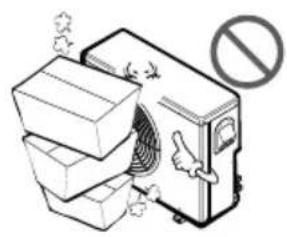
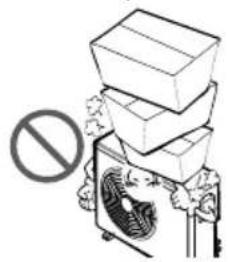
Illustration of a washing machine with a hand gesture and a prohibition symbol (no text or labels)Do not step on or put anything on the product. (outdoor units)
• There is risk of personal injury and failure of product.
Do not drink the water drained from the product.
• It is not sanitary and could cause serious health issues.
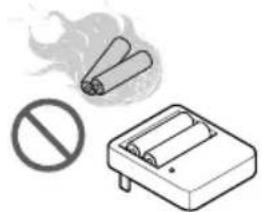
Do not recharge or disassemble the batteries. Do not dispose of batteries in a fire.
• They may burn or explode.
natural_image
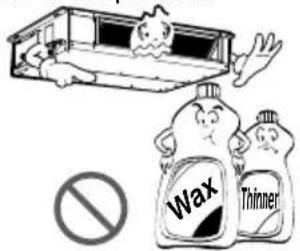
Illustration of a cigarette emitting smoke next to a no-smoking sign and a cigarette pack (no text or symbols)Use a soft cloth to clean. Do not use harsh detergents, solvents, etc.
• There is risk of fire, electric shock, or damage to the plastic parts of the product.
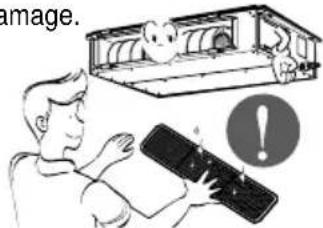
Always insert the filter securely. Clean the filter every two weeks or more often if necessary.
- A dirty filter reduces the efficiency of the air conditioner and could cause product malfunction or damage.
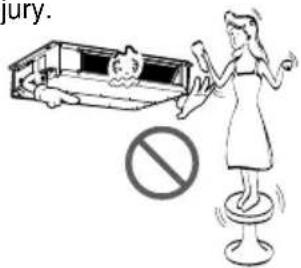
Use a firm stool or ladder when cleaning or maintaining the product.
- Be careful and avoid personal injury.
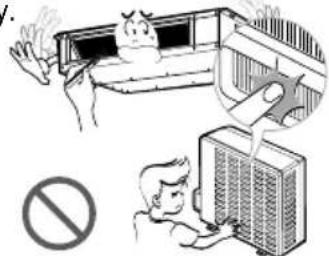
Do not touch the metal parts of the product when removing the air filter. They are very sharp!
• There is risk of personal injury.
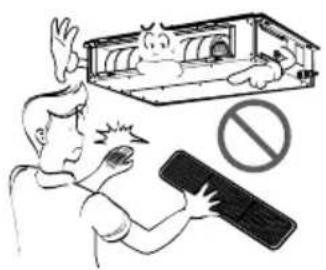
Do not insert hands or other objects through the air inlet or outlet while the product is operated.
• There are sharp and moving parts that could cause personal injury.
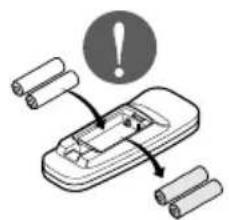
Replace the all batteries in the remote control with new ones of the same type. Do not mix old and new batteries or different types of batteries.
• There is risk of fire or explosion
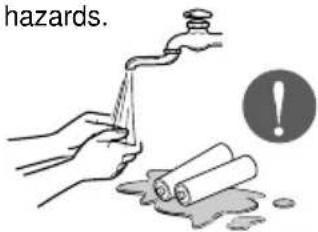
If the liquid from the batteries gets onto your skin or clothes, wash it well with clean water. Do not use the remote if the batteries have leaked.
• The chemicals in batteries could cause burns or other health hazards.
Operating Instructions
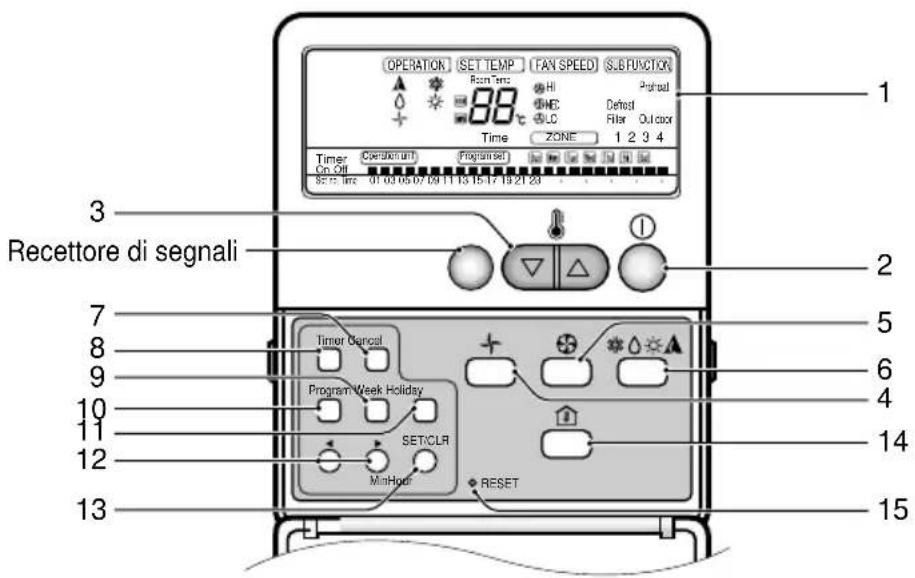
Name and Function of Remote Controller
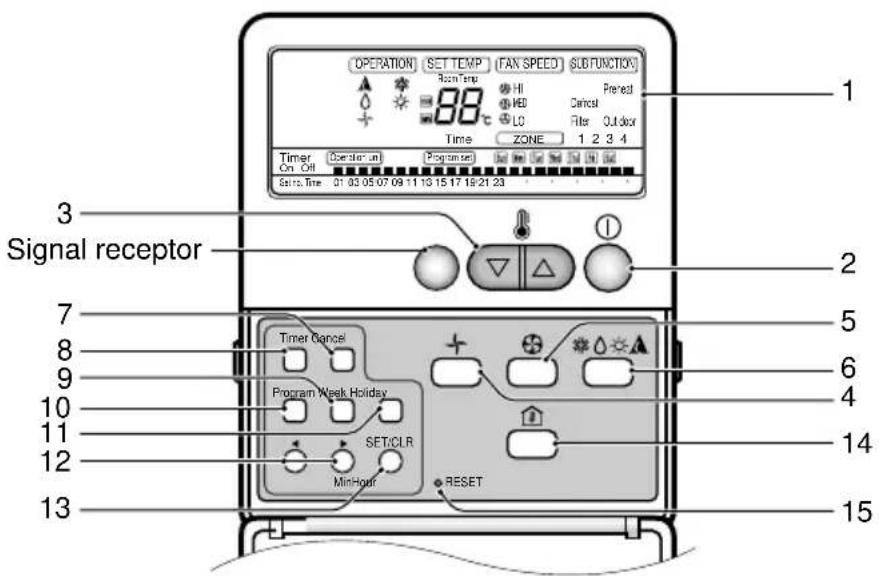
1. Operation display
Displays the operation conditions.
2. On/Off Button
Operation starts when this button is pressed, and stops when the button is pressed again.
3. Set Temperature Button
Used to set the temperature when the desired temperature is obtained.
4. FAN Operation Button
Used to circulate room air without cooling or heating.
5. Fan Speed Button
Used to set desired fan speed.
6. Operation Mode Selection Button
Used to select the operation mode.
• Auto Operation Mode.
• Cooling Operation Mode.
- Soft Dry Operation Mode.
- Heating Operation Mode.(except cooling model)
7. Timer Cancel Button
Used to cancel the timer.
8. Timer Set Button
Used to set the timer when the desired time is obtained.
9. Week Button
Used to set a day of the week.
10. Program Button
Used to set the weekly timer.
11. Holiday Button
Used to set a holiday of the week.
12. Time Set Button
Used to set the time of the day and change the time in the weekly timer Function.
13. Set and Clear Button
Used to set and clear the weekly timer.
14. Room Temperature Checking Button
Used to check the room temperature.
15. Reset Button
Used to set the current time and clear the setting time.
* Display temperature can be different from actual room temperature if the remote controller is installed at the place where sun-rays are falling directly or the place nearby heat source.
Optional Function
- WIRELESS REMOTE CONTROLLER(OPTIONAL)
This air-conditioner is equipped with wired remote controller basically. But if you want to have the wireless remote controller, you pay for it.
Signal transmitter
Transmits the signals to the signal receptor.
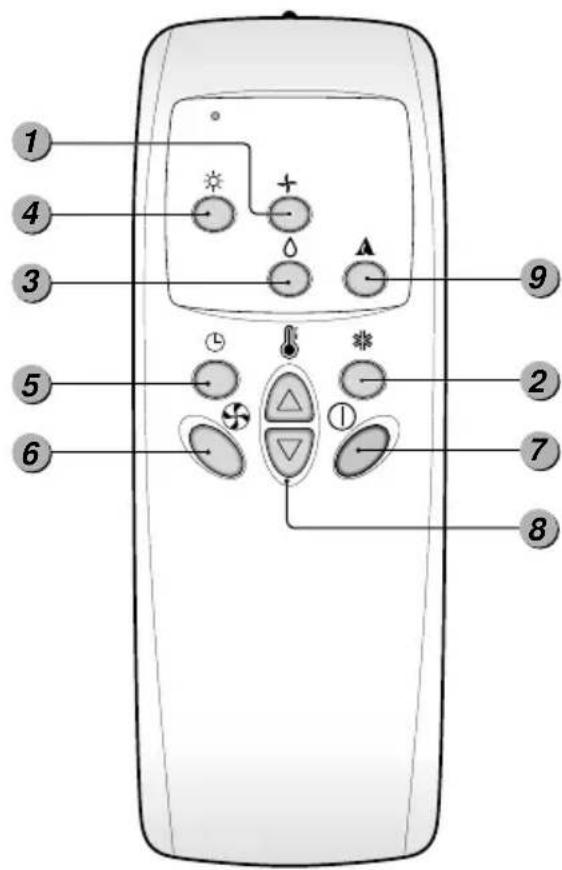
1. FAN Operation Button
Used to circulate room air without cooling or heating.
2. Cooling Operation Button
3. Soft Dry Operation Button
Used to dehumidify without overcooling.
4. Heating Operation Button
(Heat pump model only)
5. Timer Set Button
Used to set the timer when the desired time is obtained. Then the wired remote controller is set up to 24 hours by an hour but the wireless remote controller is set up to 7 hours by an hour. Therefore, if you want to set over 7 hours, use the wired remote controller.
6. Fan Speed Button
Used to set the desired fan speed.
7. On/Off Button
Operation starts when this button is pressed, and stops when the button is pressed again.
8. Set Temperature Button
Used to set the temperature when the desired temperature is obtained
9. Auto Operation Button

CAUTION : for handling the Remote Controller
- Aim at the signal receptor on the wired remote controller so as to operate.
- The remote control signal can be received at a distance of up to about 7m.
- Be sure that there are no obstructions between the remote controller and the signal receptor.
- Do not drop or throw the remote controller.
- Do not place the remote controller in a location exposed to direct sunlight, or near the heating unit, or any other heat source.
- Block a strong light over the signal receptor with a curtain or etc. so as to prevent the abnormal operation. (ex:electronic quick start, ELBA, inverter type fluorescent lamp)
SettheCurrentTimeandadayoftheWeek
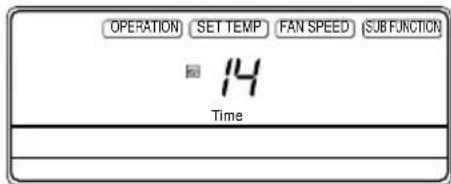
1 Press the 'button. Hour
Each time the button is pressed, the number is changed from 00 to 23.
You can set the number of the current hour.
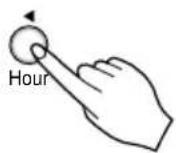
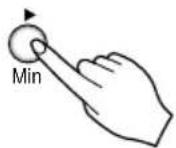
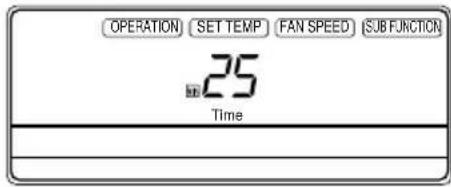
2 Press the ' ' button. Min
Each time the button is pressed, the number is increased from 00 to 59.
You can set the number of the current minute.
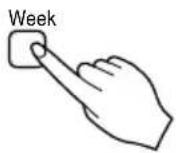
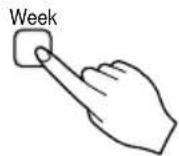
3 Press ' Week button.
Each time the button is pressed, a day of the week is shifted from sunday to saturday.
You can set the day of the week.
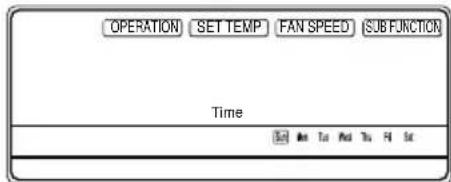
4 Press the '' button.
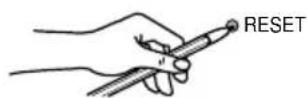
If you want to reset the current time and a day of the week, click the Reset button.
Weekly Programming
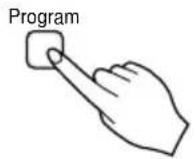
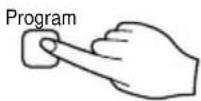
1 Press the Program button.
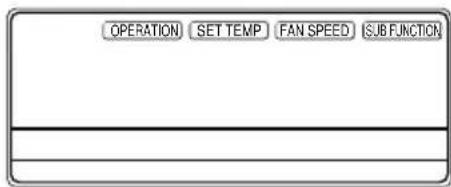
The remote controller is displayed like a picture. Then 'Program set', 'Sun' and '01' is blinked.

2 Press the ' ' button.
Press Week button repeatedly until desired mode appears.
For example, if you want Thu, press ☐ button 4 times.
3 Select the time you want.
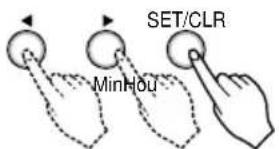
Press Hour or Min button, then blinking letter is shown.
If you press SET/CLR button, then ' ■ ' shape appears.
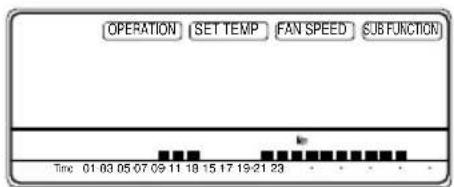
' -05 ' shape means that five o'clock is reserved.
Using below buttons, you can reserve time.
* For example, the air-conditioner is on 6,7,8 and 13\~22 o'clock.
4 Press the Program button again to finish weekly programmining.
Holiday Setting
If Tuesday is a holiday in this week, you may set a holiday.
- Press the Program button.
- Press the Week button. Select the Tuesday.
- Press the Holiday button.
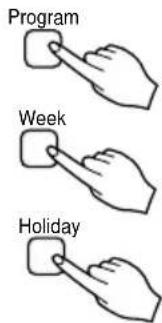
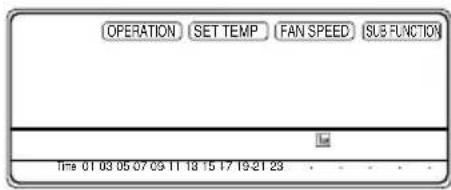
Then the remote controller will be displayed 'Tue'. The outside rectangular means holiday.
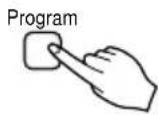
- Press the Program button again to finish holiday setting.
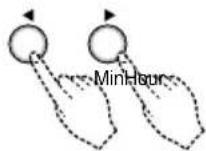
Timer Setting(Delay start/Pre-set stop)
This function is used to turn on or turn off in several hours.
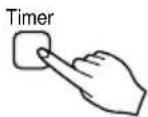
- Press the Timer button to turn Timer on or off.
- Change the timer setting until the desired time is set.
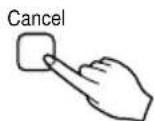
- If you want to cancel the timer setting, press the Cancel button.
Operation Mode
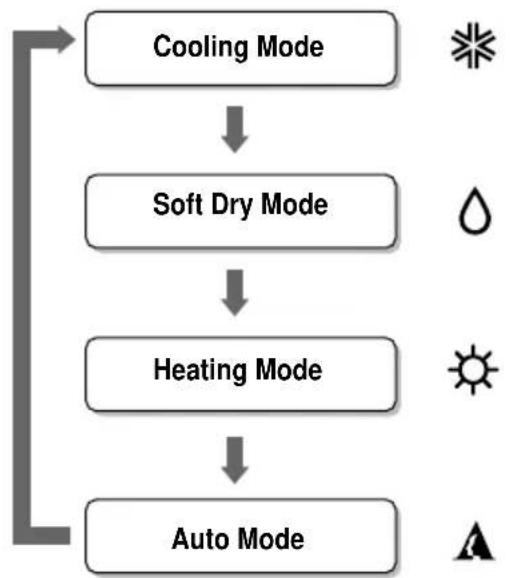
flowchart
graph TD
    A["Cooling Mode"] --> B["Soft Dry Mode"]
    B --> C["Heating Mode"]
    C --> D["Auto Mode"]
(Heat Pump Model)
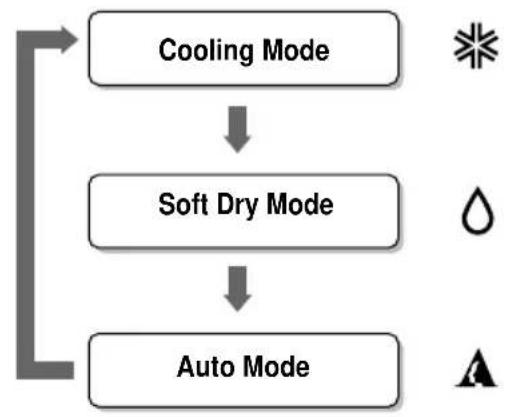
flowchart
graph TD
    A["Cooling Mode"] --> B["Soft Dry Mode"]
    B --> C["Auto Mode"]
(Cooling Model)
Operation Procedure
1st On/Off Button
2nd Operation Mode Selection Button
3rd Room Temperature Setting Button
4th Indoor Fan Speed Selection Button
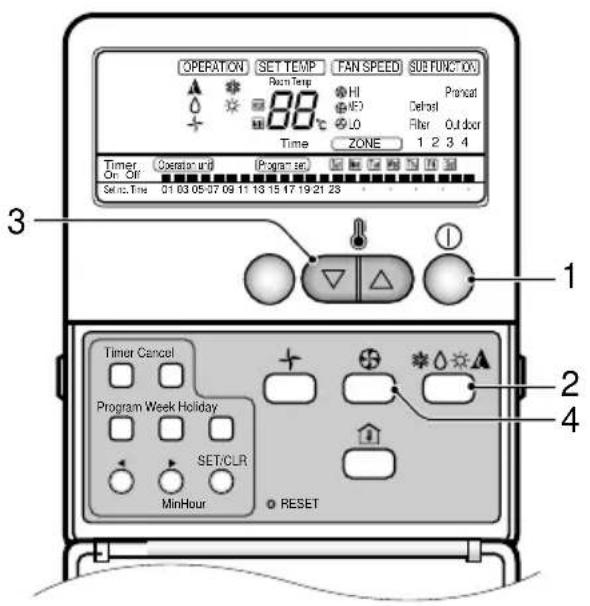
Cooling Operation Mode
1 Press the On/Off Button.
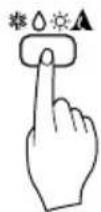
2 Select Cooling Operation. Press the Operation Mode Selection Button. Each time the button is pressed, the operation mode is shifted in the arrow direction.
HEAT PUMP MODEL

flowchart
graph LR
    A["Operation Display"] --> B["Cooling Operation Soft Dry Operation Heating Operation Auto Operation"]
    B --> C["Operation: SET TEMP TAV SPEED, 18℃"]
    B --> D["Operation: SET TEMP TAV SPEED, 30℃"]
    B --> E["Operation: SET TEMP TAV SPEED, 18℃"]
COOLING MODEL
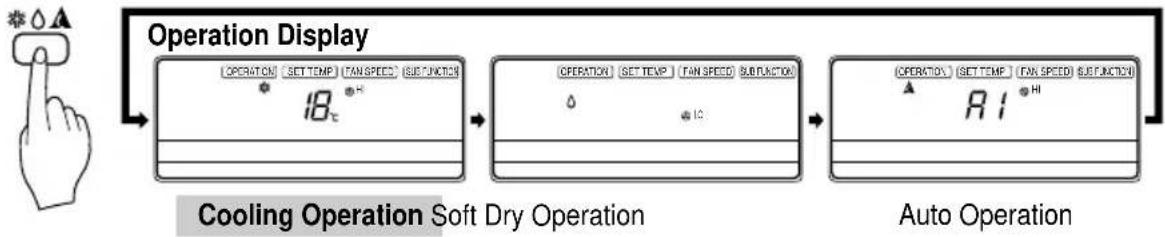
flowchart
graph LR
    A["Operation Display"] --> B["Cooling Operation Soft Dry Operation"]
    B --> C["Auto Operation"]
3 Set the temperature lower than the room temperature.
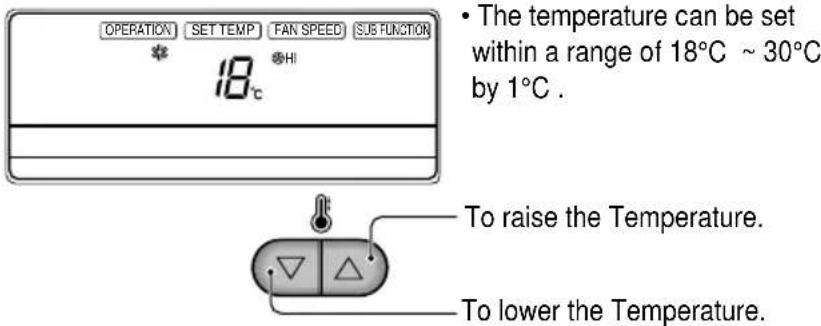
4 Set the fan speed.

flowchart
graph LR
    A["Operation Display"] --> B["Step 1: Temperature: 18℃"]
    B --> C["Step 2: Frequency: 18"]
    C --> D["Step 3: Time: 18℃"]
- Select the fan speed in three steps- high, low, medium.
• The display shows high fan speed.
• Each time the button is pressed, the fan speed mode is shifted.
Soft Dry Operation Mode
This mode dehumidifies without overcooling.
1 Press the On/Off Button.
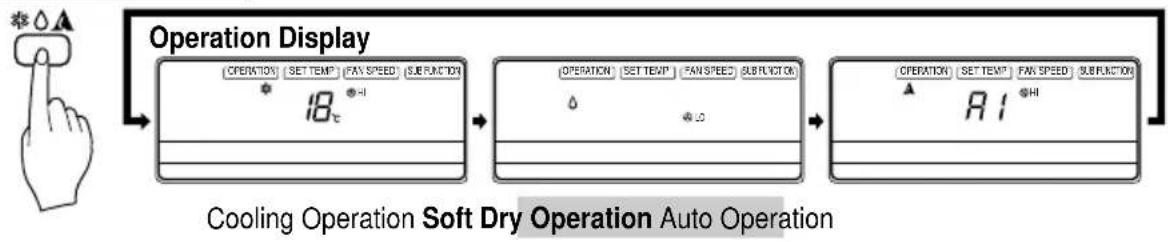
2 Select Soft Dry Operation.
Press the operation Mode Selection Button. Each time the button is pressed, the operation mode is shifted in the arrow direction.
HEAT PUMP MODEL

flowchart
graph LR
    A["Operation Display"] --> B["Cooling Operation"]
    B --> C["Soft Dry Operation"]
    C --> D["Heating Operation Auto Operation"]
COOLING MODEL
flowchart
graph LR
    A["Operation Display"] --> B["Soft Dry Operation Auto Operation"]
    B --> C["Operation Soft Dry Operation Auto Operation"]
3 During Soft Dry Operation.
- The indoor fan speed is automatically set to the low, so the shift of the indoor fan speed is impossible because it's already being set to the best speed for Dry Operation by Micom Control.
Heating Operation Mode (Heat pump model only)
1 Press the On/Off Button.
2 Select Heating Operation.
Press the Operation Mode Selection Button. Each time the button is pressed, the operation mode is shifted in the arrow direction.

flowchart
graph LR
    A["Operation Display"] --> B["Cooling Operation Soft Dry Operation Heating Operation Auto Operation"]
    B --> C["Operation Display"]
    C --> D["Auto Operation"]
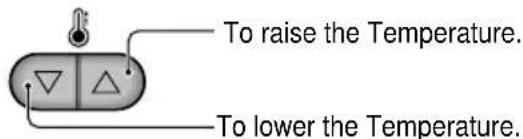
3 Set the temperature.
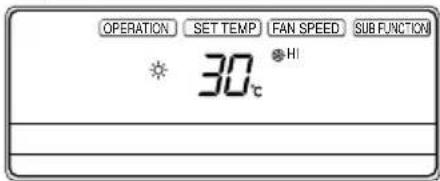
- The temperature can be set within a range of 16^ 30^ by 1^ .
4 Set the fan speed.

- Select the fan speed in three steps - high, low, medium.
• The display shows high fan speed
• Each time the button is pressed, the fan speed mode is shifted.
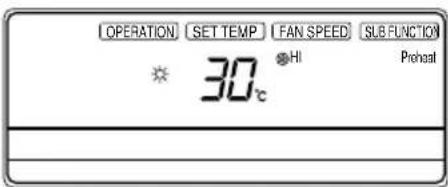
5 This air-conditioner is set to the hot start control in order not to discharge the cold air during the heating operation. This time, the remote controller indicates 'Preheat'.
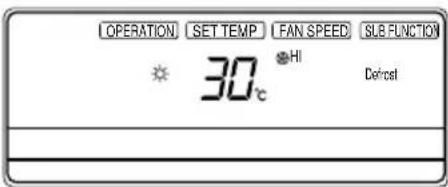
6 If the outdoor temperature is too low during the heating operation, this air-conditioner is set to the defrosting operation and the remote controller indicates 'Defrost'.
Auto Operation Mode
1 Press the On/Off Button.
2 To select Auto Operation, press the Operation Mode Selection button. Each time the button is pressed, the operation mode is shifted in the direction of the arrow.
HEAT PUMP MODEL
Operation Display
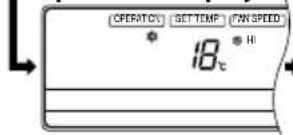
Cooling Operation
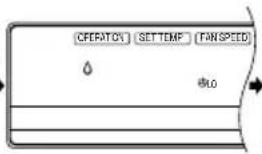
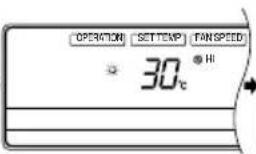
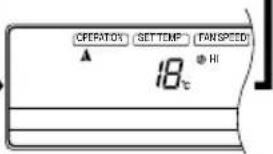
Soft Dry Operation Heating Operation Auto Operation
COOLING MODEL
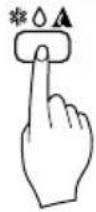
Operation Display
![[OPERATION] [SET TEMP] [FAS SPEED] [SUBTRATOR] * 18° * HI ___________________ ___________________](/content/2026/04/615813/images/1df304aae07267ef29865f37f5f6ab6b1b1f5ad2646cad9473c630a7cb43bab0.jpg)
Cooling Operation
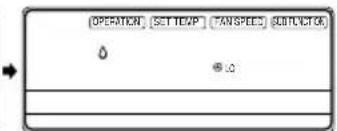
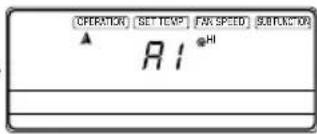
Soft Dry Operation Auto Operation
3
HEAT PUMP MODEL
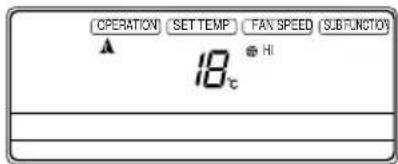
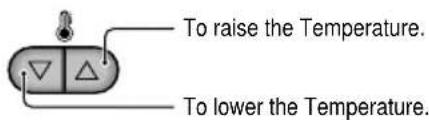
Set the temperature lower than the room temperature.
The temperature can be set within a range of 18^ C \~ 30^ C by 1^ C.
COOLING MODEL
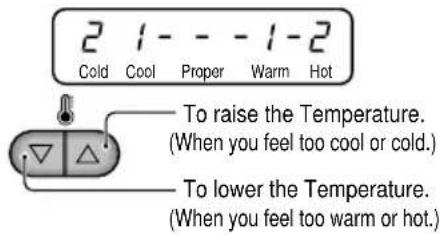
Set the temperature upper or lower than the standard temperature.
The temperature can be set within a range of -2 2 by 1 level.
![[OPERATION] SETTEMP] FAX SPEED [SUBFUNCTION] ▲ R1c • HI](/content/2026/04/615813/images/00ec099be190ef5d37894d8934377a166f0674edbc1865237fb5ec327dd0a74d.jpg)
(This indication will be shifted to the initial Auto Mode Display state after 4 seconds.)
During Auto Operation:
☐ You can switch the indoor fan speed.
☐ The system will automatically switch from the cooling mode to the heating mode as the room temperature and set temperature.(Heat pump model only)
FAN Operation
1 Press the On/Off Button.
2 Press FAN Operation Button.
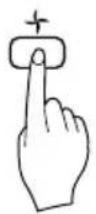
3 Each time Indoor Fan Speed button is pressed, the fan speed mode is shifted in the arrow direction.
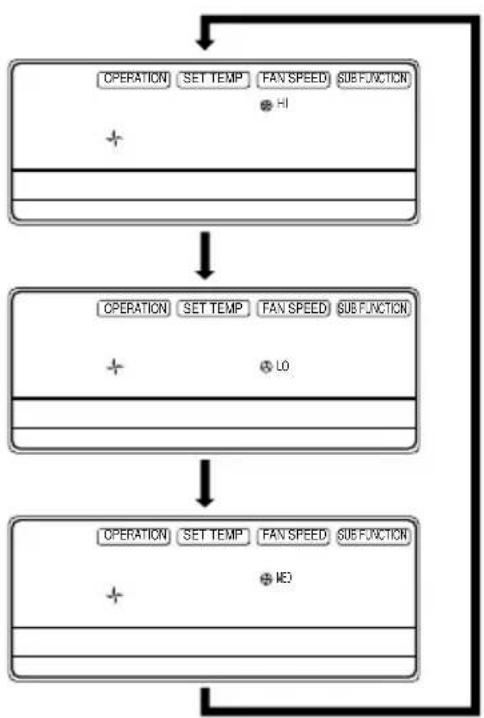
flowchart
graph TD
    A["OPERATION SET TEMP (FAN SPEED) SUBFUNCTION"] --> B["+"]
    B --> C["OPERATION SET TEMP (FAN SPEED) SUBFUNCTION"]
    C --> D["+"]
    D --> E["OPERATION SET TEMP (FAN SPEED) SUBFUNCTION"]
    E --> F["+"]
    F --> G["END"]
- Fanspeedishigh.
- Fanspeedislow.
- Fan speed is medium.
* You can't set the temperature in Fan Operation mode. To exit this mode, press 'Operation Mode' button.
Child Lock Function
This is the Function that any children cannot used to the air-conditioner.
Operation procedure
1. To set the Child-Lock Function
Press the Timer button and Minute Set button for three seconds. Then the operation mode shift to child lock mode and it is displayed 'CL' in the operation display.
When you press any button in this time, the remote controller is not converted to any selected mode and the 'CL' is displayed in the remote controller for about three seconds. But the Room Temperature function is operated in spite of child lock mode.
2. To cancel the Child-Lock Function
Press the Timer button and Minute Set button for three seconds. Then the child-lock mode is cancelled and the preselected mode is displayed in the remote controller.
![[OPERATION] [SET TEM] [FAK SPEED] [REFORM] CL Timer Control System Weak Hologic SET/CLR Hour Min SET](/content/2026/04/615813/images/0c250b2ef351ec51e6a1fc72b4a77cca9fb026e779892747b781a5c601af3277.jpg)
Telephone Control Operation(optional)
Calling from outside, you can start the air conditioner to keep the room comfortable. Even though you went out with the air conditioner on, you can turn it off using the phone outside.
TURN ON
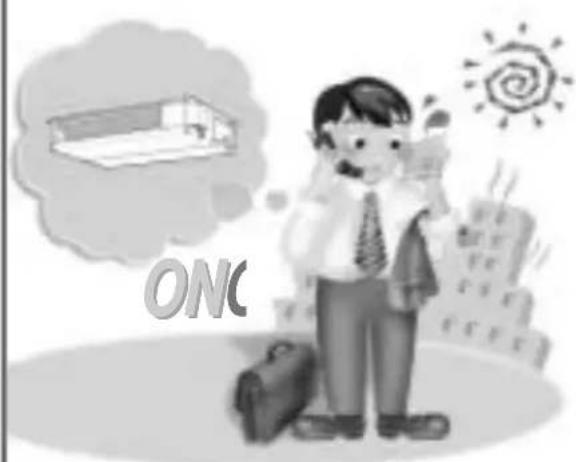
- Dial the number which is connected with the air conditioner.
- After ringing 5 times.
- You can hear the "Beep" sound (if the air conditioner is off), then press "0" "0" "7" "8" accordingly.
- With the sound "Beep, Beep" the air conditioner starts on.
- Hang up the phone.
TURN OFF
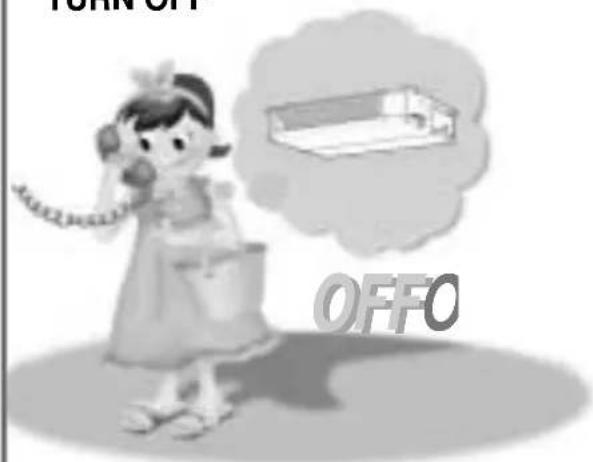
- Dial the number which is connected with the air conditioner.
- After ringing 5 times.
- You can hear the "Beep Beep" sound (if the air conditioner is on), then press "0" "0" "7" "9" accordingly.
- With the sound "Beep---" the air conditioner is turned off.
- Hang up the phone.
NOTICE
☐ This product works after telephone rings 5 times.
☐ If internal user picks up the phone before 5 rings, Telephone control function does not work.
□ If user doesn't push the telephone button 25 seconds after beep, Telephone control function doesn't work.
□ If it is connected through EPABX system, Tele control doesn't work.
Telephone Control Operation(When using along with ARS telephone)
Calling from outside, you can start the air conditioner to keep the room comfortable.
Even though you went out with the air conditioner on, you can turn it off using the phone outside.
TURN ON
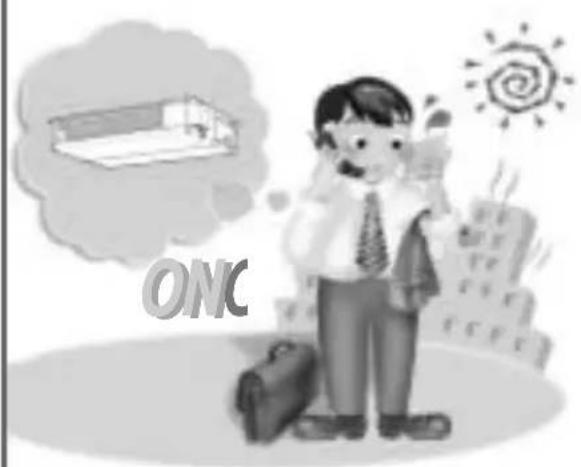
natural_image
Illustration of a man with a briefcase standing beside a thought bubble showing a building and sun (no text or symbols)- Dial the number which is connected with the air conditioner.
- OGM guide is provided after signal sound rings four times and then "Beep"(sounds from telephone itself) sounds so that outside recording can be done.
- Slowly press password "0" "0" "7" and "8" in order.
- With the sound "Beep, Beep" the air conditioner starts on.
- Hang up the phone.
TURN OFF
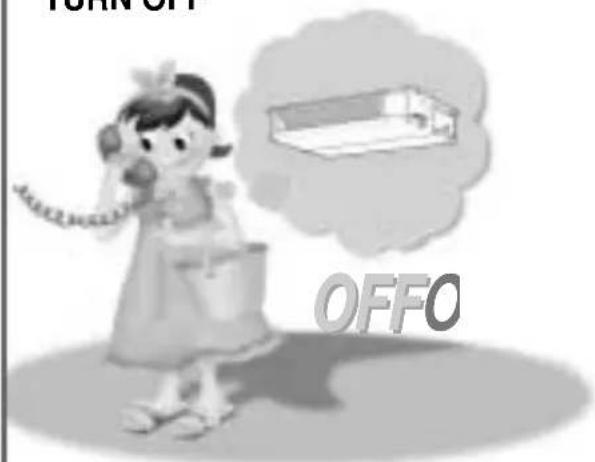
- Dial the number which is connected with the air conditioner.
- OGM guide is provided after signal sound rings four times and then "Beep"(sounds from telephone itself) sounds so that outside recording can be done.
- Slowly press password "0" "0" "7" and "9" in order.
- With the sound "Beep---" the air conditioner is turned off.
- Hang up the phone.
NOTICE
☐ The numbers of response bell should be adjusted to four times if pressing "Out-of-office" button or taking other action for automatic response.
☐ The recording time of OGM (Outgoing Message) should be less than approximately 15 seconds.
☐ If it is connected to key phone, it cannot be worked.
Operation Details
• Cooling Operation Mode
When the room temperature is higher than the set temperature, it operates in cooling mode at the set temperature, the set fan speed, and then it will be in automatically turn off when the room temperature reaches the set temperature +0.5°C.
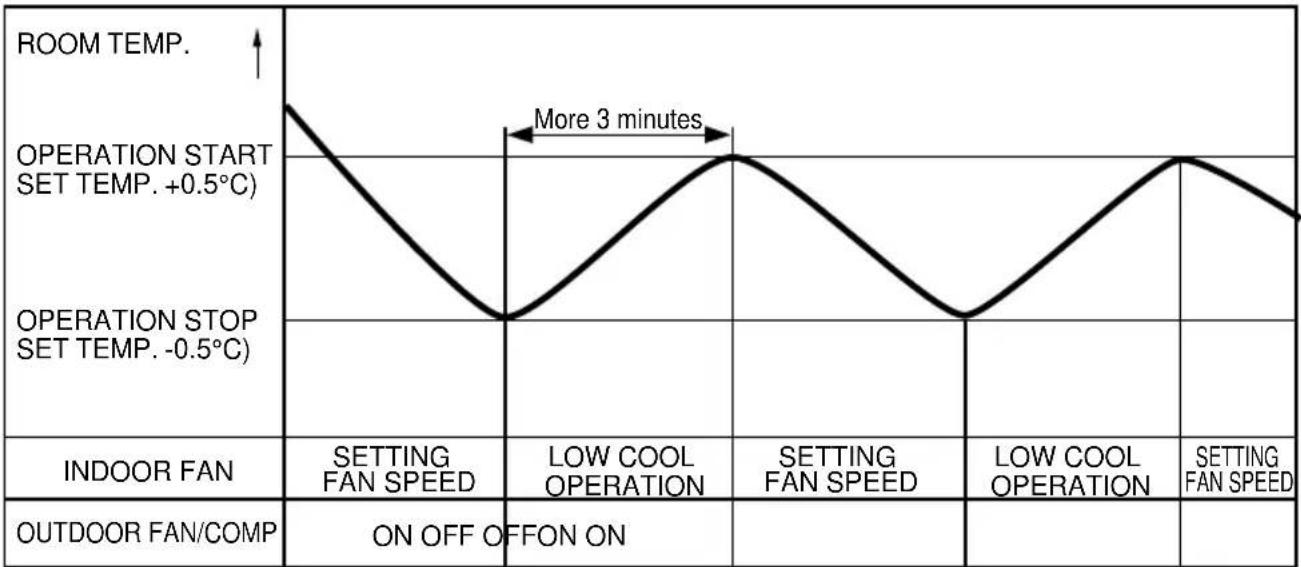
Helpful information
Airflow speed and cooling capacity.
The cooling capacity indicated in the specification is the value when the fan speed is set to high, and the capacity will be lower at low or medium fan speed. High fan speed is recommended when you wish to cool the room quickly.
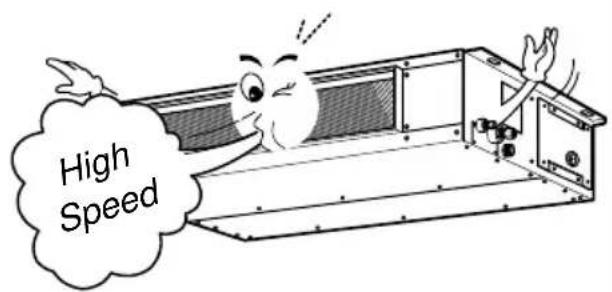
• After main power is on, Fan will start 7 seconds later.
Self-Diagnosis Function
'CH' will flash in the remote controller display when a problem occurs. Then please contact your dealer.
Care and maintenance
Caution: Before performing any maintenance, turn off the main power to the system.
Indoor Unit
Grille, Case, and Remote Control
□ Turn the system off before cleaning. To clean, wipe with a soft, dry cloth. Do not use bleach or abrasives.
NOTICE : Supply power must be disconnected before cleaning the indoor unit.
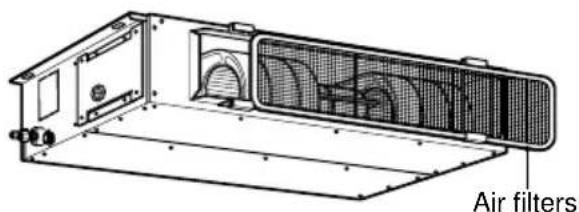
Air Filter
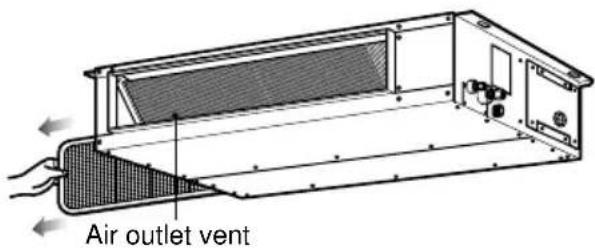
The air filters behind Indoor unit (the suction side) should be checked and cleaned once every 2 weeks or more often if necessary.
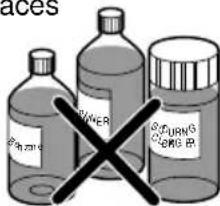
□ Never use any of the followings:
- Water hotter than 40°C Could cause deformation and/or discoloration. - Volatile substances Could damage the surfaces of the air conditioner.
- Clean the filter with a vacuum or warm, soapy water.
- If very dirty, wash with a solution of detergent in lukewarm water. - If hot water (50°C or more) is used, filter may be deformed.
-
After washing with water, dry well in the shade.
-
Re-install the air filter.
When the air conditioner is not going to be used for a long time.
When air conditioner is not going to be used for a long time.
- Operate the air conditioner on Air circulation mode for 2 to 3 hours.
• This will dry out the internal parts.
- Turn off the circuit breaker.

CAUTION Turn off the circuit breaker when the air conditioner is not going to be used for a long time. Dirt may collect and may cause a fire.
When the air conditioner is to be used again.
- Check that the air inlet and outlet of the indoor/outdoor unit are not blocked.
Operation Tips
Do not overcool the room.
This is not good for your health and wastes electricity.
Keep blinds or curtains closed.
Do not let direct sunshine enter the room when the air conditioner is in operation.
Make sure that the doors and windows are shut tight.
Avoid opening doors and windows as much as possible to keep the cool air in the room.
Clean the air filter regularly.
Blockages in the air filter reduce the airflow and lower cooling and dehumidifying effects. Clean at least once every two weeks.
Ventilate the room occasionally.
Since windows are kept closed, it is a good idea to open them and ventilate the room now and then.
natural_image
Cartoon illustration of a smiling character holding a smartphone (no text or symbols)Before you call for service...
Troubleshooting Tips! Save time and money!
Check the following points before requesting repairs or service.... If the malfunction persist, please contact your dealer.
| Case Explanation See page | ||
| The air conditioner does not operate. | Have you made a mistake in timer operation? | 12 |
| On first starting, the indoor unit operates in fifteen seconds. | ||
| Has the fuse blown or has the circuit breaker been tripped? | - | |
| The room has a peculiar odor. | Check that this is not a damp smell exuded by the walls, carpet, furniture or cloth items in the room. | - |
| It seems that condensate is leaking from the air Conditioner. | Condensation occurs when the airflow from the air conditioner cools the warm room air. | - |
| Air conditioner does not operate for about 3 minutes when restart. | This is the protector of the mechanism. | - |
| Wait about three minutes and operation will begin. | ||
| Does not cool or heat effectively. | Is the air filter dirty? See air filter cleaning instructions. | 23 |
| The room may have been very hot when the room air conditioner was first turned on. Allow time for it to cool down. | ||
| Has the setting temperature been set incorrectly? | 14, 17 | |
| Are the indoor unit's air inlet or outlet vents obstructed? | - | |
| The air conditioner operation is noisy. | For a noise that sounds like water flowing.-This is the sound of freon flowing inside the air conditioner unit.For a noise that sounds like the compressed air releasing into atmosphere.-This is the sound of the dehumidifying water being processed inside the air conditioning unit. | - |
| Crack sound is heard. | This sound is generated by the expansion/contraction of the inlet grille, etc. due to changes of temperature. | |
| Remote control display is faint, or no display at all. | Has the circuit breaker been tripped? | - |
LG
natural_image
Simple line drawing of a family enjoying a picnic at a table with sun and palm trees in the background (no text or symbols)natural_image
Cartoon illustration of a smiling air conditioner unit with fan and warning symbol (no text or labels)natural_image
Illustration of a person reading a document with an air conditioner unit, no text or symbols presentnatural_image
Illustration of a smiling hand holding a small object with a magnifying glass, next to an open box with a surprised face (no text or symbols)natural_image
Illustration of a person in a thought bubble and a cartoon character inside a computer room, with an exclamation mark (no text or symbols present)natural_image
Cartoon illustration of a distressed air conditioner unit with arms and legs, surrounded by a hand holding a circular symbol (no text or symbols present)natural_image
Illustration of a box containing a fan with steam, emitting smoke or heat (no text or symbols)■ Funzionamento
natural_image
Cartoon illustration of a distressed air conditioner unit with raindrops and a prohibition symbol (no text or labels)natural_image
Illustration of a person using a fire extinguisher to smoke or smoke from a fire booth, with a no-smoking symbol nearby (no text or labels)natural_image
Illustration of a person using a phone to call through a computer with an exclamation mark (no text or symbols present)natural_image
Illustration of a firecracker inside a vehicle with smoke and no warning symbol (no text or labels)natural_image
Diagram of a fire hazard with smoke and lightning symbol (no text or labels)natural_image
Illustration of a car accident with a broken trunk and a 'no sign' symbol (no text or labels)natural_image
Illustration of a cooking setup with a stove, a pot, and a tray (no text or symbols)natural_image
Illustration of a person cleaning a small object with a thought bubble showing a sign (no text or symbols present)natural_image
Illustration of a person using a weightlifting exercise machine with a thought bubble showing a screen and an exclamation mark (no text or symbols)AVVISO
■ Installazione
natural_image
Illustration of a person reacting to a device with a speaker inside, no text or symbols presentnatural_image
Illustration of a cooling fan connected to a rack-mounted device with an exclamation mark (no text or symbols present)natural_image
Illustration of a worker pushing an air conditioner unit with a warning symbol (no text or labels)natural_image
Cartoon illustration of a smiling air conditioner unit with fan and warning symbol (no text or labels)natural_image
Illustration of a baby sitting on a bed with an exclamation mark, next to a person peeking through a window (no text or symbols)natural_image
Illustration of a stack of boxes with a fan inside, accompanied by a prohibition symbol (no text or labels)natural_image
Illustration of a cigarette emitting smoke next to a no-smoking sign and a trash bin (no text or symbols)natural_image
Illustration of a person using a remote control device with a mouse inside a cage (no text or symbols)natural_image
Illustration of a person using a computer with a cat inside a cage, no text or symbols present![[OPERATION] SET TEMP FAN SPEED SUB FUNCTION * 30 °C HI Delrost](/content/2026/04/615813/images/601cd0129f5447e1bbc6d9eb7d0ee904c8a44f921377baf853ee7cd9fe1b631e.jpg)
natural_image
Cartoon illustration of a smiling car with arms and legs, no text or symbols present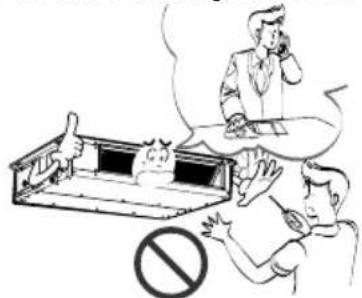
natural_image
Cartoon illustration of a smiling air conditioner unit with fan and warning symbol (no text or labels)
natural_image
Illustration of a smiling cartoon character inside a box with an exclamation mark and a hand holding a pen (no text or symbols)natural_image
Illustration of a person in thought bubble and pointing at a computer monitor with an exclamation mark (no text or symbols)natural_image
Cartoon illustration of a distressed air conditioner unit with a warning symbol below (no text or symbols present)natural_image
Illustration of a person using a device to stop a building with a 'no' symbol (no text or labels)natural_image
Illustration of a cage-like structure with smoke and steam, no text or symbols present■ Operación
natural_image
Cartoon illustration of an air conditioner unit with a fan and exhaust lines, no text or symbols presentnatural_image
Illustration of a person emitting smoke from a window with a 'no' symbol (no text or labels)natural_image
Illustration of a person using a phone to call into a device with an exclamation mark (no text or symbols present)natural_image
Illustration of a fire safety vehicle with smoke and fire extinguishers, no text or symbols presentnatural_image
Illustration of a fire with smoke and a prohibition symbol (no text or labels)natural_image
Illustration of a car with a broken trunk and a warning symbol (no text or labels)natural_image
Illustration of a cooking setup with a stove, a pot, and a tray (no text or symbols)natural_image
Illustration of a woman cleaning a baby in a clean, empty tray with a thought bubble showing a sign (no text or symbols present)PRECAUCIÓN
■ Instalación
natural_image
Illustration of a worker pushing an air conditioner unit with a warning symbol (no text present)■ Operación
natural_image
Illustration of a baby hanging from a blanket with an exclamation mark, showing a woman reacting in shock (no text or symbols)natural_image
Illustration showing a sleeping dog in a barn, a potted plant, and a no-smoking sign (no text or symbols present)natural_image
Illustration of a washing machine with a hand pointing at it, surrounded by boxes and a prohibition symbol (no text or labels)natural_image
Illustration of a stack of boxes with a fan inside, accompanied by a prohibition symbol (no text or labels)natural_image
Illustration of a cigarette emitting smoke next to a cigarette pack and a no-smoking symbol (no text or labels)natural_image
Illustration of a person using a handheld device to interact with a small cat inside a cage, with an exclamation mark (no text or symbols present)natural_image
Illustration of hands cleaning a rolled document with an exclamation mark (no text or symbols on the document itself)Modo frío
flowchart
graph TD
    A["OPERATION SET TEMP FAN SPEED SUB FUNCTION"] --> B["+ HI"]
    B --> C["OPERATION SET TEMP FAN SPEED SUB FUNCTION"]
    C --> D["+ 0"]
    D --> E["OPERATION SET TEMP FAN SPEED SUB FUNCTION"]
    E --> F["+ NE3"]
- Turn off the circuit breaker.

PRECAUCIÓN Turn off the circuit breaker when the air conditioner is not going to be used for a long time. Dirt may collect and may cause a fire.
natural_image
Cartoon illustration of a smiling car with arms and legs, waving (no text or symbols)C/. PABLO PICASSO, 5
14209 EL PORVERNIR DE LA
IND. - CORDOBA
TEL. 957 57 69 03
REPARACIONES LLERGO
C/. DELFIN PEREZ, 20-B
14400 POZOBLANCO
CORDOBA
TEL. 957 13 07 34
ELECTRONICA SATEC, S.L.
C/. MANUEL MELGAR, 37
14500 PUENTE GENIL
CORDOBA
TEL. 957 60 32 50
ELECTRONICA
GONZALEZ, S.L.
C/. FUENSANTA, 12
14640 VILLA DEL RIO
CORDOBA
TEL. 957 17 63 26
FRILUC
C/. LA ESTRELLA, 1, A, BAJO
14900 LUCENA - CORDOBA
TEL. 957 50 93 03
RELEGRA, S.L.
C/. DR. GOMEZ ROMAN, 5
18012 GRANADA
TEL. 958 27 24 50
TALLERES ESPEJO
C/. MANUEL SANCHEZ, 15
21006 HUELVA
TEL. 959 22 09 04
ISIDRO FERNANDEZ
REYES
C/. LUSITANIA, 27
21400 AYAMONTE - HUELVA
TEL. 959 32 06 35
MANUEL SANCHEZ
CASTILLO
C/. RUIZ ROMERO, 8
23003 JAEN
TEL. 953 22 58 05
SEYGAR
C/. LAS DESCALZAS, 2
23700 LINARES - JAEN
TEL. 953 69 18 20
MANUEL CANTUDO
ORTEGA
C/. QUINTERIA, 4
23740 ANDUJAR - JAEN
TEL. 953 50 29 44
CLIMAIRE PLUS, S.L.
POL. AZUCARERA
C/. GUARO, 4
29004 MALAGA
95 223 98 22
T.R. VIDEOTV
C/. DOMINGO LOBERA, 6-8
LOCAL
50008 ZARAGOZA
TELS. 976 42 34 63 / 25 5
TAEL
C/. JUSLIBOL, 6-8
50015 ZARAGOZA
TEL. 976 73 67 35
S.T.O. JUAN JOSE LAZARO
PLAZA COSTA, 6
50300 CALATAYUD
ZARAGOZA
TEL. 976 88 51 58
ASTURIAS
SERVITAD
AVDA. CONSTITUCION. 102
33207 GIJON
TEL. 98 538 68 11
BALEARES
A.M.S.A.
C/. ISIDORO ANTILLON, 97
07008 PALMA DE MALLORCA
TEL. 971 27 27 57
TECLURAMI MENORCA,
S.A.L.
C/. PINTOR CALBO, 57
07703 MAHON
TEL. 971 35 28 02
CONSTAN
VIA ROMANA, 15
07800 IBIZA
TEL. 971 30 61 23
CANTABRIA
BEZANILLA PURAS, S.L.
C/. LOS ESTUDIANTES, S/N.
(FRENTE AL N.° 20)
39006 SANTANDER
TEL. 942 22 00 15
CENTRAL SERVICIOS SM, S.L.
AVDA. REP. ARGENTINA, 5-B 16002 CUENCA
TEL. 969 21 20 20
CAMUÑASE, S.L.
C/. ISABEL I DE CASTILLA, 52
C/. REC ARNAU, 17, BAJO
17600 FIGUERES - GIRONA
TEL. 972 50 52 16
GARRIGA
C/. SANT JAUME, 30
17844 CORNELLA DE TERRI
GIRONA
TEL. 972 59 43 06
TECNOSERVEI LLEIDA, S.L.
C/. MARAGALL, 4
25003 LLEIDA
TEL. 973 27 06 11
SATEF
AVDA. RAVAL DEL CARME, 12
25300 TARREGA - LERIDA
TEL. 973 50 08 48
ELECTRODOM. BALAGUER
C/. PARE MANYANET, 23
25620 TREMP - LERIDA
TEL. 973 65 02 57
GERMANS ALEGRET, S.L.
C/.SOLS,45
25620 TREMP - LERIDA
TEL. 973 65 14 01
ELECTRO-CUPE, S.L
C/. SIETE, 28, BAJOS DCHA.
43100 BONAVISTA
TARRAGONA
TEL. 977 54 99 85
ELECTRONICA I
MULTISERVEIS JIA, S.L.
C/. MONASTIR RIPOLL, 9
43205 REUS - TARRAGONA
TEL. 977 77 55 04
GOMBAU GARCIA, S.L.
C/. MAYOR, 30
43590 JESUS-TORTOSA
TARRAGONA
TEL. 977 50 12 20
INSTALACIONS BILBE, C.B.
C/. MOLI, 65
43784 CORBERA D'EBRE
TARRAGONA
TEL. 977 42 02 92
CATALUÑA
Tel.071/221732 Fax.071/221732
Tel.072/328449 Fax.072/328449
- CODELPOR,S A
Estrada Nacional,118 - Km 38
Zona Industrial de Vale Tripeiro,Lote 5
2130 Benavente
Tel.063/519120 Fax.063/519125
- J.B.Frio,Lda.
natural_image
Simple line drawing of people enjoying a picnic with sun, palm tree, and round table (no text or symbols)Mesures de sécurité
natural_image
Cartoon illustration of a smiling air conditioner unit with a warning symbol (no text or labels)natural_image
Illustration of a smiling cartoon character holding a hand with a finger, next to an exclamation mark (no text or symbols present)Ne modifiez ni prolongez le cordon d'alimentation.
natural_image
Illustration of a person talking on the phone with a thought bubble and a warning symbol (no text or labels)natural_image
Illustration of a person holding a magnifying glass over a cat in a cage, with a prohibition symbol (no text or labels)natural_image
Cartoon illustration of a distressed air conditioner unit with arms and legs, no text or symbols present■ Fonctionnement
natural_image
Illustration of a box containing an air conditioner unit with smoke and airflow, no text or symbols presentnatural_image
Illustration of a fire safety vehicle with smoke and fire extinguishers, no text or symbols presentnatural_image
Illustration of a building with smoke and a prohibition symbol, emitting exhaust (no text or labels)natural_image
Illustration of a person using a fire extinguisher to smoke or smoke from a firecracker (no text or symbols present)natural_image
Illustration of a person using a phone to call into a telephone, with an exclamation mark symbol nearby (no text or symbols present)natural_image
Illustration of a damaged building with smoke and flames, no text or symbols presentnatural_image
Illustration of a cooking setup with a steaming pot, a stove, and a person inside a cabin (no text or symbols)ATTENTION
■ Installation
natural_image
Illustration of a worker pushing an air conditioner unit with a warning symbol (no text or labels)natural_image
Illustration of a cartoon air conditioner unit with fan and warning symbol (no text or labels)natural_image
Illustration of a person hanging from a window with an exclamation mark (no text or symbols on the diagram itself)natural_image
Illustration of a person using a computer with an alien in the background (no text or symbols)natural_image
Illustration of a person standing on a stool with a box and a prohibition symbol (no text or labels)natural_image
Illustration of a cigarette emitting smoke next to a cigarette pack and a no-smoking symbol (no text or labels)natural_image
Cartoon illustration of a smiling bus with arms and legs, waving (no text or symbols)LESEN SIE DIESES HANDBUCH
natural_image
Simple line drawing of people enjoying a picnic at a table with sun and palm trees in the background (no text or symbols)Sicherheitshinweise
natural_image
Cartoon illustration of a smiling air conditioner unit with a warning symbol (no text or labels)natural_image
Illustration of a person reading a document next to an air conditioner unit with a warning symbol (no text or labels present)natural_image
Illustration of a cartoon character inside a box with an exclamation mark above, and a hand holding a finger pointing upward (no text or symbols)natural_image
Illustration of a person in a thought bubble and a computer monitor with a happy face, accompanied by an exclamation mark (no text or symbols present)natural_image
Cartoon illustration of a distressed air conditioner unit with a warning sign, no text or symbols presentnatural_image
Illustration of a person using a refrigerant machine with a 'no' symbol above, no text or labels present.natural_image
Illustration of a refrigerated air conditioner unit with smoke and heat dissipation, no text or symbols present■ Betrieb
natural_image
Cartoon illustration of a fan inside an air conditioner with a prohibition sign (no text or symbols on the fan or background)natural_image
Illustration of a person reacting to a smokestack with an apple, no text or symbols presentnatural_image
Illustration of a person using a phone to call through a computer with an exclamation mark (no text or symbols present)natural_image
Illustration of a firecracker inside a vehicle with smoke and no warning symbol (no text or labels)natural_image
Illustration of a vehicle emitting exhaust smoke with a prohibition symbol (no text or labels)natural_image
Illustration of a damaged building with smoke and flames, no text or symbols presentnatural_image
Illustration of a cooking setup with a stove, pot, and a dog (no text or symbols)natural_image
Illustration of a person cleaning a dog in a cage with a thought bubble showing a sign (no text or symbols present)natural_image
Illustration of a person standing on a fitness device with a thought bubble showing a computer screen and an exclamation mark (no text or symbols present)natural_image
Illustration of a person reacting to a device with a cartoon face, no text or symbols presentnatural_image
Diagram of a mechanical or electrical component with a fan and connected rod, accompanied by an exclamation mark (no text or symbols present)natural_image
Illustration of a worker pushing an air conditioner unit with a warning symbol (no text or labels)■ Betrieb
natural_image
Illustration of a person standing near a window with a thought bubble containing an exclamation mark (no text or symbols present)natural_image
Illustration of a multi-tiered air conditioner unit with a prohibition symbol (no text or labels)natural_image
Illustration of a cigarette emitting smoke next to a no-smoking sign and a battery pack (no text or symbols)natural_image
Illustration of a person using a computer with an alarm icon and a cat inside a cage (no text or symbols)natural_image
Illustration of hands washing a faucet with a rolled document and an exclamation mark (no text or symbols)Die Fernbedienung
MERKMALE DER FERNBEDIENUNG - GEÖFNET
- Betriebsanzeige
Transmits the signals to the signal receptor.

1. Taste Ventilator
Kühlung
natural_image
Cartoon illustration of a smiling character holding a smartphone, surrounded by motion lines (no text or symbols)
- Air Conditioner(Ceiling Duct Type)
- OWNER'S MANUAL
- IMPORTANT
- TABLE OF CONTENTS
- FOR YOUR RECORDS
- READ THIS MANUAL
- PRECAUTION
- Safety Precautions
- WARNING
- CAUTION
- ■ Installation
- Do not modify or extend the power cable.
- Do not plug or unplug the power supply plug during operation.
- Do not install, remove, or re-install the unit by yourself (customer).
- Do not install the product on a defective installation stand.
- ■ Operation
- Take care to ensure that power cable could not be pulled out or damaged during operation.
- Do not touch(operate) the product with wet hands.
- Be cautious when unpacking and installing the product.
- Be sure the installation area does not deteriorate with age.
- Do not place anything on the power cable.
- Do not place a heater or other appliances near the power cable.
- Do not allow water to run into electric parts.
- When flammable gas leaks, turn off the gas and open a window for ventilation before turn the product on.
- Do not open the inlet grill of the product during operation. (Do not touch the electrostatic filter, if the unit is so equipped.)
- Do not store or use flammable gas or combustibles near the product.
- If strange sounds, or small or smoke comes from product. Turn the breaker off or disconnect the power supply cable.
- When the product is soaked (flooded or submerged), contact an Authorized Service Center.
- Do not use the product in a tightly closed space for a long time.
- Stop operation and close the window in storm or hurricane. If possible, remove the product from the window before the hurricane arrives.
- Be cautious that water could not enter the product.
- Ventilate the product from time to time when operating it together with a stove, etc.
- Turn themainpoweroffwhencleaning maintaining the product.
- Do not block the inlet or outlet of air flow.
- Do not step on or put anything on the product. (outdoor units)
- Do not drink the water drained from the product.
- Do not recharge or disassemble the batteries. Do not dispose of batteries in a fire.
- Use a soft cloth to clean. Do not use harsh detergents, solvents, etc.
- Always insert the filter securely. Clean the filter every two weeks or more often if necessary.
- Use a firm stool or ladder when cleaning or maintaining the product.
- Do not touch the metal parts of the product when removing the air filter. They are very sharp!
- Do not insert hands or other objects through the air inlet or outlet while the product is operated.
- Replace the all batteries in the remote control with new ones of the same type. Do not mix old and new batteries or different types of batteries.
- If the liquid from the batteries gets onto your skin or clothes, wash it well with clean water. Do not use the remote if the batteries have leaked.
- Operating Instructions
- Name and Function of Remote Controller
- Operation display
- On/Off Button
- Set Temperature Button
- FAN Operation Button
- Fan Speed Button
- Operation Mode Selection Button
- Timer Cancel Button
- Timer Set Button
- Week Button
- Program Button
- Holiday Button
- Time Set Button
- Set and Clear Button
- Room Temperature Checking Button
- Reset Button
- Optional Function
- - WIRELESS REMOTE CONTROLLER(OPTIONAL)
- Signal transmitter
- FAN Operation Button
- Cooling Operation Button
- Soft Dry Operation Button
- Heating Operation Button
- Timer Set Button
- Fan Speed Button
- On/Off Button
- Set Temperature Button
- Auto Operation Button
- CAUTION : for handling the Remote Controller
- SettheCurrentTimeandadayoftheWeek
- Press the 'button. Hour
- Press the ' ' button. Min
- Press ' Week button.
- Press the '' button.
- Weekly Programming
- Press the Program button.
- Press the ' ' button.
- Select the time you want.
- Press the Program button again to finish weekly programmining.
- Holiday Setting
- Timer Setting(Delay start/Pre-set stop)
- Operation Mode
- Operation Procedure
- Cooling Operation Mode
- Soft Dry Operation Mode
- Heating Operation Mode (Heat pump model only)
- Auto Operation Mode
- During Auto Operation:
- FAN Operation
- Child Lock Function
- To set the Child-Lock Function
- To cancel the Child-Lock Function
- Telephone Control Operation(optional)
- NOTICE
- Telephone Control Operation(When using along with ARS telephone)
- Operation Details
- • Cooling Operation Mode
- Helpful information
- Self-Diagnosis Function
- Care and maintenance
- Indoor Unit
- Grille, Case, and Remote Control
- Air Filter
- When the air conditioner is not going to be used for a long time.
- When air conditioner is not going to be used for a long time.
- When the air conditioner is to be used again.
- Operation Tips
- Do not overcool the room.
- Keep blinds or curtains closed.
- Make sure that the doors and windows are shut tight.
- Clean the air filter regularly.
- Ventilate the room occasionally.
- Before you call for service...
- Troubleshooting Tips! Save time and money!
- LG
- ■ Funzionamento
- AVVISO
- ■ Installazione
- ■ Operación
- PRECAUCIÓN
- ■ Instalación
- Modo frío
- REPARACIONES LLERGO
- ELECTRONICA SATEC, S.L.
- ELECTRONICA
- GONZALEZ, S.L.
- FRILUC
- RELEGRA, S.L.
- TALLERES ESPEJO
- ISIDRO FERNANDEZ
- REYES
- MANUEL SANCHEZ
- CASTILLO
- SEYGAR
- MANUEL CANTUDO
- ORTEGA
- CLIMAIRE PLUS, S.L.
- T.R. VIDEOTV
- TAEL
- S.T.O. JUAN JOSE LAZARO
- PLAZA COSTA, 6
- ASTURIAS
- SERVITAD
- BALEARES
- A.M.S.A.
- TECLURAMI MENORCA,
- S.A.L.
- CONSTAN
- CANTABRIA
- BEZANILLA PURAS, S.L.
- - CODELPOR,S A
- - J.B.Frio,Lda.
- Mesures de sécurité
- Ne modifiez ni prolongez le cordon d'alimentation.
- ■ Fonctionnement
- ATTENTION
- LESEN SIE DIESES HANDBUCH
- Sicherheitshinweise
- ■ Betrieb
- Die Fernbedienung
- MERKMALE DER FERNBEDIENUNG - GEÖFNET
- Taste Ventilator
- Kühlung
Brand : LG
Model : TMNH186BTG0
Category : Air-conditioner