
OptiGrill XL Snacking & Baking - Griddle TEFAL - Free user manual and instructions
Find the device manual for free OptiGrill XL Snacking & Baking TEFAL in PDF.



| Brand | Tefal |
| Model | OptiGrill XL Snacking & Baking |
| Product Type | Electric Griddle |
| Included Accessories | Upper cooking plate, lower cooking plate, Snacking & Baking accessory |
| Dimensions (approx.) | ~50 x 30 x 20 cm |
| Weight (approx.) | ~6 kg |
| Power Supply | Mains 220-240 V, 50/60 Hz |
| Power (approx.) | 2000 W |
| Temperature Range | 85 °C to 255 °C |
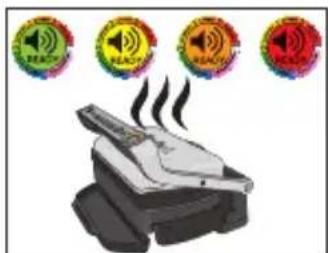
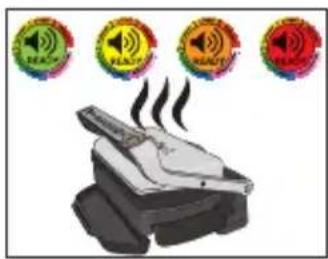
| Temperature Indicator | By color: green (85-110°C), yellow (150-165°C), orange (190-205°C), red (240-255°C) |
| Coating | Non-stick on Snacking & Baking accessory |
| Cooking Mode | Manual, continuous temperature adjustment |
| Audible Signal | When desired temperature is reached |
| Cleaning | Snacking & Baking accessory: dishwasher; plates: sponge, hot water, detergent |
| Safety Precautions | Do not use oil or grease; do not put in the oven; use wooden/plastic utensils; do not cut on the accessory; do not heat empty |
| Spare Parts | Snacking & Baking accessory available from authorized service center |
| Warranty | 2 years (standard) |
Frequently Asked Questions - OptiGrill XL Snacking & Baking TEFAL
User questions about OptiGrill XL Snacking & Baking TEFAL
0 question about this device. Answer the ones you know or ask your own.
Ask a new question about this device
Download the instructions for your Griddle in PDF format for free! Find your manual OptiGrill XL Snacking & Baking - TEFAL and take your electronic device back in hand. On this page are published all the documents necessary for the use of your device. OptiGrill XL Snacking & Baking by TEFAL.
USER MANUAL OptiGrill XL Snacking & Baking TEFAL
natural_image
Black plastic rectangular tray with side handles, no visible text or symbols| Compatible with: | Yhteensopivuus: | Uyumlu olduğu cihazlar: | ใช้งานได้กับ: | |
| Compatible avec : | Compatible con: | Ametوفقة مع: | 兼容于: | |
| Kompatibel mit: | Compatível com: | سازكار باب: | 適用於: | |
| Geschikt voor: | Compatibile con: | Kompatybilność z: | Mynamen үйлесімді: | OptiGrill ⊕XL |
| Kompatible med: | Συμβατό με: | 호환 가능: | ||
| Kompatibel med: | Совместим с: | Serasi dengan: | ||
| Kompatibel med: | Сумісний з: | 互換品: |
| Models: | Mallit: | Modeller: | ###: | |
| Modèles : | Modelos: | الموديلات: | 型号: | |
| Modelle: | Modelos: | مدل ها: | 產品型號: | |
| Modellen: | Modelli: | Modele: | Улгілер: | GC724 xx series |
| Standardcertifikater: | Мовтєла: | 모델: | ||
| Modeller: | Модели: | Model: | ||
| Modeller: | Модели: | 機種: |
FR
natural_image
Hand inserting a plug into an electrical outlet (no text or symbols visible)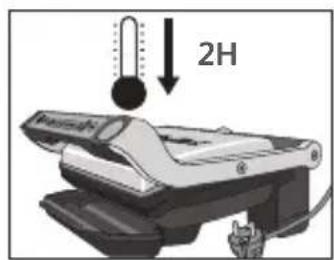
natural_image
3D rendered image of a black rectangular electronic component with rounded edges and a small protrusion (no text or symbols)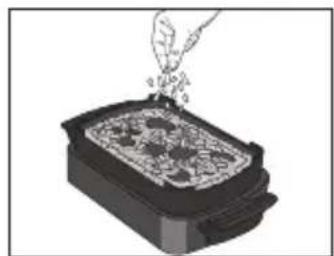
natural_image
Illustration of a hand pouring granular material into a rectangular container (no text or symbols)natural_image
Mechanical device with rotating lever and base plate (no text or symbols visible)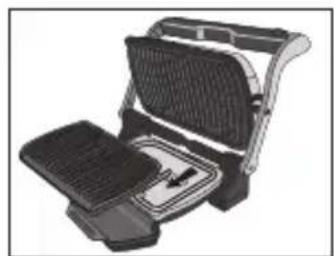
natural_image
Illustration of a portable grill with grilles and a side panel (no text or symbols)natural_image
Illustration of a mechanical device with a hand inserting a component (no text or symbols visible)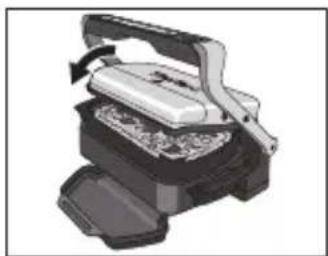
natural_image
Illustration of a mechanical press or printer device with a handle and base, showing internal components (no text or symbols visible)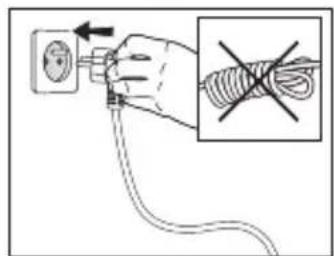
natural_image
Illustration of a steaming printer with four circular warning symbols above it (no text or labels)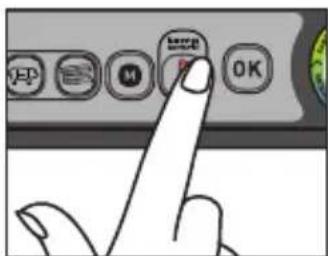
natural_image
Illustration of a grating machine with open lid and side panel, showing internal structure and rotation arrow (no text or symbols)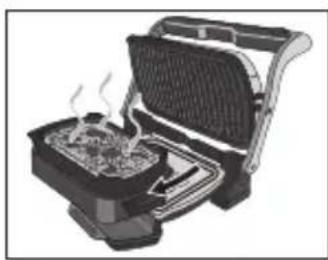
natural_image
Illustration of a portable toaster with visible steam rising from the side (no text or symbols)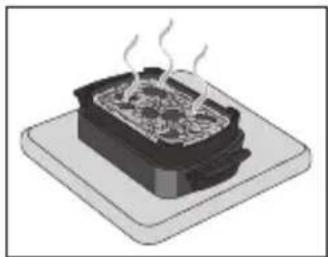
natural_image
Illustration of a steaming hot pot on a base (no text or symbols)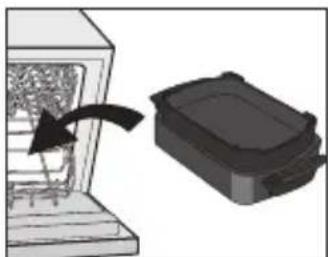
natural_image
Diagram showing a device being processed into a container with an arrow indicating motion (no text or symbols present)Recommendation for the use of Snacking & Baking accessory \_\_\_\_
- Before first use, remove all packaging materials, stickers and accessories from the inside and the outside of the plates.
- Read the instructions carefully, common to different models and keep them within reach.
- Refer to the appliance instructions for the use of this Snacking & Baking accessory and associated recommendations.
- Check that the both sides of the upper grill plate and the both sides of the Snacking & Baking accessory are well cleaned before use.
- To prevent damage to the cooking plates and Snacking & Baking accessory, only use them on the appliance for which they were designed (e.g., do not place in an oven, on the gas ring or electric hot-plate, etc.).
- Ensure that the plates and Snacking & Baking accessory are stable, well positioned and correctly clipped to the appliance. Only use the cooking plates and Snacking & Baking accessory provided with the appliance or bought from an Approved Service Centre.
- To avoid damaging the Snacking & Baking accessory, always use plastic or wooden utensils.
- Never cut food directly on the Snacking & Baking accessory.
- Do not place the hot Snacking & Baking accessory under water or on a fragile surface.
- To preserve the non-stick coating qualities, do not let it heat too long empty.
- The Snacking & Baking accessory must never be handled hot, except by the handles.
- Never heat the appliance without the 2 grill cooking plates or with upper grill plate and Snacking & Baking accessory.
- When using for the first time, wash the plates and Snacking & Baking accessory, pour a little cooking oil on the Snacking & Baking accessory then wipe it with an absorbent kitchen towel.
- Do not place cooking utensils on the cooking surfaces of the appliance.
- We advise you to use a sponge, hot water and washing-up liquid to clean the cooking plates and Snacking & Baking, then rinse thoroughly to remove any residue. Dry thoroughly using a paper towel.
- Do not use metalling scouring pads, steel wool, or any abrasive cleaners to clean any part of your grill, only use nylon or nonmetallic cleaning pads. In the case of difficult cleaning, soak the cooking plates in hot water mixed with washing liquid.
- The Snacking & Baking accessory is not a baking dish, do not put heating in an oven or on any other heat source, other than in your appliance.
- Do not heat your Snacking & Baking accessory with oil or grease, risk of inflammation.
- Do not use your Snacking & Baking accessory to make browning.
- Do not make recipe with oil or grease. This appliance is not a deep fryer or a frying pan. It is therefore totally excluded to make french fries, donuts, or other cooking with oil or grease.
natural_image
Hand inserting a plug into an electrical outlet (no text or symbols visible)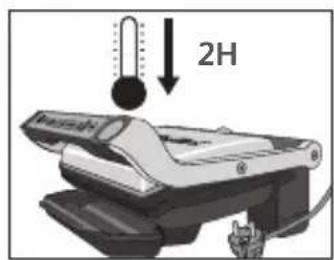
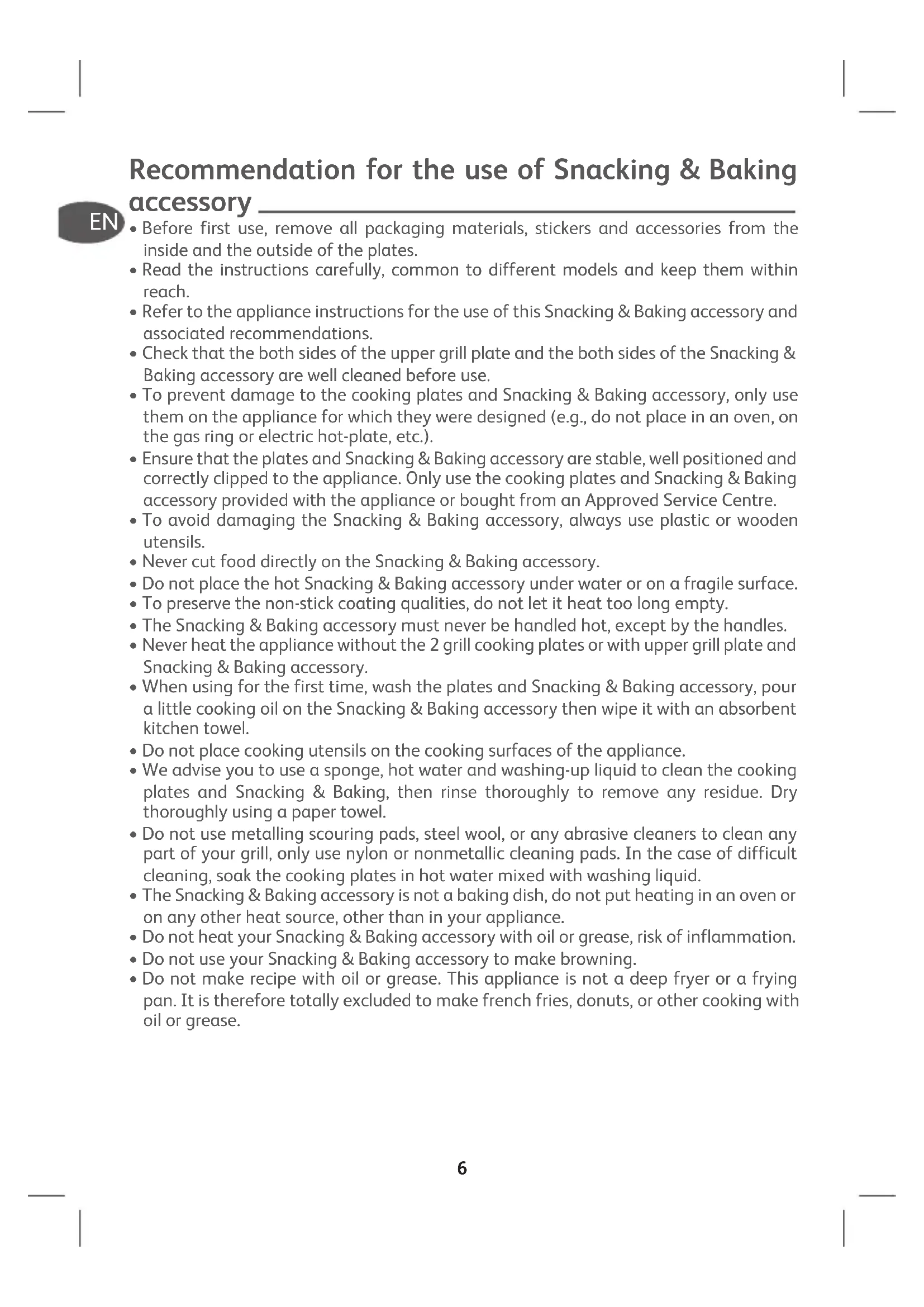
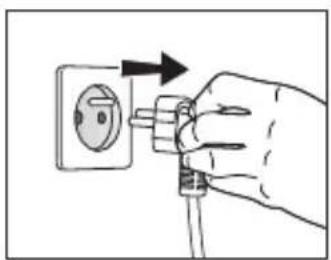
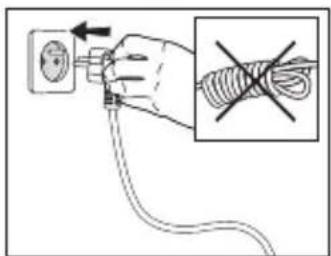
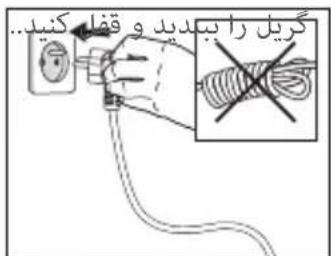
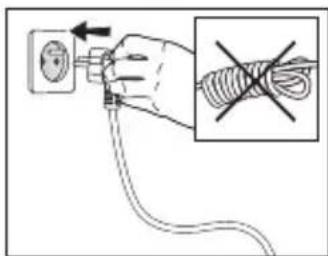
- If your OptiGrill is already running and you want to use your Snacking & Baking accessory, unplug grill from wall outlet and let it cool for at least 2 hours.

natural_image
3D rendering of a black rectangular electronic component or housing (no text or symbols visible)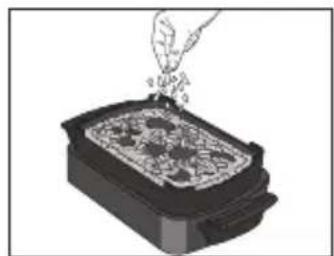
natural_image
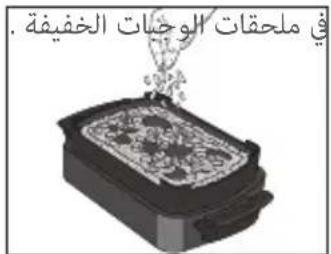
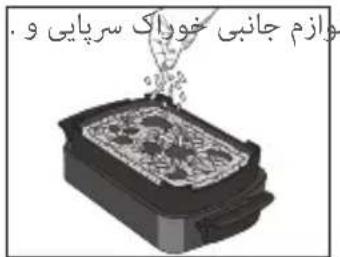
Illustration of a hand pouring liquid into a rectangular container with food items (no text or symbols)- Put the ingredients in the Snacking & Baking accessory.
natural_image
Mechanical device with rotating lever and base plate (no text or symbols visible)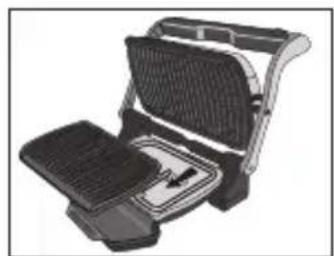
natural_image
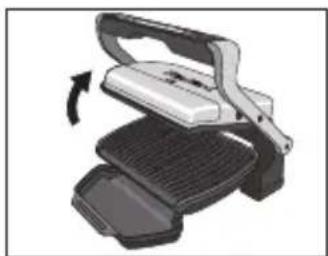
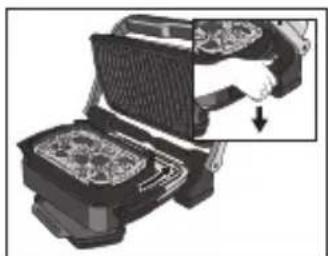
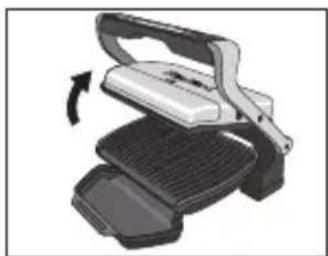
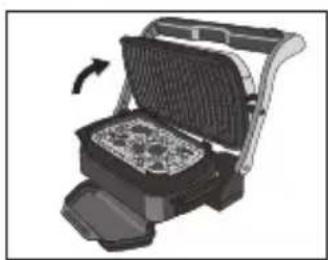
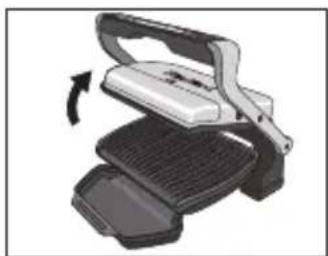
Illustration of a flat-screen grating or toaster with mesh grille and side panel (no text or symbols)- Open the grill, remove lower grill plate and replace by your Snacking & Baking accessory. CAUTION: Be careful that upper grill plate is correctly installed in the appliance.
natural_image
Illustration of a hand inserting a component into a device (no text or symbols visible)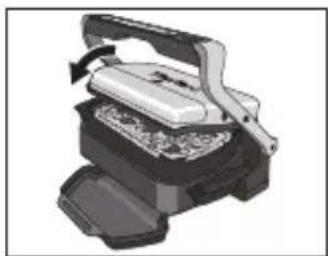
natural_image
Illustration of a mechanical press or printer device with a handle and base, showing internal components (no text or symbols visible)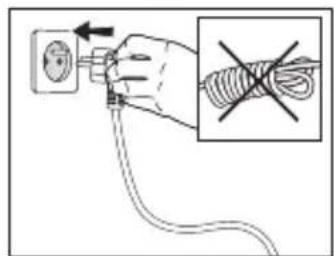
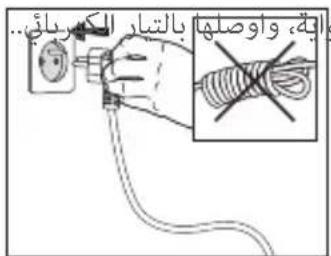
- Close the grill and plug it.
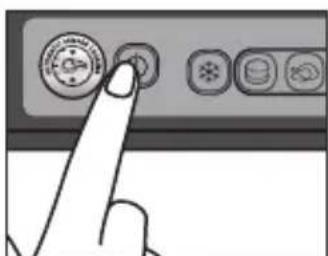
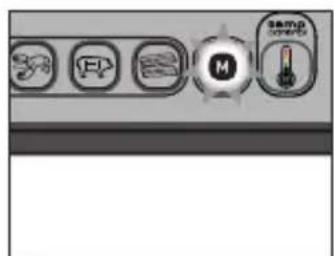
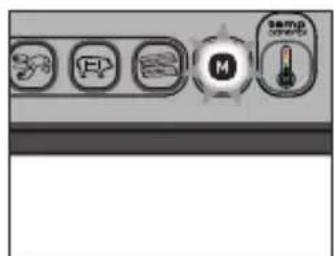
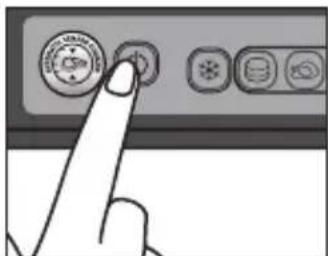
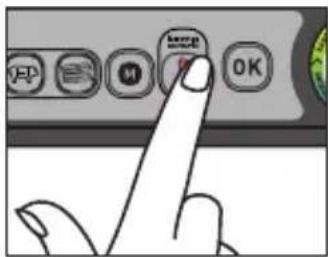
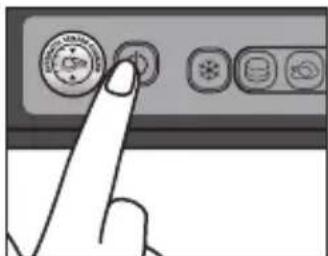
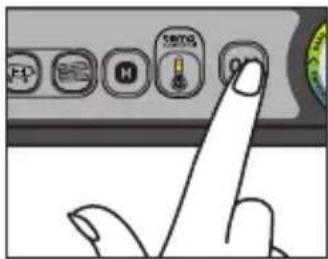
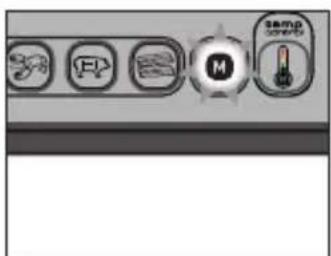
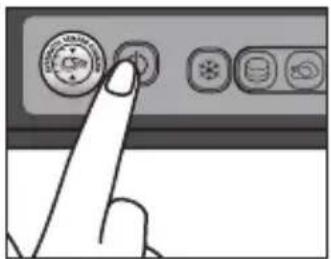
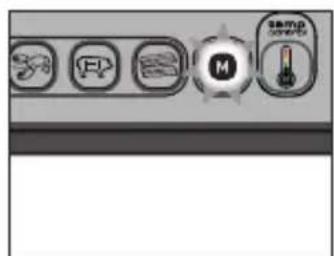
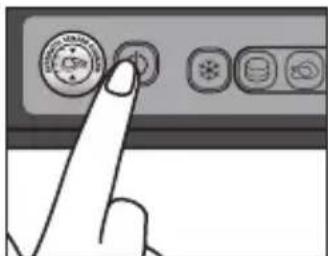
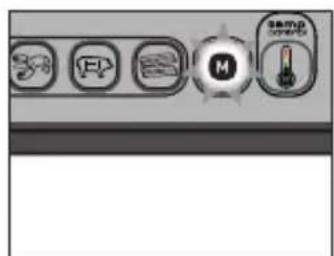
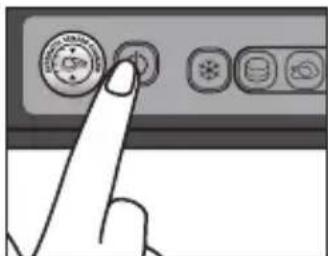
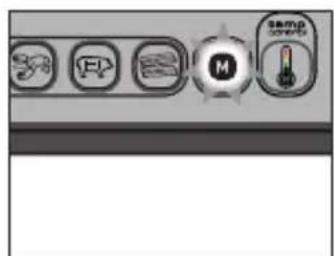
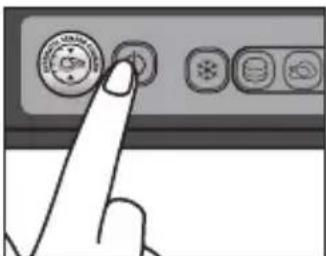
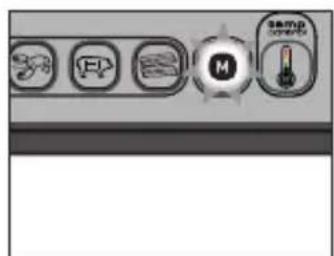
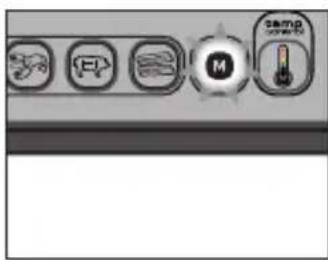
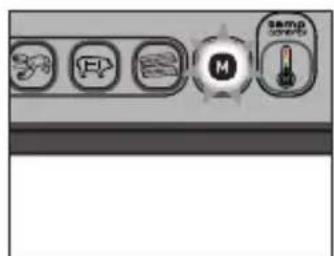
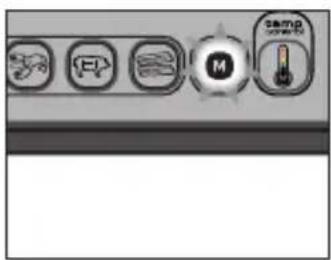
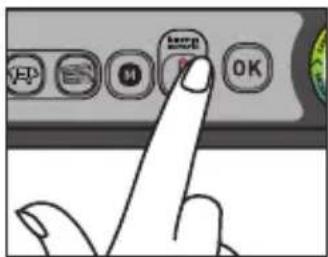
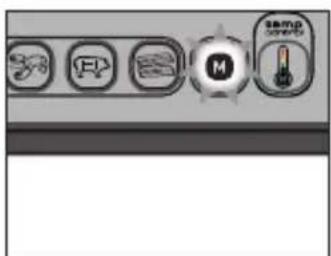
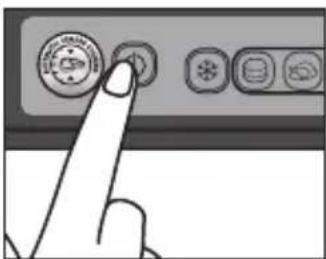
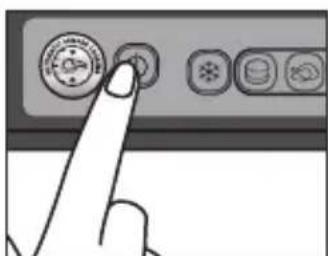
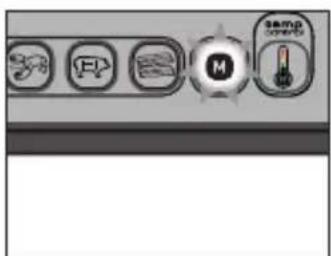
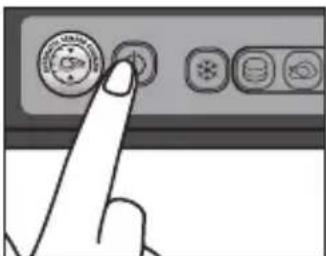
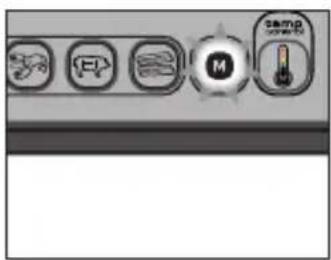
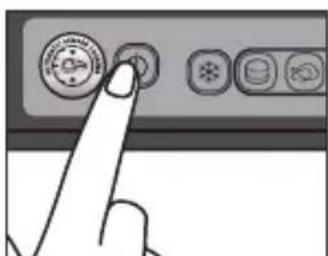
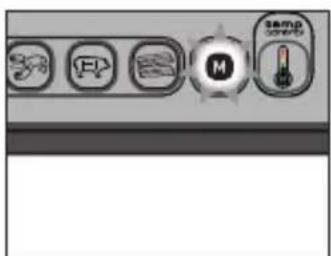
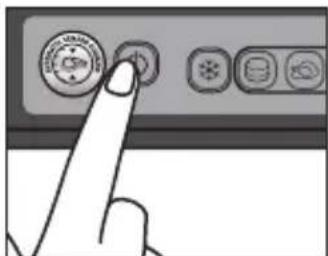
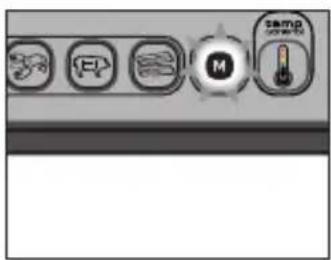
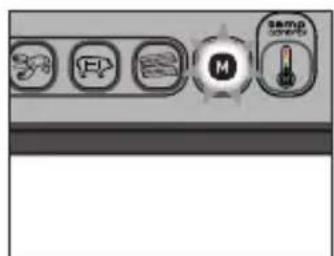
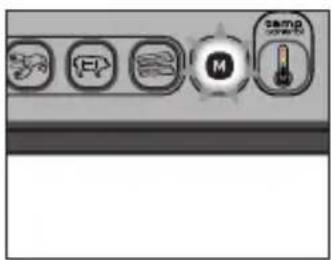
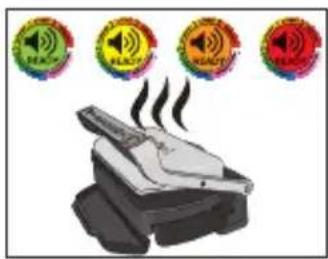
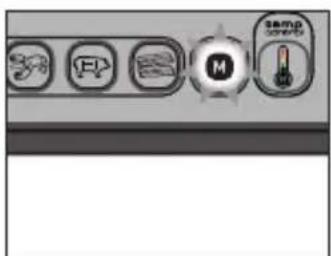
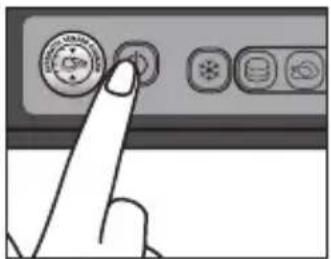
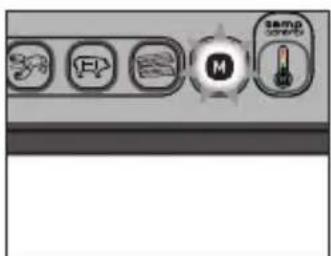
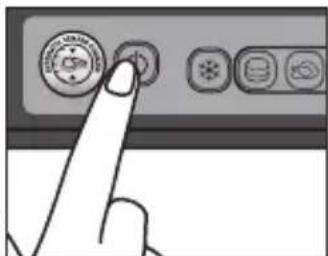
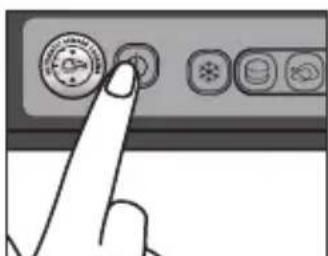
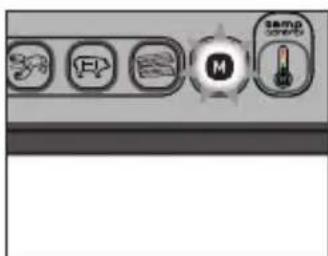
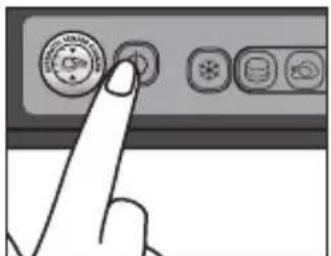
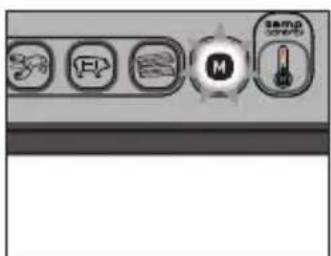
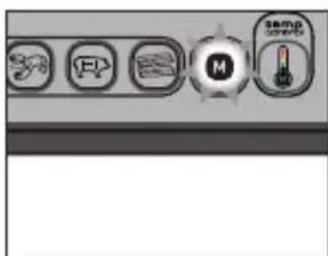
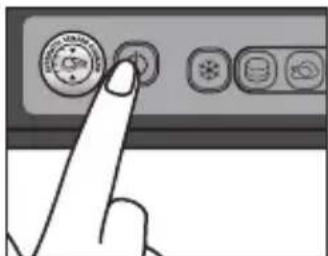
- Press the On/Off button, the 🔒 and 🔒 buttons blink, the color light indicator is green 🔒. The button "M" is lighted fixed to indicate that Manual mode is activated.
EN
natural_image
Illustration of a steaming machine emitting smoke, with four circular warning symbols above (no text or labels)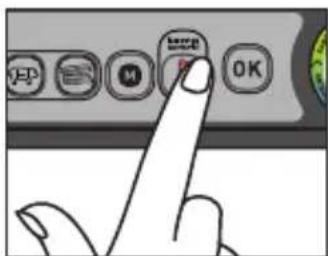
-
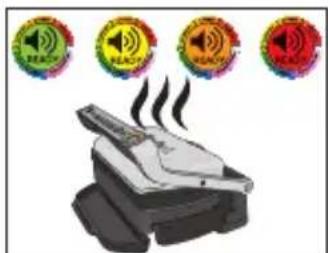
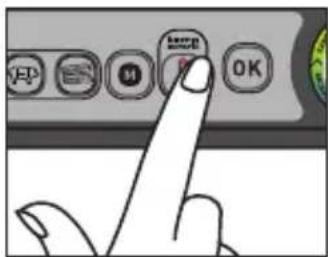
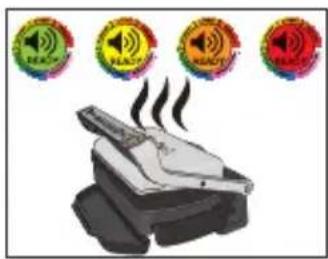
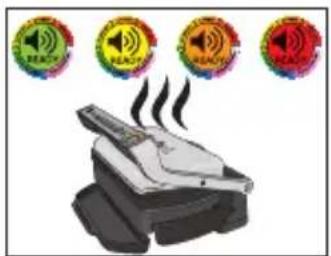
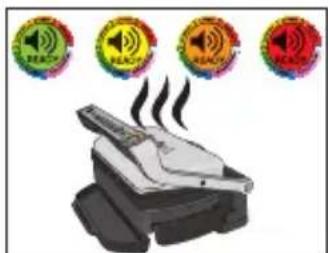
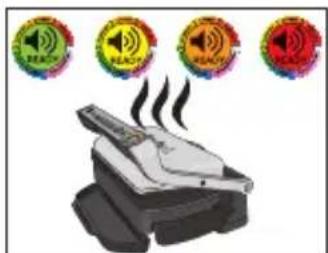
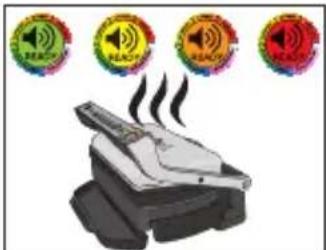
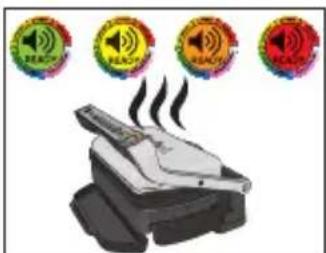
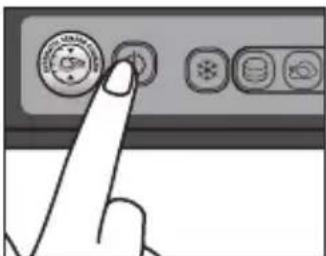
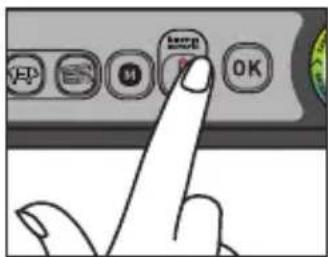
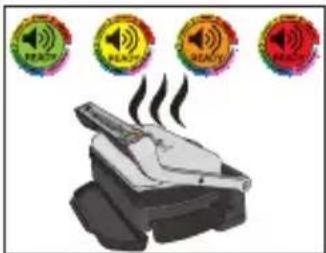
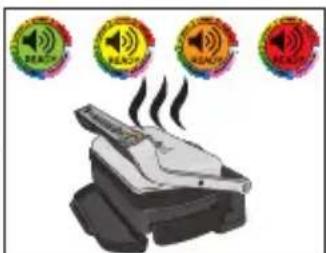
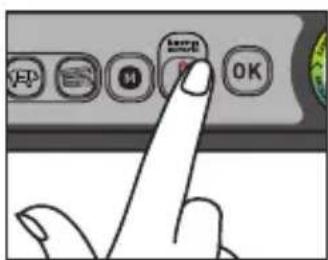
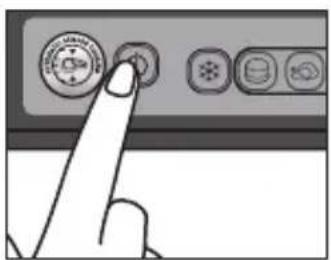
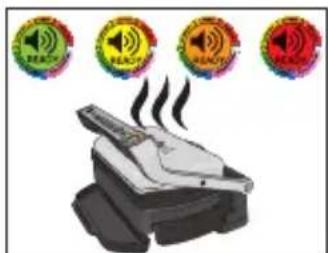
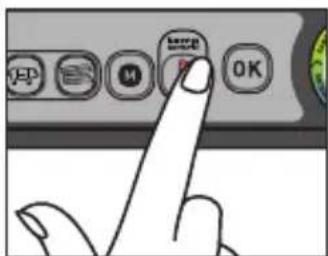
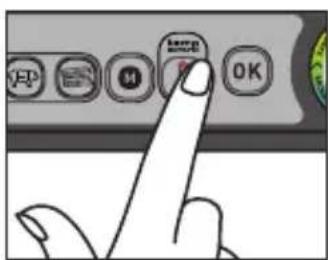
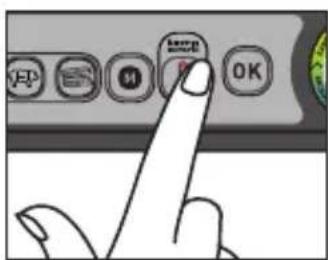
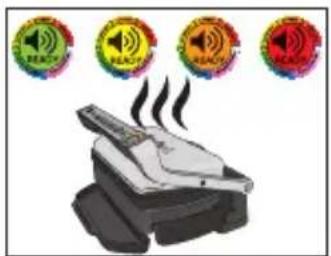
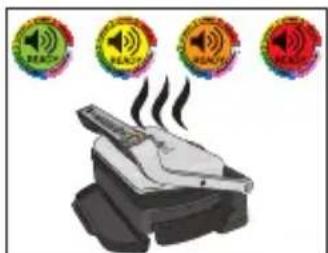
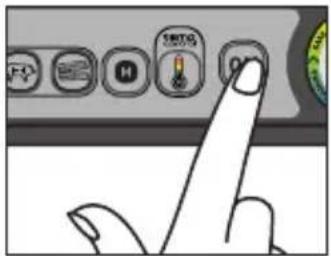
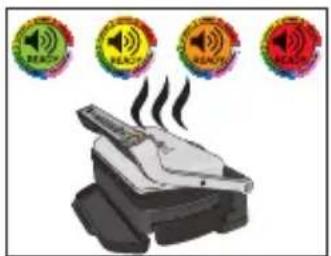
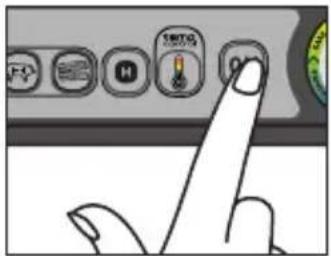
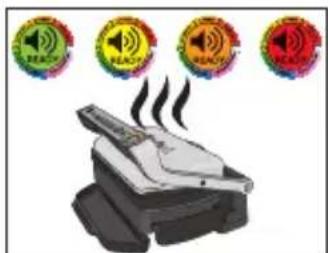
Press the button until desired temperature is reached with the help of the color light indicator.
-
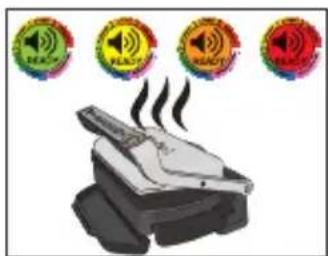
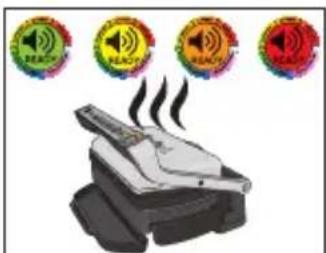
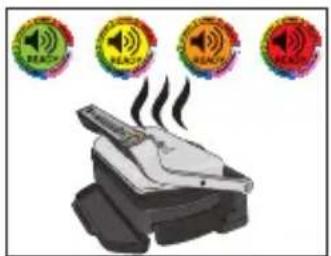
Fixed green color light indicator: 85°C to 110°C
- Fixed yellow color light indicator: 150°C to 165°C
- Fixed orange color light indicator: 190°C to 205°C
-
Fixed red color light indicator: 240°C to 255°C
-
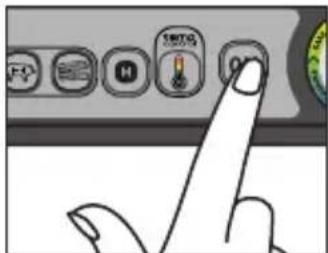
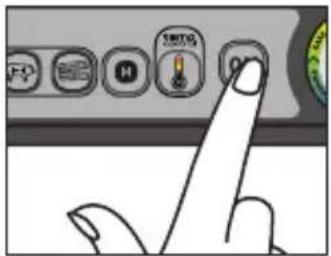
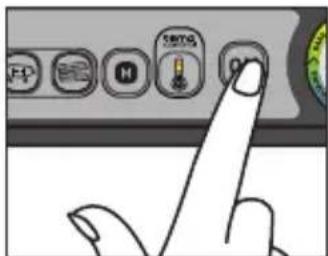
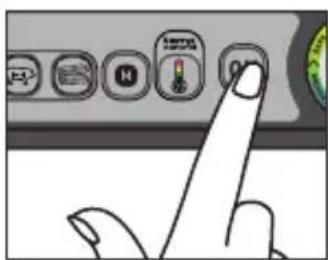
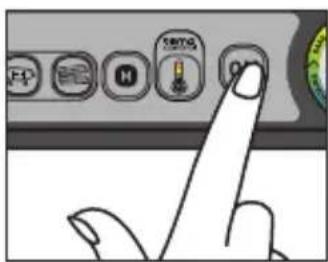
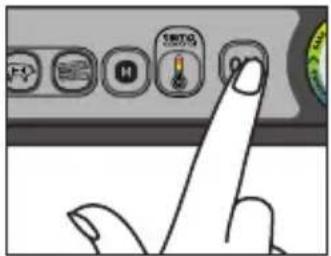
Begin cooking by pressing the OK button. The and OK buttons become fixed, the color light indicator blinks until temperature desired is reached.
- When the desired temperature is reached the grill "beeps" and the color light indicator becomes fixed. Then the cooking process takes place.
- You can adjust the temperature during the cooking progress. Press the button in order to reach the desired temperature (follow at the same time the color light indicator).
- End the cooking by pressing the ON/OFF button. All buttons switch off, the grill stops heating/cooking.
natural_image
Illustration of a griddle or toaster oven with a rotary scroll arrow indicating rotation (no text or symbols present)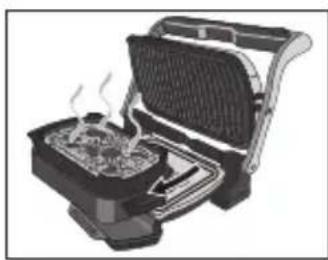
natural_image
Illustration of a toaster oven with visible steam rising from the side (no text or symbols)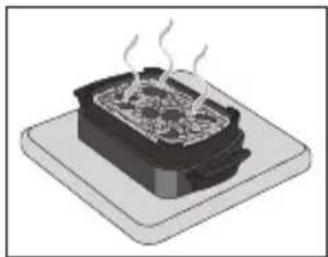
natural_image
Illustration of a steaming hot pot on a base (no text or symbols)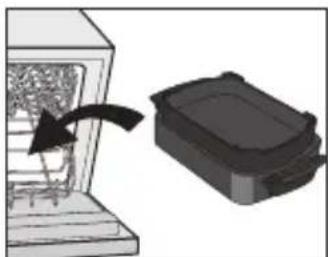
natural_image
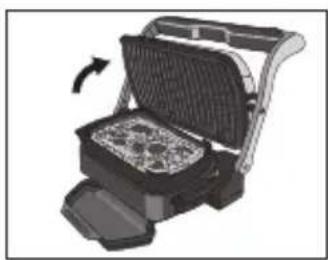
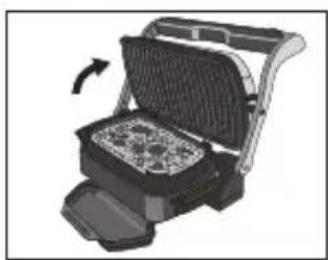
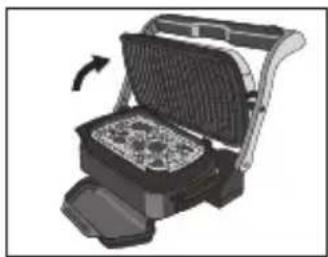
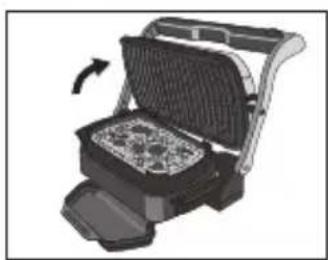
Diagram showing a device with an arrow pointing to a container, no text or symbols present- Open the grill and remove the Snacking & Baking accessory from the grill thanks to its handles.
CAUTION: hot surfaces, the use of gloves are recommended.
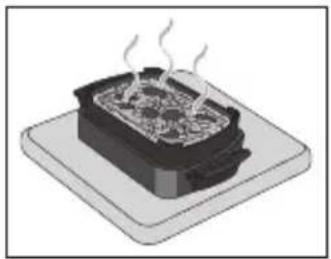
The snacking accessory is very hot, put on surface resistant to hot Temperatures
- The Snacking & Baking accessory can go in the dishwasher.
natural_image
Hand inserting a plug into an electrical outlet (no text or symbols visible)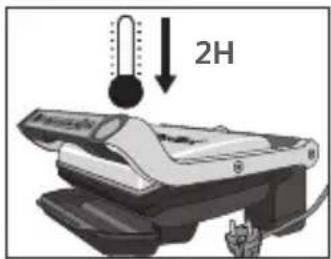
natural_image
3D rendering of a black plastic container or plastic housing (no text or symbols visible)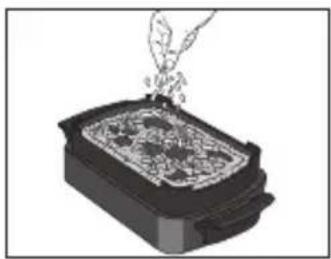
natural_image
Illustration of a hand pouring liquid into a rectangular container with contents (no text or symbols)natural_image
Illustration of a mechanical device with a rotating arrow indicating rotation (no text or symbols)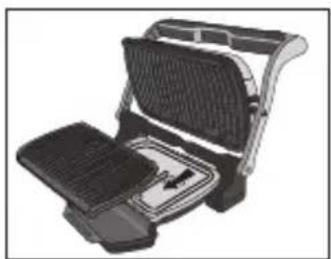
natural_image
Illustration of a griddle or toaster oven with open lid and side panel (no text or symbols)natural_image
Illustration of a hand inserting into a device into a rack (no text or symbols visible)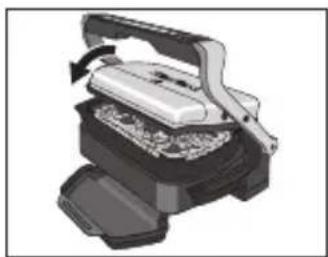
natural_image
Illustration of a mechanical device with a handle and internal components, no visible text or symbols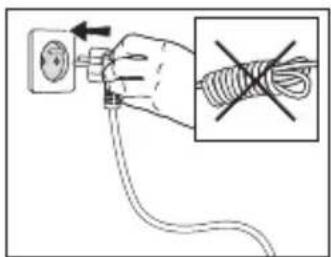
natural_image
Hand inserting a cable into an electrical socket, with no visible text or symbols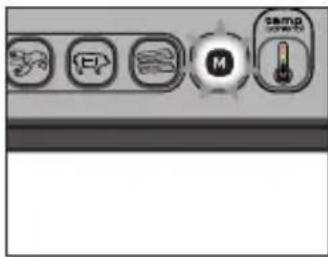
natural_image
Illustration of a smoking machine emitting smoke, with four circular warning symbols above (no text or labels)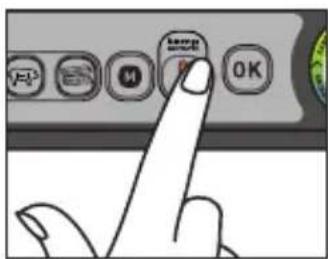
natural_image
Illustration of a grating machine with a side panel and cooling mechanism indicated by an arrow (no text or symbols present)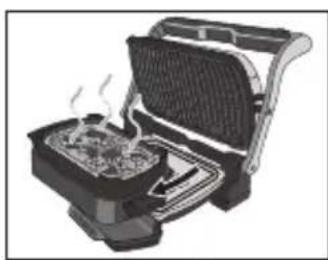
natural_image
Illustration of a portable toaster with steam rising from its side (no text or symbols)natural_image
Illustration of a steaming hot pot on a base (no text or symbols)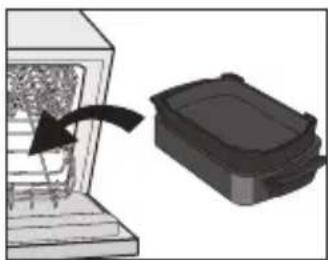
natural_image
Diagram showing a container being inserted into an opening with an arrow indicating the process (no text or symbols present)natural_image
Hand inserting a plug into an electrical socket (no text or symbols visible)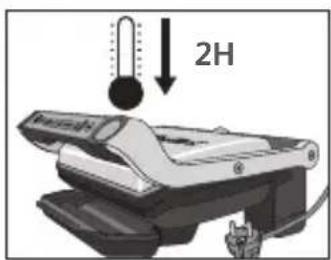
natural_image
3D rendering of a black rectangular electronic component with rounded top and side edges (no text or symbols)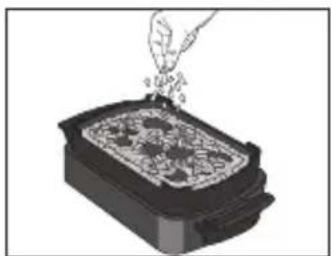
natural_image
Illustration of a hand pouring granular material into a rectangular container (no text or symbols)natural_image
Mechanical device with rotating lever and base plate (no text or symbols visible)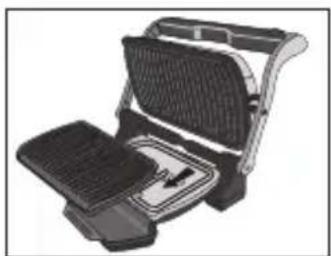
natural_image
Illustration of a portable electric grill with grating and side panel (no text or symbols)natural_image
Illustration of a computer keyboard with an open hand inserting a button (no text or symbols visible)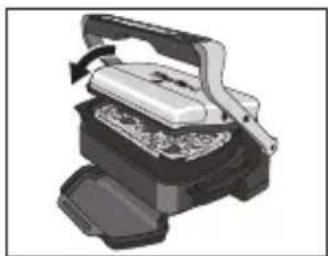
natural_image
Illustration of a mechanical press or printer device with a handle and base, showing internal components (no text or symbols visible)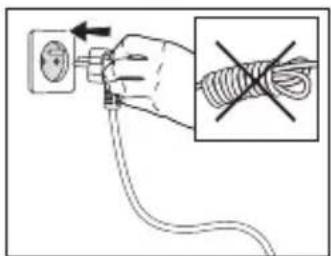
natural_image
Illustration of a printer emitting smoke from three circular warning symbols (no text or labels)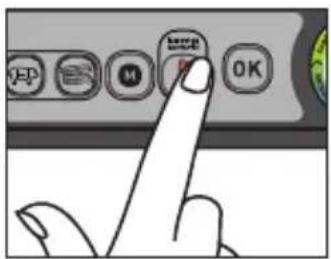
natural_image
Hand inserting a plug into an electrical outlet (no text or symbols visible)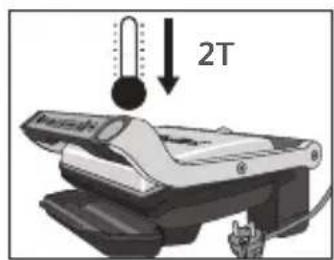
natural_image
3D rendering of a black plastic enclosure or housing component (no text or symbols visible)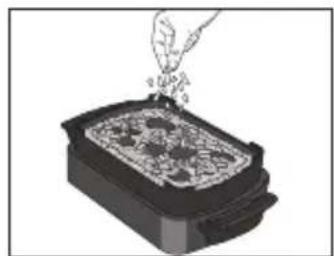
natural_image
Illustration of a hand pouring liquid into a rectangular container with food items (no text or symbols)natural_image
Mechanical device with a rotating lever and base plate (no text or symbols visible)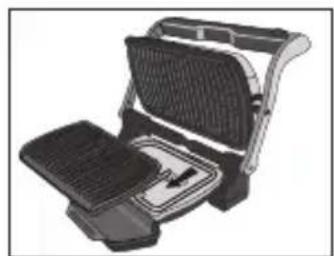
natural_image
Illustration of a portable grill with grilles and a side table (no text or symbols)- Åbn grillen, tag den nederste grillplade ud, og put tilbehøret til snacks og bagning i.
natural_image
Illustration of a computer keyboard with an open hand inserting a button (no text or symbols visible)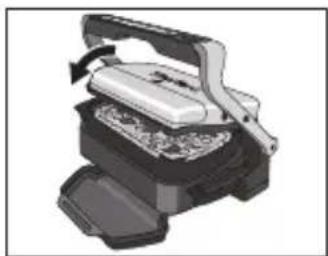
natural_image
Illustration of a mechanical press or press device with a handle and internal components (no text or symbols visible)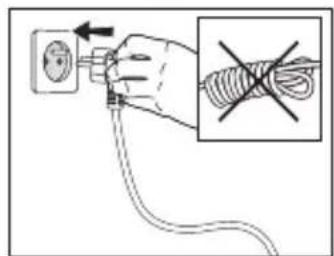
natural_image
Illustration of a steaming device emitting smoke from four circular warning symbols above it (no text or labels)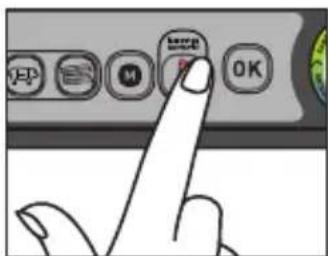
natural_image
Illustration of a waffle grill with an open lid and side panel, showing a rotating handle (no text or symbols)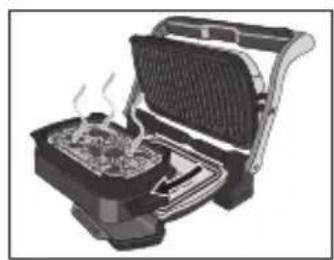
natural_image
Illustration of a portable toaster with steam rising from the side panel (no text or symbols visible)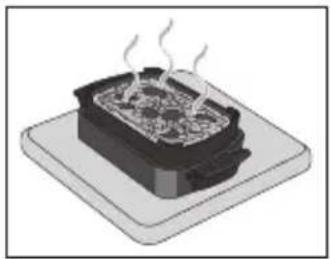
natural_image
Illustration of a steaming hot pot on a base (no text or symbols)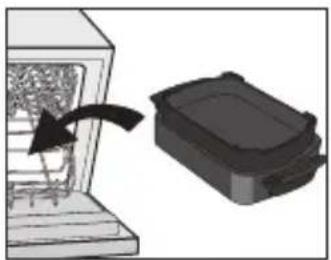
natural_image
Diagram showing a mechanical component being inserted into a housing, with an arrow indicating the direction (no text or symbols present)natural_image
Hand inserting a plug into an electrical outlet (no text or symbols visible)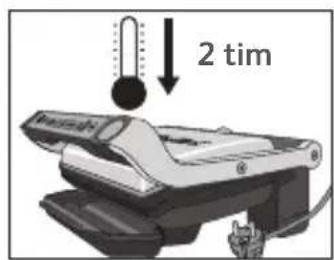
natural_image
3D rendering of a black rectangular electronic component with rounded edges and a small protrusion (no text or symbols)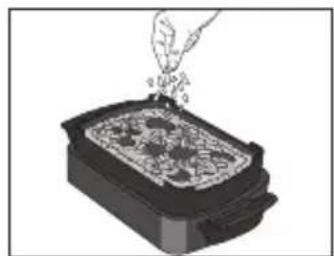
natural_image
Illustration of a hand pouring liquid into a container with granular contents (no text or symbols)- Lägg i ingredienserna i Snacking & Baking-tillbehöret.
natural_image
Mechanical device with rotating lever and base plate (no text or symbols visible)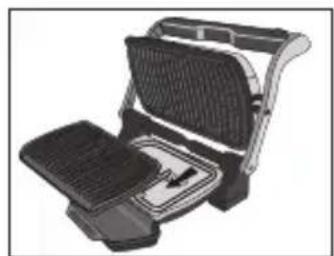
natural_image
Illustration of a portable electric grill with grilles and a side table (no text or symbols)natural_image
Illustration of a hand inserting a component into a device (no text or symbols visible)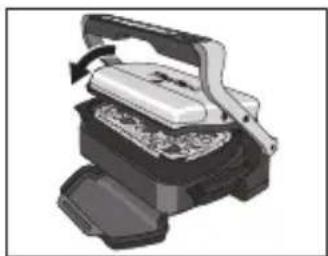
natural_image
Illustration of a mechanical press or printer device with a handle and base, showing internal components (no text or symbols visible)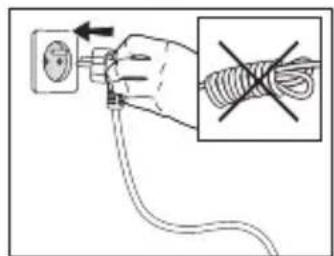
natural_image
Illustration of a steaming machine emitting smoke from four circular warning symbols above it (no text or labels)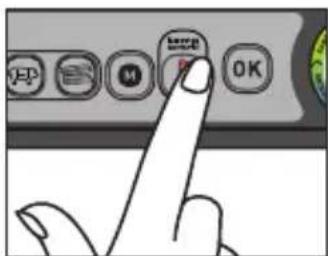
natural_image
Illustration of a waffle grill with an open lid and side panel, showing a rotating handle (no text or symbols)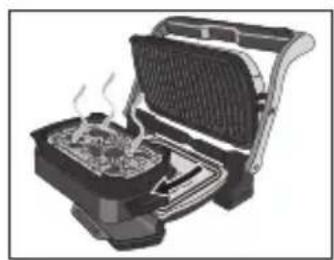
natural_image
Illustration of a portable toaster with steam rising from the side panel (no text or symbols visible)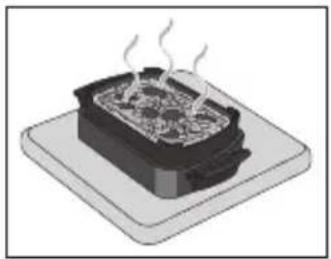
natural_image
Illustration of a steaming hot pot on a base (no text or symbols)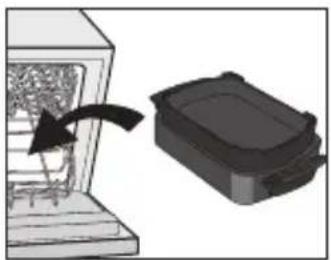
natural_image
Diagram showing a device with an arrow pointing to a black box, no text or symbols presentnatural_image
Hand inserting a plug into an electrical outlet (no text or symbols visible)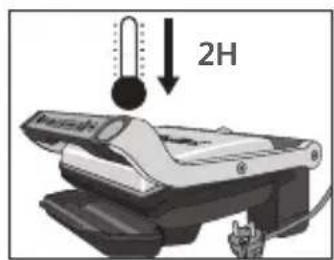
natural_image
3D rendering of a black rectangular electronic component with rounded edges and a small protrusion (no text or symbols)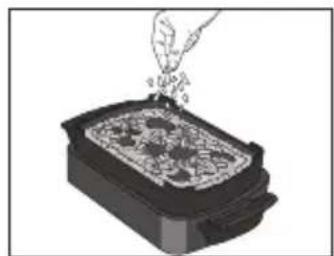
natural_image
Illustration of a hand pouring liquid into a container with granular contents (no text or symbols)natural_image
Mechanical device with rotating lever and base plate (no text or symbols visible)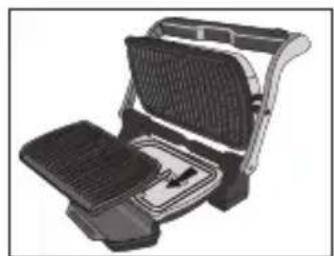
natural_image
Illustration of a portable grill with grilles and a side table (no text or symbols)natural_image
Illustration of a hand inserting a component into a device (no text or symbols visible)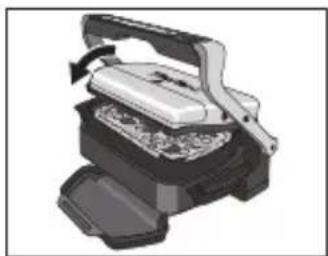
natural_image
Illustration of a mechanical press or printer device with a handle and base, showing internal components (no text or symbols visible)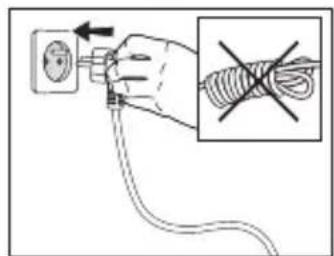
natural_image
Illustration of a printer emitting smoke with four circular icons above it (no text or symbols)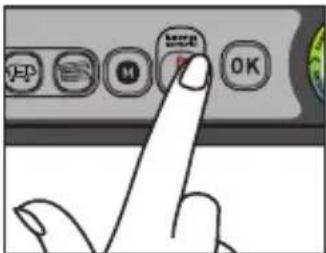
natural_image
Illustration of a waffle grill with an open lid and side panel, showing a rotating handle (no text or symbols)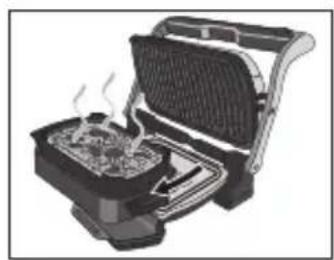
natural_image
Illustration of a portable toaster with steam rising from the side panel (no text or symbols visible)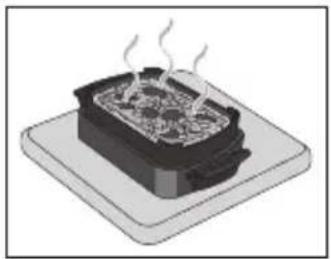
natural_image
Illustration of a steaming hot pot on a base (no text or symbols)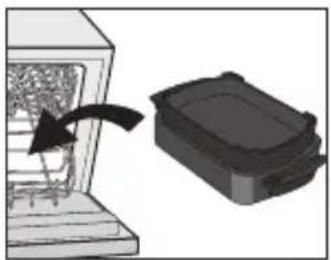
natural_image
Diagram showing a device with an arrow pointing to a black box, no text or symbols presentnatural_image
Hand inserting a plug into an electrical outlet (no text or symbols visible)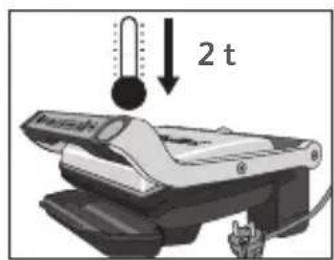
natural_image
3D rendering of a black rectangular electronic component with rounded edges and a small protrusion (no text or symbols)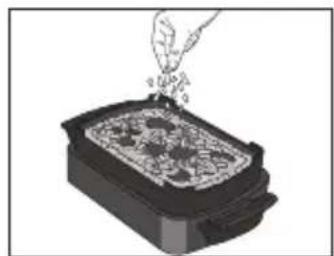
natural_image
Illustration of a hand pouring liquid into a container with granular contents (no text or symbols)natural_image
Mechanical device with rotating lever and base plate (no text or symbols visible)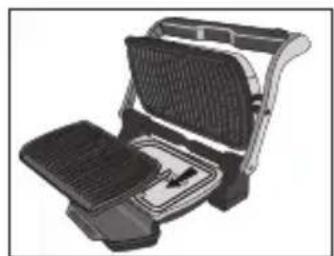
natural_image
Illustration of a portable grill with grilles and a side table (no text or symbols)natural_image
Illustration of a hand inserting a component into a device (no text or symbols visible)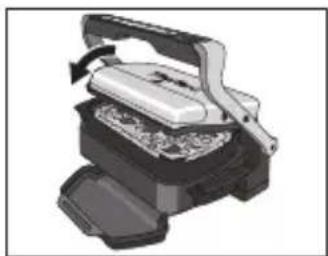
natural_image
Illustration of a mechanical press or printer device with a handle and base, showing internal components (no text or symbols visible)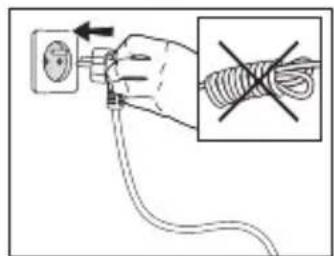
natural_image
Illustration of a printer emitting smoke from four circular warning symbols above it (no text or labels)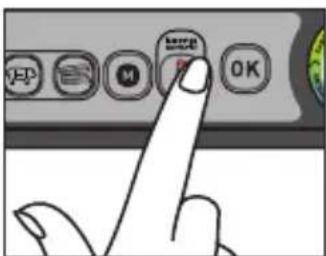
natural_image
Illustration of a grating machine with an open lid and side panel, showing a rotating handle (no text or symbols)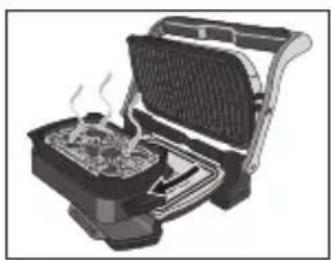
natural_image
Illustration of a toaster oven with visible steam rising from the side (no text or symbols)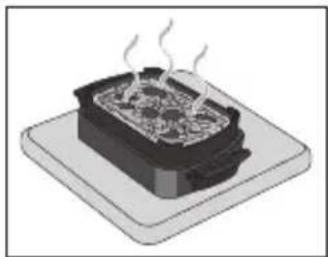
natural_image
Illustration of a steaming hot pot on a base (no text or symbols)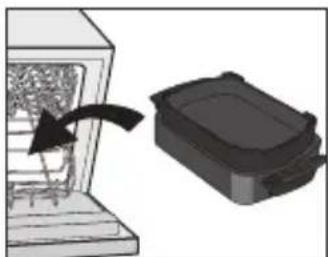
natural_image
Diagram showing a device with an arrow pointing to a container, no text or symbols presentnatural_image
Hand inserting a plug into an electrical outlet (no text or symbols visible)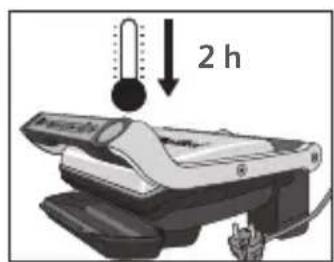
natural_image
3D rendering of a black plastic container or plastic housing (no text or symbols visible)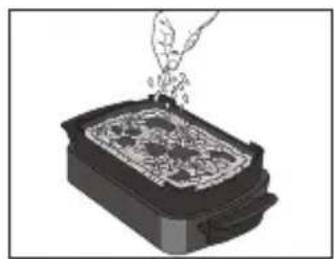
natural_image
Illustration of a hand pouring liquid into a rectangular container with a patterned lid (no text or symbols)natural_image
Illustration of a mechanical presser device with a rotating arrow indicating motion (no text or symbols)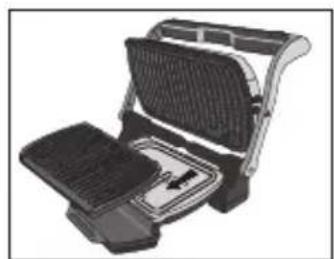
natural_image
Illustration of a portable toaster with front panel and side tray (no text or symbols)natural_image
Illustration of a computer keyboard with an open button, showing the keyboard and mouse (no text or symbols present)natural_image
Illustration of a mechanical device with a handle and internal components, no visible text or symbols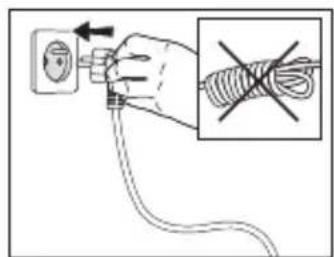
ES
natural_image
Illustration of a printer emitting smoke with four circular icons above it (no text or symbols)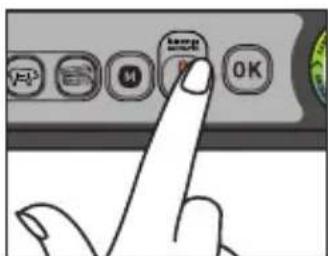
natural_image
Illustration of a griddle or toaster oven with a side panel and heat sink (no text or symbols)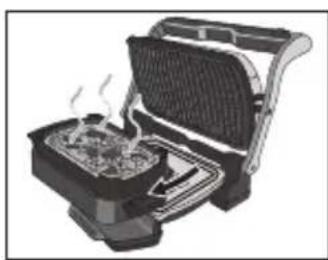
natural_image
Illustration of a portable toaster oven with visible steam rising from the side (no text or symbols)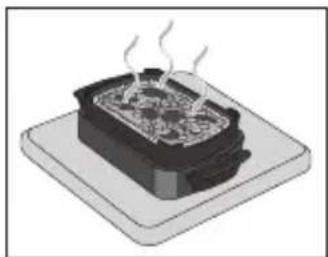
natural_image
Illustration of a steaming hot pot on a square base (no text or symbols)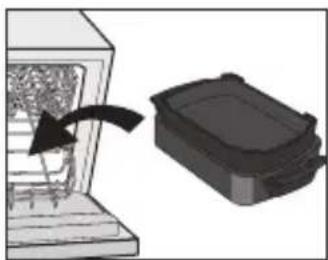
natural_image
Diagram showing a device inside a container being processed by an arrow, with a separate storage unit nearby (no text or symbols)natural_image
Hand inserting a plug into an electrical outlet (no text or symbols visible)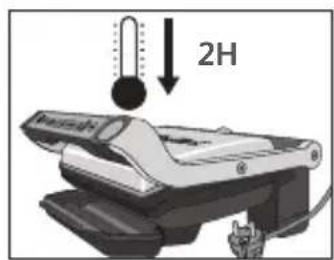
natural_image
3D rendering of a black rectangular electronic component with rounded edges and a small protrusion (no text or symbols)
natural_image
Illustration of a hand pouring liquid into a container with granular contents (no text or symbols)natural_image
Illustration of a mechanical device with a rotating lever and base plate (no text or symbols)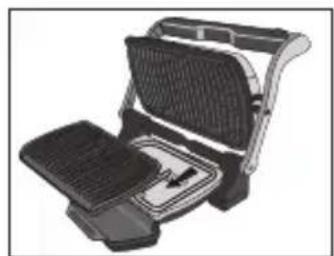
natural_image
Illustration of a flat-screen grating or toaster with mesh grille and side panel (no text or symbols)natural_image
Illustration of a hand inserting a component into a computer keyboard (no text or symbols visible)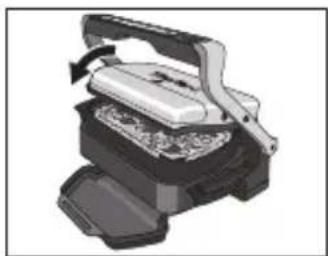
natural_image
Illustration of a mechanical press or printer device with a handle and base, showing internal components (no text or symbols visible)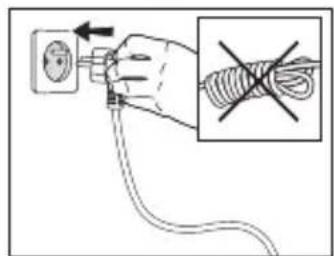
natural_image
Illustration of a printer emitting smoke with four circular warning symbols above (no text or labels)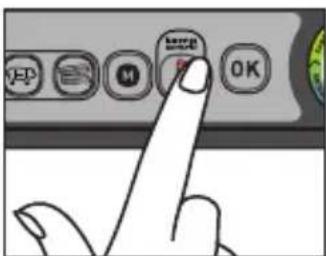

natural_image
Illustration of a grating machine with an open lid and side panel, showing a rotating handle (no text or symbols)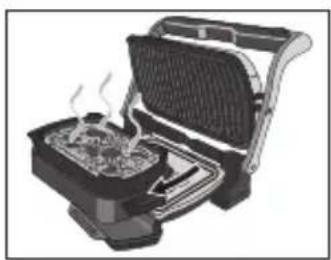
natural_image
Illustration of a toaster oven with visible steam rising from the side (no text or symbols)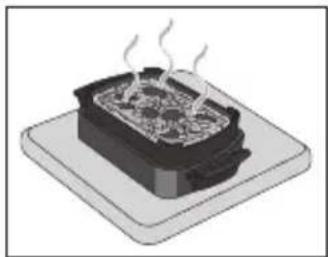
natural_image
Illustration of a steaming hot pot on a base (no text or symbols)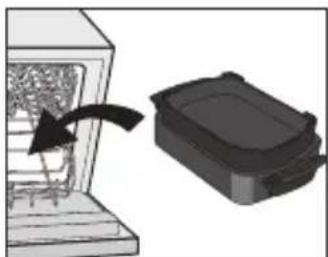
natural_image
Diagram showing a device with an arrow pointing to a container, no text or symbols presentnatural_image
Hand inserting a plug into an electrical socket (no text or symbols visible)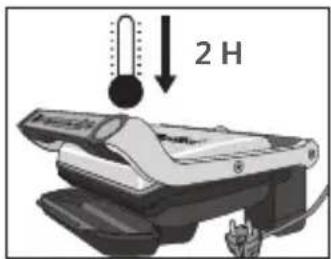
natural_image
3D rendering of a black rectangular electronic component with a recessed top and side slots (no text or symbols)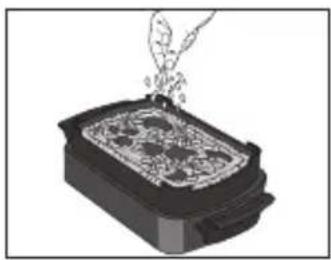
natural_image
Illustration of a hand pouring liquid into a rectangular container with a patterned lid (no text or symbols)natural_image
Illustration of a mechanical presser with a rotating lever (no text or symbols)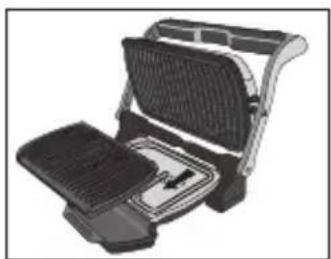
natural_image
Illustration of a flat-screen grating or toaster with mesh cover and front panel (no text or symbols)natural_image
Illustration of a hand inserting a device into a container with a handle, showing internal components and a downward arrow (no text or symbols)natural_image
Illustration of a mechanical device with a handle and internal components, no visible text or symbols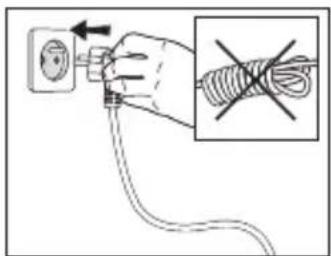
IT

natural_image
Illustration of a steaming tool emitting smoke, with four colorful circular icons above it (no text or symbols)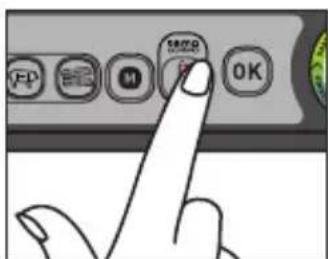
natural_image
Illustration of a griddle or toaster oven with an open lid and side panel, showing a rotating handle (no text or symbols)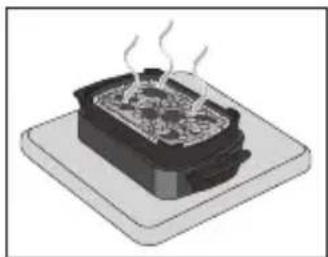
natural_image
Illustration of a steaming hot pot on a square base (no text or symbols)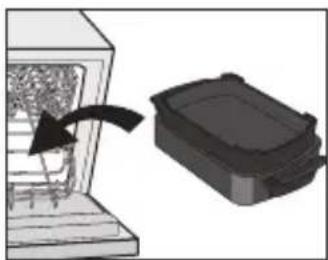
natural_image
Diagram showing a container being inserted into an opening with an arrow indicating direction (no text or symbols present)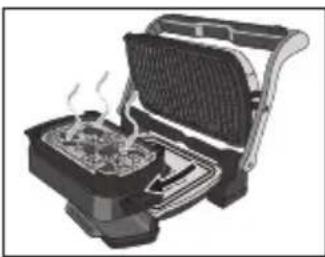
natural_image
Illustration of a toaster oven with visible steam rising from the side (no text or symbols)natural_image
Hand holding a plug inserted into an electrical socket (no text or symbols visible)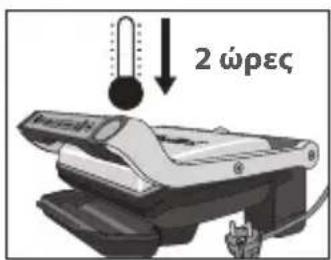

natural_image
3D rendering of a black rectangular electronic component with rounded edges and a small protrusion (no text or symbols)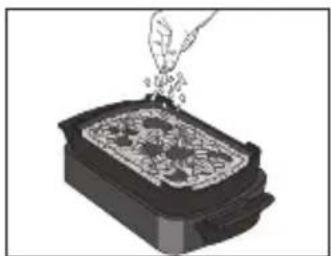
natural_image
Illustration of a hand pouring granular material into a rectangular container (no text or symbols)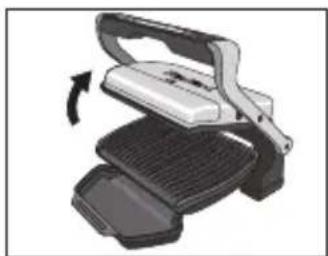
natural_image
Illustration of a mechanical device with a rotating lever and base plate (no text or symbols)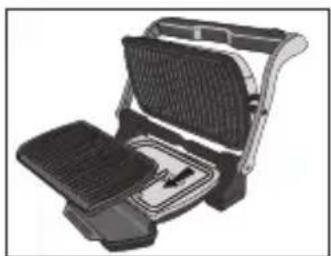
natural_image
Illustration of a portable electric grill with grating and side panel (no text or symbols)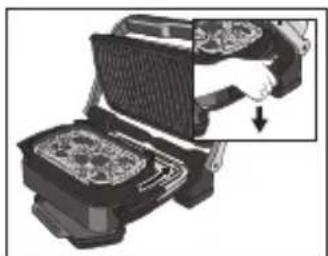
natural_image
Illustration of a hand inserting a component into a computer keyboard (no text or symbols visible)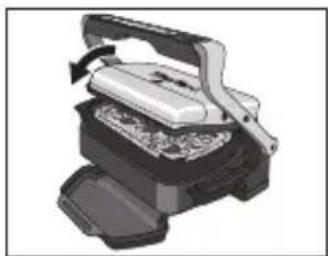
natural_image
Illustration of a mechanical device with a handle and internal components, no visible text or symbols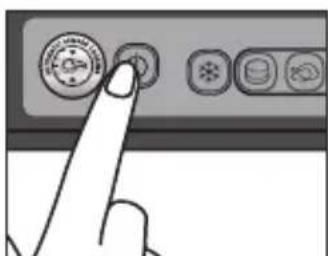
natural_image
Illustration of a printer emitting smoke with four circular warning symbols above (no text or labels)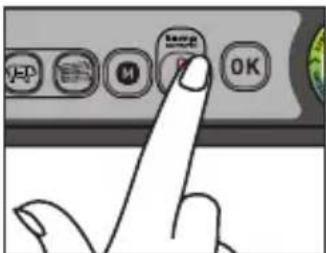
natural_image
Illustration of a griddle or toaster oven with a rotary scroll arrow indicating rotation (no text or symbols present)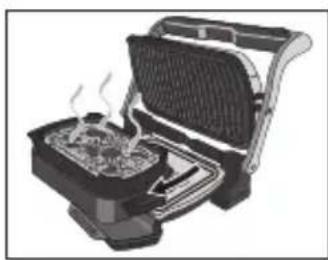
natural_image
Illustration of a toaster oven with visible steam rising from the side (no text or symbols)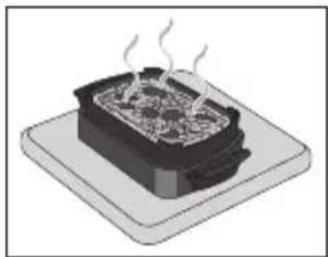
natural_image
Illustration of a steaming hot pot on a base (no text or symbols)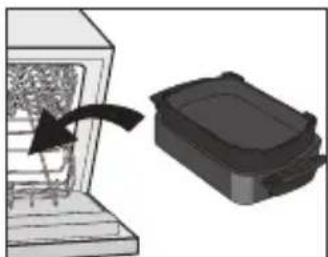
natural_image
Diagram showing a device with an arrow pointing to a container, no text or symbols presentnatural_image
Hand holding a plug inserted into an electrical socket (no text or symbols visible)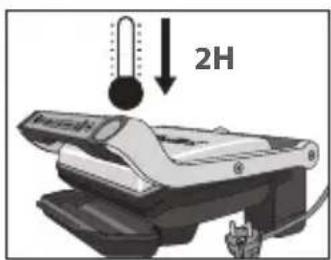
natural_image
3D rendering of a black rectangular electronic component with a recessed top and side slots (no text or symbols)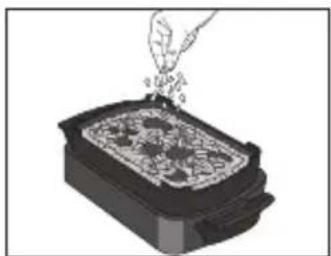
natural_image
Illustration of a hand pouring granular material into a rectangular container (no text or symbols)natural_image
Illustration of a mechanical device with a rotating arrow indicating rotation (no text or symbols)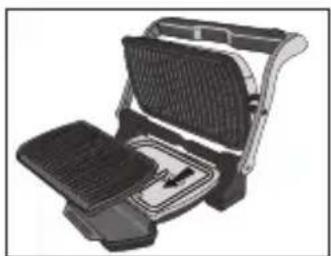
natural_image
Illustration of a portable electric grill with grating and side panel (no text or symbols)natural_image
Illustration of a hand inserting a component into a device (no text or symbols visible)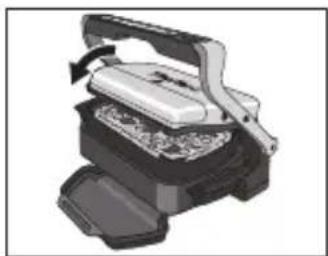
natural_image
Illustration of a mechanical press or printer device with a handle and base, showing internal components (no text or symbols visible)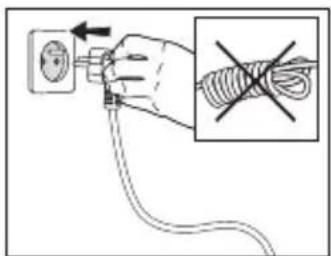
RU
natural_image
Illustration of a printer emitting smoke with four circular warning symbols above (no text or labels)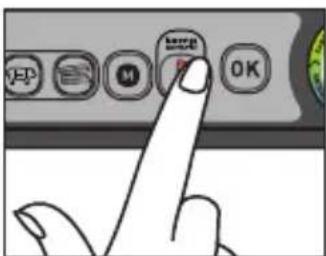
natural_image
Illustration of a grating machine with an open lid and side panel, showing a rotating handle (no text or symbols)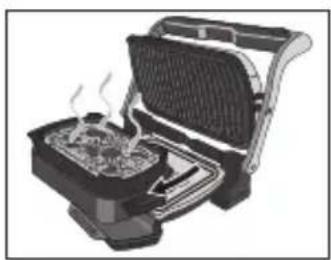
natural_image
Illustration of a toaster oven with visible steam rising from the side (no text or symbols)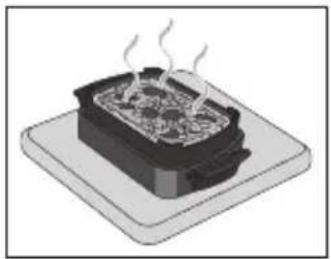
natural_image
Illustration of a steaming hot pot on a base (no text or symbols)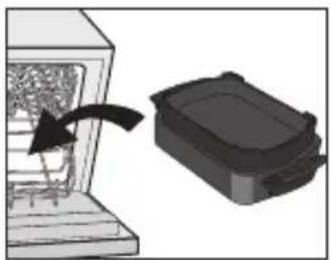
natural_image
Diagram showing a device with an arrow pointing to a black box, no text or symbols presentnatural_image
Hand inserting a plug into an electrical socket (no text or symbols visible)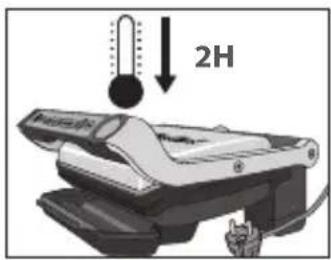
natural_image
3D rendering of a black plastic container or tray component (no text or symbols visible)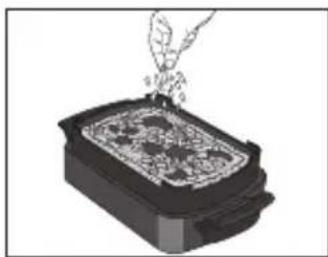
natural_image
Illustration of a hand pouring liquid into a rectangular container with a patterned lid (no text or symbols)natural_image
Illustration of a mechanical device with a rotating arrow indicating rotation (no text or symbols)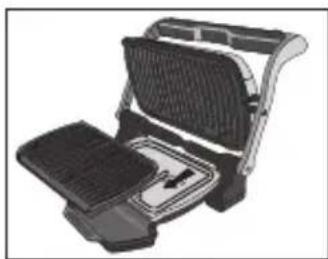
natural_image
Illustration of a grating machine with a side panel and handle (no text or symbols visible)natural_image
Illustration of a mechanical device with a hand inserting a component into it, showing internal components and a downward arrow (no text or symbols)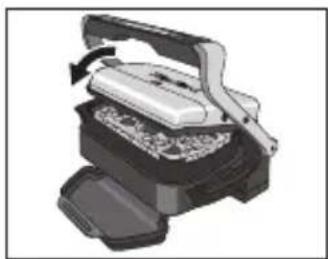
natural_image
3D rendering of a mechanical device with no visible text or symbols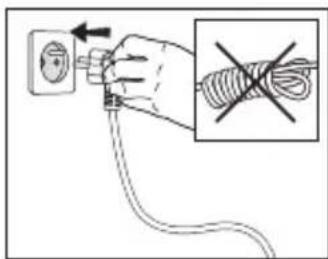
natural_image
Illustration of a smoking machine emitting smoke, with four colorful circular icons above it (no text or symbols)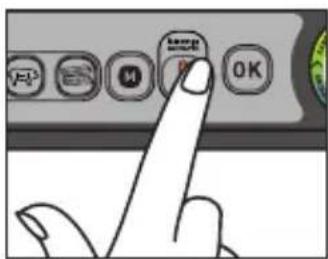
natural_image
Illustration of a griddle or toaster oven with a side panel and heat sink (no text or symbols)
natural_image
Illustration of a portable toaster oven with visible steam rising from the side (no text or symbols)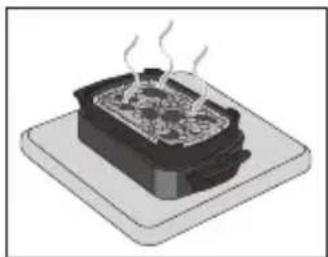
natural_image
Illustration of a steaming hot pot on a square base (no text or symbols)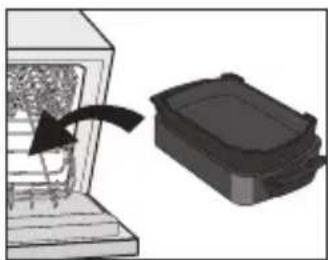
natural_image
Diagram showing a mechanical component being inserted into a housing, with an arrow indicating the process (no text or symbols present)natural_image
Hand inserting a plug into an electrical outlet (no text or symbols visible)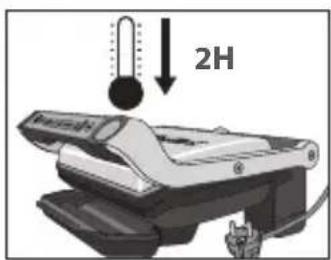
natural_image
3D rendering of a black rectangular electronic component with rounded edges and a small protrusion (no text or symbols)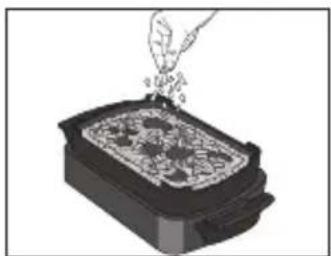
natural_image
Illustration of a hand pouring granular material into a rectangular container (no text or symbols)natural_image
Illustration of a mechanical device with a rotating lever and base plate (no text or symbols)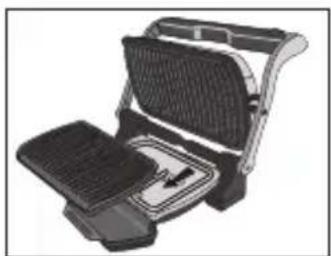
natural_image
Illustration of a portable electric grill with grating and side panel (no text or symbols)natural_image
Illustration of a hand inserting a component into a device (no text or symbols visible)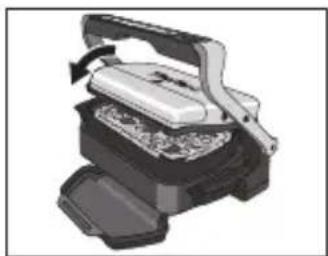
natural_image
Illustration of a mechanical press or press device with a handle and internal components (no text or symbols visible)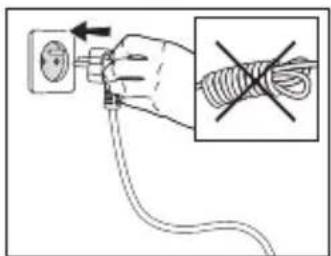

natural_image
Illustration of a smoking machine emitting smoke, with four colorful circular icons above it (no text or symbols)TR
natural_image
Illustration of a steaming hot pot on a rectangular dish (no text or symbols)natural_image
Diagram showing a person interacting with a device inside a chamber, with an arrow indicating rotation (no text or symbols present)AR

natural_image
Hand inserting a plug into an electrical outlet (no text or symbols visible)وملحقات الخپز.
2
natural_image
Illustration of a mechanical device with a hand inserting a component into it (no text or symbols visible)AR
4
natural_image
Illustration of a steaming hot pot on a square base (no text or symbols)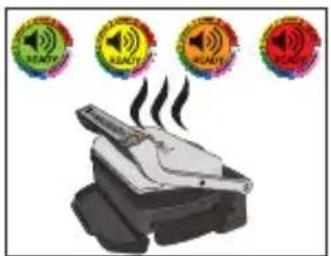
natural_image
Illustration of a smoking machine emitting smoke, with four circular icons above indicating sound or energy symbols (no text or labels present)natural_image
Hand inserting a plug into an electrical outlet (no text or symbols visible)پخت و پز قرار دهید.
2
natural_image
Illustration of a hand pressing down on a mechanical device component (no text or symbols visible)4
natural_image
Mechanical device with a handle and internal components, no visible text or symbolsFA
natural_image
Hand inserting a plug into an electrical socket (no text or symbols visible)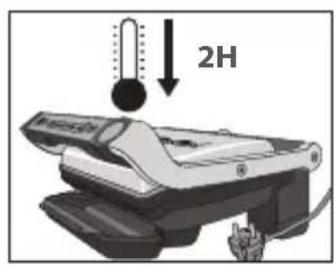
natural_image
3D rendering of a black plastic container or housing (no text or symbols visible)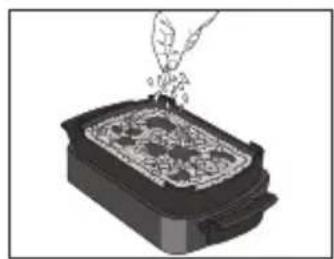
natural_image
Illustration of a hand pouring liquid into a rectangular container with a patterned lid (no text or symbols)natural_image
Illustration of a mechanical device with a rotating arrow indicating rotation (no text or symbols)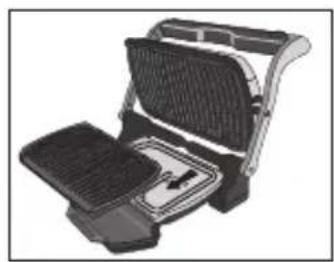
natural_image
Illustration of a grating machine with mesh backrest and side panel (no text or symbols)natural_image
Illustration of a hand inserting a device into a computer case (no text or symbols visible)
natural_image
3D rendering of a mechanical device with a handle and internal components (no visible text or symbols)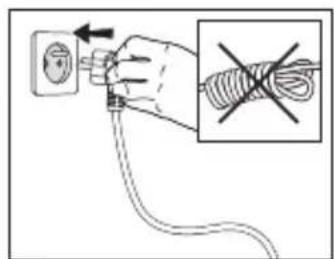
PL
natural_image
Illustration of a smoking machine emitting smoke, with four circular warning symbols above (no text or labels)natural_image
Illustration of a griddle or toaster oven with a side panel and heat sink (no text or symbols)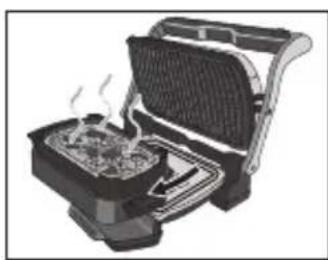
natural_image
Illustration of a portable toaster oven with visible steam rising from the side (no text or symbols)natural_image
Illustration of a steaming hot pot on a square base (no text or symbols)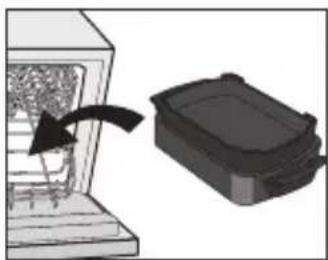
natural_image
Diagram showing a mechanical component being inserted into a housing, with an arrow indicating the process (no text or symbols present)natural_image
Hand inserting a plug into an electrical outlet (no text or symbols visible)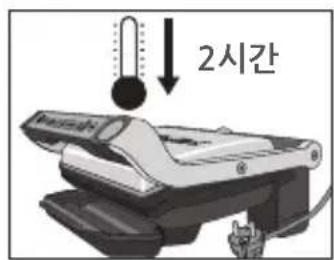
natural_image
3D rendering of a black rectangular electronic component with rounded edges and a small protrusion (no text or symbols)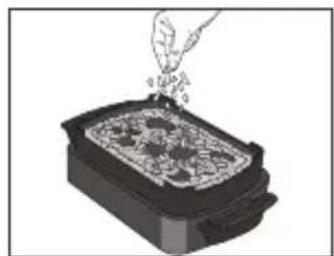
natural_image
Illustration of a hand pouring liquid into a container with granular contents (no text or symbols)natural_image
Illustration of a mechanical device with a rotating lever and base plate (no text or symbols)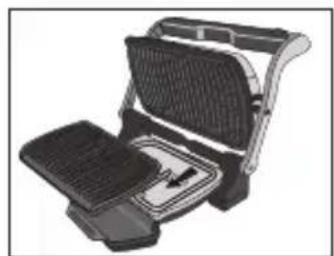
natural_image
Illustration of a flat-screen grating or toaster with mesh grille and side panel (no text or symbols)natural_image
Illustration of a hand inserting a component into a device (no text or symbols visible)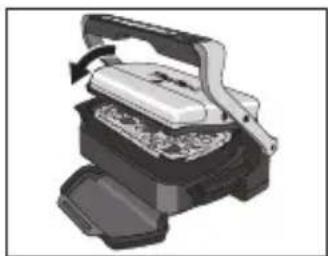
natural_image
Illustration of a mechanical press or printer device with a handle and base, showing internal components (no text or symbols visible)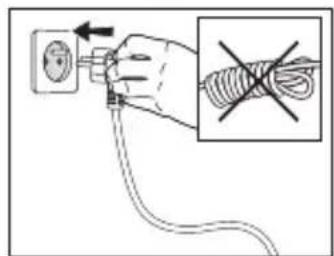
natural_image
Illustration of a grating machine with an open lid and side panel, showing a rotating handle (no text or symbols)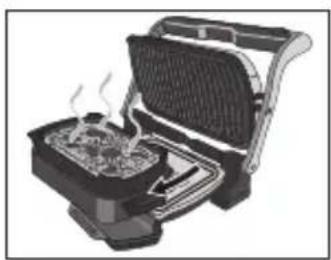
natural_image
Illustration of a toaster oven with visible steam rising from the side (no text or symbols)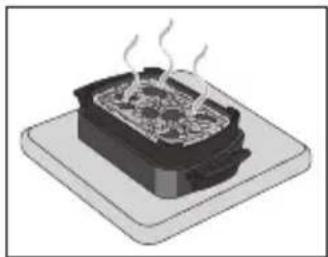
natural_image
Illustration of a steaming hot pot on a base (no text or symbols)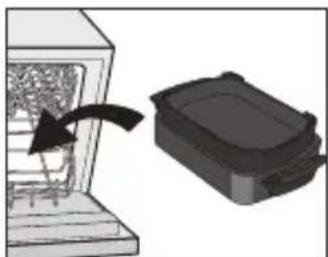
natural_image
Diagram showing a device with an arrow pointing to a black box, no text or symbols presentnatural_image
Hand inserting a plug into an electrical socket (no text or symbols visible)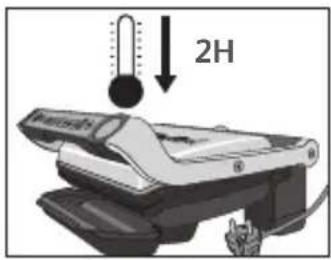
natural_image
3D rendering of a black rectangular electronic component with a recessed top and side slots (no text or symbols)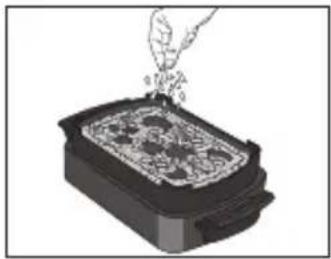
natural_image
Illustration of a hand pouring liquid into a rectangular container with a patterned lid (no text or symbols)natural_image
Illustration of a mechanical device with a rotating arrow indicating rotation (no text or symbols)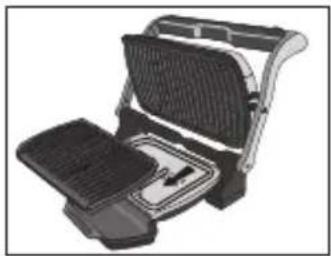
natural_image
Illustration of a grating machine with open lid and side panel (no text or symbols)natural_image
Illustration of a hand inserting into a device into a rack, showing internal components and a downward arrow (no text or symbols)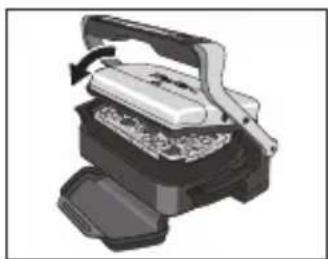
natural_image
Illustration of a mechanical device with a handle and internal components (no text or symbols visible)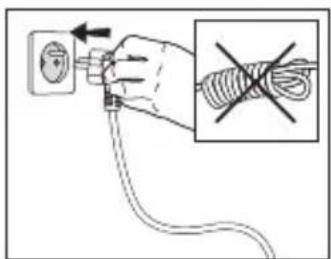
natural_image
Illustration of a printer emitting smoke from four circular warning symbols above it (no text or labels)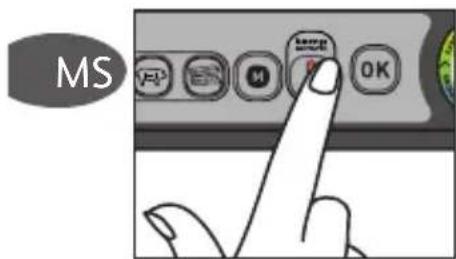
natural_image
Illustration of a griddle or toaster oven with a side panel and heat sink (no text or symbols)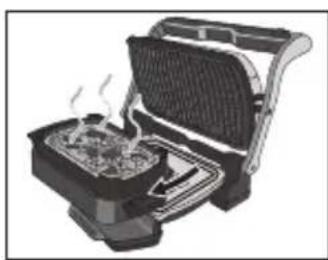
natural_image
Illustration of a portable toaster oven with visible steam rising from the side (no text or symbols)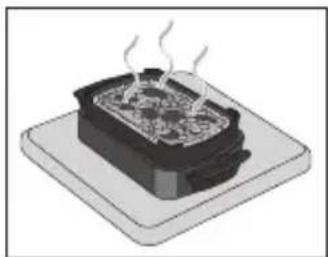
natural_image
Illustration of a steaming hot pot on a square base (no text or symbols)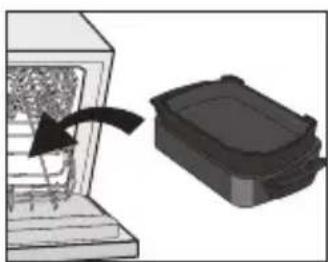
natural_image
Diagram showing a mechanical component being inserted into a housing, with an arrow indicating the direction (no text or symbols present)natural_image
Hand inserting a plug into an electrical outlet (no text or symbols visible)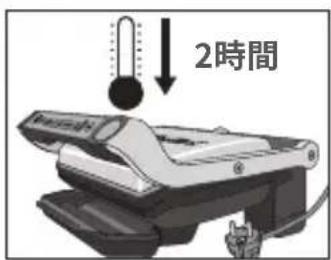
natural_image
3D rendering of a black rectangular electronic component with rounded edges and a small protrusion (no text or symbols)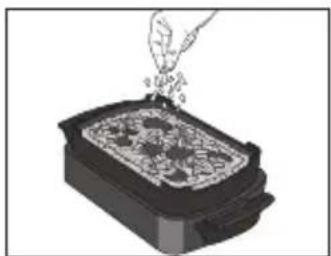
natural_image
Illustration of a hand pouring granular material into a rectangular container (no text or symbols)natural_image
Illustration of a mechanical device with a rotating lever and base plate (no text or symbols)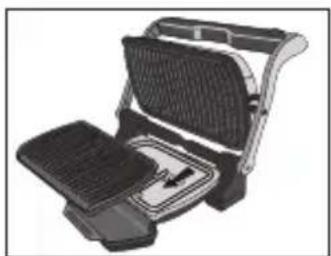
natural_image
Illustration of a portable electric grill with grating and side panel (no text or symbols)natural_image
Illustration of a hand inserting a component into a device (no text or symbols visible)natural_image
Illustration of a mechanical press or printer device with a handle and base, showing internal components (no text or symbols visible)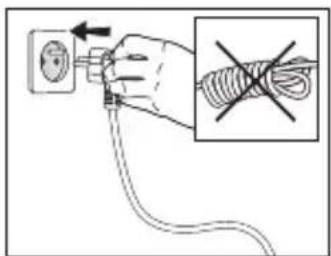
natural_image
Illustration of a steaming machine emitting smoke from three circular warning symbols (no text or labels)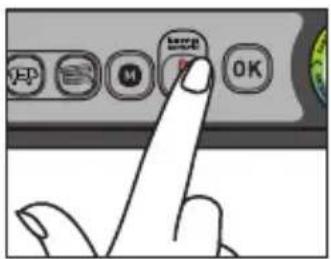
JP
6.
natural_image
Illustration of a grating machine with an open lid and side panel, showing a rotating handle (no text or symbols)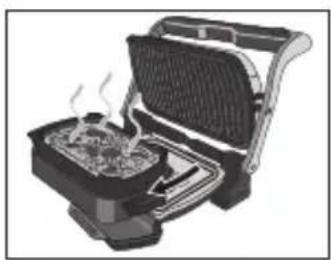
natural_image
Illustration of a toaster oven with visible steam rising from the side (no text or symbols)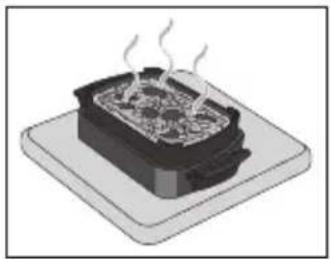
natural_image
Illustration of a steaming hot pot on a base (no text or symbols)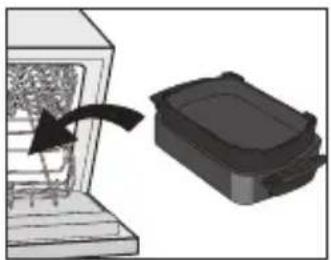
natural_image
Diagram showing a device with an arrow pointing to a black box, no text or symbols presentnatural_image
Hand holding a plug inserted into an electrical socket (no text or symbols visible)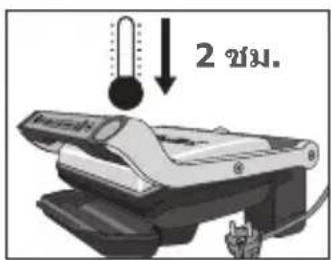
natural_image
3D rendering of a black rectangular electronic component with rounded edges and a small protrusion (no text or symbols)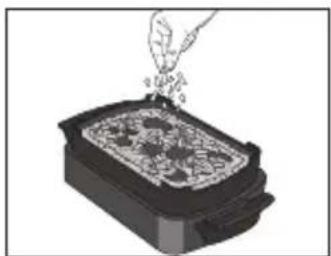
natural_image
Illustration of a hand pouring granular material into a rectangular container (no text or symbols)natural_image
Illustration of a mechanical device with a rotating lever and base plate (no text or symbols)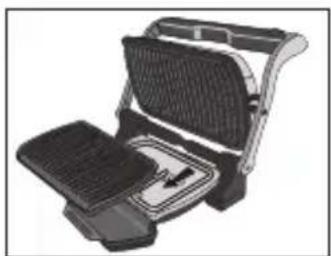
natural_image
Illustration of a portable electric grill with grating and side panel (no text or symbols)natural_image
Illustration of a hand inserting a component into a device (no text or symbols visible)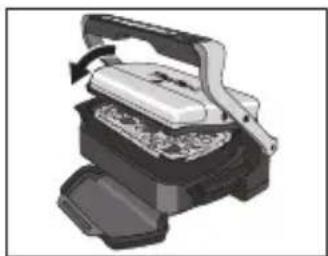
natural_image
Illustration of a mechanical press or printer device with a handle and base, showing internal components (no text or symbols visible)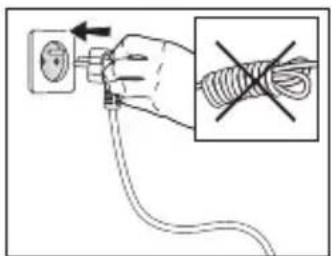
natural_image
Illustration of a steaming machine emitting smoke from four circular warning symbols (no text or labels)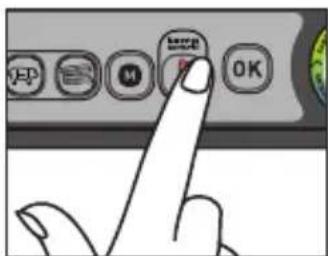
TH
natural_image
Illustration of a grating machine with an open lid and side panel, showing a rotating handle (no text or symbols)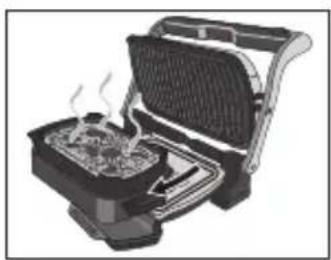
natural_image
Illustration of a toaster oven with visible steam rising from the side (no text or symbols)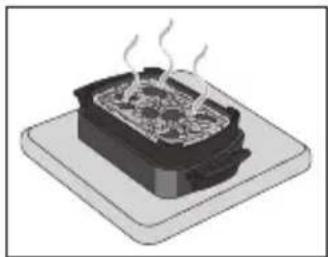
natural_image
Illustration of a steaming hot pot on a base (no text or symbols)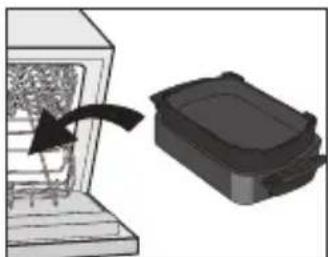
natural_image
Diagram showing a device with an arrow pointing to a black box, no text or symbols presentnatural_image
Hand inserting a plug into an electrical outlet (no text or symbols visible)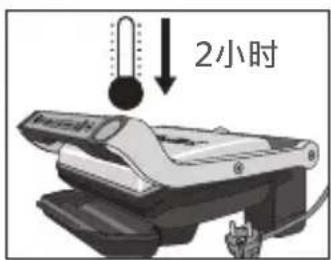
natural_image
3D rendering of a black rectangular electronic component with rounded edges and a small protrusion (no text or symbols)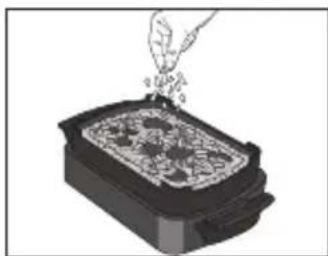
natural_image
Illustration of a hand pouring granular material into a rectangular container (no text or symbols)- 将食材放入烘焙和点心盘。
natural_image
Illustration of a mechanical device with a rotating lever and base plate (no text or symbols)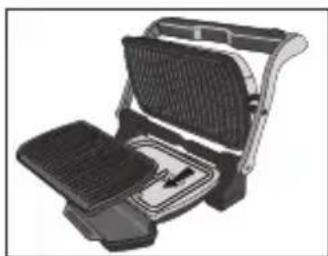
natural_image
Illustration of a flat-screen grating or toaster with open lid and side panel (no text or symbols)natural_image
Illustration of a hand inserting a component into a device (no text or symbols visible)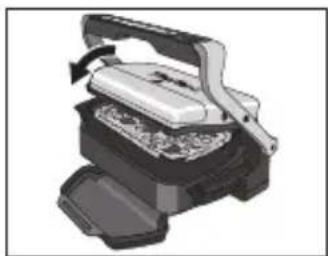
natural_image
Illustration of a mechanical press or printer device with a handle and base, showing internal components (no text or symbols visible)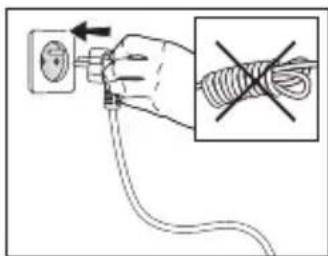
- 关上烤架,插好电源。
natural_image
Illustration of a steaming machine emitting smoke from four circular icons above it (no text or symbols)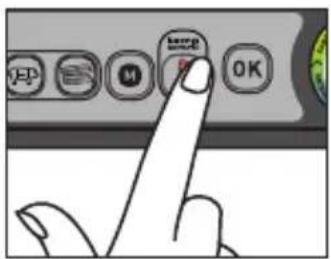
natural_image
Illustration of a grating machine with an open lid and side panel, showing a rotating handle (no text or symbols)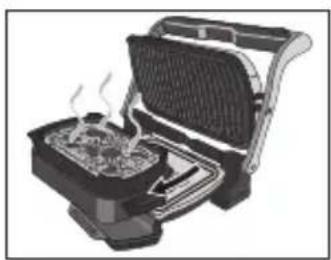
natural_image
Illustration of a toaster oven with visible steam rising from the side (no text or symbols)natural_image
Illustration of a steaming hot pot on a base (no text or symbols)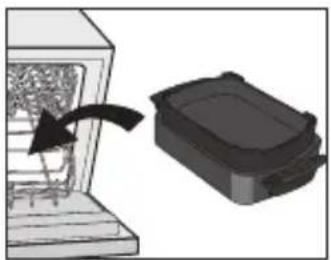
natural_image
Diagram showing a device with an arrow pointing to a black box, no text or symbols present- 烘焙和点心盘可用洗碗机清洗。
烘烤配件建議使用方法
natural_image
Hand holding a plug inserted into an electrical socket (no text or symbols visible)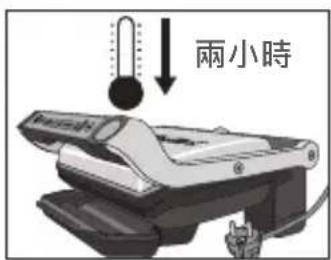
natural_image
3D rendering of a black rectangular electronic component with rounded top and side edges (no text or symbols)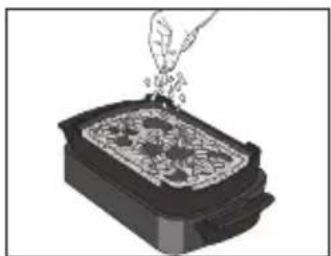
natural_image
Illustration of a hand pouring granular material into a rectangular container (no text or symbols)- 將食材放置於烘烤配件上。
natural_image
Illustration of a mechanical device with a rotating lever and base plate (no text or symbols)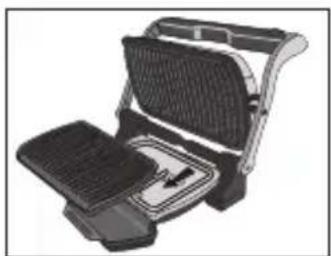
natural_image
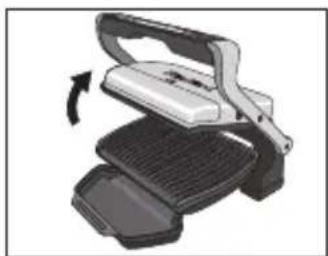
Illustration of a portable electric grill with grating and side panel (no text or symbols)- 打開烤爐,移除下層烤盤,置入烘烤配件。
注意:請確保上層烤盤已妥善置入本機。
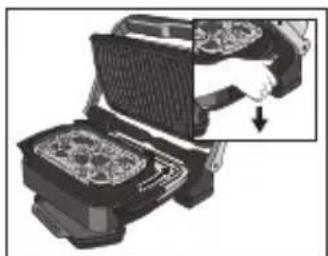
natural_image
Illustration of a hand inserting a component into a device (no text or symbols visible)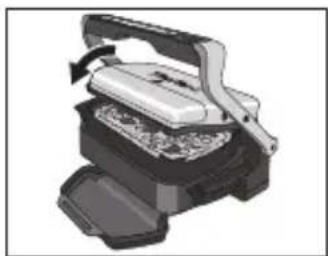
natural_image
Illustration of a mechanical press or printer device with a handle and base, showing internal components (no text or symbols visible)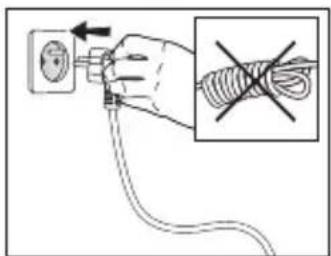
- 關閉烤爐,把插頭插好。
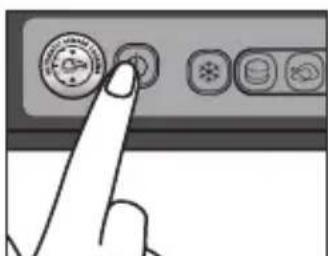
natural_image
Illustration of a printer emitting smoke with four circular warning symbols above (no text or labels)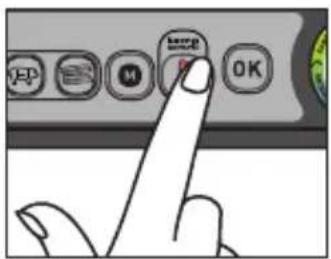
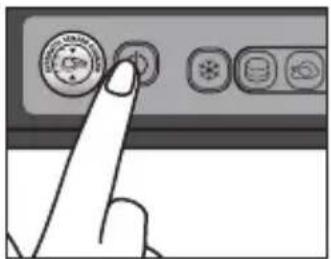
- 按下待達到指定溫度,特定指示燈會亮起。
- 綠色指示燈:攝氏85度至110度

· 黃色指示燈:攝氏150度至165

- 橙色指示燈:攝氏190度至205

- 紅色指示燈:攝氏240度至255

natural_image
Illustration of a grating machine with an open lid and side panel, showing a rotating handle (no text or symbols)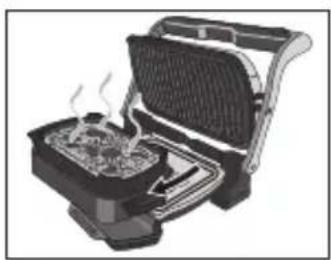
natural_image
Illustration of a toaster oven with visible steam rising from the side (no text or symbols)- 打開烤爐,利用把手移除烘烤配件。
注意:表面熱燙,建議使用隔熱手套。
本機使用時會產生高溫,請置於耐熱表面。
natural_image
Illustration of a steaming hot pot on a base (no text or symbols)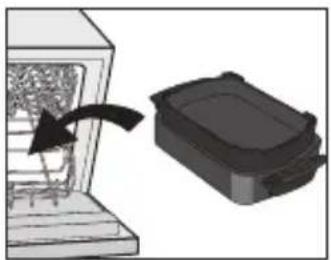
natural_image
Diagram showing a device with an arrow pointing to a black box, no text or symbols present- 烘烤配件可用洗碗機清洗。
natural_image
Hand inserting a plug into an electrical outlet (no text or symbols visible)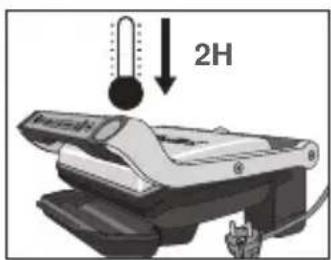
natural_image
3D rendering of a black rectangular electronic component with rounded edges and a small protrusion (no text or symbols)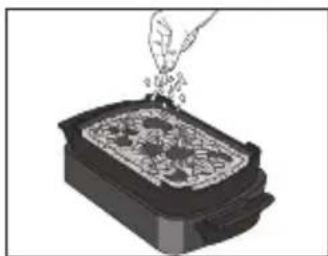
natural_image
Illustration of a hand pouring granular material into a rectangular container (no text or symbols)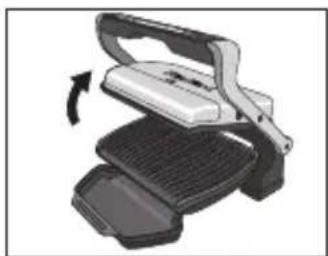
natural_image
Illustration of a mechanical device with a rotating lever and base plate (no text or symbols)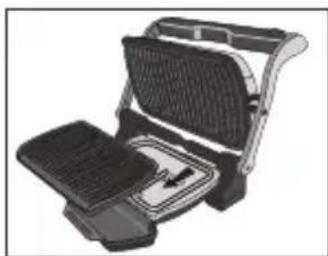
natural_image
Illustration of a flat-screen grating or toaster with mesh grille and side panel (no text or symbols)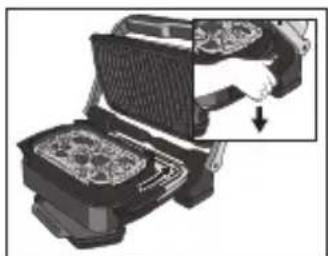
natural_image
Illustration of a hand inserting a component into a device (no text or symbols visible)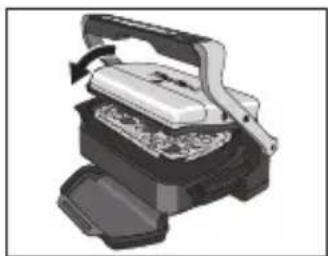
natural_image
Illustration of a mechanical press or printer device with a handle and base, showing internal components (no text or symbols visible)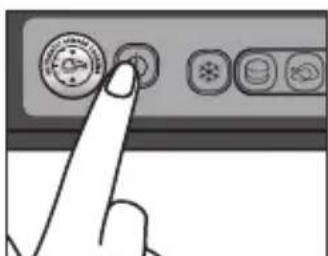
natural_image
Illustration of a printer emitting smoke with four circular warning symbols above (no text or labels)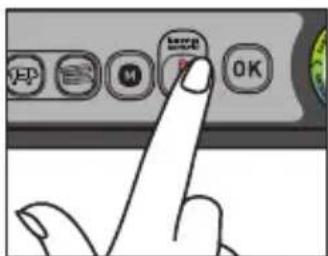
natural_image
Illustration of a grating machine with an open lid and side panel, showing a rotating handle (no text or symbols)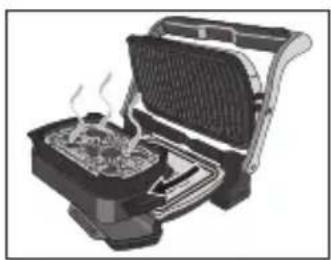
natural_image
Illustration of a toaster oven with visible steam rising from the side (no text or symbols)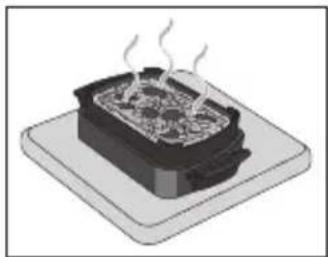
natural_image
Illustration of a steaming hot pot on a base (no text or symbols)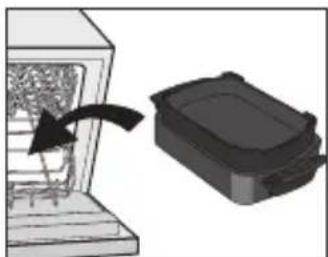
natural_image
Diagram showing a device with an arrow pointing to a black box, no text or symbols presentBrand : TEFAL
Model : OptiGrill XL Snacking & Baking
Category : Griddle