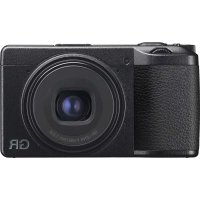
GR IIIx - Camera RICOH - Free user manual and instructions
Find the device manual for free GR IIIx RICOH in PDF.


| Product type | Compact digital camera |
| Weight | Approx. 232 g (with battery and memory card) |
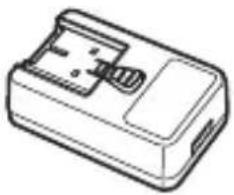
| Power supply | Rechargeable lithium-ion battery DB-110; USB adapter AC-U1/AC-U2; optional charger BJ-11 |
| Sensor | APS-C CMOS (23.5 x 15.6 mm) |
| Lens | RICOH GR 26.1 mm f/2.8 (equiv. 40 mm in 35 mm) |
| Stabilization | Built-in SR (Shake Reduction) (sensor shift) |
| Screen | 3.0-inch touchscreen LCD, approx. 1,037,000 dots |
| Connectivity | Bluetooth 4.2, Wi-Fi IEEE 802.11 b/g/n, USB Type-C, micro HDMI |
| File formats | JPEG, RAW (DNG), RAW+JPEG |
| Shutter speed | 1/4000 s to 30 s, Bulb, Time, BT |
| ISO sensitivity | ISO 100 – 102400 (AUTO: 100-6400) |
| Battery life | Approx. 200 shots (CIPA standard) |
| Main features | Modes P, Av, Tv, M; macro (12-24 cm); Image modes (Standard, Vivid, Monotone, etc.); bracketing; interval timer; Full HD video recording |
| Maintenance and cleaning | Clean the lens with a blower and soft cloth; wipe the screen with a slightly damp cloth; do not use solvents |
| Safety | Do not disassemble; avoid humidity; use only recommended battery and charger; turn off power if abnormality occurs |
| Spare parts / accessories | DB-110 battery, BJ-11 charger, D-AC166 AC adapter, I-USB166 USB cable, strap, GW-4 conversion lens (optional), external flash (optional) |
| General information | Brand: Ricoh; Model: GR IIIx; Ref.: R05010; Warranty: 12 months; Manufacturer: RICOH IMAGING COMPANY, LTD. |
| Dimensions | 109.4 x 61.9 x 35.2 mm (excluding protrusions) |
Frequently Asked Questions - GR IIIx RICOH
User questions about GR IIIx RICOH
0 question about this device. Answer the ones you know or ask your own.
Ask a new question about this device
Download the instructions for your Camera in PDF format for free! Find your manual GR IIIx - RICOH and take your electronic device back in hand. On this page are published all the documents necessary for the use of your device. GR IIIx by RICOH.
USER MANUAL GR IIIx RICOH
http://www.ricoh-imaging.com/registration/
Appareil photo....147
Batterie rechargeable DB-110....151
Regulatory Compliance Statements....159
Index....167
natural_image
Line drawing of a digital camera with lens and screen (no text or symbols)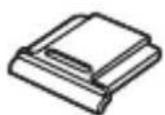
natural_image
Line drawing of a rectangular electronic device with a handle and internal components (no text or symbols)RICOH GR IIIx Cache-sabot
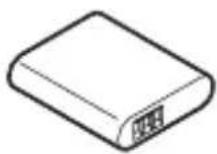
Batterie rechargeable (DB-110)
natural_image
Diagram of a mechanical device with a slide and handle, showing internal components (no text or symbols)natural_image
Diagram of a device with a globe inside, showing a folder and control panel (no text or symbols)natural_image
Diagram showing a device being inserted into a housing, with no visible text or symbolsnatural_image
Mechanical assembly diagram showing a valve inserted into a housing connected to a motor (no text or symbols visible)natural_image
Line drawing of a digital camera with a play button overlay (no text or symbols)natural_image
Technical line drawing of a mechanical component with an arrow indicating assembly or adjustment (no text or symbols present)Attention
natural_image
Mechanical assembly diagram showing a valve inserted into a housing connected to a shaft (no text or symbols visible)natural_image
Abstract diagram with a white mountain peak and horizontal bars, no text or symbols present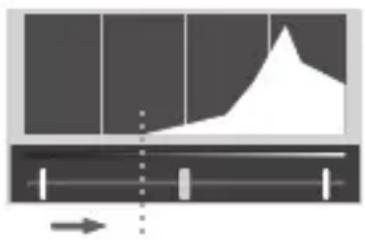
natural_image
Pure diagram of a mechanical or fluidic component with no text, numbers, or symbols visible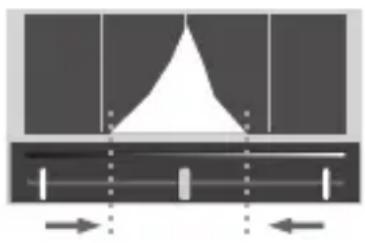
natural_image
Pure diagram of a mechanical or architectural component with no text, numbers, or symbolsnatural_image
Mechanical assembly diagram showing a cam or probe inserted into a housing with a shaft connected to a motor (no text or symbols visible)natural_image
Diagram of a digital camera with a video icon pointing to the right side (no text or symbols present)natural_image
Line drawing of a digital camera with an open button labeled 'play' (no text or symbols beyond the play icon)Attention
natural_image
Mechanical assembly diagram showing a dial indicator inserted into a measuring tool (no text or symbols visible)natural_image
Diagram of a cable being inserted into an electrical outlet, showing connections without any text or symbols.Batterie rechargeable DB-110
Batterie rechargeable DB-110
Regulatory Compliance Statements
For customers in USA STATEMENT OF FCC COMPLIANCE
This device complies with Part 15 of the FCC Rules. Operation is subject to the following two conditions: (1) This device may not cause harmful interference, and (2) this device must accept any interference received, including interference that may cause undesired operation.
Changes or modifications not expressly approved by the party responsible for compliance could void the user's authority to operate the equipment.
This equipment has been tested and found to comply with the limits for a Class B digital device, pursuant to part 15 of the FCC Rules. These limits are designed to provide reasonable protection against harmful interference in a residential installation. This equipment generates, uses and can radiate radio frequency energy and, if not installed and used in accordance with the instructions, may cause harmful interference to radio communications. However, there is no guarantee that interference will not occur in a particular installation. If this equipment does cause harmful interference to radio or television reception, which can be determined by turning the equipment off and on, the user is encouraged to try to correct the interference by one or more of the following measures:
- Reorient or relocate the receiving antenna.
- Increase the separation between the equipment and receiver.
- Connect the equipment into an outlet on a circuit different from that to which the receiver is connected.
* Consult the dealer or an experienced radio/TV technician for help.
This transmitter must not be co-located or operated in conjunction with any other antenna or transmitter.
The available scientific evidence does not show that any health problems are associated with using low power wireless devices. There is no proof, however, that these low power wireless devices are absolutely safe. Low power Wireless devices emit low levels of radio frequency energy (RF) in the microwave range while being used. Whereas high levels of RF can produce health effects (by heating tissue), exposure of low-level RF that does not produce heating effects causes no known adverse health effects. Many studies of low-level RF exposures have not found any biological effects. Some studies have suggested that some biological effects might occur, but such findings have not been confirmed by additional research. R05010 has been tested and found to comply with FCC radiation exposure limits set forth for an uncontrolled environment and meets the FCC radio frequency (RF) Exposure Guidelines.
Declaration of Conformity According to 47CFR, Parts 2 and 15 for Class B Personal Computers and Peripherals
We: RICOH IMAGING AMERICAS CORPORATION
Located at: 2 Gatehall Drive Suite 204, Parsippany,
Declare under sole responsibility that the product identified herein complies with 47CFR Parts 2 and 15 of the FCC rules as a Class B digital device. Each product marketed is identical to the representative unit tested and found to be compliant with the standards. Records maintained continue to reflect the equipment being produced can be expected to be within the variation accepted, due to quantity production and testing on the statistical basis as required by 47CFR §2.909. Operation is subject to the following two conditions: (1) This device may not cause harmful interference, and (2) This device must accept any interference received, including interference that may cause undesired operation. The above named party is responsible for ensuring that the equipment complies with the standards of 47CFR §15.101 to §15.109.
Product Name: Digital Camera
Model Number: R05010
Contact Person: Customer Service Manager
Date and Place: May, 2021 Parsippany
For Customers in USA and Canada
Lithium-ion batteries are recyclable.
You can help preserve our environment by returning your used rechargeable batteries to the collection and recycling location nearest you.
For more information regarding recycling of rechargeable batteries, call toll free 1-800-822-8837, or visit http://www.call2recycle.org/.
For Customers in Canada Innovation, Science and Economic Development Canada (ISED) Regulatory Compliance Notice
This Class B digital apparatus complies with Canadian ICES-003 (B).
This device contains licence-exempt transmitter(s)/receiver(s) that comply with Innovation, Science and Economic Development Canada's licence-exempt RSS(s). Operation is subject to the following two conditions:
- This device may not cause interference.
- This device must accept any interference, including interference that may cause undesired operation of the device.
The available scientific evidence does not show that any health problems are associated with using low power wireless devices. There is no proof, however, that these low power wireless devices are absolutely safe. Low power wireless devices emit low levels of radio frequency energy (RF) in the microwave range while being used. Whereas high levels of RF can produce health effects (by heating tissue), exposure of low-level RF that does not produce heating effects causes no known adverse health effects. Many studies of low-level RF exposures have not found any biological effects. Some studies have suggested that some biological effects might occur, but such findings have not been confirmed by additional research. The R05010 has been tested and found to comply with ISED radiation exposure limits set forth for an uncontrolled environment and meets RSS-102 of the ISED radio frequency (RF) Exposure rules.
Shake Reduction.... 90
Room A 23F Lansheng Building, 2-8 Huaihaizhong Road, Huangpu District, Shanghai, 200021, CHINE (http://www.ricoh-imaging.com.cn)
http://www.ricoh-imaging.co.jp/english

- http://www.ricoh-imaging.com/registration/
- RICOH GR IIIx Cache-sabot
- Attention
- Batterie rechargeable DB-110
- Regulatory Compliance Statements
- For customers in USA STATEMENT OF FCC COMPLIANCE
- Declaration of Conformity According to 47CFR, Parts 2 and 15 for Class B Personal Computers and Peripherals
- For Customers in USA and Canada
- For Customers in Canada Innovation, Science and Economic Development Canada (ISED) Regulatory Compliance Notice
- http://www.ricoh-imaging.co.jp/english
Brand : RICOH
Model : GR IIIx
Category : Camera