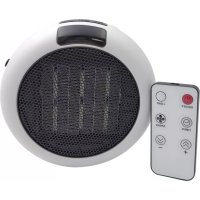
960800 - Heating Westfalia - Free user manual and instructions
Find the device manual for free 960800 Westfalia in PDF.



User questions about 960800 Westfalia
0 question about this device. Answer the ones you know or ask your own.
Ask a new question about this device
Download the instructions for your Heating in PDF format for free! Find your manual 960800 - Westfalia and take your electronic device back in hand. On this page are published all the documents necessary for the use of your device. 960800 by Westfalia.
USER MANUAL 960800 Westfalia
DISCLAIMER AND SAFETY GUIDELINES
natural_image
Icon of a person holding a book, no text or symbols presentEN
Contents
Safety at a Glance 4
NOTICE 6
Glossary 6
Pre-flight Checklist 6
Disclaimer and Warning 7
Before You Begin 8
Individual Parts 8
Product Care 11
Flight Condition Requirements 12
Flight Modes, Functions and Warnings 13
Compliance with Regulations & No Fly Zones 17
DE
Inhalt
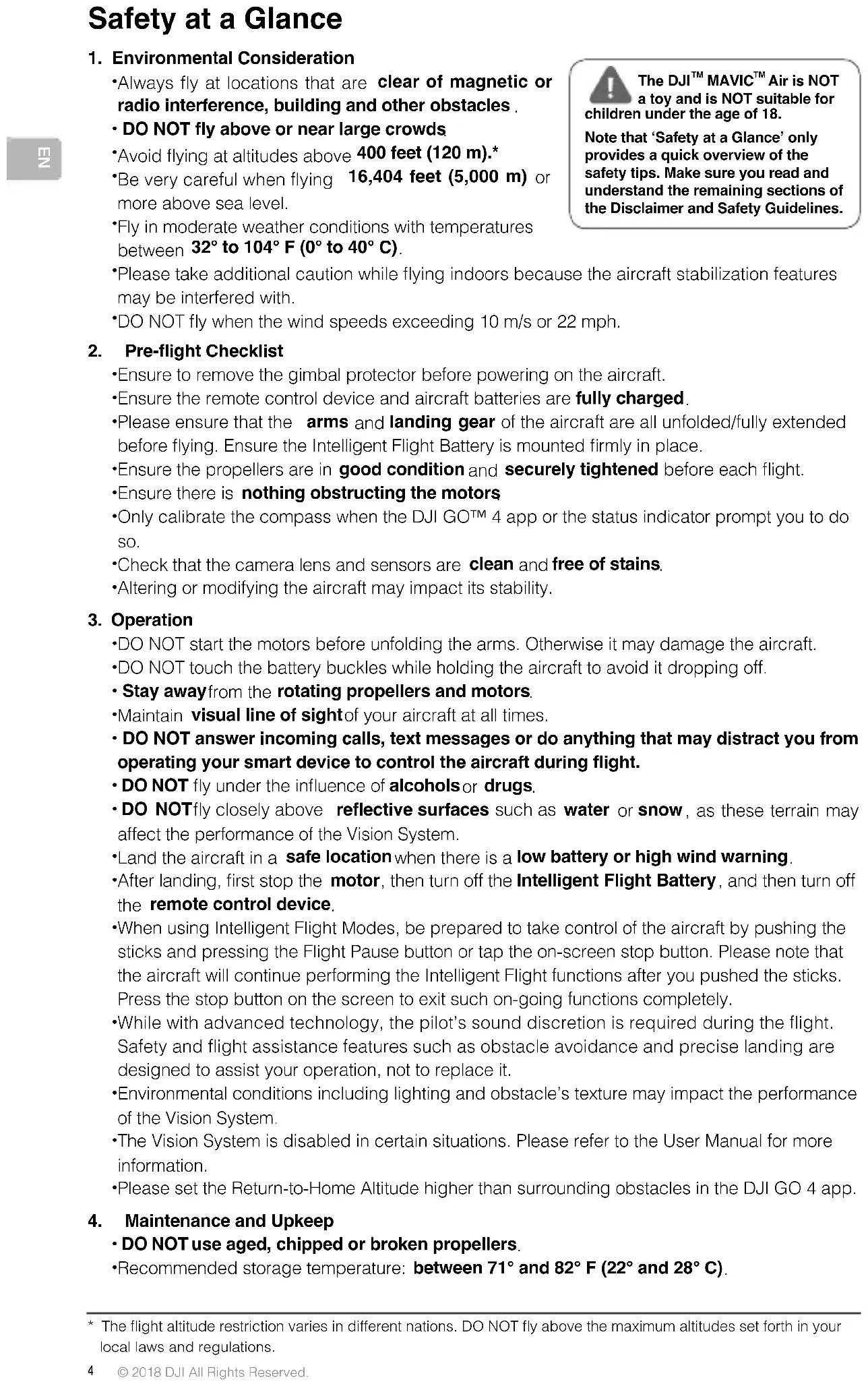
1. Environmental Consideration
- Always fly at locations that are clear of magnetic or radio interference, building and other obstacles. - DO NOT fly above or near large crowds
*Avoid flying at altitudes above 400 feet (120 m).*
- Be very careful when flying 16,404 feet (5,000 m) or more above sea level.
•Fly in moderate weather conditions with temperatures between 32^ to 104^ F ( 0^ to 40^ C).
- Please take additional caution while flying indoors because the aircraft stabilization features may be interfered with.
•DO NOT fly when the wind speeds exceeding 10 m/s or 22 mph.
2. Pre-flight Checklist
- Ensure to remove the gimbal protector before powering on the aircraft.
- Ensure the remote control device and aircraft batteries are fully charged.
- Please ensure that the arms and landing gear of the aircraft are all unfolded/fully extended before flying. Ensure the Intelligent Flight Battery is mounted firmly in place.
- Ensure the propellers are in good condition and securely tightened before each flight.
- Ensure there is nothing obstructing the motors
- Only calibrate the compass when the DJI GO™ 4 app or the status indicator prompt you to do so.
- Check that the camera lens and sensors are clean and free of stains.
- Altering or modifying the aircraft may impact its stability.
3. Operation
- DO NOT start the motors before unfolding the arms. Otherwise it may damage the aircraft.
- DO NOT touch the battery buckles while holding the aircraft to avoid it dropping off.
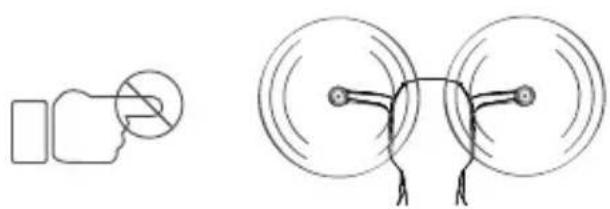
- Stay away from the rotating propellers and motors.
- Maintain visual line of sight of your aircraft at all times.
- DO NOT answer incoming calls, text messages or do anything that may distract you from operating your smart device to control the aircraft during flight.
- DO NOT fly under the influence of alcohols or drugs.
- DO NOTfly closely above reflective surfaces such as water or snow, as these terrain may affect the performance of the Vision System.
- Land the aircraft in a safe location when there is a low battery or high wind warning.
•After landing, first stop the motor, then turn off the Intelligent Flight Battery, and then turn off the remote control device.
- When using Intelligent Flight Modes, be prepared to take control of the aircraft by pushing the sticks and pressing the Flight Pause button or tap the on-screen stop button. Please note that the aircraft will continue performing the Intelligent Flight functions after you pushed the sticks. Press the stop button on the screen to exit such on-going functions completely.
- While with advanced technology, the pilot's sound discretion is required during the flight. Safety and flight assistance features such as obstacle avoidance and precise landing are designed to assist your operation, not to replace it.
- Environmental conditions including lighting and obstacle's texture may impact the performance of the Vision System.
•The Vision System is disabled in certain situations. Please refer to the User Manual for more information.
- Please set the Return-to-Home Altitude higher than surrounding obstacles in the DJI GO 4 app.
4. Maintenance and Upkeep
- DO NOT use aged, chipped or broken propellers.
- Recommended storage temperature: between 71^ and 82^ F (22° and 28° C).
The DJI™ MAVIC™ Air is NOT a toy and is NOT suitable for children under the age of 18.
Note that ‘Safety at a Glance’ only provides a quick overview of the safety tips. Make sure you read and understand the remaining sections of the Disclaimer and Safety Guidelines.
- Refer to the Intelligent Flight Battery Safety Guidelines for more information about the safe use of the battery.
- Keep the camera lens, motors and gimbal clean.
5. Observe Local Laws and Regulations
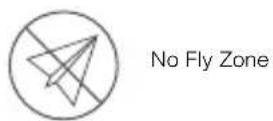
• DO NOT fly in the No Fly Zones. You can find relevant information on these areas at http://www.dji.com/flysafe. Please check with local aviation authorities for complete lists and regulations of No Fly Zones.
• The DJI No Fly Zone is not a replacement for local government regulations or good judgment. DO NOT fly above the maximum altitudes set forth in your local laws and regulations.
- Avoid flying in areas where rescue teams are actively using the airspace.
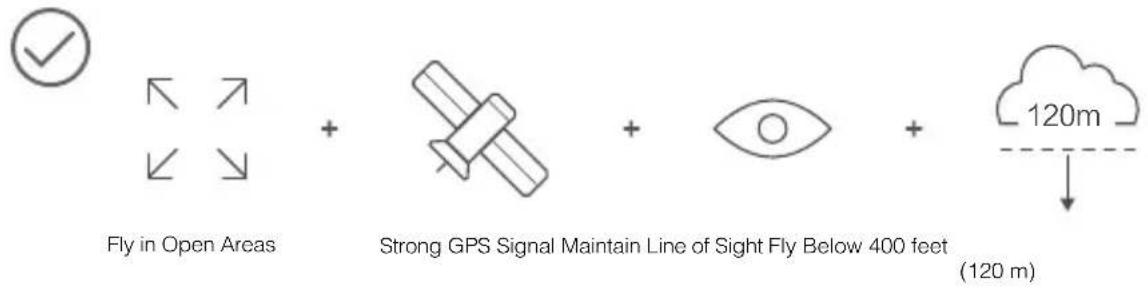
text_image
Fly in Open Areas + Strong GPS Signal Maintain Line of Sight Fly Below 400 feet + 120m (120 m)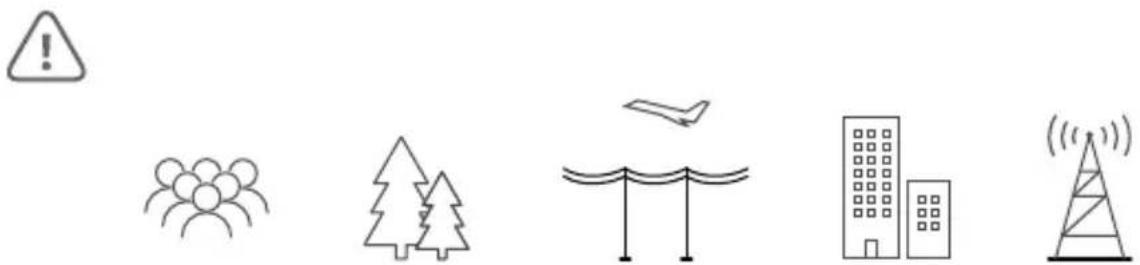
natural_image
Five simple line icons representing weather, natural scenery, water, buildings, and a tower (no text or symbols)Avoid flying over or near obstacles, crowds, high voltage power lines, trees or bodies of water. DO NOT fly near strong electromagnetic sources such as power lines and base stations since it may affect the onboard compass.

text_image
≥10 m/sDO NOT use the aircraft in adverse weather conditions such as rain, snow, fog and wind speeds exceeding 10 m/s or 22 mph.
natural_image
Simple line drawings of a hand holding a circular object and a multi-circular device with wires (no text or symbols)Stay away from the rotating propellers and motors.
Learn more at: http://www.dji.com/flysafe
NOTICE
All instructions and other collateral documents are subject to change at the sole discretion of SZ DJI TECHNOLOGY CO., LTD ("DJI"). For up-to-date product information, visit http://www.dji.com and check on the product page.
EN
Glossary
The following terms are used throughout this document to indicate various levels of potential harm when operating this product:
NOTICE NOTICE: Procedures, which if not properly followed, create a possibility of physical property damage AND a little or no possibility of injury.
CAUTION CAUTION: Procedures, which if not properly followed, create the probability of physical property damage AND a possibility of serious injury.
WARNING: Procedures, which if not properly followed, create the probability of property damage, collateral damage, and serious injury OR create a high probability of serious injury.

WARNING
Read the ENTIRE user manual to become familiar with the features of this product before operation. Failure to operate the product correctly can result in damage to the product or cause serious injury.
This is a sophisticated product. It must be operated with caution and common sense and requires some basic mechanical ability. Failure to operate this product in a safe and responsible manner could result in injury or damage to the product or other property. This product is not intended for use by children. DO NOT use incompatible components or alter this product in any way unless otherwise allowed by relevant documents provided by SZ DJI TECHNOLOGY CO., LTD. These Safety Guidelines contain instructions for safety, operation and maintenance. It is essential to read and follow all of the instructions and warnings in the user manual, prior to assembly, setup or use, in order to operate the product correctly and avoid damage or serious injury.
AGE RECOMMENDATION: NOT FOR CHILDREN UNDER THE AGE OF 18. THIS IS NOT A TOY.
Pre-flight Checklist
- Ensure that you are using only genuine parts and that all parts are in mint condition.
- Ensure the remote control, mobile device and Intelligent Flight Battery are fully charged.
- Ensure that there is no foreign object stuck to the camera lens and the gimbal can rotate freely before powering it on.
- Keep the sensors of the Vision System clean at all times.
- Ensure the propellers are securely mounted and tightened onto the motors, and the motors can start and function normally.
- Follow the on-screen instructions to calibrate the compass and IMU.
- Ensure the DJI GO 4 App and aircraft's firmware have been upgraded to the latest version.
- Ensure that your flight area is outside the No Fly Zones and flight conditions are suitable for flying the aircraft.
- Be sure that you are NOT flying under the influence of alcohol, drugs or any substance that may impair your cognitive abilities.
- Be familiar with the selected flight mode and understand all safety functions and warnings.
- Be sure to observe all local regulations, obtain appropriate authorizations, and understand the risks. REMEMBER: It is solely your responsibility to comply with all flight regulations.
- Please MAINTAIN VISUAL LINE OF SIGHT (WITH YOUR EYES) OF YOUR AIRCRAFT AT ALL TIMES. Please do not only rely on first person view camera to control your aircraft.
- Ensure the DJI GO 4 app is properly launched to assist your operation of the aircraft. WITHOUT THE FLIGHT DATA RECORDED BY THE DJI GO 4 App, IN CERTAIN SITUATIONS (INCLUDING THE LOSS OF YOUR AIRCRAFT) DJI MAY NOT BE ABLE TO PROVIDE AFTERSALES SUPPORT TO YOU OR ASSUME LIABILITY.
Disclaimer and Warning
This product is NOT a toy and is not suitable for children under the age of 18. Adults should keep the aircraft out of the reach of children and exercise caution when operating this aircraft in the presence of children.
While the product adopts advanced technology, inappropriate use of the product could result in personal injury or property damages. Please read the materials associated with the product before your first use of the product. These documents are included in the product package and are also available online on the DJI product page at http://www.dji.com.
This product is a flying camera that offers easy flight when in good working order as set forth below. Visit http://www.dji.com for the most current instructions and warnings and http://knowbeforeyoufly.org/ for more information about flight safety and compliance.
The information in this document affects your safety and your legal rights and responsibilities. Read this entire document carefully to ensure proper configuration before use. Failure to read and follow the instructions and warnings in this document may result in product loss, serious injury to you, or damage to your aircraft.
By using this product, you hereby signify that you have read this disclaimer carefully and that you understand and agree to abide by the terms and conditions herein. EXCEPT AS EXPRESSLY PROVIDED IN DJI AFTER-SALES SERVICE POLICIES AVAILABLE AT (HTTP://WWW.DJI.COM/SERVICE), THE PRODUCT AND ALL MATERIALS, AND CONTENT AVAILABLE THROUGH THE PRODUCT ARE PROVIDED "AS IS" AND ON AN "AS AVAILABLE" BASIS, WITHOUT WARRANTY OR CONDITION OF ANY KIND, EITHER EXPRESS OR IMPLIED. DJI DISCLAIMS ALL WARRANTIES OF ANY KIND, EXCEPT AS EXPRESSLY PROVIDED IN DJI AFTER-SALES SERVICE POLICIES, WHETHER EXPRESS OR IMPLIED, RELATING TO THE PRODUCT, PRODUCT ACCESSORIES, AND ALL MATERIALS, INCLUDING: (A) ANY IMPLIED WARRANTY OF MERCHANTABILITY, FITNESS FOR A PARTICULAR PURPOSE, TITLE, QUIET ENJOYMENT, OR NON-INFRINGEMENT; AND (B) ANY WARRANTY ARISING OUT OF COURSE OF DEALING, USAGE, OR TRADE. DJI DOES NOT WARRANT, EXCEPT AS EXPRESSLY PROVIDED IN DJI LIMITED WARRANTY, THAT THE PRODUCT, PRODUCT ACCESSORIES, OR ANY PORTION OF THE PRODUCT, OR ANY MATERIALS, WILL BE UNINTERRUPTED, SECURE, OR FREE OF ERRORS, VIRUSES, OR OTHER HARMFUL COMPONENTS, AND DO NOT WARRANT THAT ANY OF THOSE ISSUES WILL BE CORRECTED.
NO ADVICE OR INFORMATION, WHETHER ORAL OR WRITTEN, OBTAINED BY YOU FROM THE PRODUCT, PRODUCT ACCESSORIES, OR ANY MATERIALS WILL CREATE ANY WARRANTY REGARDING DJI OR THE PRODUCT THAT IS NOT EXPRESSLY STATED IN THESE TERMS. YOU ASSUME ALL RISKS FOR ANY DAMAGE THAT MAY RESULT FROM YOUR USE OF OR ACCESS TO THE PRODUCT, PRODUCT ACCESSORIES, AND ANY MATERIALS. YOU UNDERSTAND AND AGREE THAT YOU USE THE PRODUCT AT YOUR OWN DISCRETION AND RISK, AND THAT YOU ARE SOLELY RESPONSIBLE FOR ANY PERSONAL INJURY, DEATH, DAMAGE TO YOUR PROPERTY (INCLUDING YOUR COMPUTER SYSTEM OR MOBILE DEVICE OR DJI HARDWARE USED IN CONNECTION WITH THE PRODUCT) OR THIRD PARTY PROPERTY, OR THE LOSS OF DATA THAT RESULTS FROM YOUR USE OF OR INABILITY TO USE THE PRODUCT.
SOME JURISDICTIONS MAY PROHIBIT A DISCLAIMER OF WARRANTIES AND YOU MAY HAVE OTHER RIGHTS THAT VARY FROM JURISDICTION TO JURISDICTION.
DJI accepts no liability for damage, injury or any legal responsibility incurred directly or indirectly from the use of this product. The user shall observe safe and lawful practices including, but not limited to, those set forth in these Safety Guidelines.
Data Storage and Usage
When you use our mobile apps or our products or other software, you may provide DJI with data regarding the use and operation of the product, such as flight telemetry data (e.g., speed, altitude, battery life, and information about the gimbal and camera) and operations record. Please refer to DJI Privacy Policy (available at dji.com/policy) for more information.
DJI reserves the right to update this disclaimer and the safety guidelines. Please visit www.dji.com and check your email periodically for the latest version. This disclaimer is made in various language versions; in the event of divergence among different versions, the English version shall prevail.
Before You Begin
The following documents have been produced to help you safely operate and make full use of your aircraft:
In the Box
Disclaimer and Safety Guidelines
Intelligent Flight Battery Safety Guidelines
Quick Start Guide
User Manual
Check all of the included parts listed in the In the Box and read the Disclaimer and Safety Guidelines before flight. Then prepare for your first flight by using the Quick Start Guide and watching all of the tutorial videos on DJI's official website (http://www.dji.com). If you have questions, refer to the User Manual in the app or on DJI's official website for more comprehensive information. Make sure you fully understand the functionality of each individual part, the flight condition requirements, the key contingency warning functions/systems, and all government regulations before each flight. If you have any questions or problems during the assembly, maintenance or use of this product, please contact DJI or a DJI authorized dealer.
Individual Parts
Regarding Genuine and Functional Parts

WARNING
To avoid component malfunction, serious injury, and property damage, observe the following rules:
- Use only genuine DJI parts or parts certified by DJI. Unauthorized parts or parts from non-DJI certified manufacturers may cause system malfunctions and compromise safety.
- Ensure there are no foreign objects (such as water, oil, soil, sand, etc.) inside of the aircraft or its components.
- Ensure the aircraft and its components – including but not limited to the camera, gimbal, compass, propulsion system, and battery – are all in good working order, damage-free, and functioning well. Refer to the remaining sections in this document for more details on how to ensure the functionality of these components.
- DO NOT modify or alter the aircraft, its components, and parts. Unauthorized modification may cause malfunctions and affect the aircraft's functionality and safety.
Remote Controller
NOTICE
- Ensure the remote controller is fully charged before each flight.
- If the remote controller is powered on and has NOT been used for 5 minutes, it will sound an alert. After 10 minutes it will automatically power off. Move the sticks or perform some other action to cancel the alert.
- Adjust the clamp of the mobile device holder to allow a firm grip on your mobile device.
- Ensure the mobile device holder is firmly in place and does not slip.
- Ensure the antennas of the remote controller are unfolded and adjusted to the proper position to achieve optimal transmission quality.
- Repair or replace the remote controller if damaged. A damaged remote controller antenna will greatly decrease performance.
- Linking is required if you wish to replace your remote controller or receiver or add a new remote controller. Refer to the User Manual for details.
- Fully charge the battery at least once every three months to maintain battery health.
- Ensure the control sticks are mounted firmly.
Camera
CAUTION
To avoid possible serious injury and property damage, observe the following rule:
- DO NOT block any ventilation holes on the camera as the heat generated may hurt you and damage the device.
NOTICE
- Check camera settings before use to make sure you can adjust them to fit your needs.
- Test the camera by shooting a few test images and check that it is operating correctly before shooting important pictures or videos.
- DO NOT remove the Micro SD card from the aircraft when it is powered on.
- Photos or videos cannot be transmitted or copied from the camera if the Intelligent Flight Battery is powered off.
- Be sure to power off the Intelligent Flight Battery correctly, otherwise your camera parameters will NOT be saved and any recorded videos may be damaged. NOTE: Regardless of the reason, DJI will not be responsible for any failure of an image or video to be recorded or having been recorded in a way that is not machine readable.
Gimbal
NOTICE
- Precision elements in the gimbal may be damaged in a collision or impact, which may cause the gimbal to function abnormally.
- Avoid getting dust or sand on the gimbal, especially in the gimbal motors.
- DO NOT apply external force to the gimbal after the gimbal is powered on.
- DO NOT add any payloads to the gimbal, as this may cause the gimbal to function abnormally or even lead to motor damage.
- Make sure you remove the gimbal protector before powering on the aircraft. Also, make sure you mount the gimbal protector when the aircraft is not in use.
Compass
CAUTION
To avoid possible serious injury and property damage, observe the following rule:
- Calibrate the compass or change the location if the compass is affected by interference.
- Land immediately when obvious drifting occurs in flight, i.e., the aircraft does NOT fly in straight lines.
NOTICE
Only calibrate the compass when the DJI GO 4 app or the status indicator prompt you to do so. Observe the following rules when calibrating your compass:
- DO NOT calibrate your compass where there is magnetic interference, such as interference by magnetite, parking structures, or steel reinforcements underground.
- DO NOT carry ferromagnetic materials with you during calibration such as cellular phones.
- The DJI GO 4 app will prompt you to resolve the compass issue if the compass is affected by strong interference after calibration is complete. Follow the prompted instructions to resolve the compass issue.
Propulsion Systems

WARNING
To avoid serious injury to yourself or others, which may be caused by the rotating propellers and motors, observe the following rules:
Propellers
- Use the provided DJI Mavic Air propellers only and never use any other brand, type, or model of propellers.
- DO NOT use aged, chipped, or broken propellers.
- Always power off the aircraft before touching the propellers.
- Be aware of the sharp edges of the propellers when mounting or removing the propellers. Wear gloves or take other protective measures when touching the propellers.
- Whenever necessary, use tools (e.g., wrench, screwdriver, pliers, etc.) to remove or install the propellers.
- Ensure the propellers are securely mounted and tightened to prevent them from falling off the motors.
- DO NOT turn on the motors when propellers are mounted and there are other people or animals in the immediate vicinity.
- Using third-party propellers may compromise the aerodynamics of the aircraft. For a better and safer flight experience, we recommend you to use original DJI propellers only.
Motors
- Ensure the motors are securely mounted and rotating smoothly.
- DO NOT attempt to modify the structure of the motors.
- DO NOT touch or let your hands or body come in contact with the motors after flight as they may be hot.
CAUTION
To avoid possible serious injury and property damage, observe the following rules:
- DO NOT block any of the ventilation holes on the motors.
- DO NOT block any of the ventilation holes on the body of the aircraft.
NOTICE
Motors
- Keep the motors free of dust.
- If a motor is stuck and unable to rotate freely, execute the landing command immediately.
Electronic Speed Controllers
- Ensure the ESCs sound normal when powered on.
DJI GO 4 App
NOTICE
- Be sure to fully charge your tablet or mobile device before launching the DJI GO 4 App.
- Mobile cellular data is required when using the DJI GO 4 app. Please contact your wireless carrier for data charges.
- If you are using a phone as your mobile display device, be sure to continue flying safely when the phone receives an incoming call. DO NOT accept phone calls or use the texting features during flight.
- Read all prompted safety tips, warning messages, and disclaimers carefully. Be familiar with the related regulations in your area. You are solely responsible for being aware of all relevant regulations and flying in a way that is compliant.
a. Read and understand the warning messages before using the Auto-take off and Auto-landing features.
b. Read and understand the warning messages and disclaimer before setting the altitude beyond the default limit.
c. Read and understand the warning messages and disclaimer before switching between flight modes.
d. Read and understand the warning messages and disclaimer prompts near or inside the no fly zone.
e. Read and understand the warning messages before using the Intelligent Flight modes.
- Land your aircraft immediately at a safe location if there is an alert shown on the app.
- Examine and check all warning messages on the checklist displayed in the app prior to each flight.
- Use the in-app simulator to practice your flight skills if you have never operated the aircraft or if you do not have sufficient experience to be comfortable operating the aircraft.
- Beginner Mode is enabled by default when you launch the app for the first time. The aircraft's altitude and flight distance is restricted when flying in Beginner Mode. We recommend you fly in Beginner Mode to perfect your flight skills. Operate the actual aircraft only after you are confident that you have mastered adequate flight skills.
- Cache the map data of the area where you intend to fly the aircraft by connecting to the Internet before each flight.
- The app is designed to assist your operation. Please use your sound discretion and DO NOT rely on the app to control your aircraft.
- Your use of the app is subject to the DJI GO 4 app Terms of Use and DJI Privacy Policy. Please read them carefully in the app.
Firmware

WARNING
To avoid serious injury to children and animals, observe the following rule:
- Keep children and animals at a safe distance during any firmware upgrade, system calibration, and parameter setting procedures.
NOTICE
- For safety, always update the firmware to the latest version when an upgrade notification is shown in the DJI GO 4 app.
- Firmware upgrade notifications will prompt you to proceed with an update immediately or to update the firmware within three days. If you choose to ignore the current firmware update, you are required to accept the prompted disclaimer. You further understand and agree that the data including but not limited to user selection records may be uploaded to and maintained on a DJI-designated server.
- DO NOT power off the devices during firmware updating. Ensure the batteries have at least 50% power.
- Be sure to download the firmware package file from the DJI ASSISTANT ^TM 2. Verify the firmware package file's integrity before upgrading.
- Be sure to update the remote controller's firmware after updating the firmware of the aircraft.
- The remote control device may become unlinked from the aircraft after updating. Re-link the remote control device and aircraft.
- Be sure to check all connections and remove the propellers from the motors before performing the firmware update. DO NOT disconnect the aircraft or remote controller from the computer or Internet when updating the firmware.
Product Care
Storage and Transportation

WARNING
To avoid serious injury to children and animals, observe the following rule:
- Small parts, such as cables and straps, are dangerous if swallowed. Keep all parts out of reach of children and animals.
NOTICE
- Store the Intelligent Flight Battery and remote control device in a cool, dry place away from direct sunlight to ensure the built-in LiPo battery does NOT overheat. Recommended storage temperature: between 71° and 82° F (22° and 28° C) for storage periods of more than three months. Never store in environments outside the temperature range of 32° to 113° F (0° to 45° C).
- DO NOT allow the camera to come into contact with, or become immersed in, water or other liquids. If it gets wet, wipe dry with a soft, absorbent cloth. Turning on an aircraft that has fallen into water may cause permanent component damage. DO NOT use substances containing alcohol, benzene, thinners or other flammable substances to clean or maintain the camera. DO NOT store the camera in humid or dusty areas.
- DO NOT connect this product to any USB interface that is older than version 3.0. DO NOT connect this product to any "power USB" or similar devices.
Maintenance and Upkeep
NOTICE
- Check every part of the aircraft after any crash or violent impact. If you have any problems or questions, please contact a DJI authorized dealer.
- Regularly check the Battery Level Indicators to see the current battery level and overall battery life. When the battery life reaches 0%, it can no longer be used.
Flight Condition Requirements
Weather Conditions and Surrounding Environment

WARNING
The aircraft is designed to operate in good to moderate weather conditions. To avoid collision, serious injury and property damage, observe the following rules:
- DO NOT use the aircraft in severe weather conditions. These include wind speeds exceeding 10 m/s (22 mph), snow, rain, smog, heavy wind, hail, lightning, tornadoes or hurricanes.
- Keep the aircraft at least 10 meters (30 feet) away from obstacles, people, animals, buildings, public infrastructure, trees, and bodies of water when in flight. As the aircraft's altitude increases, keep an even further distance away from the aforementioned objects or obstacles.
- Be EXTRA cautious when operating the aircraft indoors. Some features of the aircraft, especially the stabilization feature, may be impacted.
- DO NOT operate the aircraft where there is obvious change in the ground level (e.g. flight from inside the building to outside) and when the GPS signal is weak, in case the positioning function is interfered and thus impacts flight safety.
NOTICE
- Aircraft and battery performance is subject to environmental factors such as air density and temperature.
a. Be very careful when flying 16,404 feet (5,000 m) or more above sea level since battery and aircraft performance may be reduced. - DO NOT use the aircraft near accidents, fire, explosions, floods, tsunamis, avalanches, landslides, earthquakes, dust, or sandstorms.
Interference with Communications
NOTICE
- Fly in open areas. Tall buildings, steel structures, mountains, rocks or even trees may affect the accuracy of the on-board compass and block the GPS signal.
- Avoid interference between the remote controller and other wireless equipment. Make sure to turn off the Wi-Fi on your mobile device.
- DO NOT fly near areas with magnetic or radio interference. These include but are NOT limited to: Wi-Fi hotspot, router, Bluetooth device, high voltage lines, large scale power transmission stations or mobile base stations and broadcasting towers. Failing to do so may compromise the transmission quality of this product or cause remote control device and video transmission errors which may affect flight orientation and location accuracy. The aircraft may behave abnormally or go out of control in areas with too much interference.
Operating the Aircraft Responsibly

WARNING
To avoid serious injury and property damage, observe the following rules:
- Make sure you are NOT under the influence of anesthesia, alcohol, drugs or suffering from dizziness, fatigue, nausea or any other conditions, whether physical or mental, that could impair your ability to operate the aircraft safely.
- Upon landing, power off the aircraft first, then switch off the remote control device.
- DO NOT drop, launch, fire or otherwise project any dangerous payloads on or at any buildings, persons or animals, or which could cause personal injury or property damage.
- DO NOT use the aircraft that has been crashed or accidentally hit, or the aircraft that is not in good condition.
NOTICE
- Make sure you have been sufficiently trained and have contingency plans for emergency situations or for when accidents occur.
- Make sure you have a flight plan and never fly the aircraft recklessly.
- Respect the privacy of others when using the camera. Make sure you comply with local privacy laws, regulations, and moral standards.
- DO NOT use this product for any reason other than general personal use. DO NOT use it for any illegal or inappropriate purpose (such as spying, military operations, or unauthorized investigations).
- DO NOT use this product to defame, abuse, harass, stalk, threaten or otherwise violate the legal rights (such as the right of privacy and publicity) of others.
- DO NOT trespass onto private property of others.
Flight Modes, Functions and Warnings
Flight Modes

WARNING
To avoid serious injury and property damage, observe the following rule:
- DO NOT switch from P-mode to S-mode unless you are sufficiently familiar with the aircraft's behavior for each flight mode.
NOTICE
The aircraft will fly in P-mode by default.
- P-mode (Positioning): P-mode works best when the GPS signal is strong. The aircraft utilizes the GPS and Vision System to automatically stabilize itself, navigate between obstacles or track a moving object. Advanced features such as TapFly and ActiveTrack are enabled in this mode.
- S-mode (Sport): Only can be enabled by remote controller, S-mode is identical to P-mode in terms of flight controller settings, except that the handling gain values of the aircraft are adjusted in order to enhance the maneuverability of the aircraft. The maximum flight speed of the aircraft is increased in this mode.
The aircraft will revert to A-mode (Attitude mode) when GPS signal is weak, or when the compass experiences interference where the Vision System is unavailable. In A-mode, the aircraft is easily affected by its surroundings, which may result in horizontal shifting.
In A-mode, the Vision System and some advanced features are disabled. Therefore, the aircraft cannot position or auto-brake in this mode. Please land in a safe place as soon as possible to avoid hazards. Avoid flying in areas where GPS signal is weak, or in confined spaces. The aircraft will otherwise be forced to enter A-mode, leading to a potential flight hazard.
Return-to-Home
NOTICE
- The Return-to-Home feature will NOT work if the GPS signal is insufficient or if GPS is not active.
- Press the RTH (Return-to-Home) Button on the remote controller or tap the RTH icon in the DJI GO 4 app to bring the aircraft back to the Home Point instead of turning off the remote controller.
- Obstacles may adversely affect the Return-to-Home function. Please adjust the aircraft location, altitude and speed while returning home to avoid obstacles.
- Make sure to always operate the aircraft within the transmission range of the remote control device.
- Only use the Failsafe and Return-to-Home functions in emergency cases. Such functions may be affected by the weather, the environment, or any nearby magnetic fields.
- The aircraft can avoid obstacles when the Vision System is available during the RTH process. The obstacle avoidance function is disabled when lighting conditions are not ideal or when the Vision System is otherwise disabled. DO NOT rely on the Vision System. The pilot's sound discretion is required during the flight. You can use the remote control device to control the aircraft to avoid obstacles or to cancel the RTH process.
Low Battery
NOTICE
- When battery warnings are triggered, promptly bring the aircraft back to the Home Point or land the aircraft to avoid losing power during flight and causing damage to the aircraft, property, animals, and people.
- When the Critical Low Battery Level Warning activates and the aircraft is descending automatically, you may push the throttle up to maintain the aircraft's altitude and navigate it to a more appropriate location for landing.
Vision System
NOTICE
- The Vision System cannot work properly over surfaces that do NOT have clear pattern variations. The Vision System is only effective when the aircraft is at altitudes of 0.5 to 30 meters. If the aircraft is above the Attitude Range (8 meters), the Vision Positioning function may be affected, fly with caution.
- The Vision System may NOT function properly when the aircraft is flying over water or snow-covered areas.
-
Note that the Vision System may NOT function properly when the aircraft is flying too fast (flying at high speeds (over 10 m/s (32.8 feet/s) at 2 meters (6.6 feet) or over 5m/s (16.4 feet) at 1 meter (3.3 feet)).
-
Operate the aircraft cautiously when in any of the following situations:
a. Flying over monochrome surfaces (e.g., pure black, pure white, pure red, pure green);
b. Flying over highly reflective surfaces;
c. Flying over water or transparent surfaces;
d. Flying over moving surfaces or objects:
e. Flying in an area where the lighting changes frequently or drastically;
f. Flying over extremely dark (< 10 lux) or bright (> 10,000 lux) surfaces;
g. Flying over surfaces that strongly reflect or absorb infrared waves (e.g. mirror);
h. Flying over surfaces without clear patterns or texture;
i. Flying over surfaces with identical repeating patterns or textures (e.g. tiles with same design);
i. Flying over obstacles with surfaces that are too small.
-
Keep the sensors clean at all times. DO NOT temper with the sensors.
-
The Vision System may not be able to recognize patterns on the ground in low light conditions (less than 100 lux).
-
The Vision System is not able to brake and stop the aircraft at a safe distance from an obstacle if the aircraft speed exceeds 10 m/s (22 mph).
-
Camera calibration is required if the aircraft suffers from crashing. Calibrate the front cameras if DJI GO 4 app prompt you to do so.
TapFly
CAUTION
To prevent serious injury or property damage, observe the following guidelines:
-
DO NOT instruct the aircraft to fly towards people, animals, small and fine objects (e.g. tree branches and power lines) or transparent objects (e.g. glass and water).
-
Watch out for potential obstacles in your surrounding area (especially on the rear, left, and right sides of the aircraft) and stay clear of them to avoid accidents.
-
Be prepared to take control of the aircraft by pressing the stop button on the screen to exit TapFly in case of an emergency.
NOTICE
- There may be deviations between the expected and actual paths for your TapFly selection.
- The selectable range on the screen is limited. You cannot make TapFly selections near the upper or lower edges of the screen.
- The TapFly mode may NOT function properly when the aircraft is flying over water or snow-covered areas.
- Be extra cautious when flying in extremely dark (< 300 lux) or bright (> 10,000 lux) environments
ActiveTrack
CAUTION
To prevent serious injury and property damage, observe the following guidelines:
- Ensure there are no people, animals, small and fine objects (e.g. tree branches and power lines) or transparent objects (e.g. glass and water) along the desired tracking path.
- Watch out for potential obstacles in your surrounding area (especially on the rear, left, and right sides of the aircraft) and stay clear of them to avoid accidents.
- Be prepared to take control of the aircraft by pressing the stop button on the screen to exit ActiveTrack in case of an emergency.
- Ensure there are no obstacles behind the aircraft when it performs ActiveTrack in the reverse or lateral direction.
NOTICE
-
Be extra cautious when using ActiveTrack in any of the following situations:
a. The movement of the tracked subject is not on a level plane;
b. The tracked subject changes shape drastically while moving;
c. The tracked subject could be blocked or out of sight for a long time;
d. When the tracked object is in a snow-covered area;
e. The lighting is extremely low (< 300 lux) or high (> 10,000 lux);
f. The tracked subject has a similar color or pattern as the surrounding environment. -
You must follow local privacy laws and regulations when using ActiveTrack.
SmartCapture
CAUTION
- The Forward and Backward vision systems are disabled automatically when using SmartCapture. Fly with caution.
- Always keep away from propellers. Be sure to use the Propeller Guard during flight.
- Keep your body at least 50 cm away from from any walls or pillars so that the sensor can recognize you correctly.
- Do not use SmartCapture in crowded places.
- Use SmartCapture between 2 to 6 meters from the aircraft to ensure safety.
- When using the gesture to control the aircraft, make sure that your hands are not moving too fast and there is no human, animals or other obstacles on the flight path.
- Always pay attention on the aircraft to make sure it follows the movement of your hands. Put your hands down quickly to exit SmartCapture in case of emergency.
- Always be aware of the blinking patterns of the front LEDs when switching between one or two hand SmartCapture gestures. If switching fails, put your hands down quickly and try the intended gesture again.
NOTICE
-
Be extra cautious when using SmartCapture in any of the following situations:
a. The lighting is extremely low (< 300 lux) or high (> 10,000 lux);
b. When the wind speed exceeds beaufort scale 3:
c. Places where they are too many items or objects nearby or there are obvious height differences (e.g. offices, dwellings, balconies or cliffs);
d. When the aircraft is in low battery level;
e. The movement of the tracked subject is not on a level plane;
f. The tracked subject changes shape drastically while moving;
g. The tracked subject could be blocked or out of sight for a long time;
h. When the tracked object is in a snow-covered area:
i. The tracked subject has a similar color or pattern as the surrounding environment. -
You must follow local privacy laws and regulations when using SmartCapture.
QuickShot
CAUTION
-
Please use this function at locations that are clear of buildings and other obstacles. Make sure that there is no human, animals or other obstacles on the flight path.
-
Always pay attention to objects around the aircraft and use the remote control device to avoid accidents (such as collisions) or occlusion with the aircraft.
NOTICE
- Be extra cautious when using QuickShot in any of the following situations:
a. When the shoot subject is blocked for a long time or outside the line of sight;
b. When the shoot subject is more than 50 m away from the aircraft;
c. When the shoot subject is similar in color or patterns with the surrounding;
d. When the shoot subject is in the air;
e. When the shoot subject moves fast;
f. The lighting is extremely low (< 300 lux) or high (> 10,000 lux).
-
DO NOT use QuickShot in places that are close to buildings or the GPS signal is weak, to avoid unstable flight path.
-
You must follow local privacy laws and regulations when using QuickShot.
Advanced Pilot Assistance Systems
CAUTION
-
Make sure you use the Advanced Pilot Assistance System (APAS) when the Vision System is available. Ensure there are no people, animals, small or subtle objects (e.g., tree branches, power lines) or transparent objects (e.g., glass, water) along the desired flight path.
-
APAS may not function properly when the aircraft is flying over water or snow covered area.
-
Be extra cautious when flying in extremely dark (< 300 lux) or bright (> 10,000 lux) environments
-
APAS may not function properly when the aircraft is flying near its Flight Limits or in No-fly Zones.
-
Pay attention to the Aircraft Status Bar in DJI GO 4 and ensure the aircraft is working in APAS mode normally.
Compliance with Regulations & No Fly Zones
Regulations

WARNING
To avoid serious injury and property damage, observe the following rules:
-
DO NOT operate in the vicinity of manned aircraft, regardless of altitude. (Land immediately if necessary)
-
DO NOT fly the aircraft in densely populated areas, including cities, sporting events, exhibitions, performances, etc.
-
DO NOT fly the aircraft above the authorized altitude. Remain well clear of and DO NOT interfere with manned aircraft operations. Be aware of and avoid other aircrafts and obstacles at all times.
CAUTION
To avoid serious injury and property damage, observe the following rules:
- DO NOT fly the aircraft near or inside no fly zones specified by local laws and regulations. The no fly zone list includes: airports, borders between two sovereign countries or regions, major cities/regions, etc., and is continuously updated. DO NOT fly around sensitive infrastructure
or property such as power stations, water treatment facilities, correctional facilities, heavily traveled roadways, government facilities, military zones, etc.
- DO NOT fly the aircraft above the authorized altitude.
- ALWAYS keep your aircraft within visual line of sight (VLOS), and use an observer to assist if needed.
- NEVER use the aircraft to carry illegal or dangerous goods/payloads.
NOTICE
- Make sure you understand the nature/type of your flight operation (such as for recreation, for public use, or for commercial use) and have obtained corresponding approval and clearance from the related government agencies before flight. Consult with your local regulators for comprehensive definitions and specific requirements. For users operating their aircraft in the United States, please first visit http://www.knowbeforeyoufly.org/ and take the most appropriate action that suits your circumstances.
- Please note that remote-controlled aircraft may be banned from conducting commercial activities in certain countries and regions. Check and follow all local laws and ordinances before flying as those rules may differ from those stated here.
- Respect the privacy of others when using the camera. DO NOT conduct surveillance operations such as image capture or video recording on any person, entity, event, performance, exhibition, and property without authorization or where there is an expectation of privacy, even if the image or video is captured for personal use.
- Please be advised that in certain areas, the recording of images and videos from events, performances, exhibitions, or commercial properties by means of a camera may contravene copyright or other legal rights, even if the image or video is shot for personal use.
No Fly Zones
NOTICE
You shall be solely responsible for all your behaviors when flying with DJI aircraft. DJI takes flight safety seriously, and has therefore developed various aids to help users comply with local rules and regulations while flying. However, the aids are not able to help you avoid penalty or punishment if you violate local laws or regulations. We strongly recommend that you update the firmware to the latest version to ensure the following features are fully updated:
No Fly Zones
- No Fly Zones include but are not limited to major airports around world, borders between two sovereign countries or regions, major cities/regions, etc.
- The relevant information of No Fly Zones is listed on the official DJI website at http://www.dji.com/flysafe/no-fly and is subject to periodic updates in line with the latest regulatory requirements without prior notice.
- Some No Fly Zones are comprised of several zones. Each zone features circles of various sizes. The aircraft will NOT be able to take off in the inner most zone of the No Fly Zone, and will descend to the specified altitude when it approaches the edge of the inner most zone.
Altitude Limit
- Fly NO higher than 120 meters (400 feet) above ground level and stay away from any surrounding obstacles.
- If you intend to fly above the default altitude limit, you are required to accept the prompted disclaimer to enable the new altitude limit. If a new altitude limit is set, you further understand and agree that data including but not limited to flight telemetry data and altitude limit changes could be uploaded to and maintained on a DJI-designated server.
natural_image
Simple line drawing of a symmetrical mechanical or electrical component with two arms and circular motion lines (no text or symbols)
Flugverbotszone
http://www.dji.com/flysafe
HINWEIS
natural_image
Six symbolic icons representing weather, nature, air, water, buildings, and a tower (no text or labels)text_image
Weather and weather icons with no text, including cloud symbols and a speed limit signnatural_image
Simple line drawings of a hand holding a circular object and a mechanical linkage system (no text or symbols)
http://www.dji.com/flysafe
AVISO
natural_image
Simple line drawing of a symmetrical mechanical or electrical component with two circular ends and a central shaft (no text or symbols)http://www.dji.com/flysafe
AVIS
natural_image
Five-line icons representing different environments: warning triangle, crowd, tree, airplane, waterfront, and tower (no text or symbols)text_image
Weather and weather icons with symbols including no sign, cloud, raindrops, lightning, lightning bolt, and speed limit signhttp://www.dji.com/flysafe
AVVISO
natural_image
Simple line drawing of a human head with two circular heads and radiating lines, no text or symbols present.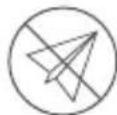
No-fly zone
http://www.dji.com/flysafe
OPMERKING
natural_image
Simple line drawings of a device and a circular diagram with two connected components (no text or symbols)http://www.dji.com/flysafe
ATENÇÃO
natural_image
Simple line drawing of a symmetrical mechanical or electrical component with two circular ends and a central shaft (no text or symbols)This device complies with Part 15 of the FCC Rules. Operation is subject to the following two conditions: (1) This device may not cause harmful interference, and (2) This device must accept any interference received, including interference that may cause undesired operation.
Any changes or modifications not expressly approved by the party responsible for compliance could void the user's authority to operate the equipment.
This equipment has been tested and found to comply with the limits for a Class B digital device, pursuant to part 15 of the FCC Rules. These limits are designed to provide reasonable protection against harmful interference in a residential installation. This equipment generates, uses and can radiate radio frequency energy and, if not installed and used in accordance with the instructions, may cause harmful interference to radio communications. However, there is no guarantee that interference will not occur in a particular installation. If this equipment does cause harmful interference to radio or television reception, which can be determined by turning the equipment off and on, the user is encouraged to try to correct the interference by one or more of the following measures:
— Reorient or relocate the receiving antenna.
— Increase the separation between the equipment and receiver.
—Connect the equipment into an outlet on a circuit different from that to which the receiver is connected.
— Consult the dealer or an experienced radio/TV technician for help.
RF Exposure Information
This equipment complies with FCC radiation exposure limits set forth for an uncontrolled environment. In order to avoid the possibility of exceeding the FCC radio frequency exposure limits, human body proximity to the antenna shall not be less than 20cm during normal operation.
IC RSS Warning
This device complies with Industry Canada licence-exempt RSS standard (s). Operation is subject to the following two conditions: (1) this device may not cause interference, and (2) this device must accept any interference, including interference that may cause undesired operation of the device.
IC Radiation Exposure Statement:
This equipment complies with IC RF radiation exposure limits set forth for an uncontrolled environment. This transmitter must not be co-located or operating in conjunction with any other antenna or transmitter.
This equipment should be installed and operated with minimum distance 20cm between the radiator& your body.
Any Changes or modifications not expressly approved by the party responsible for compliance could void the user's authority to operate the equipment.
KCC Warning Message
EU Compliance Statement: SZ DJI TECHNOLOGY CO., LTD. hereby declares that this device is in compliance with the essential requirements and other relevant provisions of the RED Directive.
A copy of the EU Declaration of Conformity is available online at www.dji.com/euro-compliance
CAUTION: RISK OF EXPLOSION IF BATTERY IS REPLACED BY AN INCORRECT TYPE. DISPOSE OF USED BATTERIES ACCORDING TO THE INSTRUCTIONS
Environmentally friendly disposal
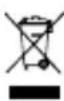
Old electrical appliances must not be disposed of together with the residual waste, but have to be disposed of separately. The disposal at the communal collecting point via private persons is for free. The owner of old appliances is responsible to bring the appliances to these collecting points or to similar collection points. With this little personal effort, you contribute to recycle valuable raw materials and the treatment of toxic substances.
Thailand Warning Message
This content is subject to change.
Download the latest version from
http://www.dji.com/mavic-air
If you have any questions about this document, please
contact DJI by sending a message to DocSupport@dji.com.
MAVIC is a trademark of DJI.
Copyright © 2018 DJI All Rights Reserved.
Printed in China.