Limelight - Microphone 512 Audio - Free user manual and instructions
Find the device manual for free Limelight 512 Audio in PDF.

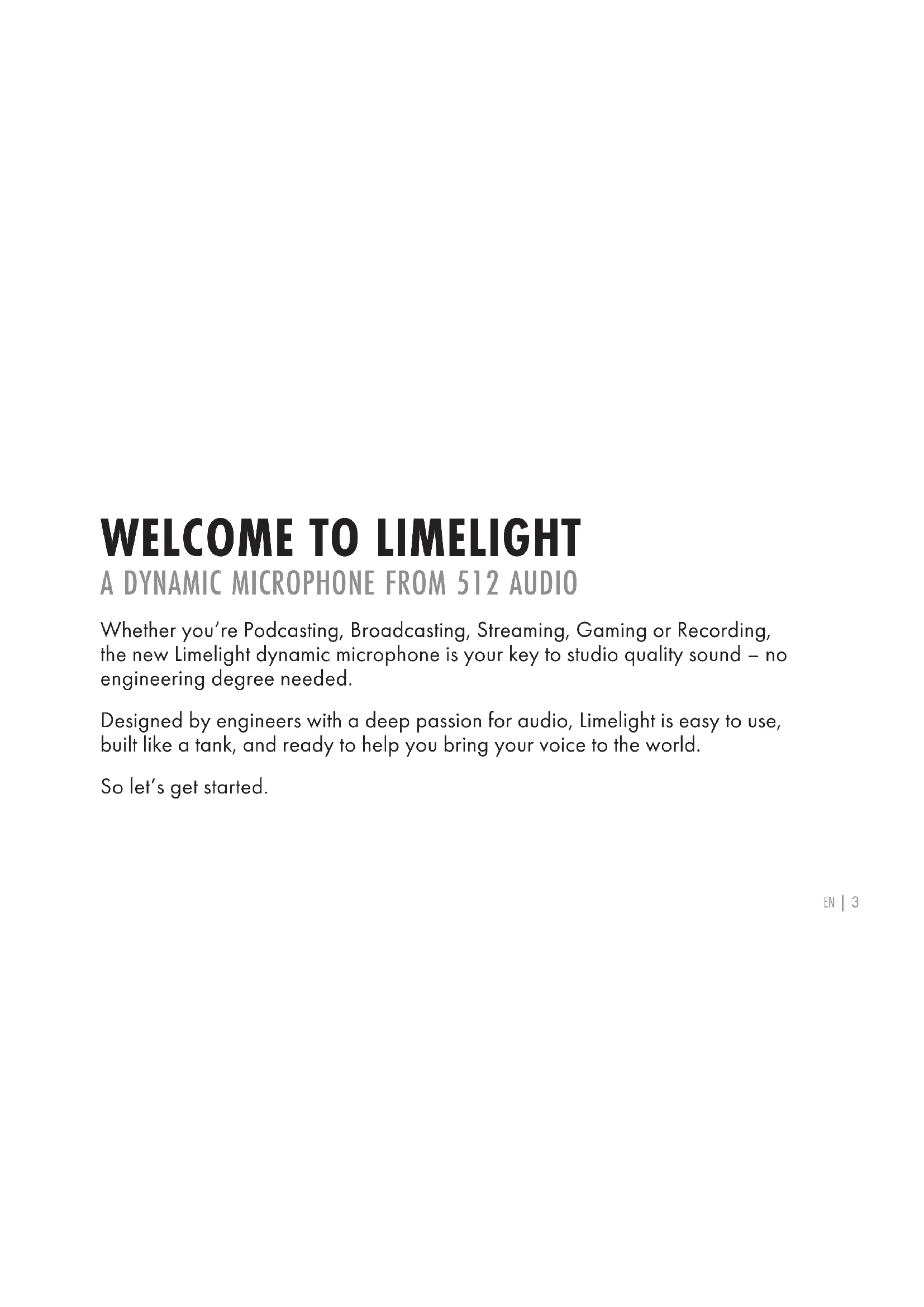


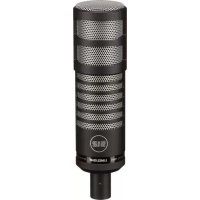
| Product type | Dynamic microphone |
| Capsule type | Dynamic |
| Capsule size | 28 mm |
| Polar pattern | Hypercardioid |
| Frequency response | 50 Hz – 15 kHz |
| Built-in high-pass filter | 100 Hz (12 dB/octave) |
| Sensitivity | -54 dB (0 dB = 1 V/Pa at 1 kHz) |
| Impedance | 600 ohms |
| Maximum SPL | 138 dB |
| Weight | 350 g |
| Connector | XLR 3-pin |
| Power supply | None (passive microphone) |
| Included accessories | Adjustable swivel mount, carrying bag |
| Warranty | 1-year limited |
| Recommended use | Podcast, radio, streaming, gaming, recording |
Frequently Asked Questions - Limelight 512 Audio
User questions about Limelight 512 Audio
0 question about this device. Answer the ones you know or ask your own.
Ask a new question about this device
Download the instructions for your Microphone in PDF format for free! Find your manual Limelight - 512 Audio and take your electronic device back in hand. On this page are published all the documents necessary for the use of your device. Limelight by 512 Audio.
USER MANUAL Limelight 512 Audio
natural_image
Close-up of a black cylindrical microphone with hexagonal grille pattern (no text or symbols visible)LIMELIGHT USER GUIDE
DYNAMIC BROADCAST MICROPHONE

AUDIO
Whether you're Podcasting, Broadcasting, Streaming, Gaming or Recording, the new Limelight dynamic microphone is your key to studio quality sound – no engineering degree needed.
Designed by engineers with a deep passion for audio, Limelight is easy to use, built like a tank, and ready to help you bring your voice to the world.
So let's get started.
HAVE YOU MET MIC?
natural_image
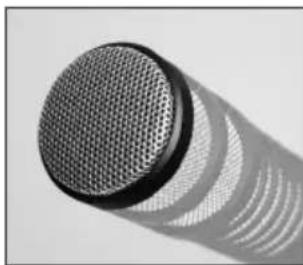
Close-up of a metallic microphone with mesh grille and curved base, casting a shadow (no text or symbols visible)Limelight is an end-address microphone, which simply means that you'll point the business end of the microphone at the sound you're looking to capture.

natural_image
Close-up of a mechanical component with a central cylindrical opening and four protruding pins (no visible text or symbols)At the other end, you'll find the XLR connector which allows you to use a standard 3-pin microphone cable to connect Limelight to your audio mixer, interface or portable recorder.

natural_image
Close-up of two cylindrical mechanical components with internal holes and a small protrusion (no text or symbols visible)You'll also find a small switch to control the built-in High Pass Filter on the bottom of the mic. This clever little toggle will allow you to cut out unwanted boominess and rumble (if needed) without having to "Fix It In the Mix" later with EQ.
IS THIS A SETUP?

natural_image
Black mechanical clamp device with circular head and handle (no text or symbols visible)Limelight includes an adjustable swivel mount to easily position the microphone exactly where you want it. Simply attach the mount to your microphone stand or boom arm, slip Limelight into the mount and use the tightening knob to get everything nice and snug. Be sure not to over-tighten! Use an XLR microphone cable to connect to your mixer, interface or portable recorder and you're good to go.
CHECK ONE. CHECK TWO.
Now that you're up and running, let's take a few moments to talk about how to get the best out of your new microphone. Here are a few tips to help you sound your best:
LOCATION, LOCATION, LOCATION
natural_image
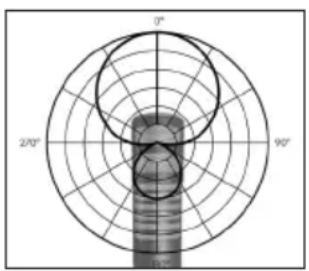
Polar coordinate system diagram with angular divisions and concentric circles (no text or labels)Limelight is a Dynamic Microphone with a Hypercardioid pickup pattern – that means it will primarily “listen” to what it’s pointed at and will largely ignore sounds off to one side or the other. This is a great feature for Podcasters working in the same room with a co-host where each microphone should ideally only pick up one voice. In this case, we suggest placing the microphone 6 – 8 inches from the speaker, pointed at his or her mouth.
CHECK ONE. CHECK TWO. (CONTINUED)
EX-ING YOUR PLOSIVES
Are you worried about popping Ps and tapping Ts? Voiceover pros often use a pop filter in front of the microphone to take care of unwanted popping sounds, and it remains the most foolproof way to handle these noises. 512 Audio makes an affordable pop filter for just that purpose, which is available wherever 512 products are sold.
Pro Tip
If you don't have a pop filter available, you can still minimize popping sounds with a little bit of experimentation. As an exercise, place your hand in front of your face and say the word "pop" over and over. Now move your hand slowly side to side as you speak. While your dog may think you're losing your mind, you'll quickly notice that you only feel the puffs of air when your hand is directly in front of your mouth. Simply move the microphone up or to the side - while still pointing it at your mouth - and you're good to go.
CHECK ONE. CHECK TWO. (CONTINUED)
I'M READY FOR MY CLOSEUP

natural_image
Close-up of a person's face with a magnifying glass, no visible text or symbolsA wonderful bonus of dynamic microphone design is known as the "Proximity Effect." Not to be confused with a restraining order, the Proximity Effect describes a pleasing boost in the bass or low end of the sound as you move closer to the microphone. This can add a sense of intimacy to a voice and it's a great way to release your inner FM Disc Jockey.
GAIN THE ADVANTAGE
text_image
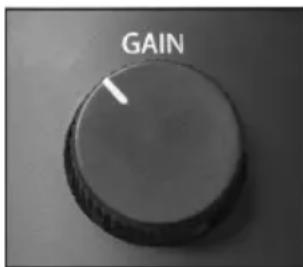
GAINNot to be confused with volume, the Gain setting on your mixer, interface or portable recorder can ensure that you're creating the absolute best – and noise free – signal possible. This magical knob controls how sensitive the microphone is and has a dramatic effect on the quality of the sound that you'll get. Set it too low, and no one will ever hear a word you're saying. Set it too high and the microphone will pick up everything from the echo in your room to the air conditioning, your noisy chair, your loud neighbors and the voices in your head. Either way, it's not ideal. So grab the gain knob, speak and listen. As you turn the gain down,
CHECK ONE. CHECK TWO. (CONTINUED)
move the microphone closer to your mouth – the volume will stay the same but the sound will dramatically improve. Once you find your happy medium you'll be on your way.
So take a few minutes and experiment with microphone Direction, Distance and Gain. You are your voice and Limelight can help you sound your best.
SPECS AND TECH
Capsule Type Dynamic
Capsule Size 28mm
Polar Pattern Hypercardioid
Frequency Range 50Hz - 15kHz
High Pass Filter 100Hz (12dB per octave)
Sensitivity -54dB 13dB (OdB = 1V/Pa at 1kHz)
Impedance 600 ohm
Max SPL 138dB
Weight 350g
Dimensions 167.5 x 60.8mm
Included Accessories Adjustable swivel mount & Protective carry bag
WARRANTY STATEMENT
512 Audio warranties this product to be free from defect in materials and workmanship for one year from the date of purchase, for the original purchaser to whom this equipment is registered. This warranty is non-transferable.
This warranty is void in the event of damage incurred from unauthorized service to this unit, or from electrical or mechanical modification. This warranty does not cover damage resulting from abuse, accidental damage, misuse, improper electrical conditions such as mis-wiring, incorrect voltage or frequency, unstable power, disconnection from earth ground (for products requiring a 3 pin, grounded power cable), or from exposure to hostile environmental conditions such as moisture, humidity, smoke, fire, sand or other debris, and extreme temperatures.
512 Audio will, at its sole discretion, repair or replace this product in a timely manner. This limited warranty extends only to products determined to be defective and does not cover incidental costs such as equipment rental, loss of revenue, etc. Please visit us at www.512audio.com for more information on your warranty, or to request warranty service.
This warranty applies to products sold in the United States of America. For warranty information in any other country, please refer to your local 512 Audio distributor. This warranty provides specific legal rights, which may vary from state to state. Depending on the state in which you live, you may have rights in addition to those covered in this statement. Please refer to your state laws or see your local 512 Audio retailer for more information.
DÉCOUVREZ LE LIMELIGHT
UN MICROPHONE DYNAMIQUE DE 512 AUDIO
natural_image
Close-up of a metallic microphone with a mesh grille and curved base, casting a shadow (no text or symbols visible)natural_image
Close-up of a mechanical component with a central cylindrical opening and flange (no visible text or symbols)natural_image
Close-up of two cylindrical electronic components with internal circuitry (no visible text or symbols)natural_image
Black mechanical clamp device with circular head and adjustable arms (no text or symbols visible)natural_image
Polar coordinate system diagram with angular divisions and concentric circles (no text or labels)natural_image
Close-up of a person's face with a magnifying glass, no visible text or symbolsDimensions 167.5 x 60.8mm
Accessoires inclus