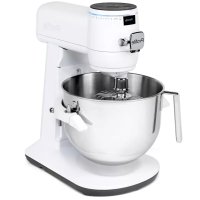
Profile P8MSASS6TOW - Food Processor GE - Free user manual and instructions
Find the device manual for free Profile P8MSASS6TOW GE in PDF.


| Product Type | Stand mixer (smart stand mixer) |
| Brand | GE |
| Model | Profile P8MSASS6TOW |
| Power | 120 V, 60 Hz, AC |
| Number of speeds | 11 speeds + Stir position (gentle mixing) |
| Functions | Integrated scale, timer, automatic stop, reverse operation, control lock |
| Technology | Automatic texture and viscosity detection |
| Connectivity | Wi-Fi via Smart HQ app |
| Updates | Over-the-air (OTA) |
| Included accessories | Bowl, 11-wire whisk, stainless steel flat beater, stainless steel dough hook, bowl shield |
| Accessory material | Stainless steel |
| Cleaning | Body: damp cloth; accessories: dishwasher or sink |
| Safety | Automatic shut-off, control lock, warning |
| Warranty | 1 year limited |
| Display | OLED (organic LED) with illuminated progress bar |
| Quick-release socket | Yes, to release accessories |
| Bowl lift arm | Yes, with lock |
| Bowl capacity | Not specified |
| Weight | Not specified |
Frequently Asked Questions - Profile P8MSASS6TOW GE
User questions about Profile P8MSASS6TOW GE
0 question about this device. Answer the ones you know or ask your own.
Ask a new question about this device
Download the instructions for your Food Processor in PDF format for free! Find your manual Profile P8MSASS6TOW - GE and take your electronic device back in hand. On this page are published all the documents necessary for the use of your device. Profile P8MSASS6TOW by GE.
USER MANUAL Profile P8MSASS6TOW GE
GE PROFILE SMART MIXER WITH AUTO SENSE OWNER'S MANUAL
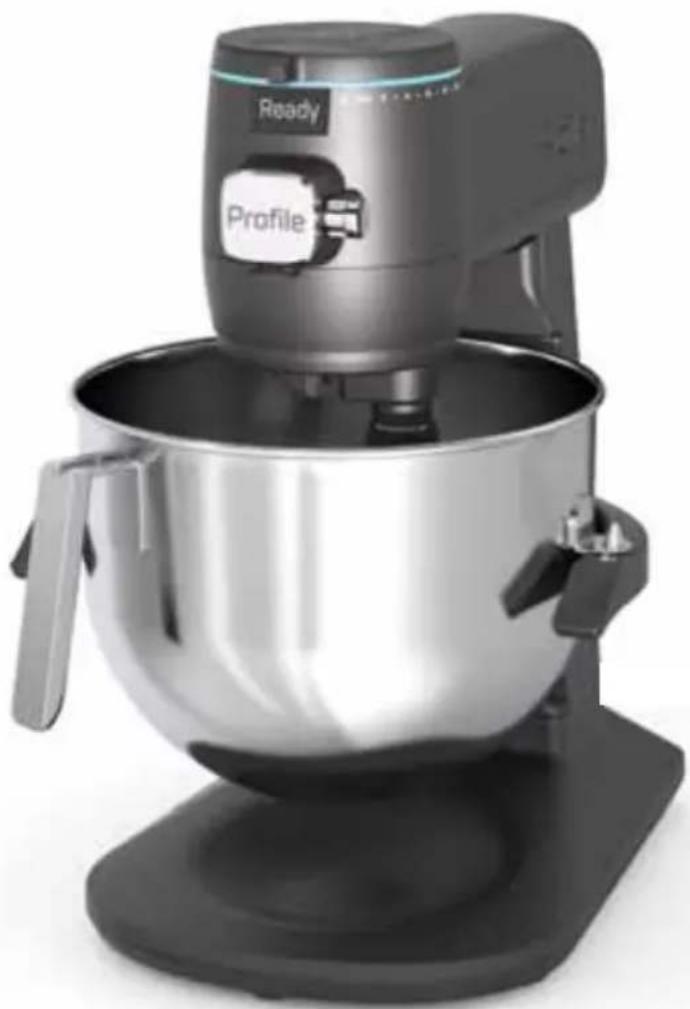
natural_image
Modern kitchen mixer with a large bowl and control panel (no visible text or symbols)P8MSASS6TBB / P8MSASS6TOW / P8MSASS6TGW
ENGLISH / FRANÇAIS
THANK YOU FOR MAKING GE APPLIANCES A PART OF YOUR HOME.
Whether you grew up with GE Appliances, or this is your first, we're happy to have you in the family.
We take pride in the craftsmanship, innovation and design that goes into every GE Appliances product, and we think you will too. Among other things, registration of your appliance ensures that we can deliver important product information and warranty details when you need them.

Profile
GE is a trademark of the General Electric Company. Manufactured under trademark license.
Table of Contents
SAFETY INFORMATION 4
GETTING STARTED 6
CONTROLS 7
PARTS INCLUDED 8
SPEED CHART....9
TIPS 10
USING YOUR SMART MIXER 11
TROUBLESHOOTING....17
LIMITED WARRANTY 18
CONSUMER SUPPORT....19
Product Registration
Write the model and serial numbers here:
Model # ____
Serial # ____
Find these numbers on the label on the back of the unit.
WARNING
The appliance is designed for household use and may only be operated in accordance with these instructions for use. Always handle with care and warn other users of potential danger. Failure to follow these instructions can result in death, fire, electric shock or personal injury.
IMPORTANT SAFEGUARDS
Always follow these safety precautions when using this appliance.
- Read all instructions before using
- DO NOT immerse the appliance in water or any other liquids. This will damage the appliance and be a risk of an electric shock.
- Use only a 120 V, 60 Hz standard electrical supply that is properly grounded in accordance with the National Electric Code and local codes and ordinances.
• Make sure the appliance is set up on a flat and steady surface. - Turn the appliance OFF, then unplug from the outlet when not in use, before assembling or disassembling parts and before cleaning. To unplug, grasp the plug and pull from the outlet. Never pull from the power cord.
- Avoid contacting moving parts. Keep hands, hair, clothing, as well as spatulas and other utensils away from attachments (beaters, whisks, dough hook, etc) during operation to reduce the risk of injury to persons, or damage to the mixer.
- Do not use outdoors.
- Use this product only for its intended purpose as described in this user manual.
- The use of attachments not recommended or sold by the manufacturer may cause fire, electric shock or injury.
- This appliance is not intended for use by persons (including children) with reduced physical, sensory, or mental capabilities, or lack of experience and knowledge, unless they are closely supervised and instructed concerning use of the appliance by a person responsible for their safety. Close supervision is necessary when any appliance is used by or near children. Children should be supervised to ensure that they do not play with the appliance.
- Do not allow children to touch the appliance or the power cord during the operation.
• DO NOT let the appliance run unattended. - Allow to cool before putting on or taking off parts, and before cleaning the appliance.
- To reduce the risk of fire or electric shock, do not attempt to disassemble, repair, modify, or replace any part of your product.
- If the power cord is damaged, it must be replaced by the manufacturer. DO NOT replace the power cord on your own.
- Do not operate any appliance with a damaged cord, plug, after the appliance malfunctions, is dropped, or damaged in any manner. Contact GE Appliances at the website listed in the Contact Us section for information on examination, repair, or adjustment.
SAVE THESE INSTRUCTIONS
IMPORTANT SAFETY INFORMATION READ ALL INSTRUCTIONS BEFORE USING THE APPLIANCE
WARNING
The appliance is designed for household use and may only be operated in accordance with these instructions for use. Always handle with care and warn other users of potential danger. Failure to follow these instructions can result in death, fire, electric shock or personal injury.
IMPORTANT SAFEGUARDS
Always follow these safety precautions when using this appliance.
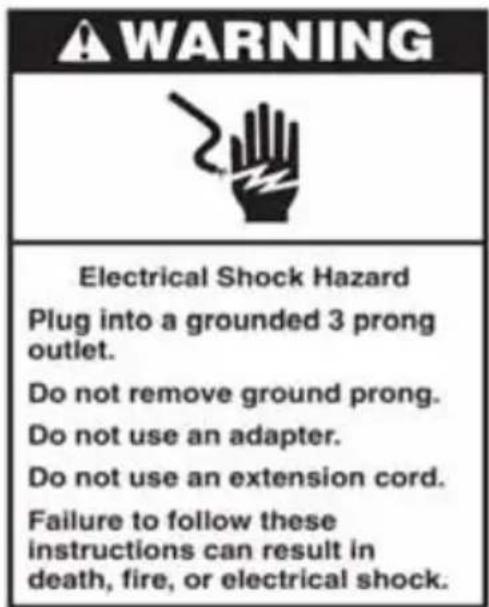
• DO NOT use an extension power cord.
- Do not let cord hang over edge of table or counter.
- Do not let cord contact hot surface, including the stove.
- Remove beater, whisk, and dough hook from appliance before washing.
- Use caution when mixing hot ingredients to avoid splashing and burns.
- Do not exceed the maximum capacity as indicated on the accessories (bowl). Follow the quantities, processing time and speed when using the smart mixer tools, as indicated in the user manual.
- Do not lift the appliance from the Bowl Carrier when the Bowl Lift Arms are in the down position.
WARNING

SK OF FIRE OR ELECTRIC SHOCK
■ TO REDUCE THE RISK OF FIRE OR ELECTRIC SHOCK, DO NOT REMOVE ANY COVER OR OUTER HOUSING COMPONENTS OF THE APPLIANCE.
- Do not attempt to repair or replace any part of your smart mixer unless it is specifically recommended in this manual. All other servicing should be performed by authorized service personnel.
PROPER DISPOSAL OF YOUR APPLIANCE
Dispose of or recycle your appliance in accordance with Federal and Local Regulations. Contact your local authorities for the environmentally safe disposal or recycling of your appliance.
SAVE THESE INSTRUCTIONS
Before First Use
Read all safety instructions before the first use.
Be sure to clean your smart mixer as listed in the Care and Cleaning section of this manual.
Thoroughly clean the parts that come into contact with food before you use the appliance for the first time. Refer to the instructions and table for cleaning given in the user manual
For household use only.
Electrical Requirements
Voltage: 120 A.C. only. Frequency 60 Hz. The wattage rating for the smart mixer is printed on the serial plate.
Do not use an extension cord. The maximum electrical rating is based on the attachment that uses the highest amperage.
Mixing Bowl Notes
Turn the speed dial to the mixing OFF position before starting.
Follow the recommended quantities, processing time, and speed as indicated in this owner's manual. DO NOT exceed suggested processing speed, doing so could harm the appliance.
Controls
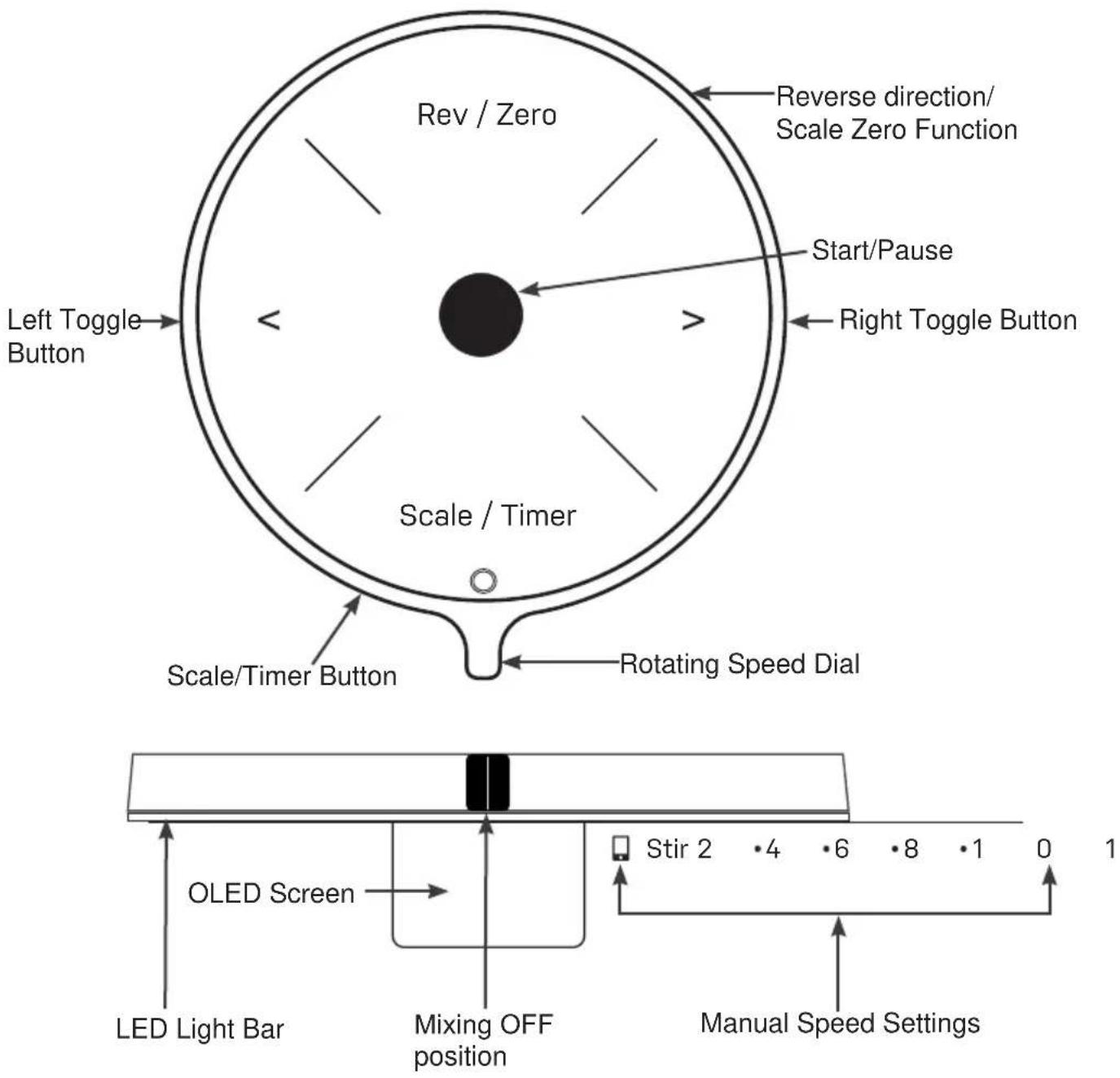
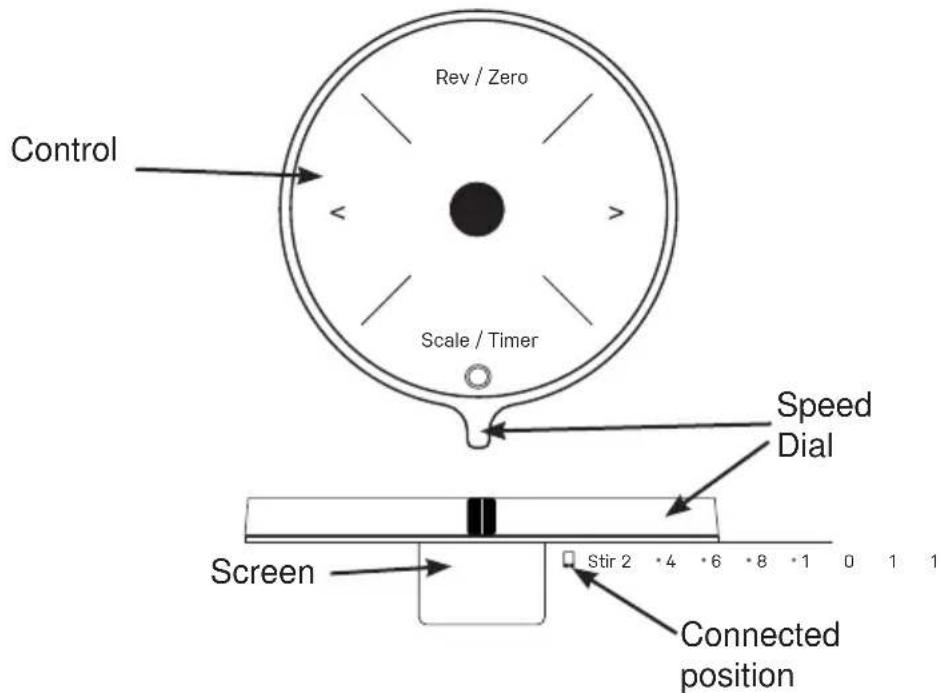
Use the speed dial to select your desired speed.
NOTE: The Rev/Zero and Scale/Timer buttons are one single button with two functions that should be pressed in the middle.
NOTE: Make sure the speed dial is Off when not in use, before unplugging, and before locking the bowl lift.
See page 8 for mixing chart.
Parts Included
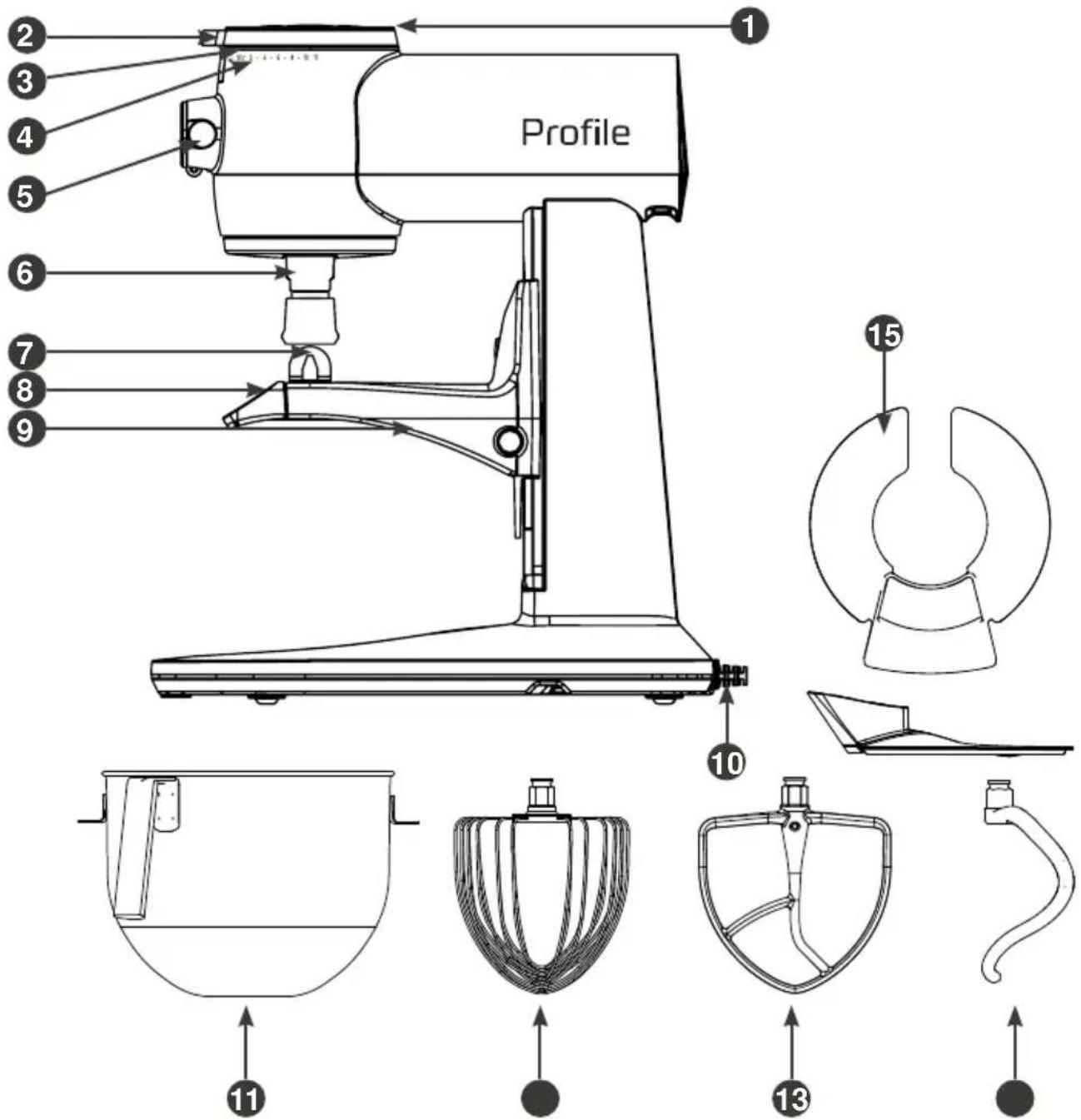
1 Control Panel
2 Speed Dial
3 OLED Screen and LED Progress Light Bar
4 Speed Settings
5 Accessory Port
6 Attachment output shaft
7 Bowl Pins
8 Bowl Lift Arms
9 Bowl Carrier
10 Power Cord
11 Bowl
12 11-Wire Whisk
13 Commercial Grade Stainless Steel Beater
14 Commercial Grade Stainless Steel Dough Hook
15 Bowl Shield
Speed Chart
| Attachments Speed Purpose | ||
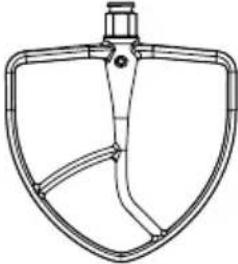 Beater Beater | Stir Slow | stir ingredients. |
| 2-4 | Stir wet batters, combine mixtures, blend frosting, or mash potatoes. | |
| 5-6 Cream | butter or blend heavier batters with nuts or chips. | |
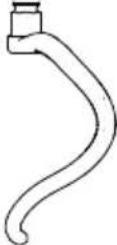 Dough Hook Dough Hook | Stir-2 | Mix and knead doughs.NOTE: DO NOT use the dough hook above speed 2.Doing so could result in product failure. |
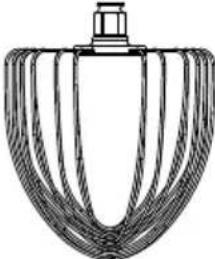 11-Wire Whisk 11-Wire Whisk | 6-11 | For whipping cream or egg whites, It is recommended to slowly increase to higher speeds and then maintain at high speeds until desired result. |
NOTE: DO NOT use the reverse function with third party attachments.
NOTE: The Profile Smart Mixer is compatible with KitchenAid® attachments.
To avoid splatter, always increase speed gradually.
Batter
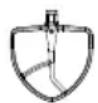
When making cake batter with the beater attachment, be careful to not over beat the batter. This can add extra air into the batter and cause the cake to mound in the center and crack while baking.
Whisking
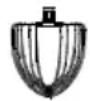
Always make sure your bowl and attachments are clean and dry when you are whisking egg whites or whipping cream.
The weather can affect your egg whites. Humidity can make it difficult to create the stiff white peaks due to moisture in the air.
A great way to create whipping cream is to chill the 11-wire whisk and bowl in your refrigerator for 20-30 minutes before whisking.
Dough

It is sometimes helpful to start blending your dough with the beater attachment until a loose dough is formed. Then switching the beater for the dough hook. This is not a required step but can be helpful with wet doughs.
Make sure to stay at the recommended dough speed to prevent over kneading. Use the dough hook to knead yeast dough for bread and pizzas.
Frequent scraping of the bowl will prevent the dough from sticking to the bottom of the bowl or climbing the dough hook, especially when you have a very wet dough.
Using your Smart Mixer
Appearance may vary slightly
1 Make sure the mixer is unplugged and turned off.
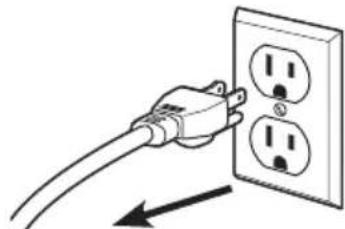
natural_image
Illustration of a hand holding an electrical outlet with three socket outlets, connected by a wire (no text or symbols)2 Lower the bowl lift arms by pressing down on the lift arms.
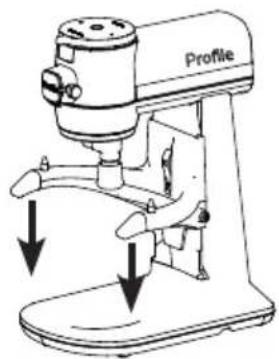
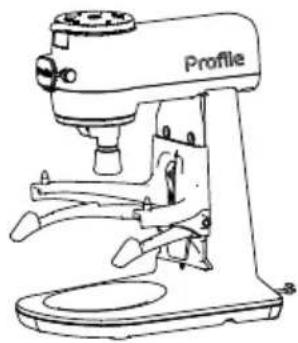
natural_image
Line drawing of a Profile milling machine with no visible text or symbols3 Place the bowl into the bowl arms and align on pins. Push the bowl back towards the mixer body until it clicks into place.
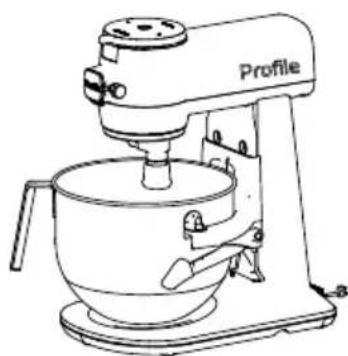
natural_image
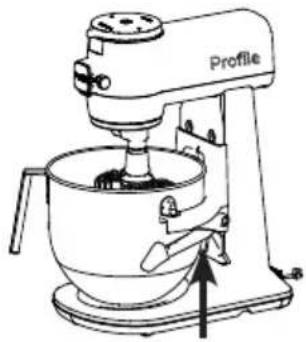
Line drawing of a kitchen mixer with no text or symbols4 Insert your desired attachment. Push attachment upward into the output shaft until a click is heard and the attachment is held firmly in place. This may require a slight turn to lock into place. See the speed chart on page 9 for a guide on attachment use.
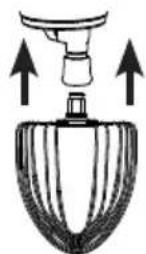
Push upward
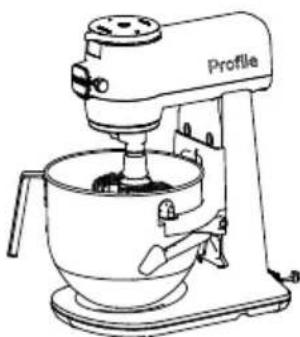
natural_image
Line drawing of a kitchen mixer with a labeled component (no text or symbols beyond the label)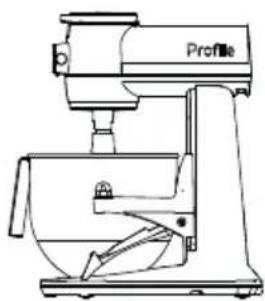
natural_image
Line drawing of a kitchen mixer with no visible text or symbolsUsing your Smart Mixer
Appearance may vary slightly
5 When the bowl and are in place, raise the bowl arms by slowly pushing up on arms until they lock into place.
natural_image
Line drawing of a kitchen mixer with no text or symbols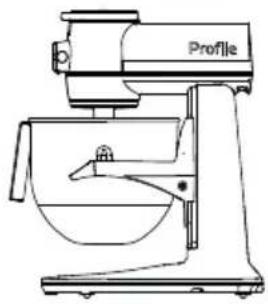
natural_image
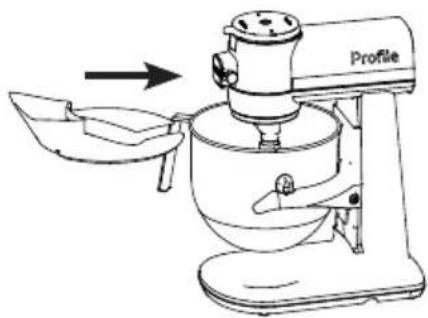
Line drawing of a kitchen mixer with a bowl and handle (no text or symbols)6 Slide the bowl shield onto the bowl if desired.
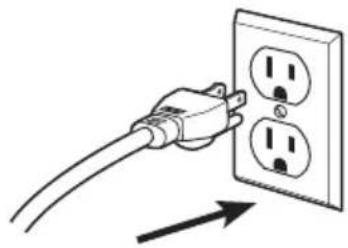
7 Plug the mixer into an outlet.
natural_image
Illustration of a hand inserting a plug into an electrical outlet (no text or symbols)8 Use the speed dial and turn to your desired speed. When finished, turn back to the mixing OFF position.
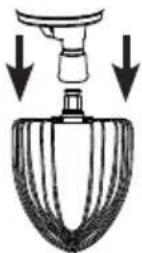
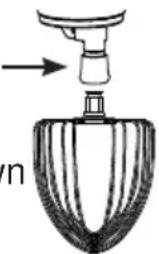
9 Pull down on the quick change to release your attachment.
Image shows the speed dial in mixing OFF position
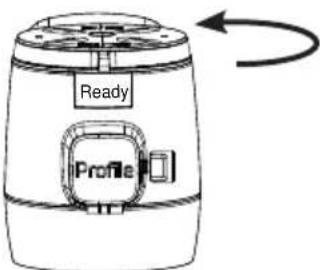
Attachment output shaft
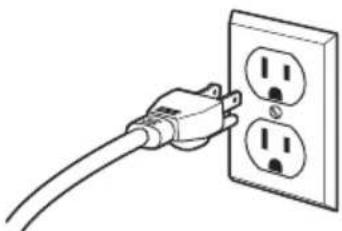
10 Unplug the mixer from the outlet.
natural_image
Line drawing of a hand holding an electrical outlet with three socket outlets (no text or symbols)Smart Mixer Settings
NOTE: If your smart mixer is plugged in and not turned on, press any button to wake up the machine.
Speed Control
The Speed Control allows the user to set their speed by rotating the speed dial between stir and 11.
"Ready" will appear on the screen when the mixer is turned on.
The speed will appear on the screen when the speed dial is turned.
When finished, rotate the speed dial back to the mixing OFF position and OFF will appear on the screen.
Pause
Press the center button to pause during your mix cycle.
Reverse
Anytime during the Manual Speed Control mode, the direction of the mixer can be reversed.
Press the Rev/Zero button to reverse the direction. An "R" will appear on the screen next to the speed.
Smart Mixer Settings
NOTE: If your smart mixer is plugged in and not turned on, press any button to wake up the machine.
Scale

The Manual Scale mode measures the amount of ingredients in grams/lb/kg/oz.
The direct weight can be taken in the mixer bowl or in any container on the base of the smart mixer.
To start, in the mixing OFF position, press the Scale/Timer Button. The light bar will show yellow.
Make sure the screen shows zero before weighing your ingredients.
Then the screen will read the weight.
Example: "200g"
To Zero the scale feature, press the Rev/Zero button. The Smart mixer screen will show "----" while it is setting to zero. Then "0g" will show on the screen when it is complete. If the screen does not show zero, press the Rev/Zero button to reset. Make sure the screen shows zero before weighing your ingredients.
Use the toggle arrows when using the scale to change the scale's units.
Timer

Press the Timer button to initiate the Timer setting. The screen will briefly read "Timer" then switch to 00:00. The light bar will show blue. Use the left and right arrows to set the timer to your desired mix time.
Press the center button to start the timer.
To cancel the timer when the unit is not mixing, rotate the speed dial to any position on the right and back quickly.
NOTE: The Timer increases at 15 second increments with a single press. Press and hold the Scale/Timer button to increase by 1 minute increments.
Auto Shutoff
After starting the timer, turn the speed dial to desired mixing speed. The automatic shutoff feature turns the Smart Stand Mixer off when the timer ends for extra convenience and perfectly executed recipes.
NOTE: Time can be added while the timer is running.
Control Lock

To lock the control panel and dial, press and hold the left and right arrows at the same time for 3 seconds. The light bar will show white.
Use the same action to unlock.
WiFi Connect
Download the SmartHQ™ app from the Apple Store or Google Play.
Rotate the speed dial to the connected icon and follow the directions within the SmartHQ™ app to get connected.
Once connected, follow the directions within the app for how to use the Smart Features.
Over-the-air (OTA) updates
With over-the-air updates, you get new features like Auto Sense and Guided Recipes as they become available, so the smart mixer keeps getting better with time.
NOTE: If the LED ring shows red, please see troubleshooting section.
Smart Features
Your Smart mixer is equipped with smart features to enhance your baking and cooking experience. Download the SmartHQ™ app from the App store or Google Play to access these features.
Auto Sense Technology
Actively monitors changes in texture and viscosity through motor torque feedback to optimize mixing performance. Over-mixing and undermixing fails are no longer a risk in recipes* that previously required intuition and experience, as an automatic shut-off feature will turn the mixer off when completion is reached (*Based on recipes available in the app. Recipes will continue to be added and updated over time.) Follow the directions provided in the SmartHQ™ app.
Adjusting the Bowl Height
- Unplug the mixer from the outlet.
- Make sure the bowl arms are down.
- Attach your desired attachment.
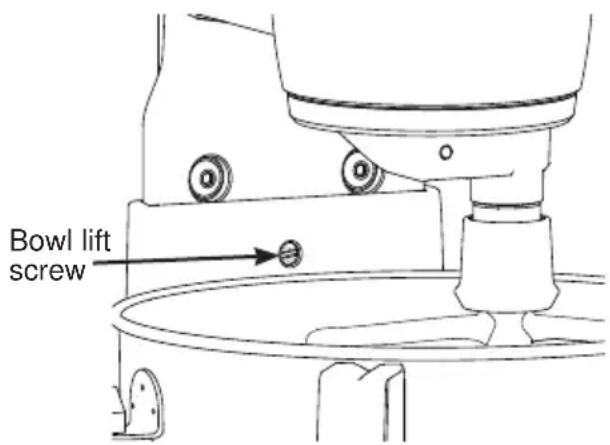
- Turn the bowl lift screw behind the bowl with a flathead screwdriver to raise and lower the bowl height. You want your attachment to sit right above the bottom of the bowl. The attachment should not be touching the bowl. Turn the screw counterclockwise to raise the bowl and clockwise to lower the bowl.
- Once your bowl is in the desired position, push the bowl arms up.
Connected Guided Recipes
The Connected Guided Recipes feature provides recipes and steps on how to complete each recipe.
Use the SmartHQ app for guided recipes.
WARNING
Unplug the appliance before cleaning.
Refer to the table below before cleaning the parts with water, a damp cloth, or using any parts in the dishwasher.
DO NOT soak attachments in acidic liquid.
Failure to do so can result in death, fire, electrical shock or personal injury
- Clean the main unit with a damp cloth.
- Clean the other parts in hot water either in the sink or dishwasher after referring to the table.
- Store the appliance in a dry place after cleaning.
| Part Sink Dishwasher Damp Cloth | |||
| Smart Mixer Body | ✓ | ||
| Bowl / Bowl Lid | ✓ | ✓ | ✓ |
| 11-Wire Whisk | ✓ | ✓ | ✓ |
| Beater | ✓ | ✓ | ✓ |
| Dough Hook | ✓ | ✓ | ✓ |
Attachment Output Shaft Cleaning Tips:
- Wipe down the attachment output shaft after each use to remove excess flour.
Attachment output shaft
natural_image
Diagram of a spray gun with a pointed tip and handle, showing internal structure (no text or symbols)- For dry ingredients, use a warm, damp, cloth to gently wipe down the exterior and remove any dust that might remain.
- For wet ingredients, use a warm, damp, soapy cloth to gently wipe down the exterior and any dough that might remain.
- To ensure the full range of motion is cleaned; pull the attachment output shaft down and clean the revealed surface.
- Use a cleaning brush to remove any dough that may have blocked the attachment output shaft.
NOTE: Attachment must be inserted into the attachment output shaft for full range of motion.
Troubleshooting
| Problem | Cause Solution | |
| Appliance does not work/does not turn on. | No power is connected to the appliance. | ■ Check that the cable and plug are connected to power.■ Check the ground fault circuit breaker (GFCI) plug. |
| Appliance is making weird noises | There is more than the recommended amount of ingredients in the mixing bowl. | Immediately turn off the appliance, unplug from the outlet, and remove some of the food. |
| There is a malfunction with the appliance. | Immediately turn off and unplug the unit. Visit geappliances.com for support | |
| Appliance is smoking/producing weird smells | There is a malfunction with the appliance. | Immediately turn off and unplug the unit. Visit geappliances.com for support |
| The speed dial is not responsive | The appliance has not been interacted with and went into idle mode. | Press any button to wake up the machine |
| The scale is inaccurate while using Auto Sense or guided recipes | The container or mixer bowl used for weighing ingredients is removed during the weighing process, this will impact the accuracy of the scale. | Remove ingredients from bowl. Press “Zero” to re-measure the ingredients. |
| Overloading message appears on the display screen | Ingredients were added too fast. Press Zero to rest the scale | |
| Cooling message appears on the display screen | The motor is over-heated. Turn the speed dial back to mixing OFF position. The display will show “Ready” once the motor is cooled down. If display is off, press any button to wake up the machine. | |
| The LED indicator ring is red | The appliance has encountered an error. Unplug the unit and plug back in. If the error persists, call customer service. | |
| Turn off message appears on the display screen | The unit is plugged in or waked up with the speed dial not in the mixing OFF position. | Rotate the speed dial to the mixing OFF position. |
GE Appliances Limited Warranty
GEAppliances.com
If your appliance fails to operate properly while in use under normal household conditions within the warranty period, visit geappliances.com/contact for product care/maintenance self-help.
To initiate a warranty claim, please visit geappliances.com/contact, or call 1-800-GECARES.
Please have your model number and serial number available. Return and packing instruction information will be provided at that time.
For the Period of: GE Appliances Covers
| One YearFrom the date of the original purchase | If the smart mixer fails due to a defect in materials or workmanship, during the limited one-year warranty, GE Appliances will either repair your product, replace your product with a new or remanufactured product, or refund the purchase price of the product at GE Appliances sole discretion. |
What GE Appliances Will Not Cover:
■ Service trips to your home.
■ Improper installation, delivery or maintenance.
■ Failure of the product if it is abused, misused, or used for other than the intended purpose or used commercially.
■ Replacement of house fuses or resetting of circuit breakers.
■ Damage caused after delivery.
■ Damage to the product caused by accident, fire, floods or acts of God.
■ Incidental or consequential damage caused by possible defects with this appliance.
■ Labor and other charges to install and/or remove the product
EXCLUSION OF IMPLIED WARRANTIES
Your sole and exclusive remedies are product exchange or refund as provided in this Limited Warranty. Any implied warranties, including the implied warranties of merchantability or fitness for a particular purpose, are limited to one year or the shortest period allowed by law.
For US Customers: This limited warranty is extended to the original purchaser for products purchased for home use within the USA. In Alaska and Hawaii, the limited warranty does not include the costs of shipping units.
Some states do not allow the exclusion or limitation of incidental or consequential damages. This limited warranty gives you specific legal rights, and you may also have other rights which vary from state to state. To know what your legal rights are, consult your local or state consumer affairs office or your state's Attorney General.
Warrantor: GE Appliances, a Haier company
Louisville, KY 40225
For Customers in Canada: This limited warranty is extended to the original purchaser and any succeeding owner for products purchased in Canada for home use within Canada. In-home warrant service will be provided in areas where it is available and deemed reasonable by Mabe to provide. For extended warranty information, visit geappliances.ca/purchase-extended-warranty
Warrantor Canada: MC Commercial, Burlington, Ontario, L7R 5B6
Service and Registration
Register your new appliance on-line at your convenience! Timely product registration will allow for enhanced communication and prompt service under the terms of your warranty, should the need arise.
Register your appliance at GEAppliances.com/register.
In Canada, geappliances.ca/after-sales-support
Contact Us
If you are not satisfied with the service you receive from GE Appliances, contact us on our website with all the details including your phone number, or write to:
In the US: General Manager, Customer Relations | GE Appliances, Appliance Park | Louisville, KY 40225
GEAppliances.com/contact
In Canada: Director, Consumer Relations, MC Commercial Inc. | Suite 310, 1 Factory Lane | Moncton, N.B. E1C 9M3
GEAppliances.ca/contact-us

Profile
natural_image
Modern kitchen mixer with a large bowl and control panel (no visible text or symbols)P8MSASS6TBB / P8MSASS6TOW / P8MSASS6TGW
ENGLISH / FRANÇAIS
NOUS VOUS REMERCIONS D'INTÉGRER GE APPLIANCES À VOTRE DEMEURE.
TABLEAU DES VITESSES....9
CONSEILS 10
UTILISATION DE VOTRE BATTEUR SUR SOCLE ..... 11
ENTRETIEN ET NETTOYAGE....16
DÉPANNAGE....17
GARANTIE LIMITÉE....18
natural_image
Illustration of a hand holding an electrical outlet with three socket outlets, connected by a wire (no text or symbols)natural_image
Line drawing of a Profile milling machine with no visible text or symbolsnatural_image
Line drawing of a kitchen mixer with no text or symbolsnatural_image
Line drawing of a kitchen mixer with a side-mounted stand mixer (no text or symbols)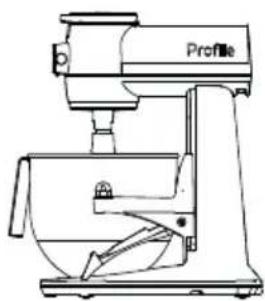
natural_image
Line drawing of a kitchen mixer with no visible text or symbolsnatural_image
Line drawing of a kitchen mixer with a labeled component (no text or symbols beyond the label)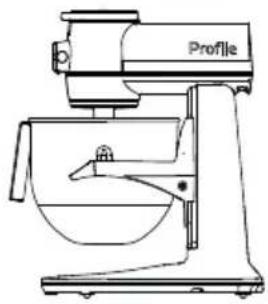
natural_image
Line drawing of a Kiosk with a side-mounted kitchen mixer (no text or symbols)natural_image
Illustration of a hand inserting a plug into an electrical outlet (no text or symbols)natural_image
Diagram of a spray gun with arrows indicating airflow direction (no text or symbols)natural_image
Line drawing of a hand holding a power outlet with three socket outlets (no text or symbols)natural_image
Diagram of a spray gun with a nozzle and spray bottle (no text or symbols)Louisville, KY 40225
natural_image
Modern kitchen mixer with a large bowl and control panel (no visible text or symbols)P8MSASS6TBB / P8MSASS6TOW / P8MSASS6TGW
ESPAÑOL
GRACIAS POR HACER A GE APPLIANCES PARTE DE SU HOGAR
natural_image
Illustration of a hand holding an electrical outlet with three socket slots, no text or symbols presentnatural_image
Line drawing of a Profile kitchen machine (no text or symbols on the device itself)natural_image
Line drawing of a kitchen mixer with no text or symbolsnatural_image
Line drawing of a kitchen mixer with no text or symbols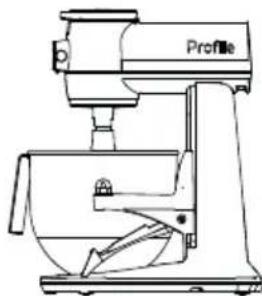
natural_image
Line drawing of a kitchen mixer with no text or symbolsnatural_image
Line drawing of a kitchen mixer with a labeled component (no text or symbols on the device itself)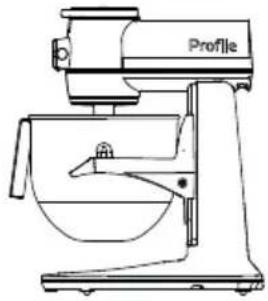
natural_image
Line drawing of a Kiosk with a side-mounted kitchen mixer (no text or symbols)6 Deslice el protector del recipiente sobre el recipiente, si lo desea.
natural_image
Illustration of a hand inserting a plug into an electrical outlet (no text or symbols)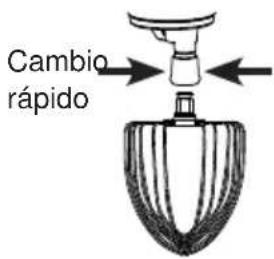
natural_image
Line drawing of a hand holding an electrical outlet with three outlets (no text or symbols)natural_image
Diagram of a spray gun dispensing liquid into a container (no text or symbols)En Canadá: Director, Consumer Relations, MC Commercial Inc. | Suite 310, 1 Factory Lane | Moncton, N.B. E1C 9M3 GEAppliances.ca/en/contact-us

Profile

- GE PROFILE SMART MIXER WITH AUTO SENSE OWNER'S MANUAL
- THANK YOU FOR MAKING GE APPLIANCES A PART OF YOUR HOME.
- Table of Contents
- SAFETY INFORMATION 4
- GETTING STARTED 6
- CONTROLS 7
- PARTS INCLUDED 8
- SPEED CHART....9
- TIPS 10
- USING YOUR SMART MIXER 11
- TROUBLESHOOTING....17
- LIMITED WARRANTY 18
- CONSUMER SUPPORT....19
- Product Registration
- WARNING
- IMPORTANT SAFEGUARDS
- SAVE THESE INSTRUCTIONS
- IMPORTANT SAFETY INFORMATION READ ALL INSTRUCTIONS BEFORE USING THE APPLIANCE
- SK OF FIRE OR ELECTRIC SHOCK
- PROPER DISPOSAL OF YOUR APPLIANCE
- Before First Use
- Electrical Requirements
- Mixing Bowl Notes
- Controls
- Parts Included
- Speed Chart
- Batter
- Whisking
- Dough
- Using your Smart Mixer
- Appearance may vary slightly
- Smart Mixer Settings
- Speed Control
- Pause
- Reverse
- Scale
- Timer
- Auto Shutoff
- Control Lock
- WiFi Connect
- Over-the-air (OTA) updates
- Smart Features
- Auto Sense Technology
- Adjusting the Bowl Height
- Connected Guided Recipes
- Attachment Output Shaft Cleaning Tips:
- Troubleshooting
- GE Appliances Limited Warranty
- GEAppliances.com
- What GE Appliances Will Not Cover:
- EXCLUSION OF IMPLIED WARRANTIES
- Service and Registration
- Contact Us
- Profile
- NOUS VOUS REMERCIONS D'INTÉGRER GE APPLIANCES À VOTRE DEMEURE.
- GRACIAS POR HACER A GE APPLIANCES PARTE DE SU HOGAR
Brand : GE
Model : Profile P8MSASS6TOW
Category : Food Processor