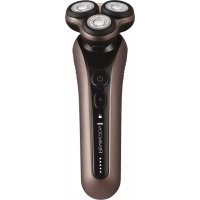
X9 Limitless XR1790 - Shaver REMINGTON - Free user manual and instructions
Find the device manual for free X9 Limitless XR1790 REMINGTON in PDF.
Questions des utilisateurs sur X9 Limitless XR1790 REMINGTON
0 question sur cet appareil. Repondez a celles que vous connaissez ou posez la votre.
Poser une nouvelle question sur cet appareil
Download the instructions for your Shaver in PDF format for free! Find your manual X9 Limitless XR1790 - REMINGTON and take your electronic device back in hand. On this page are published all the documents necessary for the use of your device. X9 Limitless XR1790 by REMINGTON.
USER MANUAL X9 Limitless XR1790 REMINGTON
ENGLISH Thank you for buying your new Remington® product. Please read these instructions carefully and keep them safe. Remove all packaging before use. IMPORTANT SAFEGUARDS
- This appliance can be used by children aged from 8 years and above and persons with reduced physical, sensory or mental capabilities or lack of experience and knowledge if they have been supervised/instructed and understand the hazards involved. Children shall not play with the appliance. Cleaning and user maintenance shall not be done by children unless they are older than 8 and supervised. Keep the appliance and cable out of reach of children under 8 years.
- Always check the appliance before you use it. Do not use the appliance if it is damaged, as this may cause injury. E Suitable for use in a bath or shower.
- Do not use the product with a damaged cord. A replacement can be obtained via our International Service Centres.
- The battery in this device is not replaceable.
- Do not use the appliance if it is damaged or malfunctions.
- Do not use attachments other than those we supply.
- This appliance should never be left unattended when plugged into a power outlet, except when charging.
- Keep the power plug and cord away from heated surfaces.
- Do not plug or unplug the appliance with wet hands.
- Do not twist or kink the cable, or wrap it round the appliance.
- This appliance is not intended for commercial or salon use.5 ENGLISH PARTS
2. Pivoting head and cutter assembly
3. Individual flexing heads
11. Comb adjustment dial
- It is recommended to fully charge your appliance before using it for the first time.
- Ensure the product is switched off.
- Connect the product to the USB cable and then to the USB end of the cable to a powered USB port. SHAVE-LEARN LEDS Number of shaves remaining During use, your shaver continuously analyses the average time it takes you to shave. The LEDs are all lit when the battery has enough charge for 5 shaves or more. When it senses that there are only 5 shaves remaining before the battery needs to be recharged, the LEDs will show each remaining shave left when you turn on your shaver. All 5 LEDs means you have 5 or more shaves left, 4 LEDs, 4 shaves, etc. The LEDs will fade out after 5 seconds. Charging During charging, the 5 LEDs act as a fuel gauge with each LED representing 20% of the battery charged. When your shaver is fully charged, all of the LEDs will switch off.
- Run time from fully charged is up to 60 mins.
- Charge time from empty is 90 minutes.
- Do not recharge your product after each use as this will shorten the life of the battery.
- Note: To preserve the life of your batteries, let them run out every 6 months then fully charge.
QUICK CHARGE FEATURE
- Your shaver has a 5 minute quick charge feature that will provide enough charge for 1 shave (3 minutes).
1. Switch the shaver on by pressing the on/off button.
2. Stretch the skin with your free hand so the hairs stand upright.
3. Only apply light pressure on the shaving head while shaving (pressing too hard can
cause skin irritation).
4. Use short, circular strokes.
SHAVING WITH SHAVING GEL
- Follow the same instructions as dry shaving if using shaving gel.
- CAUTION After use with shaving gel, please rinse the head and cutters under warm water to clean away any excess gel and debris. TURBO FEATURE Use the Turbo feature to shave thick stubble. Press the turbo button to operate the shaver in Turbo mode. The turbo button will light up white. Press the turbo button again to deactivate turbo mode.
DETAIL TRIMMER AND COMB ATTACHMENT
To fit the detail trimmer and comb attachment:
1. Switch off your shaver.
2. Grasp the head and cutter assembly and pull it away from the body of your shaver
TRAVEL LOCK The travel lock feature prevents the shaver from turning on and discharging accidentally while stored away or travelling. To lock, press and hold the turbo button for 3 seconds until the Licon comes on. To unlock, press and hold the turbo button for 3 seconds until the Licon switches off.
TIPS FOR BEST RESULTS
- Always hold the shaver at right angles to the skin so that all three heads are touching the skin with equal pressure.
- Use moderate to slow stroking movements. The use of short circular motions in stubborn areas may obtain a closer shave, especially along the neck and chin line.
- DO NOT press hard against the skin in order to avoid skin irritation.7 ENGLISH
CARE FOR YOUR SHAVER
Care for your shaver to ensure a long lasting performance. We recommend you clean your shaver after each use.
- Ensure your shaver is switched off before cleaning.
1. Open the shaver head by pressing the release button (Fig. C).
2. The head assembly will open (Fig. D).
3. Rinse under a tap to wash away hair trimmings.
4. Carefully brush away any hairs from the cutters.
5. Snap the head assembly closed.
Note: The individual cutters are designed to be permanently retained in the shave head and flushed out with water. Do not remove the individual cutters for cleaning. DETAIL TRIMMER Lubricate the teeth of the detail trimmer every six months with a drop of sewing machine oil.
REMOVING THE RECHARGEABLE BATTERY
We strongly recommend that a professional removes the rechargeable battery. Parts of the shaver case, and tools have sharp edges and may cause injury if not handled correctly.
- The rechargeable battery must be removed from the appliance before it is scrapped.
- Disconnect the charging adapter before removing the battery.
1. Remove the shaver head (pull the head up and off).
2. Using a small screwdriver, pry the front panel off the handle.
3. Unscrew the 3 screws located on front of shaver.
4. Using a small flat screwdriver, pry the front housing from the body.
5. Unscrew the 6 screws to open the inner housing.
6. Take out the circuit board.
7. Disconnect the battery from the circuit board.
- Used batteries must be removed from the appliance and disposed of at an appropriate official recycling/collection point.
- Do not attempt to operate the shaver once you have opened it.
EasyManual