IAN 366882 - Educational toy Playtive - Free user manual and instructions
Find the device manual for free IAN 366882 Playtive in PDF.



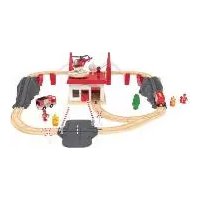
| Product Type | Educational Toy - Firefighter Helicopter |
| Brand | Playtive |
| Model | IAN 366882 |
| Recommended Age | From 3 years |
| Number of pieces | 31 pieces |
| Power supply | 3 LR03 (AAA) 1.5 V batteries |
| Functions | Light and sound activated by button |
| Lighting | Integrated light projector |
| Sound | Sound effects |
| Materials | Plastic (not specified) |
| Assembly | Requires a screwdriver (not included) to open the battery compartment |
| Care and cleaning | Wipe with a dry cloth; do not use harsh products |
| Safety | Not suitable for children under 36 months (choking hazard); adult supervision required |
| Spare parts and repairability | Spare parts available during warranty period |
| Warranty | 3 years (excluding batteries and wear parts) |
| After-sales service | Swiss service: 0842 665566 or deltasport@lidl.ch |
| Manufacturing date | 07/2021 |
| Directives | 2009/48/EC (toy safety), 2014/30/EU (EMC) |
| Disposal | Do not dispose of with household waste; recycle via collection point |
Frequently Asked Questions - IAN 366882 Playtive
User questions about IAN 366882 Playtive
0 question about this device. Answer the ones you know or ask your own.
Ask a new question about this device
Download the instructions for your Educational toy in PDF format for free! Find your manual IAN 366882 - Playtive and take your electronic device back in hand. On this page are published all the documents necessary for the use of your device. IAN 366882 by Playtive.
USER MANUAL IAN 366882 Playtive
FEUERWEHR-HUBSCHRAUBER
DE AT CH
FEUERWEHR-HUBSCHRAUBER
Gebrauchsanweisung
IT CH
ELICOTTERO ANTINCENDIO
Istruzioni d'uso
FR CH
Instructions for use
CE

2011/65/UE - Directive RoHS
You have chosen to purchase a high-quality product. Familiarise yourself with the product before using it for the first time.

Read the following instructions for use carefully.
Use the product only as described and only for the given areas of application. Store these instructions for use carefully. When passing the product on to third parties, please also hand over all accompanying documents.
Package contents
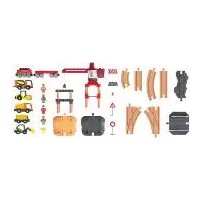
31 x part
3 x battery (1.5V=ER03, AAA)
1 x assembly instructions
1 x instructions for use
Technical data
Battery power supply:
1.5V === LRO3, AAA

DC symbol

Date of manufacture (month/year): 07/2021

Delta-Sport Handelskontor GmbH hereby declares that this product meets the following basic require-
ments, as well as other important regulations:
2009/48/EC - Toy Safety Directive
2014/30/EU - EMC Directive
2011/65/EU - RoHS Directive
Intended use
This product is a toy for children 3 years and over and is for personal use only.

Safety information
- Warning. Not suitable for children under 36 months. Choking hazard. Small parts.
• Children may only play with the product under adult supervision. -
Warning. None of the packaging materials or attachments are part of the toy itself, and must always be removed for safety reasons before the product is given to children to play with.
-
Check the product for damage or wear before each use. Only use the product if it is in perfect condition!
- Only use the battery type: LR03.

Battery warning notice!
- Remove the batteries when they are flat, or if the product is not in use for an extended period.
- Do not use different types or brands of battery, or new and used batteries together, or batteries with different capacities, as these can leak and cause damage.
- Ensure the polarity (+/-) is correct when inserting the batteries.
- Replace all batteries at the same time and dispose of the old batteries as prescribed.
- Warning! Batteries must not be charged or re-activated by other means, taken apart, thrown into fire or short-circuited.
• Always keep batteries out of reach of children. - Do not use rechargeable batteries!
- Cleaning and maintenance must not be carried out by children without supervision.
- Clean the battery and device contacts as needed and before inserting.
- Do not expose the batteries to extreme conditions (e.g. radiators or direct sunlight). Otherwise there is an increased risk of leakage.
- Warning. Flat batteries must be disposed of immediately. Keep new and used batteries out of reach of children. Consult a doctor immediately if you suspect that batteries have been swallowed or inserted into a part of the body.

Danger!
- Handle damaged or leaking batteries with extreme caution and dispose of them properly as soon as possible. Wear gloves when doing so.
- If you come into contact with battery acid, wash the affected area with soap and water. If battery acid gets in your eye, rinse it with water and seek medical attention immediately!
- The connection terminals must not be short-circuited.
Assembly
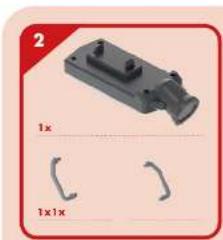
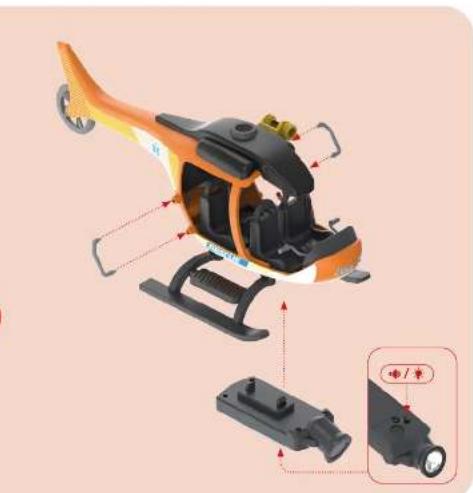
You can find the individual steps for assembling the product in the assembly instructions.
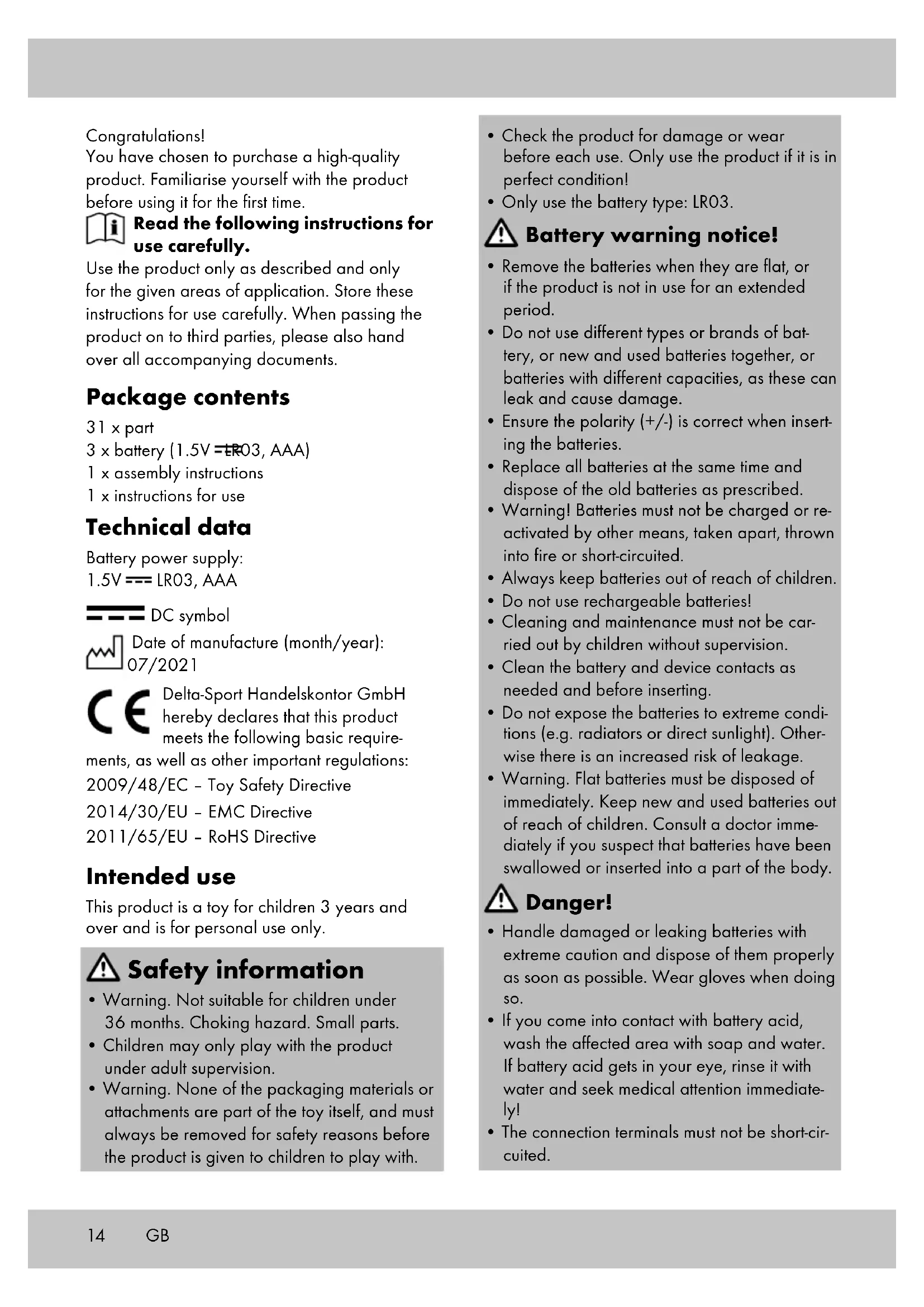
Inserting the batteries (Fig. A)
WARNING! Observe the following instructions to avoid mechanical and electrical damage to the product.

Danger!
Three batteries are enclosed with the product, these can be removed from the packaging and inserted into the product before using it for the first time.
You can replace the battery if it stops working.
- Disconnect the searchlight from the helicopter.
- Open the battery compartment cover (1a) with a suitable screwdriver (not included in the package contents).
- Insert the batteries (2) into the battery compartment (1b).
Note: check the plus/minus poles of the batteries and insert them correctly. The batteries must be completely inside the battery holder.
- Close the battery compartment cover again.
Replacing the batteries
When the batteries stop working, replace them as described in the section 'Inserting the batteries'. First remove the flat batteries from the battery compartment.
Turning the light and sound on and off (Fig. B)
Press the button (1c) on the bottom of the product to turn the light (1e) and sound (1d) on. Press the button again to turn them both off.
Storage, cleaning
When not in use, always store the product dry, clean, without batteries and at room temperature. Wipe clean with a dry cloth only.
IMPORTANT! Never clean the product with harsh cleaning agents.
Disposal

In the interest of protecting the environment, do not throw your product into the household waste once you are finished with it, but rather take it to a specialty disposal facility. Find out about collection sites and their hours of operation from your local authority.
Defective or used batteries must be recycled pursuant to Directive 2006/66/EC and changes to it. Return batteries and/or the product via the collecting sites provided. Packaging materials, such as plastic bags, must be kept away from children. Keep the packaging materials out of reach of children.

Environmental damage caused by improper disposal of batteries! Batteries may not be disposed of with household waste. They may contain toxic heavy metals and are subject to hazardous waste treatment. The chemical symbols of the heavy metals are as follows: Cd = cadmium, Hg = mercury, Pb = lead. Dispose of used batteries at a municipal collection site.

Dispose of the product and packaging in an environmentally friendly manner.

Note the label on the packaging materials when separating waste, as these are labelled with abbreviations (a) and numbers (b) with the following meaning: 1-7: plastics/20-22: paper and cardboard/80-98: composite materials.
The product and the packaging materials can be recycled, dispose of them separately for better treatment of waste. The Triman logo only applies to France. Find out how to dispose of the used product from your municipal or city administration.
Notes on the guarantee and service handling
The product was produced with great care and under continuous quality control. DELTA-SPORT HANDELSKONTOR GmbH gives private end customers a three-year guarantee on this product from the date of purchase (guarantee period) in accordance with the following provisions.
The guarantee is only valid for material and manufacturing defects. The guarantee does not cover parts subject to normal wear and tear that are thus considered wear parts (e.g. batteries) or fragile parts such as switches, rechargeable batteries, or parts made of glass.
Claims under this guarantee are excluded if the product has been used incorrectly, improperly, or contrary to the intended purpose, or if the provisions in the instructions for use were not observed, unless the end customer proves that a material or manufacturing defect exists that was not caused by one of the aforementioned circumstances.
Claims under the guarantee can only be made within the guarantee period by presenting the original sales receipt. Please therefore keep the original sales receipt. The guarantee period is not extended by any repairs carried out under the guarantee, under statutory guarantees, or as a gesture of goodwill. This also applies to replaced and repaired parts.
If you wish to make a claim please first contact the service hotline mentioned below or contact us by e-mail. If there is a guarantee case, then the product will be repaired or replaced free of charge to you or the purchase price will be refunded, depending on our choice.
Your legal rights, in particular guarantee claims against the respective seller, are not limited by this guarantee.
IAN: 366882_2101

Service Great Britain
Tel.: 0800 404 7657
E-Mail: deltasport@lidl.co.uk
DELTA-SPORT HANDELSKONTOR GMBH
Wragekamp 6 • DE-22397 Hamburg
GERMANY

07/2021
CE
IAN 366882_2101

DELTA-SPORT HANDELSKONTOR GMBH
Wragekamp 6 • DE-22397 Hamburg
GERMANY

07/2021

- FEUERWEHR-HUBSCHRAUBER
- ELICOTTERO ANTINCENDIO
- READ THE FOLLOWING INSTRUCTIONS FOR USE CAREFULLY
- PACKAGE CONTENTS
- TECHNICAL DATA
- INTENDED USE
- SAFETY INFORMATION
- BATTERY WARNING NOTICE
- DANGER
- ASSEMBLY
- INSERTING THE BATTERIES (FIG. A)
- WARNING! OBSERVE THE FOLLOWING INSTRUCTIONS TO AVOID MECHANICAL AND ELECTRICAL DAMAGE TO THE PRODUCT
- REPLACING THE BATTERIES
- TURNING THE LIGHT AND SOUND ON AND OFF (FIG. B)
- STORAGE, CLEANING
- DISPOSAL
- NOTES ON THE GUARANTEE AND SERVICE HANDLING
Brand : Playtive
Model : IAN 366882
Category : Educational toy