Blue Pure 211+ Auto - Air purifier BLUEAIR - Free user manual and instructions
Find the device manual for free Blue Pure 211+ Auto BLUEAIR in PDF.



| Product Type | Air Purifier |
| Brand | Blueair |
| Model | Blue Pure 211+ Auto |
| Power | 120 VAC, 60 Hz |
| Power Consumption | 4-38 W |
| Noise Level | 23-56 dB(A) |
| Recommended Room Size | 550 ft² (51 m²) |
| CADR Smoke | 353 cfm (600 m³/h) |
| CADR Dust | 347 cfm (590 m³/h) |
| CADR Pollen | 380 cfm (650 m³/h) |
| Air Quality Sensor | Built-in (PM2.5) |
| Air Quality Indicator | Colorful light ring (blue = good, red = poor) |
| Speed Modes | Auto, Night, Daily, Boost, Off |
| Auto Restart Function | Yes (after power outage) |
| Pre-filter | Machine washable, fabric |
| Main Filter | Replaceable (approx. every 6 months) |
| Filter Replacement Indicator | Yes (red light after 6 months) |
| Filter Subscription Program | Available via Blueair |
| Maintenance | Clean the pre-filter regularly; wipe the exterior with a damp cloth |
| Safety | Unplug before maintenance; do not use extension cord; do not immerse in water |
| Warranty | Blueair Limited Warranty (see terms) |
| Weight | Approx. 6.5 kg (estimated) |
| Dimensions (H × W × D) | Approx. 53 × 33 × 33 cm (estimated) |
Frequently Asked Questions - Blue Pure 211+ Auto BLUEAIR
User questions about Blue Pure 211+ Auto BLUEAIR
0 question about this device. Answer the ones you know or ask your own.
Ask a new question about this device
Download the instructions for your Air purifier in PDF format for free! Find your manual Blue Pure 211+ Auto - BLUEAIR and take your electronic device back in hand. On this page are published all the documents necessary for the use of your device. Blue Pure 211+ Auto by BLUEAIR.
USER MANUAL Blue Pure 211+ Auto BLUEAIR
Please read this user manual carefully and keep it for future reference. The latest version of this user manual can be found on www.blueair.com
Note: There may be local variations of these models.
Product name: Model number:
| 211+ Auto 363 | 1101000 |
Contents
| Blue Pure 211+ Auto 4 |
| Safety instructions 6 |
| Get started 8 |
| Filters 11 |
| Care and maintenance 15 |
| Disposal and recycling 17 |
| Help and support 17 |
| Warranty information 17 |
| Specifications 18 |
| Regulatory information 19 |
Blue Pure 211+ Auto
The air purifier has a pre-filter and a HEPASilent ^™ main filter to purify air. It has control functions and a built-in sensor.
The air purifier is mainly composed of a motor, a fan and filters. The air purifier removes contaminants from the air in a room to improve indoor air quality.
You can change the air purifier settings at any time, using the control panel on the air purifier.
Recommendations for best performance
- Use the air purifier in a room that does not exceed the room size recommendation.
- Place the air purifier in a location where air can circulate freely in, out and around the air purifier.
- Do not place the air purifier closer than 4"/10cm to another object.
- During operation, keep doors and windows in the room with the air purifier closed.
- Only use genuine Blueair filters.
- Change the main filter when the filter replacement indicator appears on the control panel.
- Follow the maintenance instructions in this user manual.
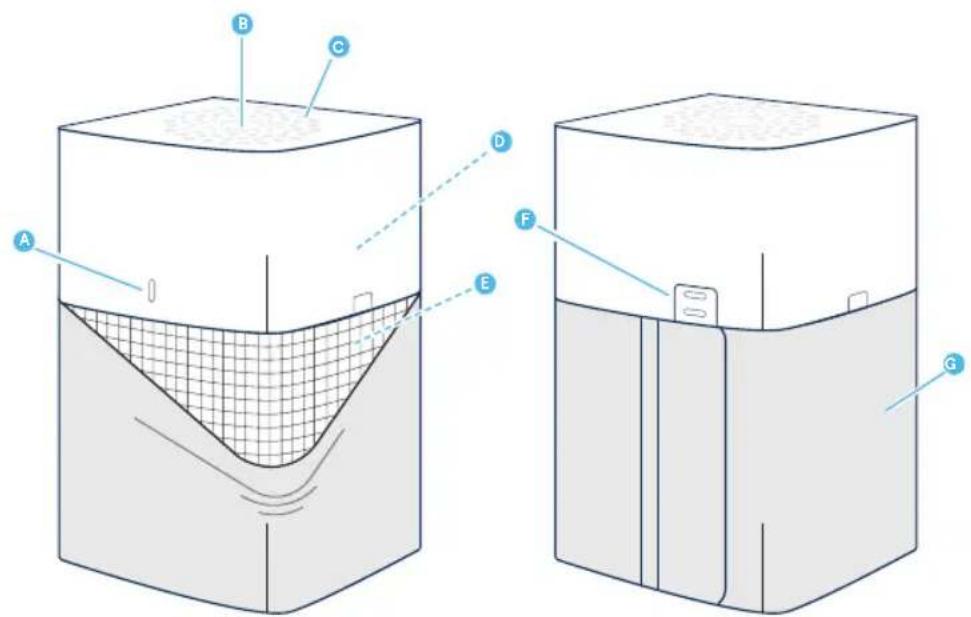
A Air quality indicator
F Air quality sensor
B Touch button G Pre-filter
C Air outlet
H Power cable (not in picture)
D Fan and motor I User Manual (not in picture)
E Main filter
Safety instructions
Blue Pure 211+ Auto air purifier is an electrical appliance for indoor use only, take the necessary precautions to reduce the risk of fire, electric shock or injury.
- This appliance is not intended for use by persons (including children) with reduced physical, sensory or mental capabilities, or lack of experience and knowledge, unless they have been given supervision or instruction concerning use of the appliance by a person responsible for their safety.
- Supervise children to ensure that they do not play with the appliance.
- Cleaning and user maintenance shall not be made by children without supervision.
- Always disconnect the appliance from the power supply before maintenance.
- Do not attempt to open or service the appliance yourself. Service must be done by the manufacturer, service agent or similarly qualified personnel using only original Blueair spare parts.
- Ensure that the power cable and the power plug are not at risk of getting damaged. To avoid hazard, a damaged power cable must always be replaced by the manufacturer, service agent or similarly qualified person.
- If the appliance is damaged or malfunctions, turn it off, disconnect it from the power supply and contact Blueair.
- The power plug must be firmly inserted in the power socket.
- When disconnecting the unit from the power supply, do not pull on the power cord, pull on the power plug.
- Use the power cable provided with your Blueair air purifier to plug directly and firmly into an appropriate, electrical outlet.
- Do not use an extension cord or a power strip. Refer to the rating label on your appliance.
- Do not alter the power plug in any way. If the plug does not fit into the outlet, contact qualified personnel to install the proper outlet.
- Do not use the included power cord for anything else but the appliance.
- Do not allow objects to enter or block the air inlets and air outlets as this can cause electric shock or damage the appliance.
- Do not place any objects on top of or directly against the appliance.
- Do not sit on, stand, climb onto or hang from the appliance.
- Keep the appliance, including the power cable, at a safe distance from heated surfaces and open fire.
- Keep the appliance and power plug away from water and other liquids.
- Keep the appliance and power plug away from chemicals such as pesticides and deodorants.
- Place the appliance on the floor. The appliance must be placed on a stable surface.
- Do not use the appliance outdoors or in wet environments such as bathrooms, laundry rooms or pool areas.
Get started
Step 1
Plug the power cable into a wall outlet.

natural_image
Simple blue icon of a plug with two wires, enclosed in a circle (no text or symbols)Step 2
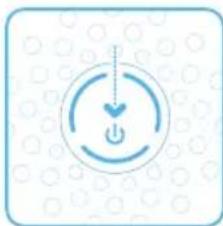
Press the button to turn the air purifier on and adjust the fan speed mode.
natural_image
Simple icon of a power button with a heart symbol, set against a dotted background (no text or labels)On/Off and fan speed controls
Available settings: Auto, Night, Everyday, Boost and Off.
The indicator lights on the touch button indicate the selected fan speed. The lights automatically dim down completely 5 seconds after pressing the touch button, indicating a deactivated fan speed control mode. Press the touch button once to reactivate on/off and fan speed control. The indicator lights light up and you can adjust the fan speed mode again.
Autostart
The autostart feature automatically restarts the air purifier at the last set speed if it has been unplugged, used with a power switch timer, or if a power failure occurs.
Auto mode
In auto mode the air purifier automatically controls the airflow based on air quality information from the sensor.
On/Auto mode
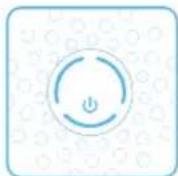
Press once to turn the unit On and to set it to Auto mode.
Night mode
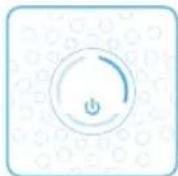
Press twice to set to Night mode (low fan speed). All lights on the unit dim down after 5 seconds.
Everyday mode
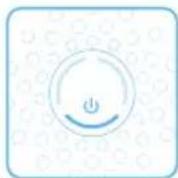
Press three times to set to Everyday mode (medium fan speed).
Boost mode
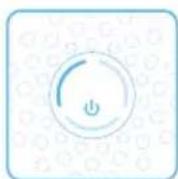
Press four times to set to Boost mode (high fan speed).
O
Press five times to turn the unit Off.
Air quality information
The air quality levels for particulate matter (PM) are indicated using a color scale on the air quality indicator. The air quality indicator is completely dimmed in Night mode.
PM2.5, Particulate matter, particles with diameter of size 2.5 micrometers or less.
Air quality level (PM 2.5)
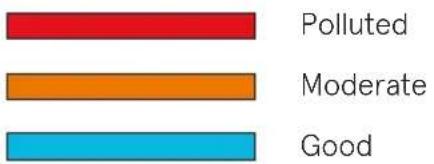
bar
| Category | Value | |---|---| | Polluted | 100 | | Moderate | 80 | | Good | 60 |Filters
The air purifier is delivered with a fabric pre-filter and a main filter. The filters purify the air from both particles and gases. For best performance, clean the pre-filter regularly and change the main filter when the air purifier indicates filter change. To find the right main filter for your air purifier, use the Blueair app or visit www.blueair.com. The model number of your air purifier can be found on the rating label on the air purifier.
Note: Using a fabric pre-filter is optional.
Important! Always turn off and disconnect the appliance from the power supply before changing filters, cleaning or carrying out maintenance procedures.
Blueair filter subscription program
Use the Blueair app or visit www.blueair.com to sign up for the Blueair filter subscription program.
Button control functions
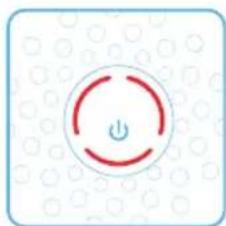
Change filter
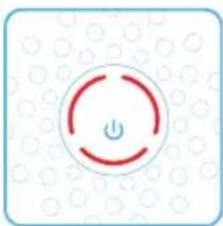
When the indicator light turns red (after 6 months of operation) you should change the main filter.
natural_image
Icon of a power button with a red circular outline and 'Power' symbol, set against a dotted background (no text or numbers)Filter replacement indicator
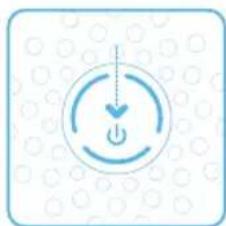
Press the button down for 7 seconds to reset the filter replacement indicator.
natural_image
Simple icon of a power button with a downward arrow, surrounded by circular dots (no text or symbols)Clean and change the pre-filter
For best performance, clean the pre-filter regularly. Vacuum the exterior of the fabric pre-filter with a soft brush attachment to remove dust. If the pre-filter requires a deeper clean, wash it in the washing machine, according to instructions on the pre-filter's label.
Important! Press the Velcro strips together on the pre-filter before machine wash.
Step 1
Turn the unit off and unplug it.
Step 3
Remove the top part from the unit.
Step 5
Wash the pre-filter in the washing machine, according to instructions on the pre-filter's label.
Step 7
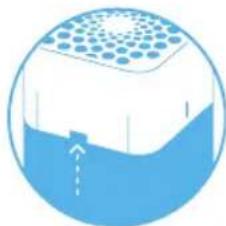
Place the top back onto the unit and press until you hear a click.

natural_image
Simple blue icon of a plug with two wires, enclosed in a circle (no text or symbols)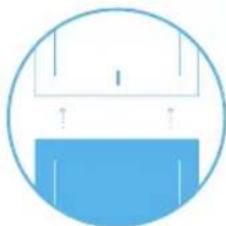
natural_image
Simple blue circular icon with a white top and a blue bottom, no text or symbols present.
natural_image
Simple blue circular icon with a bowl and bubbles, no text or symbols present.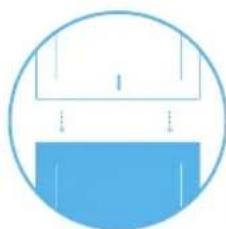
natural_image
Simple blue circular icon with a white top and a blue bottom, no text or symbols present.Step 2
Gently press the buttons on both sides of the unit simultaneously.
Step 4
Open the pre-filter panel and remove the pre-filter.
Step 6
Place the pre-filter back onto the unit.
Adjust the pre-filter and the panel to hide the power cord in the back.
Step 8
Plug in the unit.
natural_image
Diagram of a microfluidic device with blue and white casing, showing internal structure and flow direction (no text or symbols)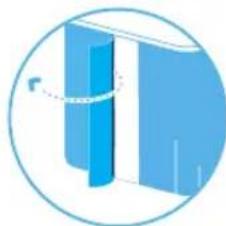
natural_image
Abstract 3D diagram showing a vertical blue structure inside a circle, with no visible text or symbols.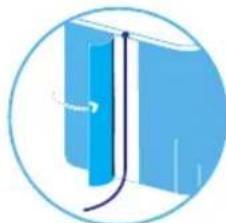
natural_image
Illustration of a blue book with a curved line indicating motion or movement (no text or symbols)
natural_image
Simple blue icon of a plug with two pins inside a circle (no text or symbols)Change the main filter
When changing the filter, vacuum any dust that may have accumulated inside the unit.
Important! Use only genuine Blueair filters suitable for the model to ensure proper function and performance of the air purifier, and to qualify for full warranty coverage.
Step 1
When the indicator light glows red, it's time to change the main filter.
natural_image
Simple icon of a power button with a circular arrow, set against a dotted background (no text or symbols)Step 2
Turn the unit off and unplug it.

natural_image
Simple blue icon of a plug with two leads inside a circle (no text or symbols)Step 3
Gently press the buttons on both sides of the unit simultaneously.
natural_image
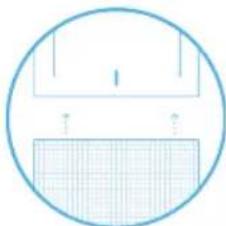
Cross-sectional diagram of a layered structure with a central circular top and internal channel (no text or symbols)Step 4
Remove the top part from the unit.
natural_image
Simple line drawing of a circular frame with grid pattern and a horizontal bar (no text or symbols)Step 5
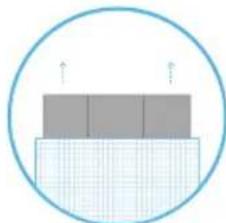
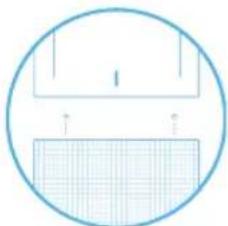
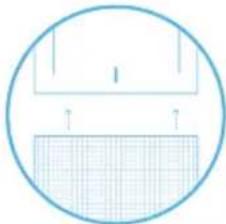
Remove the old main filter from the unit.
Unfold the new main filter and insert into the unit.
natural_image
Diagram showing layered structure with grid pattern and upward arrows, enclosed in a circular boundary (no text or symbols)Step 6
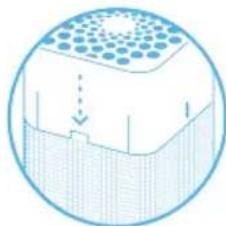
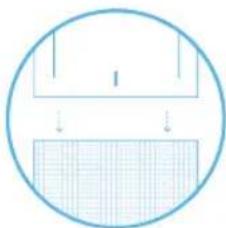
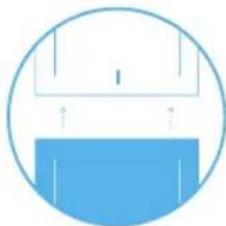
Place the top part onto the bottom part of the unit. Firmly press the top part onto the metal filter frame until you hear a click.
natural_image
Simple line drawing of a circular frame with a grid pattern at the bottom (no text or symbols)Step 7
Plug in the unit.

natural_image
Simple blue icon of a plug with two wires, enclosed in a circle (no text or symbols)Step 8
Press the touch button for a duration of 7 seconds to reset the filter replacement timer.
This lets the air purifier know that you have changed the filter.
The indicator light flashes for 4 seconds, and then changes from red to white.
natural_image
Simple icon of a power button with a heart symbol, set against a dotted background (no text or labels)Care and maintenance
General
- Disconnect the air purifier from the power supply before maintenance.
- Do not allow foreign objects to enter the air inlets or air outlets. This may cause electric shock or damage the air purifier.
- Never clean with gasoline, chemical solvents or corrosive materials as these agents may damage the air purifier.
- Make sure the air purifier is completely dry before connecting it to power.
- Do not wash the main filter. The main filter is not washable or reusable.
Cleaning
- Wash the pre-filter according to the instructions on the pre-filter's label or vacuum the pre-filter with a soft brush attachment.
- Wipe the exterior of the air purifier with a soft, clean, damp cloth.
- Clean and check the power cable and power plug for wear or damages.
- Clean the sensor when changing the main filter.
Clean the air quality sensor
The inlet for the air quality sensor is located at the back of the air purifier.
Important! Do not use fingers or any unrecommended objects to clean inside the sensor inlet.
Step 1
Turn the unit off and unplug it.

natural_image
Simple blue icon of a plug with two pins, enclosed in a circle (no text or symbols)Step 2
Gently press the buttons on both sides of the unit simultaneously.
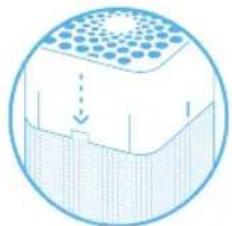
natural_image
Circular diagram showing a layered structure with a grid pattern and a downward arrow, no text or symbols present.Step 3
Remove the top part from the unit.
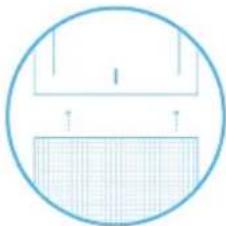
natural_image
Simple line drawing of a circular frame with a grid pattern at the bottom (no text or symbols)Step 4
Press the button on the inside of the unit to open the lid covering the sensor and remove the lid.
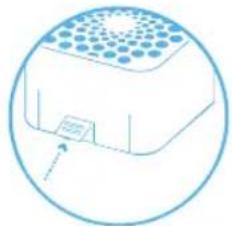
natural_image
Simple line drawing of a rectangular device with a circular outline and an arrow pointing to it (no text or symbols)Step 5
Using circular motions, gently clean the sensor with a cotton swab, and attach the sensor lid.
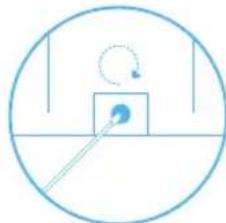
natural_image
Simple line drawing of a circular object with a square and diagonal line, no text or symbols present.Step 6
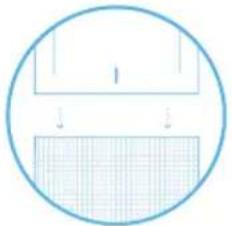
Place the top part onto the bottom part of the unit. Firmly press the top part onto the metal filter frame until you hear a click.
natural_image
Simple diagram with a circle containing a rectangle and a grid, no text or symbols present.Step 7
Plug in the unit.

natural_image
Simple blue icon of a plug with three pins inside a circle (no text or symbols)Disposal and recycling
This air purifier should be disposed or recycled as electrical waste and the filter may be recycled as plastic. If you have questions regarding the disposal and recycling of this air purifier, please contact your local recycling facility for availability or Blueair dealer and ask for the correct method of recycling.
Help and support
If you have questions about your product, please visit www.blueair.com or contact your local Blueair retailer.
To contact Blueair for personalized support, please visit www.blueair.com/customer-support
Warranty information
The Blueair Limited Warranty applies only if the air purifier is installed, used and maintained according to the instructions in this manual.
For warranty conditions, please visit www.blueair.com/warranty
Warranty and returns
If you purchased the air purifier at one of our authorized retailers, please contact the same store to request assistance.
Specifications
Blue Pure 211+ Auto
| Input Power, Frequency 120VAC, 60Hz | |
| Power consumption/Rated input power | 4-38W |
| Sound level (min/max)1 | 23-56 dB(A) |
| Recommended room size2 | 550 ft2(51 m2) |
| CADR Smoke2 | 353 cfm (600 m3/h) |
| CADR Dust2 | 347 cfm (590 m3/h) |
| CADR Pollen2 | 380 cfm (650 m3/h) |
^1 Sound pressure according to GB/T18801 and GB4214.1
^2 According to ANSI/AHAM AC-1-2019. Tested without pre-filter.
Regulatory information
WARNING: Changes or modifications to this unit not expressly approved by the party responsible for compliance could void the user's authority to operate the equipment.
NOTE: This equipment has been tested and found to comply with the limits for a Class B digital device, pursuant to Part 15 of the FCC Rules. These limits are designed to provide reasonable protection against harmful interference in a residential installation. This equipment generates, uses and can radiate radio frequency energy and, if not installed and used in accordance with the instructions, may cause harmful interference to radio communications.
However, there is no guarantee that interference will not occur in a particular installation. If this equipment does cause harmful interference to radio or television reception, which can be determined by turning the equipment off and on, the user is encouraged to try to correct the interference by one or more of the following measures:
- Reorient or relocate the receiving antenna.
- Increase the separation between the equipment and receiver.
- Connect the equipment into an outlet on a circuit different from that to which the receiver is connected.
- Consult the dealer or an experienced radio/TV technician for help.
This device complies with Part 15 of the FCC Rules. Operation is subject to the following two conditions:
- this device may not cause harmful interference, and
- this device must accept any interference received, including interference that may cause undesired operation.
This device contains licence-exempt transmitter(s)/receiver(s) that comply with Innovation, Science and Economic Development Canada's licence-exempt RSS(s). Operation is subject to the following two conditions: (1) This device may not cause interference, and (2) This device must accept any interference, including interference that may cause undesired operation of the device.
This Class B digital apparatus complies with Canadian ICES-003.


FR
natural_image
Simple blue icon of a plug with two wires, enclosed in a circle (no text or symbols)Étape 2
natural_image
Simple icon of a power button with a heart symbol, set against a dotted background (no text or labels)natural_image
Three horizontal colored bars (red, orange, cyan) with no text or symbolsPollution
Moyenne
Bonne
Filtres
natural_image
Icon of a power button with a red circular outline and 'Power' symbol, set against a dotted background (no text or numbers)natural_image
Simple icon of a power button with a downward arrow, surrounded by circular arrows and dotted background (no text or symbols)natural_image
Simple blue icon of a plug with two pins inside a circle (no text or symbols)Étape 3
natural_image
Simple line drawing of a roof structure with a circular frame and blue base (no text or symbols)Étape 5
natural_image
Simple blue circular icon with a bowl and bubbles inside, no text or symbols present.Étape 7
natural_image
Simple line drawing of a container with liquid inside, enclosed in a circle (no text or symbols)Étape 2
natural_image
Circular diagram showing a blue container with a grid pattern and an arrow pointing to it (no text or symbols)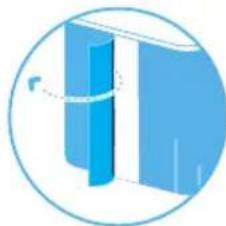
natural_image
Abstract 3D diagram of a vertical blue structure inside a circle, with no visible text or symbols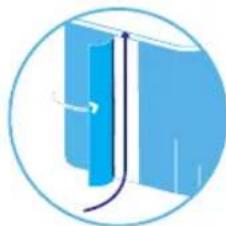
natural_image
Illustration of a blue vertical structure with a curved arrow indicating direction, enclosed in a circular frame (no text or symbols)
natural_image
Simple blue icon of a plug with two handles inside a circle (no text or symbols)natural_image
Icon of a power button with a circular arrow, set against a dotted background (no text or symbols)Étape 2
natural_image
Diagram of a cylindrical container with a grid pattern and a downward arrow indicating flow or movement (no text or symbols)Étape 4
natural_image
Simple line drawing of a circular frame with a grid pattern at the bottom (no text or symbols)Étape 5
natural_image
Simple diagram of stacked rectangular blocks within a circular boundary, no text or symbols presentÉtape 6
natural_image
Simple line drawing of a circular frame with a grid pattern at the bottom (no text or symbols)Étape 7
Branchez l'unité.

natural_image
Simple blue icon of a plug with three leads inside a circle (no text or symbols)Étape 8
natural_image
Simple icon of a power button with a downward arrow, surrounded by circular arrows and dotted background (no text or symbols)natural_image
Simple blue icon of a plug with two pins, enclosed in a circle (no text or symbols)Étape 2
natural_image
Circular diagram showing a layered structure with a grid pattern and a downward arrow, no text or symbols present.Étape 3
natural_image
Simple line drawing of a circular frame with a grid pattern at the bottom (no text or symbols)Étape 4
natural_image
Simple line drawing of a rectangular device with a circular outline and an arrow pointing to it (no text or symbols)Étape 5
natural_image
Simple line drawing of a circular object with a pointer and curved arrow, no text or symbols present.Étape 6
natural_image
Simple diagram of a circular shape with a horizontal bar and grid pattern, no text or symbols present.Étape 7
Branchez l'unité.

natural_image
Simple blue icon of a plug with three pins inside a circle (no text or symbols)natural_image
Simple blue icon of a plug with two leads inside a circle (no text or symbols)Paso 2
natural_image
Simple icon of a power button with a heart symbol, set against a dotted background (no text or labels)natural_image
Three horizontal colored bars (red, orange, cyan) with no text or symbolsContaminado
Moderado
Bueno
Filtros
natural_image
Icon of a power button with a circular arrow, set against a dotted background (no text or symbols)natural_image
Simple icon of a power button with a downward arrow, set against a dotted background (no text or symbols)natural_image
Simple blue icon of a plug with two pins inside a circle (no text or symbols)Paso 3
Remover la parte superior del aparato.
natural_image
Simple line drawing of a roof structure with a circular frame and blue base (no text or symbols)Paso 5
natural_image
Simple line drawing of a blue spherical object with internal water, enclosed in a circular frame (no text or symbols)Paso 7
natural_image
Simple diagram of a container with liquid and arrows indicating flow or movement (no text or symbols)Paso 2
natural_image
Circular diagram showing a blue container with a grid pattern and an arrow pointing to it (no text or symbols)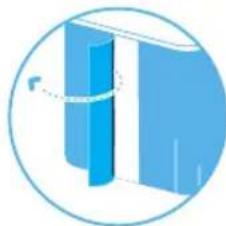
natural_image
Illustration of a blue abstract geometric shape inside a circular frame (no text or symbols)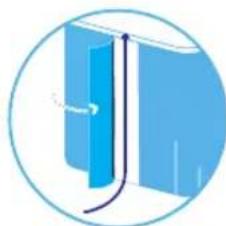
natural_image
Illustration of a blue book with a curved arrow indicating direction, enclosed in a circular frame (no text or symbols)
natural_image
Simple blue icon of a plug with two wires, enclosed in a circle (no text or symbols)natural_image
Simple icon of a power button with a circular arrow, set against a dotted background (no text or symbols)Paso 2
natural_image
Simple blue icon of a plug with two pins, enclosed in a circle (no text or symbols)Paso 3
natural_image
Diagram of a layered structure with a grid pattern and a downward arrow, enclosed in a circle (no text or symbols)Paso 4
Remover la parte superior del aparato.
natural_image
Simple line drawing of a circular frame with a grid pattern at the bottom (no text or symbols)Paso 5
natural_image
Simple diagram of a layered structure with grid pattern and upward arrows, enclosed in a circle (no text or symbols)Paso 6
natural_image
Simple line drawing of a circular object with a horizontal bar and downward arrows, no text or symbols present.Paso 7
Enchufar la unidad.

natural_image
Simple blue icon of a plug with three leads inside a circle (no text or symbols)Paso 8
natural_image
Simple icon of a power button with a downward arrow, surrounded by circular patterns (no text or symbols)natural_image
Simple blue icon of a plug with two pins, enclosed in a circle (no text or symbols)Paso 2
natural_image
Diagram of a cylindrical container with a perforated top and internal structure, no text or symbols presentPaso 3
Remover la parte superior del aparato.
natural_image
Simple line drawing of a circular frame with a grid pattern at the bottom (no text or symbols)Paso 4
natural_image
Simple line drawing of a rectangular device with a circular outline and a small label on the base (no text or symbols)Paso 5
natural_image
Simple line drawing of a square with a diagonal line and a circular arrow, no text or symbols present.Paso 6
natural_image
Simple diagram showing a circular outline with a rectangle and a grid, no text or symbols present.Paso 7
Enchufar la unidad.

natural_image
Simple blue icon of a plug with two pins inside a circle (no text or symbols)Specifications
Blue Pure 211+ Auto
Blueair AB Middle East
Jafza One, Office No. AB1503
Jebel Ali Free Zone
P.O. Box No. 263947
Dubai, United Arab Emirates
Tel:+971(4)8821244
salesme@blueair.se
Blueair Inc.
125 S Clark
Suite 2000
Chicago, IL. 60603
USA
Tel: +1 888 258 3247
info@blueair.com
Blueair (Shanghai) Trading Co. Ltd.
Room 1001, City Gateway
No. 398 North Caoxi Road
Xuhui Distr, Shanghai,
China
Tel: 400 006 9693
info@unilever-le.com
Blueair Asia Ltd.
Unit 8C, 8/F, MG Tower,
133 Hoi Bun Road,
Kwun Tong, Kowloon,
Hong Kong
Tel: +852 2345 8988
blueairasia@blueair.se