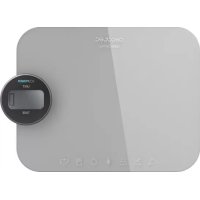
Cook Control 10300 EcoPower Nutrition - Kitchen scales CECOTEC - Free user manual and instructions
Find the device manual for free Cook Control 10300 EcoPower Nutrition CECOTEC in PDF.



| Product Type | Kitchen Scale |
| Brand | Cecotec |
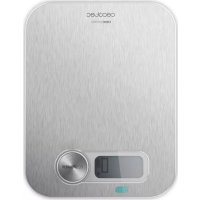
| Model | Cook Control 10300 EcoPower Nutrition |
| Reference | 04144 |
| Maximum Capacity | 8 kg |
| Precision | 1 g |
| Measurement Units | g, oz, ml (water), ml (milk) |
| Kcal Function | Yes (chicken, butter, sugar, flour, eggs, chocolate, veal) |
| Power Supply | Batteryless, energy generator by rotation (selector) |
| Tare Function | Yes |
| Automatic Shut-off | Yes (in case of low battery) |
| Display | LCD |
| Dimensions (estimated) | 20 × 20 × 2 cm |
| Weight (estimated) | 300 g |
| Material | Plastic and glass |
| Usage | Indoor only |
| Required Surface | Flat and stable |
| Cleaning | Soft damp cloth, no abrasive products |
| Water Resistance | Do not immerse |
| Warranty | 2 years (subject to conditions) |
| After-sales Service | +34 9 63 21 07 28 |
| Recycling | WEEE Directive (2012/19/EU) |
Frequently Asked Questions - Cook Control 10300 EcoPower Nutrition CECOTEC
User questions about Cook Control 10300 EcoPower Nutrition CECOTEC
0 question about this device. Answer the ones you know or ask your own.
Ask a new question about this device
Download the instructions for your Kitchen scales in PDF format for free! Find your manual Cook Control 10300 EcoPower Nutrition - CECOTEC and take your electronic device back in hand. On this page are published all the documents necessary for the use of your device. Cook Control 10300 EcoPower Nutrition by CECOTEC.
USER MANUAL Cook Control 10300 EcoPower Nutrition CECOTEC
natural_image
Modern digital kitchen appliance with a digital display and control knob (no visible text or symbols)Safety instructions 6
- Parts and components 14
- Before use 14
- Operation 14
- Cleaning and maintenance 15
- Technical specifications 15
- Disposal of old electrical appliances 16
- Warranty and Technical Support Service 16
SOMMAIRE
Read these instructions thoroughly before using the appliance. Keep this instruction manual for future reference or new users.
This device is for personal use only and is not intended for commercial purposes.
Do not operate this appliance if there are any visible signs of damage. Always check for damage before each use and in case of malfunction, contact the Technical Support Service of Cecotec.
Keep the device away from heat sources.
Do not use the device outdoors.
Static pressure is effective. Do not drop or strike the scale, it could damage easily.
Avoid hitting or dropping the scale to prevent damages.
Do not overload the scale or put heavy things on it.
Do not immerse the product in water or any other liquid.
Make sure the surface is always dry.
Do not expose the device to wet and hot conditions in order to ensure its shelf life.
Do not place or store the device in an upright position.
Do not jump or stand on the device.
INSTRUCTIONS DE SÉCURITÉ
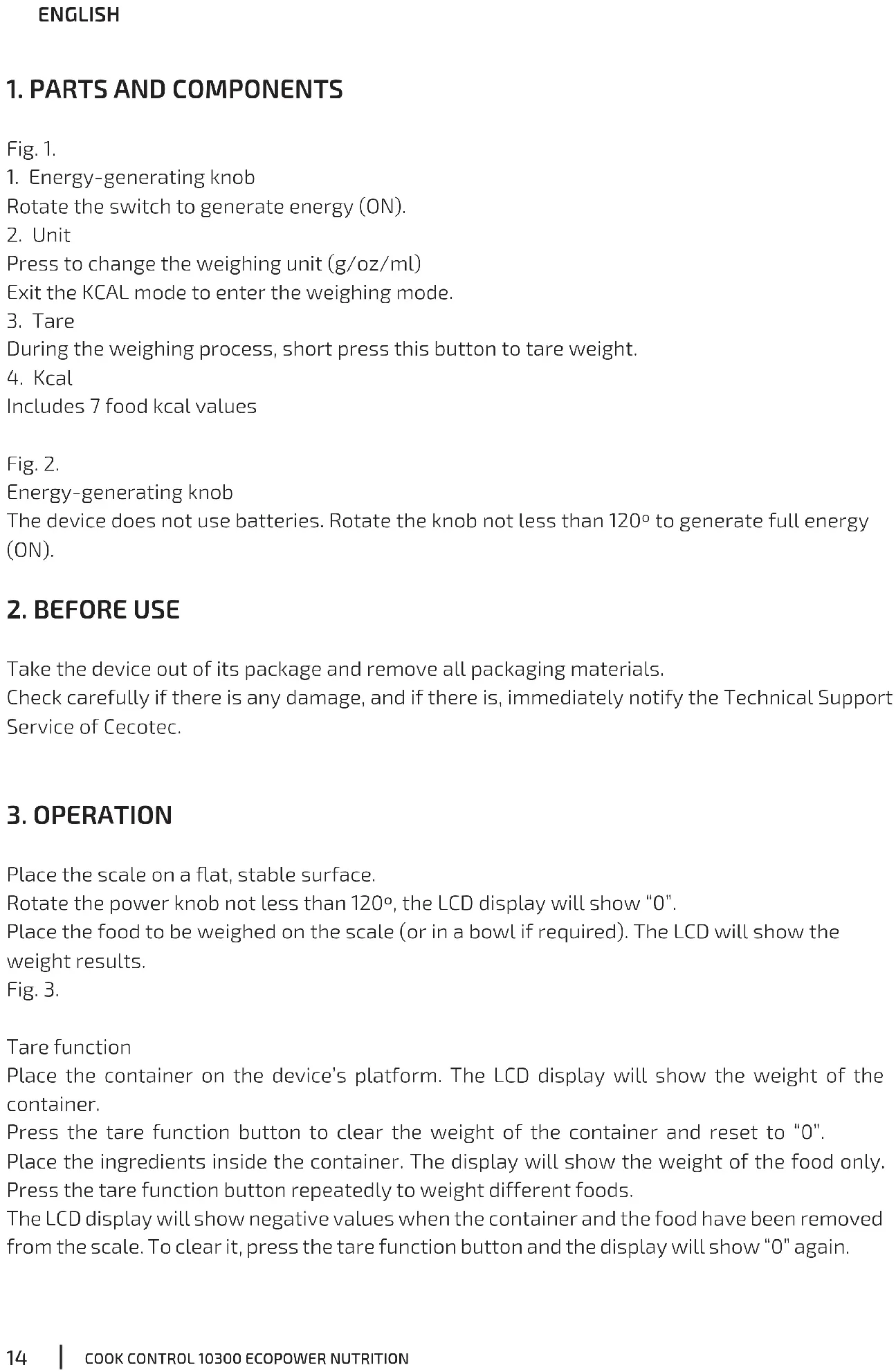
- Energy-generating knob
Rotate the switch to generate energy (ON).
- Unit
Press to change the weighing unit (g/oz/ml)
Exit the KCAL mode to enter the weighing mode.
- Tare
During the weighing process, short press this button to tare weight.
- Kcal
Includes 7 food kcal values
Fig. 2.
Energy-generating knob
The device does not use batteries. Rotate the knob not less than 120^ to generate full energy (ON).
2. BEFORE USE
Take the device out of its package and remove all packaging materials.
Check carefully if there is any damage, and if there is, immediately notify the Technical Support Service of Cecotec.
3. OPERATION
Place the scale on a flat, stable surface.
Rotate the power knob not less than 120^ , the LCD display will show "0".
Place the food to be weighed on the scale (or in a bowl if required). The LCD will show the weight results.
Fig. 3.
Tare function
Place the container on the device's platform. The LCD display will show the weight of the container.
Press the tare function button to clear the weight of the container and reset to "0".
Place the ingredients inside the container. The display will show the weight of the food only.
Press the tare function button repeatedly to weight different foods.
The LCD display will show negative values when the container and the food have been removed from the scale. To clear it, press the tare function button and the display will show "0" again.
Fig. 4.
Kcal function
Place the desired ingredient inside a container on the platform, press the corresponding food icon, and the LCD display will show the Kcal data accordingly.
Choose between chicken, butter, sugar, flour, egg, chocolate and beef.
Fig. 7.
Errors
Fig. 5.
The scale is overloaded. Do not place over 8 kg on the weighing platform.
Fig. 6.
Low battery. The device will automatically turn off after a few seconds. Please, rotate the power knob not less than 120^ .
Fig. 8.
The scale is not placed on a flat, stable surface.
Fig. 9.
Kcal data out of range.
4. CLEANING AND MAINTENANCE
Use a soft, damp cloth to clean the surface. Do not use chemical or harsh abrasive cleaning agents.
Do not store the device in an upright position.
5. TECHNICAL SPECIFICATIONS
Model: Cook Control 10300 EcoPower Nutrition
Product reference: 04144
Features: High-precision strain gauge sensor system
Capacity: 8 kg/1 g
Units: g, oz, 8, water-ml, milk-ml
Kcal function
Battery-free technology
Auto shut-off
6. DISPOSAL OF OLD ELECTRICAL APPLIANCES

The European directive 2012/19/EU on Waste Electrical and Electronic Equipment (WEEE), specifies that old household electrical appliances must not be disposed of with the normal unsorted municipal waste. Old appliances must be collected separately, in order to optimize the recovery and recycling of the materials they contain and reduce the impact on human health and the environment.
The crossed out "wheeled bin" symbol on the product reminds you of your
obligation to dispose of the appliance correctly. If the product has a built-in battery or uses batteries, they should be removed from the appliance and disposed of appropriately.
Consumers must contact their local authorities or retailer for information concerning the correct disposal of old appliances and/or their batteries.
7. WARRANTY AND TECHNICAL SUPPORT SERVICE
This product is under warranty for 2 years from the date of purchase, as long as the proof of purchase is submitted, the product is in perfect physical condition, and it has been given proper use, as explained in this instruction manual.
The warranty will not cover the following situations:
The product has been used for purposes other than those intended for it, misused, beaten, exposed to moisture, immersed in liquid or corrosive substances, as well as any other fault attributable to the customer.
The product has been disassembled, modified, or repaired by persons, not authorised by the official Technical Support Service of Cecotec.
Faults deriving from the normal wear and tear of its parts, due to use.
The warranty service covers every manufacturing defects of your appliance for 2 years, based on current legislation, except consumable parts. In the event of misuse, the warranty will not apply.
If at any moment you detect any problem with your product or have any doubt, do not hesitate to contact Cecotec Technical Support Service at +34 963 210 728.
1. PIÈCES ET COMPOSANTS
Img. 1.
natural_image
Blank rectangular area with a small rectangular cutout and a vertical rectangle on the right side (no text or symbols)Fig./Img./Abb. 6
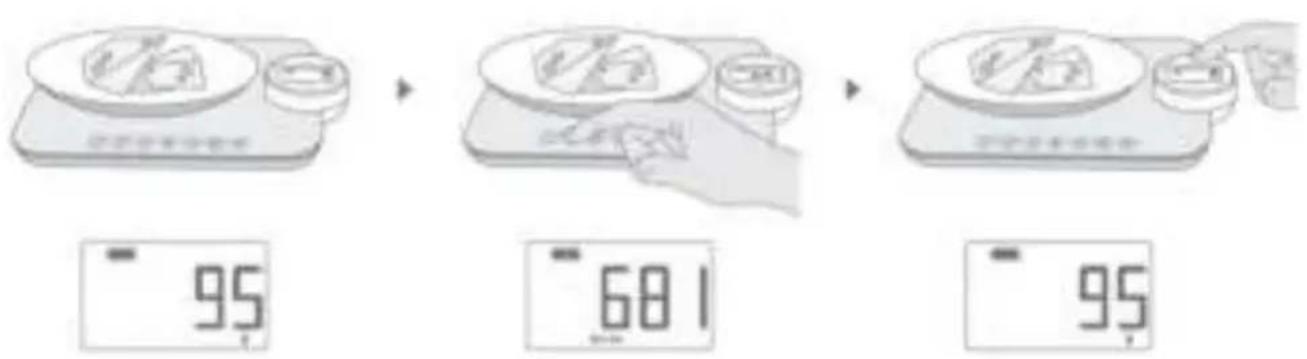
Fig./Img./Abb. 7

Fig./Img./Abb. 8

Fig./Img./Abb. 9
www.cecotec.es
Quart de Poblet, Valencia (Spain)
YVEA02200629
Brand : CECOTEC
Model : Cook Control 10300 EcoPower Nutrition
Category : Kitchen scales