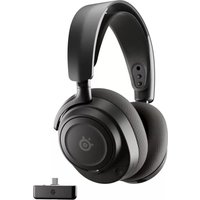
Arctis Nova 7 - Headphones STEELSERIES - Free user manual and instructions
Find the device manual for free Arctis Nova 7 STEELSERIES in PDF.



User questions about Arctis Nova 7 STEELSERIES
0 question about this device. Answer the ones you know or ask your own.
Ask a new question about this device
Download the instructions for your Headphones in PDF format for free! Find your manual Arctis Nova 7 - STEELSERIES and take your electronic device back in hand. On this page are published all the documents necessary for the use of your device. Arctis Nova 7 by STEELSERIES.
USER MANUAL Arctis Nova 7 STEELSERIES
natural_image
Simple line drawing of a mechanical component with a handle and circular base (no text or symbols)ARCTIS NOVA 7 WIRELESS
PRODUCT INFORMATION GUIDE
TABLE OF CONTENTS
General 3
Product Overview 5
Setup 6
Power 7
Pairing 8
Bluetooth 9
Chatmix 10
Microphone 11
Perfect Fit 12
Translations 14
Deutsch.... 14
Español 16
Français 18
Italiano 20
Polski 22
Português 24
Русский 26
日本語 28
简体中文 30
繁體中文 32
한국어 34
Regulatory 38
PACKAGE CONTENTS
Arctis Nova 7 Wireless Headset
USB-C Multi-Platform Dongle
USB-C to USB-A Extension Cable (5 ft / 1.5 m)
USB-C to USB-A Charging Cable (5 ft / 1.5 m)
5-pole to 4-pole 3.5 mm Cable (4ft/1.2m)
SYSTEM COMPATIBILITY
PC
PlayStation 5
PlayStation 4
Mobile
Nintendo Switch
Mac
SOFTWARE
text_image
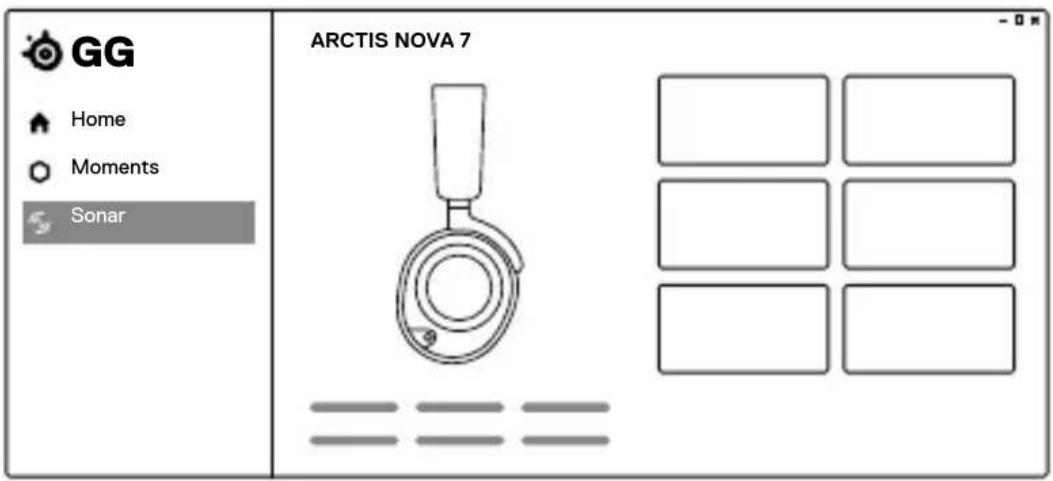
GG Home Moments Sonar ARCTIS NOVA 7 -0*Use Engine inside SteelSeries GG to set custom equalizer settings and control your mic.
GG also has other amazing apps like Sonar, a breakthrough in gaming sound, that allows you to hear what matters most, through cutting-edge audio tools.

DOWNLOAD NOW
steelseri.es/gg
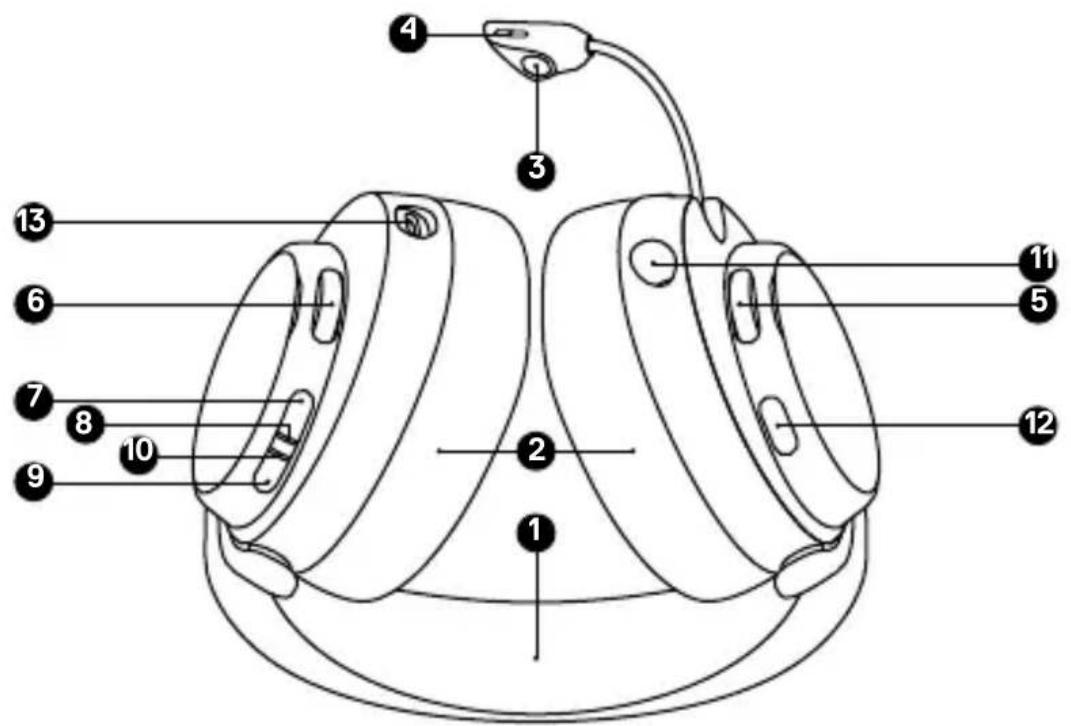
HEADSET
1 Elastic Headband*
2 Airweave Ear Cushions*
3 Retractable ClearCast Microphone
4 Microphone Mute LED
5 Volume Wheel
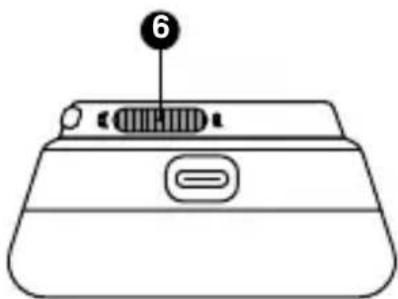
6 ChatMix Dial
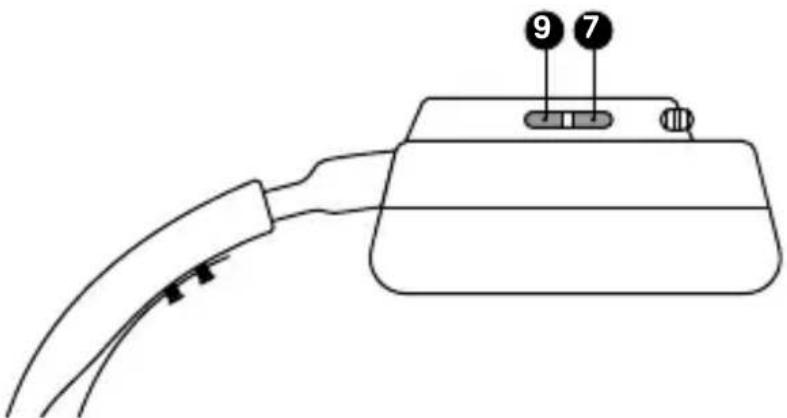
7 Power Button
8 Power Indicator LED
9 Bluetooth Button
10 Bluetooth Indicator LED
11 3.5 mm Wired Audio Jack
12 Microphone Mute Button
13 USB-C Charging Jack
text_image
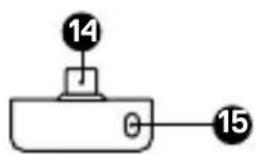
Labeled diagram of a mechanical device with numbered parts for identificationUSB-C MULTI-PLATFORM DONGLE
14 USB-C Multi-Platform Dongle*
15 Pairing Button
16 Status LED
text_image
14 15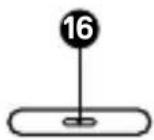
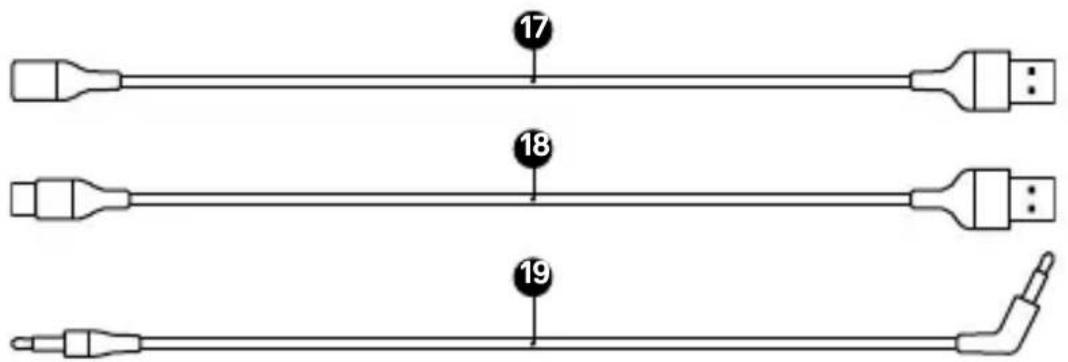
ACCESSORIES\*
17 USB-C to USB-A Extension Cable
18 USB-C to USB-A Charging Cable
19 5-pole to 4-pole 3.5 mm Cable
text_image
17 18 19CONNECTION TO USB-A
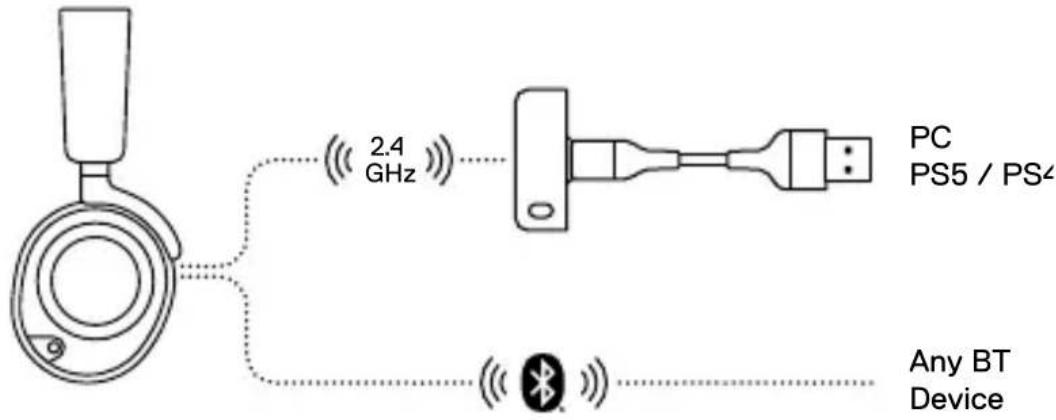
text_image
2.4 GHz PC PS5 / PS4 Any BT DeviceCONNECTION TO USB-C
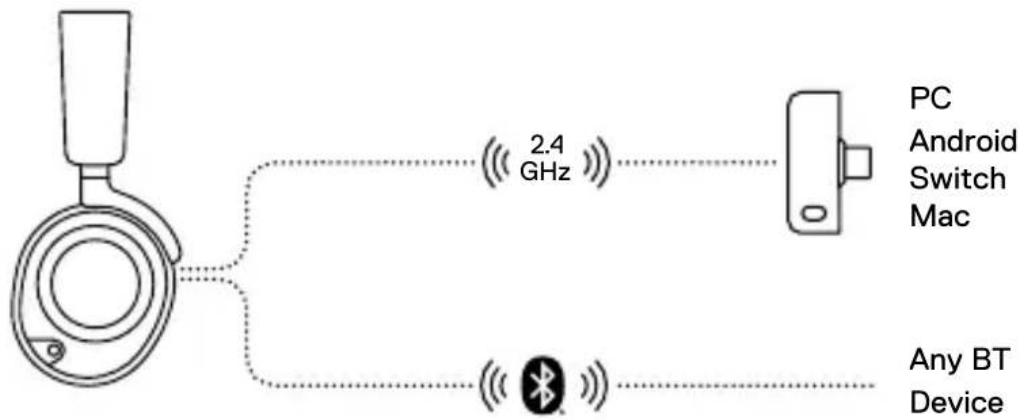
text_image
2.4 GHz PC Android Switch Mac Any BT DevicePLAYSTATION 5 AUDIO SETTINGS
PS5 SETTING > AUDIO OUTPUT
Output to Headphones All Audio
PS5 SETTING > AUDIO OUTPUT > VOLUME
Headphones Set to Max
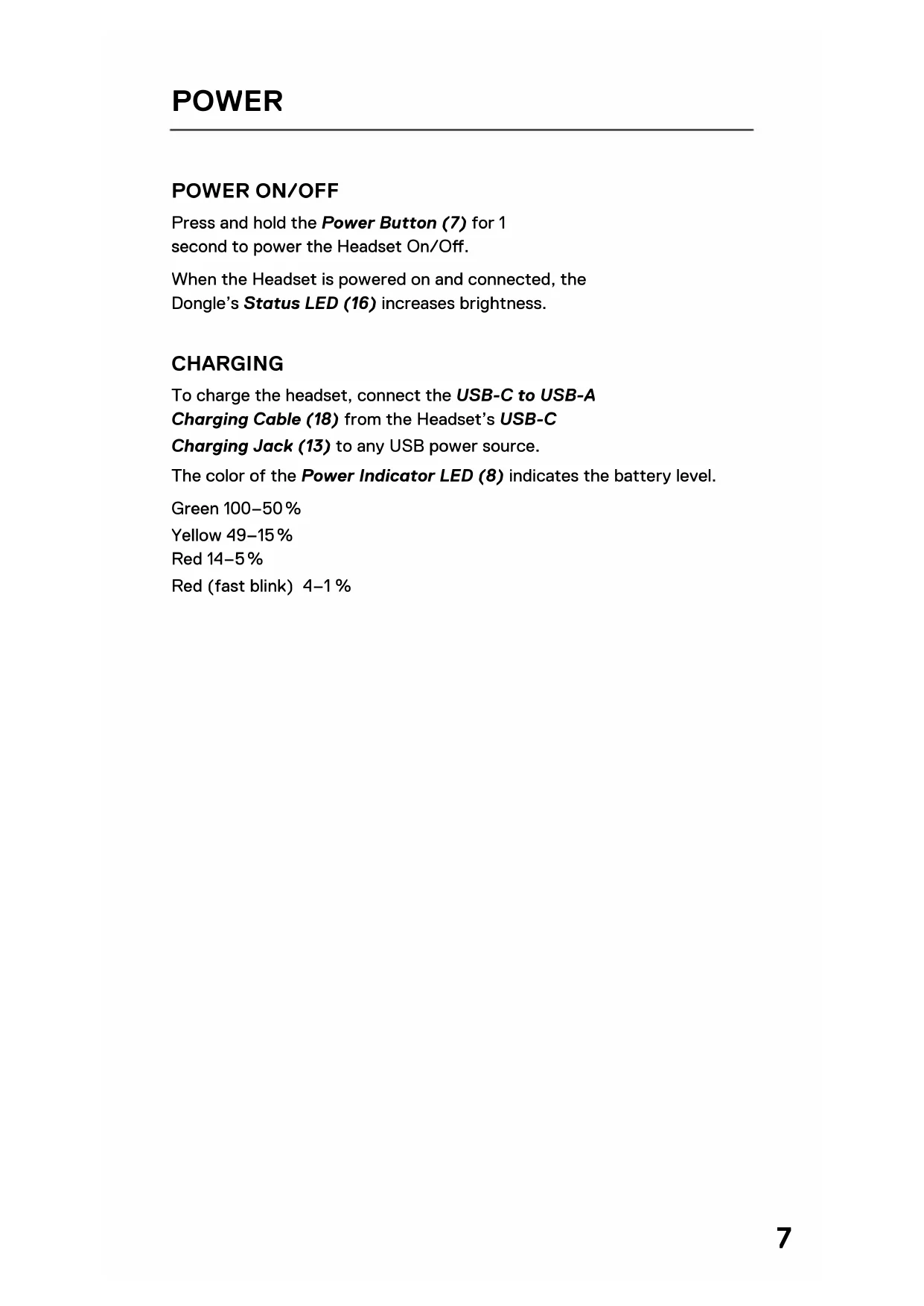
POWER ON/OFF
Press and hold the Power Button (7) for 1
second to power the Headset On/Off.
When the Headset is powered on and connected, the
Dongle's Status LED (16) increases brightness.
CHARGING
To charge the headset, connect the USB-C to USB-A
Charging Cable (18) from the Headset's USB-C
Charging Jack (13) to any USB power source.
The color of the Power Indicator LED (8) indicates the battery level.
Green 100–50%
Yellow 49–15%
Red 14–5%
Red (fast blink) 4–1 %
Note: The headset and dongle come paired.
If you need to re-pair:
1 Connect the USB-C Multi-Platform Dongle (14) to your gaming device.
2 Press and hold the Dongle's Pairing Button (15) for 4 seconds until the Power Indicator LED (8) blinks rapidly.
3 With the headset off, press and hold the Power Button (7) for 4 seconds until the Power Indicator LED (8) blinks rapidly.
4 When pairing is successful you will hear a tone, and the Dongle's Status LED (16) will turn solid.
BLUETOOTH POWER
Bluetooth can be powered On / Off independently of the 2.4 GHz wireless by pressing and holding the Bluetooth Button (9) for 1 second.
PAIRING
With Bluetooth Off, press and hold the Bluetooth Button (9) for 4 seconds.
MULTIMEDIA CONTROL
Answer/End Voice Call
Single press the Bluetooth Button (9)
Play/Pause Music
Single press the Bluetooth Button (9)
Skip Track
Double press the Bluetooth Button (9)
Previous Track
Triple press the Bluetooth Button (9)


text_image
Diagram of a medical device with labeled parts 7 and 9, showing a cable or connector and a connector pin.Note: The Power Button (7) can be used for Multimedia control in the same way.
To control ChatMix on PC, first install the SteelSeries
GG software: steelseries.com/gg
At the middle position of the ChatMix Dial (6) game and chat are full volume. Rotating the ChatMix Dial (6) towards chat reduces the game volume and vice versa.
natural_image
Line drawing of a device handle with a labeled component (no text or symbols beyond the number 6)RETRACTABLE MICROPHONE
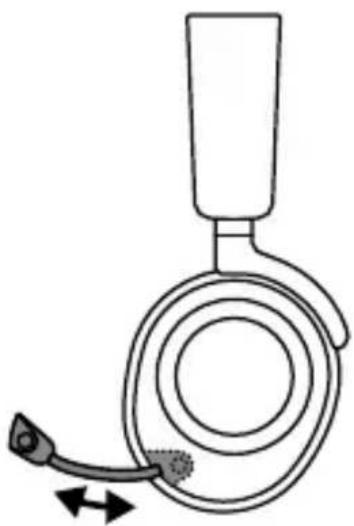
Out of the box, the Retractable ClearCast Microphone
(3) is retracted. To use the microphone, slide it away
from the headset until it reaches full extension.
natural_image
Diagram of a medical device with a bulb and needle inserted, showing fluid flow direction (no text or labels)POSITIONING
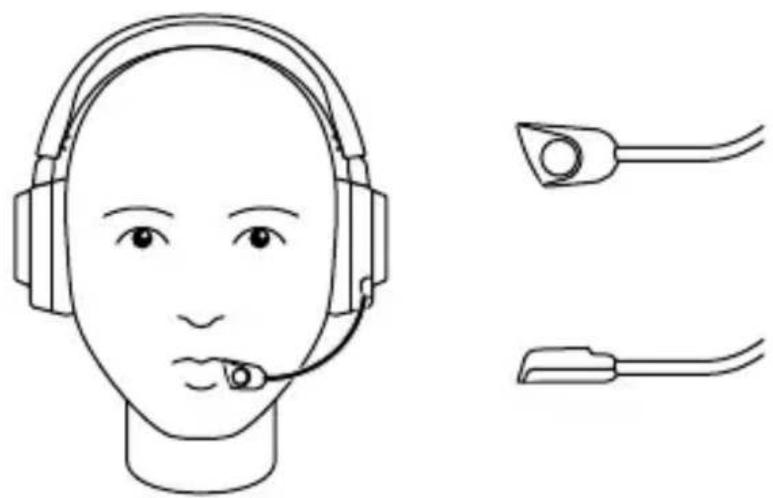
Position the Retractable ClearCast Microphone (3) close to the corner of your mouth with the front surface facing you.
Note: The microphone should not be used when retracted.
natural_image
Line drawing of a human head with headset and two connector clips (no text or symbols)RETRACTABLE MICROPHONE
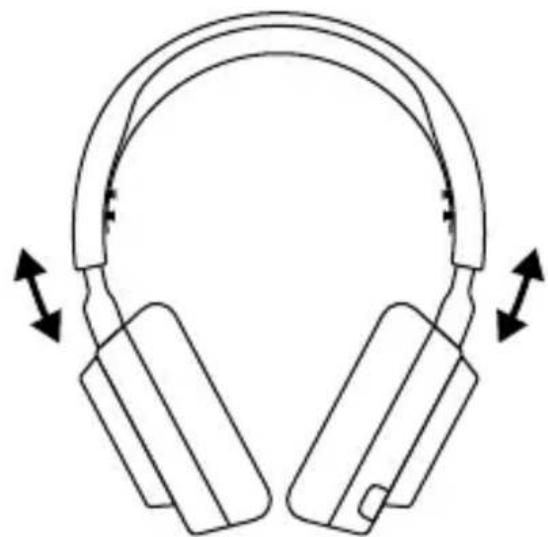
1 There are two ways to adjust the fit of your headset
natural_image
Line drawing of a pair of headphones with bidirectional arrows indicating head movement (no text or symbols)2 Change the position of the Elastic Headband (1) on one or both sides to achieve the desired tension and flex.

natural_image
Simple line drawing of a mechanical component with three circular holes and a curved base (no text or symbols)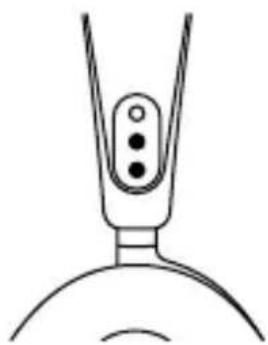
natural_image
Simple line drawing of a mechanical component with three circular holes (no text or symbols)DEUTSCH
ALLGEMEIN
LIEFERUMFANG
SteelSeries GG : steelseries.com/gg
SteelSeries GG: steelseries.com/gg
*在steelseries.com/gaming-accessories查找配件和替换件
设置
连接至 USB-A
PC, PS5 / PS4
任何 BT 设备
连接至 USB-C
*在steelseries.com/gaming-accessories查找配件和替换件
設定
連接至 USB-A
PC, PS5 / PS4
任何 BT 設備
連接至 USB-C
Europe – EU Declaration of Conformity
Hereby, SteelSeries ApS. declares that the equipment which is compliance with directive RoHS 2.0 (2015/863/EU), R.E.D (2014/53/EU), EMC Directive (2014/30/EU), and LVD (2014/35/EU) which are issued by the Commission of the European Community.
The full text of the EU declaration of conformity is available at the following internet address: https://support.steelseries.com/hc/en-us/categories/360001256111-Other-Stuff
SteelSeries ApS. hereby confirms, to date, based on the feedback from our suppliers indicates that our products shipping to the EU territory comply with REACH (Registration, Evaluation, Authorization, and Restriction of Chemicals - (EC) 1907/2006) compliance program. We are fully committed to offering REACH compliance on the products and posting accurate REACH compliance status for the all of products.
Frequency bands and Powers (Headset and Transceiver)
a. Frequency band(s) in which the radio equipment operates: 2.400 - 2.4835 GHz
b. Maximum radio-frequency power transmitted in the frequency band(s) in which the radio equipment operates:
• EIRP: GFSK: 5.14 dBm (Headset/SRD)
• EIRP: GFSK: 5.63 dBm (Headset/BT)
• EIRP: 8DPSK: 5.58 dBm (Headset/BT)
• EIRP: GFSK: 5.03 dBm (Transceiver/SRD)
c. Firmware Version: V1.0 (Headset); V1.0 (Transceiver)

UK Declaration of Conformity
Hereby, SteelSeries ApS. declares that the following equipment which is compliance with Electromagnetic Compatibility Regulations 2016, Electrical Equipment (Safety) Regulations 2016, Radio Equipment Regulations 2017 and The Restriction of the Use of Certain Hazardous Substances in Electrical and Electronic Equipment Regulations 2012 issued by the Department for Business, Energy& Industrial Strategy.
The full text of the UK declaration of conformity is available at the following internet address: https://support.steelseries.com/hc/en-us/categories/360001256111-Other-Stuff
WEEE
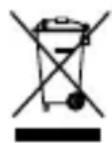
This product must not be disposed of with your other household waste or treat them in compliance with the local regulations or contact your local city office, your household waste disposal service or the shop where you purchased the product.
Turkey RoHS Compliance
Republic of Turkey: In conformity with the EEE Regulation
Safety Guideline for Lithium Battery
This battery must not be disposed of with your other household waste or treat them in compliance with the local regulations or contact your local city office, your household waste disposal service or the shop where you purchased the product.

Federal Communication Commission Interference Statement
This device complies with Part 15 of the FCC Rules. Operation is subject to the following two conditions:
- This device may not cause harmful interference, and
- this device must accept any interference received, including interference that may cause undesired operation.
This equipment has been tested and found to comply with the limits for a Class B digital device, pursuant to Part 15 of the FCC Rules. These limits are designed to provide reasonable protection against harmful interference in a residential installation. This equipment generates, uses and can radiate radio frequency energy and, if not installed and used in accordance with the instructions, may cause harmful interference to radio communications. However, there is no guarantee that interference will not occur in a particular installation. If this equipment does cause harmful interference to radio or television reception, which can be determined by turning the equipment off and on, the user is encouraged to try to correct the interference by one of the following measures:
• Reorient or relocate the receiving antenna.
- Increase the separation between the equipment and receiver.
- Connect the equipment into an outlet on a circuit different from that to which the receiver is connected.
- Consult the dealer or an experienced radio/TV technician for help.
FCC Caution:
Any changes or modifications not expressly approved by the party responsible for compliance could void the user's authority to operate this equipment.
This transmitter must not be co-located or operating in conjunction with any other antenna or transmitter.
Radiation Exposure Statement:
The device has been evaluated to meet general RF exposure requirement, the device can be used in portable exposure condition without restriction.
FCC ID: ZHK-HS31(Wireless Headset)
FCC ID: ZHK-HS31TX(Transceiver)
Industry Canada Statement
This device complies with Industry Canada license-exempt RSS standard(s). Operation is subject to the following two conditions:
- this device may not cause interference, and
- this device must accept any interference, including interference that may cause undesired operation of the device.
This Class B digital apparatus complies with Canadian ICES-003.
This device and its antenna(s) must not be co-located or operating in conjunction with any other antenna or transmitter, except tested built-in radios.
The County Code Selection feature is disabled for products marketed in the US/ Canada.
The appliance must not be exposed to splashes or drops of water and it should not be used as a support for any object filled with liquid, such as a vase.
RISK OF EXPLOSION IF BATTERY PACK IS NOT REPLACE BY SAME TYPE AS SPECIFIED BY THE MANUFACTURER.
Please keep follow all listed important warnings and cautions below while using this battery pack to avoid any damage or hazard.
- The battery polarity (+) and (-) shall not be connected and charged reversely. Risk of explosion if the battery polarity (+) and (-) is reversed.
- Please keep this battery pack away from fire and high heat sources due to the explosion that might happen. Do not place your battery pack close to any heater or hot location.
- This battery pack shall not be hit or impacted. This battery pack shall not be dealt with any sharp or keen objects either.
- This battery pack shall not be exposed to moisture, dripping or splashing.
- If any electrolyte flows out of this battery pack when touching the user's eyes and skin, please seek medical advice immediately.
"MISE EN GARDE!"
RISQUE D'EXPLOSION SI LE BLOC-PILES N'EST PAS REMPLACÉ PAR LE MÊME TYPE QUE SPÉCIFIÉ PAR LE FABRICANT.
Radiation Exposure Statement:
The device has been evaluated to meet general RF exposure requirement, The device can be used in portable exposure condition without restriction.
Transceiver IC: 9638A-HS31TX
Restriction on Hazardous Substances statement (India)
This product complies with the “India E-waste Rule 2011” and prohibits use of lead, mercury, hexavalent chromium, polybrominated biphenyls or polybrominated diphenyl ethers in concentrations exceeding 0.1 weight % and 0.01 weight % for cadmium, except for the exemptions set in Schedule 2 of the Rule.
More information and support from steelseries.com
Complies with IMDA Standards DA 106032
Singapore approval (IMDA)
Malaysia Approval (SIRIM)
ACMA Compliance (Australia/ New Zealand)

Direct Current
Product Name (產品名稱/产品名称): Wireless Headset (耳機/耳机) Model No. (型號/型号): HS31 Rated (規格/規格): 5V = 500mA
Accessories information (配件資訊/配件信息) Product Name (產品名稱/產品名称): Transceiver (收發器/收发器) Model No. (型號/型号): HS31TX Rated (規格/規格): 5V = 100mA
Made in China (中國製造/中国制造) Operating Temperature: 0 to +40 °C 產品使用環境溫度: 0 - 40度