HP COLOR LASERJET 4600 - Laser printer

COLOR LASERJET 4600 - Laser printer HP - Free user manual and instructions

Find the device manual for free COLOR LASERJET 4600 HP in PDF.
📄 267 pages English EN Download 💬 AI Question 10 questions ⚙️ Specs
Notice HP COLOR LASERJET 4600 - page 9
View the manual : Français FR English EN
Pick your language and provide your email: we'll send you a specifically translated version.
Product type Professional color laser printer
Brand HP
Model Color LaserJet 4600
Print speed 17 ppm (Letter) / 16 ppm (A4)
Print resolution 600 x 600 dpi (HP ImageREt 2400)
Standard memory 96 MB SDRAM (expandable to 512 MB)
Media sizes From 77 x 127 mm to Legal; weight 60 to 163 g/m²
Tray capacity Tray 1: 100 sheets; Tray 2: 500 sheets; Tray 3 (optional): 500 sheets
Duplex printing Automatic on dn, dtn, hdn models
Connectivity IEEE-1284 parallel port, 3 EIO slots, FIR, integrated network
Print languages HP PCL 6, PCL 5c, PostScript 3 emulation
Duty cycle Not specified, professional use
Dimensions (W x D x H) Approximately 430 x 500 x 460 mm (varies by configuration)
Weight Approximately 30 kg (base configuration)
Power supply 110-240 V AC, 50/60 Hz
Power consumption Standby mode: adjustable PowerSave; active mode: approximately 350 W
Noise level Not specified, < 55 dB(A) during operation
Media types Plain paper, glossy, transparencies, labels, envelopes, recycled
Consumables 4 toner cartridges (CMYK), transfer unit, fuser unit
Special functions Built-in Web server, HP Web Jetadmin, job management
Cleaning and maintenance Clean the exterior with a soft cloth; replace consumables
Safety Class 1 laser product; CE, FCC, Energy Star compliant
Spare parts Available through HP; reference number C9660-90914
Repairability User-replaceable modules; HP technical support
Warranty HP Limited Warranty (1 year parts and labor)

Frequently Asked Questions - COLOR LASERJET 4600 HP

How to install the print driver for the HP Color LaserJet 4600?
The driver is on the included CD-ROM. For Windows, insert the CD and follow the installation wizard. For Mac OS, use the PPD file. You can also download the latest driver from hp.com/support/lj4600.
What to do in case of a paper jam?
Open the top cover and gently remove the jammed paper. Follow the animations on the control panel screen. Check the trays and the duplex path. Close all covers. The printer will resume automatically if the 'Jam Recovery' option is enabled.
How to replace toner cartridges?
Open the front door, remove the used cartridge, insert the new one by aligning the notches. The printer automatically detects genuine HP cartridges. Close the door and the printer performs a calibration.
How to configure network printing?
Connect the printer to the network via the EIO interface (Jetdirect card). Use the control panel to configure TCP/IP (IP address, subnet mask). You can also use HP Web Jetadmin for centralized management.
Why is printing slow or of poor quality?
Check the media type used, toner level, and quality settings in the 'Print Quality' menu. Ensure that memory is sufficient for complex graphics. Perform calibration via 'Calibrate Now' in the menu.
How to enable automatic duplex printing?
On dn, dtn, hdn models, go to 'Device Configuration' > 'Print' > 'Duplex' and select 'On'. In the driver, also select the duplex option. The printer automatically flips the paper.
How to reduce power consumption?
Use the adjustable PowerSave mode in 'System Configuration' > 'PowerSave Time'. Choose a delay (1, 15, 30 minutes, etc.). The printer goes to sleep after inactivity. You can also disable the mode via the reset menu.
Where to find consumable reference numbers?
Print the 'Supplies Status Page' from the Information menu. The reference numbers (e.g., C9660-xxxxx) are listed there. You can order from the HP website or via the built-in Web server.
How to clear a persistent error message?
Press the 'Cancel' button to stop the current job. If the error persists, turn off the printer, wait 30 seconds, then turn it back on. For critical errors, check the event log via the Diagnostics menu.
Can I use recycled paper?
Yes, the printer supports recycled paper. Use paper with a weight of 60 to 163 g/m². Avoid paper that is too damp or damaged. Set the media type in the 'Paper Handling' menu to optimize printing.

User questions about COLOR LASERJET 4600 HP

0 question about this device. Answer the ones you know or ask your own.

Ask a new question about this device

The email remains private: it is only used to notify you if someone responds to your question.

No questions yet. Be the first to ask one.

Download the instructions for your Laser printer in PDF format for free! Find your manual COLOR LASERJET 4600 - HP and take your electronic device back in hand. On this page are published all the documents necessary for the use of your device. COLOR LASERJET 4600 by HP.

USER MANUAL COLOR LASERJET 4600 HP

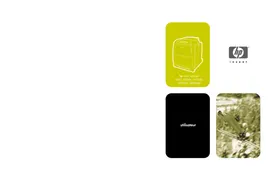
hp color LaserJet 4600, 4600n, 4600dn, 4600dtn, 4600hdn

HP COLOR LASERJET 4600 - 1

i n v e n t

utilisateur

HP COLOR LASERJET 4600 - 2

Imprimante hp color LaserJet série 4600

Guide d'utilisation

© Copyright Hewlett-Packard Company, 2002

http://www.hp.com/support/lj4600

http://www.hp.com/go/accessories

Configuration LocalTalk

http://www.hp.com/support/lj4600.

http://www.hp.com/hpinfo/community/environment/.

Australia : Product Regulations Manager, Hewlett-Packard Australia Ltd., 31-41 Joseph Street, Blackburn, Victoria 3130, Australie

Complies with Canadian EMC Class B requirements.
Table of contents Click a title to access it
Manual assistant
Powered by Anthropic
Waiting for your message
Product information

Brand : HP

Model : COLOR LASERJET 4600

Category : Laser printer