EL11 - Scale Etekcity - Free user manual and instructions
Find the device manual for free EL11 Etekcity in PDF.


User questions about EL11 Etekcity
0 question about this device. Answer the ones you know or ask your own.
Ask a new question about this device
Download the instructions for your Scale in PDF format for free! Find your manual EL11 - Etekcity and take your electronic device back in hand. On this page are published all the documents necessary for the use of your device. EL11 by Etekcity.
USER MANUAL EL11 Etekcity
Digital Luggage Scale
Questions or Concerns?
support.uk@etekcity.com
support.de@etekcity.com
support.es@etekcity.com
support.fr@etekcity.com
support.it@etekcity.com
support.eu@etekcity.com
EN
Specifications 4
Cleaning & Maintenance Notes 4
Function Diagram 4
Installing & Replacing the Battery 5
Weighing 6
Reading Temperature 6
Warranty Information 9
DE
Eigenschaften 10
Cleaning & Maintenance Notes
- Use a slightly damp cloth to clean the scale. Do not immerse the scale in water or use chemical cleaning agents.
- Ensure that there is no stress on the triangle ring when not in use.
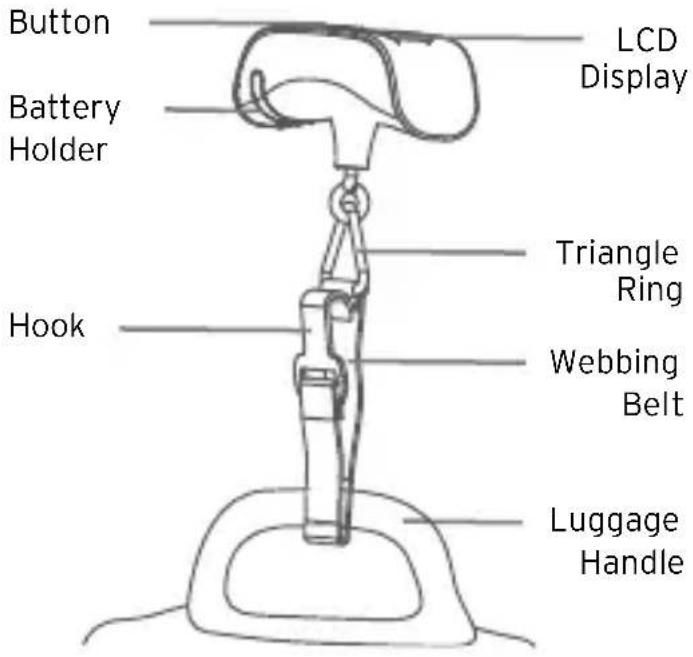
Function Diagram
Button Functions
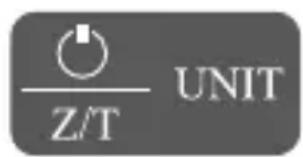
Turns the scale on or off (hold for 2 seconds to turn off).
- Switch between the weight and temperature measurement units.
Installing & Replacing the Battery
- Use a screwdriver to loosen the screw.
- Hold the scale in one hand, and slide out the battery holder with the other hand.
- Push corner A on the battery holder outward to release the battery.
- Insert the new battery under notches B and C. Press the other side of the battery until it clips into corner A.
- Insert the battery holder back into the scale.
- Use a screwdriver to tighten the screw.
Note:
- Remove the battery insulation strip for the first use.
- Battery type: 1 × 3 ~V CR2032 lithium battery.
- The LCD will display "Lo" when the battery power is low. When this occurs, you should replace the battery as soon as possible.
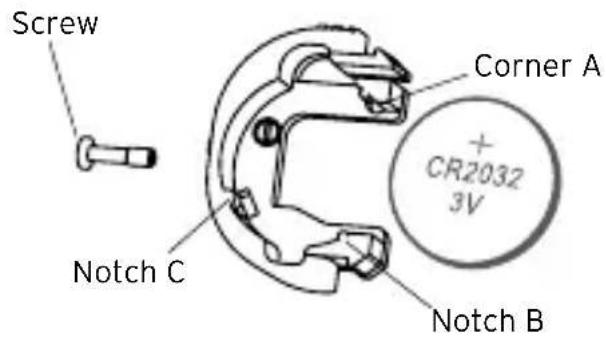
Battery Holder
Weighing
- Press the POWER button to turn on the scale.
- Press UNIT to select the weight unit, if needed. If the scale does not display 0, ensure there is mistress on the triangle ring and press the Z/T button.
- Strap the belt on the scale through the luggage handle and secure the hook of the belt on the triangle ring.
- Lift the scale gently, making sure it is horizontal and balanced. Wait until the weight reading stabilizes, flashes 3 times, and locks. The scale will display the reading for 2 minutes, then shut off if no button is pressed.
- To weigh again, remove the luggage or let the belt go slack and press Z/T to reset the display to 0.
Reading Temperature
- Press the POWER button to turn on the scale. When the LCD displays 0, press UNIT to switch to temperature mode.
- The LCD will display "----" and then display the current ambient temperature.
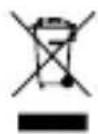
This product is RoHS compliant. This product is in compliance with Directive 2011/65/EU, and its amendments, on the restriction of the use of certain hazardous substances in electrical and electronic equipment.
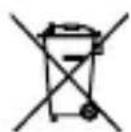
This symbol means the product must not be discarded as household waste, and should be delivered to an appropriate collection facility for recycling. Proper disposal and recycling helps protect natural resources, human health and the environment. For more information on disposal and recycling of this product, contact your local municipality, disposal service, or the shop where you bought this product.
Instructions for Users on Removal, Recycling and Disposal of Used Batteries
To remove the batteries from your equipment or remote control, reverse the procedure described in the owner's manual for inserting batteries. For products with a built-in battery that lasts for the lifetime of the product, removal may not be possible for the user. In this case, recycling or recovery centers handle the dismantling of the product and the removal of the battery. If, for any reason, it becomes necessary to replace such a battery, this procedure must be performed by authorized service centers. In the European Union and other locations, it is illegal to dispose of any battery with household trash. All batteries must be disposed of in an environmentally sound manner. Contact your local waste-management officials for information regarding the environmentally sound collection, recycling and disposal of used batteries.
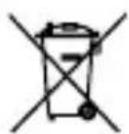
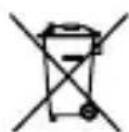
WARNING: Danger of explosion if battery is incorrectly replaced. To reduce risk of fire, explosion or leakage of flammable liquid/gas, don't disassemble, crush, puncture, short external contacts, expose to temperature above 60^ (140^) , sunshine or like, expose to extremely low air pressure or dispose of in fire or water. Replace only with specified batteries. The symbol indicating 'separate collection' for all batteries and accumulators shall be the crossed-out wheeled bin shown below:
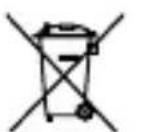
According to EU Batteries Directive 2013/56/EU, any batteries, accumulators and button cells containing more than 0.0005% mercury, more than 0.002% cadmium or more than 0.004% lead, shall be marked with the chemical symbol for the metal concerned: Hg, Cd or Pb respectively. Please Refer to the symbol below:
This product contains a coin/Button battery
KEEP OUT OF REACH OF CHILDREN
Swallowing can lead to chemical burns, perforation of soft tissue, and death. Severe burns can occur within 2 hours of ingestion. Seek medical attention immediately.
- Place sticky tape around both sides of the battery and dispose of it immediately in an outside bin or recycle safely
- Store spare batteries securely
recycling units emptied on a regular basis - use of opaque containers - to keep the batteries out of view;
Unfortunately, it is not obvious when a button or coin battery is stuck in a child's oesophagus (food pipe). The child might:
- cough, gag or drool a lot;
- appear to have a stomach upset or a virus;
be sick; - point to their throat or stomach;
have a pain in their abdomen, chest or throat; - be tired or lethargic;
- be quieter or more clingy than usual or otherwise "not themselves";
- lose their appetite or have a reduced appetite;
not want to eat solid food / be unable to eat solid food.
These sorts of symptoms vary or fluctuate, with the pain increasing and then subsiding.
A specific symptom to button and coin battery ingestion is vomiting fresh (bright red) blood. If the child does this seek immediate medical help.
The lack of clear symptoms is why it is important to be vigilant with "flat" or spare button or coin batteries in the home and the products that contain them.

Warranty Information
Terms & Policy
Etekcity Corporation warrants all products to be of the highest quality in material, craftsmanship, and service for 2 years, effective from the date of purchase to the end of the warranty period. This warranty does not limit your rights under the applicable local consumer protection laws. If the applicable local consumer protection laws require the manufacturer to provide a longer warranty period, the warranty period shall be extended to the shortest period required by the laws.
If you have any questions or concerns about your new product, please contact our helpful Customer Support Team.
Etekcity Corporation
1202 N. Miller St., Suite A
Anaheim, CA 92806
USA
Email:
support.uk@etekcity.com
support.de@etekcity.com
support.es@etekcity.com
support.fr@etekcity.com
support.it@etekcity.com
support.eu@etekcity.com
*Please include your order ID when contacting customer support.