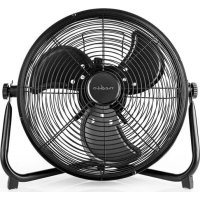
FNFL20CBK30 - Fan NEDIS - Free user manual and instructions
Find the device manual for free FNFL20CBK30 NEDIS in PDF.



| Product Type | Rechargeable Floor Fan |
| Brand | Nedis |
| Model | FNFL20CBK30 |
| Dimensions (L x H x D) | 420 x 300 x 230 mm |
| Weight | 2.8 kg |
| Fan Diameter | 30 cm |
| Mains Power (Adapter) | 120-240 VAC, 50-60 Hz, 1 A |
| Adapter Output | 24 VDC / 1 A |
| Nominal Power | 30 W |
| USB Output (Charger) | 5 VDC / 2 A |
| Battery Type | Lithium-ion Polymer 24 VDC / 2600 mAh |
| Maximum Charging Time | 3 hours |
| Battery Life (Low Speed) | Up to 10 hours |
| Battery Life (High Speed) | 3 hours |
| Power Cord Length | 1.5 m |
| Usage | Indoor and outdoor, domestic use |
| Tilt Adjustment | Yes, via side buttons |
| Speed Control | Rotary control knob |
| Charge LED Indicators | 4 lights |
| USB Port for Charging Devices | Yes (5 V, 2 A) |
| Wireless Battery Operation | Yes |
| Child Protection | Complies with safety standards |
| Maintenance | Clean with a damp cloth; do not immerse |
| Spare Parts | Grille, knob, cable, adapter (see manual) |
Frequently Asked Questions - FNFL20CBK30 NEDIS
User questions about FNFL20CBK30 NEDIS
0 question about this device. Answer the ones you know or ask your own.
Ask a new question about this device
Download the instructions for your Fan in PDF format for free! Find your manual FNFL20CBK30 - NEDIS and take your electronic device back in hand. On this page are published all the documents necessary for the use of your device. FNFL20CBK30 by NEDIS.
USER MANUAL FNFL20CBK30 NEDIS
Rechargeable Floor Fan
30 cm diameter with integrated USB output
FNFL20CBK30
EN Quick start guide 4
DE Kurzanleitung 7
Rechargeable Floor Fan FNFL20CBK30
For more information see the extended manual online:ned.is/fnfl20cbk30
Intended use
This product is exclusively intended as a fan.
The FNFL20CBK30 is intended for indoor and outdoor use.
This product is intended for normal household use only. This product is not intended for: shops, light industry or on farms.
The product is not intended for professional use.
Any modification of the product may have consequences for safety, warranty and proper functioning.
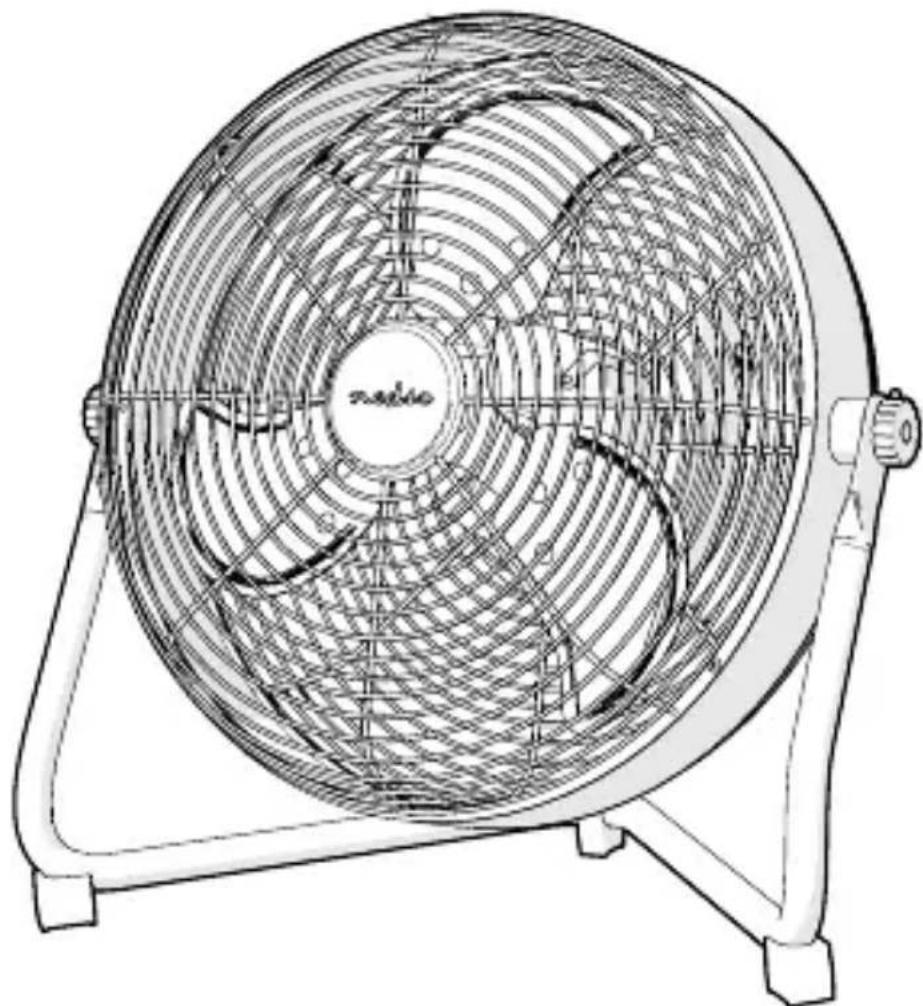
Main parts (image A)
1 Fan grill
3 Charging indicator LEDs
5 USB port
2 Side knobs
4 Control wheel
6 Power supply port 7 Power cable
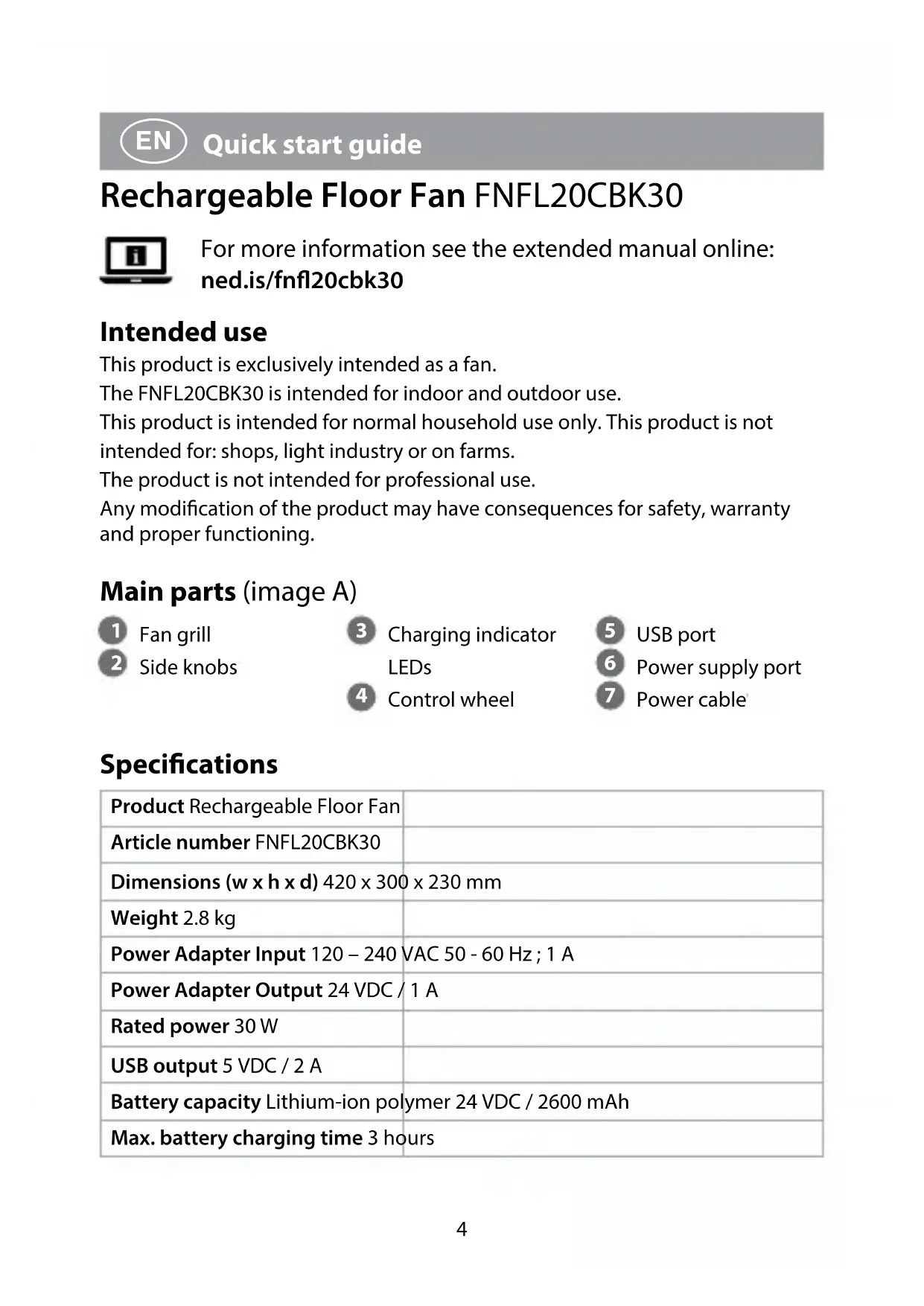
Specifications
| Product Rechargeable Floor Fan | |
| Article number FNFL20CBK30 | |
| Dimensions (w x h x d) 420 x 300 x 230 mm | |
| Weight 2.8 kg | |
| Power Adapter Input 120 – 240 VAC 50 - 60 Hz; 1 A | |
| Power Adapter Output 24 VDC / 1 A | |
| Rated power 30 W | |
| USB output 5 VDC / 2 A | |
| Battery capacity Lithium-ion polymer 24 VDC / 2600 mAh | |
| Max. battery charging time 3 hours | |
| Battery operation time 3 hours (high speed) | |
| 10 hours max. (low speed) | |
| Fan diameter 30 cm | |
| Cable length 1.5 m | |
Safety instructions
WARNING
- Only use the product as described in this manual.
- Children of less than 3 years should be kept away unless continuously supervised.
- Do not use a damaged product.
- Children aged from 3 years and less than 8 years shall only switch on/off the product provided that it has been placed or installed in its intended normal operating position and they have been given supervision or instruction concerning use of the product in a safe way and understand the hazards involved. Children aged from 3 years and less than 8 years shall not plug in, regulate and clean the product or perform user maintenance.
- This product can be used by children aged from 8 years and above and persons with reduced physical, sensory or mental capabilities or lack of experience and knowledge if they have been given supervision or instruction concerning use of the product in a safe way and understand the hazards involved. Children shall not play with the product. Cleaning and user maintenance shall not be done by children without supervision.
- Do not cover the product.
- Do not let water enter the product.
- Do not splash water onto the product.
- Do not place the product on moving vehicles or somewhere easy to be tipped over.
- Do not use the product in wet or damp environments.
- Keep the product far away from loose products (e.g. curtains, plastic bags, paper) that can cover the air inlet easily.
- Unplug the power cord when the product is not in use for a long time.
- When using an extension cord, use one which is as short as possible and fully extended.
-
Do not use the product using an on/off timer or other equipment which can automatically switch the device on.
-
Do not locate the product immediately below a power outlet.
- This product may only be serviced by a qualified technician for maintenance to reduce the risk of electric shock.
- Do not unplug the product by pulling on the cable. Always grasp the plug and pull.
- Do not use the product in rooms where flammable liquids or gases are used or stored.
- Do not use any charger other than that specifically provided for use with the equipment.
- Do not leave a battery on prolonged charge when not in use.
Charging the product
- Place the product on a stable and flat surface.
- Make sure the control wheel A^(4) is rotated to OFF.
- Insert the power cable A ⑦ into the power supply port A ⑥.
- Insert A ⑦ into a power outlet.
The charging indicator LEDs A ③ indicate the charging progress of the battery.
When the battery is fully charged, all the charging indicator LEDs A③ switch off.
- Unplug A 7 from the power outlet when the battery is fully charged. not leave a battery on prolonged charge when not in use.
Controlling the product
The product can run with the power cable connected to a power outlet. When the battery is charged, the product can run without power cable. The battery operation time depends on various external factors, like the selected fan speed or ambient temperatures.
- Place the product on a stable and flat surface.
- Rotate A to the desired fan speed to switch on the product.
- Rotate A (4) to OFF to switch off the product.
Adjusting the product
To aim the fan in the right direction follow the next steps:
- Loosen the side knobs A ②.
- Tilt the fan grill A ① to the desired angle.
- Tighten A ②
Using the USB charger
- Insert an USB power cable into the USB port A ⑤.
- Insert the other side of the USB power cable into your device, for example a mobile phone.
- Disconnect the device when fully charged.
Using the USB charger reduces the battery operation time.
DE Kurzanleitung
Brand : NEDIS
Model : FNFL20CBK30
Category : Fan