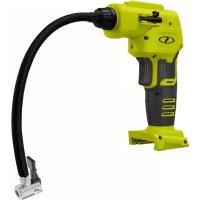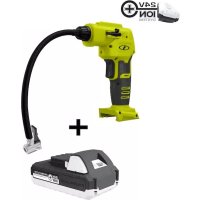
24VAJCLTW - Compressor Auto Joe - Free user manual and instructions
Find the device manual for free 24VAJCLTW Auto Joe in PDF.



User questions about 24VAJCLTW Auto Joe
0 question about this device. Answer the ones you know or ask your own.
Ask a new question about this device
Download the instructions for your Compressor in PDF format for free! Find your manual 24VAJCLTW - Auto Joe and take your electronic device back in hand. On this page are published all the documents necessary for the use of your device. 24VAJCLTW by Auto Joe.
USER MANUAL 24VAJCLTW Auto Joe
IMPORTANT! Safety Instructions
All Operators Must Read These Instructions Before Use
Always follow these safety guidelines. Failure to do so may result in serious bodily injury or death.
General Safety
⚠ WARNING! When using the air compressor, basic safety precautions should always be followed to reduce the risk of fire, electric shock, and personal injury. These include:
- Keep work area clean and well-lit – Cluttered, dark areas invite accidents.
- Keep children, bystanders, and pets away – All spectators, including pets, should be kept a safe distance away from the work area.
- Operate cordless air compressor in an open area at least 18 in. (45.7 cm) away from any wall or object that could restrict the flow air to ventilation openings.
- Stay alert – Watch what you are doing. Use common sense. Do not operate the cordless air compressor when you are tired, or under the influence of alcohol or drugs.
- Dress properly – Do not wear loose clothing or jewelry. They can get caught in moving parts. Loose clothes, jewelry, or long hair can be caught in moving parts.
- Avoid unintentional starting – Do not carry the cordless air compressor with your finger on the trigger.
- Do not overreach – Keep proper footing and balance at all times. Proper footing and balance enable better control of the cordless air compressor in unexpected situations.
- Use safety equipment – Always wear eye protection. Dusk mask, non-skid safety shoes, hard hat, or hearing protection must be used for appropriate conditions.
- Eye protection is required to guard against flying fasteners and debris which could cause severe eye injury.
-
Do no wear loose clothing or jewelry – Contain long hair. Loose clothes, jewelry, or long hair can be drawn into air vents.
-
Do not use on a ladder or unstable support – Stable footing on a solid surface enables better control of the cordless air compressor in unexpected situations.
- Do not force the tool – It will perform better with less likelihood of personal or mechanical injury if it is used at the rate for which it was designed.
- Check hose for weak or worn conditions before each use, making certain all connections are secure. Do not use if defect is found. Purchase a new hose or notify an authorized service center to examination or repair.
- Release all pressures within the system slowly. Dust and debris may be harmful.
- Do not use cordless air compressor if switch does not turn it on or off. The cordless air compressor that cannot be controlled with the switch is dangerous and must be repaired.
- Disconnect battery pack from the cordless air compressor or place the switch in the locked or off position before making any adjustments, changing accessories, or storing the cordless air compressor. Such preventive safety measures reduce the risk of starting the cordless air compressor accidentally.
- Store idle cordless air compressor out of reach of children or other untrained persons. Cordless air compressors are dangerous in the hands of untrained users.
- When battery pack is not in use, keep it away from metal objects like: paper clips, coins, keys, nails, screws, or other small metal objects that can make a connection from one terminal to another. Shorting the battery terminals together may cause sparks, burns, or a fire.
- Check for misalignment or binding of moving parts, breakage of parts, and any other condition that may affect the cordless air compressor's operation. If damaged, have the cordless air compressor serviced before using. Many accidents are caused by poorly maintained tools.
- Use only accessories that are recommended by the manufacturer for your model. Accessories that may be suitable for one cordless air compressor may create a risk of injury when used on another cordless air compressor.
-
Keep the cordless air compressor and its handle dry, clean and free from oil and grease. Always use a clean cloth when cleaning. Never use brake fluid, gasoline, petroleum-based products, or any strong solvents to clean your cordless air compressor. Following this rule will reduce the risk of loss of control and deterioration of the enclosure plastic.
-
Never point any cordless air compressor toward yourself or others.
- Do not exceed the pressure rating of any component in the system.
- Protect material lines and air lines from damage or puncture. Keep hose and power cord away from sharp objects, chemical spills, oil, solvents, and wet floors.
Specific Safety Warnings for Cordless Air Compressor
- Know your cordless air compressor – Know how to start and stop the tool. Be thoroughly familiar with the controls.
- Risk of bursting - Do not preset cordless air compressor to result in output pressure greater than marked maximum pressure of item to be inflated. Do not use at pressure greater than 120 PSI.
- To reduce the risk of electric shock, do not expose to rain. Store indoors.
- Inspect yearly for cracks, pin holes, or other imperfections that could cause cordless air compressor to become unsafe. Never cut or drill holes in the air compressor.
- Make sure the hose is free of obstructions or snags. Entangled or snarled hoses can cause loss of balance or footing and may become damaged.
- Use the right appliance – Do not use the cordless air compressor for any applications other than those for which it was intended.
- Check for damaged parts – Before further use of the cordless air compressor or air tool, all guards and parts should be carefully checked to determine that it will operate properly and perform its intended function. Check for alignment of moving parts, binding of moving parts, breakage of parts, mounting, and any other condition that may affect its operation. A guard or other part that is damaged should be properly repaired or replaced. Contact the Snow Joe ^® + Sun Joe ^® customer service center at 1-866-SNOWJOE (1-866-766-9563) for assistance.
- Remove the battery – Remove the battery from the cordless air compressor when it is not in use, before servicing it, when changing accessories, and when performing any other maintenance task.
- Protect your lungs – Wear a face or dust mask if the operation is dusty. Following this rule will reduce the risk of serious personal injury.
-
Do not use cordless air compressor as a breathing device.
-
Never direct a jet of compressed air toward people or animals. Take care not to blow dust and dirt towards yourself or others. Following this rule will reduce the risk of serious injury.
- Do not use this cordless air compressor to spray chemicals. Your lungs can be damaged by inhaling toxic fumes.
- Always be aware that misuse and improper handling of this cordless air compressor can cause injury to yourself and others.
- Do not continue to use a cordless air compressor or hose that leaks air or does not functions properly.
- Do not attempt to pull or carry the cordless air compressor by the hose.
- Always follow all safety rules recommended by the manufacturer of your cordless air compressor, in addition to all safety rules for the cordless air compressor. Following this rule will reduce the risk of serious personal injury.
- Do not crush, drop or damage battery pack. Do not use a battery pack or charger that has been dropped or received a sharp blow. A damaged battery is subject to explosion. Properly dispose of a dropped or damaged battery immediately.
- Do not charge battery tool in a damp or wet location. Following this rule will reduce the risk of electric shock.
- Inspect tool cords periodically and, if damages, have repaired at your nearest authorized service center. Constantly stay aware of cord location. Following this rule will reduce the risk of electric shock or fire.
⚠ WARNING! Do not use this cordless air compressor without reading this instruction manual. For indoor use only.
Battery & Charger Safety Instructions
We pay a great deal of attention to the design of every battery pack to ensure that we supply you with batteries that are safe, durable and have a high energy density. The battery cells have a wide range of safety devices. Each individual cell is initially formatted and its electrical characteristic curves are recorded. This data is then used exclusively to be able to assemble the best possible battery packs.
Despite all the safety precautions, caution must always be exercised when handling batteries. The following points must be obeyed at all times to ensure safe use. Safe use can only be guaranteed if undamaged cells are used. Incorrect handling of the battery pack can cause cell damage.
IMPORTANT! Analyses confirm that incorrect use and poor care of high-performance batteries are the main factors responsible for personal and/or product damage.
⚠ WARNING! Use only approved replacement batteries; other batteries may damage the power tool and cause it to malfunction, which can lead to serious personal injury.
⚠ WARNING! Do not use a battery pack or appliance that is damaged or modified. Damaged or modified batteries may exhibit unpredictable behavior resulting in fire, explosion or risk of injury.
Do not modify or attempt to repair the appliance or the battery pack except as indicated in the instructions for use and care.
Have your battery pack serviced by a qualified repair person using only identical replacement parts. This will ensure that the safety of the battery pack is maintained.
⚠️CAUTION! To reduce the risk of injury, charge the 24V iON+ lithium-ion battery pack only in its designated 24V iON+ lithium-ion charger. Other types of chargers present risk of fire, personal injury and damage. Do not wire a battery pack to a power supply plug or car cigarette lighter. Such misuse will permanently disable or damage the battery pack.
- Avoid dangerous environments – Do not charge the battery pack in rain, snow or in damp or wet locations. Do not use the battery pack or charger in the presence of explosive atmospheres (gaseous fumes, dust or flammable materials) because sparks may be generated when inserting or removing the battery pack, which could lead to a fire.
- Charge in a well-ventilated area – Do not block the charger vents. Keep them clear to allow for proper ventilation. Do not allow smoking or open flames near a charging battery pack. Vented gases may explode.
NOTE: The safe temperature range for the battery is 41^ F – 105^ F ( 5^ C – 40.5^ C). Do not charge the battery outside in freezing weather; charge it at room temperature.
- Maintain charger cord – When unplugging the charger, pull the plug, not the cord, from the receptacle to reduce the risk of damage to the electrical plug and cord. Never carry the charger by its cord or yank it by the cord to disconnect it from the receptacle. Keep the cord away from heat, oil and sharp edges. Make sure the cord will not be stepped on, tripped over or subjected to damage or stress when the charger is in use. Do not use the charger with a damaged cord or plug. Replace a damaged charger immediately.
- Do not use an extension cord unless it is absolutely necessary – Using the wrong, damaged or improperly wired extension cord poses a risk of fire and electric shock. If an extension cord must be used, plug the charger into a properly wired 16 gauge or larger extension cord with the female plug matching the male plug on the charger. Make sure that the extension cord is in good electrical condition.
- Charger (XZ2600-0450) is rated for 100 – 240 volt AC only – The charger must be plugged into an appropriate receptacle.
- Use only recommended attachments – Use of an attachment not recommended or sold by the battery charger or battery pack manufacturer may result in risk of fire, electric shock or personal injury.
- Unplug charger when not in use – Make sure to remove battery packs from unplugged chargers.
⚠ WARNING! To reduce the risk of electric shock, always unplug the charger before performing any cleaning or maintenance. Do not allow water to flow into the charger. Use a Ground Fault Circuit Interrupter (GFCI) to reduce shock hazards.
- Do not burn or incinerate battery packs – Battery packs may explode, causing personal injury or damage. Toxic fumes and materials are created when battery packs are burned.
- Do not crush, drop or damage battery packs – Do not use the battery pack or charger if they have sustained a sharp blow, been dropped, run over or have been damaged in any way (i.e. pierced with a nail, hit with a hammer, stepped on, etc.).
- Do not disassemble – Incorrect reassembly may pose a serious risk of electric shock, fire or exposure to toxic battery chemicals. If the battery or charger are damaged, contact an authorized Snow Joe® + Sun Joe® dealer or call the Snow Joe® + Sun Joe® customer service center at 1-866-SNOWJOE (1-866-766-9563) for assistance.
- Battery chemicals cause serious burns – Never let a damaged battery pack contact the skin, eyes or mouth. If a damaged battery pack leaks battery chemicals, use rubber or neoprene gloves to safely dispose of it. If skin is exposed to battery fluids, wash the affected area with soap and water and rinse with vinegar. If eyes are exposed to battery chemicals, immediately flush with water for 20 minutes and seek medical attention. Remove and dispose of contaminated clothing.
- Do not short circuit – When battery pack is not in use, keep it away from other metal objects, like paper clips, coins, keys, nails, screws or other small metal objects, that can make a connection from one terminal to another. Shorting the battery terminals together may cause burns or a fire.
- Store your battery pack and charger in a cool, dry place – Do not store the battery pack or charger where temperatures may exceed 105°F (40.5°C), such as in direct sunlight or inside a vehicle or metal building during the summer.
Information about the battery
-
The battery pack supplied with your cordless power tool is only partially charged. The battery pack has to be charged completely before you use the tool for the first time.
-
For optimum battery performance, avoid low discharge cycles by charging the battery pack frequently.
-
Store the battery pack in a cool place, ideally at 59°F (15°C) and charged to at least 40%.
-
Lithium-ion batteries are subject to a natural aging process. The battery pack must be replaced at the latest when its capacity falls to just 80% of its capacity when new. Weakened cells in an aged battery pack are no longer capable of meeting the high power requirements needed for the proper operation of your cordless air compressor, and therefore pose a safety risk.
-
Do not throw battery packs into an open fire as this poses a risk of explosion.
-
Do not ignite the battery pack or expose it to fire.
-
Do not exhaustively discharge batteries. Exhaustive discharge will damage the battery cells. The most common cause of exhaustive discharge is lengthy storage or non-use of partially discharged batteries. Stop working as soon as the performance of the battery falls noticeably or the electronic protection system triggers. Place the battery pack in storage only after it has been fully charged.
-
Protect batteries and the tool from overloads. Overloads will quickly result in overheating and cell damage inside the battery housing even if this overheating is not apparent externally.
-
Avoid damage and shocks. Immediately replace batteries that have been dropped from a height of more than 3 feet (1 meter) or those that have been exposed to violent shocks, even if the housing of the battery pack appears to be undamaged. The battery cells inside the battery may have suffered serious damage. In such instances, please read the waste disposal information for proper battery disposal.
-
If the battery pack suffers overloading and overheating, the integrated protective cutoff will switch off the equipment for safety reasons.
IMPORTANT! Do not press the ON/OFF switch any more if the protective cut-off has been activated. This may damage the battery pack.
-
Recharge only with the charger specified by the manufacturer. A charger that is suitable for one type of battery pack may create a risk of fire when used with another battery pack.
-
Use appliances only with specifically designated battery packs. Use of any other battery packs may create a risk of injury and fire.
-
Under abusive conditions, liquid may be ejected from the battery; avoid contact. If contact accidentally occurs, flush with water. If liquid contacts eyes, additionally seek medical help. Liquid ejected from the battery may cause irritation or burns. (This advice is considered correct for conventional NiMh, NiCd, lead acid and lithium-ion
cell types. If this advice is incorrect for a cell design that differs from these, then the correct advice may be substituted.)
-
Do not use a battery pack or appliance that is damaged or modified. Damaged or modified batteries may exhibit unpredictable behavior resulting in fire, explosion or risk of injury.
-
Do not expose a battery pack or appliance to fire or excessive temperature. Exposure to fire or temperature above 266^ F ( 130^ C) may cause explosion.
-
Follow all charging instructions and do not charge the battery pack or appliance outside of the temperature range specified in the instructions. Charging improperly or at temperatures outside of the specified range may damage the battery and increase the risk of fire.
Information about the charger and the charging process
-
Please check the data marked on the rating plate of the battery charger. Be sure to connect the battery charger to a power supply with the voltage marked on the rating plate. Never connect it to a different mains voltage.
-
Protect the battery charger and its cord from damage. Keep the charger and its cord away from heat, oil and sharp edges. Have damaged cords repaired without delay by a qualified technician at an authorized Snow Joe ^® + Sun Joe ^® dealer or call the Snow Joe ^® + Sun Joe ^® customer service center at 1-866-SNOWJOE (1-866-766-9563).
-
Electrical plugs must match the outlet. Never modify the plug in any way. Do not use any adapter plugs with grounded appliances. Unmodified plugs and matching outlets will reduce the risk of electric shock.
-
Keep the battery charger, battery pack(s) and the cordless tool out of the reach of children.
-
Do not use the supplied battery charger to charge other cordless tools.
-
During periods of heavy use, the battery pack will become warm. Allow the battery pack to cool to room temperature before inserting it into the charger to recharge.
-
Do not overcharge batteries. Do not exceed the maximum charging times. These charging times only apply to discharged batteries. Frequent insertion of a charged or partially charged battery pack will result in overcharging and cell damage. Do not leave batteries in the charger for days on end.
-
Never use or charge batteries if you suspect that it has been more than 12 months since the last time they were charged. There is a high probability that the battery pack has already suffered dangerous damage (exhaustive discharge).
-
Charging batteries at a temperature below 41^ F ( 5^ C) will cause chemical damage to the cells and may cause a fire.
-
Do not use batteries that have been exposed to heat during the charging process, as the battery cells may have suffered dangerous damage.
-
Do not use batteries that have suffered curvature or deformation during the charging process or those that exhibit other atypical symptoms (gassing, hissing, cracking, etc.).
- Never fully discharge the battery pack (maximum recommended depth of discharge is 80%). A complete discharge of the battery pack will lead to premature aging of the battery cells.
Protection from environmental influences
- Wear suitable work clothes. Wear safety goggles.
- Protect your cordless tool and the battery charger from moisture and rain. Moisture and rain can cause dangerous cell damage.
- Do not use the cordless tool or the battery charger near vapors and flammable liquids.
- Use the battery charger and cordless tools only in dry conditions and at an ambient temperature of 41^ F – 105^ F ( 5^ C – 40.5^ C).
- Do not keep the battery charger in places where the temperature is liable to reach over 105^ F ( 40.5^ C). In particular, do not leave the battery charger in a car that is parked in the sunshine.
- Protect batteries from overheating. Overloads, overcharging and exposure to direct sunlight will result in overheating and cell damage. Never charge or work with batteries that have been overheated – replace them immediately, if possible.
- Store the charger and your cordless tool only in dry locations with an ambient temperature of 41^ F – 105^ F ( 5^ C – 40.5^ C). Store your lithium-ion battery pack in a cool, dry place at a temperature of 77^ F ( 25^ C). Protect the battery pack, charger and cordless tool from humidity and direct sunlight. Only place fully charged batteries in storage (charged to at least 40%).
- Prevent the lithium-ion battery pack from freezing. Battery packs that were stored below 32^ F ( 0^ C) for more than 60 minutes must be discarded.
- When handling batteries, be wary of electrostatic charge. Electrostatic discharges can damage the electronic protection system and the battery cells. Avoid electrostatic charging and never touch the battery poles.
Safety Symbols
The following table depicts and describes safety symbols that may appear on this product. Read, understand, and follow all instructions on the machine before attempting to assemble and operate.
| Symbols SymbolsDescriptions Descriptions | |||
 | READ THE OPERATOR'S MANUAL(S) – Read, understand, and follow all instructions in the user manual(s) before attempting to assemble and operate. |  | SAFETY ALERT – Indicates a precaution, a warning, or a danger. |
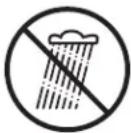 | WARNING! Do not expose the unit to rain or wet conditions. Keep dry. |  | WEAR EYE PROTECTION – For protection against injury, wear safety goggles. |
 | WET CONDITIONS ALERT – Do not expose to rain or use in damp locations. | 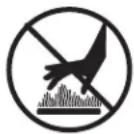 | HOT SURFACE – To reduce the risk of injury or damage, avoid contact with any hot surface. |
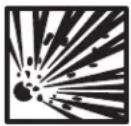 | RISK OF BURSTING – Do not operate inflator to result in output pressure greater than marked maximum pressure of attachment. Do not use at pressure greater than 120 PSI. | 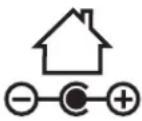 | Indoor use only. Only use battery charger indoors. |
Know Your Cordless Air Compressor
Read the owner's manual and safety instructions carefully before operating the cordless air compressor. Compare the illustration below to the cordless air compressor in order to familiarize yourself with the location of the various controls and adjustments. Save this manual for future reference.
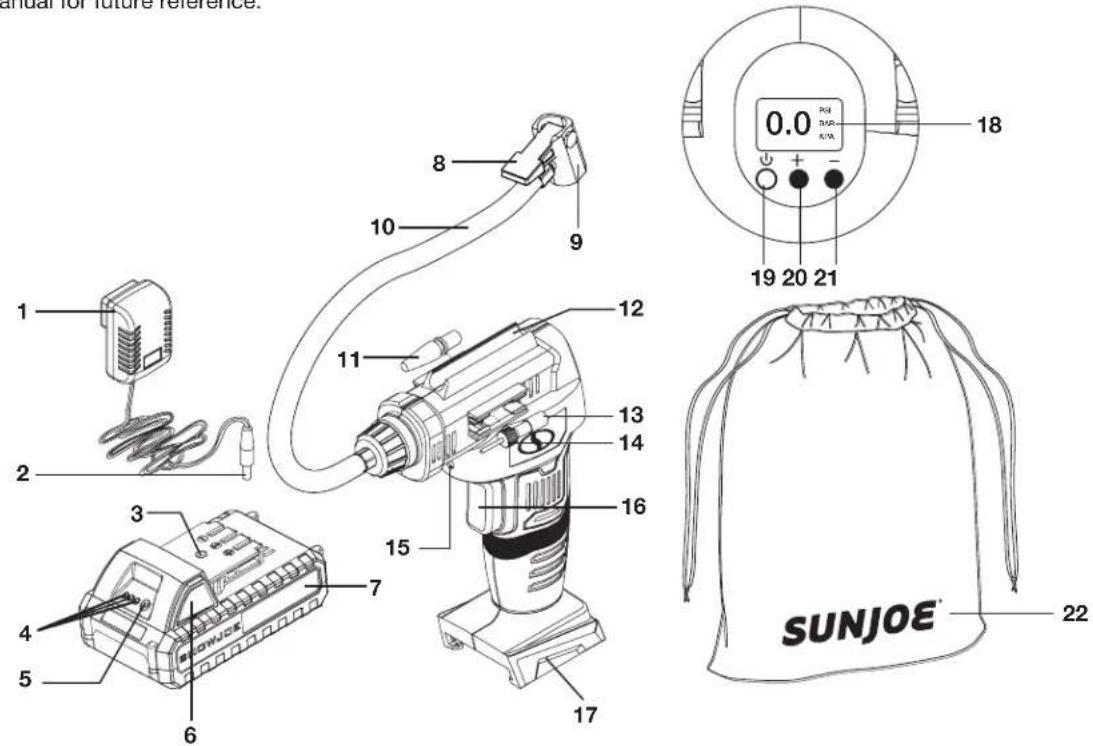
- 24V lithium-ion charger (XZ2600-0450)
- Charger plug
- Charge socket
- Battery indicators
- Push button for battery indicator
- Push lock button
-
24V iON+ lithium-ion battery (24VBAT-LTW) featuring exclusive EcoSharp® technology
-
Air chuck clamp
- Air chuck
- Air hose
- Tapered adapter
- Hose storage area
- Sport ball needle
- Presta valve adapter
-
LED light
-
Trigger switch
- Battery compartment
- Digital gauge
- Power button
- Pressure setting (+)
- Pressure setting (-)
- Storage bag
Technical Data
Motor....154 Watt
Battery Voltage Max ^* 24V D.C.
Battery Capacity.... 1.3 Ah
Charger Input 100 - 240V AC, 50/60 Hz, 0.4A
Charger Output ....26V D.C. === 450 mA
Charge Time Max....3 hours
Air Flow 2.1 gal/min
Working Air Pressure Max.... 40 PSI, 2.76, BAR, 276 kPa (Inflation time varies by item)
Air Pressure Max 120 PSI, 8.27, BAR, 827 kPa
Gauges...... Digital readout (PSI | BAR | kPa)
Hose Length....15 in. (38 cm)
Net Weight 2.5 lbs (1.1 kg)
Unpacking
Carton Contents
- Cordless air compressor
- Tapered adapter
- Sport ball needle
- Presta Valve adapter
- Storage bag
- 24V iON+ lithium-ion battery
• 24V lithium-ion charger -
Manual with registration card
-
Carefully remove the air compressor and check to see that all of the above items are supplied.
- Inspect the product carefully to make sure no breakage or damage occurred during shipping. If you find damaged or missing parts, DO NOT return the unit to the store. Please call the Snow Joe ^® + Sun Joe ^® customer service center at 1-866-SNOWJOE (1-866-766-9563).
NOTE: Do not discard the shipping carton and packaging material until you are ready to use your new cordless air compressor. The packaging is made of recyclable materials. Properly dispose of these materials in accordance with local regulations.
IMPORTANT! The equipment and packaging material are not toys. Do not let children play with plastic bags, foils, or small parts. These items can be swallowed and pose a suffocation risk!
Battery Pack Operation
The equipment is powered by a lithium-ion battery. The battery pack is completely sealed and maintenance free.
Battery Charge Level Indicator
The battery pack is equipped with a push button for checking the charge level. Simply press the push button to read off the battery charge level from the LEDs of the battery indicator:
- All 3 level monitoring LEDs are lit: Battery charge level is high.
- 2 level monitoring LEDs are lit: Battery charge level is decreasing. Stop work as soon as possible.
- 1 level monitoring LED is lit: Battery is flat. Stop work IMMEDIATELY and charge the battery. Otherwise the battery's service life will be greatly shortened.
 | |
| Light IndicatorsLights | |
| Charge level button | |
| The battery is at 30% capacity and requires charging | |
| The battery is at 60% capacity and requires charging soon | |
| The battery is at full capacity | |
NOTE: If the charge level button does not appear to be working, insert the charger and charge as needed.
NOTE: Immediately after using the battery pack, the charge level button may display a lower charge than it will if checked a few minutes later. The battery cells “recover” some of their charge after resting.
Charger Operation
⚠ WARNING! Charge only 24V iON+ lithium-ion battery packs with its compatible 24V iON+ lithium-ion charger. Other types of batteries may cause personal injury and damage.
To reduce the risk of electric shock, do not allow water to flow into the charger's AC/DC plug.
When to Charge the iON+ 24VBAT-LTW Lithium-iON Battery
NOTE: The iON+ 24VBAT-LTW lithium-iON battery packs do not develop a "memory" when charged after only a partial discharge. Therefore, it is not necessary to run down the battery pack before inserting the charger plug.
- Use the battery indicator lights to determine when to charge your iON+ 24V BAT-LTW lithium-iON battery pack.
- You can "top-off" your battery pack's charge before starting a big job or after a long day of use.
Charging the Battery
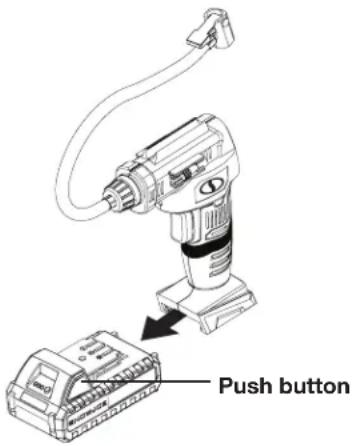
- Push the push lock button on the battery to pull the battery pack out from the battery compartment (Fig. 1).
Fig. 1
- Check that the mains voltage is the same as that marked on the rating plate of the battery charger. Then, plug the charger adapter into an appropriate AC power outlet. Connect the charger plug into the charge socket of the battery to start charging (Fig. 2).
Fig. 2
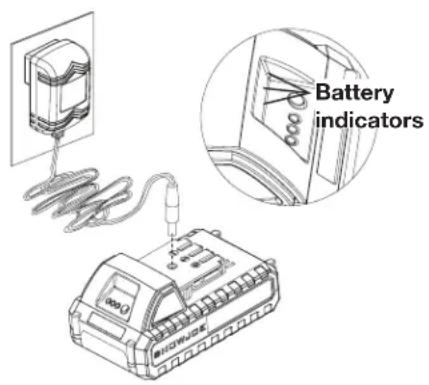
- The battery will take approximately 3 hours to charge. The battery indicator LEDs will twinkle and illuminate one by one during the charging process. Unplug the charger immediately when the 3 LEDs are all illuminated.
⚠️CAUTION! FIRE HAZARD. When disconnecting the charger from the battery, be sure to unplug the charger from the outlet first, then disconnect the charger from the battery
⚠ WARNING! This charger does not automatically turn off when the battery is fully charged. Please take care not to leave the battery plugged into the charger. Switch off or unplug the charger at the mains when charging is complete.
- Timely recharging of the battery will help prolong the battery's life. You must recharge the battery pack when you notice a drop in the equipment's power.
IMPORTANT! Never allow the battery pack to become fully discharged as this will cause irreversible damage to the battery.
Operation
⚠ WARNING! Always wear safety goggles when operating the air compressor. Failure to do so could result in objects being thrown into your eyes, resulting in possible serious injury.
⚠ WARNING! Do not use any attachments or accessories not recommended by the manufacturer of this air compressor. The use of attachments or accessories not recommended can result in serious personal injury.
WARNING! The air compressor is capable of inflating to 120 PSI, 8.27 BAR, or 827 kPa max. To avoid over inflation, carefully follow instructions on items to be inflated. Never exceed recommended pressures. Use only recommended air handling parts acceptable for pressure not less than 120 PSI.
⚠️CAUTION! Do not leave items to be inflated unattended while air compressor is in use. These items can burst and could cause serious injury.
⚠ WARNING! The air compressor is not designed to inflate large volume items such as boats, pools, rafts, large air beds, etc. It is also not designed for commercial application.
⚠ WARNING! Since the pressure display is not calibrated, and is therefore not binding for exact values, tire pressure must be checked using a calibrated measuring device before driving a vehicle with vehicle tires inflated with the air compressor.
⚠ WARNING! Risk of injury. Do not direct air stream at body.
⚠ WARNING! Hot surface. To reduce the risk of burns, do not touch metal clamps of hose assembly.
Inflating with the Air Hose
The air chuck on the air hose can be used without adapters to inflate tires or with any item with a valve stem that fits the air chuck opening.
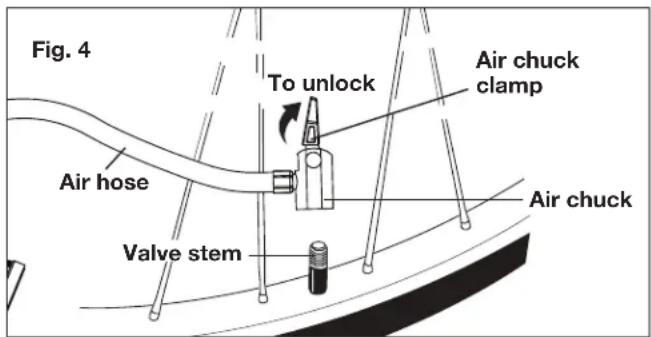
- Place air chuck on valve stem (Fig. 3).
- Push air chuck down so that the threaded section of the valve stem is inside the air chuck (Fig. 3).
- Clamp the end of the air chuck down onto the valve stem by pressing air chuck clamp down until it stops or is parallel with the air hose.
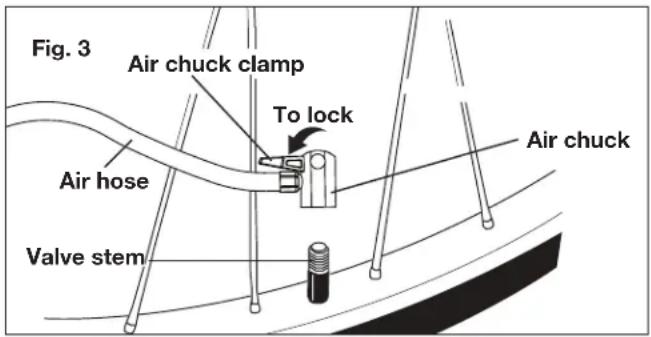
- To remove, lift air chuck clamp and remove air chuck from valve stem (Fig. 4).
Inflating with the Air Hose and Adapters
The air hose can be used with the provided adapters to inflate a variety of items.
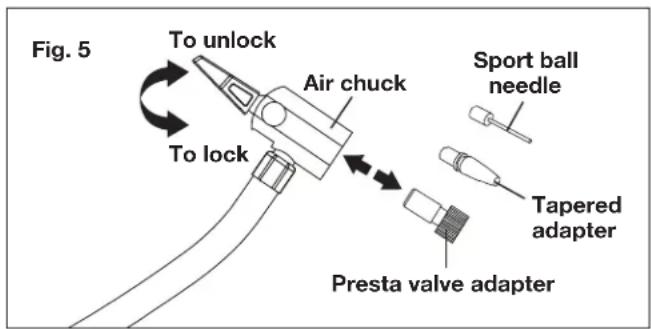
- Insert adapter into air chuck and push air clamp down until it locks into place (Fig. 5).
- To remove, lift air chuck clamp and remove adapter from air chuck (Fig. 5).
Adapter Functions (Fig. 6)
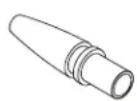
- The tapered adapter can be used on smaller air valves to inflate items like floats and children's toys, which usually require the user to inflate them by blowing air into them.
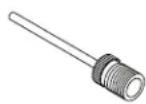
- The sport ball needle can be used to inflate any type of sports ball or any other item that requires a sport ball needle.
- The Presta valve adapter can be used to inflate Presta valve stem tires as shown. Before inflating a tire with a Presta valve, loosen the locking nut to inflate. Once inflation is complete, tighten the locking nut to seal the tire valve.
Fig. 6
Tapered adapter
Sport ball needle
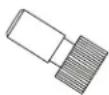
Presta valve adapter
To use the Presta valve adapter:
- Loosen Presta valve locking nut (Fig. 7).
Fig. 7
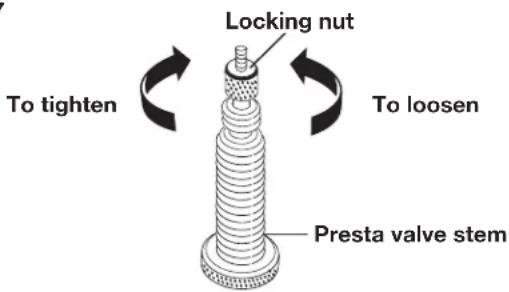
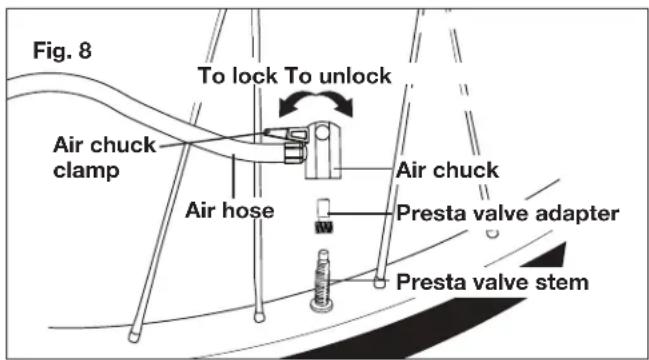
- Thread Presta valve adapter onto valve stem with larger open end toward wheel (Fig. 8).
- Clamp the end of the air chuck down onto the Presta valve adapter by pressing air chuck clamp down until it locks into place (Fig. 8).
- After inflation, remove air chuck and tighten locking nut (Fig. 7).
Digital Gauge
The digital gauge on the air compressor is multifunctional. It serves as a pressure gauge, monitors the amount of pressure being applied to the item being inflated.
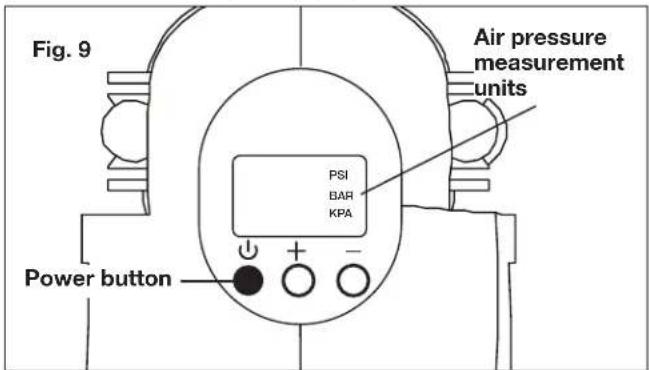
To switch from PSI, BAR, or kPa.
- With gauge ON, press the power button to select the desired measuring unit (Fig. 9).
To set pressure gauge for automatic shut off:
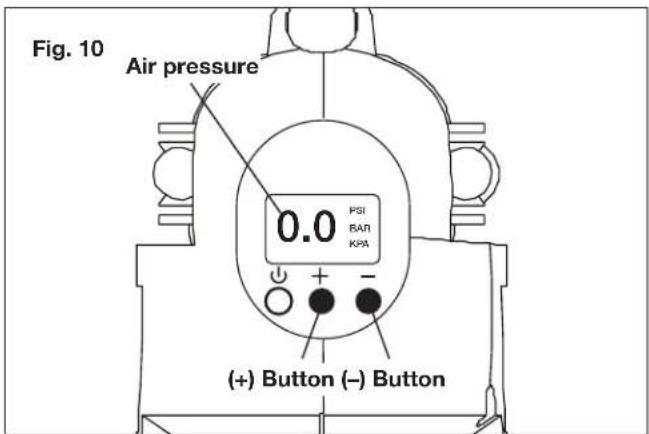
- With gauge ON, press and hold down [ + ] or [ - ] buttons to select desired shutoff pressure (Fig. 10).
NOTE: Numbers will flash while setting pressure. Holding buttons down will make the pressure number increase faster.
- When desired setting has been selected, begin inflating. Air compressor will shut off once setting is reached.
LED Light (Fig. 11)
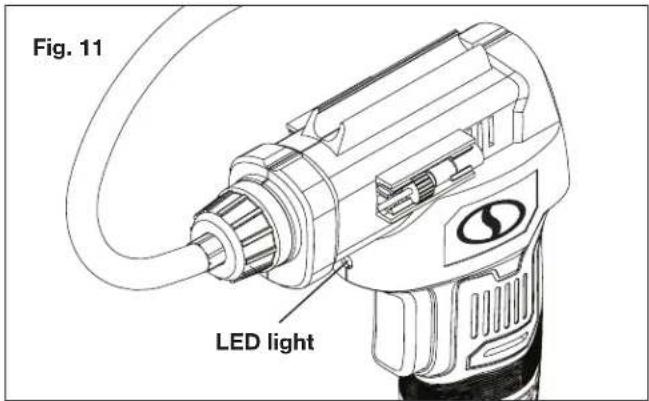
The air compressor is equipped with a LED light above the trigger switch to provide additional lighting for operation in low light conditions. The LED light will turn on when the power button [⏻] is pressed and will stay on for 60 seconds.
Starting + Stopping
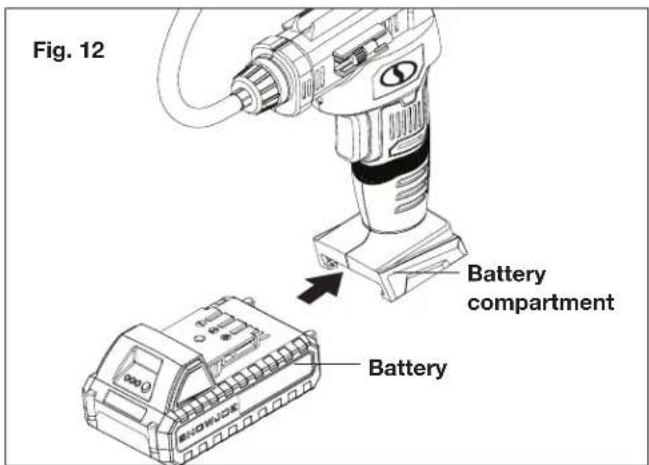
- Slide the battery into the battery compartment until it clicks to lock it into position (Fig. 12).
- To turn the air compressor ON, press the power button [⏻] below the LCD display (Fig. 9).
NOTE: The digital gauge will automatically shut off when not in use for 60 seconds or more.
- With gauge ON, select the desired shutoff pressure by pressing [ + ] or [ - ] buttons (Fig. 10). Once it is set, wait a few seconds until the current tire pressure displays.
NOTE: Always check and follow the manufacturer's recommended pressure, usually located on the door jamb of your vehicle.
NOTE: Should the pump fail to reach the desired pressure setting within 15 minutes, the pump will automatically shut off.
-
Place air chuck over valve stem and press down, readout will appear on gauge (Fig. 10).
-
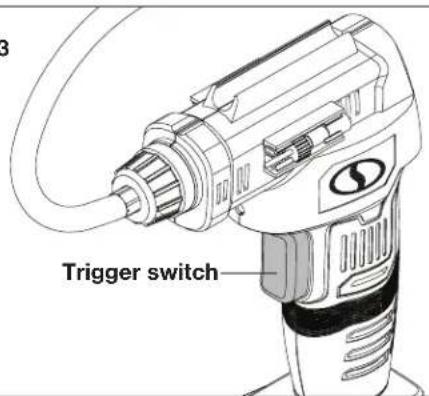
Depress the trigger switch (Fig. 13). If inflating, the air pressure will appear on the gauge as the item is being inflated.
Fig. 13
-
To turn the compressor OFF, press the trigger switch (Fig. 13).
-
Remove the thread connector from the tire quickly, and replace valve stem cap on tire, if required.
NOTE: The air compressor will stop automatically when the desired pressure is reached. Please press trigger to shut off the machine before removing the air chuck.
NOTE: If you disconnect the air chuck without pressing the trigger to turn off the machine, the air compressor will run an additional 60 seconds before shutting off automatically.
⚠️CAUTION! Connector may be hot. Use caution when removing.
WARNING! To avoid over-inflation of tires, please check the recommended tire pressure in the vehicle's owner's manual. For bicycle tires, check markings on tire. Use a separate pressure gauge for a more accurate reading.
⚠️CAUTION! The LCD display must turn on before operating the air compressor. Please read and understand the instructions provided in the manual prior to operation.
Lock-On Function
The air compressor is equipped with a lock-on feature, which is convenient for continuous inflating for extended periods of time.
-
To lock on, depress and hold the trigger switch (Fig. 13).
-
Release the trigger switch and the air compressor will continue running.
-
To release the lock, press the trigger switch down to stop (Fig. 13).
Duty Cycle
-
For household use only.
-
The air compressor is designed for occasional use. Inflation over a long period will overheat the air compressor and may cause damage.
-
The air compressor should not operate for more than 5 minutes at a time, after which it must be switched off and allowed to cool down for at least 10 minutes before restarting.
Storage
Air Hose + Adapters Storage
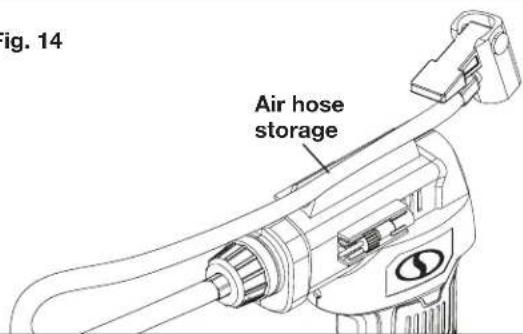
- When the air compressor is not in use, press the hose into the storage area on top of the tool (Fig. 14).
Fig. 14
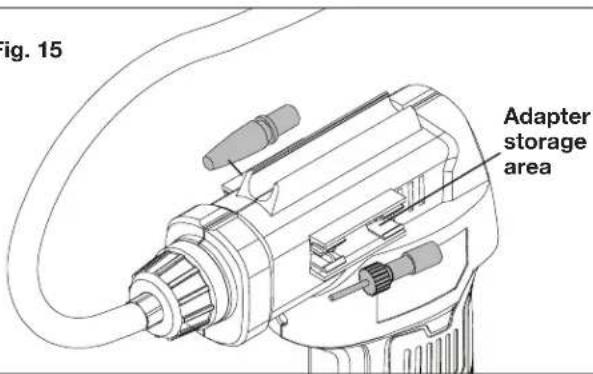
- Adapters provided with the air compressor can be placed in the storage area located on both sides (Fig. 15).
Fig. 15
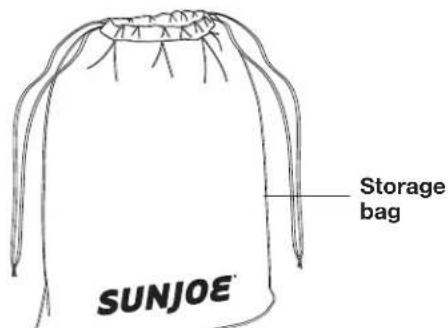
- Store the tool and all accessories into the storage bag (Fig. 16).
Fig. 16
Cleaning And Maintenance
⚠ WARNING! Do not at any time let brake fluids, gasoline, petroleum based products, penetrating oils, etc., come in contact with plastic parts. Chemicals can damage, weaken or destroy plastic which can result in serious personal injury.
Cleaning
- Keep the ventilation slots of the machine clean to prevent overheating of the engine.
- Regularly clean the machine housing with a soft cloth, preferably after each use.
- Keep the ventilation slots free from dust and dirt.
- If the dirt does not come off use a soft cloth moistened with soapy water.
- Never use solvents such as petrol, alcohol, ammonia water, etc. These solvents may damage the plastic parts.
Maintenance
Our machines have been designed to operate over a long period of time with a minimum of maintenance. Continuous satisfactory operation depends upon proper machine care and regular cleaning.
NOTE: Snow Joe ^® + Sun Joe ^® will not be held responsible for any damage or injuries caused by repair of the air compressor by an unauthorized person or by mishandling of the air compressor.
Spare parts may be ordered online at sunjoe.com or via phone by contacting the Snow Joe ^® + Sun Joe ^® customer service center at 1-866-SNOWJOE (1-866-766-9563).
Disposal
Should your appliance need replacement after extended use, do not dispose of it with the household refuse, but in an environmentally safe way.
Waste produced by electrical machine items should not be handled like normal household rubbish. Please recycle where recycle facilities exist. Check with your local authority or retailer for recycling advice.
Troubleshooting
- If the air compressor does not function, check the battery and make sure it is charged.
- If the battery does not charge, check the charger adapter and the charger adapter cable are connected correctly. Remove the battery pack and allow it to cool down to room temperature.
- If there is no pressure, check the adapter and make sure it is well fitted.
- If the pump operated but article does not inflate, make sure you are using the correct adapter. Clean the adapter and check if the adapter is well fitted.
- Avoid using solvents when cleaning plastic parts. Most plastics are susceptible to damage from various types of commercial solvents and may be damaged by their use. Use clean cloths to remove dirt, dust, oil, grease, etc.
Battery Caution + Disposal
Always dispose of your battery pack according to federal, state, and local regulations. Contact a recycling agency in your area for recycling locations.
⚠️CAUTION! Even discharged battery packs contain some energy. Before disposing, use electrical tape to cover the terminals to prevent the battery pack from shorting, which could cause a fire or explosion.
⚠ WARNING! To reduce the risk of injury or explosion, never burn or incinerate a battery pack even if it is damaged, dead, or completely discharged. When burned, toxic fumes and materials are emitted into the surrounding atmosphere.
- Batteries vary according to device. Consult your manual for specific information.
- Install only new batteries of the same type in your product (where applicable).
- Failure to insert batteries in the correct polarity, as indicated in the battery compartment or manual, may shorten the life of the batteries or cause batteries to leak.
- Do not mix old and new batteries.
- Do not mix Alkaline, Standard (Carbon-Zinc), or Rechargeable (Nickel Cadmium, Nickel Metal Hydride, or Lithium-Ion) batteries.
- Do not dispose of batteries in fire. The cell of the battery may explode.
- Batteries should be recycled or disposed of as per state and local guidelines.
Service + Support
- Air compressor service must be performed only by qualified repair personnel. Service or maintenance performed by unqualified personnel may result in a risk of injury.
- When servicing an air compressor, use only identical replacement parts. Follow instructions in the cleaning and maintenance section of this manual. Use of unauthorized parts or failure to follow maintenance instructions may create a risk of shock or injury.
- If your Sun Joe® cordless air compressor requires service or maintenance, please call the Snow Joe® + Sun Joe® customer service center at 1-866-SNOWJOE (1-866-766-9563).
Model + Serial Numbers
When contacting the company or reordering parts, you will need to provide the model and serial numbers of your product. These are found on the decal affixed to the housing or handle of your cordless compressor. Copy these numbers into the space provided below.
Record the following numbers from the housing or handle of your new product:

Optional Accessories
WARNING! ALWAYS use only authorized Snow Joe ^® + Sun Joe ^® replacement parts and accessories. NEVER use replacement parts or accessories that are not intended for use with this cordless air compressor. Contact Snow Joe ^® + Sun Joe ^® if you are unsure whether it is safe to use a particular replacement part or accessory with your cordless air compressor. The use of any other attachment or accessory can be dangerous and could cause injury or mechanical damage.
| ModelAcce | |||
| 1 | 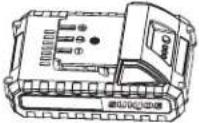 | 24V iON+ 1.5 Ah Lithium-Ion Battery | 24VBAT-LTX |
| 2 | 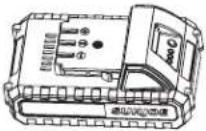 | 24V iON+ 2.0 Ah Lithium-Ion Battery | 24VBAT-LTE |
| 3 | 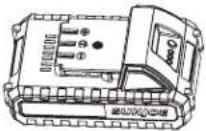 | 24V iON+ 2.5 Ah Lithium-Ion Battery | 24VBAT-LT |
| 4 | 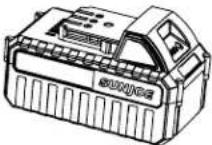 | 24V iON+ 4.0 Ah Lithium-Ion Battery | 24VBAT |
| 5 | 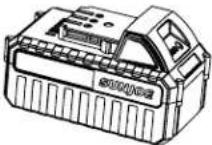 | 24V iON+ 5.0 Ah Lithium-Ion Battery | 24VBAT-XR |
| 6 | 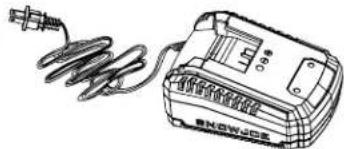 | 24V iON+ Lithium-Ion Battery Quick Charger | 24VCHRG-QC |
| 7 | 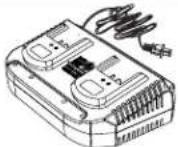 | 24V iON+ Lithium-Ion Battery Dual Port Charger | 24VCHRG-DPC |
NOTE: Accessories are subject to change without any obligation on the part of Snow Joe ^® + Sun Joe ^® to provide notice of such changes. Accessories can be ordered online at sunjoe.com or via phone by contacting the Snow Joe ^® + Sun Joe ^® customer service center at 1-866-SNOWJOE (1-866-766-9563).
SNOW JOE® + SUN JOE® CUSTOMER PROMISE
ABOVE ALL ELSE, Snow Joe, LLC (“Snow Joe”) is dedicated to you, our customer. We strive to make your experience as pleasant as possible. Unfortunately, there are times when a Snow Joe ^® , Sun Joe ^® , or Aqua Joe ^® product (“Product”) does not work or breaks under normal operating conditions. We think it’s important that you know what you can expect from us. That’s why we have a Limited Warranty (“Warranty”) for our Products.
OUR WARRANTY:
Snow Joe warrants new, genuine, powered and non-powered Products to be free from defects in material or workmanship when used for ordinary household use for a period of two years from the date of purchase by the original, end-user purchaser when purchased from Snow Joe or from one of Snow Joe's authorized sellers with proof of purchase. Because Snow Joe is unable to control the quality of its Products sold by unauthorized sellers, unless otherwise prohibited by law, this Warranty does not cover Products purchased from unauthorized sellers. If your Product does not work or there's an issue with a specific part that is covered by the terms of this Warranty, Snow Joe will elect to either (1) send you a free replacement part, (2) replace the Product with a new or comparable product at no charge, or (3) repair the Product. How cool is that!
This Warranty gives you specific legal rights, and you may also have other rights which vary from State to State.
PRODUCT REGISTRATION:
Snow Joe strongly encourages you to register your Product. You can register online at snowjoe.com/register, or by printing and mailing in a registration card available online from our website, or calling our Customer Service Department at 1-866-SNOWJOE (1-866-766-9563), or by e-mailing us at help@snowjoe.com. Failure to register your Product will not diminish your warranty rights. However, registering your Product will allow Snow Joe to better serve you with any of your customer service needs.
WHO CAN SEEK LIMITED WARRANTY COVERAGE:
This Warranty is extended by Snow Joe to the original purchaser and original owner of the Product.
WHAT IS NOT COVERED?
This Warranty does not apply if the Product has been used commercially or for non-household or rental applications. This Warranty also does not apply if the Product was purchased from an unauthorized seller. This Warranty also does not cover cosmetic changes that do not affect performance. Wearing parts like belts, augers, chains and tines are not covered under this Warranty, and can be purchased at snowjoe.com or by calling 1-866-SNOWJOE (1-866-766-9563).

COMPRESOR DE AIRE INALÁMBRICO
24 V MÁX.* | 1.3 Ah | MEDIDOR DIGITAL | INCLUYE ADAPTADORES
Modelo 24V-AJC-LTW Forma N° SJ-24V-AJC-LTW-880S-MR1