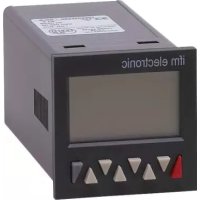
E89005 - Compteur électronique industriel IFM - Free user manual and instructions
Find the device manual for free E89005 IFM in PDF.
Questions des utilisateurs sur E89005 IFM
0 question sur cet appareil. Repondez a celles que vous connaissez ou posez la votre.
Poser une nouvelle question sur cet appareil
Download the instructions for your Compteur électronique industriel in PDF format for free! Find your manual E89005 - IFM and take your electronic device back in hand. On this page are published all the documents necessary for the use of your device. E89005 by IFM.
USER MANUAL E89005 IFM
Relay with potential-free make (NO) contact or optocoupler with open emitter and collector
Relay with potential-free make (NO) contact or optocoupler with open emitter and collector.
An active output will be shown on the display as or . For safety switching the relays or optocoupler outputs can be inverted, i.e. the relay will be de- energized or the optocoupler output disabled when the presets are reached. To do this, the parameters Pr.OUT1 and Pr.OUT2 must be set to (for permanent signal) or or (for timed signal). 7 Programming
7.1 Entering the programming
Press the Reset key and Prog/Mode key simultaneously for 3 s The security prompt appears in the display Programming can be exited again using the Prog/Mode key. Press key T2 to continue with the programming The security prompt appears in the display Enter the main menu by pressing the Prog/Mode key
7.2 Choice of main menus
The menus are selected using the keys T2 (next) and T1 (back)
7.3 Entering a sub-menu
The sub-menu is opened with the Prog/Mode key and the first menu item is displayed.
7.4 Selecting the menu items
The Prog/Mode key is used to select a menu item within the sub-menu
7.5 Setting the menu items
The T2 key is used to select the individual settings for the menu items When setting count values, each decade has a key assigned to it. Each time the key is pressed, the value increments by one
7.6 Accepting the setting
Pressing the Prog/Mode key causes the current setting to be accepted. Programming then switches to the next menu item.
7.7 Ending the programming
During programming, it is possible to exit the programming at each menu item by pressing the reset key. Press the Reset key The security prompt appears in the display Pressing the Prog/Mode key acknowledges this prompt and causes the programming menu to start again from the beginning. The previously-programmed values are preserved. These can now be changed or checked again. Pressing the decade key T2 selects the termination of the programming The security prompt appears in the display
Relay with potential-free make (NO) contact or optocoupler with open emitter and collector
Relay with potential-free make (NO) contact or optocoupler with open emitter and collector.
An active output will be shown on the display as or . For safety switching the relays or optocoupler outputs can be inverted, i.e. the relay will be de- energized or the optocoupler output disabled when the presets are reached. To do this, the parameters Pr.OUT1 and Pr.OUT2 must be set to (for permanent signal) or or (for timed signal). 7 Programming
7.1 Entering the programming
Press the Reset key and Prog/Mode key simultaneously for 3 s The security prompt appears in the display Programming can be exited again using the Prog/Mode key. Press key T2 to continue with the programming The security prompt appears in the display Enter the main menu by pressing the Prog/Mode key
7.2 Choice of main menus
The menus are selected using the keys T2 (next) and T1 (back)
7.3 Entering a sub-menu
The sub-menu is opened with the Prog/Mode key and the first menu item is displayed.
7.4 Selecting the menu items
The Prog/Mode key is used to select a menu item within the sub-menu
7.5 Setting the menu items
The T2 key is used to select the individual settings for the menu items When setting count values, each decade has a key assigned to it. Each time the key is pressed, the value increments by one
7.6 Accepting the setting
Pressing the Prog/Mode key causes the current setting to be accepted. Programming then switches to the next menu item.
7.7 Ending the programming
During programming, it is possible to exit the programming at each menu item by pressing the reset key. Press the Reset key The security prompt appears in the display Pressing the Prog/Mode key acknowledges this prompt and causes the programming menu to start again from the beginning. The previously-programmed values are preserved. These can now be changed or checked again. Pressing the decade key T2 selects the termination of the programming The security prompt appears in the display
Relay with potential-free make (NO) contact or optocoupler with open emitter and collector
Relay with potential-free make (NO) contact or optocoupler with open emitter and collector.
An active output will be shown on the display as or . For safety switching the relays or optocoupler outputs can be inverted, i.e. the relay will be de- energized or the optocoupler output disabled when the presets are reached. To do this, the parameters Pr.OUT1 and Pr.OUT2 must be set to (for permanent signal) or or (for timed signal). 7 Programming
7.1 Entering the programming
Press the Reset key and Prog/Mode key simultaneously for 3 s The security prompt appears in the display Programming can be exited again using the Prog/Mode key. Press key T2 to continue with the programming The security prompt appears in the display Enter the main menu by pressing the Prog/Mode key
7.2 Choice of main menus
The menus are selected using the keys T2 (next) and T1 (back)
7.3 Entering a sub-menu
The sub-menu is opened with the Prog/Mode key and the first menu item is displayed.
7.4 Selecting the menu items
The Prog/Mode key is used to select a menu item within the sub-menu
7.5 Setting the menu items
The T2 key is used to select the individual settings for the menu items When setting count values, each decade has a key assigned to it. Each time the key is pressed, the value increments by one
7.6 Accepting the setting
Pressing the Prog/Mode key causes the current setting to be accepted. Programming then switches to the next menu item.
7.7 Ending the programming
During programming, it is possible to exit the programming at each menu item by pressing the reset key. Press the Reset key The security prompt appears in the display Pressing the Prog/Mode key acknowledges this prompt and causes the programming menu to start again from the beginning. The previously-programmed values are preserved. These can now be changed or checked again. Pressing the decade key T2 selects the termination of the programming The security prompt appears in the display
Relay with potential-free make (NO) contact or optocoupler with open emitter and collector
Relay with potential-free make (NO) contact or optocoupler with open emitter and collector.
An active output will be shown on the display as or . For safety switching the relays or optocoupler outputs can be inverted, i.e. the relay will be de- energized or the optocoupler output disabled when the presets are reached. To do this, the parameters Pr.OUT1 and Pr.OUT2 must be set to (for permanent signal) or or (for timed signal). 7 Programming
7.1 Entering the programming
Press the Reset key and Prog/Mode key simultaneously for 3 s The security prompt appears in the display Programming can be exited again using the Prog/Mode key. Press key T2 to continue with the programming The security prompt appears in the display Enter the main menu by pressing the Prog/Mode key
7.2 Choice of main menus
The menus are selected using the keys T2 (next) and T1 (back)
7.3 Entering a sub-menu
The sub-menu is opened with the Prog/Mode key and the first menu item is displayed.
7.4 Selecting the menu items
The Prog/Mode key is used to select a menu item within the sub-menu
7.5 Setting the menu items
The T2 key is used to select the individual settings for the menu items When setting count values, each decade has a key assigned to it. Each time the key is pressed, the value increments by one
7.6 Accepting the setting
Pressing the Prog/Mode key causes the current setting to be accepted. Programming then switches to the next menu item.
7.7 Ending the programming
During programming, it is possible to exit the programming at each menu item by pressing the reset key. Press the Reset key The security prompt appears in the display Pressing the Prog/Mode key acknowledges this prompt and causes the programming menu to start again from the beginning. The previously-programmed values are preserved. These can now be changed or checked again. Pressing the decade key T2 selects the termination of the programming The security prompt appears in the display
Relay with potential-free make (NO) contact or optocoupler with open emitter and collector
Relay with potential-free make (NO) contact or optocoupler with open emitter and collector.
An active output will be shown on the display as or . For safety switching the relays or optocoupler outputs can be inverted, i.e. the relay will be de- energized or the optocoupler output disabled when the presets are reached. To do this, the parameters Pr.OUT1 and Pr.OUT2 must be set to (for permanent signal) or or (for timed signal). 7 Programming
7.1 Entering the programming
Press the Reset key and Prog/Mode key simultaneously for 3 s The security prompt appears in the display Programming can be exited again using the Prog/Mode key. Press key T2 to continue with the programming The security prompt appears in the display Enter the main menu by pressing the Prog/Mode key
7.2 Choice of main menus
The menus are selected using the keys T2 (next) and T1 (back)
7.3 Entering a sub-menu
The sub-menu is opened with the Prog/Mode key and the first menu item is displayed.
7.4 Selecting the menu items
The Prog/Mode key is used to select a menu item within the sub-menu
7.5 Setting the menu items
The T2 key is used to select the individual settings for the menu items When setting count values, each decade has a key assigned to it. Each time the key is pressed, the value increments by one
7.6 Accepting the setting
Pressing the Prog/Mode key causes the current setting to be accepted. Programming then switches to the next menu item.
7.7 Ending the programming
During programming, it is possible to exit the programming at each menu item by pressing the reset key. Press the Reset key The security prompt appears in the display Pressing the Prog/Mode key acknowledges this prompt and causes the programming menu to start again from the beginning. The previously-programmed values are preserved. These can now be changed or checked again. Pressing the decade key T2 selects the termination of the programming The security prompt appears in the display
9.2 Supply voltage and Outputs
9.2.1 Version with relays
Display LCD positive backlite 2 x 6-digit Digit height upper line 9 mm lower line 7 mm special characters 2 mm Overload/ Blinking, 1 s Underload Counter loses up to 1 decade no pulses Data retention > 10 years, EEPROM Operation 8 keys
Count frequency max. 55 kHz (see section 13. frequencies typ.) Response time of the outputs: Relays Add/Sub/Trail < 7 ms With automatic repeat < 7 ms A/B ; (A-B)/A < 29 ms
Measuring 76.3 Hz Time interval principle (period measurement) > 76.3 Hz Gate time Gate time approx.13.1 ms Measuring error < 0.1% per channel Response time of the outputs: 1-channel operation < 100 ms @ 40 kHz < 350 ms @ 65 kHz 2-channel operation < 150 ms @ 40 kHz < 600 ms @ 65 kHz
Signal inputs: function acc. to operating mode. Max. frequency 60 kHz, can be damped in the programming menu to 30 Hz. Pulse counter: Count inputs Frequency meter: Frequency inputs Timer: Start input or Start/Stop inputs
Static gate input: function depending on operating mode. Pulse counter: no counting while active Frequency meter: no counting while active Timer: no time measurement while
active(Gate.hi) no time measurement while not active (Gate.Lo).
Static keypad lock input for presets or programming. Lock-out level can be set in the programming menu.
Relay with potential-free make (NO) contact or optocoupler with open emitter and collector
Relay with potential-free make (NO) contact or optocoupler with open emitter and collector.
An active output will be shown on the display as or . For safety switching the relays or optocoupler outputs can be inverted, i.e. the relay will be de- energized or the optocoupler output disabled when the presets are reached. To do this, the parameters Pr.OUT1 and Pr.OUT2 must be set to (for permanent signal) or or (for timed signal). 7 Programming
7.1 Entering the programming
Press the Reset key and Prog/Mode key simultaneously for 3 s The security prompt appears in the display Programming can be exited again using the Prog/Mode key. Press key T2 to continue with the programming The security prompt appears in the display Enter the main menu by pressing the Prog/Mode key
7.2 Choice of main menus
The menus are selected using the keys T2 (next) and T1 (back)
7.3 Entering a sub-menu
The sub-menu is opened with the Prog/Mode key and the first menu item is displayed.
7.4 Selecting the menu items
The Prog/Mode key is used to select a menu item within the sub-menu
7.5 Setting the menu items
The T2 key is used to select the individual settings for the menu items When setting count values, each decade has a key assigned to it. Each time the key is pressed, the value increments by one
7.6 Accepting the setting
Pressing the Prog/Mode key causes the current setting to be accepted. Programming then switches to the next menu item.
7.7 Ending the programming
During programming, it is possible to exit the programming at each menu item by pressing the reset key. Press the Reset key The security prompt appears in the display Pressing the Prog/Mode key acknowledges this prompt and causes the programming menu to start again from the beginning. The previously-programmed values are preserved. These can now be changed or checked again. Pressing the decade key T2 selects the termination of the programming The security prompt appears in the display
Relay with potential-free make (NO) contact or optocoupler with open emitter and collector
Relay with potential-free make (NO) contact or optocoupler with open emitter and collector.
An active output will be shown on the display as or . For safety switching the relays or optocoupler outputs can be inverted, i.e. the relay will be de- energized or the optocoupler output disabled when the presets are reached. To do this, the parameters Pr.OUT1 and Pr.OUT2 must be set to (for permanent signal) or or (for timed signal). 7 Programming
7.1 Entering the programming
Press the Reset key and Prog/Mode key simultaneously for 3 s The security prompt appears in the display Programming can be exited again using the Prog/Mode key. Press key T2 to continue with the programming The security prompt appears in the display Enter the main menu by pressing the Prog/Mode key
7.2 Choice of main menus
The menus are selected using the keys T2 (next) and T1 (back)
7.3 Entering a sub-menu
The sub-menu is opened with the Prog/Mode key and the first menu item is displayed.
7.4 Selecting the menu items
The Prog/Mode key is used to select a menu item within the sub-menu
7.5 Setting the menu items
The T2 key is used to select the individual settings for the menu items When setting count values, each decade has a key assigned to it. Each time the key is pressed, the value increments by one
7.6 Accepting the setting
Pressing the Prog/Mode key causes the current setting to be accepted. Programming then switches to the next menu item.
7.7 Ending the programming
During programming, it is possible to exit the programming at each menu item by pressing the reset key. Press the Reset key The security prompt appears in the display Pressing the Prog/Mode key acknowledges this prompt and causes the programming menu to start again from the beginning. The previously-programmed values are preserved. These can now be changed or checked again. Pressing the decade key T2 selects the termination of the programming The security prompt appears in the display
Relay with potential-free make (NO) contact or optocoupler with open emitter and collector
Relay with potential-free make (NO) contact or optocoupler with open emitter and collector.
An active output will be shown on the display as or . For safety switching the relays or optocoupler outputs can be inverted, i.e. the relay will be de- energized or the optocoupler output disabled when the presets are reached. To do this, the parameters Pr.OUT1 and Pr.OUT2 must be set to (for permanent signal) or or (for timed signal). 7 Programming
7.1 Entering the programming
Press the Reset key and Prog/Mode key simultaneously for 3 s The security prompt appears in the display Programming can be exited again using the Prog/Mode key. Press key T2 to continue with the programming The security prompt appears in the display Enter the main menu by pressing the Prog/Mode key
7.2 Choice of main menus
The menus are selected using the keys T2 (next) and T1 (back)
7.3 Entering a sub-menu
The sub-menu is opened with the Prog/Mode key and the first menu item is displayed.
7.4 Selecting the menu items
The Prog/Mode key is used to select a menu item within the sub-menu
7.5 Setting the menu items
The T2 key is used to select the individual settings for the menu items When setting count values, each decade has a key assigned to it. Each time the key is pressed, the value increments by one
7.6 Accepting the setting
Pressing the Prog/Mode key causes the current setting to be accepted. Programming then switches to the next menu item.
7.7 Ending the programming
During programming, it is possible to exit the programming at each menu item by pressing the reset key. Press the Reset key The security prompt appears in the display Pressing the Prog/Mode key acknowledges this prompt and causes the programming menu to start again from the beginning. The previously-programmed values are preserved. These can now be changed or checked again. Pressing the decade key T2 selects the termination of the programming The security prompt appears in the display
Relay with potential-free make (NO) contact or optocoupler with open emitter and collector
Relay with potential-free make (NO) contact or optocoupler with open emitter and collector.
An active output will be shown on the display as or . For safety switching the relays or optocoupler outputs can be inverted, i.e. the relay will be de- energized or the optocoupler output disabled when the presets are reached. To do this, the parameters Pr.OUT1 and Pr.OUT2 must be set to (for permanent signal) or or (for timed signal). 7 Programming
7.1 Entering the programming
Press the Reset key and Prog/Mode key simultaneously for 3 s The security prompt appears in the display Programming can be exited again using the Prog/Mode key. Press key T2 to continue with the programming The security prompt appears in the display Enter the main menu by pressing the Prog/Mode key
7.2 Choice of main menus
The menus are selected using the keys T2 (next) and T1 (back)
7.3 Entering a sub-menu
The sub-menu is opened with the Prog/Mode key and the first menu item is displayed.
7.4 Selecting the menu items
The Prog/Mode key is used to select a menu item within the sub-menu
7.5 Setting the menu items
The T2 key is used to select the individual settings for the menu items When setting count values, each decade has a key assigned to it. Each time the key is pressed, the value increments by one
7.6 Accepting the setting
Pressing the Prog/Mode key causes the current setting to be accepted. Programming then switches to the next menu item.
7.7 Ending the programming
During programming, it is possible to exit the programming at each menu item by pressing the reset key. Press the Reset key The security prompt appears in the display Pressing the Prog/Mode key acknowledges this prompt and causes the programming menu to start again from the beginning. The previously-programmed values are preserved. These can now be changed or checked again. Pressing the decade key T2 selects the termination of the programming The security prompt appears in the display
Relay with potential-free make (NO) contact or optocoupler with open emitter and collector
Relay with potential-free make (NO) contact or optocoupler with open emitter and collector.
An active output will be shown on the display as or . For safety switching the relays or optocoupler outputs can be inverted, i.e. the relay will be de- energized or the optocoupler output disabled when the presets are reached. To do this, the parameters Pr.OUT1 and Pr.OUT2 must be set to (for permanent signal) or or (for timed signal). 7 Programming
7.1 Entering the programming
Press the Reset key and Prog/Mode key simultaneously for 3 s The security prompt appears in the display Programming can be exited again using the Prog/Mode key. Press key T2 to continue with the programming The security prompt appears in the display Enter the main menu by pressing the Prog/Mode key
7.2 Choice of main menus
The menus are selected using the keys T2 (next) and T1 (back)
7.3 Entering a sub-menu
The sub-menu is opened with the Prog/Mode key and the first menu item is displayed.
7.4 Selecting the menu items
The Prog/Mode key is used to select a menu item within the sub-menu
7.5 Setting the menu items
The T2 key is used to select the individual settings for the menu items When setting count values, each decade has a key assigned to it. Each time the key is pressed, the value increments by one
7.6 Accepting the setting
Pressing the Prog/Mode key causes the current setting to be accepted. Programming then switches to the next menu item.
7.7 Ending the programming
During programming, it is possible to exit the programming at each menu item by pressing the reset key. Press the Reset key The security prompt appears in the display Pressing the Prog/Mode key acknowledges this prompt and causes the programming menu to start again from the beginning. The previously-programmed values are preserved. These can now be changed or checked again. Pressing the decade key T2 selects the termination of the programming The security prompt appears in the display
Relay with potential-free make (NO) contact or optocoupler with open emitter and collector
Relay with potential-free make (NO) contact or optocoupler with open emitter and collector.
An active output will be shown on the display as or . For safety switching the relays or optocoupler outputs can be inverted, i.e. the relay will be de- energized or the optocoupler output disabled when the presets are reached. To do this, the parameters Pr.OUT1 and Pr.OUT2 must be set to (for permanent signal) or or (for timed signal). 7 Programming
7.1 Entering the programming
Press the Reset key and Prog/Mode key simultaneously for 3 s The security prompt appears in the display Programming can be exited again using the Prog/Mode key. Press key T2 to continue with the programming The security prompt appears in the display Enter the main menu by pressing the Prog/Mode key
7.2 Choice of main menus
The menus are selected using the keys T2 (next) and T1 (back)
7.3 Entering a sub-menu
The sub-menu is opened with the Prog/Mode key and the first menu item is displayed.
7.4 Selecting the menu items
The Prog/Mode key is used to select a menu item within the sub-menu
7.5 Setting the menu items
The T2 key is used to select the individual settings for the menu items When setting count values, each decade has a key assigned to it. Each time the key is pressed, the value increments by one
7.6 Accepting the setting
Pressing the Prog/Mode key causes the current setting to be accepted. Programming then switches to the next menu item.
7.7 Ending the programming
During programming, it is possible to exit the programming at each menu item by pressing the reset key. Press the Reset key The security prompt appears in the display Pressing the Prog/Mode key acknowledges this prompt and causes the programming menu to start again from the beginning. The previously-programmed values are preserved. These can now be changed or checked again. Pressing the decade key T2 selects the termination of the programming The security prompt appears in the display
Relay with potential-free make (NO) contact or optocoupler with open emitter and collector
Relay with potential-free make (NO) contact or optocoupler with open emitter and collector.
An active output will be shown on the display as or . For safety switching the relays or optocoupler outputs can be inverted, i.e. the relay will be de- energized or the optocoupler output disabled when the presets are reached. To do this, the parameters Pr.OUT1 and Pr.OUT2 must be set to (for permanent signal) or or (for timed signal). 7 Programming
7.1 Entering the programming
Press the Reset key and Prog/Mode key simultaneously for 3 s The security prompt appears in the display Programming can be exited again using the Prog/Mode key. Press key T2 to continue with the programming The security prompt appears in the display Enter the main menu by pressing the Prog/Mode key
7.2 Choice of main menus
The menus are selected using the keys T2 (next) and T1 (back)
7.3 Entering a sub-menu
The sub-menu is opened with the Prog/Mode key and the first menu item is displayed.
7.4 Selecting the menu items
The Prog/Mode key is used to select a menu item within the sub-menu
7.5 Setting the menu items
The T2 key is used to select the individual settings for the menu items When setting count values, each decade has a key assigned to it. Each time the key is pressed, the value increments by one
7.6 Accepting the setting
Pressing the Prog/Mode key causes the current setting to be accepted. Programming then switches to the next menu item.
7.7 Ending the programming
During programming, it is possible to exit the programming at each menu item by pressing the reset key. Press the Reset key The security prompt appears in the display Pressing the Prog/Mode key acknowledges this prompt and causes the programming menu to start again from the beginning. The previously-programmed values are preserved. These can now be changed or checked again. Pressing the decade key T2 selects the termination of the programming The security prompt appears in the display
Relay with potential-free make (NO) contact or optocoupler with open emitter and collector
Relay with potential-free make (NO) contact or optocoupler with open emitter and collector.
An active output will be shown on the display as or . For safety switching the relays or optocoupler outputs can be inverted, i.e. the relay will be de- energized or the optocoupler output disabled when the presets are reached. To do this, the parameters Pr.OUT1 and Pr.OUT2 must be set to (for permanent signal) or or (for timed signal). 7 Programming
7.1 Entering the programming
Press the Reset key and Prog/Mode key simultaneously for 3 s The security prompt appears in the display Programming can be exited again using the Prog/Mode key. Press key T2 to continue with the programming The security prompt appears in the display Enter the main menu by pressing the Prog/Mode key
7.2 Choice of main menus
The menus are selected using the keys T2 (next) and T1 (back)
7.3 Entering a sub-menu
The sub-menu is opened with the Prog/Mode key and the first menu item is displayed.
7.4 Selecting the menu items
The Prog/Mode key is used to select a menu item within the sub-menu
7.5 Setting the menu items
The T2 key is used to select the individual settings for the menu items When setting count values, each decade has a key assigned to it. Each time the key is pressed, the value increments by one
7.6 Accepting the setting
Pressing the Prog/Mode key causes the current setting to be accepted. Programming then switches to the next menu item.
7.7 Ending the programming
During programming, it is possible to exit the programming at each menu item by pressing the reset key. Press the Reset key The security prompt appears in the display Pressing the Prog/Mode key acknowledges this prompt and causes the programming menu to start again from the beginning. The previously-programmed values are preserved. These can now be changed or checked again. Pressing the decade key T2 selects the termination of the programming The security prompt appears in the display
Relay with potential-free make (NO) contact or optocoupler with open emitter and collector
Relay with potential-free make (NO) contact or optocoupler with open emitter and collector.
An active output will be shown on the display as or . For safety switching the relays or optocoupler outputs can be inverted, i.e. the relay will be de- energized or the optocoupler output disabled when the presets are reached. To do this, the parameters Pr.OUT1 and Pr.OUT2 must be set to (for permanent signal) or or (for timed signal). 7 Programming
7.1 Entering the programming
Press the Reset key and Prog/Mode key simultaneously for 3 s The security prompt appears in the display Programming can be exited again using the Prog/Mode key. Press key T2 to continue with the programming The security prompt appears in the display Enter the main menu by pressing the Prog/Mode key
7.2 Choice of main menus
The menus are selected using the keys T2 (next) and T1 (back)
7.3 Entering a sub-menu
The sub-menu is opened with the Prog/Mode key and the first menu item is displayed.
7.4 Selecting the menu items
The Prog/Mode key is used to select a menu item within the sub-menu
7.5 Setting the menu items
The T2 key is used to select the individual settings for the menu items When setting count values, each decade has a key assigned to it. Each time the key is pressed, the value increments by one
7.6 Accepting the setting
Pressing the Prog/Mode key causes the current setting to be accepted. Programming then switches to the next menu item.
7.7 Ending the programming
During programming, it is possible to exit the programming at each menu item by pressing the reset key. Press the Reset key The security prompt appears in the display Pressing the Prog/Mode key acknowledges this prompt and causes the programming menu to start again from the beginning. The previously-programmed values are preserved. These can now be changed or checked again. Pressing the decade key T2 selects the termination of the programming The security prompt appears in the display
Relay with potential-free make (NO) contact or optocoupler with open emitter and collector
Relay with potential-free make (NO) contact or optocoupler with open emitter and collector.
An active output will be shown on the display as or . For safety switching the relays or optocoupler outputs can be inverted, i.e. the relay will be de- energized or the optocoupler output disabled when the presets are reached. To do this, the parameters Pr.OUT1 and Pr.OUT2 must be set to (for permanent signal) or or (for timed signal). 7 Programming
7.1 Entering the programming
Press the Reset key and Prog/Mode key simultaneously for 3 s The security prompt appears in the display Programming can be exited again using the Prog/Mode key. Press key T2 to continue with the programming The security prompt appears in the display Enter the main menu by pressing the Prog/Mode key
The menus are selected using the keys T2 (next) and T1 (back)
7.3 Entering a sub-menu
The sub-menu is opened with the Prog/Mode key and the first menu item is displayed.
7.4 Selecting the menu items
The Prog/Mode key is used to select a menu item within the sub-menu
7.5 Setting the menu items
The T2 key is used to select the individual settings for the menu items
When setting count values, each decade has a key assigned to it. Each time the key is pressed, the value increments by one
7.6 Accepting the setting
Pressing the Prog/Mode key causes the current setting to be accepted. Programming then switches to the next menu item.
7.7 Ending the programming
During programming, it is possible to exit the programming at each menu item by pressing the reset key. Press the Reset key
The security prompt appears in the display Pressing the Prog/Mode key acknowledges this prompt and causes the programming menu to start again from the beginning. The previously-programmed values are preserved. These can now be changed or checked again. Pressing the decade key T2 selects the termination of the programming The security prompt appears in the display
Relay with potential-free make (NO) contact or optocoupler with open emitter and collector
Relay with potential-free make (NO) contact or optocoupler with open emitter and collector.
An active output will be shown on the display as or . For safety switching the relays or optocoupler outputs can be inverted, i.e. the relay will be de- energized or the optocoupler output disabled when the presets are reached. To do this, the parameters Pr.OUT1 and Pr.OUT2 must be set to (for permanent signal) or or (for timed signal). 7 Programming
7.1 Entering the programming
Press the Reset key and Prog/Mode key simultaneously for 3 s The security prompt appears in the display Programming can be exited again using the Prog/Mode key. Press key T2 to continue with the programming The security prompt appears in the display Enter the main menu by pressing the Prog/Mode key
7.2 Choice of main menus
The menus are selected using the keys T2 (next) and T1 (back)
7.3 Entering a sub-menu
The sub-menu is opened with the Prog/Mode key and the first menu item is displayed.
7.4 Selecting the menu items
The Prog/Mode key is used to select a menu item within the sub-menu
7.5 Setting the menu items
The T2 key is used to select the individual settings for the menu items When setting count values, each decade has a key assigned to it. Each time the key is pressed, the value increments by one
7.6 Accepting the setting
Pressing the Prog/Mode key causes the current setting to be accepted. Programming then switches to the next menu item.
7.7 Ending the programming
During programming, it is possible to exit the programming at each menu item by pressing the reset key. Press the Reset key The security prompt appears in the display Pressing the Prog/Mode key acknowledges this prompt and causes the programming menu to start again from the beginning. The previously-programmed values are preserved. These can now be changed or checked again. Pressing the decade key T2 selects the termination of the programming The security prompt appears in the display
Relay with potential-free make (NO) contact or optocoupler with open emitter and collector
Relay with potential-free make (NO) contact or optocoupler with open emitter and collector.
An active output will be shown on the display as or . For safety switching the relays or optocoupler outputs can be inverted, i.e. the relay will be de- energized or the optocoupler output disabled when the presets are reached. To do this, the parameters Pr.OUT1 and Pr.OUT2 must be set to (for permanent signal) or or (for timed signal). 7 Programming
7.1 Entering the programming
Press the Reset key and Prog/Mode key simultaneously for 3 s The security prompt appears in the display Programming can be exited again using the Prog/Mode key. Press key T2 to continue with the programming The security prompt appears in the display Enter the main menu by pressing the Prog/Mode key
7.2 Choice of main menus
The menus are selected using the keys T2 (next) and T1 (back)
7.3 Entering a sub-menu
The sub-menu is opened with the Prog/Mode key and the first menu item is displayed.
7.4 Selecting the menu items
The Prog/Mode key is used to select a menu item within the sub-menu
7.5 Setting the menu items
The T2 key is used to select the individual settings for the menu items When setting count values, each decade has a key assigned to it. Each time the key is pressed, the value increments by one
7.6 Accepting the setting
Pressing the Prog/Mode key causes the current setting to be accepted. Programming then switches to the next menu item.
7.7 Ending the programming
During programming, it is possible to exit the programming at each menu item by pressing the reset key. Press the Reset key The security prompt appears in the display Pressing the Prog/Mode key acknowledges this prompt and causes the programming menu to start again from the beginning. The previously-programmed values are preserved. These can now be changed or checked again. Pressing the decade key T2 selects the termination of the programming The security prompt appears in the display
Relay with potential-free make (NO) contact or optocoupler with open emitter and collector
Relay with potential-free make (NO) contact or optocoupler with open emitter and collector.
An active output will be shown on the display as or . For safety switching the relays or optocoupler outputs can be inverted, i.e. the relay will be de- energized or the optocoupler output disabled when the presets are reached. To do this, the parameters Pr.OUT1 and Pr.OUT2 must be set to (for permanent signal) or or (for timed signal). 7 Programming
7.1 Entering the programming
Press the Reset key and Prog/Mode key simultaneously for 3 s The security prompt appears in the display Programming can be exited again using the Prog/Mode key. Press key T2 to continue with the programming The security prompt appears in the display Enter the main menu by pressing the Prog/Mode key
7.2 Choice of main menus
The menus are selected using the keys T2 (next) and T1 (back)
7.3 Entering a sub-menu
The sub-menu is opened with the Prog/Mode key and the first menu item is displayed.
7.4 Selecting the menu items
The Prog/Mode key is used to select a menu item within the sub-menu
7.5 Setting the menu items
The T2 key is used to select the individual settings for the menu items When setting count values, each decade has a key assigned to it. Each time the key is pressed, the value increments by one
7.6 Accepting the setting
Pressing the Prog/Mode key causes the current setting to be accepted. Programming then switches to the next menu item.
7.7 Ending the programming
During programming, it is possible to exit the programming at each menu item by pressing the reset key. Press the Reset key The security prompt appears in the display Pressing the Prog/Mode key acknowledges this prompt and causes the programming menu to start again from the beginning. The previously-programmed values are preserved. These can now be changed or checked again. Pressing the decade key T2 selects the termination of the programming The security prompt appears in the display
Relay with potential-free make (NO) contact or optocoupler with open emitter and collector
Relay with potential-free make (NO) contact or optocoupler with open emitter and collector.
An active output will be shown on the display as or . For safety switching the relays or optocoupler outputs can be inverted, i.e. the relay will be de- energized or the optocoupler output disabled when the presets are reached. To do this, the parameters Pr.OUT1 and Pr.OUT2 must be set to (for permanent signal) or or (for timed signal). 7 Programming
7.1 Entering the programming
Press the Reset key and Prog/Mode key simultaneously for 3 s The security prompt appears in the display Programming can be exited again using the Prog/Mode key. Press key T2 to continue with the programming The security prompt appears in the display Enter the main menu by pressing the Prog/Mode key
7.2 Choice of main menus
The menus are selected using the keys T2 (next) and T1 (back)
7.3 Entering a sub-menu
The sub-menu is opened with the Prog/Mode key and the first menu item is displayed.
7.4 Selecting the menu items
The Prog/Mode key is used to select a menu item within the sub-menu
7.5 Setting the menu items
The T2 key is used to select the individual settings for the menu items When setting count values, each decade has a key assigned to it. Each time the key is pressed, the value increments by one
7.6 Accepting the setting
Pressing the Prog/Mode key causes the current setting to be accepted. Programming then switches to the next menu item.
7.7 Ending the programming
During programming, it is possible to exit the programming at each menu item by pressing the reset key. Press the Reset key The security prompt appears in the display Pressing the Prog/Mode key acknowledges this prompt and causes the programming menu to start again from the beginning. The previously-programmed values are preserved. These can now be changed or checked again. Pressing the decade key T2 selects the termination of the programming The security prompt appears in the display
Relay with potential-free make (NO) contact or optocoupler with open emitter and collector
Relay with potential-free make (NO) contact or optocoupler with open emitter and collector.
An active output will be shown on the display as or . For safety switching the relays or optocoupler outputs can be inverted, i.e. the relay will be de- energized or the optocoupler output disabled when the presets are reached. To do this, the parameters Pr.OUT1 and Pr.OUT2 must be set to (for permanent signal) or or (for timed signal). 7 Programming
7.1 Entering the programming
Press the Reset key and Prog/Mode key simultaneously for 3 s The security prompt appears in the display Programming can be exited again using the Prog/Mode key. Press key T2 to continue with the programming The security prompt appears in the display Enter the main menu by pressing the Prog/Mode key
7.2 Choice of main menus
The menus are selected using the keys T2 (next) and T1 (back)
7.3 Entering a sub-menu
The sub-menu is opened with the Prog/Mode key and the first menu item is displayed.
7.4 Selecting the menu items
The Prog/Mode key is used to select a menu item within the sub-menu
7.5 Setting the menu items
The T2 key is used to select the individual settings for the menu items When setting count values, each decade has a key assigned to it. Each time the key is pressed, the value increments by one
7.6 Accepting the setting
Pressing the Prog/Mode key causes the current setting to be accepted. Programming then switches to the next menu item.
7.7 Ending the programming
During programming, it is possible to exit the programming at each menu item by pressing the reset key. Press the Reset key The security prompt appears in the display Pressing the Prog/Mode key acknowledges this prompt and causes the programming menu to start again from the beginning. The previously-programmed values are preserved. These can now be changed or checked again. Pressing the decade key T2 selects the termination of the programming The security prompt appears in the display
Relay with potential-free make (NO) contact or optocoupler with open emitter and collector
Relay with potential-free make (NO) contact or optocoupler with open emitter and collector.
An active output will be shown on the display as or . For safety switching the relays or optocoupler outputs can be inverted, i.e. the relay will be de- energized or the optocoupler output disabled when the presets are reached. To do this, the parameters Pr.OUT1 and Pr.OUT2 must be set to (for permanent signal) or or (for timed signal). 7 Programming
7.1 Entering the programming
Press the Reset key and Prog/Mode key simultaneously for 3 s The security prompt appears in the display Programming can be exited again using the Prog/Mode key. Press key T2 to continue with the programming The security prompt appears in the display Enter the main menu by pressing the Prog/Mode key
7.2 Choice of main menus
The menus are selected using the keys T2 (next) and T1 (back)
7.3 Entering a sub-menu
The sub-menu is opened with the Prog/Mode key and the first menu item is displayed.
7.4 Selecting the menu items
The Prog/Mode key is used to select a menu item within the sub-menu
7.5 Setting the menu items
The T2 key is used to select the individual settings for the menu items When setting count values, each decade has a key assigned to it. Each time the key is pressed, the value increments by one
7.6 Accepting the setting
Pressing the Prog/Mode key causes the current setting to be accepted. Programming then switches to the next menu item.
7.7 Ending the programming
During programming, it is possible to exit the programming at each menu item by pressing the reset key. Press the Reset key The security prompt appears in the display Pressing the Prog/Mode key acknowledges this prompt and causes the programming menu to start again from the beginning. The previously-programmed values are preserved. These can now be changed or checked again. Pressing the decade key T2 selects the termination of the programming The security prompt appears in the display
Relay with potential-free make (NO) contact or optocoupler with open emitter and collector
Relay with potential-free make (NO) contact or optocoupler with open emitter and collector.
An active output will be shown on the display as or . For safety switching the relays or optocoupler outputs can be inverted, i.e. the relay will be de- energized or the optocoupler output disabled when the presets are reached. To do this, the parameters Pr.OUT1 and Pr.OUT2 must be set to (for permanent signal) or or (for timed signal). 7 Programming
7.1 Entering the programming
Press the Reset key and Prog/Mode key simultaneously for 3 s The security prompt appears in the display Programming can be exited again using the Prog/Mode key. Press key T2 to continue with the programming The security prompt appears in the display Enter the main menu by pressing the Prog/Mode key
The menus are selected using the keys T2 (next) and T1 (back)
7.3 Entering a sub-menu
The sub-menu is opened with the Prog/Mode key and the first menu item is displayed.
7.4 Selecting the menu items
The Prog/Mode key is used to select a menu item within the sub-menu
7.5 Setting the menu items
The T2 key is used to select the individual settings for the menu items
When setting count values, each decade has a key assigned to it. Each time the key is pressed, the value increments by one
7.6 Accepting the setting
Pressing the Prog/Mode key causes the current setting to be accepted. Programming then switches to the next menu item.
7.7 Ending the programming
During programming, it is possible to exit the programming at each menu item by pressing the reset key. Press the Reset key
The security prompt appears in the display Pressing the Prog/Mode key acknowledges this prompt and causes the programming menu to start again from the beginning. The previously-programmed values are preserved. These can now be changed or checked again. Pressing the decade key T2 selects the termination of the programming The security prompt appears in the display
Pressing the Prog/Mode key acknowledges this prompt and terminates the programming; the modified settings are saved in the EEPROM. The text SAVE is displayed for 2 s
Note: Three default parameter sets have been permanently stored; these can be adapted as required. With each acknowledgment of the parameter sets, all parameters will be reset to the values listed in the table. The dEFAuL P.USEr can be freely programmed. Menu Parameter Sets
Factory settings are highlighted in grey
Approx. 3 s after the last press of the decade keys or by pressing the Reset key the new preset value will be accepted and the counter will switch back to operating mode.
7.9.2 Setting with Teach-In Function
Program the MPI input to tEAch In programming mode, select the preset to be changed using the Prog/Mode key Briefly activate the MPI (NPN or PNP input logic) The current count value will be adopted as the new preset value The preset value can subsequently be further modified via the decade keypad.
7.9.3 Setting the tracking presets (trail)
If a tracking preset has been programmed, the value for Preset 2 can be set either via the decade keypad or via the Teach-IN function. However the value for Preset 1 must be entered via the decade keypad. In this instance, it is not possible to use the Teach-In function.
Both the pulse counter and the timer can be set to a default value by means of the Set function. Programme the MPI input to SEt Set menu item SEtPt to the desired value Briefly activate the MPI (NPN or PNP input logic) For add. output operations the pulse counter or timer will be set to the SEtPt default value For sub. output operations the pulse counter or timer will be set to the difference between the value of Preset 2 and the value of SEtPt . 8 Error message Err 1 Set value is outside the permitted range Seite 16
Preset 2 and subsequently with negative direction and when count < Preset 2 SUB mode output operations: timed signal at Output 2, becomes passive with negative direction and when count < zero and subsequently with positive direction and when count > zero Duration of timed signal of Output 1, programmable from 00.01 to 99.99 s. Timed output is post-triggered. Active: Relay or optocoupler are activated when the preset value is reached. Passive: Relay becomes de-energized or the optocoupler disabled when the preset value is reached. 7.9 Setting the presets 7.9.1 Setting via Decade Keys In programming mode Preset 2 will always be displayed in the lower line. This is except for the output operations AddBat, SubBat,AddTot and SubTot. Press the Prog/Mode key until the preset to be changed is displayed - or . Press any decade key Display switches to the editor mode Set the desired preset value using the decade keys Press the Prog/Mode key to confirm the value and save it Display switches to the editor mode of the next preset
Approx. 3 s after the last press of the decade keys or by pressing the Reset key the new preset value will be accepted and the counter will switch back to operating mode.
7.9.2 Setting with Teach-In Function
Program the MPI input to tEAch In programming mode, select the preset to be changed using the Prog/Mode key Briefly activate the MPI (NPN or PNP input logic) The current count value will be adopted as the new preset value The preset value can subsequently be further modified via the decade keypad.
7.9.3 Setting the tracking presets (trail)
If a tracking preset has been programmed, the value for Preset 2 can be set either via the decade keypad or via the Teach-IN function. However the value for Preset 1 must be entered via the decade keypad. In this instance, it is not possible to use the Teach-In function.
Both the pulse counter and the timer can be set to a default value by means of the Set function. Programme the MPI input to SEt Set menu item SEtPt to the desired value Briefly activate the MPI (NPN or PNP input logic) For add. output operations the pulse counter or timer will be set to the SEtPt default value For sub. output operations the pulse counter or timer will be set to the difference between the value of Preset 2 and the value of SEtPt . 8 Error message Err 1 Set value is outside the permitted range Seite 16
Preset 2 and subsequently with negative direction and when count < Preset 2 SUB mode output operations: timed signal at Output 2, becomes passive with negative direction and when count < zero and subsequently with positive direction and when count > zero Duration of timed signal of Output 1, programmable from
Timed output is post-triggered.
Active: Relay or optocoupler are activated when the preset value is reached. Passive: Relay becomes de-energized or the optocoupler disabled when the preset value is reached.
In programming mode Preset 2 will always be displayed in the lower line. This is except for the output operations AddBat, SubBat,AddTot and SubTot. Press the Prog/Mode key until the preset to be changed is displayed - or . Press any decade key
Press the Prog/Mode key to confirm the value and save it Display switches to the editor mode of the next preset
Approx. 3 s after the last press of the decade keys or by pressing the Reset key the new preset value will be accepted and the counter will switch back to operating mode.
7.9.2 Setting with Teach-In Function
In programming mode, select the preset to be changed using the Prog/Mode key Briefly activate the MPI (NPN or PNP input logic) The current count value will be adopted as the new preset value The preset value can subsequently be further modified via the decade keypad.
7.9.3 Setting the tracking presets (trail)
If a tracking preset has been programmed, the value for Preset 2 can be set either via the decade keypad or via the Teach-IN function. However the value for Preset 1 must be entered via the decade keypad. In this instance, it is not possible to use the Teach-In function.
Both the pulse counter and the timer can be set to a default value by means of the Set function.
Briefly activate the MPI (NPN or PNP input logic) For add. output operations the pulse counter or timer will be set to the SEtPt default value For sub. output operations the pulse counter or timer will be set to the difference between the value of Preset 2 and the value of SEtPt . 8 Error message Err 1 Set value is outside the permitted range
Preset 2 and subsequently with negative direction and when count < Preset 2 SUB mode output operations: timed signal at Output 2, becomes passive with negative direction and when count < zero and subsequently with positive direction and when count > zero Duration of timed signal of Output 1, programmable from
Timed output is post-triggered.
Active: Relay or optocoupler are activated when the preset value is reached. Passive: Relay becomes de-energized or the optocoupler disabled when the preset value is reached.
In programming mode Preset 2 will always be displayed in the lower line. This is except for the output operations AddBat, SubBat,AddTot and SubTot. Press the Prog/Mode key until the preset to be changed is displayed - or . Press any decade key
Press the Prog/Mode key to confirm the value and save it Display switches to the editor mode of the next preset
Approx. 3 s after the last press of the decade keys or by pressing the Reset key the new preset value will be accepted and the counter will switch back to operating mode.
7.9.2 Setting with Teach-In Function
In programming mode, select the preset to be changed using the Prog/Mode key Briefly activate the MPI (NPN or PNP input logic) The current count value will be adopted as the new preset value The preset value can subsequently be further modified via the decade keypad.
7.9.3 Setting the tracking presets (trail)
If a tracking preset has been programmed, the value for Preset 2 can be set either via the decade keypad or via the Teach-IN function. However the value for Preset 1 must be entered via the decade keypad. In this instance, it is not possible to use the Teach-In function.
Both the pulse counter and the timer can be set to a default value by means of the Set function.
Briefly activate the MPI (NPN or PNP input logic) For add. output operations the pulse counter or timer will be set to the SEtPt default value For sub. output operations the pulse counter or timer will be set to the difference between the value of Preset 2 and the value of SEtPt . 8 Error message Err 1 Set value is outside the permitted range
Preset 2 and subsequently with negative direction and when count < Preset 2 SUB mode output operations: timed signal at Output 2, becomes passive with negative direction and when count < zero and subsequently with positive direction and when count > zero Duration of timed signal of Output 1, programmable from
Timed output is post-triggered.
Active: Relay or optocoupler are activated when the preset value is reached. Passive: Relay becomes de-energized or the optocoupler disabled when the preset value is reached.
In programming mode Preset 2 will always be displayed in the lower line. This is except for the output operations AddBat, SubBat,AddTot and SubTot. Press the Prog/Mode key until the preset to be changed is displayed - or . Press any decade key
Press the Prog/Mode key to confirm the value and save it Display switches to the editor mode of the next preset
Approx. 3 s after the last press of the decade keys or by pressing the Reset key the new preset value will be accepted and the counter will switch back to operating mode.
7.9.2 Setting with Teach-In Function
In programming mode, select the preset to be changed using the Prog/Mode key Briefly activate the MPI (NPN or PNP input logic) The current count value will be adopted as the new preset value The preset value can subsequently be further modified via the decade keypad.
7.9.3 Setting the tracking presets (trail)
If a tracking preset has been programmed, the value for Preset 2 can be set either via the decade keypad or via the Teach-IN function. However the value for Preset 1 must be entered via the decade keypad. In this instance, it is not possible to use the Teach-In function.
Both the pulse counter and the timer can be set to a default value by means of the Set function.
Briefly activate the MPI (NPN or PNP input logic) For add. output operations the pulse counter or timer will be set to the SEtPt default value For sub. output operations the pulse counter or timer will be set to the difference between the value of Preset 2 and the value of SEtPt . 8 Error message Err 1 Set value is outside the permitted range
Seite 16 ► Appuyer sur [P] pour confirmer et sauvegarder la valeur > L'affichage passe au mode d'édition de la prochaine présélection. ( Preset 2 and subsequently with negative direction and when count < Preset 2 SUB mode output operations: timed signal at Output 2, becomes passive with negative direction and when count < zero and subsequently with positive direction and when count > zero Duration of timed signal of Output 1, programmable from 00.01 to 99.99 s. Timed output is post-triggered. Active: Relay or optocoupler are activated when the preset value is reached. Passive: Relay becomes de-energized or the optocoupler disabled when the preset value is reached. 7.9 Setting the presets 7.9.1 Setting via Decade Keys In programming mode Preset 2 will always be displayed in the lower line. This is except for the output operations AddBat, SubBat,AddTot and SubTot. Press the Prog/Mode key until the preset to be changed is displayed - or . Press any decade key Display switches to the editor mode Set the desired preset value using the decade keys Press the Prog/Mode key to confirm the value and save it Display switches to the editor mode of the next preset
Approx. 3 s after the last press of the decade keys or by pressing the Reset key the new preset value will be accepted and the counter will switch back to operating mode.
7.9.2 Setting with Teach-In Function
Program the MPI input to tEAch In programming mode, select the preset to be changed using the Prog/Mode key Briefly activate the MPI (NPN or PNP input logic) The current count value will be adopted as the new preset value The preset value can subsequently be further modified via the decade keypad.
7.9.3 Setting the tracking presets (trail)
If a tracking preset has been programmed, the value for Preset 2 can be set either via the decade keypad or via the Teach-IN function. However the value for Preset 1 must be entered via the decade keypad. In this instance, it is not possible to use the Teach-In function.
Both the pulse counter and the timer can be set to a default value by means of the Set function. Programme the MPI input to SEt Set menu item SEtPt to the desired value Briefly activate the MPI (NPN or PNP input logic) For add. output operations the pulse counter or timer will be set to the SEtPt default value For sub. output operations the pulse counter or timer will be set to the difference between the value of Preset 2 and the value of SEtPt . 8 Error message Err 1 Set value is outside the permitted range Seite 16
Preset 2 and subsequently with negative direction and when count < Preset 2 SUB mode output operations: timed signal at Output 2, becomes passive with negative direction and when count < zero and subsequently with positive direction and when count > zero Duration of timed signal of Output 1, programmable from 00.01 to 99.99 s. Timed output is post-triggered. Active: Relay or optocoupler are activated when the preset value is reached. Passive: Relay becomes de-energized or the optocoupler disabled when the preset value is reached. 7.9 Setting the presets 7.9.1 Setting via Decade Keys In programming mode Preset 2 will always be displayed in the lower line. This is except for the output operations AddBat, SubBat,AddTot and SubTot. Press the Prog/Mode key until the preset to be changed is displayed - or . Press any decade key Display switches to the editor mode Set the desired preset value using the decade keys Press the Prog/Mode key to confirm the value and save it Display switches to the editor mode of the next preset
Approx. 3 s after the last press of the decade keys or by pressing the Reset key the new preset value will be accepted and the counter will switch back to operating mode.
7.9.2 Setting with Teach-In Function
Program the MPI input to tEAch In programming mode, select the preset to be changed using the Prog/Mode key Briefly activate the MPI (NPN or PNP input logic) The current count value will be adopted as the new preset value The preset value can subsequently be further modified via the decade keypad.
7.9.3 Setting the tracking presets (trail)
If a tracking preset has been programmed, the value for Preset 2 can be set either via the decade keypad or via the Teach-IN function. However the value for Preset 1 must be entered via the decade keypad. In this instance, it is not possible to use the Teach-In function.
Both the pulse counter and the timer can be set to a default value by means of the Set function. Programme the MPI input to SEt Set menu item SEtPt to the desired value Briefly activate the MPI (NPN or PNP input logic) For add. output operations the pulse counter or timer will be set to the SEtPt default value For sub. output operations the pulse counter or timer will be set to the difference between the value of Preset 2 and the value of SEtPt . 8 Error message Err 1 Set value is outside the permitted range Seite 16
Preset 2 and subsequently with negative direction and when count < Preset 2 SUB mode output operations: timed signal at Output 2, becomes passive with negative direction and when count < zero and subsequently with positive direction and when count > zero Duration of timed signal of Output 1, programmable from
Timed output is post-triggered.
Active: Relay or optocoupler are activated when the preset value is reached. Passive: Relay becomes de-energized or the optocoupler disabled when the preset value is reached.
In programming mode Preset 2 will always be displayed in the lower line. This is except for the output operations AddBat, SubBat,AddTot and SubTot. Press the Prog/Mode key until the preset to be changed is displayed - or . Press any decade key
Press the Prog/Mode key to confirm the value and save it Display switches to the editor mode of the next preset
Approx. 3 s after the last press of the decade keys or by pressing the Reset key the new preset value will be accepted and the counter will switch back to operating mode.
7.9.2 Setting with Teach-In Function
In programming mode, select the preset to be changed using the Prog/Mode key Briefly activate the MPI (NPN or PNP input logic) The current count value will be adopted as the new preset value The preset value can subsequently be further modified via the decade keypad.
7.9.3 Setting the tracking presets (trail)
If a tracking preset has been programmed, the value for Preset 2 can be set either via the decade keypad or via the Teach-IN function. However the value for Preset 1 must be entered via the decade keypad. In this instance, it is not possible to use the Teach-In function.
Both the pulse counter and the timer can be set to a default value by means of the Set function.
Briefly activate the MPI (NPN or PNP input logic) For add. output operations the pulse counter or timer will be set to the SEtPt default value For sub. output operations the pulse counter or timer will be set to the difference between the value of Preset 2 and the value of SEtPt . 8 Error message Err 1 Set value is outside the permitted range
Preset 2 and subsequently with negative direction and when count < Preset 2 SUB mode output operations: timed signal at Output 2, becomes passive with negative direction and when count < zero and subsequently with positive direction and when count > zero Duration of timed signal of Output 1, programmable from
Timed output is post-triggered.
Active: Relay or optocoupler are activated when the preset value is reached. Passive: Relay becomes de-energized or the optocoupler disabled when the preset value is reached.
In programming mode Preset 2 will always be displayed in the lower line. This is except for the output operations AddBat, SubBat,AddTot and SubTot. Press the Prog/Mode key until the preset to be changed is displayed - or . Press any decade key
Press the Prog/Mode key to confirm the value and save it Display switches to the editor mode of the next preset
Approx. 3 s after the last press of the decade keys or by pressing the Reset key the new preset value will be accepted and the counter will switch back to operating mode.
7.9.2 Setting with Teach-In Function
In programming mode, select the preset to be changed using the Prog/Mode key Briefly activate the MPI (NPN or PNP input logic) The current count value will be adopted as the new preset value The preset value can subsequently be further modified via the decade keypad.
7.9.3 Setting the tracking presets (trail)
If a tracking preset has been programmed, the value for Preset 2 can be set either via the decade keypad or via the Teach-IN function. However the value for Preset 1 must be entered via the decade keypad. In this instance, it is not possible to use the Teach-In function.
Both the pulse counter and the timer can be set to a default value by means of the Set function.
Briefly activate the MPI (NPN or PNP input logic) For add. output operations the pulse counter or timer will be set to the SEtPt default value For sub. output operations the pulse counter or timer will be set to the difference between the value of Preset 2 and the value of SEtPt . 8 Error message Err 1 Set value is outside the permitted range
Approx. 3 s after the last press of the decade keys or by pressing the Reset key the new preset value will be accepted and the counter will switch back to operating mode.
7.9.2 Setting with Teach-In Function
Program the MPI input to tEAch In programming mode, select the preset to be changed using the Prog/Mode key Briefly activate the MPI (NPN or PNP input logic) The current count value will be adopted as the new preset value The preset value can subsequently be further modified via the decade keypad.
7.9.3 Setting the tracking presets (trail)
If a tracking preset has been programmed, the value for Preset 2 can be set either via the decade keypad or via the Teach-IN function. However the value for Preset 1 must be entered via the decade keypad. In this instance, it is not possible to use the Teach-In function.
Both the pulse counter and the timer can be set to a default value by means of the Set function. Programme the MPI input to SEt Set menu item SEtPt to the desired value Briefly activate the MPI (NPN or PNP input logic) For add. output operations the pulse counter or timer will be set to the SEtPt default value For sub. output operations the pulse counter or timer will be set to the difference between the value of Preset 2 and the value of SEtPt . 8 Error message Err 1 Set value is outside the permitted range Seite 16
Preset 2 and subsequently with negative direction and when count < Preset 2 SUB mode output operations: timed signal at Output 2, becomes passive with negative direction and when count < zero and subsequently with positive direction and when count > zero Duration of timed signal of Output 1, programmable from 00.01 to 99.99 s. Timed output is post-triggered. Active: Relay or optocoupler are activated when the preset value is reached. Passive: Relay becomes de-energized or the optocoupler disabled when the preset value is reached. 7.9 Setting the presets 7.9.1 Setting via Decade Keys In programming mode Preset 2 will always be displayed in the lower line. This is except for the output operations AddBat, SubBat,AddTot and SubTot. Press the Prog/Mode key until the preset to be changed is displayed - or . Press any decade key Display switches to the editor mode Set the desired preset value using the decade keys Press the Prog/Mode key to confirm the value and save it Display switches to the editor mode of the next preset
Approx. 3 s after the last press of the decade keys or by pressing the Reset key the new preset value will be accepted and the counter will switch back to operating mode.
7.9.2 Setting with Teach-In Function
Program the MPI input to tEAch In programming mode, select the preset to be changed using the Prog/Mode key Briefly activate the MPI (NPN or PNP input logic) The current count value will be adopted as the new preset value The preset value can subsequently be further modified via the decade keypad.
7.9.3 Setting the tracking presets (trail)
If a tracking preset has been programmed, the value for Preset 2 can be set either via the decade keypad or via the Teach-IN function. However the value for Preset 1 must be entered via the decade keypad. In this instance, it is not possible to use the Teach-In function.
Both the pulse counter and the timer can be set to a default value by means of the Set function. Programme the MPI input to SEt Set menu item SEtPt to the desired value Briefly activate the MPI (NPN or PNP input logic) For add. output operations the pulse counter or timer will be set to the SEtPt default value For sub. output operations the pulse counter or timer will be set to the difference between the value of Preset 2 and the value of SEtPt . 8 Error message Err 1 Set value is outside the permitted range Seite 16
Preset 2 and subsequently with negative direction and when count < Preset 2 SUB mode output operations: timed signal at Output 2, becomes passive with negative direction and when count < zero and subsequently with positive direction and when count > zero Duration of timed signal of Output 1, programmable from
Timed output is post-triggered.
Active: Relay or optocoupler are activated when the preset value is reached. Passive: Relay becomes de-energized or the optocoupler disabled when the preset value is reached.
In programming mode Preset 2 will always be displayed in the lower line. This is except for the output operations AddBat, SubBat,AddTot and SubTot. Press the Prog/Mode key until the preset to be changed is displayed - or . Press any decade key
Press the Prog/Mode key to confirm the value and save it Display switches to the editor mode of the next preset
Approx. 3 s after the last press of the decade keys or by pressing the Reset key the new preset value will be accepted and the counter will switch back to operating mode.
7.9.2 Setting with Teach-In Function
In programming mode, select the preset to be changed using the Prog/Mode key Briefly activate the MPI (NPN or PNP input logic) The current count value will be adopted as the new preset value The preset value can subsequently be further modified via the decade keypad.
7.9.3 Setting the tracking presets (trail)
If a tracking preset has been programmed, the value for Preset 2 can be set either via the decade keypad or via the Teach-IN function. However the value for Preset 1 must be entered via the decade keypad. In this instance, it is not possible to use the Teach-In function.
Both the pulse counter and the timer can be set to a default value by means of the Set function.
Briefly activate the MPI (NPN or PNP input logic) For add. output operations the pulse counter or timer will be set to the SEtPt default value For sub. output operations the pulse counter or timer will be set to the difference between the value of Preset 2 and the value of SEtPt . 8 Error message Err 1 Set value is outside the permitted range
Pressing the Prog/Mode key acknowledges this prompt and terminates the programming; the modified settings are saved in the EEPROM. The text SAVE is displayed for 2 s
Note: Three default parameter sets have been permanently stored; these can be adapted as required. With each acknowledgment of the parameter sets, all parameters will be reset to the values listed in the table. The dEFAuL P.USEr can be freely programmed. Menu Parameter Sets
Factory settings are highlighted in grey
Pressing the Prog/Mode key acknowledges this prompt and terminates the programming; the modified settings are saved in the EEPROM. The text SAVE is displayed for 2 s
Note: Three default parameter sets have been permanently stored; these can be adapted as required. With each acknowledgment of the parameter sets, all parameters will be reset to the values listed in the table. The dEFAuL P.USEr can be freely programmed. Menu Parameter Sets
Factory settings are highlighted in grey
Pressing the Prog/Mode key acknowledges this prompt and terminates the programming; the modified settings are saved in the EEPROM. The text SAVE is displayed for 2 s
Note: Three default parameter sets have been permanently stored; these can be adapted as required. With each acknowledgment of the parameter sets, all parameters will be reset to the values listed in the table. The dEFAuL P.USEr can be freely programmed. Menu Parameter Sets
Factory settings are highlighted in grey
Pressing the Prog/Mode key acknowledges this prompt and terminates the programming; the modified settings are saved in the EEPROM. The text SAVE is displayed for 2 s
Note: Three default parameter sets have been permanently stored; these can be adapted as required. With each acknowledgment of the parameter sets, all parameters will be reset to the values listed in the table. The dEFAuL P.USEr can be freely programmed. Menu Parameter Sets
Factory settings are highlighted in grey
Pressing the Prog/Mode key acknowledges this prompt and terminates the programming; the modified settings are saved in the EEPROM. The text SAVE is displayed for 2 s
Note: Three default parameter sets have been permanently stored; these can be adapted as required. With each acknowledgment of the parameter sets, all parameters will be reset to the values listed in the table. The dEFAuL P.USEr can be freely programmed. Menu Parameter Sets
Factory settings are highlighted in grey
Pressing the Prog/Mode key acknowledges this prompt and terminates the programming; the modified settings are saved in the EEPROM. The text SAVE is displayed for 2 s
Note: Three default parameter sets have been permanently stored; these can be adapted as required. With each acknowledgment of the parameter sets, all parameters will be reset to the values listed in the table. The dEFAuL P.USEr can be freely programmed. Menu Parameter Sets
Factory settings are highlighted in grey
Pressing the Prog/Mode key acknowledges this prompt and terminates the programming; the modified settings are saved in the EEPROM. The text SAVE is displayed for 2 s
Note: Three default parameter sets have been permanently stored; these can be adapted as required. With each acknowledgment of the parameter sets, all parameters will be reset to the values listed in the table. The dEFAuL P.USEr can be freely programmed. Menu Parameter Sets
Factory settings are highlighted in grey
Pressing the Prog/Mode key acknowledges this prompt and terminates the programming; the modified settings are saved in the EEPROM. The text SAVE is displayed for 2 s
Note: Three default parameter sets have been permanently stored; these can be adapted as required. With each acknowledgment of the parameter sets, all parameters will be reset to the values listed in the table. The dEFAuL P.USEr can be freely programmed. Menu Parameter Sets
Factory settings are highlighted in grey
Tracking preset mode When preset 2 is changed then preset 1 automatically tracks it. Reset to zero Preset 1 relative to preset 2 (see also section 17. Output operations) Tracking Preset mode with automatic reset When preset 2 is changed then preset 1 automatically tracks it. Reset to zero. Automatic reset to zero when main counter = preset value 2. Preset 1 relative to Preset 2 (see also section 17. Output operations)
7.8.6.3 Submenu for configuration
Submenu for matching the time ranges and display Unit of time Unit of time: seconds Decimal point setting determines the resolution Unit of time: minutes Decimal point setting determines the resolution Unit of time: hours Decimal point setting determines the resolution Unit of time: Hrs. Min. Sec. Decimal point setting (Resolution) Decimal place (determines the resolution) 0 no decimal place 0.0 1 decimal place
Tracking preset mode When preset 2 is changed then preset 1 automatically tracks it. Reset to zero Preset 1 relative to preset 2 (see also section 17. Output operations) Tracking Preset mode with automatic reset When preset 2 is changed then preset 1 automatically tracks it. Reset to zero. Automatic reset to zero when main counter = preset value 2. Preset 1 relative to Preset 2 (see also section 17. Output operations)
7.8.6.3 Submenu for configuration
Submenu for matching the time ranges and display Unit of time Unit of time: seconds Decimal point setting determines the resolution Unit of time: minutes Decimal point setting determines the resolution Unit of time: hours Decimal point setting determines the resolution Unit of time: Hrs. Min. Sec. Decimal point setting (Resolution) Decimal place (determines the resolution) 0 no decimal place 0.0 1 decimal place
SUB mode output operations: permanent signal at Output 1, becomes passive when count < Preset 1 ADD mode output operations: timed signal at Output 1, becomes active when count > Preset 1. (Activation only in positive direction) SUB mode output operations: timed output at Output 1, becomes active when count < Preset 1 (Activation only in negative direction) ADD mode output operations: timed signal at Output 1, becomes passive when count > Preset 1. (Deactivation only in positive direction) SUB mode output operations: timed output at Output 1, becomes passive when count < Preset 1. (Deactivation only in negative direction). ADD mode output operations: timed signal at Output1, becomes active with positive direction and when count > Preset 1 and subsequently active with negative direction and when count < Preset 1 SUB mode output operations: timed signal at Output 1, becomes active with negative direction and when count < Preset 1 and subsequently active with positive direction and when count > Preset 1 ADD mode output operations: timed signal at Output1, becomes passive with positive direction and when count > Preset 1 and subsequently passive with negative direction and when count < Preset 1 SUB mode output operations: timed output at Output 1, becomes passive with negative direction and when count < Preset 1 and subsequently passive with positive direction and when count > Preset 1 Duration of timed signal of Output 1, programmable from 00.01 to 99.99 s. Timed signal is post-triggered
7.8.6.6 Submenu for Preset 2
Submenu for Preset 2 ADD mode output operations: permanent signal at Output 2, becomes active when count > Preset 2 SUB mode output operations: permanent signal at Output 2, becomes active when count < zero ADD mode output operations: permanent signal at Output 2, becomes passive when count > Preset 2 SUB mode output operations: permanent signal at Output 2, becomes passive when count < zero ADD mode output operations: timed signal at Output 2, becomes active when count > Preset 2 (Activation only in positive direction). SUB mode output operations: permanent signal at Output 2, becomes active when count < zero (Activation only in negative direction) ADD mode output operations: timed signal at Output 2, becomes passive when count > Preset 2 (Deactivation only in positive direction) SUB mode output operations: permanent signal at Output 2, becomes passive when count < zero (Deactivation only in negative direction). ADD mode output operations: timed signal at Output 2, becomes active with positive direction and when count > Preset 2 and subsequently with negative direction and when count < Preset 2 SUB mode output operations: timed signal at Output 2, becomes active with negative direction and when count < zero and subsequently with positive direction and when count > zero ADD mode output operations: timed signal at Output 2, becomes passive with positive direction and when count > english Seite 15 Fonctions de sortie en mode ADD : signal fugitif sur la sortie 1, devient actif en cas de valeur compteur ≥ présélection 1. (activation seulement dans le sens positif) Fonctions de sortie en mode SUB : signal fugitif sur la sortie 1, devient actif en cas de valeur compteur ≤ présélection 1 (activation seulement dans le sens négatif)
SUB mode output operations: permanent signal at Output 1, becomes passive when count < Preset 1 ADD mode output operations: timed signal at Output 1, becomes active when count > Preset 1. (Activation only in positive direction) SUB mode output operations: timed output at Output 1, becomes active when count < Preset 1 (Activation only in negative direction) ADD mode output operations: timed signal at Output 1, becomes passive when count > Preset 1. (Deactivation only in positive direction) SUB mode output operations: timed output at Output 1, becomes passive when count < Preset 1. (Deactivation only in negative direction). ADD mode output operations: timed signal at Output1, becomes active with positive direction and when count > Preset 1 and subsequently active with negative direction and when count < Preset 1 SUB mode output operations: timed signal at Output 1, becomes active with negative direction and when count < Preset 1 and subsequently active with positive direction and when count > Preset 1 ADD mode output operations: timed signal at Output1, becomes passive with positive direction and when count > Preset 1 and subsequently passive with negative direction and when count < Preset 1 SUB mode output operations: timed output at Output 1, becomes passive with negative direction and when count < Preset 1 and subsequently passive with positive direction and when count > Preset 1 Duration of timed signal of Output 1, programmable from 00.01 to 99.99 s. Timed signal is post-triggered
SUB mode output operations: permanent signal at Output 1, becomes passive when count < Preset 1 ADD mode output operations: timed signal at Output 1, becomes active when count > Preset 1. (Activation only in positive direction) SUB mode output operations: timed output at Output 1, becomes active when count < Preset 1 (Activation only in negative direction) ADD mode output operations: timed signal at Output 1, becomes passive when count > Preset 1. (Deactivation only in positive direction) SUB mode output operations: timed output at Output 1, becomes passive when count < Preset 1. (Deactivation only in negative direction). ADD mode output operations: timed signal at Output1, becomes active with positive direction and when count > Preset 1 and subsequently active with negative direction and when count < Preset 1 SUB mode output operations: timed signal at Output 1, becomes active with negative direction and when count < Preset 1 and subsequently active with positive direction and when count > Preset 1 ADD mode output operations: timed signal at Output1, becomes passive with positive direction and when count > Preset 1 and subsequently passive with negative direction and when count < Preset 1 SUB mode output operations: timed output at Output 1, becomes passive with negative direction and when count < Preset 1 and subsequently passive with positive direction and when count > Preset 1 Duration of timed signal of Output 1, programmable from 00.01 to 99.99 s. Timed signal is post-triggered 7.8.6.6 Submenu for Preset 2 Submenu for Preset 2 ADD mode output operations: permanent signal at Output 2, becomes active when count > Preset 2 SUB mode output operations: permanent signal at Output 2, becomes active when count < zero ADD mode output operations: permanent signal at Output 2, becomes passive when count > Preset 2 SUB mode output operations: permanent signal at Output 2, becomes passive when count < zero ADD mode output operations: timed signal at Output 2, becomes active when count > Preset 2 (Activation only in positive direction). SUB mode output operations: permanent signal at Output 2, becomes active when count < zero (Activation only in negative direction) ADD mode output operations: timed signal at Output 2, becomes passive when count > Preset 2 (Deactivation only in positive direction) SUB mode output operations: permanent signal at Output 2, becomes passive when count < zero (Deactivation only in negative direction). ADD mode output operations: timed signal at Output 2, becomes active with positive direction and when count > Preset 2 and subsequently with negative direction and when count < Preset 2 SUB mode output operations: timed signal at Output 2, becomes active with negative direction and when count < zero and subsequently with positive direction and when count > zero ADD mode output operations: timed signal at Output 2, becomes passive with positive direction and when count > english Seite 15 Fonctions de sortie en mode ADD : signal fugitif sur la sortie 1, devient actif en cas de sens positif et valeur compteur ≥ présélection 1 et après en cas de sens négatif et valeur compteur ≤ présélection 1 Fonctions de sortie en mode SUB : signal fugitif sur la sortie 1, devient actif en cas de sens négatif et valeur compteur ≤ présélection 1 et après en cas de sens positif et valeur compteur ≥ présélection 1
SUB mode output operations: permanent signal at Output 1, becomes passive when count < Preset 1 ADD mode output operations: timed signal at Output 1, becomes active when count > Preset 1. (Activation only in positive direction) SUB mode output operations: timed output at Output 1, becomes active when count < Preset 1 (Activation only in negative direction) ADD mode output operations: timed signal at Output 1, becomes passive when count > Preset 1. (Deactivation only in positive direction) SUB mode output operations: timed output at Output 1, becomes passive when count < Preset 1. (Deactivation only in negative direction). ADD mode output operations: timed signal at Output1, becomes active with positive direction and when count > Preset 1 and subsequently active with negative direction and when count < Preset 1 SUB mode output operations: timed signal at Output 1, becomes active with negative direction and when count < Preset 1 and subsequently active with positive direction and when count > Preset 1 ADD mode output operations: timed signal at Output1, becomes passive with positive direction and when count > Preset 1 and subsequently passive with negative direction and when count < Preset 1 SUB mode output operations: timed output at Output 1, becomes passive with negative direction and when count < Preset 1 and subsequently passive with positive direction and when count > Preset 1 Duration of timed signal of Output 1, programmable from 00.01 to 99.99 s. Timed signal is post-triggered 7.8.6.6 Submenu for Preset 2 Submenu for Preset 2 ADD mode output operations: permanent signal at Output 2, becomes active when count > Preset 2 SUB mode output operations: permanent signal at Output 2, becomes active when count < zero ADD mode output operations: permanent signal at Output 2, becomes passive when count > Preset 2 SUB mode output operations: permanent signal at Output 2, becomes passive when count < zero ADD mode output operations: timed signal at Output 2, becomes active when count > Preset 2 (Activation only in positive direction). SUB mode output operations: permanent signal at Output 2, becomes active when count < zero (Activation only in negative direction) ADD mode output operations: timed signal at Output 2, becomes passive when count > Preset 2 (Deactivation only in positive direction) SUB mode output operations: permanent signal at Output 2, becomes passive when count < zero (Deactivation only in negative direction). ADD mode output operations: timed signal at Output 2, becomes active with positive direction and when count > Preset 2 and subsequently with negative direction and when count < Preset 2 SUB mode output operations: timed signal at Output 2, becomes active with negative direction and when count < zero and subsequently with positive direction and when count > zero ADD mode output operations: timed signal at Output 2, becomes passive with positive direction and when count > english Seite 15 Fonctions de sortie en mode ADD : signal fugitif sur la sortie 1, devient passif en cas de sens positif et valeur compteur ≥ présélection 1 et après en cas de sens négatif et valeur compteur ≤ présélection 1 Fonctions de sortie en mode SUB : signal fugitif sur la sortie 1, devient passif en cas de sens négatif et valeur compteur ≤ présélection 1 et après en cas de sens positif et valeur compteur ≥ présélection 1 t.Out 1 Durée du signal fugitif de la sortie 1 Le signal fugitif sera déclenché ultérieurement
Tracking preset mode When preset 2 is changed then preset 1 automatically tracks it. Reset to zero Preset 1 relative to preset 2 (see also section 17. Output operations) Tracking Preset mode with automatic reset When preset 2 is changed then preset 1 automatically tracks it. Reset to zero. Automatic reset to zero when main counter = preset value 2. Preset 1 relative to Preset 2 (see also section 17. Output operations)
7.8.6.3 Submenu for configuration
Submenu for matching the time ranges and display Unit of time Unit of time: seconds Decimal point setting determines the resolution Unit of time: minutes Decimal point setting determines the resolution Unit of time: hours Decimal point setting determines the resolution Unit of time: Hrs. Min. Sec. Decimal point setting (Resolution) Decimal place (determines the resolution) 0 no decimal place 0.0 1 decimal place
Tracking preset mode When preset 2 is changed then preset 1 automatically tracks it. Reset to zero Preset 1 relative to preset 2 (see also section 17. Output operations) Tracking Preset mode with automatic reset When preset 2 is changed then preset 1 automatically tracks it. Reset to zero. Automatic reset to zero when main counter = preset value 2. Preset 1 relative to Preset 2 (see also section 17. Output operations)
7.8.6.3 Submenu for configuration
Submenu for matching the time ranges and display Unit of time Unit of time: seconds Decimal point setting determines the resolution Unit of time: minutes Decimal point setting determines the resolution Unit of time: hours Decimal point setting determines the resolution Unit of time: Hrs. Min. Sec. Decimal point setting (Resolution) Decimal place (determines the resolution) 0 no decimal place 0.0 1 decimal place
SUB mode output operations: permanent signal at Output 1, becomes passive when count < Preset 1 ADD mode output operations: timed signal at Output 1, becomes active when count > Preset 1. (Activation only in positive direction) SUB mode output operations: timed output at Output 1, becomes active when count < Preset 1 (Activation only in negative direction) ADD mode output operations: timed signal at Output 1, becomes passive when count > Preset 1. (Deactivation only in positive direction) SUB mode output operations: timed output at Output 1, becomes passive when count < Preset 1. (Deactivation only in negative direction). ADD mode output operations: timed signal at Output1, becomes active with positive direction and when count > Preset 1 and subsequently active with negative direction and when count < Preset 1 SUB mode output operations: timed signal at Output 1, becomes active with negative direction and when count < Preset 1 and subsequently active with positive direction and when count > Preset 1 ADD mode output operations: timed signal at Output1, becomes passive with positive direction and when count > Preset 1 and subsequently passive with negative direction and when count < Preset 1 SUB mode output operations: timed output at Output 1, becomes passive with negative direction and when count < Preset 1 and subsequently passive with positive direction and when count > Preset 1 Duration of timed signal of Output 1, programmable from 00.01 to 99.99 s. Timed signal is post-triggered 7.8.6.6 Submenu for Preset 2 Submenu for Preset 2 ADD mode output operations: permanent signal at Output 2, becomes active when count > Preset 2 SUB mode output operations: permanent signal at Output 2, becomes active when count < zero ADD mode output operations: permanent signal at Output 2, becomes passive when count > Preset 2 SUB mode output operations: permanent signal at Output 2, becomes passive when count < zero ADD mode output operations: timed signal at Output 2, becomes active when count > Preset 2 (Activation only in positive direction). SUB mode output operations: permanent signal at Output 2, becomes active when count < zero (Activation only in negative direction) ADD mode output operations: timed signal at Output 2, becomes passive when count > Preset 2 (Deactivation only in positive direction) SUB mode output operations: permanent signal at Output 2, becomes passive when count < zero (Deactivation only in negative direction). ADD mode output operations: timed signal at Output 2, becomes active with positive direction and when count > Preset 2 and subsequently with negative direction and when count < Preset 2 SUB mode output operations: timed signal at Output 2, becomes active with negative direction and when count < zero and subsequently with positive direction and when count > zero ADD mode output operations: timed signal at Output 2, becomes passive with positive direction and when count > english Seite 15 Fonctions de sortie en mode ADD : signal fugitif sur la sortie 2, devient actif en cas de valeur compteur ≥ présélection 2 (activation seulement dans le sens positif). Fonctions de sortie en mode SUB : signal permanent sur la sortie 2, devient actif en cas de valeur compteur ≤ zéro (activation seulement dans le sens négatif)FR Compteur à présélection électronique E89005
SUB mode output operations: permanent signal at Output 1, becomes passive when count < Preset 1 ADD mode output operations: timed signal at Output 1, becomes active when count > Preset 1. (Activation only in positive direction) SUB mode output operations: timed output at Output 1, becomes active when count < Preset 1 (Activation only in negative direction) ADD mode output operations: timed signal at Output 1, becomes passive when count > Preset 1. (Deactivation only in positive direction) SUB mode output operations: timed output at Output 1, becomes passive when count < Preset 1. (Deactivation only in negative direction). ADD mode output operations: timed signal at Output1, becomes active with positive direction and when count > Preset 1 and subsequently active with negative direction and when count < Preset 1 SUB mode output operations: timed signal at Output 1, becomes active with negative direction and when count < Preset 1 and subsequently active with positive direction and when count > Preset 1 ADD mode output operations: timed signal at Output1, becomes passive with positive direction and when count > Preset 1 and subsequently passive with negative direction and when count < Preset 1 SUB mode output operations: timed output at Output 1, becomes passive with negative direction and when count < Preset 1 and subsequently passive with positive direction and when count > Preset 1 Duration of timed signal of Output 1, programmable from 00.01 to 99.99 s. Timed signal is post-triggered 7.8.6.6 Submenu for Preset 2 Submenu for Preset 2 ADD mode output operations: permanent signal at Output 2, becomes active when count > Preset 2 SUB mode output operations: permanent signal at Output 2, becomes active when count < zero ADD mode output operations: permanent signal at Output 2, becomes passive when count > Preset 2 SUB mode output operations: permanent signal at Output 2, becomes passive when count < zero ADD mode output operations: timed signal at Output 2, becomes active when count > Preset 2 (Activation only in positive direction). SUB mode output operations: permanent signal at Output 2, becomes active when count < zero (Activation only in negative direction) ADD mode output operations: timed signal at Output 2, becomes passive when count > Preset 2 (Deactivation only in positive direction) SUB mode output operations: permanent signal at Output 2, becomes passive when count < zero (Deactivation only in negative direction). ADD mode output operations: timed signal at Output 2, becomes active with positive direction and when count > Preset 2 and subsequently with negative direction and when count < Preset 2 SUB mode output operations: timed signal at Output 2, becomes active with negative direction and when count < zero and subsequently with positive direction and when count > zero ADD mode output operations: timed signal at Output 2, becomes passive with positive direction and when count > english Seite 15 Fonctions de sortie en mode ADD : signal fugitif sur la sortie 2, devient actif en cas de valeur compteur ≥ présélection 2 (désactivation seulement dans le sens positif) Fonctions de sortie en mode SUB : signal permanent sur la sortie 2, devient passif en cas de valeur compteur ≤ zéro (désactivation seulement dans le sens négatif)
SUB mode output operations: permanent signal at Output 1, becomes passive when count < Preset 1 ADD mode output operations: timed signal at Output 1, becomes active when count > Preset 1. (Activation only in positive direction) SUB mode output operations: timed output at Output 1, becomes active when count < Preset 1 (Activation only in negative direction) ADD mode output operations: timed signal at Output 1, becomes passive when count > Preset 1. (Deactivation only in positive direction) SUB mode output operations: timed output at Output 1, becomes passive when count < Preset 1. (Deactivation only in negative direction). ADD mode output operations: timed signal at Output1, becomes active with positive direction and when count > Preset 1 and subsequently active with negative direction and when count < Preset 1 SUB mode output operations: timed signal at Output 1, becomes active with negative direction and when count < Preset 1 and subsequently active with positive direction and when count > Preset 1 ADD mode output operations: timed signal at Output1, becomes passive with positive direction and when count > Preset 1 and subsequently passive with negative direction and when count < Preset 1 SUB mode output operations: timed output at Output 1, becomes passive with negative direction and when count < Preset 1 and subsequently passive with positive direction and when count > Preset 1 Duration of timed signal of Output 1, programmable from 00.01 to 99.99 s. Timed signal is post-triggered 7.8.6.6 Submenu for Preset 2 Submenu for Preset 2 ADD mode output operations: permanent signal at Output 2, becomes active when count > Preset 2 SUB mode output operations: permanent signal at Output 2, becomes active when count < zero ADD mode output operations: permanent signal at Output 2, becomes passive when count > Preset 2 SUB mode output operations: permanent signal at Output 2, becomes passive when count < zero ADD mode output operations: timed signal at Output 2, becomes active when count > Preset 2 (Activation only in positive direction). SUB mode output operations: permanent signal at Output 2, becomes active when count < zero (Activation only in negative direction) ADD mode output operations: timed signal at Output 2, becomes passive when count > Preset 2 (Deactivation only in positive direction) SUB mode output operations: permanent signal at Output 2, becomes passive when count < zero (Deactivation only in negative direction). ADD mode output operations: timed signal at Output 2, becomes active with positive direction and when count > Preset 2 and subsequently with negative direction and when count < Preset 2 SUB mode output operations: timed signal at Output 2, becomes active with negative direction and when count < zero and subsequently with positive direction and when count > zero ADD mode output operations: timed signal at Output 2, becomes passive with positive direction and when count > english Seite 15 Fonctions de sortie en mode ADD : signal fugitif sur la sortie 2, devient actif en cas de sens positif et valeur compteur ≥ présélection 2 et après en cas de sens négatif et valeur compteur ≤ présélection 2 Fonctions de sortie en mode SUB : signal fugitif sur la sortie 2, devient actif en cas de sens négatif et valeur compteur ≤ zéro et après en cas de sens positif et valeur compteur ≥ zéro
SUB mode output operations: permanent signal at Output 1, becomes passive when count < Preset 1 ADD mode output operations: timed signal at Output 1, becomes active when count > Preset 1. (Activation only in positive direction) SUB mode output operations: timed output at Output 1, becomes active when count < Preset 1 (Activation only in negative direction) ADD mode output operations: timed signal at Output 1, becomes passive when count > Preset 1. (Deactivation only in positive direction) SUB mode output operations: timed output at Output 1, becomes passive when count < Preset 1. (Deactivation only in negative direction). ADD mode output operations: timed signal at Output1, becomes active with positive direction and when count > Preset 1 and subsequently active with negative direction and when count < Preset 1 SUB mode output operations: timed signal at Output 1, becomes active with negative direction and when count < Preset 1 and subsequently active with positive direction and when count > Preset 1 ADD mode output operations: timed signal at Output1, becomes passive with positive direction and when count > Preset 1 and subsequently passive with negative direction and when count < Preset 1 SUB mode output operations: timed output at Output 1, becomes passive with negative direction and when count < Preset 1 and subsequently passive with positive direction and when count > Preset 1 Duration of timed signal of Output 1, programmable from 00.01 to 99.99 s. Timed signal is post-triggered 7.8.6.6 Submenu for Preset 2 Submenu for Preset 2 ADD mode output operations: permanent signal at Output 2, becomes active when count > Preset 2 SUB mode output operations: permanent signal at Output 2, becomes active when count < zero ADD mode output operations: permanent signal at Output 2, becomes passive when count > Preset 2 SUB mode output operations: permanent signal at Output 2, becomes passive when count < zero ADD mode output operations: timed signal at Output 2, becomes active when count > Preset 2 (Activation only in positive direction). SUB mode output operations: permanent signal at Output 2, becomes active when count < zero (Activation only in negative direction) ADD mode output operations: timed signal at Output 2, becomes passive when count > Preset 2 (Deactivation only in positive direction) SUB mode output operations: permanent signal at Output 2, becomes passive when count < zero (Deactivation only in negative direction). ADD mode output operations: timed signal at Output 2, becomes active with positive direction and when count > Preset 2 and subsequently with negative direction and when count < Preset 2 SUB mode output operations: timed signal at Output 2, becomes active with negative direction and when count < zero and subsequently with positive direction and when count > zero ADD mode output operations: timed signal at Output 2, becomes passive with positive direction and when count > english Seite 15 Fonctions de sortie en mode ADD : signal fugitif sur la sortie 2, devient passif en cas de sens positif et valeur compteur ≥ présélection 2 et après en cas de sens négatif et valeur compteur ≤ présélection 2 Fonctions de sortie en mode SUB : signal fugitif sur la sortie 2, devient passif en cas de sens négatif et valeur compteur ≤ zéro et après en cas de sens positif et valeur compteur ≥ zéro t.Out 2 Durée du signal fugitif de la sortie 2 Le signal fugitif sera déclenché ultérieurement
Tracking preset mode When preset 2 is changed then preset 1 automatically tracks it. Reset to zero Preset 1 relative to preset 2 (see also section 17. Output operations) Tracking Preset mode with automatic reset When preset 2 is changed then preset 1 automatically tracks it. Reset to zero. Automatic reset to zero when main counter = preset value 2. Preset 1 relative to Preset 2 (see also section 17. Output operations)
7.8.6.3 Submenu for configuration
Submenu for matching the time ranges and display Unit of time Unit of time: seconds Decimal point setting determines the resolution Unit of time: minutes Decimal point setting determines the resolution Unit of time: hours Decimal point setting determines the resolution Unit of time: Hrs. Min. Sec. Decimal point setting (Resolution) Decimal place (determines the resolution) 0 no decimal place 0.0 1 decimal place
Tracking preset mode When preset 2 is changed then preset 1 automatically tracks it. Reset to zero Preset 1 relative to preset 2 (see also section 17. Output operations) Tracking Preset mode with automatic reset When preset 2 is changed then preset 1 automatically tracks it. Reset to zero. Automatic reset to zero when main counter = preset value 2. Preset 1 relative to Preset 2 (see also section 17. Output operations)
7.8.6.3 Submenu for configuration
Submenu for matching the time ranges and display Unit of time Unit of time: seconds Decimal point setting determines the resolution Unit of time: minutes Decimal point setting determines the resolution Unit of time: hours Decimal point setting determines the resolution Unit of time: Hrs. Min. Sec. Decimal point setting (Resolution) Decimal place (determines the resolution) 0 no decimal place 0.0 1 decimal place
SUB mode output operations: permanent signal at Output 1, becomes passive when count < Preset 1 ADD mode output operations: timed signal at Output 1, becomes active when count > Preset 1. (Activation only in positive direction) SUB mode output operations: timed output at Output 1, becomes active when count < Preset 1 (Activation only in negative direction) ADD mode output operations: timed signal at Output 1, becomes passive when count > Preset 1. (Deactivation only in positive direction) SUB mode output operations: timed output at Output 1, becomes passive when count < Preset 1. (Deactivation only in negative direction). ADD mode output operations: timed signal at Output1, becomes active with positive direction and when count > Preset 1 and subsequently active with negative direction and when count < Preset 1 SUB mode output operations: timed signal at Output 1, becomes active with negative direction and when count < Preset 1 and subsequently active with positive direction and when count > Preset 1 ADD mode output operations: timed signal at Output1, becomes passive with positive direction and when count > Preset 1 and subsequently passive with negative direction and when count < Preset 1 SUB mode output operations: timed output at Output 1, becomes passive with negative direction and when count < Preset 1 and subsequently passive with positive direction and when count > Preset 1 Duration of timed signal of Output 1, programmable from 00.01 to 99.99 s. Timed signal is post-triggered
7.8.6.6 Submenu for Preset 2
Submenu for Preset 2 ADD mode output operations: permanent signal at Output 2, becomes active when count > Preset 2 SUB mode output operations: permanent signal at Output 2, becomes active when count < zero ADD mode output operations: permanent signal at Output 2, becomes passive when count > Preset 2 SUB mode output operations: permanent signal at Output 2, becomes passive when count < zero ADD mode output operations: timed signal at Output 2, becomes active when count > Preset 2 (Activation only in positive direction). SUB mode output operations: permanent signal at Output 2, becomes active when count < zero (Activation only in negative direction) ADD mode output operations: timed signal at Output 2, becomes passive when count > Preset 2 (Deactivation only in positive direction) SUB mode output operations: permanent signal at Output 2, becomes passive when count < zero (Deactivation only in negative direction). ADD mode output operations: timed signal at Output 2, becomes active with positive direction and when count > Preset 2 and subsequently with negative direction and when count < Preset 2 SUB mode output operations: timed signal at Output 2, becomes active with negative direction and when count < zero and subsequently with positive direction and when count > zero ADD mode output operations: timed signal at Output 2, becomes passive with positive direction and when count > english Seite 15 Fonctions de sortie en mode ADD : signal fugitif sur la sortie 1, devient actif en cas de valeur compteur ≥ présélection 1. (activation seulement dans le sens positif) Fonctions de sortie en mode SUB : signal fugitif sur la sortie 1, devient actif en cas de valeur compteur ≤ présélection 1 (activation seulement dans le sens négatif)
SUB mode output operations: permanent signal at Output 1, becomes passive when count < Preset 1 ADD mode output operations: timed signal at Output 1, becomes active when count > Preset 1. (Activation only in positive direction) SUB mode output operations: timed output at Output 1, becomes active when count < Preset 1 (Activation only in negative direction) ADD mode output operations: timed signal at Output 1, becomes passive when count > Preset 1. (Deactivation only in positive direction) SUB mode output operations: timed output at Output 1, becomes passive when count < Preset 1. (Deactivation only in negative direction). ADD mode output operations: timed signal at Output1, becomes active with positive direction and when count > Preset 1 and subsequently active with negative direction and when count < Preset 1 SUB mode output operations: timed signal at Output 1, becomes active with negative direction and when count < Preset 1 and subsequently active with positive direction and when count > Preset 1 ADD mode output operations: timed signal at Output1, becomes passive with positive direction and when count > Preset 1 and subsequently passive with negative direction and when count < Preset 1 SUB mode output operations: timed output at Output 1, becomes passive with negative direction and when count < Preset 1 and subsequently passive with positive direction and when count > Preset 1 Duration of timed signal of Output 1, programmable from 00.01 to 99.99 s. Timed signal is post-triggered
7.8.6.6 Submenu for Preset 2
Submenu for Preset 2 ADD mode output operations: permanent signal at Output 2, becomes active when count > Preset 2 SUB mode output operations: permanent signal at Output 2, becomes active when count < zero ADD mode output operations: permanent signal at Output 2, becomes passive when count > Preset 2 SUB mode output operations: permanent signal at Output 2, becomes passive when count < zero ADD mode output operations: timed signal at Output 2, becomes active when count > Preset 2 (Activation only in positive direction). SUB mode output operations: permanent signal at Output 2, becomes active when count < zero (Activation only in negative direction) ADD mode output operations: timed signal at Output 2, becomes passive when count > Preset 2 (Deactivation only in positive direction) SUB mode output operations: permanent signal at Output 2, becomes passive when count < zero (Deactivation only in negative direction). ADD mode output operations: timed signal at Output 2, becomes active with positive direction and when count > Preset 2 and subsequently with negative direction and when count < Preset 2 SUB mode output operations: timed signal at Output 2, becomes active with negative direction and when count < zero and subsequently with positive direction and when count > zero ADD mode output operations: timed signal at Output 2, becomes passive with positive direction and when count > english Seite 15 Mode ADD fonctions de sortie : signal fugitif sur la sortie 1, devient passif en cas de valeur compteur ≥ présélection 1. (désactivation seulement dans le sens positif) Fonctions de sortie en mode SUB : signal fugitif sur la sortie 1, devient passif en cas de valeur compteur ≤ présélection 1. (désactivation seulement dans le sens négatif)
SUB mode output operations: permanent signal at Output 1, becomes passive when count < Preset 1 ADD mode output operations: timed signal at Output 1, becomes active when count > Preset 1. (Activation only in positive direction) SUB mode output operations: timed output at Output 1, becomes active when count < Preset 1 (Activation only in negative direction) ADD mode output operations: timed signal at Output 1, becomes passive when count > Preset 1. (Deactivation only in positive direction) SUB mode output operations: timed output at Output 1, becomes passive when count < Preset 1. (Deactivation only in negative direction). ADD mode output operations: timed signal at Output1, becomes active with positive direction and when count > Preset 1 and subsequently active with negative direction and when count < Preset 1 SUB mode output operations: timed signal at Output 1, becomes active with negative direction and when count < Preset 1 and subsequently active with positive direction and when count > Preset 1 ADD mode output operations: timed signal at Output1, becomes passive with positive direction and when count > Preset 1 and subsequently passive with negative direction and when count < Preset 1 SUB mode output operations: timed output at Output 1, becomes passive with negative direction and when count < Preset 1 and subsequently passive with positive direction and when count > Preset 1 Duration of timed signal of Output 1, programmable from 00.01 to 99.99 s. Timed signal is post-triggered
Submenu for Preset 2 ADD mode output operations: permanent signal at Output 2, becomes active when count > Preset 2 SUB mode output operations: permanent signal at Output 2, becomes active when count < zero ADD mode output operations: permanent signal at Output 2, becomes passive when count > Preset 2 SUB mode output operations: permanent signal at Output 2, becomes passive when count < zero ADD mode output operations: timed signal at Output 2, becomes active when count > Preset 2 (Activation only in positive direction). SUB mode output operations: permanent signal at Output 2, becomes active when count < zero (Activation only in negative direction) ADD mode output operations: timed signal at Output 2, becomes passive when count > Preset 2 (Deactivation only in positive direction) SUB mode output operations: permanent signal at Output 2, becomes passive when count < zero (Deactivation only in negative direction). ADD mode output operations: timed signal at Output 2, becomes active with positive direction and when count > Preset 2 and subsequently with negative direction and when count < Preset 2 SUB mode output operations: timed signal at Output 2, becomes active with negative direction and when count < zero and subsequently with positive direction and when count > zero ADD mode output operations: timed signal at Output 2, becomes passive with positive direction and when count > english Seite 15 Fonctions de sortie en mode ADD : signal fugitif sur la sortie 1, devient actif en cas de sens positif et valeur compteur ≥ présélection 1 et après en cas de sens négatif et valeur compteur ≤ présélection 1 Fonctions de sortie en mode SUB : signal fugitif sur la sortie 1, devient actif en cas de sens négatif et valeur compteur ≤ présélection 1 et après en cas de sens positif et valeur compteur ≥ présélection 1
SUB mode output operations: permanent signal at Output 1, becomes passive when count < Preset 1 ADD mode output operations: timed signal at Output 1, becomes active when count > Preset 1. (Activation only in positive direction) SUB mode output operations: timed output at Output 1, becomes active when count < Preset 1 (Activation only in negative direction) ADD mode output operations: timed signal at Output 1, becomes passive when count > Preset 1. (Deactivation only in positive direction) SUB mode output operations: timed output at Output 1, becomes passive when count < Preset 1. (Deactivation only in negative direction). ADD mode output operations: timed signal at Output1, becomes active with positive direction and when count > Preset 1 and subsequently active with negative direction and when count < Preset 1 SUB mode output operations: timed signal at Output 1, becomes active with negative direction and when count < Preset 1 and subsequently active with positive direction and when count > Preset 1 ADD mode output operations: timed signal at Output1, becomes passive with positive direction and when count > Preset 1 and subsequently passive with negative direction and when count < Preset 1 SUB mode output operations: timed output at Output 1, becomes passive with negative direction and when count < Preset 1 and subsequently passive with positive direction and when count > Preset 1 Duration of timed signal of Output 1, programmable from 00.01 to 99.99 s. Timed signal is post-triggered
Tracking preset mode When preset 2 is changed then preset 1 automatically tracks it. Reset to zero Preset 1 relative to preset 2 (see also section 17. Output operations) Tracking Preset mode with automatic reset When preset 2 is changed then preset 1 automatically tracks it. Reset to zero. Automatic reset to zero when main counter = preset value 2. Preset 1 relative to Preset 2 (see also section 17. Output operations)
7.8.6.3 Submenu for configuration
Submenu for matching the time ranges and display Unit of time Unit of time: seconds Decimal point setting determines the resolution Unit of time: minutes Decimal point setting determines the resolution Unit of time: hours Decimal point setting determines the resolution Unit of time: Hrs. Min. Sec. Decimal point setting (Resolution) Decimal place (determines the resolution) 0 no decimal place 0.0 1 decimal place
Tracking preset mode When preset 2 is changed then preset 1 automatically tracks it. Reset to zero Preset 1 relative to preset 2 (see also section 17. Output operations) Tracking Preset mode with automatic reset When preset 2 is changed then preset 1 automatically tracks it. Reset to zero. Automatic reset to zero when main counter = preset value 2. Preset 1 relative to Preset 2 (see also section 17. Output operations)
7.8.6.3 Submenu for configuration
Submenu for matching the time ranges and display Unit of time Unit of time: seconds Decimal point setting determines the resolution Unit of time: minutes Decimal point setting determines the resolution Unit of time: hours Decimal point setting determines the resolution Unit of time: Hrs. Min. Sec. Decimal point setting (Resolution) Decimal place (determines the resolution) 0 no decimal place 0.0 1 decimal place
SUB mode output operations: permanent signal at Output 1, becomes passive when count < Preset 1 ADD mode output operations: timed signal at Output 1, becomes active when count > Preset 1. (Activation only in positive direction) SUB mode output operations: timed output at Output 1, becomes active when count < Preset 1 (Activation only in negative direction) ADD mode output operations: timed signal at Output 1, becomes passive when count > Preset 1. (Deactivation only in positive direction) SUB mode output operations: timed output at Output 1, becomes passive when count < Preset 1. (Deactivation only in negative direction). ADD mode output operations: timed signal at Output1, becomes active with positive direction and when count > Preset 1 and subsequently active with negative direction and when count < Preset 1 SUB mode output operations: timed signal at Output 1, becomes active with negative direction and when count < Preset 1 and subsequently active with positive direction and when count > Preset 1 ADD mode output operations: timed signal at Output1, becomes passive with positive direction and when count > Preset 1 and subsequently passive with negative direction and when count < Preset 1 SUB mode output operations: timed output at Output 1, becomes passive with negative direction and when count < Preset 1 and subsequently passive with positive direction and when count > Preset 1 Duration of timed signal of Output 1, programmable from 00.01 to 99.99 s. Timed signal is post-triggered 7.8.6.6 Submenu for Preset 2 Submenu for Preset 2 ADD mode output operations: permanent signal at Output 2, becomes active when count > Preset 2 SUB mode output operations: permanent signal at Output 2, becomes active when count < zero ADD mode output operations: permanent signal at Output 2, becomes passive when count > Preset 2 SUB mode output operations: permanent signal at Output 2, becomes passive when count < zero ADD mode output operations: timed signal at Output 2, becomes active when count > Preset 2 (Activation only in positive direction). SUB mode output operations: permanent signal at Output 2, becomes active when count < zero (Activation only in negative direction) ADD mode output operations: timed signal at Output 2, becomes passive when count > Preset 2 (Deactivation only in positive direction) SUB mode output operations: permanent signal at Output 2, becomes passive when count < zero (Deactivation only in negative direction). ADD mode output operations: timed signal at Output 2, becomes active with positive direction and when count > Preset 2 and subsequently with negative direction and when count < Preset 2 SUB mode output operations: timed signal at Output 2, becomes active with negative direction and when count < zero and subsequently with positive direction and when count > zero ADD mode output operations: timed signal at Output 2, becomes passive with positive direction and when count > english Seite 15 Fonctions de sortie en mode ADD : signal fugitif sur la sortie 2, devient actif en cas de valeur compteur ≥ présélection 2 (activation seulement dans le sens positif). Fonctions de sortie en mode SUB : signal permanent sur la sortie 2, devient actif en cas de valeur compteur ≤ zéro (activation seulement dans le sens négatif)
SUB mode output operations: permanent signal at Output 1, becomes passive when count < Preset 1 ADD mode output operations: timed signal at Output 1, becomes active when count > Preset 1. (Activation only in positive direction) SUB mode output operations: timed output at Output 1, becomes active when count < Preset 1 (Activation only in negative direction) ADD mode output operations: timed signal at Output 1, becomes passive when count > Preset 1. (Deactivation only in positive direction) SUB mode output operations: timed output at Output 1, becomes passive when count < Preset 1. (Deactivation only in negative direction). ADD mode output operations: timed signal at Output1, becomes active with positive direction and when count > Preset 1 and subsequently active with negative direction and when count < Preset 1 SUB mode output operations: timed signal at Output 1, becomes active with negative direction and when count < Preset 1 and subsequently active with positive direction and when count > Preset 1 ADD mode output operations: timed signal at Output1, becomes passive with positive direction and when count > Preset 1 and subsequently passive with negative direction and when count < Preset 1 SUB mode output operations: timed output at Output 1, becomes passive with negative direction and when count < Preset 1 and subsequently passive with positive direction and when count > Preset 1 Duration of timed signal of Output 1, programmable from 00.01 to 99.99 s. Timed signal is post-triggered 7.8.6.6 Submenu for Preset 2 Submenu for Preset 2 ADD mode output operations: permanent signal at Output 2, becomes active when count > Preset 2 SUB mode output operations: permanent signal at Output 2, becomes active when count < zero ADD mode output operations: permanent signal at Output 2, becomes passive when count > Preset 2 SUB mode output operations: permanent signal at Output 2, becomes passive when count < zero ADD mode output operations: timed signal at Output 2, becomes active when count > Preset 2 (Activation only in positive direction). SUB mode output operations: permanent signal at Output 2, becomes active when count < zero (Activation only in negative direction) ADD mode output operations: timed signal at Output 2, becomes passive when count > Preset 2 (Deactivation only in positive direction) SUB mode output operations: permanent signal at Output 2, becomes passive when count < zero (Deactivation only in negative direction). ADD mode output operations: timed signal at Output 2, becomes active with positive direction and when count > Preset 2 and subsequently with negative direction and when count < Preset 2 SUB mode output operations: timed signal at Output 2, becomes active with negative direction and when count < zero and subsequently with positive direction and when count > zero ADD mode output operations: timed signal at Output 2, becomes passive with positive direction and when count > english Seite 15 Mode ADD fonctions de sortie: signal fugitif sur la sortie 2, devient passif en cas de valeur compteur ≥ présélection 2 (activation seulement dans le sens positif) Fonctions de sortie en mode SUB : signal permanent sur la sortie 2, devient passif en cas de valeur compteur ≤ zéro (désactivation seulement dans le sens négatif)
SUB mode output operations: permanent signal at Output 1, becomes passive when count < Preset 1 ADD mode output operations: timed signal at Output 1, becomes active when count > Preset 1. (Activation only in positive direction) SUB mode output operations: timed output at Output 1, becomes active when count < Preset 1 (Activation only in negative direction) ADD mode output operations: timed signal at Output 1, becomes passive when count > Preset 1. (Deactivation only in positive direction) SUB mode output operations: timed output at Output 1, becomes passive when count < Preset 1. (Deactivation only in negative direction). ADD mode output operations: timed signal at Output1, becomes active with positive direction and when count > Preset 1 and subsequently active with negative direction and when count < Preset 1 SUB mode output operations: timed signal at Output 1, becomes active with negative direction and when count < Preset 1 and subsequently active with positive direction and when count > Preset 1 ADD mode output operations: timed signal at Output1, becomes passive with positive direction and when count > Preset 1 and subsequently passive with negative direction and when count < Preset 1 SUB mode output operations: timed output at Output 1, becomes passive with negative direction and when count < Preset 1 and subsequently passive with positive direction and when count > Preset 1 Duration of timed signal of Output 1, programmable from 00.01 to 99.99 s. Timed signal is post-triggered 7.8.6.6 Submenu for Preset 2 Submenu for Preset 2 ADD mode output operations: permanent signal at Output 2, becomes active when count > Preset 2 SUB mode output operations: permanent signal at Output 2, becomes active when count < zero ADD mode output operations: permanent signal at Output 2, becomes passive when count > Preset 2 SUB mode output operations: permanent signal at Output 2, becomes passive when count < zero ADD mode output operations: timed signal at Output 2, becomes active when count > Preset 2 (Activation only in positive direction). SUB mode output operations: permanent signal at Output 2, becomes active when count < zero (Activation only in negative direction) ADD mode output operations: timed signal at Output 2, becomes passive when count > Preset 2 (Deactivation only in positive direction) SUB mode output operations: permanent signal at Output 2, becomes passive when count < zero (Deactivation only in negative direction). ADD mode output operations: timed signal at Output 2, becomes active with positive direction and when count > Preset 2 and subsequently with negative direction and when count < Preset 2 SUB mode output operations: timed signal at Output 2, becomes active with negative direction and when count < zero and subsequently with positive direction and when count > zero ADD mode output operations: timed signal at Output 2, becomes passive with positive direction and when count > english Seite 15 Fonctions de sortie en mode ADD : signal fugitif sur la sortie 2, devient actif en cas de sens positif et valeur compteur ≥ présélection 2 et après en cas de sens négatif et valeur compteur ≤ présélection 2 Fonctions de sortie en mode SUB : signal fugitif sur la sortie 2, devient actif en cas de sens négatif et valeur compteur ≤ zéro et après en cas de sens positif et valeur compteur ≥ zéro
SUB mode output operations: permanent signal at Output 1, becomes passive when count < Preset 1 ADD mode output operations: timed signal at Output 1, becomes active when count > Preset 1. (Activation only in positive direction) SUB mode output operations: timed output at Output 1, becomes active when count < Preset 1 (Activation only in negative direction) ADD mode output operations: timed signal at Output 1, becomes passive when count > Preset 1. (Deactivation only in positive direction) SUB mode output operations: timed output at Output 1, becomes passive when count < Preset 1. (Deactivation only in negative direction). ADD mode output operations: timed signal at Output1, becomes active with positive direction and when count > Preset 1 and subsequently active with negative direction and when count < Preset 1 SUB mode output operations: timed signal at Output 1, becomes active with negative direction and when count < Preset 1 and subsequently active with positive direction and when count > Preset 1 ADD mode output operations: timed signal at Output1, becomes passive with positive direction and when count > Preset 1 and subsequently passive with negative direction and when count < Preset 1 SUB mode output operations: timed output at Output 1, becomes passive with negative direction and when count < Preset 1 and subsequently passive with positive direction and when count > Preset 1 Duration of timed signal of Output 1, programmable from 00.01 to 99.99 s. Timed signal is post-triggered 7.8.6.6 Submenu for Preset 2 Submenu for Preset 2 ADD mode output operations: permanent signal at Output 2, becomes active when count > Preset 2 SUB mode output operations: permanent signal at Output 2, becomes active when count < zero ADD mode output operations: permanent signal at Output 2, becomes passive when count > Preset 2 SUB mode output operations: permanent signal at Output 2, becomes passive when count < zero ADD mode output operations: timed signal at Output 2, becomes active when count > Preset 2 (Activation only in positive direction). SUB mode output operations: permanent signal at Output 2, becomes active when count < zero (Activation only in negative direction) ADD mode output operations: timed signal at Output 2, becomes passive when count > Preset 2 (Deactivation only in positive direction) SUB mode output operations: permanent signal at Output 2, becomes passive when count < zero (Deactivation only in negative direction). ADD mode output operations: timed signal at Output 2, becomes active with positive direction and when count > Preset 2 and subsequently with negative direction and when count < Preset 2 SUB mode output operations: timed signal at Output 2, becomes active with negative direction and when count < zero and subsequently with positive direction and when count > zero ADD mode output operations: timed signal at Output 2, becomes passive with positive direction and when count > english Seite 15 Fonctions de sortie en mode ADD : signal fugitif sur la sortie 2, devient passif en cas de sens positif et valeur compteur ≥ présélection 2 et après en cas de sens négatif et valeur compteur ≤ présélection 2 Fonctions de sortie en mode SUB : signal fugitif sur la sortie 2, devient passif en cas de sens négatif et valeur compteur ≤ zéro et après en cas de sens positif et valeur compteur ≥ zéroCompteur à présélection électronique E89005
Tracking preset mode When preset 2 is changed then preset 1 automatically tracks it. Reset to zero Preset 1 relative to preset 2 (see also section 17. Output operations) Tracking Preset mode with automatic reset When preset 2 is changed then preset 1 automatically tracks it. Reset to zero. Automatic reset to zero when main counter = preset value 2. Preset 1 relative to Preset 2 (see also section 17. Output operations)
7.8.6.3 Submenu for configuration
Submenu for matching the time ranges and display Unit of time Unit of time: seconds Decimal point setting determines the resolution Unit of time: minutes Decimal point setting determines the resolution Unit of time: hours Decimal point setting determines the resolution Unit of time: Hrs. Min. Sec. Decimal point setting (Resolution) Decimal place (determines the resolution) 0 no decimal place
Tracking preset mode When preset 2 is changed then preset 1 automatically tracks it. Reset to zero Preset 1 relative to preset 2 (see also section 17. Output operations) Tracking Preset mode with automatic reset When preset 2 is changed then preset 1 automatically tracks it. Reset to zero. Automatic reset to zero when main counter = preset value 2. Preset 1 relative to Preset 2 (see also section 17. Output operations)
7.8.6.3 Submenu for configuration
Submenu for matching the time ranges and display Unit of time Unit of time: seconds Decimal point setting determines the resolution Unit of time: minutes Decimal point setting determines the resolution Unit of time: hours Decimal point setting determines the resolution Unit of time: Hrs. Min. Sec. Decimal point setting (Resolution) Decimal place (determines the resolution) 0 no decimal place
SUB mode output operations: permanent signal at Output 1, becomes passive when count < Preset 1 ADD mode output operations: timed signal at Output 1, becomes active when count > Preset 1. (Activation only in positive direction) SUB mode output operations: timed output at Output 1, becomes active when count < Preset 1 (Activation only in negative direction) ADD mode output operations: timed signal at Output 1, becomes passive when count > Preset 1. (Deactivation only in positive direction) SUB mode output operations: timed output at Output 1, becomes passive when count < Preset 1. (Deactivation only in negative direction). ADD mode output operations: timed signal at Output1, becomes active with positive direction and when count > Preset 1 and subsequently active with negative direction and when count < Preset 1 SUB mode output operations: timed signal at Output 1, becomes active with negative direction and when count < Preset 1 and subsequently active with positive direction and when count > Preset 1 ADD mode output operations: timed signal at Output1, becomes passive with positive direction and when count > Preset 1 and subsequently passive with negative direction and when count < Preset 1 SUB mode output operations: timed output at Output 1, becomes passive with negative direction and when count < Preset 1 and subsequently passive with positive direction and when count > Preset 1 Duration of timed signal of Output 1, programmable from 00.01 to 99.99 s. Timed signal is post-triggered
SUB mode output operations: permanent signal at Output 1, becomes passive when count < Preset 1 ADD mode output operations: timed signal at Output 1, becomes active when count > Preset 1. (Activation only in positive direction) SUB mode output operations: timed output at Output 1, becomes active when count < Preset 1 (Activation only in negative direction) ADD mode output operations: timed signal at Output 1, becomes passive when count > Preset 1. (Deactivation only in positive direction) SUB mode output operations: timed output at Output 1, becomes passive when count < Preset 1. (Deactivation only in negative direction). ADD mode output operations: timed signal at Output1, becomes active with positive direction and when count > Preset 1 and subsequently active with negative direction and when count < Preset 1 SUB mode output operations: timed signal at Output 1, becomes active with negative direction and when count < Preset 1 and subsequently active with positive direction and when count > Preset 1 ADD mode output operations: timed signal at Output1, becomes passive with positive direction and when count > Preset 1 and subsequently passive with negative direction and when count < Preset 1 SUB mode output operations: timed output at Output 1, becomes passive with negative direction and when count < Preset 1 and subsequently passive with positive direction and when count > Preset 1 Duration of timed signal of Output 1, programmable from 00.01 to 99.99 s. Timed signal is post-triggered 7.8.6.6 Submenu for Preset 2 Submenu for Preset 2 ADD mode output operations: permanent signal at Output 2, becomes active when count > Preset 2 SUB mode output operations: permanent signal at Output 2, becomes active when count < zero ADD mode output operations: permanent signal at Output 2, becomes passive when count > Preset 2 SUB mode output operations: permanent signal at Output 2, becomes passive when count < zero ADD mode output operations: timed signal at Output 2, becomes active when count > Preset 2 (Activation only in positive direction). SUB mode output operations: permanent signal at Output 2, becomes active when count < zero (Activation only in negative direction) ADD mode output operations: timed signal at Output 2, becomes passive when count > Preset 2 (Deactivation only in positive direction) SUB mode output operations: permanent signal at Output 2, becomes passive when count < zero (Deactivation only in negative direction). ADD mode output operations: timed signal at Output 2, becomes active with positive direction and when count > Preset 2 and subsequently with negative direction and when count < Preset 2 SUB mode output operations: timed signal at Output 2, becomes active with negative direction and when count < zero and subsequently with positive direction and when count > zero ADD mode output operations: timed signal at Output 2, becomes passive with positive direction and when count > english Seite 15 Fonctions de sortie en mode ADD : signal fugitif sur la sortie 1, devient passif en cas de valeur compteur ≥ présélection 1. (désactivation seulement dans le sens positif) Fonctions de sortie en mode SUB : signal fugitif sur la sortie 1, devient passif en cas de valeur compteur ≤ présélection 1. (désactivation seulement dans le sens négatif)
SUB mode output operations: permanent signal at Output 1, becomes passive when count < Preset 1 ADD mode output operations: timed signal at Output 1, becomes active when count > Preset 1. (Activation only in positive direction) SUB mode output operations: timed output at Output 1, becomes active when count < Preset 1 (Activation only in negative direction) ADD mode output operations: timed signal at Output 1, becomes passive when count > Preset 1. (Deactivation only in positive direction) SUB mode output operations: timed output at Output 1, becomes passive when count < Preset 1. (Deactivation only in negative direction). ADD mode output operations: timed signal at Output1, becomes active with positive direction and when count > Preset 1 and subsequently active with negative direction and when count < Preset 1 SUB mode output operations: timed signal at Output 1, becomes active with negative direction and when count < Preset 1 and subsequently active with positive direction and when count > Preset 1 ADD mode output operations: timed signal at Output1, becomes passive with positive direction and when count > Preset 1 and subsequently passive with negative direction and when count < Preset 1 SUB mode output operations: timed output at Output 1, becomes passive with negative direction and when count < Preset 1 and subsequently passive with positive direction and when count > Preset 1 Duration of timed signal of Output 1, programmable from 00.01 to 99.99 s. Timed signal is post-triggered 7.8.6.6 Submenu for Preset 2 Submenu for Preset 2 ADD mode output operations: permanent signal at Output 2, becomes active when count > Preset 2 SUB mode output operations: permanent signal at Output 2, becomes active when count < zero ADD mode output operations: permanent signal at Output 2, becomes passive when count > Preset 2 SUB mode output operations: permanent signal at Output 2, becomes passive when count < zero ADD mode output operations: timed signal at Output 2, becomes active when count > Preset 2 (Activation only in positive direction). SUB mode output operations: permanent signal at Output 2, becomes active when count < zero (Activation only in negative direction) ADD mode output operations: timed signal at Output 2, becomes passive when count > Preset 2 (Deactivation only in positive direction) SUB mode output operations: permanent signal at Output 2, becomes passive when count < zero (Deactivation only in negative direction). ADD mode output operations: timed signal at Output 2, becomes active with positive direction and when count > Preset 2 and subsequently with negative direction and when count < Preset 2 SUB mode output operations: timed signal at Output 2, becomes active with negative direction and when count < zero and subsequently with positive direction and when count > zero ADD mode output operations: timed signal at Output 2, becomes passive with positive direction and when count > english Seite 15 Fonctions de sortie en mode ADD : signal fugitif sur la sortie 1, devient actif en cas de sens positif et valeur compteur ≥ présélection 1 et après en cas de sens négatif et valeur compteur ≤ présélection 1 Fonctions de sortie en mode SUB : signal fugitif sur la sortie 1, devient actif en cas de sens négatif et valeur compteur ≤ présélection 1 et après en cas de sens positif et valeur compteur ≥ présélection 1
SUB mode output operations: permanent signal at Output 1, becomes passive when count < Preset 1 ADD mode output operations: timed signal at Output 1, becomes active when count > Preset 1. (Activation only in positive direction) SUB mode output operations: timed output at Output 1, becomes active when count < Preset 1 (Activation only in negative direction) ADD mode output operations: timed signal at Output 1, becomes passive when count > Preset 1. (Deactivation only in positive direction) SUB mode output operations: timed output at Output 1, becomes passive when count < Preset 1. (Deactivation only in negative direction). ADD mode output operations: timed signal at Output1, becomes active with positive direction and when count > Preset 1 and subsequently active with negative direction and when count < Preset 1 SUB mode output operations: timed signal at Output 1, becomes active with negative direction and when count < Preset 1 and subsequently active with positive direction and when count > Preset 1 ADD mode output operations: timed signal at Output1, becomes passive with positive direction and when count > Preset 1 and subsequently passive with negative direction and when count < Preset 1 SUB mode output operations: timed output at Output 1, becomes passive with negative direction and when count < Preset 1 and subsequently passive with positive direction and when count > Preset 1 Duration of timed signal of Output 1, programmable from 00.01 to 99.99 s. Timed signal is post-triggered 7.8.6.6 Submenu for Preset 2 Submenu for Preset 2 ADD mode output operations: permanent signal at Output 2, becomes active when count > Preset 2 SUB mode output operations: permanent signal at Output 2, becomes active when count < zero ADD mode output operations: permanent signal at Output 2, becomes passive when count > Preset 2 SUB mode output operations: permanent signal at Output 2, becomes passive when count < zero ADD mode output operations: timed signal at Output 2, becomes active when count > Preset 2 (Activation only in positive direction). SUB mode output operations: permanent signal at Output 2, becomes active when count < zero (Activation only in negative direction) ADD mode output operations: timed signal at Output 2, becomes passive when count > Preset 2 (Deactivation only in positive direction) SUB mode output operations: permanent signal at Output 2, becomes passive when count < zero (Deactivation only in negative direction). ADD mode output operations: timed signal at Output 2, becomes active with positive direction and when count > Preset 2 and subsequently with negative direction and when count < Preset 2 SUB mode output operations: timed signal at Output 2, becomes active with negative direction and when count < zero and subsequently with positive direction and when count > zero ADD mode output operations: timed signal at Output 2, becomes passive with positive direction and when count > english Seite 15 Fonctions de sortie en mode ADD : signal fugitif sur la sortie 1, devient passif en cas de sens positif et valeur compteur ≥ présélection 1 et après en cas de sens négatif et valeur compteur ≤ présélection 1 Fonctions de sortie en mode SUB : signal fugitif sur la sortie 1, devient passif en cas de sens négatif et valeur compteur ≤ présélection 1 et après en cas de sens positif et valeur compteur ≥ présélection 1 t.Out 1 Durée du signal fugitif de la sortie 1 Le signal fugitif sera déclenché ultérieurement
Tracking preset mode When preset 2 is changed then preset 1 automatically tracks it. Reset to zero Preset 1 relative to preset 2 (see also section 17. Output operations) Tracking Preset mode with automatic reset When preset 2 is changed then preset 1 automatically tracks it. Reset to zero. Automatic reset to zero when main counter = preset value 2. Preset 1 relative to Preset 2 (see also section 17. Output operations)
7.8.6.3 Submenu for configuration
Submenu for matching the time ranges and display Unit of time Unit of time: seconds Decimal point setting determines the resolution Unit of time: minutes Decimal point setting determines the resolution Unit of time: hours Decimal point setting determines the resolution Unit of time: Hrs. Min. Sec. Decimal point setting (Resolution) Decimal place (determines the resolution) 0 no decimal place 0.0 1 decimal place
Tracking preset mode When preset 2 is changed then preset 1 automatically tracks it. Reset to zero Preset 1 relative to preset 2 (see also section 17. Output operations) Tracking Preset mode with automatic reset When preset 2 is changed then preset 1 automatically tracks it. Reset to zero. Automatic reset to zero when main counter = preset value 2. Preset 1 relative to Preset 2 (see also section 17. Output operations)
7.8.6.3 Submenu for configuration
Submenu for matching the time ranges and display Unit of time Unit of time: seconds Decimal point setting determines the resolution Unit of time: minutes Decimal point setting determines the resolution Unit of time: hours Decimal point setting determines the resolution Unit of time: Hrs. Min. Sec. Decimal point setting (Resolution) Decimal place (determines the resolution) 0 no decimal place 0.0 1 decimal place
SUB mode output operations: permanent signal at Output 1, becomes passive when count < Preset 1 ADD mode output operations: timed signal at Output 1, becomes active when count > Preset 1. (Activation only in positive direction) SUB mode output operations: timed output at Output 1, becomes active when count < Preset 1 (Activation only in negative direction) ADD mode output operations: timed signal at Output 1, becomes passive when count > Preset 1. (Deactivation only in positive direction) SUB mode output operations: timed output at Output 1, becomes passive when count < Preset 1. (Deactivation only in negative direction). ADD mode output operations: timed signal at Output1, becomes active with positive direction and when count > Preset 1 and subsequently active with negative direction and when count < Preset 1 SUB mode output operations: timed signal at Output 1, becomes active with negative direction and when count < Preset 1 and subsequently active with positive direction and when count > Preset 1 ADD mode output operations: timed signal at Output1, becomes passive with positive direction and when count > Preset 1 and subsequently passive with negative direction and when count < Preset 1 SUB mode output operations: timed output at Output 1, becomes passive with negative direction and when count < Preset 1 and subsequently passive with positive direction and when count > Preset 1 Duration of timed signal of Output 1, programmable from 00.01 to 99.99 s. Timed signal is post-triggered 7.8.6.6 Submenu for Preset 2 Submenu for Preset 2 ADD mode output operations: permanent signal at Output 2, becomes active when count > Preset 2 SUB mode output operations: permanent signal at Output 2, becomes active when count < zero ADD mode output operations: permanent signal at Output 2, becomes passive when count > Preset 2 SUB mode output operations: permanent signal at Output 2, becomes passive when count < zero ADD mode output operations: timed signal at Output 2, becomes active when count > Preset 2 (Activation only in positive direction). SUB mode output operations: permanent signal at Output 2, becomes active when count < zero (Activation only in negative direction) ADD mode output operations: timed signal at Output 2, becomes passive when count > Preset 2 (Deactivation only in positive direction) SUB mode output operations: permanent signal at Output 2, becomes passive when count < zero (Deactivation only in negative direction). ADD mode output operations: timed signal at Output 2, becomes active with positive direction and when count > Preset 2 and subsequently with negative direction and when count < Preset 2 SUB mode output operations: timed signal at Output 2, becomes active with negative direction and when count < zero and subsequently with positive direction and when count > zero ADD mode output operations: timed signal at Output 2, becomes passive with positive direction and when count > english Seite 15 Fonctions de sortie en mode ADD : signal fugitif sur la sortie 2, devient actif en cas de valeur compteur ≥ présélection 2 (activation seulement dans le sens positif). Fonctions de sortie en mode SUB : signal permanent sur la sortie 2, devient actif en cas de valeur compteur ≤ zéro (activation seulement dans le sens négatif)
SUB mode output operations: permanent signal at Output 1, becomes passive when count < Preset 1 ADD mode output operations: timed signal at Output 1, becomes active when count > Preset 1. (Activation only in positive direction) SUB mode output operations: timed output at Output 1, becomes active when count < Preset 1 (Activation only in negative direction) ADD mode output operations: timed signal at Output 1, becomes passive when count > Preset 1. (Deactivation only in positive direction) SUB mode output operations: timed output at Output 1, becomes passive when count < Preset 1. (Deactivation only in negative direction). ADD mode output operations: timed signal at Output1, becomes active with positive direction and when count > Preset 1 and subsequently active with negative direction and when count < Preset 1 SUB mode output operations: timed signal at Output 1, becomes active with negative direction and when count < Preset 1 and subsequently active with positive direction and when count > Preset 1 ADD mode output operations: timed signal at Output1, becomes passive with positive direction and when count > Preset 1 and subsequently passive with negative direction and when count < Preset 1 SUB mode output operations: timed output at Output 1, becomes passive with negative direction and when count < Preset 1 and subsequently passive with positive direction and when count > Preset 1 Duration of timed signal of Output 1, programmable from 00.01 to 99.99 s. Timed signal is post-triggered 7.8.6.6 Submenu for Preset 2 Submenu for Preset 2 ADD mode output operations: permanent signal at Output 2, becomes active when count > Preset 2 SUB mode output operations: permanent signal at Output 2, becomes active when count < zero ADD mode output operations: permanent signal at Output 2, becomes passive when count > Preset 2 SUB mode output operations: permanent signal at Output 2, becomes passive when count < zero ADD mode output operations: timed signal at Output 2, becomes active when count > Preset 2 (Activation only in positive direction). SUB mode output operations: permanent signal at Output 2, becomes active when count < zero (Activation only in negative direction) ADD mode output operations: timed signal at Output 2, becomes passive when count > Preset 2 (Deactivation only in positive direction) SUB mode output operations: permanent signal at Output 2, becomes passive when count < zero (Deactivation only in negative direction). ADD mode output operations: timed signal at Output 2, becomes active with positive direction and when count > Preset 2 and subsequently with negative direction and when count < Preset 2 SUB mode output operations: timed signal at Output 2, becomes active with negative direction and when count < zero and subsequently with positive direction and when count > zero ADD mode output operations: timed signal at Output 2, becomes passive with positive direction and when count > english Seite 15 Mode ADD fonctions de sortie: signal fugitif sur la sortie 2, devient passif en cas de valeur compteur ≥ présélection 2 (activation seulement dans le sens positif) Fonctions de sortie en mode SUB : signal permanent sur la sortie 2, devient passif en cas de valeur compteur ≤ zéro (désactivation seulement dans le sens négatif)
SUB mode output operations: permanent signal at Output 1, becomes passive when count < Preset 1 ADD mode output operations: timed signal at Output 1, becomes active when count > Preset 1. (Activation only in positive direction) SUB mode output operations: timed output at Output 1, becomes active when count < Preset 1 (Activation only in negative direction) ADD mode output operations: timed signal at Output 1, becomes passive when count > Preset 1. (Deactivation only in positive direction) SUB mode output operations: timed output at Output 1, becomes passive when count < Preset 1. (Deactivation only in negative direction). ADD mode output operations: timed signal at Output1, becomes active with positive direction and when count > Preset 1 and subsequently active with negative direction and when count < Preset 1 SUB mode output operations: timed signal at Output 1, becomes active with negative direction and when count < Preset 1 and subsequently active with positive direction and when count > Preset 1 ADD mode output operations: timed signal at Output1, becomes passive with positive direction and when count > Preset 1 and subsequently passive with negative direction and when count < Preset 1 SUB mode output operations: timed output at Output 1, becomes passive with negative direction and when count < Preset 1 and subsequently passive with positive direction and when count > Preset 1 Duration of timed signal of Output 1, programmable from 00.01 to 99.99 s. Timed signal is post-triggered 7.8.6.6 Submenu for Preset 2 Submenu for Preset 2 ADD mode output operations: permanent signal at Output 2, becomes active when count > Preset 2 SUB mode output operations: permanent signal at Output 2, becomes active when count < zero ADD mode output operations: permanent signal at Output 2, becomes passive when count > Preset 2 SUB mode output operations: permanent signal at Output 2, becomes passive when count < zero ADD mode output operations: timed signal at Output 2, becomes active when count > Preset 2 (Activation only in positive direction). SUB mode output operations: permanent signal at Output 2, becomes active when count < zero (Activation only in negative direction) ADD mode output operations: timed signal at Output 2, becomes passive when count > Preset 2 (Deactivation only in positive direction) SUB mode output operations: permanent signal at Output 2, becomes passive when count < zero (Deactivation only in negative direction). ADD mode output operations: timed signal at Output 2, becomes active with positive direction and when count > Preset 2 and subsequently with negative direction and when count < Preset 2 SUB mode output operations: timed signal at Output 2, becomes active with negative direction and when count < zero and subsequently with positive direction and when count > zero ADD mode output operations: timed signal at Output 2, becomes passive with positive direction and when count > english Seite 15 Fonctions de sortie en mode ADD : signal fugitif sur la sortie 2, devient actif en cas de sens positif et valeur compteur ≥ présélection 2 et après en cas de sens négatif et valeur compteur ≤ présélection 2 Fonctions de sortie en mode SUB : signal fugitif sur la sortie 2, devient actif en cas de sens négatif et valeur compteur ≤ zéro et après en cas de sens positif et valeur compteur ≥ zéro
SUB mode output operations: permanent signal at Output 1, becomes passive when count < Preset 1 ADD mode output operations: timed signal at Output 1, becomes active when count > Preset 1. (Activation only in positive direction) SUB mode output operations: timed output at Output 1, becomes active when count < Preset 1 (Activation only in negative direction) ADD mode output operations: timed signal at Output 1, becomes passive when count > Preset 1. (Deactivation only in positive direction) SUB mode output operations: timed output at Output 1, becomes passive when count < Preset 1. (Deactivation only in negative direction). ADD mode output operations: timed signal at Output1, becomes active with positive direction and when count > Preset 1 and subsequently active with negative direction and when count < Preset 1 SUB mode output operations: timed signal at Output 1, becomes active with negative direction and when count < Preset 1 and subsequently active with positive direction and when count > Preset 1 ADD mode output operations: timed signal at Output1, becomes passive with positive direction and when count > Preset 1 and subsequently passive with negative direction and when count < Preset 1 SUB mode output operations: timed output at Output 1, becomes passive with negative direction and when count < Preset 1 and subsequently passive with positive direction and when count > Preset 1 Duration of timed signal of Output 1, programmable from 00.01 to 99.99 s. Timed signal is post-triggered 7.8.6.6 Submenu for Preset 2 Submenu for Preset 2 ADD mode output operations: permanent signal at Output 2, becomes active when count > Preset 2 SUB mode output operations: permanent signal at Output 2, becomes active when count < zero ADD mode output operations: permanent signal at Output 2, becomes passive when count > Preset 2 SUB mode output operations: permanent signal at Output 2, becomes passive when count < zero ADD mode output operations: timed signal at Output 2, becomes active when count > Preset 2 (Activation only in positive direction). SUB mode output operations: permanent signal at Output 2, becomes active when count < zero (Activation only in negative direction) ADD mode output operations: timed signal at Output 2, becomes passive when count > Preset 2 (Deactivation only in positive direction) SUB mode output operations: permanent signal at Output 2, becomes passive when count < zero (Deactivation only in negative direction). ADD mode output operations: timed signal at Output 2, becomes active with positive direction and when count > Preset 2 and subsequently with negative direction and when count < Preset 2 SUB mode output operations: timed signal at Output 2, becomes active with negative direction and when count < zero and subsequently with positive direction and when count > zero ADD mode output operations: timed signal at Output 2, becomes passive with positive direction and when count > english Seite 15 Fonctions de sortie en mode ADD : signal fugitif sur la sortie 2, devient passif en cas de sens positif et valeur compteur ≥ présélection 2 et après en cas de sens négatif et valeur compteur ≤ présélection 2 Fonctions de sortie en mode SUB : signal fugitif sur la sortie 2, devient passif en cas de sens négatif et valeur compteur ≤ zéro et après en cas de sens positif et valeur compteur ≥ zéro t.Out 2 Durée du signal fugitif de la sortie 2 Le signal fugitif sera déclenché ultérieurement
14 Input modes: Pulse counting Function Diagram Note: No counting when GATE input is active P = Preset PNP: Count on rising edge NPN: Count on falling edge Cnt.Dir
Function Diagram Note: No counting when GATE input is active PNP: Count on rising edge NPN: Count on falling edge Quad 4
A 90° B Inp A: Count input Count on rising and on falling edges Inp B: Count input Count on rising and on falling edges, Reverse direction Add: Display 0 --> Preset Sub: Display Preset -> 0 A / B
15 Input modes: Timing Function Diagram PNP: Count on rising edgeNPN: Count on falling edgeInA.InB
16 Input modes: Frequency meter Function Diagram PNP: Count on rising edgeNPN: Count on falling edgeA
17 Output operations Mode Diagram Mode Diagram Only in the mode and Additionally in the mode and Add
17 Output operations Mode Diagram Mode Diagram Only in the mode and Additionally in the mode and Add Sub AddAr
17 Output operations Mode Diagram Mode Diagram Only in the mode and Additionally in the mode and Add Sub AddAr SubAr AddBat
17 Output operations Mode Diagram Mode Diagram Only in the mode and Additionally in the mode and Add Sub AddAr SubAr AddBat SubBat AddTot
Only in the mode and
Additionally in the mode and Add
17 Output operations
Only in the mode and
Additionally in the mode and Add
Only in the mode and
Additionally in the mode and Add
17 Output operations
Only in the mode and
Additionally in the mode and Add
17 Output operations Mode Diagram Mode Diagram Only in the mode and Additionally in the mode and Add Sub
17 Output operations Mode Diagram Mode Diagram Only in the mode and Additionally in the mode and Add Sub AddAr SubAr
17 Output operations Mode Diagram Mode Diagram Only in the mode and Additionally in the mode and Add Sub AddAr SubAr AddBat SubBat
17 Output operations Mode Diagram Mode Diagram Only in the mode and Additionally in the mode and Add Sub AddAr SubAr AddBat SubBat AddTot SubTot
17 Output operations Mode Diagram Mode Diagram Only in the mode and Additionally in the mode and Add Sub AddAr SubAr AddBat SubBat AddTot SubTot Seite 24
18 Dimensional Drawings Panel cut-out
Funct Count Funct timEr Funct tAcho
ount Count uP.dn Count uP.uP Count quAd Count quAd 2 Count quAd 4 Count A / B Count A° / b FActor
EasyManual