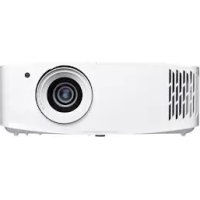
UHD35x - Projector OPTOMA - Free user manual and instructions
Find the device manual for free UHD35x OPTOMA in PDF.


| Product type | Projector |
| Brand | Optoma |
| Model | UHD35x |
| Technology | Texas Instruments DMD 0.47" 4K UHD X1 |
| Native resolution | 1920 x 1080 (Full HD) |
| Lens | Projection ratio: 1.50~1.66 ; Zoom: 1.1x ; Focal length: 15.84~17.44 mm |
| Image size | 33" to 300" |
| Projection distance | 1.2 ~ 9.9 m |
| Offset | 105% ±5% |
| Video inputs | HDMI 2.0 (x2), HDCP 2.2 |
| Other connectors | USB-A (5V 1.5 A), RS-232C, 3.5mm audio output, SPDIF, 12V relay |
| Speaker | 10W built-in |
| Power consumption | 300W max (Bright mode), 210W (Eco mode) |
| Dimensions (with feet) | 315 x 270 x 118 mm |
| Weight | 4.2 kg |
| Operating temperature | 5°C to 40°C, humidity 10% to 85% |
| Safety | Do not stare into beam (RG2); avoid electric shocks; do not block ventilation |
| Cleaning | Soft dry cloth for the casing; compressed air for the lens |
| Main functions | HDR10, HLG, HDR SIM., 3D, keystone correction, digital zoom, image shift |
| Image modes | Cinema, HDR, HLG, HDR SIM., Game, Reference, Bright, User, 3D, ISF Day/Night |
Frequently Asked Questions - UHD35x OPTOMA
User questions about UHD35x OPTOMA
0 question about this device. Answer the ones you know or ask your own.
Ask a new question about this device
Download the instructions for your Projector in PDF format for free! Find your manual UHD35x - OPTOMA and take your electronic device back in hand. On this page are published all the documents necessary for the use of your device. UHD35x by OPTOMA.
USER MANUAL UHD35x OPTOMA
natural_image
Line drawing of a projector with visible lens and control panel (no text or symbols)TABLE DES MATIÈRES
SÉCURITÉ .... 4
This Class B digital apparatus complies with Canadian ICES-003.
natural_image
Illustration of a projector with a lens and ventilation slots (no text or symbols)
natural_image
Coiled cable with connectors, no visible text or symbols
natural_image
Coiled HDMI cable with two connectors, labeled 'HDMI cable' below (no other text or symbols)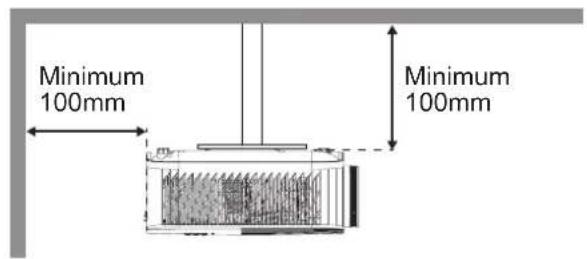
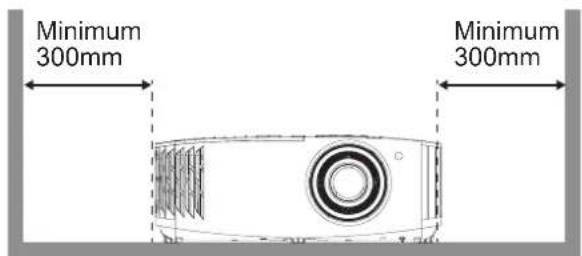
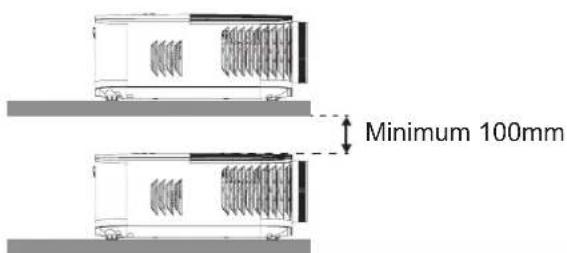
Remarque :
natural_image
Line drawing of a person sitting in a chair watching television from a desk (no text or symbols present)pport de plafond
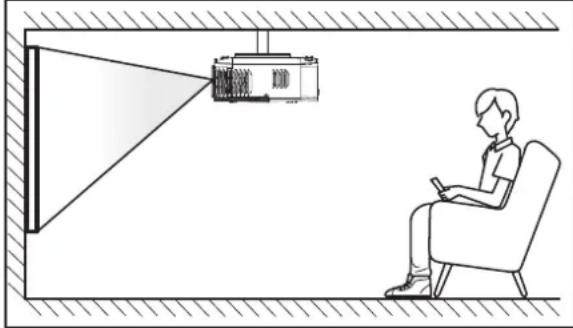
natural_image
Illustration of a person sitting in a chair watching a projector mounted on a wall, with no visible text or symbols.natural_image
Line drawing of a person sitting in a chair watching a projector, with no text or symbols present.upport de plafond
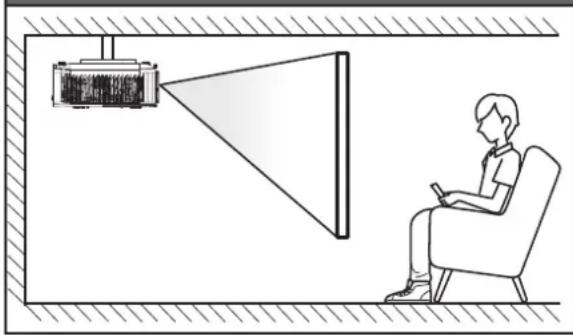
natural_image
Illustration of a person sitting in a chair watching a projector screen, with no text or symbols present.Marche
Table d'étirement UHD 4K:
natural_image
Five geometric diagrams showing rectangles and curved lines with grid patterns, no text or symbols present.Optoma Technology, Inc. 888-289-6786
47697 Westinghouse Drive. 510-897-8601
Fremont, Ca 94539 services@optoma.com
Canada
Optoma Technology, Inc. 888-289-6786
47697 Westinghouse Drive. 510-897-8601
Fremont, Ca 94539 services@optoma.com
Amérique Latine
Optoma Technology, Inc. 888-289-6786
47697 Westinghouse Drive. 510-897-8601
Fremont, Ca 94539 services@optoma.com
Europe
Unit 1, Network 41, Bourne End Mills
Hemel Hempstead, Herts,
HP1 2UJ, United Kingdom +44 (0) 1923 691 800
www.optoma.eu +44 (0) 1923 691 888
Téléphone: +44 (0)1923 691865 service@tsc-europe.
com
Benelux BV
Randstad 22-123 +31 (0) 36 820 0252
1316 BW Almere +31 (0) 36 548 9052
Les Pays-Bas
www.optoma.nl
France
https://www.optoma.com/kr/
Japon
https://www.optoma.com/jp/
Taiwan
https://www.optoma.com/tw/
Chine
Room 2001, 20F, Building 4,
No.1398 Kaixuan Road,
Changning District
Shanghai, 200052, China
Australie
https://www.optoma.com/au/

+86-21-62947376
+86-21-62947375
www.optoma.com.cn

Brand : OPTOMA
Model : UHD35x
Category : Projector