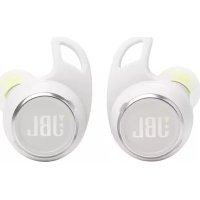
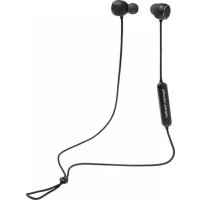
Reflect Aero - Earplug HARMAN KARDON - Free user manual and instructions
Find the device manual for free Reflect Aero HARMAN KARDON in PDF.


| Product Type | Wireless Earbuds (True Wireless) |
| Brand | Harman Kardon |
| Model | Reflect Aero |
| Speaker | Dynamic 6.8 mm |
| Earbud weight | 6.65 g per earbud (13 g total) |
| Charging case weight | 45 g |
| Earbud battery | Lithium-polymer 65 mAh / 3.85 V |
| Case battery | Lithium-polymer 400 mAh / 3.85 V |
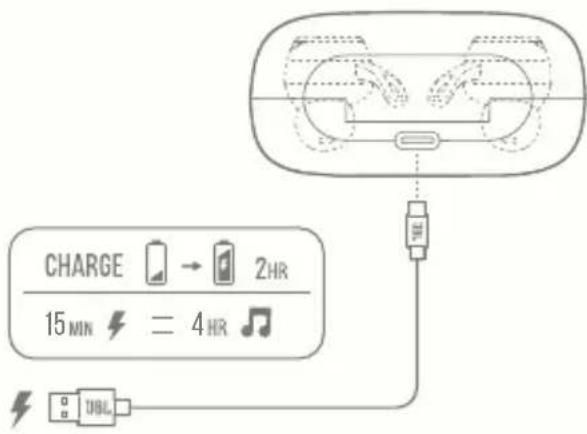
| Charging time | Less than 2 hours |
| Music playback time (ANC off) | Up to 8 hours |
| Music playback time (ANC on) | Up to 7 hours |
| Talk time (ANC off) | Up to 4.5 hours |
| Talk time (ANC on) | Up to 3.5 hours |
| Frequency response | 20 Hz - 20 kHz |
| Impedance | 16 ohms |
| Sensitivity | 105 dB SPL at 1 kHz |
| Bluetooth version | 5.2 |
| Active noise cancellation | Yes (ANC) |
| Water and dust resistance | IP68 |
| Multipoint connection | Up to 2 devices |
| Voice assistants | Google Assistant, Siri, Alexa (via app) |
| Control app | JBL Headphones |
| Controls | Touch (tap, hold), auto play/pause detection |
| Additional functions | Ambient Aware, TalkThru, VoiceAware |
| Maximum operating temperature | 45°C |
| Box contents | Earbuds, charging case, USB-C cable, ear tips of various sizes, user manual |
| Care and cleaning | Clean with a soft, dry cloth. Do not use solvents. Avoid excessive moisture on connectors. |
| Safety | Do not expose to extreme temperatures. Use only the provided antenna. Maintain a distance of 0 mm between the earbud and head to comply with RF standards. |
| Spare parts and repairability | The earbuds and case are not user-repairable. Contact customer service for replacements. |
Frequently Asked Questions - Reflect Aero HARMAN KARDON
User questions about Reflect Aero HARMAN KARDON
0 question about this device. Answer the ones you know or ask your own.
Ask a new question about this device
Download the instructions for your Earplug in PDF format for free! Find your manual Reflect Aero - HARMAN KARDON and take your electronic device back in hand. On this page are published all the documents necessary for the use of your device. Reflect Aero by HARMAN KARDON.
USER MANUAL Reflect Aero HARMAN KARDON
natural_image
Man performing a knee-length exercise outdoors, wearing athletic wear and striped pants (no visible text or symbols)REFLECTAERO
JBL
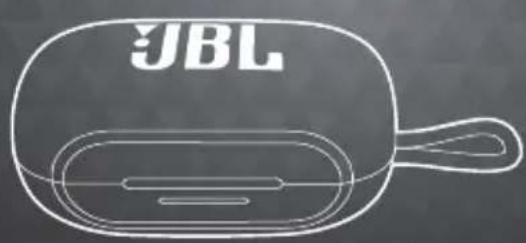
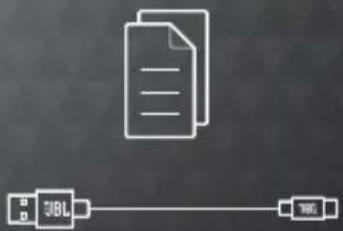
WHAT'S IN THE BOX




SCAN ME
S/M/LS/M/L
flowchart
graph LR
    A["Document"] --> B["URL"]
    B --> C["Server"]
APP
JBL HEADPHONES

GET EVEN MORE CONTROL AND PERSONALIZATION OF YOUR LISTENING EXPERIENCE WITH THIS FREE APP.

HOW TO WEAR
1 MIX AND MATCH FOR A PERFECT FIT AND AUDIO PERFORMANCE

flowchart
graph LR
    A["Ear removal"] --> B["Color change zone"]
    B --> C["Endoscopic implantation"]
    C --> D["Color range"]
S/M/LS/M/L
2
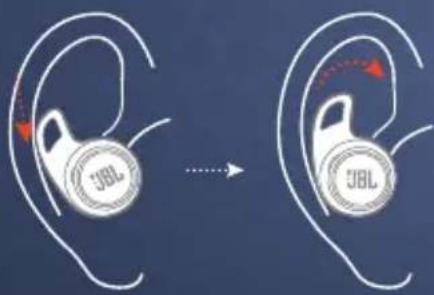
3
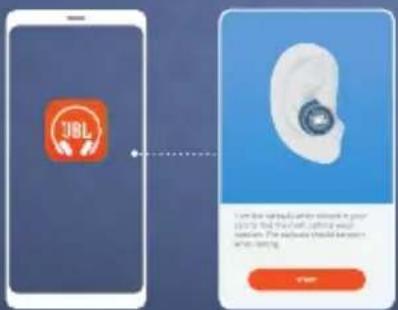
FIRST TIME USE
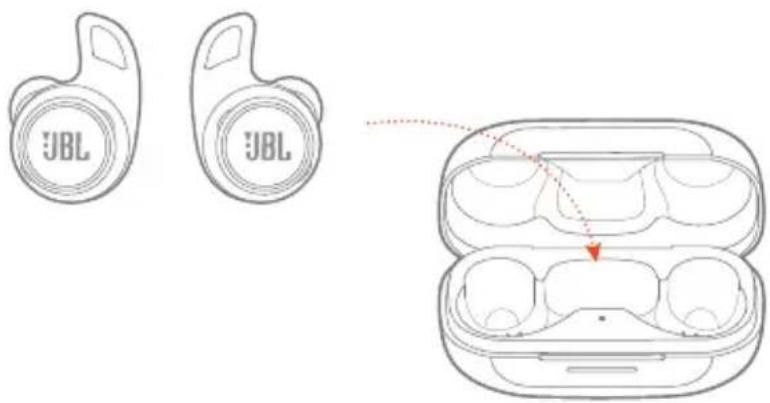

POWER
ON &
CONNECT
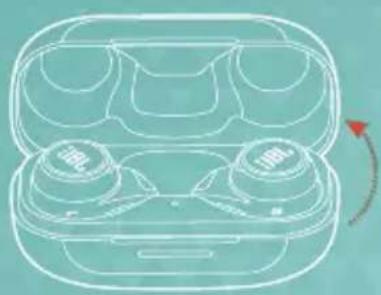
natural_image
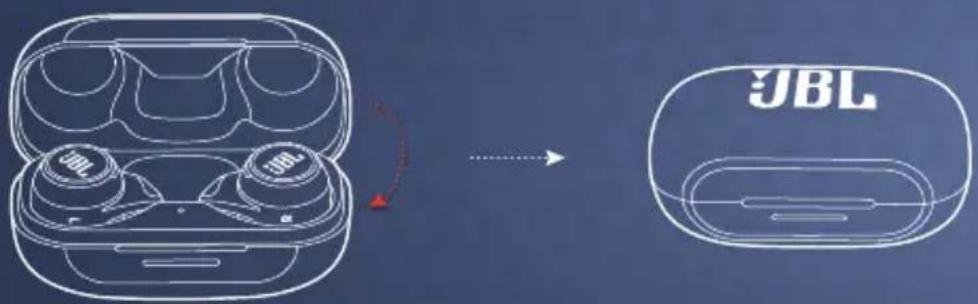
Line drawing of a wireless earbuds with two buttons and a red arrow indicating rotation (no text or symbols)


OTHERS ANDROID
< Settings
Bluetooth
Bluetooth
DEVICES
JBL REFLECT AERO
Now Discoverable


CHOOSE "JBL REFLECT AERO" TO CONNECT


Fast Pair• now
JBL REFLECT AERO
Tap to pair. Device will be tied to
Your Google Account


Fast Pair
DUAL CONNECT + SYNC

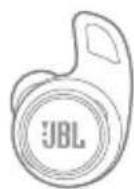
L
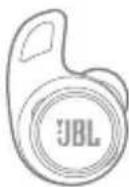
R
STEREO MODE
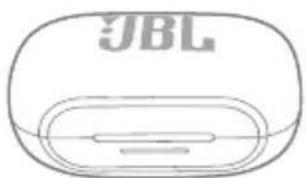
natural_image
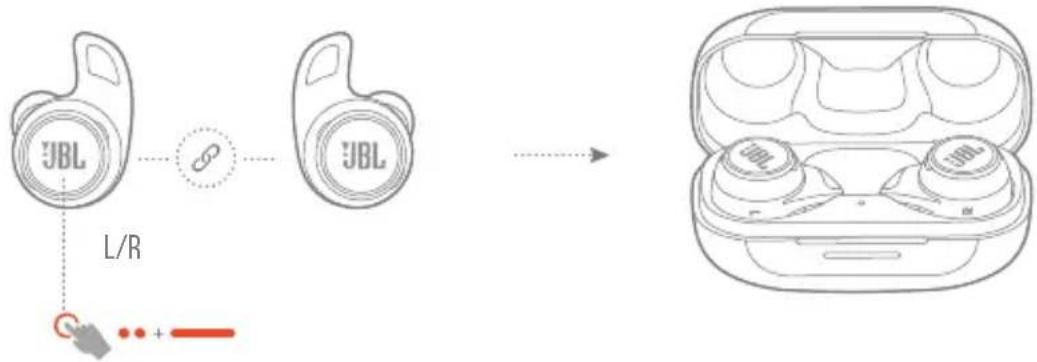
Line drawing of a JBL brand earbuds (no text or symbols)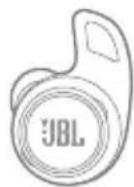
L/R
MONO MODE
MULTI-POINT CONNECTION
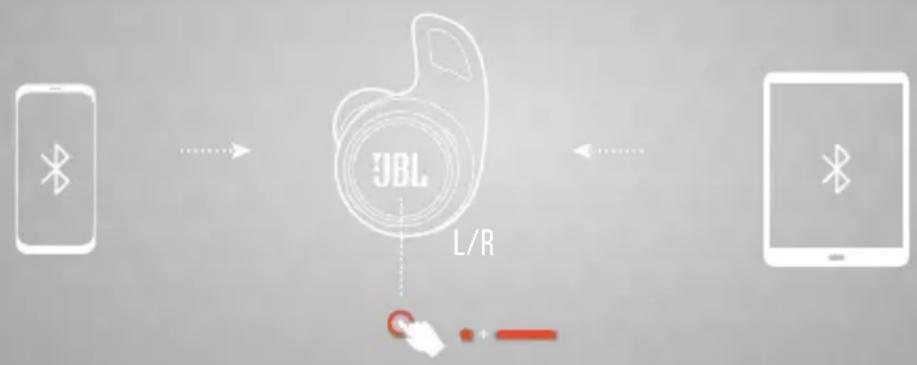
flowchart
graph LR
    A["Smartphone"] -->|Wireless Signal| B["JBL L/R"]
    B --> C["User Interface"]
    C --> D["Laptop"]
(MAXIMUM 2 DEVICES)
CONTROLS
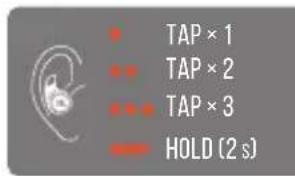
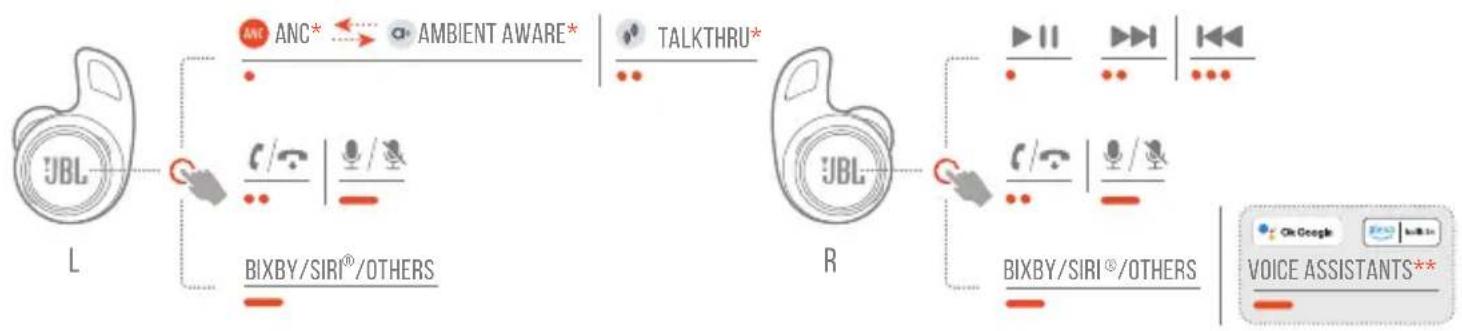
flowchart
graph LR
    L["JB L"] -->|ANC ANC* ↔ AMBIENT AWARE*| TALKTHRU["TALKTHRU*"]
    L -->|BIXBY/SIRI®/OTHERS| R["R"]
    R -->|TALKTHRU| VoiceAssistant1["Voice Assistants**"]
    R -->|BIXBY/SIRI®/OTHERS| VoiceAssistant2["Voice Assistants**"]
* ENABLE ADVANCE CONTROLS BY CONNECTING YOUR JBL REFLECT AERO TO JBL HEADPHONES APP 📄. ** ENABLE YOUR VOICE ASSISTANT THROUGH JBL HEADPHONES APP AND ASSIGN IT TO YOUR PREFERRED EARBUD (L/R).
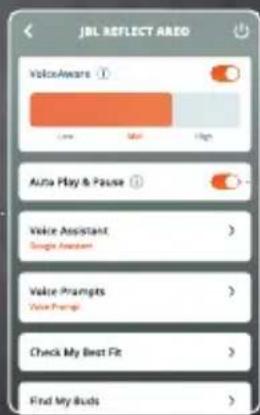
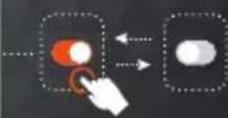
AUTO PLAY/PAUSE


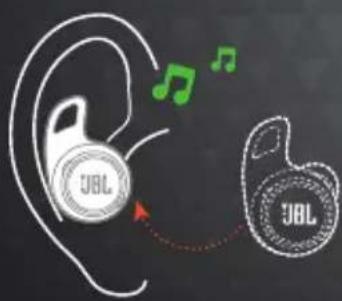

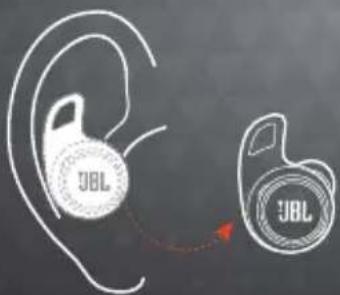
natural_image
Silhouette of a human head profile with ear and ear signals, showing sound waves (no text or symbols)
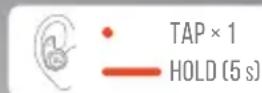
POWER OFF
FACTORY RESET

。
-
TAP×2
HOLD (5s)
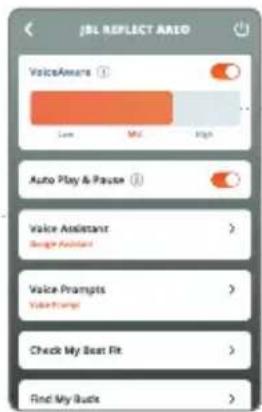
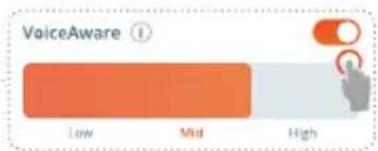
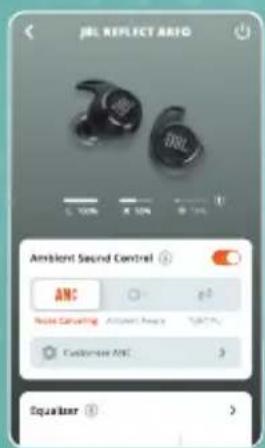
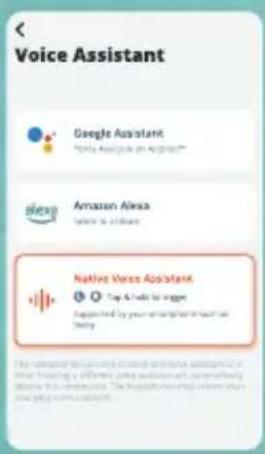
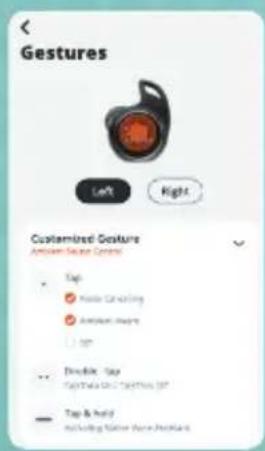
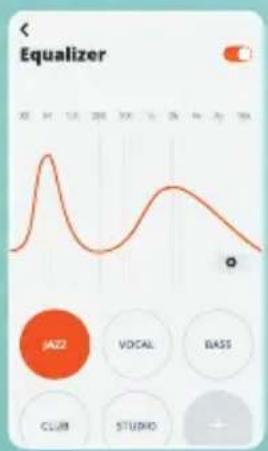
DO MORE WITH THE APP
line
| Time | Value | |------|-------| | 0 | 0 | | 1 | 1 | | 2 | 0 | | 3 | 1 | | 4 | 0 | | 5 | 1 | | 6 | 0 | | 7 | 1 | | 8 | 0 | | 9 | 1 | | 10 | 0 | | 11 | 1 | | 12 | 0 | | 13 | 1 | | 14 | 0 | | 15 | 1 | | 16 | 0 | | 17 | 1 | | 18 | 0 | | 19 | 1 | | 20 | 0 | | 21 | 1 | | 22 | 0 | | 23 | 1 | | 24 | 0 | | 25 | 1 | | 26 | 0 | | 27 | 1 | | 28 | 0 | | 29 | 1 | | 30 | 0 | | 31 | 1 | | 32 | 0 | | 33 | 1 | | 34 | 0 | | 35 | 1 | | 36 | 0 | | 37 | 1 | | 38 | 0 | | 39 | 1 | | 40 | 0 | | 41 | 1 | | 42 | 0 | | 43 | 1 | | 44 | 0 | | 45 | 1 | | 46 | 0 | | 47 | 1 | | 48 | 0 | | 49 | 1 | | 50 | 0 | | 51 | 1 | | 52 | 0 | | 53 | 1 | | 54 | 0 | | 55 | 1 | | 56 | 0 | | 57 | 1 | | 58 | 0 | | 59 | 1 | | 60 | 0 | | 61 | 1 | | 62 | 0 | | 63 | 1 | | 64 | 0 | | 65 | 1 | | 66 | 0 | | 67 | 1 | | 68 | 0 | | 69 | 1 | | 70 | 0 | | 71 | 1 | | 72 | 0 | | 73 | 1 | | 74 | 0 | | 75 | 1 | | 76 | 0 | | 77 | 1 | | 78 | 0 | | 79 | 1 | | 80 | 0 | | 81 | 1 | | 82 | 0 | | 83 | 1 | | 84 | 0 | | 85 | 1 | | 86 | 0 | | 87 | 1 | | 88 | 0 | | 89 | 1 | | 90 | 0 | | 91 | 1 | | 92 | 0 | | 93 | 1 | | 94 | 0 | | 95 | 1 | | 96 | 0 | | 97 | 1 | | 98 | 0 | | 99 | 1 | | Note: The actual values are not explicitly provided in the code. The code does not provide the exact values from the data. I have left blank text in the code.HANDS-FREE VOICE CONTROL
GET MORE DONE ON THE GO. SAY "OK GOOGLE" TO GET STARTED.
"Play my Workout playlist" "Turn on noise cancellation" "Turn off ambient mode" "What's my schedule today?" "Set an alarm for 7 AM"
NOTE: ONLY AVAILABLE ON ANDROID™

HANDS-FREE VOICE CONTROL
ASK ALEXA TO PLAY MUSIC, ANSWER QUESTIONS, PLAY THE NEWS, CHECK THE WEATHER, SET ALARMS, CONTROL COMPATIBLE SMART HOME DEVICES, AND MORE.
"Alexa, play today's hits"
"Alexa, volume up."
"Alexa, skip this song."
"Alexa, what's the weather?"
"Alexa, turn off the TV."
"Alexa, start my commute"
alexa
built-in
NOTE: ANDROID™ 6.0 OR HIGHER IS REQUIRED FOR FULL ACCESS TO ALEXA FEATURES WHEN USING THIS DEVICE. ALEXA ISN'T AVAILABLE IN ALL LOCATIONS.
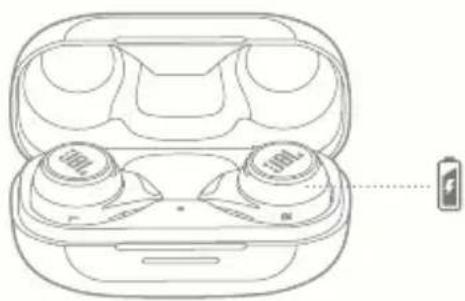
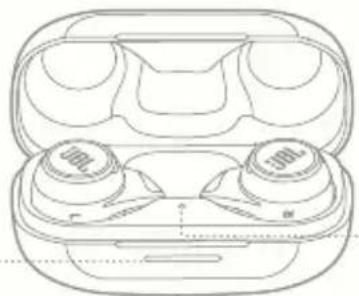
CHARGING
natural_image
Line drawing of an open wireless earbuds with two 100 μF brand lights, one emitting a battery (no text or symbols)WATERPROOF & DUSTPROOF IP68


natural_image
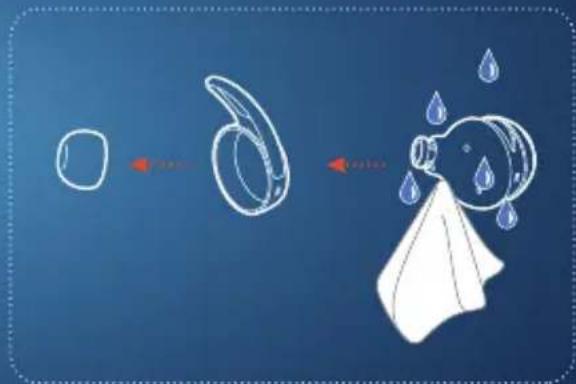
Illustration of a JBL water droplet with an arrow indicating flow or movement (no text or symbols)
natural_image
Illustration of a JBL water droplet with an arrow indicating flow or movement (no text or symbols)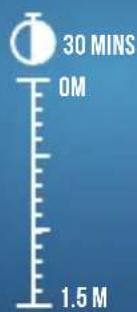
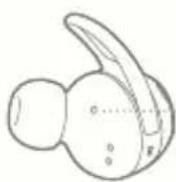
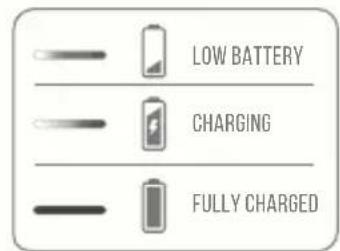
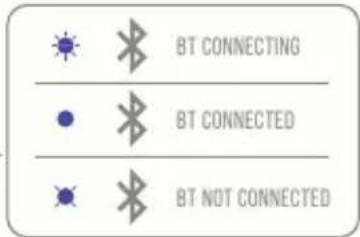
LED BEHAVIORS

natural_image
Line drawing of a wireless earbuds with two 300μF capacitors (no text or symbols)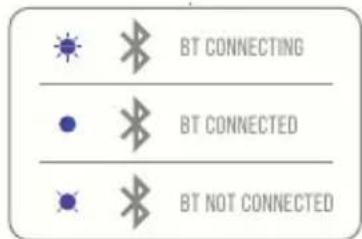
TECH SPEC
Model: REFLECT AERO
Driver size: 6.8 mm/0.268" Dynamic Driver
Power supply: 5 V
1A
Earbud: 6.65 g per pc (13 g combined)/
0.0147 lbs per pc (0.029 lbs combined)
Charging case: 45 g/ 0.099 lbs
Earbud battery type: Lithium-ion polymer (65 mAh/ 3.85 V)
Charging case battery type: Lithium-ion polymer (400 mAh/ 3.85 V)
Charging time: < 2 hrs from empty
Talk time with ANC on: up to 3.5 hrs
Talk time with ANC off: up to 4.5 hrs
Music playtime with BT on and ANC off: up to 8 hrs
Music playtime with BT on and ANC on: up to 7 hrs
Frequency response: 20 Hz - 20 kHz
Impedance: 16 ohm
Sensitivity:
105 dB SPL@1 kHz
Maximum SPL: 94 dB
Microphone sensitivity:
-38 dBV/Pa@1 kHz
Bluetooth version:
5.2
Bluetooth profile version:
A2DP V1.3, AVRCP V1.6, HFP V1.8
Bluetooth transmitter
2.400 GHz - 2.4835 GHz
frequency range:
Bluetooth transmitter power: < 10 dBm
Bluetooth transmitter modulation:
Maximum operation temperature:
45°C

FRD
CONTENU DE LA BOÎTE APPLICATION
A2DP V1.3, AVRCP V1.6, HFP V1.8
2,400 GHz - 2,4835 GHz
< 10 dBm
HVAD ER DER I AESKEN
APP
ANC (Aktives Noise-Cancelling)*
Ambient Aware
(Umgebungsbewusst)*
A2DP V1.3, AVRCP V1.6, HFP V1.8
2,400 GHz - 2,4835 GHz
< 10 dBm
LED-MERKKIVALON TOIMINNOT
Akun varaus vähissä
Latautuu
Täysin ladattu
A2DP V1.3, AVRCP V1.6, HFP V1.8
2,400 GHz - 2,4835 GHz
< 10 dBm
WATERPROOF & DUSTPROOF
IP68
A2DP V1.3, AVRCP V1.6, HFP V1.8
2,400 GHz - 2,4835 GHz
< 10 dBm
DETTA FINNS I LÄDAN APP
FLERPUNKTSANSLUTNING
Max 2 enheter
A2DP V1.3, AVRCP V1.6, HFP V1.8
2,400 GHz - 2,4835 GHz
< 10 dBm
Lityum-iyon polimer (65 mAh/ 3,85 V)
Lityum-iyon polimer (400 mAH/ 3,85 V)
A2DP V1.3, AVRCP V1.6, HFP V1.8
2,400 GHz - 2,4835 GHz
< 10 dBπ
0.0147 lbs (一副 0.029 lbs)
45 g/0.099 lbs
锂离子聚合物(65mAh/3.85V)
锂离子聚合物(400mAh/3.85V)
2小时以内(从空电量到
充满)
(二)本
长达3.5小时
The Ground Truth image displays a single, solid horizontal line. According to Rule 2 (UNDERSCORE & LINE RULES), this is a stylistic or background line, not a placeholder underscore. Therefore, the OCR result must ignore it and output nothing or only meaningful text. The provided OCR content is "____", which consists of four underscores. This is an incorrect interpretation of the line as a placeholder, violating the rule that stylistic lines must be ignored. The OCR has hallucinated placeholder underscores where none exist in the GT. Hence, the OCR result is inconsistent with the Ground Truth.
长达4.5小时
续航长达8小时
长达7小时
20 Hz - 20 kHz
16 ohm
105 dB SPL@1 kHz
94 dB
-38 dBV/Pa@1 kHz
5.2
A2DP V1.3, AVRCP V1.6, HFP V1.8
2.400 GHz - 2.4835 GHz
< 10 dBm
0.0147 lbs (兩隻 0.029 lbs)
45 g/ 0.099 lbs
聚合體鋰離子電池(65mAh/
3.85V)
聚合體鋰離子電池(400mAh/
3.85 V)
從電量耗盡開始不到2小時
長達3.5小時
長達4.5小時
長達7小時
20 Hz - 20 kHz
16歐姆
105 dB SPL@1 kHz
94 dB
-38 dBV/Pa@1 kHz
5.
A2DP V1.3、AVRCP V1.6、HFP V1.8
2.400 GHz - 2.4835 GHz
< 10 dBm
KEGUNAAN LAIN APLIKASI
MENGISI DAYA
TAHAN AIR & TAHAN DEBU IP68
POLA LED
Daya baterai lemah
Mengisi daya
Daya terisi penuh
BT menyambungkan
BT Tersambung
BT tidak tersambung
SPESIFIKASI TEKNIS
Model:
Ukuran driver:
Catu daya:
Earbud:
Casing pengisi daya:
Tipe baterai earbud:
Tipe baterai casing pengisi daya:
Lama pengisian daya
A2DP V1.3, AVRCP V1.6, HFP V1.8
2,400–2,4835 GHz
< 10 dBm
한쪽 0.0147lbs(양쪽 0.029lbs)
45 g/0.099 lbs
A2DP V1.3, AVRCP V1.6, HFP V1.8
2.400GHz\~2.4835GHz
<10dBm
HANDSFREE-RÖSTSTYRNING
"Aktivera brusreducering"
The SAR limit of Canada (C) is 1.6 W/kg averaged over one gram of tissue. Device types: (IC: 6132A-REFLECTAERO) has also been tested against this SAR limit. According to this standard, the highest SAR value reported during product certification for head use is 0.86W/Kg.
The device was tested for typical bodily operations where the product was kept 0 mm from the head. To maintain compliance with IC RF exposure requirements, use accessories that maintain a separation distance of 0mm between the user's head and the back of the headset. The use of belt clips, holsters and similar accessories shall not contain metal parts in its assembly. Use of accessories that do not meet these requirements may not comply with IC RF exposure requirements and should be avoided.
Head operation
The device was subjected to a typical head manipulation test. In order to comply with RF exposure requirements, a minimum separation distance of 0 cm must be maintained between the user's ear and the product (including the antenna). Head exposure that do not meet these requirements may not meet RF exposure requirements and should be avoided. Use only the supplied or approved antenna.
IC: 6132A-REFLECTAERO
DO NOT ATTEMPT TO OPEN, SERVICE, OR DISASSEMBLE THE BATTERY | DO NOT SHORT CIRCUIT | MAY EXPLODE IF DISPOSED OF IN FIRE | RISK OF EXPLOSION IF BATTERY IS REPLACED BY AN INCORRECT TYPE | DISPOSE OR RECYCLE USED BATTERIES ACCORDING TO THE INSTRUCTIONS
The Bluetooth® word mark and logos are registered trademarks owned by Bluetooth SIG, Inc. and any use of such marks by HARMAN International Industries, Incorporated is under license. Other trademarks and trade names are those of their respective owners.

Ok Google
Google, Android and Google Play are trademarks of Google LLC.

built-in
Amazon, Alexa, Amazon Music, and all related logos are trademarks of Amazon, Inc. or its affiliates.
HP_JBL_Reflect AERO_QSG_Global_SOP_V14
- WHAT'S IN THE BOX
- APP
- JBL HEADPHONES
- HOW TO WEAR
- FIRST TIME USE
- POWER
- ON &
- CONNECT
- DUAL CONNECT + SYNC
- MULTI-POINT CONNECTION
- CONTROLS
- AUTO PLAY/PAUSE
- POWER OFF
- FACTORY RESET
- DO MORE WITH THE APP
- HANDS-FREE VOICE CONTROL
- CHARGING
- WATERPROOF & DUSTPROOF IP68
- LED BEHAVIORS
- TECH SPEC
- FRD
- CONTENU DE LA BOÎTE APPLICATION
- HVAD ER DER I AESKEN
- LED-MERKKIVALON TOIMINNOT
- WATERPROOF & DUSTPROOF
- IP68
- DETTA FINNS I LÄDAN APP
- FLERPUNKTSANSLUTNING
- MENGISI DAYA
- POLA LED
- SPESIFIKASI TEKNIS
- HANDSFREE-RÖSTSTYRNING
- Head operation
- IC: 6132A-REFLECTAERO
- Ok Google
- built-in
Brand : HARMAN KARDON
Model : Reflect Aero
Category : Earplug