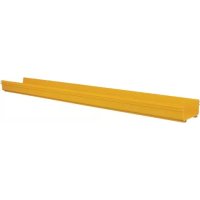
SmartRack SRFC10STR72 - Electrical conduit Tripp Lite - Free user manual and instructions
Find the device manual for free SmartRack SRFC10STR72 Tripp Lite in PDF.


| Product Type | U-shaped Straight Section for Fiber Optic Cable Tray |
| Brand | Tripp Lite |
| Model | SmartRack SRFC10STR72 |
| Category | Electrical Conduit, Cable Tray |
| Height | 118 mm (4.6 in) |
| Interior Width | 241 mm (9.5 in) |
| Length | 182.88 cm (72 in) |
| Material | High-Strength Steel |
| Color | Black |
| Installation | Manual fastening with screws and nuts, tool-free |
| Compatibility | 240 mm (10 in) system with Tripp Lite SRFC10 series accessories |
| Included Accessories | None (accessories sold separately) |
| Main Function | Horizontal routing of fiber optic cables |
| Certifications | EAC |
| Country of Origin | United States |
| Warranty | Tripp Lite Limited Warranty |
Frequently Asked Questions - SmartRack SRFC10STR72 Tripp Lite
User questions about SmartRack SRFC10STR72 Tripp Lite
0 question about this device. Answer the ones you know or ask your own.
Ask a new question about this device
Download the instructions for your Electrical conduit in PDF format for free! Find your manual SmartRack SRFC10STR72 - Tripp Lite and take your electronic device back in hand. On this page are published all the documents necessary for the use of your device. SmartRack SRFC10STR72 by Tripp Lite.
USER MANUAL SmartRack SRFC10STR72 Tripp Lite
Straight Channel Section for Fiber Routing System
Models:SRFC5STR48,SRFC5STR72,SRFC10STR48,SRFC10STR72
Register your product today and be automatically entered to win an ISOBAR® surge protector in our monthly drawing!
triplite.com/warranty



Manufacturing Excellence.
Parts List
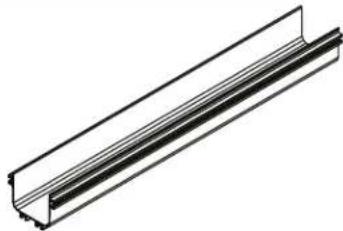
Straight Channel Section, x1
Models and Dimensions
Before proceeding with installation, first confirm your model and dimensions.
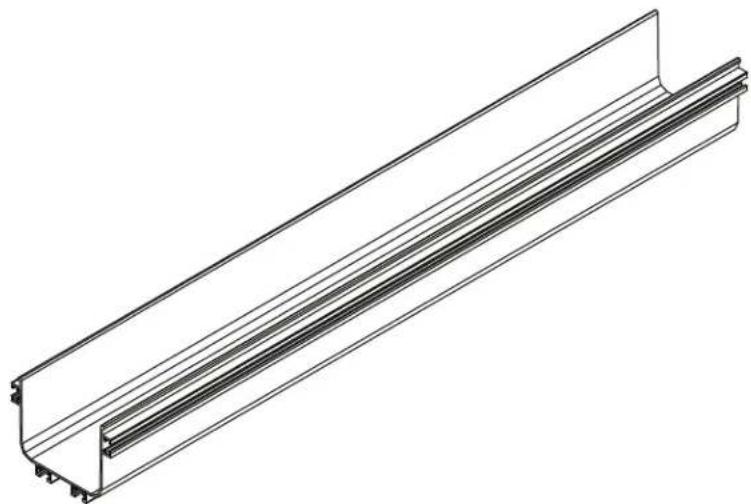
| Model Cross-Sectional View Height Interior Width Length | ||||
| SRFC5STR48 | 4.6 in. (118 mm) | 4.8 in. (120 mm) | 48 in. (1219 mm) | |
| SRFC5STR72 | 4.6 in. (118 mm) | 4.8 in. (120 mm) | 72 in. (1829 mm) | |
| SRFC10STR48 | 4.6 in. (118 mm) | 9.5 in. (241 mm) | 48 in. (1219 mm) | |
| SRFC10STR72 | 4.6 in. (118 mm) | 9.5 in. (241 mm) | 72 in. (1829 mm) | |
Additional Accessories
All accessories are sold separately.
| Accessory Model Number | Accessory Description and Function | |
| 5 in. (120 mm) System | 10 in. (240 mm) System | |
| SRFC5CPL5 SRFC10 | CPL10 Coupler Kit to Connect Channels and Fittings | |
| SRFC5RAMP SRFC10 | ORAMP Up/Down Ramp to Change Level of a Horizontal Run | |
| SRFC5ELBOW SRFC10 | OELBOW 90-Degree Fitting to Create Elbow in a Horizontal Run | |
| SRFC5JUNT SRFC10 | JUNT T-Shaped Fitting to Create 90-Degree Branch from a Straight Run | |
| SRFC5JUNT4 SRFC10 | OJUNT4 4-Way Cross Fitting to Create a Junction with 2 Horizontal Exits | |
| SRFC5DROP SRFC10 | ODROP | Trumpet Drop-Out Kit to Limit Bend Radius at an Exit from a Channel, Horizontal T or Vertical T |
| SRFC4WTRFL | Movable Waterfall Adapter to Enable Cable to Cascade over the Side at a Horizontal Exit | |
| SRFC4WTRFL36 | Movable Waterfall Adapter with Pipe to Enable Cable to Cascade over the Side into 36 in. Corrugated Plastic Pipe at a Horizontal Exit | |
| SRFC4WTRFL48 | Movable Waterfall Adapter with Pipe to Enable Cable to Cascade over the Side into 48 in. Corrugated Plastic Pipe at a Horizontal Exit | |
| SRFC5CAP SRFC10 | CAP | End Cap Kit to Close off the End of a Channel for a Professional, Finished Look |
| SRFC5CPL10 | Adapter to Combine 5 in. (120 mm) Components with 10 in. (240 mm) Components | |
Installation
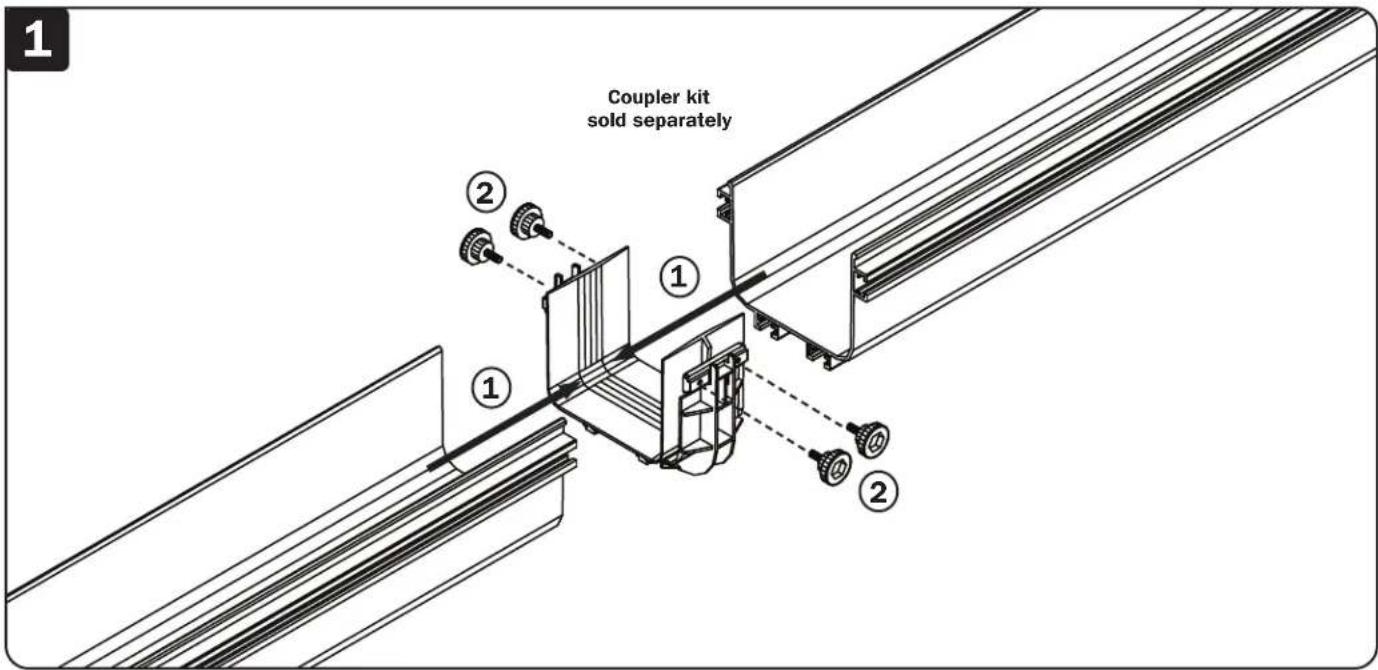
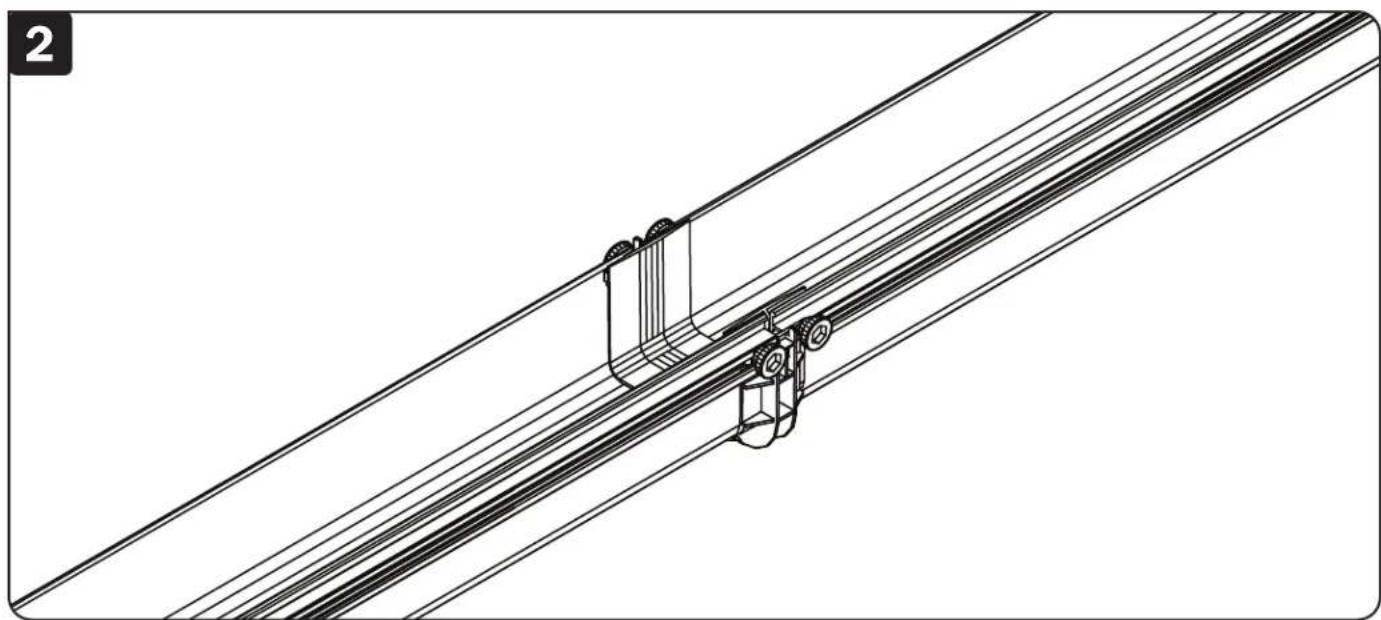
Straight channel sections carry fiber cables horizontally through the system. Connect to additional straight channel sections or other fittings using SRFC5CPL5 or SRFC10CPL10 couplers, sold separately. Tighten screws and nuts by hand, no tools necessary.
Tripp Lite has a policy of continuous improvement. Specifications are subject to change without notice. Photos and illustrations may differ slightly from actual products.


Manufacturing Excellence.
1111 W. 35th Street, Chicago, IL 60609 USA · triplite.com/support
Guía de Instalación
1111 W. 35th Street, Chicago, IL 60609 USA • triplite.com/support
1111 W. 35th Street, Chicago, IL 60609 USA • triplite.com/support
20-01-05193-50D6
1111 W. 35th Street, Chicago, IL 60609 USA • tripplite.com/support
1111 W. 35th Street, Chicago, IL 60609 USA - triplite.com/support
20-01-05193-50D6
Brand : Tripp Lite
Model : SmartRack SRFC10STR72
Category : Electrical conduit