P56701M - Computer and peripheral cables Tripp Lite - Free user manual and instructions
Find the device manual for free P56701M Tripp Lite in PDF.


User questions about P56701M Tripp Lite
0 question about this device. Answer the ones you know or ask your own.
Ask a new question about this device
Download the instructions for your Computer and peripheral cables in PDF format for free! Find your manual P56701M - Tripp Lite and take your electronic device back in hand. On this page are published all the documents necessary for the use of your device. P56701M by Tripp Lite.
USER MANUAL P56701M Tripp Lite
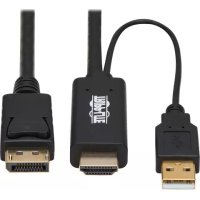
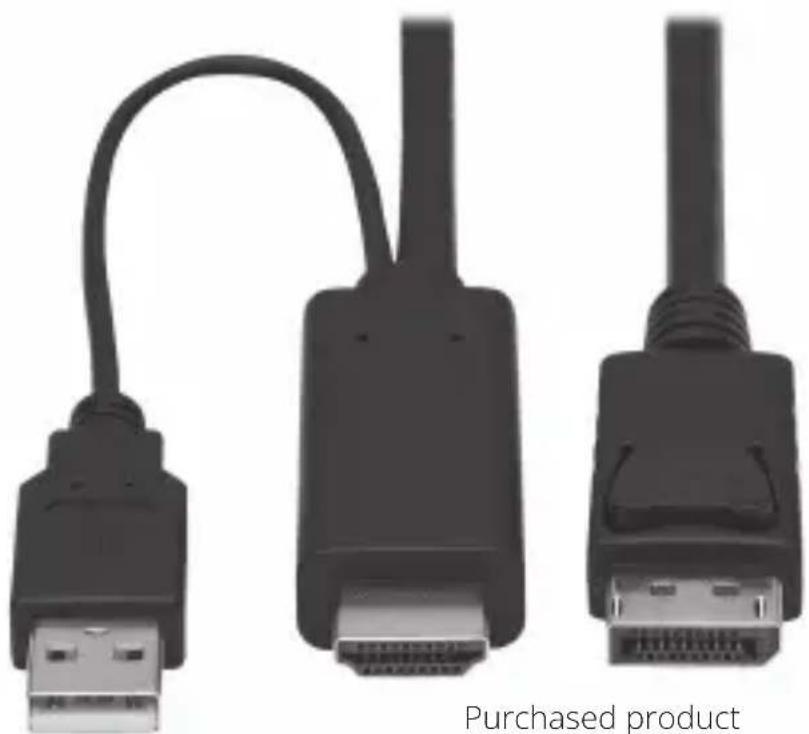
HDMI to DisplayPort 1.2 Active Cable
Models: P567-01M P567-02M
natural_image
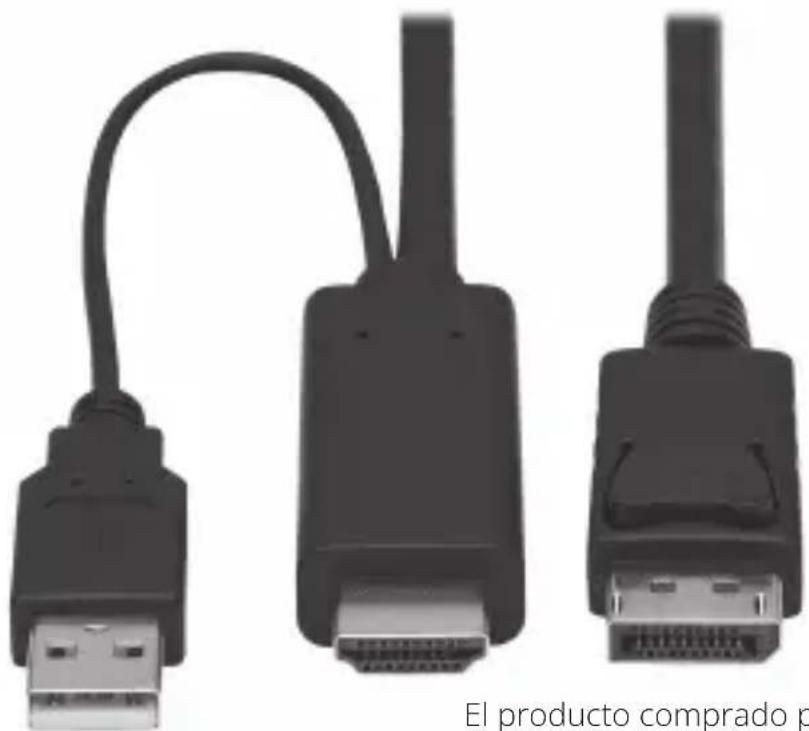
Three black USB connectors with attached cable, labeled 'Purchased product' below (no other text or symbols)Purchased product may differ from image.
Español 5
Français 9
Deutsch 13
Italiano 17
EAT•N
Powering Business Worldwide
Product Features
- DisplayPort 1.2 cable connects an HDMI audio/video source device to a DisplayPort display device
• Supports true 4K video resolutions up to 4096 x 2160 @ 30 Hz
• Supports 7.1-channel surround sound audio - Bus-powered through USB connection, but USB-A port allows additional power connection if needed
- Plug-and-play operation with no software required for easy, immediate installation
Package Contents
• P567-01M or P567-02M Cable
- Owner's Manual
System Requirements
- Source device (computer, media server, Blu-ray player, etc.) with HDMI output
- Display device (monitor, television, projector) with DisplayPort input
Installation
Note: Make sure all devices you are connecting are powered off before installation.
- Connect the cable's HDMI plug to the source's HDMI output.
- Connect the cable's DisplayPort plug to the monitor's DisplayPort input.
- Power on both the source and the display.
- Optional: If more power is required than the source provides, connect the built-in USB cable to an available USB-A port on the source.
Specifications
| Specification Value | |
| Input Ports HDMI (Male) | USB-A (Male: for power only) |
| Output Port DisplayPort (Male) | |
| Operating Temperature | 32° to 158°F / 0° to 70°C |
| Storage Temperature 14° to 176°F / -10° to 80°C | |
| Operating Humidity 10 to 85% RH, Non-Condensing | |
| Storage Humidity 5 to 90% RH, Non-Condensing | |
| Max Video Resolutions | 4096 x 2160 @ 30 Hz |
Warranty
2-Year Limited Warranty
We warrant our products to be free from defects in materials and workmanship for a period of two (2) years from the date of initial purchase. Our obligation under this warranty is limited to repairing or replacing (at its sole option) any such defective products. Visit Tripplite.Eaton.com/support/product-returns before sending any equipment back for repair. This warranty does not apply to equipment which has been damaged by accident, negligence or misapplication or has been altered or modified in any way.
EXCEPT AS PROVIDED HEREIN, WE MAKE NO WARRANTIES, EXPRESS OR IMPLIED, INCLUDING WARRANTIES OF MERCHANTABILITY AND FITNESS FOR A PARTICULAR PURPOSE. Some states do not permit limitation or exclusion of implied warranties; therefore, the aforesaid limitation(s) or exclusion(s) may not apply to the purchaser.
EXCEPT AS PROVIDED ABOVE, IN NO EVENT WILL WE BE LIABLE FOR DIRECT, INDIRECT, SPECIAL, INCIDENTAL OR CONSEQUENTIAL DAMAGES ARISING OUT OF THE USE OF THIS PRODUCT, EVEN IF ADVISED OF THE POSSIBILITY OF SUCH DAMAGE. Specifically, we are not liable for any costs, such as lost profits or revenue, loss of equipment, loss of use of equipment, loss of software, loss of data, costs of substitutes, claims by third parties, or otherwise.
Eaton has a policy of continuous improvement. Specifications are subject to change without notice. Photos and illustrations may differ slightly from actual products.

Eaton
1000 Eaton Boulevard Cleveland, OH 44122 United States Eaton.com
© 2024 Eaton All Rights Reserved Publication No. 23-09-182 / 93-3D38_RevA March 2024
Eaton is a registered trademark.
All trademarks are property of their respective owners.
Cable Activo HDMI a DisplayPort 1.2
Modelos: P567-01M P567-02M
Powering Business Worldwide
Powering Business Worldwide
Eaton
Powering Business Worldwide
Powering Business Worldwide
Eaton
1000 Eaton Boulevard
Cleveland, OH 44122
États-Unis
Eaton.com
© 2024 Eaton
Powering Business Worldwide
Produktmerkmale
Powering Business Worldwide
Eaton
natural_image
Close-up of three black USB connectors with a curved cable, no text or symbols visiblePowering Business Worldwide
Powering Business Worldwide
Eaton
1000 Eaton Boulevard Cleveland, OH 44122 Stati Uniti Eaton.com