LEVELONE FCS5096 - Camera

FCS5096 - Camera LEVELONE - Free user manual and instructions

Find the device manual for free FCS5096 LEVELONE in PDF.

📄 38 pages English EN Download 💬 AI Question 10 questions ⚙️ Specs
Notice LEVELONE FCS5096 - page 3
Pick your language and provide your email: we'll send you a specifically translated version.
Product typeIP network camera
BrandLevelOne
ModelFCS5096
Dimensions (L x W x H)Approx. 70 x 70 x 150 mm
WeightApprox. 500 g
Power supplyPoE (Power over Ethernet) 802.3af
ResolutionUp to 5 megapixels (estimated)
Night visionYes, with built-in infrared LED
View angleApprox. 90° (estimated)
ConnectivityEthernet 10/100 Base-T
Main functionsIP surveillance, SADP tool for network configuration, access via web browser, motion detection
Network configurationDefault IP address 192.168.1.64, DHCP enabled by default
SecurityStrong password recommended (minimum 8 characters with uppercase, lowercase, numbers, special characters)
Maintenance and cleaningClean with a soft, dry cloth. Do not use solvents.
Spare parts and repairabilitySpare parts not provided. Repair by a qualified professional.
General informationUser manual available for download at notice-facile.com

Frequently Asked Questions - FCS5096 LEVELONE

How to activate the LevelOne FCS5096 camera?
Use the SADP tool to search for the camera on the network. Select it from the list, then click Activate. Set a strong password (minimum 8 characters including uppercase, lowercase, numbers, and special characters).
What is the default password of the camera?
There is no default password. The camera must be activated via the SADP tool by setting a strong password.
How to access the camera from a web browser?
Open a web browser and enter the camera's IP address (default 192.168.1.64). Log in with the administrator username and the password set during activation.
What to do if the camera does not appear in the SADP tool?
Check that the camera is powered on and connected to the same subnet as your computer. SADP automatically scans every 15 seconds. Wait up to 15 seconds after powering on.
How to change the camera's IP address?
In the SADP tool, select the camera from the list. In the right panel, modify the IP address, subnet mask, and gateway. Enter the administrator password and click Save.
Why is the plug-in installation necessary?
To view the live video stream and use some features via the browser, a specific plug-in must be installed. Follow the installation instructions provided after logging in.
How to reset the camera to factory settings?
The manual does not specify a reset procedure. Consult the full manual or contact LevelOne technical support.
What are the prerequisites for using the SADP tool?
The SADP tool is installation-free and works on Windows. It searches for active devices on the same subnet as your computer.
How to ensure the security of the camera?
Use a strong password for the administrator account. Delete unnecessary user accounts and configure permissions correctly.
What to do in case of forgotten password?
The manual does not mention a recovery procedure. It may be necessary to contact LevelOne support or perform a hardware reset (if available).

User questions about FCS5096 LEVELONE

0 question about this device. Answer the ones you know or ask your own.

Ask a new question about this device

The email remains private: it is only used to notify you if someone responds to your question.

No questions yet. Be the first to ask one.

Download the instructions for your Camera in PDF format for free! Find your manual FCS5096 - LEVELONE and take your electronic device back in hand. On this page are published all the documents necessary for the use of your device. FCS5096 by LEVELONE.

USER MANUAL FCS5096 LEVELONE

natural_image Abstract geometric pattern composed of blue squares forming a stylized 'T' shape (no text or symbols)

LEVELONE FCS5096 - 1

Network Camera

Quick Installation Guide v1.0

English

Português

Deutsch

Русский

Français

Polski

Español

Ελληνικά

Italiano

Table of Contents

English....3

Deutsch....7

Français 11

Español....15

Italiano 19

Ελληνικά 23

Português 27

Русский 31

Polski 35

Package Contents

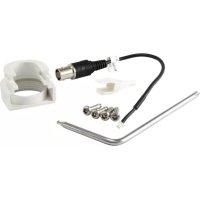
▶ Network Camera
CD Manual/Utility
▶ Quick Installation Guide

English

- Search tool of SADP

SADP is a kind of user-friendly and installation-free online device search tool. It searches the active online devices within your subnet and displays the information of the devices. You can also modify the basic network information of the devices using this software.

- Search Active devices online

◆ Search online devices automatically

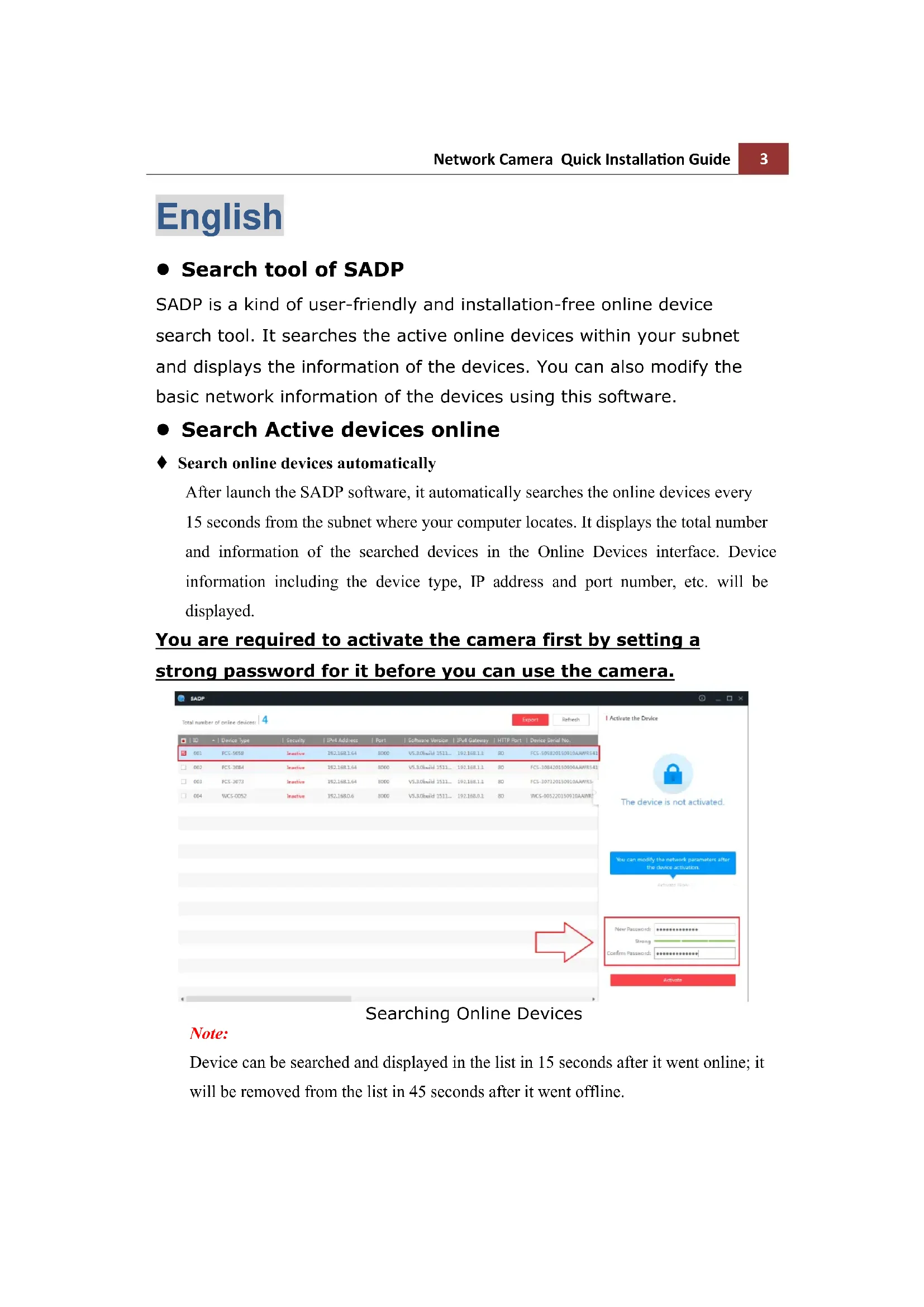
After launch the SADP software, it automatically searches the online devices every 15 seconds from the subnet where your computer locates. It displays the total number and information of the searched devices in the Online Devices interface. Device information including the device type, IP address and port number, etc. will be displayed.

You are required to activate the camera first by setting a strong password for it before you can use the camera.
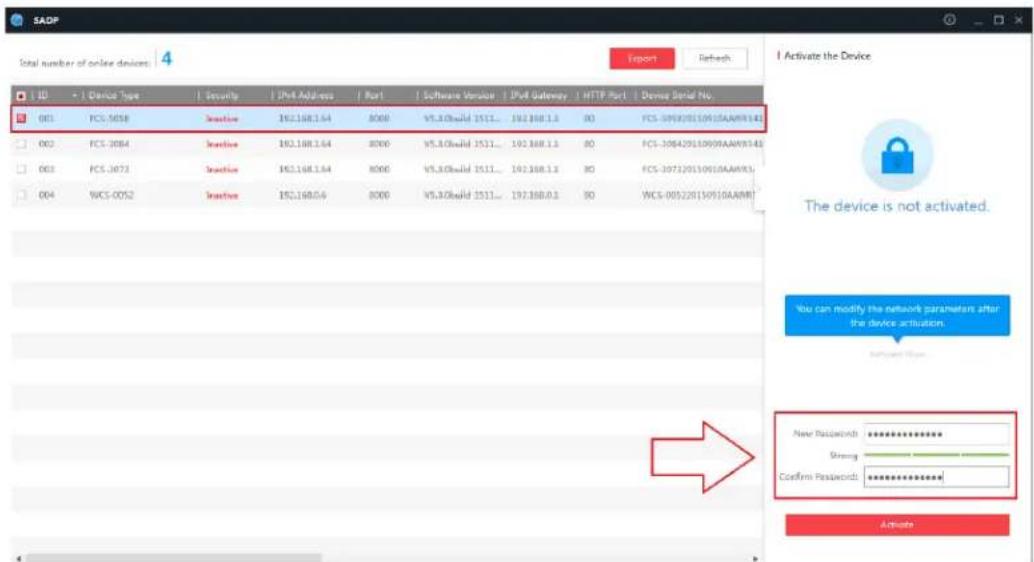
LEVELONE FCS5096 - You are required to activate the camera first by setting a strong password for it before you can use the camera. - 1

text_image SADP Total number of online devices 4 Export Refresh ID + | Device Type | Security IP# Address | Port | Software Version | IP# Gateway | HTTP Port | Demo Serial No. 001 FCS-5058 Setecio 192.168.1.64 8000 V5.3.0build 1511... 192.168.1.3 80 PCS-505820150910AAAMR142 002 FCS-3084 Setecio 192.168.1.64 8000 V5.3.0build 1511... 192.168.1.3 80 PCS-30842015090AAAMR142 003 FCS-3073 Setecio 192.168.1.64 8000 V5.3.0build 1511... 192.168.1.3 80 PCS-307320150910AAAMR1 004 WCS-0052 Setecio 192.168.0.6 8000 V5.3.0build 1511... 192.168.0.3 80 WCS-005220150910AAAMR I Activate the Device The device is not activated. You can modify the network parameters after the device activation. New Password: ************ Binary: ************ Confirm Password: ************ Activate

Searching Online Devices

Note:

Device can be searched and displayed in the list in 15 seconds after it went online; it will be removed from the list in 45 seconds after it went offline.

LEVELONE FCS5096 - Note: - 1

- For your privacy and to better protect your system against security risks, we strongly recommend the use of strong passwords for all functions and network devices. The password should be something of your own choosing (using a minimum of 8 characters, including at least three of the following categories: upper case letters, lower case letters, numbers and special characters) in order to increase the security of your product.

- Proper configuration of all passwords and other security settings is the responsibility of the installer and/or end-user.

- Modify network parameters

Steps:

  1. Select the device to be modified in the device list and the network parameters of the device will be displayed in the Modify Network Parameters panel on the right side.

  2. Edit the modifiable network parameters, e.g. IP address and port number.

  3. Enter the password of the admin account of the device in the Password field and click to save the changes.
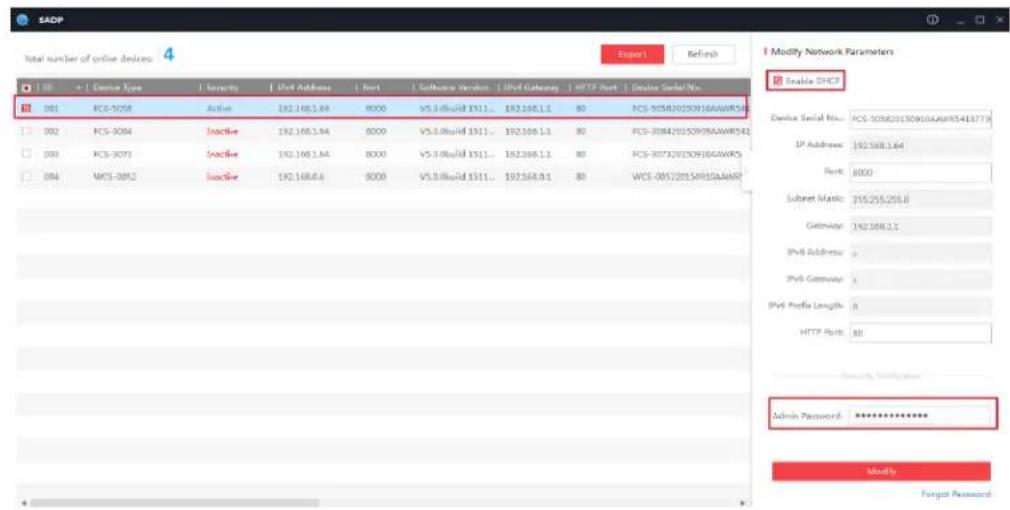
LEVELONE FCS5096 - Steps: - 1

text_image SADP Total number of online devices 4 Report1 Refresh I Modify Network Parameters Enable DHCP Device Serial No: PCS-505620150916AAWR5413778 IP Address: 192168.1.64 Port: 8000 Subset Mask: 255255258.0 Gateway: 192168.1.1 IPv4 Address: IPv4 Gateway: IPv4 Profile Length: 8 HTTP Port: 88 Security Indicator Admin Password: ************ Modify Forgot Password

Notes:

- The default IP address of the camera is 192.168.1.64.

● And you need to activate the camera via SADP software. For the

camera enables the DHCP by default, the IP address is allocated automatically

Accessing by Web Browsers

Steps:

  1. Open the web browser.
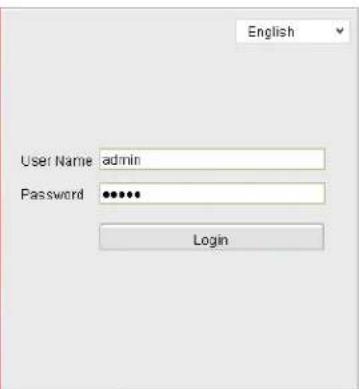
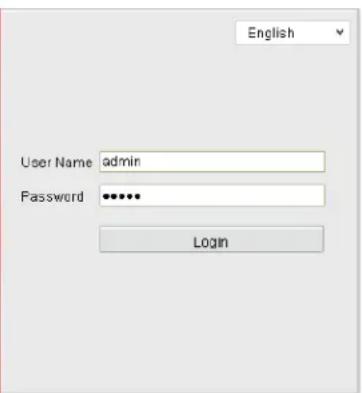
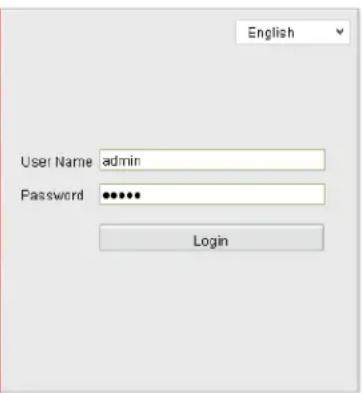
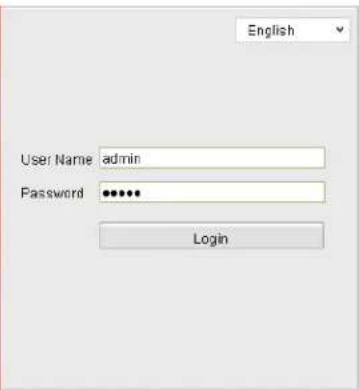
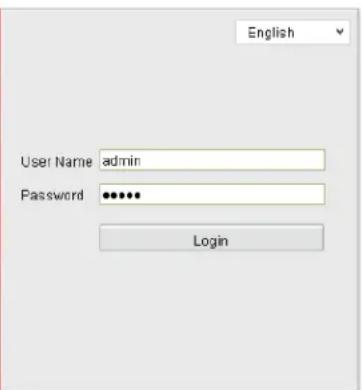
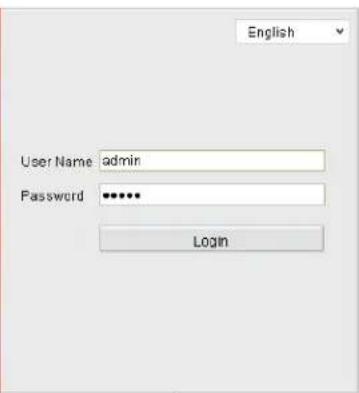
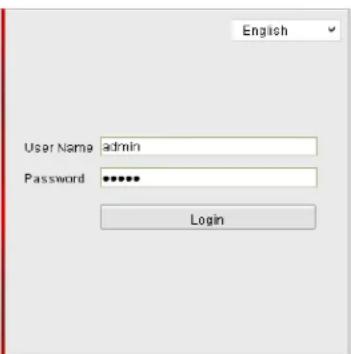
  2. In the browser address bar, input the IP address of the network camera, and press the Enter key to enter the login interface.
  3. Select the interface language on the top-right of login interface.
LEVELONE FCS5096 - Steps: - 1

natural_image Abstract grayscale curved shape with soft gradients, no text or symbols visible

LEVELONE FCS5096 - Steps: - 2

text_image English User Name admin Password •••••• Login
  1. Input the user name and password and click.

Login

The admin user should configure the device accounts and user/operator permissions properly. Delete the unnecessary accounts and user/operator permissions.

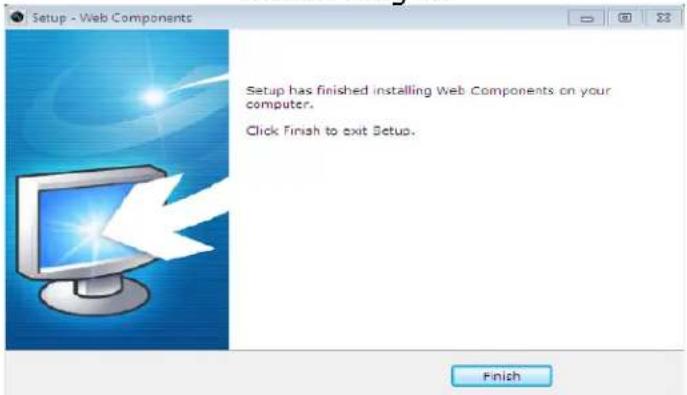
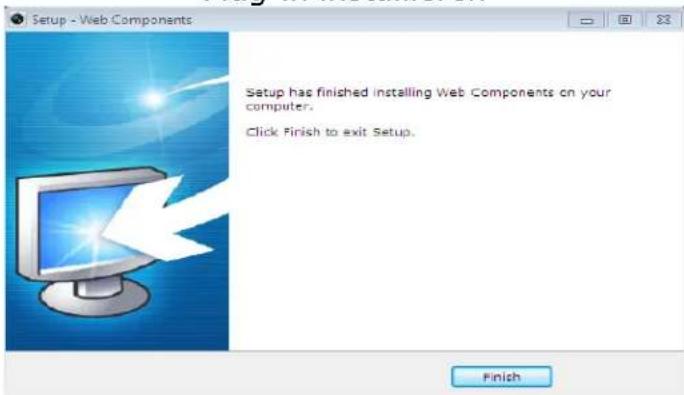
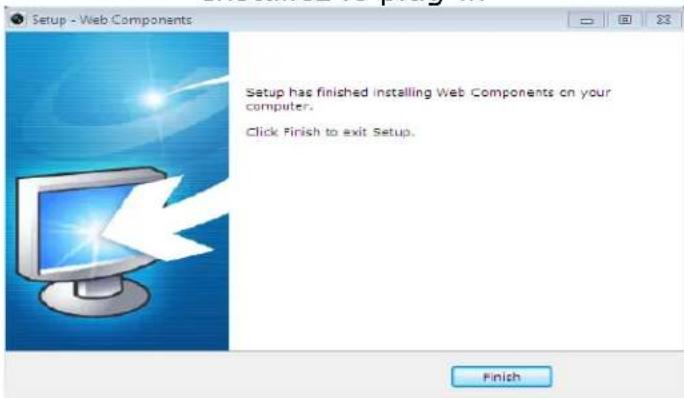
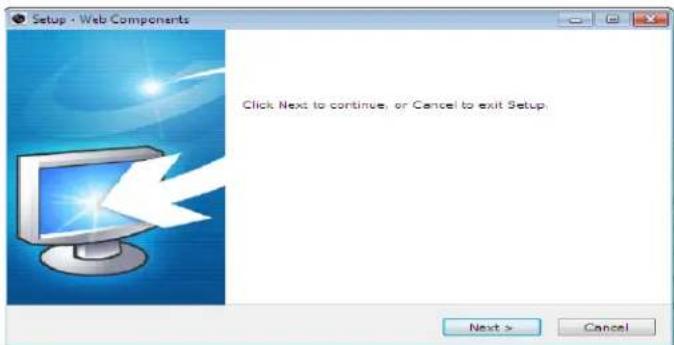
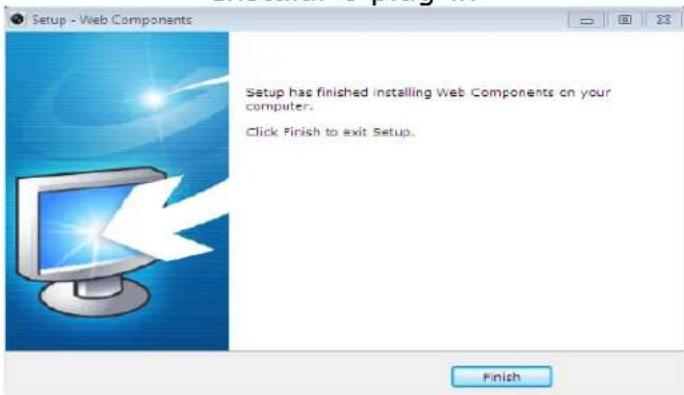
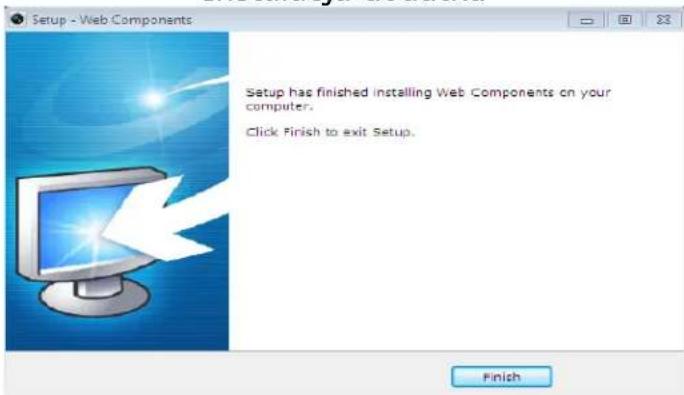
  1. Install the plug-in before viewing the live video and operating the camera. Please follow the installation prompts to install the plug-in.
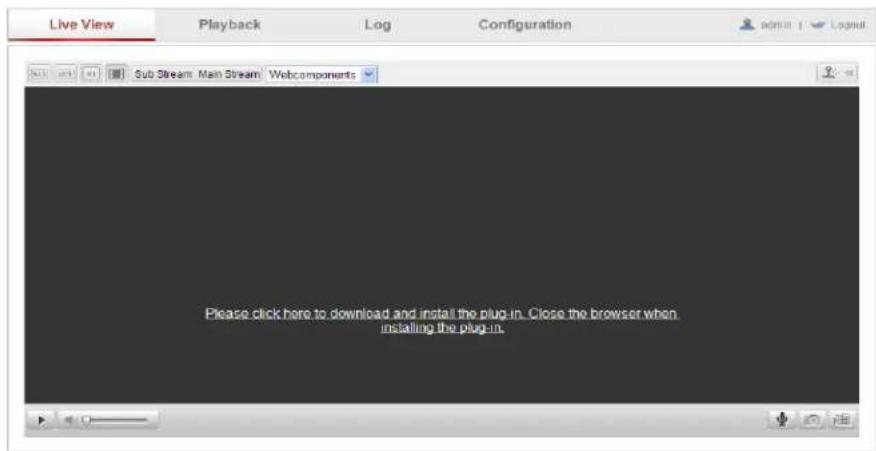
LEVELONE FCS5096 - Steps: - 3

text_image Live View Playback Log Configuration Sub Stream Main Stream Webcomponents Please click here to download and install the plug-in. Close the browser when installing the plug-in.

Download and Install Plug-in
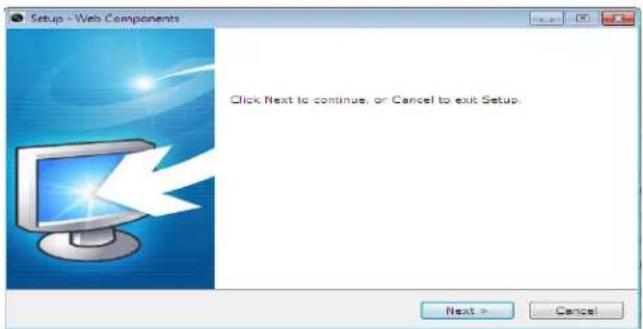
LEVELONE FCS5096 - Steps: - 4

text_image Setup - Web Components Click Next to continue, or Cancel to exit Setup. Next > Cancel

Install Plug-in
LEVELONE FCS5096 - Steps: - 5

text_image Setup - Web Components Setup has finished installing Web Components on your computer. Click Finish to exit Setup. Finish

Install Plug-in (2)

Deutsch

text_image SADP Total number of online devices 4 Export Refresh ID Device Type Security IPV Address Port Software Version IPV Gateway HTTP Port Device Serial No. 001 PCS-1058 Inactive 192.168.1.64 8000 V5.3.0build 1511... 192.168.1.3 BD PCS-105820130910AAAWR142 002 PCS-1084 Inactive 192.168.1.64 8000 V5.3.0build 1511... 192.168.1.3 BD PCS-10842013090AAWR342 003 PCS-1073 Inactive 192.168.1.64 8000 V5.3.0build 1511... 192.168.1.3 BD PCS-107120150910AAWR5 004 WCS-0052 Inactive 192.168.0.6 8000 V5.3.0build 1511... 192.168.0.3 BD WCS-005220150910AAWR I Activate the Device The device is not activated. You can modify the network parameters after the device activation. Activate by: New Password: ********** Strong Confirm Password: ********** Activate
text_image Live View Playback Log Configuration Sub Stream Main Stream Webcomponents Please click here to download and install the plug-in. Close the browser when installing the plug-in.
text_image Setup - Web Components Click Next to continue, or Cancel to exit Setup. Next > Cancel

Plug-in installieren
LEVELONE FCS5096 - Deutsch - 1

text_image Setup - Web Components Setup has finished installing Web Components on your computer. Click Finish to exit Setup. Finish

Plug-in installieren(2)

Français

text_image Total number of active devices 4 Export Refresh Modify Network Parameters CDS-2032 Device Serial No: CDS-2032/01/08/10/AWRS/541779 IP Address: 192.198.1.64 Port: 000 Subnet Mask: 205.215.215.0 Gateway: 192.198.1.4 BVD Address: 0 BVD Gateway: 0 IPd Profile Length: 0 HTTP Port: 80 Admin Password: ********** Modify Target Password

REMARQUES :

natural_image Abstract grayscale circular design with layered segments and gradients, no text or symbols present

LEVELONE FCS5096 - REMARQUES : - 1

text_image English User Name admin Password •••••• Login
text_image Live View Playback Log Configuration Sub Stream Main Stream Webcomponents Please click here to download and install the plug-in. Close the browser when installing the plug-in.
text_image Setup - Web Components Click Next to continue, or Cancel to exit Setup. Next > Cancel

Installez le plug-in
LEVELONE FCS5096 - REMARQUES : - 2

text_image Setup - Web Components Setup has finished installing Web Components on your computer. Click Finish to exit Setup. Finish

Installez le plug-in(2)

Español

text_image SADP Total number of entire devices: 4 Export Refresh Device Serial No. FCS-30520130910AAWR5413773 Port Address: 1637681.64 Port: 8000 Socket Mode: 154255258.0 Gateway: 1823883.1 Dvd Address: + Dvd Gateway: + Dvd Prefix Length: 0 HTTP Port: 80 Modify Network Parameters Enable DTCB Admin Resource: ************ Modify Target Password

Notas:

natural_image Abstract grayscale geometric pattern with curved and angular shapes (no text or symbols)

LEVELONE FCS5096 - Notas: - 1

text_image English User Name admin Password •••••• Login
text_image Live View Playback Log Configuration Sub Stream Main Stream Webcomponents Please click here to download and install the plug-in. Close the browser when installing the plug-in.
text_image Setup - Web Components Click Next to continue, or Cancel to exit Setup. Next > Cancel

Instalar el complemento
LEVELONE FCS5096 - Notas: - 2

text_image Setup - Web Components Setup has finished installing Web Components on your computer. Click Finish to exit Setup. Finish

Instalar el complement(2)

Italiano

natural_image Abstract grayscale geometric pattern with curved and angular shapes (no text or symbols)

LEVELONE FCS5096 - Italiano - 1

text_image English User Name admin Password •••••• Login
text_image Live View Playback Log Configuration Sub Stream Main Stream Webcomponents Please click here to download and install the plug-in. Close the browser when installing the plug-in.
text_image Setup - Web Components Click Next to continue, or Cancel to exit Setup. Next > Cancel
text_image Setup - Web Components Setup has finished installing Web Components on your computer. Click Finish to exit Setup. Finish
text_image SADP Total number of active devices 4 Export Refresh 1 Activate the Device The device is not activated. You can modify the network parameters after the choice activation. New Password: ********** Bring: Confirm Password: **********
natural_image Abstract grayscale curved shape with soft gradients, no text or symbols present

LEVELONE FCS5096 - Italiano - 2

text_image English User Name admin Password •••••• Login
text_image Live View Playback Log Configuration Sub Stream Main Stream Webcomponents Please click here to download and install the plug-in. Close the browser when installing the plug-in.
text_image Setup - Web Components Click Next to continue, or Cancel to exit Setup. Next > Cancel
text_image Setup - Web Components Setup has finished installing Web Components on your computer. Click Finish to exit Setup. Finish
natural_image Abstract grayscale geometric pattern with curved and angular shapes (no text or symbols)

LEVELONE FCS5096 - Italiano - 3

text_image English User Name admin Password •••••• Login
text_image Live View Playback Log Configuration Sub Stream Main Stream Webcomponents Please click here to download and install the plug-in. Close the browser when installing the plug-in.

Transferir e instalar o plug-in
LEVELONE FCS5096 - Italiano - 4

text_image Setup - Web Components Click Next to continue, or Cancel to exit Setup. Next > Cancel

Instalar o plug-in
LEVELONE FCS5096 - Italiano - 5

text_image Setup - Web Components Setup has finished installing Web Components on your computer. Click Finish to exit Setup. Finish

Instalar o plug-in (2)

Русский

• Средство поиска SADP
text_image SADP Total number of online devices 4 Export Refresh ID Device Type Security JPM Address Port Software Version JPM Gateway HTTP Port Device Serial No. 001 PCS-3058 Inactive 192.168.1.64 8000 V5.3.0build 1511... 192.168.1.1 80 PCS-305820150910AAWR341 002 PCS-3084 Inactive 192.168.1.64 8000 V5.3.0build 1511... 192.168.1.1 80 PCS-30842015090AAWR341 003 PCS-3073 Inactive 192.168.1.64 8000 V5.3.0build 1511... 192.168.1.1 80 PCS-307320150910AAWR34 004 WCS-0052 Inactive 192.168.0.6 8000 V5.3.0build 1511... 192.168.0.1 80 WCS-305220150910AAWR I Activate the Device The device is not activated. You can modify the network parameters after the device activation. Active Type New Password: ************ Strong Confirm Password: ************ Activate
natural_image Abstract grayscale circular design with layered segments and gradients, no text or symbols present

LEVELONE FCS5096 - • Средство поиска SADP - 1

text_image English User Name admin Password ***** Login
text_image Live View Playback Log Configuration Sub Stream Main Stream Webcomponents Please click here to download and install the plug-in. Close the browser when installing the plug-in.
text_image Setup - Web Components Click Next to continue, or Cancel to exit Setup. Next > Cancel
text_image Setup - Web Components Setup has finished installing Web Components on your computer. Click Finish to exit Setup. Finish
natural_image Abstract grayscale curved shapes with soft gradients, no text or symbols present

LEVELONE FCS5096 - • Средство поиска SADP - 2

text_image English User Name admin Password •••••• Login
text_image Live View Playback Log Configuration Sub Stream Main Stream Webcomponents Please click here to download and install the plug-in. Close the browser when installing the plug-in.
text_image Setup - Web Components Click Next to continue, or Cancel to exit Setup. Next > Cancel

Instalacja dodatku
LEVELONE FCS5096 - • Средство поиска SADP - 3

text_image Setup - Web Components Setup has finished installing Web Components on your computer. Click Finish to exit Setup. Finish
Manual assistant
Powered by Anthropic
Waiting for your message
Product information

Brand : LEVELONE

Model : FCS5096

Category : Camera