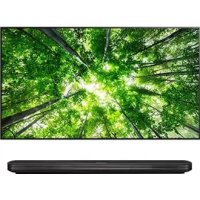
65UH8509 - Television LG - Free user manual and instructions
Find the device manual for free 65UH8509 LG in PDF.



User questions about 65UH8509 LG
0 question about this device. Answer the ones you know or ask your own.
Ask a new question about this device
Download the instructions for your Television in PDF format for free! Find your manual 65UH8509 - LG and take your electronic device back in hand. On this page are published all the documents necessary for the use of your device. 65UH8509 by LG.
USER MANUAL 65UH8509 LG
Safety and Reference
LED TV*
- LG LED TV applies LCD screen with LED backlights.
Please read this manual carefully before operating your set and retain it for future reference.
www.lg.com
P/NO:MFL69361114(1601-REV00)
Printed in Korea
Safety instructions
Please read these safety precautions carefully before using the product.

WARNING
Do not place the TV and/or remote control in the following environments:
produce heat
exposed to steam or oil
Otherwise, this may result in fire, electric shock, malfunction or product deformation.
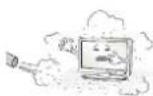
Do not place the product where it might be exposed to dust. This may cause a fire hazard.
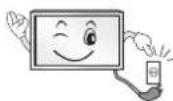
Mains Plug is the TV connecting/disconnecting device to AC mains electric supply. This plug must remain readily attached and operable when TV is in use.
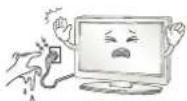
Do not touch the power plug with wet hands. Additionally, if the cord pin is wet or covered with dust, dry the power plug completely or wipe dust off. You may be electrocuted due to excess moisture.
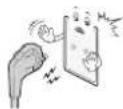
Make sure to connect Mains cable to compliant AC mains socket with Grounded earth pin. (Except for devices which are not grounded on earth.) Otherwise possibility you may be electrocuted or injured.
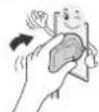
Insert power cable plug completely into wall socket otherwise if not secured completely into socket, fire ignition may break out.
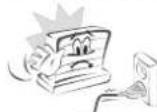
Ensure the power cord does not come into contact with hot objects such as a heater. This may cause a fire or an electric shock hazard.
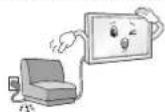
Do not place a heavy object, or the product itself, on power cables. Otherwise, this may result in fire or electric shock.
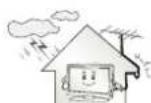
Bend antenna cable between inside and outside building to prevent rain from flowing in. This may cause water damaged inside the Product and could give an electric shock.

When mounting TV onto wall make sure to neatly install and isolate cabling from rear of TV as to not create possibility of electric shock / fire hazard.
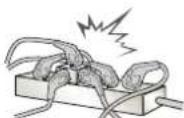
Do not plug too many electrical devices into a single multiple electrical outlet. Otherwise, this may result in fire due to over-heating.
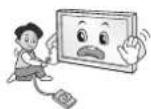
Do not drop the product or let it fall over when connecting external devices. Otherwise, this may result in injury or damage to the product.
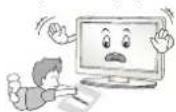
Keep the anti-moisture packing material or vinyl packing out of the reach of children. Anti-moisture material is harmful if swallowed. If swallowed by mistake, force the patient to vomit and visit the nearest hospital. Additionally, vinyl packing can cause suffocation. Keep it out of the reach of children.
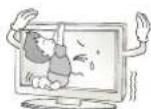
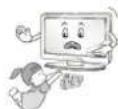
Do not let your children climb or cling onto the TV. Otherwise, the TV may fall over, which may cause serious injury.
Dispose of used batteries carefully to ensure that a small child does not consume them. Please seek Doctor- Medical Attention immediately if child consumes batteries.
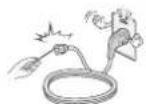
Do not insert any metal objects/conductors (like a metal chopstick/ cutlery/screwdriver) between power cable plug and input Wall Socket while it is connected to the input terminal on the wall. Additionally, do not touch the power cable right after plugging into the wall input terminal. You may be electrocuted. (Depending on model)
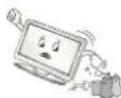
Do not put or store inflammable substances near the product. There is a danger of combustion/explosion or fire due to careless handling of the inflammable substances.
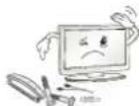
Do not drop metallic objects such as coins, hair pins, chopsticks or wire into the product, or inflammable objects such as paper and matches. Children must pay particular attention. Electrical shock, fire or injury can occur. If a foreign object is dropped into the product, unplug the power cord and contact the service centre.
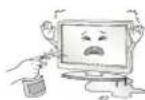
Do not spray water on the product or scrub with an inflammable substance (thinner or benzene). Fire or electric shock accident can occur.
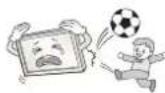
Do not allow any impact, shock or any objects to fall into the unit, and do not drop anything onto the screen. You may be injured or the product can be damaged.
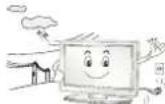
Never touch this product or antenna during a thunder or lighting storm. You may be electrocuted.
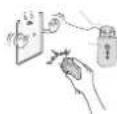
Never touch the wall outlet when there is leakage of gas, open the windows and ventilate. It may cause a fire or a burn by a spark.
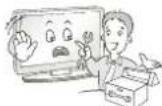
Do not disassemble, repair or modify the product at your own discretion. Fire or electric shock accident can occur. Contact the service centre for check, calibration or repair.
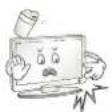
If any of the following occur, unplug the product immediately and contact your local service centre.
This may result in fire or electric shock.
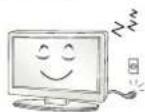
Unplug the TV from AC mains wall socket if you do not intend to use the TV for a long period of time. Accumulated dust can cause fire hazard and insulation deterioration can cause electric leakage/shock/fire.
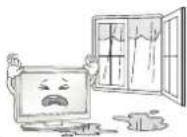
Apparatus shall not be exposed to dripping or splashing and no objects filled with liquids, such as vases, shall be placed on the apparatus.
Do not install this product on a wall if it could be exposed to oil or oil mist. This may damage the product and cause it to fall.
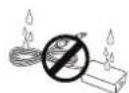
If water enters or comes into contact with TV, AC adapter or power cord please disconnect the power cord and contact service centre immediately. Otherwise, this may result in electric shock or fire.
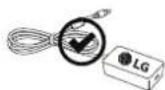
Only use an authorized AC adapter and power cord approved by LG Electronics. Otherwise, this may result in fire, electric shock, malfunction or product deformation.
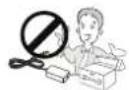
Never Disassemble the AC adapter or power cord. This may result in fire or electric shock.
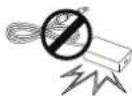
Be careful in handling the adapter to prevent any external shocks to it. An external shock may cause damage to the adapter.
CAUTION
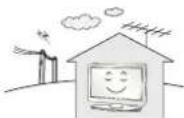
Install the product where no radio wave occurs.
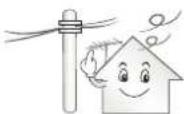
There should be enough distance between an outside antenna and power lines to keep the former from touching the latter even when the antenna falls. This may cause an electric shock.
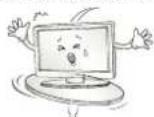
Do not install the product on places such as unstable shelves or inclined surfaces. Also avoid places where there is vibration or where the product cannot be fully supported. Otherwise, the product may fall or flip over, which may cause injury or damage to the product.
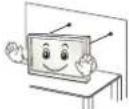
If you install the TV on a stand, you need to take actions to prevent the product from overturning. Otherwise, the product may fall over, which may cause injury.
If you intend to mount the product to a wall, attach VESA standard mounting interface (optional parts) to the back of the product. When you install the set to use the wall mounting bracket (optional parts), fix it carefully so as not to drop.
Only use the attachments / accessories specified by the manufacturer.
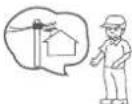
When installing the antenna, consult with a qualified service technician. If not installed by a qualified technician, this may create a fire hazard or an electric shock hazard.
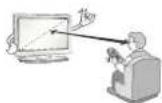
We recommend that you maintain a distance of at least 2 to 7 times the diagonal screen size when watching TV. If you watch TV for a long period of time, this may cause blurred vision.
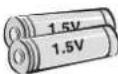
Only use the specified type of battery. This could cause damage to the remote control.
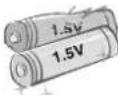
Do not mix new batteries with old batteries. This may cause the batteries to overheat and leak.
Batteries should not be exposed to excessive heat. For example, keep away from direct Sunlight, open fireplace and electric heaters.
Do not place non-rechargeable batteries in charging device.
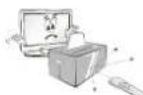
Make sure there are no objects between the remote control and its sensor.
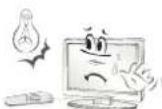
Signal from Remote Control can be interrupted due to external/internal lighting eg Sunlight, fluorescent lighting. If this occurs turn off lighting or darken viewing area.
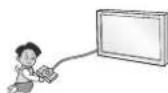
When connecting external devices such as video game consoles, make sure the connecting cables are long enough. Otherwise, the product may fall over, which may cause injury or damage the product.
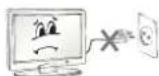
Do not turn the product On/Off by plugging-in or unplugging the power plug to the wall outlet. (Do not use the power plug for switch.) It may cause mechanical failure or could give an electric shock.
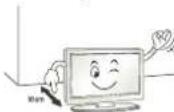
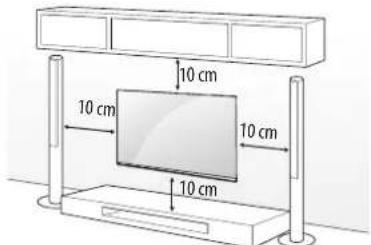
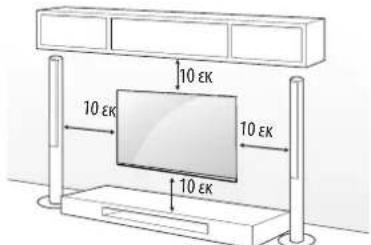
Please follow the installation instructions below to prevent the product from overheating.
than 10cm
bookshelf or in a cupboard).
Otherwise, this may result in fire.
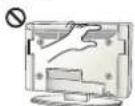
Take care not to touch the ventilation openings when watching the TV for long periods as the ventilation openings may become hot. This does not affect the operation or performance of the product.
Periodically examine the cord of your appliance, and if its appearance indicates damage or deterioration, unplug it, discontinue use of the appliance, and have the cord replaced with an exact replacement part by an authorized servicer.
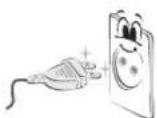
Prevent dust collecting on the power plug pins or outlet. This may cause a fire hazard.
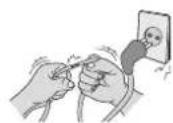
Protect the power cord from physical or mechanical abuse, such as being twisted, kinked, pinched, closed in a door, or walked upon. Pay particular attention to plugs, wall outlets, and the point where the cord exits the appliance.
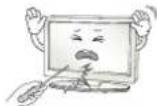
Do not press strongly upon the panel with a hand or sharp object such as nail, pencil or pen, or make a scratch on it, as it may cause damage to screen.
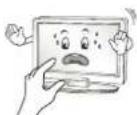
Avoid touching the screen or holding your finger(s) against it for long periods of time. Doing so may produce some temporary or permanent distortion/damage to screen.
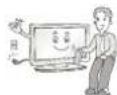
When cleaning the product and its components, unplug the power first and wipe it with a soft cloth. Applying excessive force may cause scratches or discolouration. Do not spray with water or wipe with a wet cloth. Never use glass cleaner, car or industrial shiner, abrasives or wax, benzene, alcohol etc., which can damage the product and its panel. Otherwise, this may result in fire, electric shock or product damage (Deformation, corrosion or breakage).
As long as this unit is connected to the AC wall outlet, it is not disconnected from the AC power source even if you turn off this unit by SWITCH.
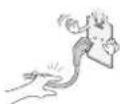
When unplugging the cable, grab the plug and unplug it, by pulling at the plug.
Don't pull at the cord to unplug the power cord from the power board, as this could be hazardous.
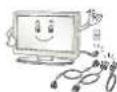
When moving the product, make sure you turn the power off first. Then, unplug the power cables, antenna cables and all connecting cables. The TV set or power cord may be damaged, which may create a fire hazard or cause electric shock.
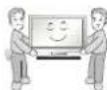
When moving or unpacking the product, work in pairs because the product is heavy. Otherwise, this may result in injury.
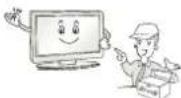
Refer all servicing to qualified service personnel. Servicing is required when the apparatus has been damaged in any way, such as power supply cord or plug is damaged, liquid has been spilled or objects have fallen into the apparatus, the apparatus has been exposed to rain or moisture, does not operate normally, or has been dropped.
If the product feels cold to the touch, there may be a small "flicker" when it is turned on. This is normal, there is nothing wrong with product.
The panel is a high technology display product with resolution of two million to six million pixels. You may see tiny black dots and/or brightly coloured dots (red, blue or green) at a size of 1 ppm on the panel. This does not indicate a malfunction and does not affect the performance and reliability of the product.
This phenomenon also occurs in third-party products and is not subject to exchange or refund.
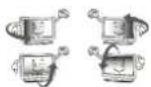
You may find different brightness and color of the panel depending on your viewing position(left/right/top/down).
This phenomenon occurs due to the characteristic of the panel. It is not related with the product performance, and it is not malfunction.
Displaying a still image for a prolonged period of time may cause image sticking. Avoid displaying a fixed image on the TV screen for a long period of time.
Generated Sound
"Cracking" noise: A cracking noise that occurs when watching or turning off the TV is generated by plastic thermal contraction due to temperature and humidity. This noise is common for products where thermal deformation is required. Electrical circuit humming/panel buzzing:
A low level noise is generated from a high-speed switching circuit, which supplies a large amount of current to operate a product. It varies depending on the product.
This generated sound does not affect the performance and reliability of the product.
Do not use high voltage electrical goods near the TV (e.g. electric mosquito-swatter). This may result in product malfunction.
Viewing 3D imaging (Only 3D models)
WARNING
Viewing Environment
- When watching 3D contents, take 5 to 15 minute breaks every hour. Viewing 3D contents for a long period of time may cause headache, dizziness, fatigue or eye strain.
Those that have a photosensitive seizure or chronic illness
when they are exposed to a flashing light or particular pattern from 3D contents.
have a chronic illness such as epilepsy, cardiac disorder, or blood pressure disease, etc.
blindness or stereo anomaly. Double images or discomfort in viewing may be experienced.
astigmatism, you may have trouble sensing depth and easily feel fatigue due to double images. It is advised to take frequent breaks than the average adult.
eyesight prior to watching 3D contents.
Symptoms which require discontinuation or refraining from watching 3D contents
overwork or drinking.
contents and get enough rest until the symptom subsides.
- Consult your doctor when the symptoms persist. Symptoms may include headache, eyeball pain, dizziness, nausea, palpitation, blurriness, discomfort, double image, visual inconvenience or fatigue.
CAUTION
Viewing Environment
- Maintain a distance of at least twice the screen diagonal length when watching 3D contents. If you feel discomfort in viewing 3D contents, move further away from the TV.
Viewing Age
Usage/Viewing 3D contents for children under the age of 6 are prohibited.
- Children under the age of 10 may overreact and become overly excited because their vision is in development (for example: trying to touch the screen or trying to jump into it). Special monitoring and extra attention is required for children watching 3D contents.
Children have greater binocular disparity of 3D presentations than adults because the distance between the eyes is shorter than that of adults. Therefore they will perceive more stereoscopic depth compared to adults for the same 3D image.
- Teenagers under the age of 19 may react with sensitivity due to stimulation from light in 3D contents. Advise them to refrain from watching 3D contents for a long time when they are tired.
- The elderly may perceive less 3D effect compared to the young. Do not sit closer to the TV than the recommended distance.
Cautions when using the 3D glasses
view 3D videos properly.
protective goggles.
distortion.
temperatures. It will cause deformation.
soft, clean piece of cloth when wiping the lenses. Do not scratch the lenses of the 3D glasses with sharp objects or clean/wipe them with chemicals.
Preparing
NOTE
factory, initialization of the TV may take a few minutes.
shown in this manual.
or product model that you are using.
model.
without prior notice due to upgrade of product functions.
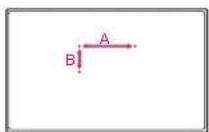
have bezels less than 10mm thick and 18mm width. Use an extension cable that supports USB 2.0 if the USB cable or USB memory stick does not fit into your TV's USB port.
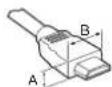

^*A≤ 10mm
^#B ≤ 18 ~mm
or a connection error may occur. (Recommended HDMI Cable Types)
High-Speed HDMM cable (3 m or less)
High-Speed HDMI cable with Ethernet (3 m or less)
- Use the ferrite core to reduce the electromagnetic interference in the power cord. Wind the power cord on the ferrite core once.
[Wall side]
[TV side]
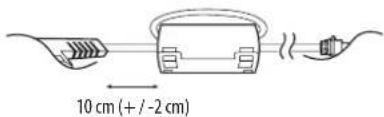

Use this to install TV in a place where there is a voltage difference between TV Set and GND of antenna signal. If there is a voltage difference between TV Set and GND of antenna signal, the antenna contact might be heated and excessive heat might cause an accident.
- You can improve the safety when watching TV by efficiently removing power voltage from TV antenna. It is recommended to mount the isolator to the wall. If it cannot be mounted to the wall, mount it on the TV. Avoid disconnecting the antenna Isolator after installation.
Before starting, be sure that the TV antenna is connected.
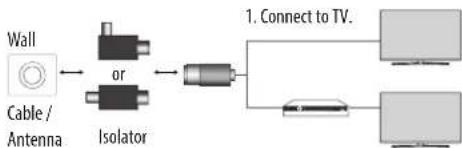
2. Connect to Set-Top box.
Connect one end of the isolator to cable/antenna jack and the other to TV set or set-top box.
Equipment connected to the protective earthing of the building installation through the mains connection or through other equipment with a connection to protective earthing - and to a cable distribution system using coaxial cable, may in some circumstances create a fire hazard. Connection to a cable distribution system has therefore to be provided through a device providing electrical isolation below a certain frequency range (galvanic isolator, see EN 60728-11)
When applying the RF Isolator, a slight loss of signal sensitivity can occur.

ife span.
covered by the warranty.
must not be removed.
down on a cushioned table or flat surface to protect the screen from scratches.
securely. (If they are not fastened securely enough, the TV may tilt forward after being installed.) Do not use too much force and over tighten the screws; otherwise screw may be damaged and not tighten correctly.
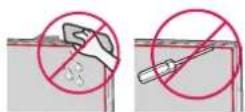
to wipe the screen.
foreign objects to enter the gap between the upper, left or right side of the panel and the guide panel. (Depending on model)
Separate purchase
Separate purchase items can be changed or modified for quality improvement without any notification. Contact your dealer to buy these items. These devices only work with certain models. The model name or design may be changed depending on the upgrade of product functions, manufacturer's circumstances or policies.
Depending on model)
| AG-F*** Cinema 3D Glasses | AN-MR650 Magic Remote |
| AN-VCS50 Smart camera | AG-F***DP Dual Play Glasses |
Lifting and moving the TV
Please note the following advice to prevent the TV from being scratched or damaged and for safe transportation regardless of its type and size.
that the TV originally came in.
all cables.
avoid damage.

hold the transparent part, speaker, or speaker grill area.
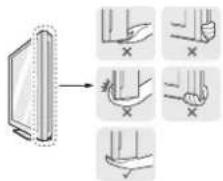
following illustration.
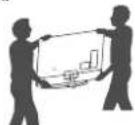
excessive vibration.
on its side or tilt towards the left or right.
chassis as it may damage screen.
buttons.

CAUTION
to the screen.
holders may break, and injuries and damage to the TV may occur.
Using the button
Depending on model)
You can simply operate the TV functions, pressing or moving the button.

NOTE
has only a power On/Off button.
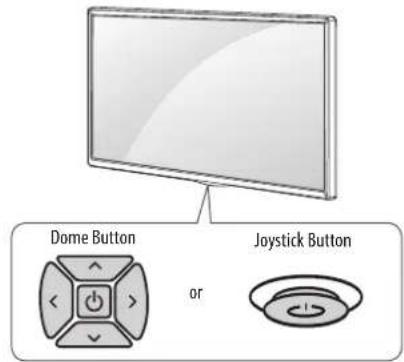
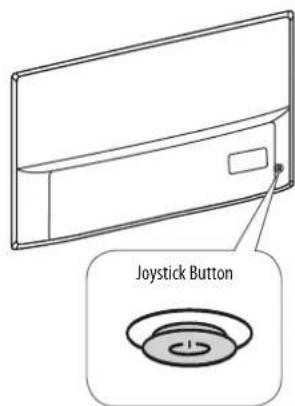
Basic functions
| Power On (Press) Power Off (Press and hold) | ||
| Volume Control | ||
| Programmes Control |
1 All running apps will close, and any recording in progress will stop.
Adjusting the menu
When the TV is turned on, press the button one time. You can adjust the Menu items pressing or moving the buttons.
| Turns the power off. | |
| × | Clears on-screen displays and returns to TV viewing. |
| Changes the input source. | |
| Accesses the settings menu. |
Mounting on a table
1 Lift and tilt the TV into its upright position on a table.
ventilation.

2 Connect the power cord to a wall outlet.

CAUTION
fire or other damage.
Securing the TV to a wall
(This feature is not available for all models.)

Insert and tighten the eye-bolts, or TV brackets and bolts on the back of the TV.
bolts first.
2 Mount the wall brackets with the bolts to the wall. Match the location of the wall bracket and the eye-bolts on the rear of the TV.
3 Connect the eye-bolts and wall brackets tightly with a sturdy rope. Make sure to keep the rope horizontal with the flat surface.
CAUTION
NOTE
support the TV securely.
additional accessories from your local dealer.
Mounting on a wall
Attach an optional wall mount bracket at the rear of the TV carefully and install the wall mount bracket on a solid wall perpendicular to the floor. When you attach the TV to other building materials, please contact qualified personnel. LG recommends that wall mounting be performed by a qualified professional installer. We recommend the use of LG's wall mount bracket. LG's wall mount bracket is easy to move with cables connected. When you do not use LG's wall mount bracket, please use a wall mount bracket where the device is adequately secured to the wall with enough space to allow connectivity to external devices. It is advised to connect all the cables before installing fixed wall mounts.
Make sure to use screws and wall mount bracket that meet the VESA standard. Standard dimensions for the wall mount kits are described in the following table.
Separate purchase(Wall mounting bracket)
| Model | 43UH61**40/43UH62**40UH63**43UH65**43UH66**40/43UH67**43UH74**43UH75** | 49/55UH61**49/55UH62**50UH63**49/55UH65**49/55UH66**49/50/55UH67**49/55UH74**49/55UH75**49/55UH77**49/55UH79**49/55UH84**49/55UH85** |
| VESA (A x B) (mm) 200 | x 200 300 x 300 | |
| Standard screw M6 M5 | ||
| Number of screws 4 4 | ||
| Wall mount bracket | LSW240BMSW240 | LSW350BMSW240 |
| Model | 60/65UH61**60/65UH62**58UH63**60/65UH65**60/65UH66**58/60/65UH67**60UH74**60/65UH75**60/65UH77**60UH84**60/65UH85** | 70UH63**75UH65**70UH67**70UH70**75UH77**75UH78**75UH85**79/86UH95** |
| VESA (A x B) (mm) 300 | x 300 600 x 400 | |
| Standard screw M6 M8 | ||
| Number of screws 4 4 | ||
| Wall mount bracket | LSW350B LSW640B | |
| Model 55/65UH95** | ||
| VESA (A x B) (mm) 300 | x 200 | |
| Standard screw M6 | ||
| Number of screws 4 | ||
| Wall mount bracket | OTW420B | |

CAUTION
performing the stand attachment in reverse.

NOTE
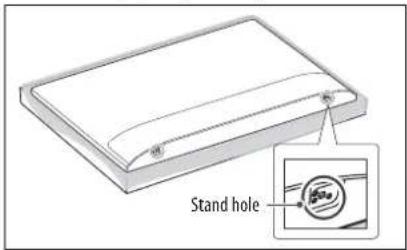
or protective cover provided. The adhesive label or protective cover will protect the opening from accumulating dust and dirt. (Only when the label or cover is provided)
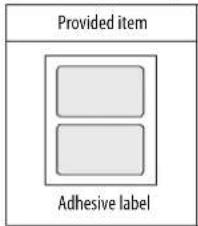
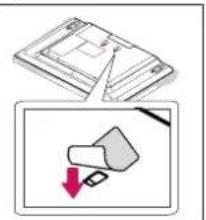
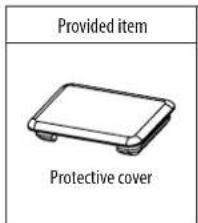
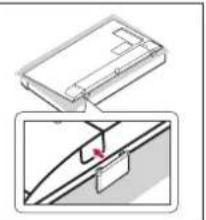
cover the stand hole using tape, in order to prevent the influx of dust and insects. (Depending on model)
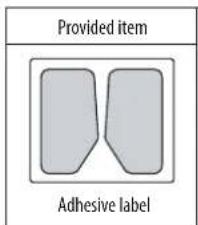
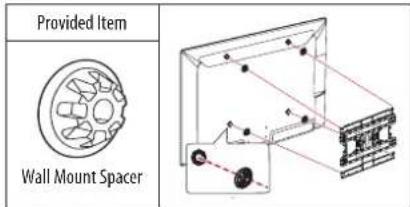
mount spacers into the TV wall mount holes to adjust the vertical angle of the TV. (Only when the item of the following form is provided)
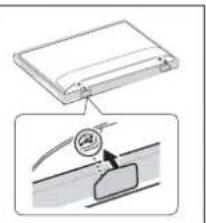
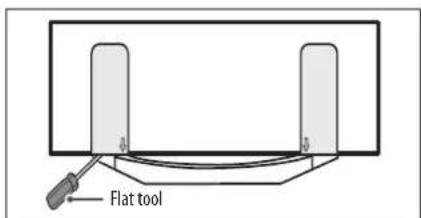
stand cover as illustrated below. (e.g., a flat screwdriver) (Only when the item of the following form is provided)
Connections (notifications)
Connect various external devices to the TV and switch input modes to select an external device. For more information of external device's connection, refer to the manual provided with each device.
Available external devices are: HD receivers, DVD players, VCRs, audio systems, USB storage devices, PC, gaming devices, and other external devices.

NOTE
TV port.
connect the TV signal input cable to the TV through a DVD recorder or VCR. For more information of recording, refer to the manual provided with the connected device.
instructions.
with the gaming device.
vertical pattern, contrast or brightness. If noise is present, change the PC output to another resolution, change the refresh rate to another rate or adjust the brightness and contrast on the PICTURE menu until the picture is clear.
depending on the graphics card.
become disrupted intermittently depending on your PC's performance. (Depending on model)
Antenna connection
Connect the TV to a wall antenna socket with an RF cable (75Ω).
improve the image quality.
realign the antenna in the correct direction.
HE-AAC
this TV cannot receive ULTRA HD broadcasts directly. (Depending on model)
Satellite dish connection
(Only satellite models)
Connect the TV to a satellite dish to a satellite socket with a satellite RF cable (75Ω).
CI module connection
Depending on model)
View the encrypted (pay) services in digital TV mode.
right direction. If the module is not inserted properly, this can cause damage to the TV and the PCMCIA card slot.
connected, please contact to the Terrestrial/Cable/Satellite Service Operator.
USB connection
Some USB Hubs may not work. If a USB device connected using a USB Hub is not detected, connect it to the USB port on the TV directly.
Other connections
Connect your TV to external devices. For the best picture and audio quality, connect the external device and the TV with the HDMI cable. Some separate cable is not provided.
Uo→ GeneralHDMI ULTRA HDep Colour
- On: Support 4K @ 50/60 Hz (4:4:4, 4:2:2, 4:2:0)
- Off: Support 4K @ 50/60 Hz 8 bit (4:2:0)
If the device connected to Input Port also supports ULTRA HD Deep Colour, your picture may be clearer. However, if the device doesn't support it, it may not work properly. In that case, connect the device to a different HDMI port or change the TV's HDMI ULTRA HD Deep Colour setting to Off.
(This feature is available on certain models which are supported ULTRA HD Deep Colour only.)

NOTE
Dolby Digital (32 kHz, 44.1 kHz, 48 kHz), DTS (44.1 kHz, 48 kHz), PCM (32 kHz, 44.1 kHz, 48 kHz, 96 kHz, 192 kHz) (Depending on model)
Remote control
The descriptions in this manual are based on the buttons on the remote control. Please read this manual carefully and use the TV correctly.
To replace batteries, open the battery cover, replace batteries (1.5 V AAA) matching the and ends to the label inside the compartment, and close the battery cover. To remove the batteries, perform the installation actions in reverse.
Make sure to point the remote control toward the remote control sensor on the TV.
Depending on model)

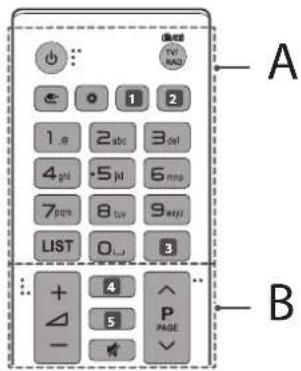
A
(POWER) Turns the TV on or off.
TV/RAD Radio, TV and DTV programme.
INPUT) Changes the input source.
Q. Settings) Accesses the Quick Settings.
1, 2 LVEZoAMg in on the selected area, you can view it in full screen. (Depending on model)
1, 2 ① the information of the current programme and screen. (Depending on model)
SEARCH) Search for content such as TV programmes, movies and other videos, or perform a web search by entering text in the search bar. (Depending on model)
Sour preferred subtitle in digital mode. (Depending on model)
Number buttons Enters numbers.
LIST Accesses the saved programmes list.
Space) Opens an empty space on the screen keyboard.
GUIDes programme guide. (Depending on model)
0 Reviews to the previously viewed programme. (Depending on model)
B
the information of the current programme and screen. (Depending on model)
(SEARCH) Search for content such as TV programmes, movies and other videos, or perform a web search by entering text in the search bar. (Depending on model)
4,5 guide programme guide. (Depending on model) 53d for viewing 3D video. (Depending on model)
(MUTE) Mutes all sounds.
+ Adjusts the volume le
P ScrolIe through the saved programmes. A PAGE V Moves to the previous or next sree
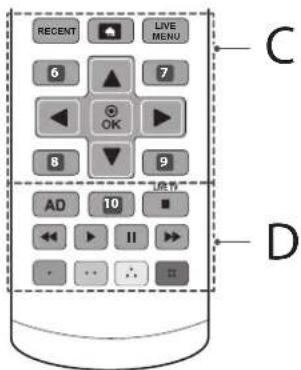
C
RECENT Shows the previous history.
HOMe)Accesses the Home menu. LIVE MENU Shows the list of Recommended,Programmes,Search and Recorded.(Depending on model)
6,8 Returns to the previous level. (Depending on model)
6,7,8,9 Teletext buttons
are used for teletext. (Depending on model)
7, Ears on-screen displays and returns to TV viewing. (Depending on model) Navigation buttons (up/down/left/right) Scrolls through menus or options.
- Selects menus or options and confirms your input.
D
ADBy pressing the AD button, audio descriptions function will be enabled.
10 Record record and displays record menu. (Only Time Machineonly supported model) (Depending on model) 10 Lye in on the selected area, you can view it
in full screen. (Depending on model) LIVE TV Returns to LIVE TV.
Control buttons (三,一,一,一) Able to access premium content, video content on devices that support SIMPLINK. Coloured buttons These access special functions in some menus.
Red,Green,Yellow Blue
Magic remote functions
Depending on model)
When the message "Magic remote battery is low. Change the battery." is displayed, replace the battery.
To replace batteries, open the battery cover, replace batteries (1.5 V AA) matching the and ends to the label inside the compartment, and close the battery cover. Be sure to point the magic remote toward the remote control sensor on the TV. To remove the batteries, perform the installation actions in reverse.
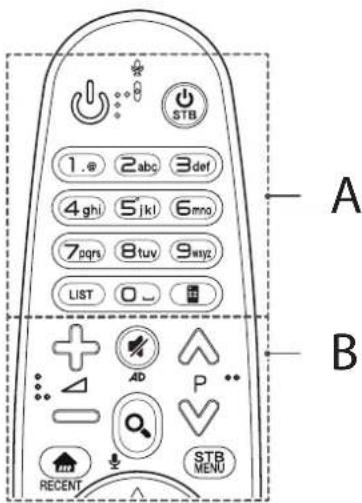
A
(POWER)Turns the TV on or off.
S BPOWER) You can turn your set-top box on or off by adding the set-top box to the universal remote control for your TV.
Number buttons Enters numbers.
LIST Accesses the saved programmes list.
Space) Opens an empty space on the screen keyboard.
Screen Remote) Displays the Screen Remote.
- Accesses the Universal Control Menu. (Depending on model)
B
+Adjusts the volume level.
AProls through the saved programmes.
(MUTE) Mutes all sounds.
- By Pressing and holding the button, video/audio descriptions function will be enabled. (Depending on model)
Q (SEARCH) Search for content such as TV programmes, movies and other videos, or perform a web search by entering text in the search bar.
Voice recognition)
Depending on model) Network connection is required to use the voice recognition function.
1 Press the voice recognition button.
2 Speak when the voice display window appears on the TV screen.
(HOME)Accesses the Home menu.
RECENT Shows the previous history.
STB MENU Displays the set-top box Home menu.
- When you are not watching via a set-top box: the display changes to the set-top box screen.
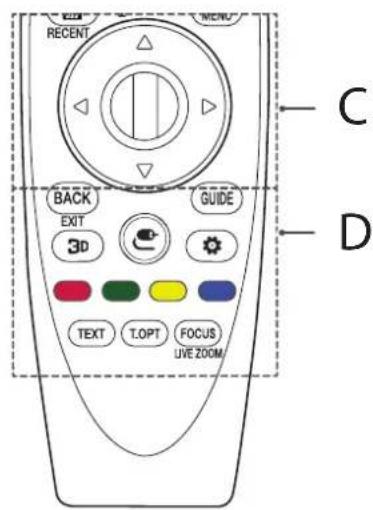
C
Wheel (OK) Press the center of the Wheel button to select a menu. You can change programmes by using the Wheel button.
3 right button to scroll the menu. If you press ^一 buttons while the pointer is in use, the pointer will disappear from the screen and Magic Remote will operate like a general remote control. To display the pointer on the screen again, shake Magic Remote to the left and right.
D
BACK Returns to the previous screen.
EXIT Casks on-screen displays and returns to last input viewing.
GUIDE Shows programme guide.
3D Used for viewing 3D video. (Only 3D models)
(CINPUT) Changes the input source.
- Pressing and holding the button displays all the lists of external inputs.
(Q. Settings) Accesses the Quick Settings.
- Pressing and holding the button displays the All Settings menu.
Coloured buttons These access special functions in some menus.
Teletext buttons (TEXT T. OPT These buttons are used for
teletext.
FOCUS You can zoom in on the area where the remote control is pointed.
LIVE ZOOMBy zooming in on the selected area, you can view it in full screen.
Registering magic remote
How to register the magic remote
To use the Magic Remote, first pair it with your TV.
1 Put batteries into the Magic Remote and turn the TV on.
2 Point the Magic Remote at your TV and press the Wheel (OK) on the remote control.
* If the TV fails to register the Magic Remote, try again after turning the TV off and back on.
How to deregister the magic remote
Press the BACK and (HOME) buttons at the same time, for five seconds, to unpair the Magic Remote with your TV.
* Pressing and holding the GUIDE button will let you cancel and re-register Magic Remote at once.
Licenses
Supported licenses may differ by model. For more information about licenses, visit www.lg.com.



Open source software notice information
To obtain the source code under GPL, LGPL, MPL and other open source licenses, that is contained in this product, please visit http://opensource. lge.com.
In addition to the source code, all referred license terms, warranty disclaimers and copyright notices are available for download.
LG Electronics will also provide open source code to you on CD-ROM for a charge covering the cost of performing such distribution (such as the cost of media, shipping, and handling) upon email request to opensource@lgc.com. This offer is valid for three (3) years from the date on which you purchased the product.
External control device setup
To obtain the external control device setup information, please visit www.lg.com.
Troubleshooting
Cannot control the TV with the remote control.
control.
to 0
No image display and no sound is produced.
products.
The TV turns off suddenly.
interrupted.
Sleep Timer / Timer Power Off is activated in the
TIMERS settings.
automatically after 15 minutes of inactivity.
When connecting to the PC (HDMI), 'No signal' or 'Invalid Format' is displayed.
Specifications
Wireless module specification
adjust the operating frequency. This product is configured for the regional frequency table.
operated with a minimum distance of 20~cm between the device and the body.
(Only UH61**, UH62*)
| Wireless LAN module (TWFM-B006D) specifications | |
| Standard IEEE802.11a | b/g/n |
| Frequency Range Output | Power (Max.) |
| 2400 to 2483.5 MHz | 14 dBm |
| 5150 to 5250 MHz | 12.5 dBm |
| 5725 to 5850 MHz (for Non EU) | 15.5 dBm |
(Only UH63, UH65, UH66, UH67, UH70, UH74, UH75, UH77, UH78, UH79, UH84, UH85, UH95**)
| Wireless module (LGSBWAC61) specifications | |
| Wireless LAN (IEEE 802.11a/b/g/n/ac) | |
| Frequency Range Output | Power (Max.) |
| 2400 to 2483.5 MHz | 15.5 dBm |
| 5150 to 5725 MHz | 17.5 dBm |
| 5725 to 5850 MHz (Not for EU) | 8.0 dBm |
| Bluetooth | |
| Frequency Range Output | Power (Max.) |
| 2400 to 2483.5 MHz 10 dBm | |
* "IEEE802.11ac" is not available in all countries.
HSITDNE
| C Module (W x H x D) 100.00 mm x 55.0 mm x 5.0 mm | ||
| Operating Temperature | 0°C to 40°C | |
| Operating Humidity | Less than 80% | |
| Storage Temperature | -20°C to 60°C | |
| Storage Humidity | Less than 85% | |
| Digital TV Analogue TV | ||
| Television system | DV8-T72* | PALSECAM B/G/ED/K. |
| DV8-C | SEEMA/L' | |
| DV8-S*/S2* | ||
| Programme coverage | VHF, UHF C Band*, Ku-Band* | VHF E2 to E12 |
| UHF E21 to E69 | ||
| CATV: S1 to S20 | ||
| HYPER: S21 to S47 | ||
| Maximum number of storable programmes | 6,000,3,000 | |
| External antenna impedance | 75.0 | |
- Only DVB-T2/C/S/S2 support models.

LG
Life's Good
BENUTZERHANDBUCH
PCM(32kHz,44.1kHz,48kHz,96kHz,192kHz)
(Selon le modele)
Telecommande
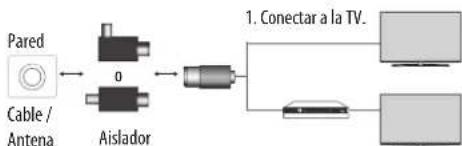
2. Conectar al receptor de television digital.
Conecte un extremo del alolador a la toma de cable/antena y el othera la television o receptor de television digital.
PCM(32kHz,44.1kHz,48kHz,96kHz,192kHz)
conecte Others products.
La TV se apaga repentinamente.
PCM(32kHz,44.1kHz,48kHz,96kHz,192kHz)
(Dependendo do Modelo)
Controlo remoto
aepoe npwta Tk BiDEC.
2 STepeWote Tc BiDc Ta unOoTnviyata otov toiox. EubuypaIouTe n BcN tnc ENtIOXaic Baoc kai TOW KpIKuW avaptnOc oTo Niow npoc ts nAepoanC.
3 SuVdoTe KaIa Touc KpiKouc avapTnOg KaI Ta unOoTnpyuata toXou me eva avEeTKIOKOVI. BeBaUWeTe OT to OxovI BiPikETAI OE opKiOVTa 0en npoc Tny enineBn enipaveia.
!PPOZOXH
Kpeaotov an no tvn mleopaon.
I HMEIOIH
Meyako KaiaawbEektko yia Tny aopaaTtonoBtmon TnTleopaonc.
amoktoeE mneAoeoap aTOV toKIO npouHT.
Enitoixia tonoeetnon
Svndote npnoektia ma npoaiptikn eintoiyia baon otnpnienc oto
nioa ieoc ntneapocn kai tonoBteiote tvn entoiyia baon
otnpic,oe evav otepeo toxio kabeta npoc to danede. Av bela va
tonoBteae tny tnneopao ae dka oogka uka, aeneuuvbteie
oe Eeideikeueyo npoownko. H LG ouviota tv npayatomeinon tnc
entoiixac tonoBteancn o eEeidekevevo enayewlaqiatia. Suvotata n
xpnion tnc emtioxiac daon otnpicnc tnc LG. H entoiyia baon otnpicnc
tnc LG evai euko na metakwnbei me ta kalwodia ouvdebepva. Otvav
dev xnpaionoeite tvn entoiyia baon otnpicnc tnc LG, npnaouoitee
mia entoiyia baon otnpicnc n onoiia entipenei tvkatalan otpeewan
tcn ouokwek otov toxio kai apnwei enapkn xapo yia tn ouvdeon
eEwotepikov ouokweu. KaO evai vau ouvdeoe nepa oda ta kalwodia
npiv Evkataotneote tvn entoiyia baon otnpicnc.
XpOaOnoTei BieC kai enitoixc baoeic otipieNou mnpovTo npotuno VESA. O Kavovikc diaotaec twk itntoixac onipicn nepivapovtal oov napakatw nivaKa.
PpOaIepTeiKa EApTnMaTa (EnToixia BaoN OtnpIc)
| Movéλo | 43UH61**40/43UH62**40UH63**43UH65**43UH66**40/43UH67**43UH74**43UH75** | 49/55UH61**49/55UH62**50UH63**49/55UH65**49/55UH66**49/50/55UH67**49/55UH74**49/55UH75**49/55UH77**49/55UH79**49/55UH84**49/55UH85** |
| VESA (A x B) (xλ) 200 x 200 300 x 300 | ||
| Kavovikni βδa M6 M6 | ||
| Δριθμος βιδων 4 4 | ||
| Entroixia βαση στιριξης | LSW240BMSW240 | LSW350BMSW240 |
| Movéλo | 60/65UH61**60/65UH62**58UH63**60/65UH65**60/65UH66**58/60/65UH67**60UH74**60/65UH75**60/65UH77**60UH84**60/65UH85** | 70UH63**75UH65**70UH67**70UH70**75UH77**75UH78**75UH85**79/86UH95** |
| VESA (A x B) (xλ) 300 x 300 600 x 400 | ||
| Kavovikni βδa M6 M8 | ||
| Δριθμος βιδων 4 4 | ||
| Entroixia βαση στιριξης | LSW350B LSW640B | |
| Movéλo 55/65UH95** | ||
| VESA (A x B) (xλ) 300 x 200 | ||
| Kavovikni βδa M6 | ||
| Δριθμος βιδων 4 | ||
| Entroixia βαση στιριξης | OTW420B |

IPOEOXH
aepote n Baoekewuvtacnntoppa Ta nmuata tonoetnonc.

ZHMEIOZH
XpOIOIOIEIe TIV KOALNTIK ETIKETA nTO npEeOeVO npooteAEtIKKO KALUma.HKOLAAKTIKETEKATA nTO npooteAEtIKO KALUma 0a npooteAEoEoi To AVONMA anTo IV OAOOWPEUON OKOVNC KAI BPOWnAC.MovO tAV npEeTAKI NETEKTA nTO KAULUma)
Dolby Digital (32 kHz, 44.1 kHz, 48 kHz),
DTS(44,1kHz,48kHz)
PCM(32kHz,44,1kHz,48kHz,96kHz,192kHz)
(Avahoya me to oovteAo)
Tnλexειριοτήρι
Oi nepipapae c6 auto to eyeepidio baoicovta ota koumu taou thaleeipotniopiu. Aiaabe npooeekua auto to eyeepidio kai xnpounonote oomega tyn tekepaan.
Ia va avtkataoathoe Tc mpatiec, aoile To kaiuua Ta
mataiac, avtkataoathote Tc mpatiec (1,5 V AAA) avtioxovtac ta
akpa +kai thy tkiEta oTo eotepko Tc thnk Cai kkeite To
kaiuua Tc mataiace. Ia va apaipeote Tc mpatiec, ekteote ta
bnaata tonoBtneonc Me tvn avtfetn oeipa.
Baeawtheite otexeotopauveo to nalexepiottnpio npoc to aodtnpaa nxeipiaouo nncn aeopaanc.
(Avloayo ma to oovtla)
A
(Koumi taouyiac) Evpyonoin anepeponion nnc
TV/RAD 2017-03-20 15:40 PM EDTA 100mg, 10mg, 10mg, 10mg, 10mg, 10mg, 10mg, 10mg, 10mg, 10mg, 10mg, 10mg, 10mg, 10mg, 10mg, 10mg, 10mg, 10mg, 10mg, 10mg, 10mg, 20mg, 20mg, 20mg, 20mg, 20mg, 20mg, 20mg, 20mg, 20mg, 20mg, 20mg, 20mg, 20mg, 20mg, 20mg, 20mg, 20mg, 20mg, 20mg, 20mg, 10mg, 10mg, 10mg, 10mg, 10mg, 10mg, 10mg, 10mg, 10mg, 10mg, 10mg, 10mg, 10mg, 10mg, 10mg, 10mg, 10mg, 10mg, 10mg, 5 mg, 5 mg, 5 mg, 5 mg, 5 mg, 5 mg, 5 mg, 5 mg, 5 mg, 5 mg, 5 mg,
(EIOAO)AALaynncmnyicEOOoo.
(Trpyopecpuθmuεic)PpooBaon otyn enAoy npiyopov puθmuεωv.
1,2LHEoVETe Tn EVIeuYMeN pEoxy, mOpoeTe vaTn npoBale Ae nAnon oOov. (Avaioya ie to oovteAo)
1,2 ① INFO pnoBoaI tow nAnpoopoiw Tou tpexovtoC npoyapauatoc kai tnc obovnc. (Avkooye tO tooVteLo)
QANAZHTH2H) npayatounoiote ovachtno yia nepiexoevo, onc tnaontika npovpauata, taiiec kai alaa bivteno, n avacntno 0to web pankpoayovtc touc opouc avacntno cto nlaio 0aavctnnc. (Avalayoue toovento
SIBIaTovunotowou npotatate otvnyapaknietoupya.(Avalyoayu toyveA ApBtukkoumpa Eaoayuy apiyueh.
LIST npoBaon tIoA anoNKeuEvw npovpaumaw.
(L(Kevo biaotma) Apivei eva kevo diaoeta oTo nAnktpaloyio nOboVc.
GdPnTou oynoy npoypaatoc. (Avaloya me to novteo)
C VVOpO nponyouEvo npoypaua. (Avaloya e to oovrEko)
B
1 INFO pnooJnT ov npopoiWuTpexovTC npoypuatoc kai tnc obovnc. (Avalaype to movteo)
QNAZTHSH) npayatmonote avahtn yia nepiexjoevo, onuacntaenntta npovpmaata, taiviec kai daa bivteo, naavctnto sot we nlaqkpoalyovtauoc opouc avcahtnnc sto Taiaioa oavaanthc. (Avaloya me to vorteA)
4.5 Gpovon tou oynou npoypaatoc. (Avaloya e tooovtlo)
3Dnaiomooietia vian npoBoi nBivto 3D. (Avloya e to oovrlo)
AD Ptoovtaoc to koumi AD, evpyonoeiia n aeitoupyia neypopqic jxou.
- Eeyyepnck Kai npBoH tou meou yepaepnC (mo to movteo Time Machine) (Avaloy a e to mvteo)
1 Live ZOOM:avpeyebovetny emelayevn nepioxy, mnpoeite va tv npoBalete anpniopoy (Avova ye to mvto) LIVETV Emopopoy stt kntoupyia LIVETV (ZONTANTH THAOPAZH).
Koumiae kEyou (1, 11, 11) Exete npdaaon aepiexoevopremium,mpeiexoevobivteo kaoukeucnou unotnpocv SIMPLINK.
Exypwa Koupma Xpnouonoiouvra yia npoobaoe eiske Aetoupyie opiaevuv meou.
(Movyia ta mvcta UH61, UH62)
| Пю波特урафес мουvantасаоύратου LAN (TWFM-B006D) | |
| Пю波特урафес b/g/n | |
| Еύраз оухуотитου layingчес δδου (мέγ.) | |
| 2.400 εως 2.483,5 MHz | 14 dBm |
| 5.150 εως 5.250 MHz | 12,5 dBm |
| 5.725 εως 5.850 MHz (Гιαχώρες εκτός E.E.) | 15,5 dBm |
(Movo yia ta maovteKa UH63, UH65, UH66, UH67, UH70, UH74, UH75, UH77, UH78, UH79, UH84, UH85, UH95**)
| Пюбаяраф�, Аουрати, Мovадаç (LGSBWAC61) | |
| Аουратου LAN (IEEE 802.11a/b/g/n/ac) | |
| Еύ pou Μυχοντήτων Iαχός εδοδου (μέγ.) | |
| 2.400 εως 2.483,5 MHz | 15,5 dBm |
| 5.150 εως 5.725 MHz | 17,5 dBm |
| 5.725 εως 5.850 MHz (Γι χώς εκτός E.E.) | 8,0 dBm |
| Bluetooth | |
| Еύ pou Μυχοντήτων Iαχός εδοδου (μέγ.) | |
| 2.400 εως 2.483,5 MHz 10 dBm | |
XINHVV3
Record the model number and serial number of the TV. Refer to the label on the back cover and quote this information to your dealer when requiring any service.
MODEL
SERIAL