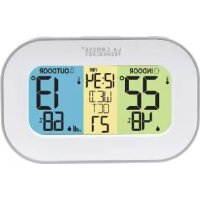
CA308148 - Clock LA CROSSE TECHNOLOGY - Free user manual and instructions
Find the device manual for free CA308148 LA CROSSE TECHNOLOGY in PDF.

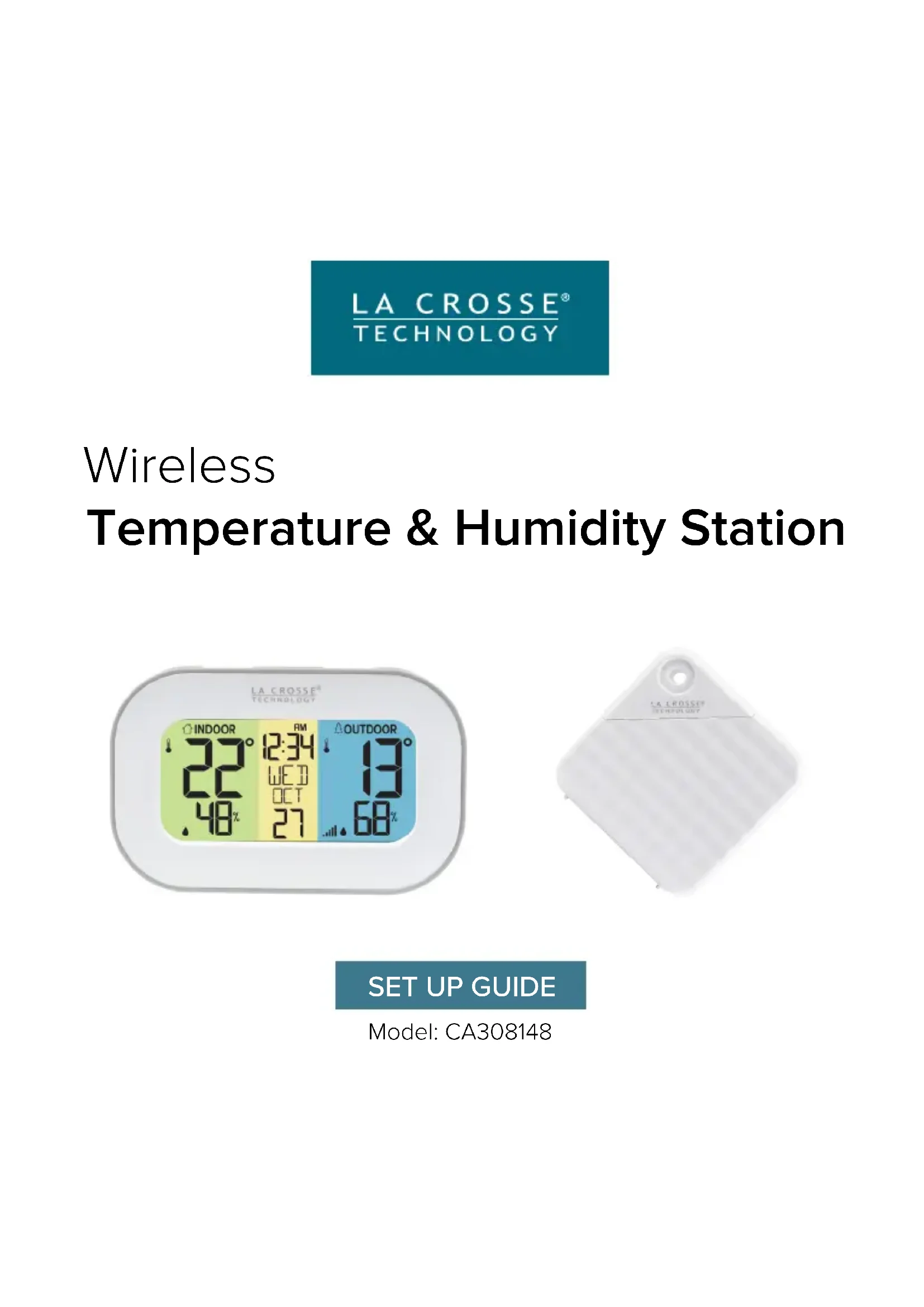

| Product Type | Wireless Indoor/Outdoor Weather Station |
| Brand | La Crosse Technology |
| Model | CA308148 |
| Station Power | 2 AAA batteries (not included) |
| Sensor Power | 2 AAA batteries (not included) |
| Battery Life | Up to 12 months |
| Indoor Temperature Range | 0°C to 50°C (32°F to 122°F) |
| Outdoor Temperature Range | -40°C to 60°C (-40°F to 140°F) |
| Humidity Range | 10% to 99% RH |
| Transmission Range | 100 m (330 ft) in open field |
| Frequency | 433 MHz |
| Refresh Interval | Approximately 51 seconds |
| Station Dimensions | 11.75 x 2.02 x 7.43 cm |
| Sensor Dimensions | 6.52 x 1.98 x 6.6 cm |
| Display | Indoor/outdoor temperature and humidity, time, date, recorded max/min |
| Special Features | Recording of highs and lows with date/time, low battery indicator, signal search |
| Mounting | Fold-out stand for table or wall mount (station and sensor) |
| Recommended Batteries | Alkaline; lithium for temperatures below -30°C |
| Warranty | 1 year limited |
| Customer Service | Springfield Instruments Inc, 1-844-687-4040 |
Frequently Asked Questions - CA308148 LA CROSSE TECHNOLOGY
User questions about CA308148 LA CROSSE TECHNOLOGY
0 question about this device. Answer the ones you know or ask your own.
Ask a new question about this device
Download the instructions for your Clock in PDF format for free! Find your manual CA308148 - LA CROSSE TECHNOLOGY and take your electronic device back in hand. On this page are published all the documents necessary for the use of your device. CA308148 by LA CROSSE TECHNOLOGY.
USER MANUAL CA308148 LA CROSSE TECHNOLOGY
Temperature & Humidity Station


SET UP GUIDE
Model: CA308148
POWER UP
- Insert 2-AAA batteries into your Outdoor Sensor.
- Insert 2-AAA batteries into your Station.
- Enter the Settings Menu to set the Time, Date, and Temperature.
- Once the sensor is reading to your station, place the sensor outside in a shaded location.


BUTTONS
| SET/MODE | Press then release to change viewing mode.Hold to enter Settings Menu.Settings:Press then release to move to next item. |
| + (PLUS) | Press then release to view HI/LO records.Hold to search for Sensor.Settings:Press to adjust settings. Hold to adjust quickly. |
| - (MINUS) | Hold to reset all HI/LO Records.Settings:Press to adjust settings. Hold to adjust quickly. |
SETTINGS MENU
Important: Only press or hold one button at a time to set your station.
-
Hold the SET/MODE button until the display changes to enter the Settings Menu.
-
Press then release the + or - button to adjust the values. Hold to adjust quickly.
-
Press then release the SET/MODE button to confirm and move to the next item.
Settings Menu Order:
- Hour
- Minutes
- Year
- Month
- Date
• Celsius/Fahrenheit

Weekday: Weekday will set automatically when Year, Month and Date are set.
STATION AND SENSOR MOUNTING
Station: Place the display directly on a table using the built-in pull-down stand on the back. Alternatively, hang it on a wall using the triangle hanging hole on the back.
Sensor: Insert a screw through the front hanging hole to mount the sensor outside in a shaded location. For more details, watch our video here: bit.ly/th_sensor_mounting.

natural_image
Close-up of a white electronic device with ventilation grilles and control buttons (no visible text or symbols)Built-in Stand Folds down from back and clicks back into place.

natural_image
3D rendering of a white plastic device with internal ventilation slots and a curved handle, showing no text or symbols.Use the Triangle Hanging Hole on the back to mount on a wall.

natural_image
Blank white tag with a circular hole and printed text 'LA CHINESE' on the side (no other readable markings)Position vertically to allow condensation to drain out.
CUSTOM DISPLAY MODES
Press then release the SET/MODE button to view Temperature or Humidity in large numbers. Station will stay on the selection.
Temperature Large

Humidity Large

HIGH/LOW RECORDS
View Records:
Press then release the +
(PLUS) button to view high
and low records with time and date stamp.
Viewing Order:
Outdoor HI Temp
Outdoor LO Temp
Outdoor HI Humidity
Outdoor LO Humidity
Indoor HI Temp
Indoor LO Temp
Indoor HI Humidity
Indoor LO Humidity
Reset Records:
While viewing a record, hold the - (MINUS) button to reset that individual record.
A full restart will reset all records at once.

LOW BATTERY INDICATOR
- When the Low Battery Icon ☐ shows by the indoor temperature, replace batteries in the station.
- When the Low Battery Icon ☐ shows by the outdoor temperature, replace batteries in the sensor.
SEARCH FOR SENSOR
- If a sensor loses connection to the thermometer for any reason, the thermometer will show NO on screen after 30 minutes.
- The thermometer will automatically search for 3 minutes every hour to try and reconnect with the sensor.
• Install a new set of regular alkaline batteries into the sensor. Then hold the + (PLUS) button on the station until the Reception Icon 📁 starts to animate. - If the connection still cannot be reestablished, visit our support page here: bit.ly/basic_restart for further troubleshooting.
Lost Connection to Sensor Searching for Sensor

SPECIFICATIONS
Station (CA308148)
Power Requirements: 2 "AAA" batteries (not included)
Battery Life: Up to 12 months
Temperature Range: 0°C to 50°C (32°F to 122°F)
Humidity Range: 10% to 99% RH
Dimensions: 11.75cm L x 2.02cm D x 7.43cm H (4.63" L x 0.79" D x 2.93" H)
Sensor (TX147TH)
Power Requirements: 2 "AAA" batteries (not included)
Battery Life: Up to 12 months
Temperature Range: -40°C to 60°C (-40°F to 140°F)
Humidity Range: 10% to 99% RH
Transmission Range: 330 feet (100 meters) open air, 433 MHz
Update Interval: About every 51 Seconds.
Dimensions: 6.52cm L x 1.98cm W x 6.6cm H (2.57" L x 0.78" W x 2.6" H)
This product operates on alkaline batteries. However, it is suggested to use lithium batteries in areas where the temperatures is consistently below -30^ ( -22^ )
STAY IN TOUCH
Ask questions, watch setup videos, and provide feedback on our social media outlets. Follow La Crosse Technology on YouTube, Twitter, Facebook and Instagram.


Battery replacement instruction:
When batteries of different brand or type are used together, or new and old batteries are used together, some batteries may be over-discharged due to a difference of voltage or capacity. This can result in venting, leakage, and rupture and may cause personal injury.
• Always purchase the correct size and grade of battery most suitable for the intended use.
- Always replace the whole set of batteries at one time, taking care not to mix old and new ones, or batteries of different types.
- Clean the battery contacts and those of the device prior to battery installation.
- Ensure the batteries are installed correctly with regard to polarity (+ and -).
- Remove batteries from product during periods of non-use. Battery leakage can cause corrosion and damage to this product.
- Remove used batteries promptly.
- For recycling and disposal of batteries, and to protect the environment please check the internet or your local phone directory for local recycling centers and/or follow local government regulations.
All rights reserved. This manual may not be reproduced in any form, even in part, or duplicated or processed using electronic, mechanical or chemical process without the written permission of the publisher. This booklet may contain errors or misprints. The information it contains is regularly checked and corrections are included in subsequent editions. We disclaim any responsibility for any technical error or printing error, or their consequences.
All trademarks and patents are recognized.
WARRANTYBATTERY INSTRUCTIONS
La Crosse Technology, Ltd. provides a 1-year limited time warranty (from date of purchase) on this product relating to manufacturing defects in materials and workmanship.
Self-help: bit.ly/ca308148
Before returning a product, please contact our friendly customer support with questions:
Springfield Instruments Inc.
104 Barr St.
Saint Laurent, Québec H4T 1Y4
Customer Service:
1-844-687-4040
info@springfieldinstruments.com

CANADA STATEMENT
This device contains licence-exempt transmitter(s)/receiver(s) that comply with Innovation, Science and Economic Development Canada's licence-exempt RSS(s).
Operation is subject to the following two conditions:
(1) This device may not cause interference.
(2) This device must accept any interference, including interference that may cause undesired operation of the device.
LA CROSSE®
TECHNOLOGY
natural_image
Close-up of a white electronic device with ventilation grilles and control buttons (no visible text or symbols)natural_image
3D rendering of a white plastic device with internal ventilation slots and a handle, showing no text or symbols.natural_image
Blank white tag with a circular hole and printed text (no other symbols or markings visible)INSTRUCTIONS RELATIVES AUX PILES
DÉCLARATION DE CONFORMITÉ POUR LE CANADA
- Temperature & Humidity Station
- POWER UP
- SETTINGS MENU
- Settings Menu Order:
- STATION AND SENSOR MOUNTING
- CUSTOM DISPLAY MODES
- HIGH/LOW RECORDS
- View Records:
- Viewing Order:
- Reset Records:
- LOW BATTERY INDICATOR
- SEARCH FOR SENSOR
- SPECIFICATIONS
- Station (CA308148)
- Sensor (TX147TH)
- STAY IN TOUCH
- Battery replacement instruction:
- WARRANTYBATTERY INSTRUCTIONS
- Springfield Instruments Inc.
- CANADA STATEMENT
- INSTRUCTIONS RELATIVES AUX PILES
- DÉCLARATION DE CONFORMITÉ POUR LE CANADA
Brand : LA CROSSE TECHNOLOGY
Model : CA308148
Category : Clock