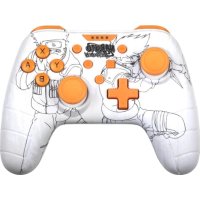
Kakashi - Controller KONIX - Free user manual and instructions
Find the device manual for free Kakashi KONIX in PDF.


| Product type | Wired controller for Nintendo Switch |
| Brand | Konix |
| Model | Kakashi |
| Approximate dimensions | 15 x 10 x 5 cm |
| Approximate weight | 200 g |
| Power supply | Via USB cable (plug into console or PC) |
| Cable length | Approximately 3 meters |
| Connectivity | Wired USB (X-input on PC) |
| Compatibility | Nintendo Switch (with dock), PC (Windows) |
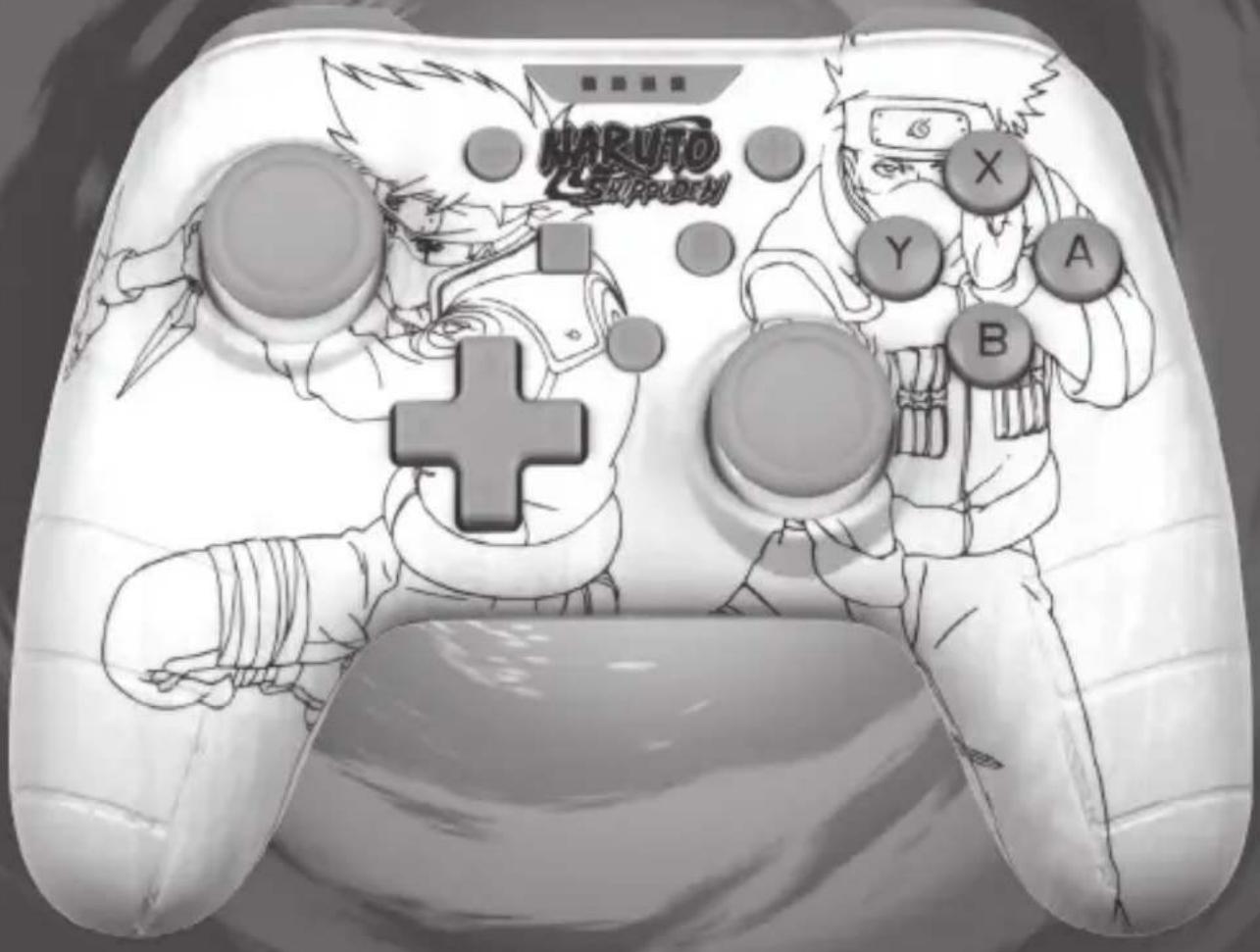
| Main functions | Analog joysticks, A/B/X/Y buttons, D-pad, L/R/ZL/ZR buttons, +/- buttons, Home button |
| Joystick adjustment | Calibration via Switch system settings |
| LED indicator | Lit when connection is established |
| Maintenance and cleaning | Clean with a soft, dry cloth. Do not use abrasive products or solvents. |
| Safety | Do not open the controller. Do not force the USB plug. Keep away from water, heat, and humidity. |
| Spare parts and repairability | Not user-serviceable. No spare parts available. |
| General information | Made in China. Distributed by Innelec Multimedia - Konix. This product is not manufactured or endorsed by Nintendo. |
Frequently Asked Questions - Kakashi KONIX
User questions about Kakashi KONIX
0 question about this device. Answer the ones you know or ask your own.
Ask a new question about this device
Download the instructions for your Controller in PDF format for free! Find your manual Kakashi - KONIX and take your electronic device back in hand. On this page are published all the documents necessary for the use of your device. Kakashi by KONIX.
USER MANUAL Kakashi KONIX
for NINTENDO® SWITCH™ and PC
USER MANUAL
KONIX
UK
WIRED CONTROLLER
SWITCH CONSOLE
- Connect the Switch console stand to the TV and turn console on.
- Connect the controller by USB connector into the switch console stand, press the A button to connect, and when it is connected, the LED indicator will be lit.
NOTE:
Please enter "System Setting", then "Controllers and Sensors" then set the "Pro Controller Wired Communication" to "ON" status
- Joystick adjustment
If you encounter problems with the Joysticks, please calibrate them as follows:
Press «Home» to enter the main menu and choose
« System Settings».
Choose « Controllers and Sensors» and then «Calibrate Control Stick», Press «A» to enter.
Now choose the Joystick you want to calibrate by simply pressing it.
Press «X» to start the calibration process and execute the actions on screen.
UK
PC COMPATIBLE
Directly plug the USB port to the PC console, by default it is set to X-input mode.
No drivers are required on Windows, it will set up automatically.
MAINTENANCE:
Keep away from hot or wet environments.
Never force the USB plug into the Switch dock.
Keep away from liquids.
Do not try to open the controller

MANETTE FILAIRE
CONSOLE SWITCH
Regulatory compliance information
UK If at any time in the future you should need to dispose of this product please note that: Waste electrical products should not be disposed of with household waste. Please recycle where facilities exist. Check with your Local Authority or retailer for recycling advice. (Waste Electrical and Electronic Equipment Directive)
FR Si dans l'avenir vous deviez vous débarrasser de ce produit veuillez remarquer que : Les déchets électriques ne doivent pas être jetés avec les déchets ménagers. Veuillez recycler les produits dans une déchetterie. Consulter votre responsable local ou votre revendeur pour un conseil sur le recyclage. (Directive sur les déchets des équipements électriques et électroniques)
DE Sollten Sie dieses Produkt später einmal entsorgen müssen, beachten Sie bitte, dasselektrische. Abfallprodukte nicht mit dem Haushaltsmull entsorgt werden durfen. Bitte fuhren Sie das Produkt dem Recycling zu, sofern eine entsprechende Einrichtung (Wertstoffhof) vorhanden ist. Fragen Sie bei Ihren Behorden vor Ort nach Möglichkeiten zum Recycling. (Richtlinie über Elektro- und Elektronik-Altgerate).
ES Si en el futuro tiene que desechar este producto, tenga en cuenta que: Los residuos de productos electricos no se tienen que tirar con la basura domestica. Reciclelo en las instalaciones disponibles. Consulte a las Autoridades Locales o al distribuidor para que le de instrucciones sobre el reciclaje. (Directiva sobre la eliminacion de Aparatos Electronicos y Electricos).
PL Se a qualquer momento no futuro tiver que se desfazer deste produto, por favor note que: Os resíduos dos produtos eléctricos não deverão ser misturados juntamente com os resíduos domésticos. Por favor recicle onde seja possível. Verifique junto da sua Autoridade Local ou comerciante informação acerca de reciclagem. (Directiva sobre Resíduos de Equipamento Eléctrico e Electrónico).
IT Se in futuro dovesse essere necessario smaltire questo prodotto, si prega di notare che: I rifiuti elettrici non devono essere smaltiti insieme ai rifiuti domestici. Riciclare in apposite strutture. Verificare con l'Autorità locale o Rivenditore dove poter riciclare il dispositivo. (Direttiva sullo smaltimento dei rifiuti elettrici ed elettronici).
NL Als u in de toekomst wenst te ontdoen van dit product kunt u er rekening mee dat : Afgedankte elektrische producten mogen niet worden weggegooid bij het huishoudelijk afval. Recycle producten. Raadpleeg uw plaatselijke vertegenwoordiger of dealer voor advies over recycling. (Richtlijn betreffende afgedankte elektrische en elektronische apparatuur.


KONIX
www.konix-interactive.com
©2021 Konix. Innelec Multimedia - Konix, 45 rue Delizy, 93692 Pantin Cedex, FRANCE. The Konix brands and logos are trademarks of Innelec Multimedia S.A. Switch™ is a trademark of Nintendo Co., Ltd. All other trademarks are the property of their respective owners. All rights reserved. This product is not made or endorsed by Nintendo Co., Ltd. Made in China.
Game console and video games not included.