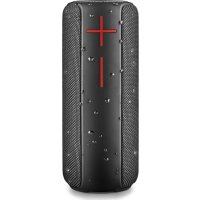
Roller Nitro 2 - Loudspeaker NGS - Free user manual and instructions
Find the device manual for free Roller Nitro 2 NGS in PDF.



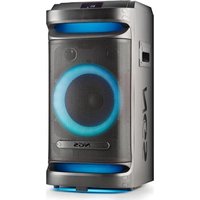
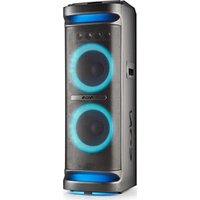
| Product type | Portable speaker |
| Brand | NGS |
| Model | Roller Nitro 2 |
| Bluetooth | Version 5.0 |
| TWS function (stereo pairing) | Yes |
| Output power | 20 W (2 x 10 W) |
| RMS power | 10 W (2 x 5 W) |
| AUX audio input | Yes |
| USB audio input | Yes |
| SD audio input | Yes |
| Volume control | Yes |
| Battery type | Lithium-ion (2 x 1200 mAh) |
| Battery life | Up to 12 hours (at 70% volume) |
| Waterproof rating | IPX5 (splash resistant) |
| Control buttons | Mode, Previous, Next, Play/Pause, Volume +/-, Power On/Off |
| Charging port | USB Type-C |
| Care and cleaning | Clean with a soft, dry cloth. Do not use abrasive products. |
| Safety | Do not immerse in water. Avoid extreme temperatures. |
Frequently Asked Questions - Roller Nitro 2 NGS
User questions about Roller Nitro 2 NGS
0 question about this device. Answer the ones you know or ask your own.
Ask a new question about this device
Download the instructions for your Loudspeaker in PDF format for free! Find your manual Roller Nitro 2 - NGS and take your electronic device back in hand. On this page are published all the documents necessary for the use of your device. Roller Nitro 2 by NGS.
USER MANUAL Roller Nitro 2 NGS
NORSK I SUOMI I SVENSKA I DANSK I LIETUVIU


www.ngs.eu
USER'S MANUAL
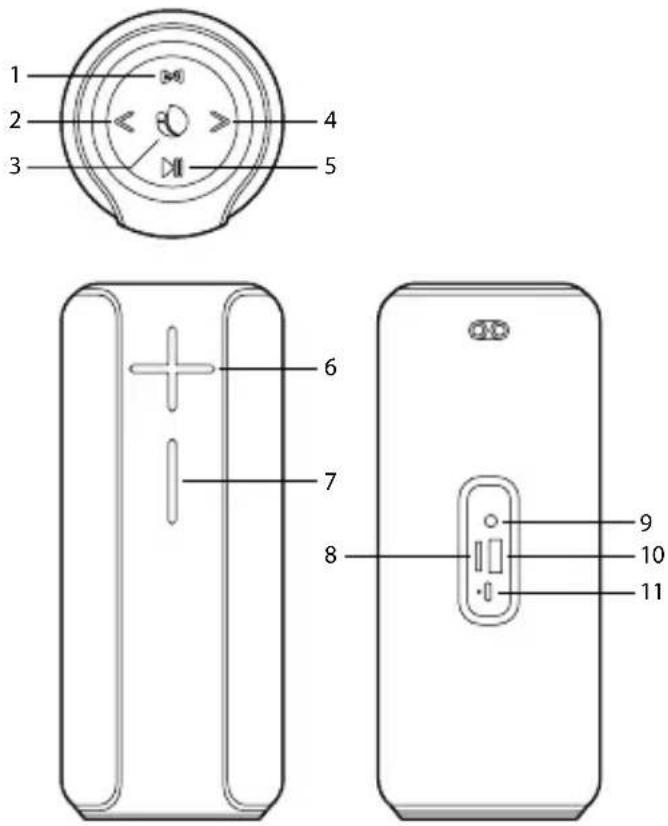
CONTROL BUTTONS
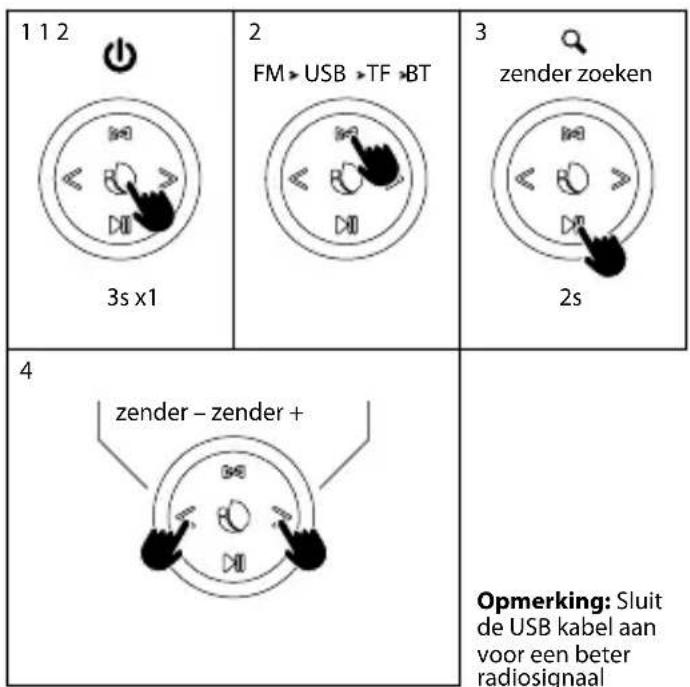
1 Mode/TWS
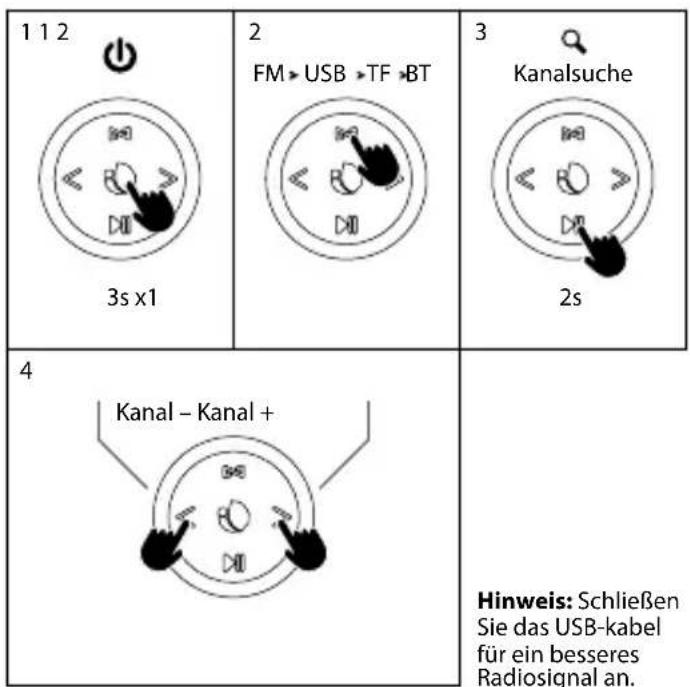
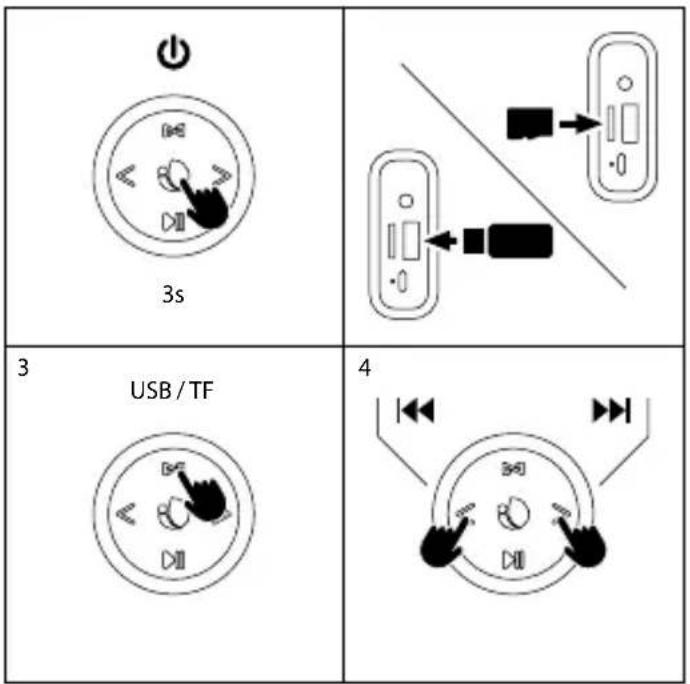
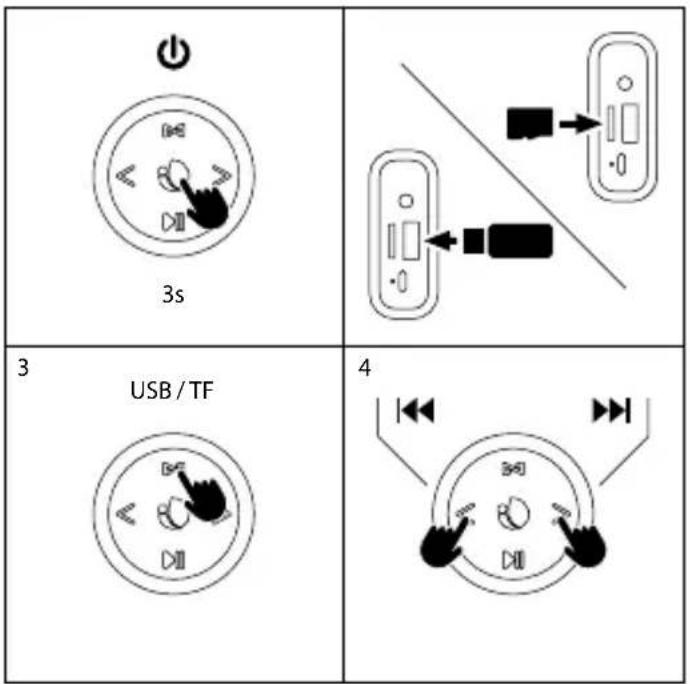
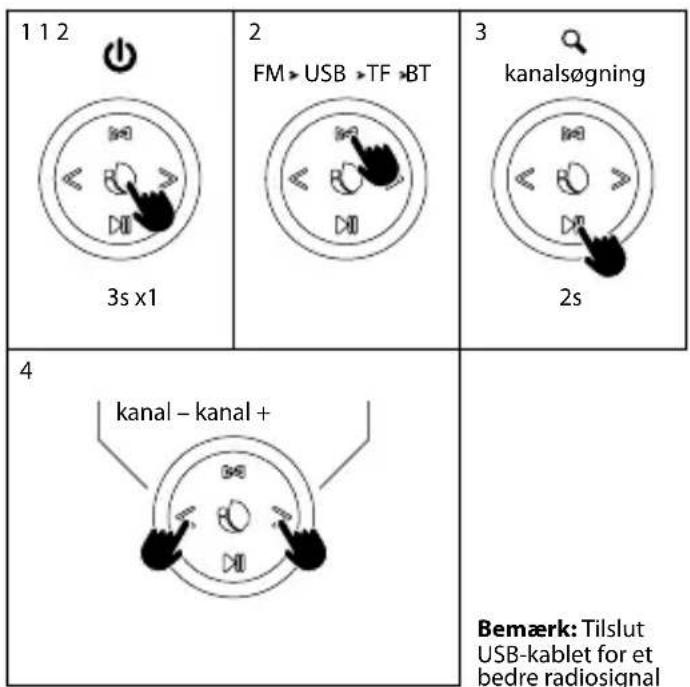
Short press: change mode (FM/BT/USB/AUX IN/TF)
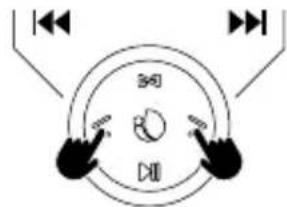
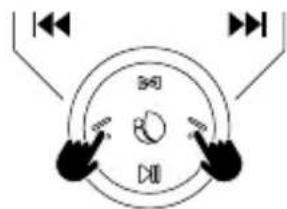
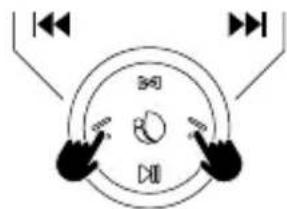
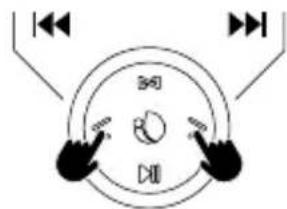
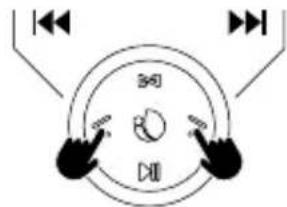
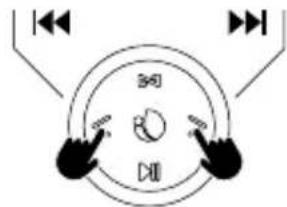
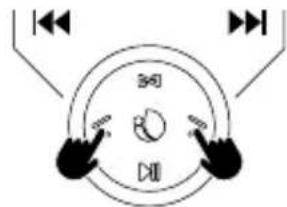
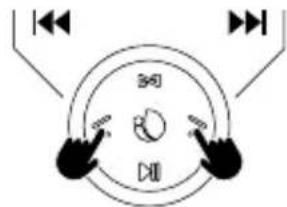
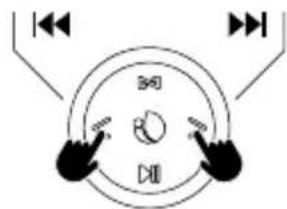
2 Previous song
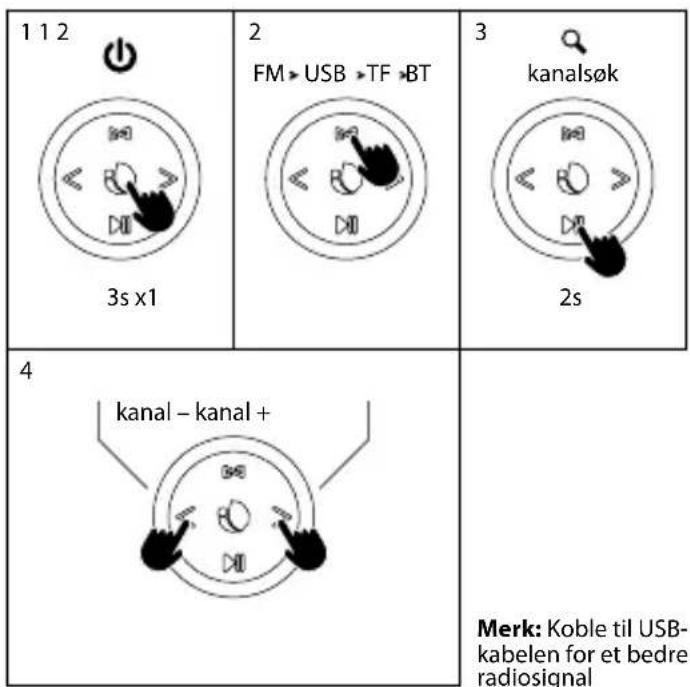
In FM mode: short press to the previous channel
3 Power button
Long press turn on/off for about 3 seconds/times
4 Next song
In FM mode: short press to the next channel
5 Play/Pause button
Short press: play/pause
Long press to exit wireless connect
Long press to search the programm in the FM mode
6 Volume +
7 Volume -
8 TF audio input
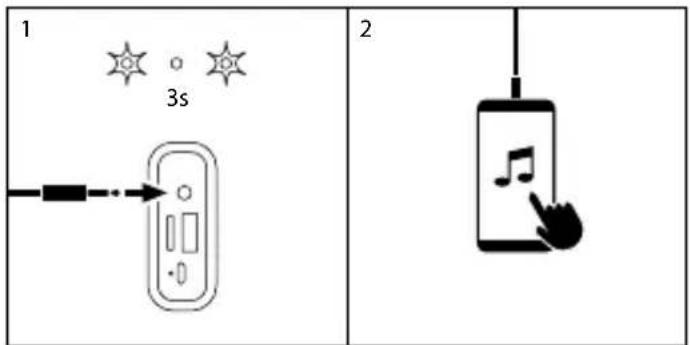
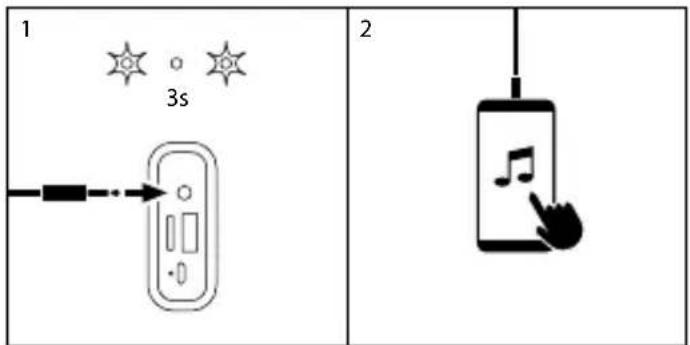
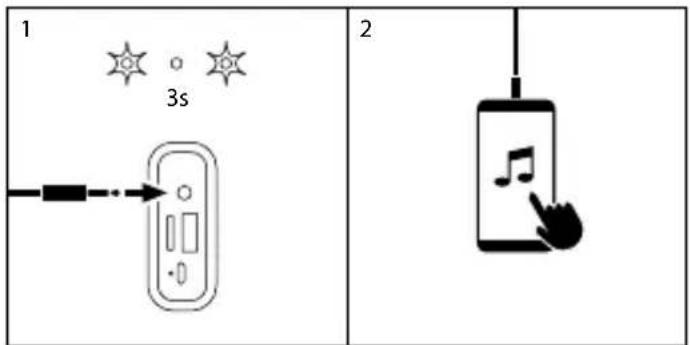
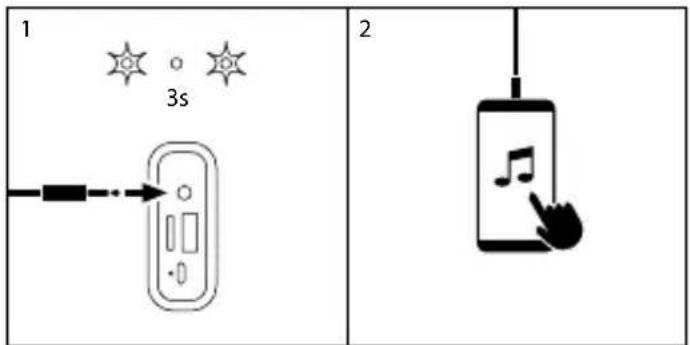
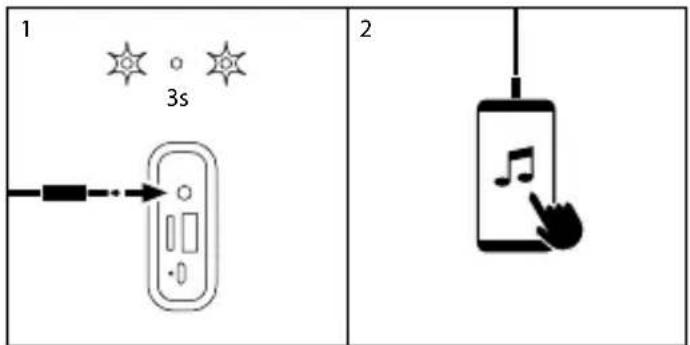
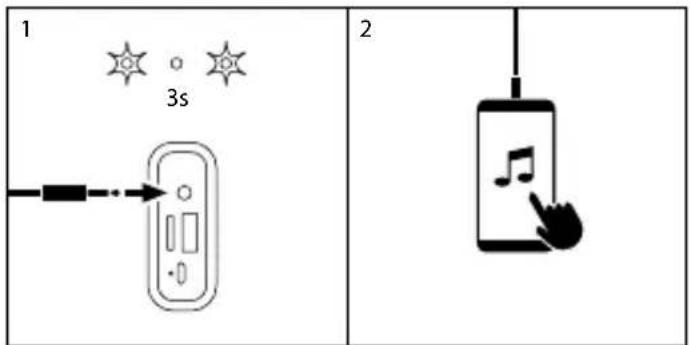
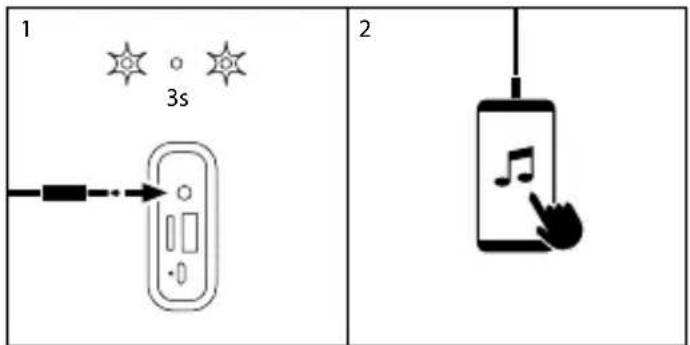
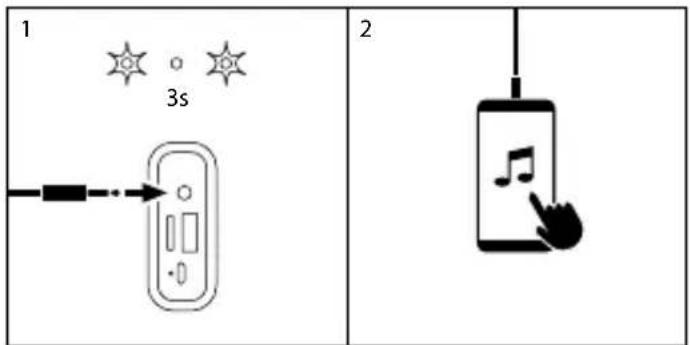
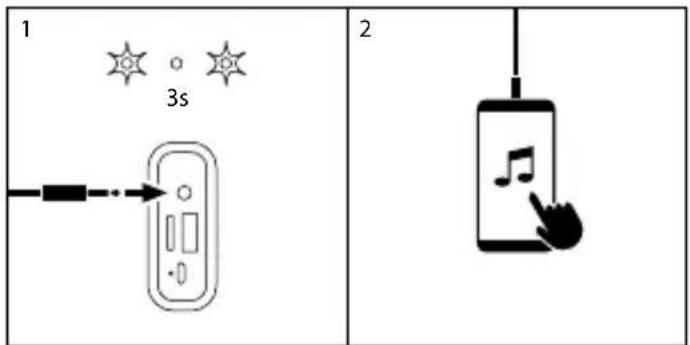
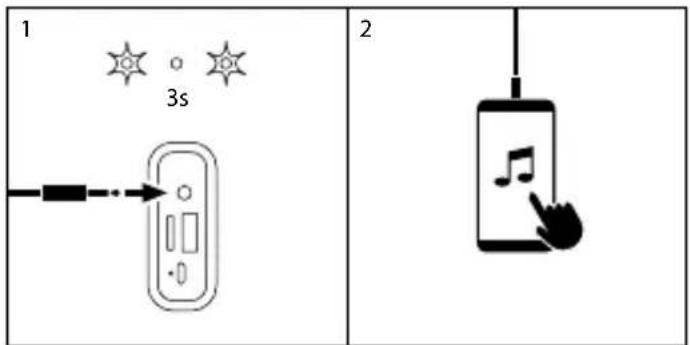
9 AUX audio input
10 USB audio input
11 Type-C interface charging port
BLUETOOTH MODE
13s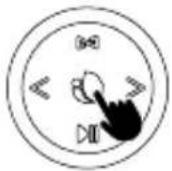 | 2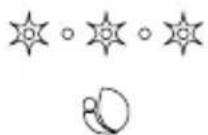 |
3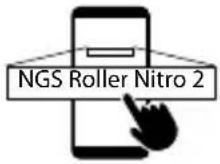 | 4 |
HOW TO CHARGE?
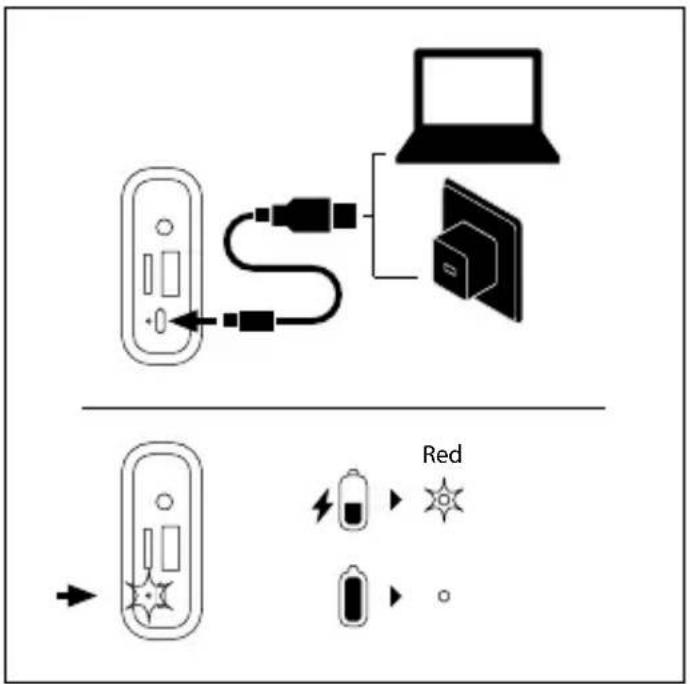
USER'S MANUAL
TWS
1 |  |  |
1 | 3s |  3s 3s |
2 |  U.DS U.DS |   U.DS U.DS |
3 | 3s | |
4 "Beep" "Beep" |  "Beep" "Beep" | |

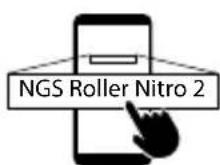


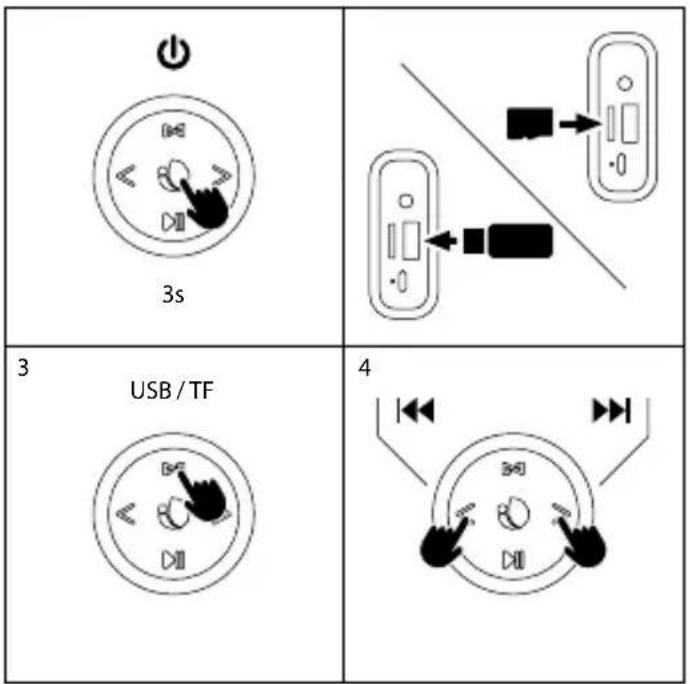
RADIO MODE USB/TF MODE
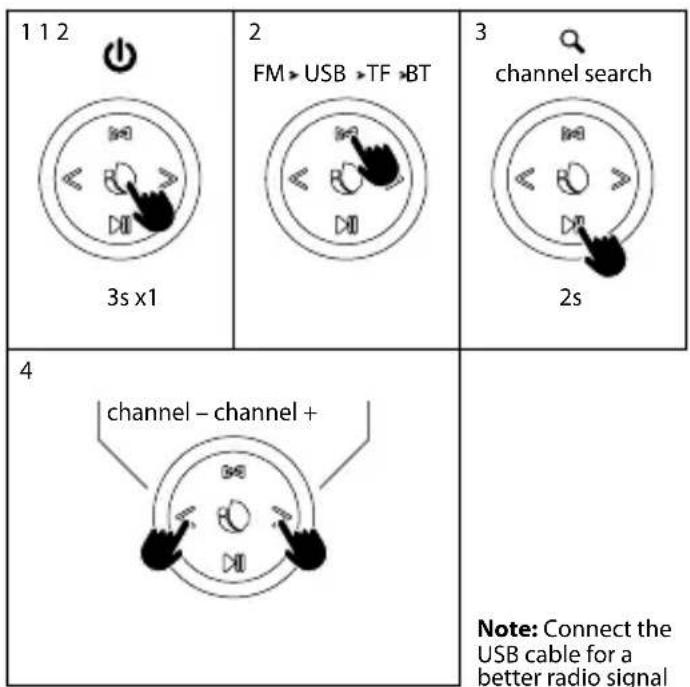
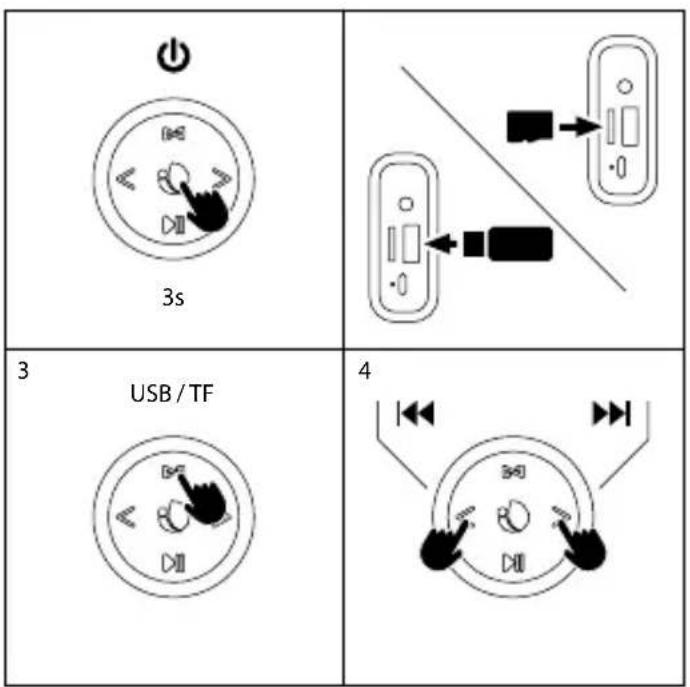
USER'S MANUAL
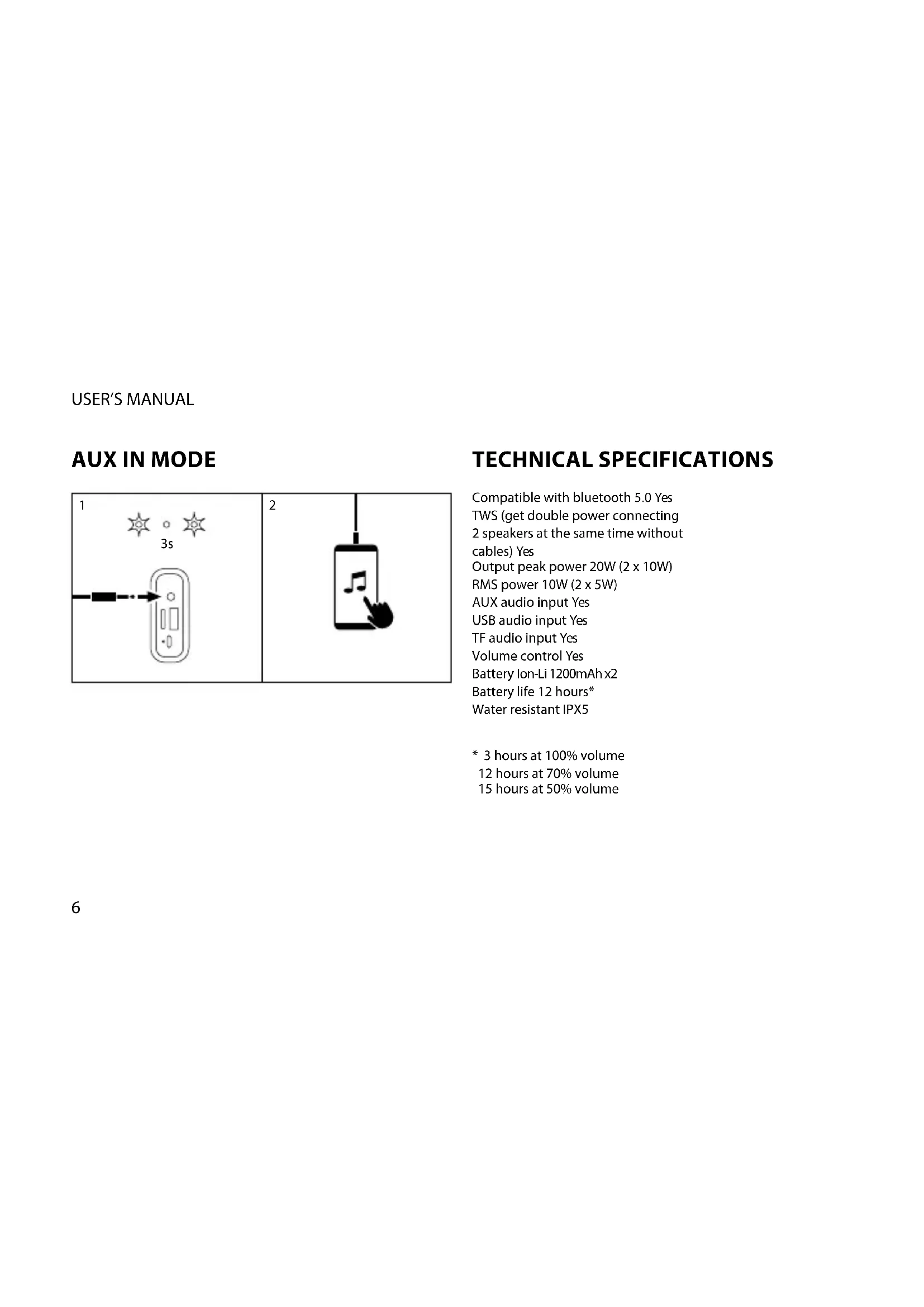
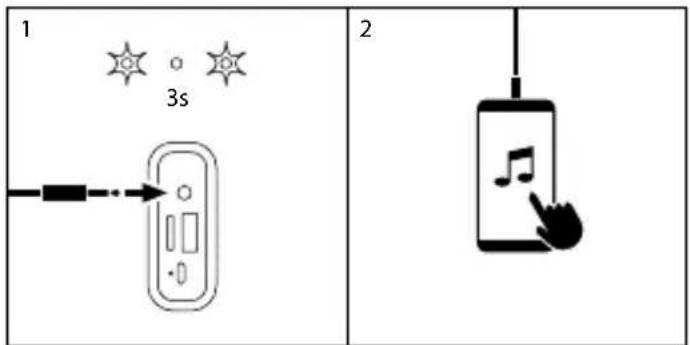
AUX IN MODE
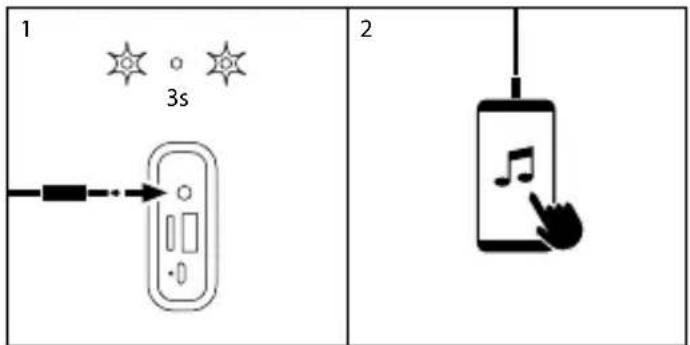
TECHNICAL SPECIFICATIONS
Compatible with bluetooth 5.0 Yes TWS (get double power connecting 2 speakers at the same time without cables) Yes Output peak power 20W (2 x 10W) RMS power 10W (2 x 5W) AUX audio input Yes USB audio input Yes TF audio input Yes Volume control Yes Battery Ion-Li 1200mAh x2 Battery life 12 hours* Water resistant IPX5
* 3 hours at 100% volume 12 hours at 70% volume 15 hours at 50% volume
ENGLISH

Battery warranty
The battery is a consumer product, and as such it is under warranty for 12 months.

If at any time in the future you should need to dispose of this product please note that: Waste electrical products should not be disposed of with household waste. Please recycle where facilities exist.
Check with your Local Authority or retailer for recycling advice.
(Waste Electrical and Electronic Equipment Directive)
MANUEL DE L'UTILISATEUR
BOUTONS DE COMMANDE
MANUEL DE L'UTILISATEUR
TWS
| 1 | | |
1  | 3s | [TT4K]  3s 3s |
2 ✓ ✓ |  0.5s 0.5s |   0.5s 0.5s |
3 | 3s | |
| 4"Beep" | "Beep" | |
| 5 |  |  |
| 6 | 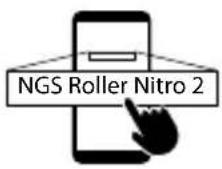 |


MODE RADIO MODE USB/TF
natural_image
Diagram showing two connected devices with connectors and arrows indicating connection (no text or symbols)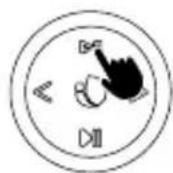
MANUEL DE L'UTILISATEUR
MODE AUX IN
MANUAL DE USUARIO
TWS
| 1 |  | |
| 1 | 3s |  |
2 |  UJS UJS |  |
3 | 3s | |
4 "Beep" "Beep" | [KG37]"Beep" | |
| 5 |  |  |
| 6 |  |


MODO RADIO MODO USB/TF
natural_image
Diagram showing two connected devices with connectors and arrows indicating connection (no text or symbols)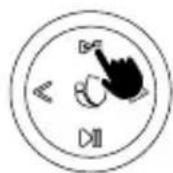
MANUAL DE USUARIO
MODO AUX IN
GEBRUIKERSHANDLEIDING
TWS
| 1 | | |
| 1 | 3s | 3s |
| 2 | U.DS | U.DS |
3 | 3s | |
4 "Beep" "Beep" |  "Beep" "Beep" | |
| 5 | | |
| 6 | |
1 |  | 2 |
 | 3s |
RADIO-MODUS USB/TF-MODUS
GEBRUIKERSHANDLEIDING
AUX IN-MODUS
TECNISCHE SPEZIFIKATIONEN
INSTRUZIONI D'USO
TWS
| 1 | | | |
| 1 | | 3s | 3s |
| 2 | | U.DS | U.DS |
| 3 | | 3s | |
| 4 | [comw]"Beep" | [HT6T]"Beep" | |
| 5 | | |
| 6 | |
1 |  | 2 |
| 3s |
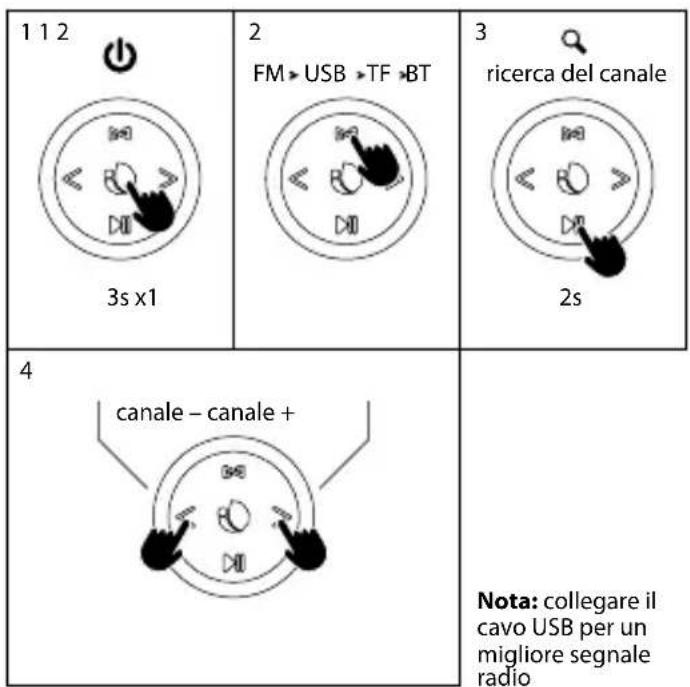
MODE RADIO MODE USB/TF
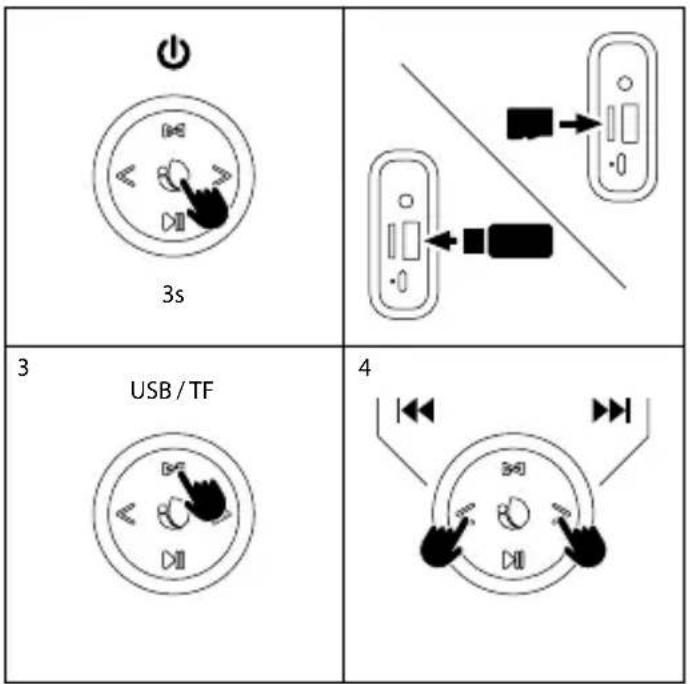
INSTRUZIONI D'USO
MODE AUX IN
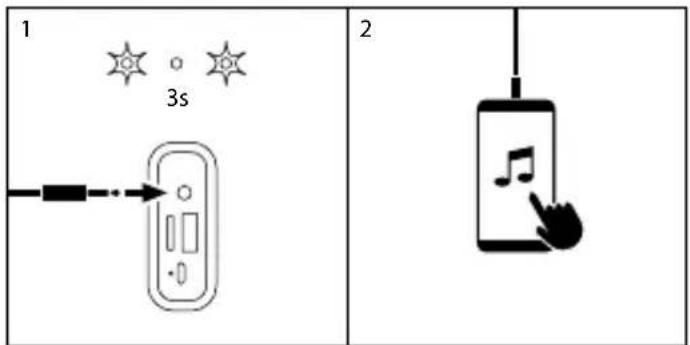
SPECIFICHE TECNICHE
The battery is a consumer product, and as such it is under warranty for 12 months.

If at any time in the future you should need to dispose of this product please note that:
Waste electrical products should not be disposed of with household waste. Please recycle where facilities exist.
Check with your Local Authority or retailer for recycling advice.
(Waste Electrical and Electronic Equipment Directive)
MANUAL DO UTILIZADOR
BOTÕES DE CONTROLE
MANUAL DO UTILIZADOR
TWS
| 1 | | | |
| 1[X50K] | | 3s | [W3C2] 3s |
| 2 |  0.5s 0.5s |  0.5s 0.5s | |
| 3 | 3s | ||
| 4[3KB]“Beep” | [Y7XT]“Beep” | ||
| 5 |  | [225Z] |
| 6 | |


MODO RADIO MODO USB/TF
natural_image
Diagram showing two connected devices with connectors and arrows indicating connection (no text or symbols)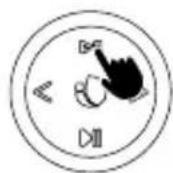
MANUAL DO UTILIZADOR
AUX IN MODE
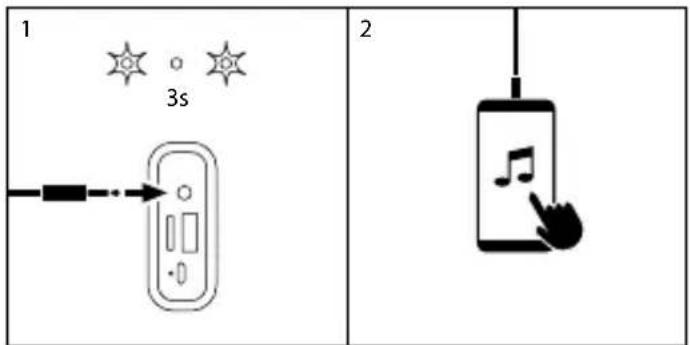
ESPECIFICAÇÕES TÉCNICAS
| 1 | | | |
| 1[HHXS] | | 3s |  3s 3s |
| 2 | √ | 0.5s |   0.5s 0.5s |
| 3 | 3s | ||
| 4[X69]"Beep" | [A442]"Beep" | ||
| 5 | |
| 6 |


natural_image
Diagram showing two connected devices with connectors and arrows indicating connection (no text or symbols)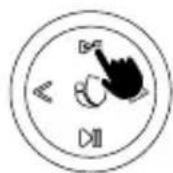
Akumulator Ion-Li 1200mAh x2
GEBRUIKSAANWIJZING
TWS
| 1 |  |  |
| 1 | 3s | 3s |
| 2 | U.DS |  U.DS U.DS |
| 3 | 3s | |
| 4[0K6T]"Beep" | [ZSTX]"Beep" | |


MODUS RADIO MODUS USB/TF
GEBRUIKSAANWIJZING
AUX IN MODE
TECHNISCHE SPECIFICATIES
| 1 | | | |
| 1 | | 3s | 3s |
| 2 | | U.DS | U.DS |
| 3 | | 3s | |
| 4 | "Beep" | "Beep" | |
| 5 | | |
| 6 | |
| 1 | 2 | 3 |
REŽIM RADIO REŽIM USB/TF
natural_image
Diagram showing two connected devices with connectors and arrows indicating connection (no text or symbols)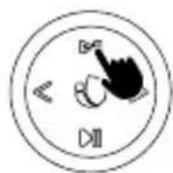
UŽIVATELSKÁ PŘÍRUČKA
REŽIM AUX IN
TECHNICKÉ SPECIFIKACE
POUŽÍVATELŠKÁ PRÍRUČKA
TWS
1  | ||
| 1 3s | 3s | |
| 2 U.DS | U.DS | |
| 3 3s | ||
| 4[846V]"Beep" | [S3T6]"Beep" | |
| 5 | | |
| 6 | |
1 |  | 2 |
 | 3s |
REŽIM RADIO REŽIM USB/TF
natural_image
Diagram showing two connected devices with connectors and arrows indicating connection (no text or symbols)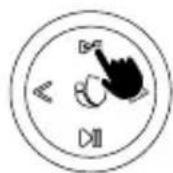
POUŽÍVATELŠKÁ PRÍRUČKA
REŽIM AUX IN
TECHNICKÉ ŠPECIFIKÁCIE
Kompatibilné s Bluetooth 5.0 Áno
ΟΔΗΓΙΕΣ ΧΡΗΣΗΣ
TWS
1  | ||
| 1 3s | 3s | |
| 2 UJS | UJS | |
| 3 3s | ||
| 4 "Beep" | [D60X] "Beep" | |



BLUETOOTH MÓD HOGYAN KELL TÖLTENI?
13s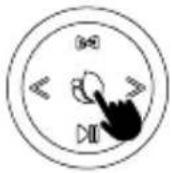 | 2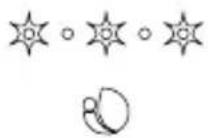 |
| 3 | 4 |
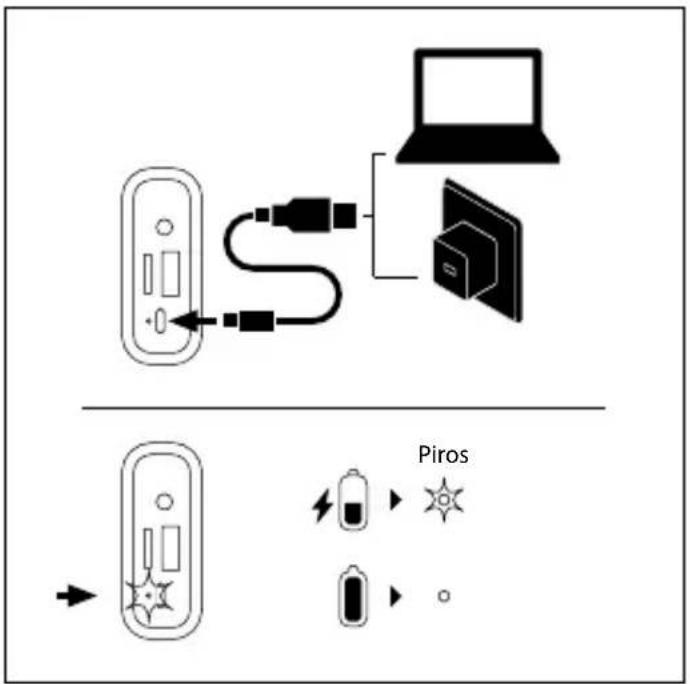
FELHASZNÁLÓI ÚTMUTATÓ
TWS
| 1 | | | |
| 1[T4C2] | 3s | [T3TH] | 3s |
| 2 | 0.5s | |  0.5s 0.5s |
| 3 | 3s | ||
| 4"Beep" | [7Z62]"Beep" | ||
| 5 | |  |
| 6 | |


RADIO MÓD USB/TF MÓD
natural_image
Diagram showing two connected devices with connectors and arrows indicating connection (no text or symbols)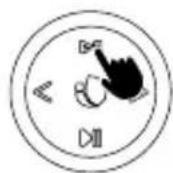
FELHASZNÁLÓI ÚTMUTATÓ
AUX IN MÓD
MÜSZAKI ADATLAP
BRUKERVEILEDNING
TWS
| 1 | | | |
| 1 | | 3s | |
| 2 | | U.DS | |
| 3 | | 3s | |
| 4 | [XTYS]"Beep" | "Beep" | |
| 5 | |
| 6 |
| 1 | | 2 |
| 3s |
RADIO MODUS USB/TF MODUS
BRUKERVEILEDNING
AUX IN MODUS
TEKNISKE SPESIFIKASJONER
Kompatibel med Bluetooth 5.0 Ja
| 1 | | | |
| 1 | [064Y] | 3s | [WZ72] |
| 2 | | 0.5s | |
| 3 | | 3s | |
| 4 | [K7H1]"Beep" | [SC72]"Beep" | |
| 5 | |
| 6 |


RADIO-TILA USB/TF-TILA
natural_image
Diagram showing two connected devices with connectors and arrows indicating connection (no text or symbols)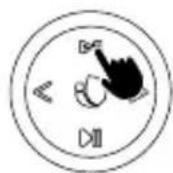
KÄYTTÖOPAS
AUX IN-TILA
TEKNISET TIEDOT
ANVÄNDARMANUAL
TWS
| 1 | | |
| 1 | 3s | |
2 | U.JS | |
| 3 | 3s | |
| 4"Beep" | [KBY2]"Beep" | |
| 5 | |
| 6 |


natural_image
Diagram showing two connected devices with connectors and arrows indicating connection (no text or symbols)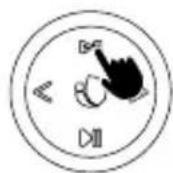
ANVÄNDARMANUAL
AUX IN-LÄGE
TEKNISKA SPECIFIKATIONER
Kompatibel med bluetooth 5.0 Ja
BRUGERVEJLEDNING
TWS
| 1 | | |
| 1DC243s | 3s | |
| 2U.JS |  U.JS U.JS | |
| 33s | ||
| 4"Beep" | [8508]"Beep" | |
| 5 |  |
| 6 |


RADIO-PROGRAM USB/TF-PROGRAM
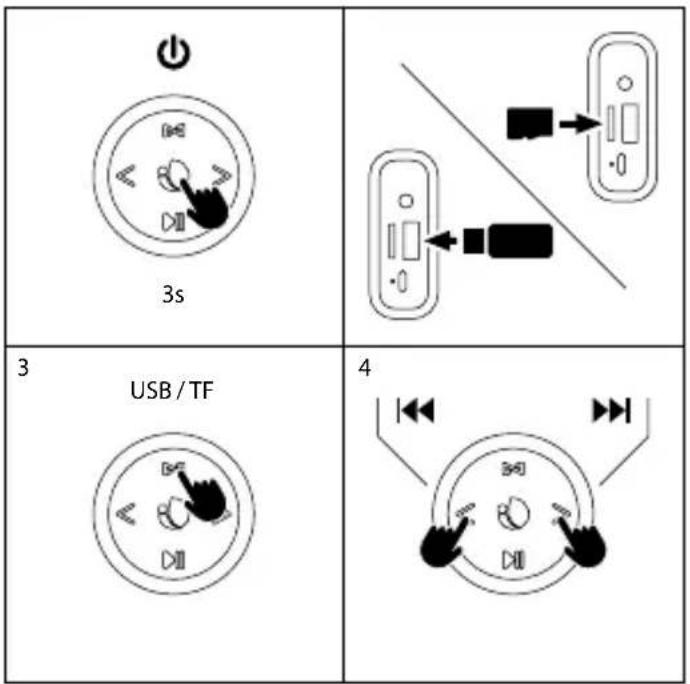
BRUGERVEJLEDNING
AUX IN-PROGRAM
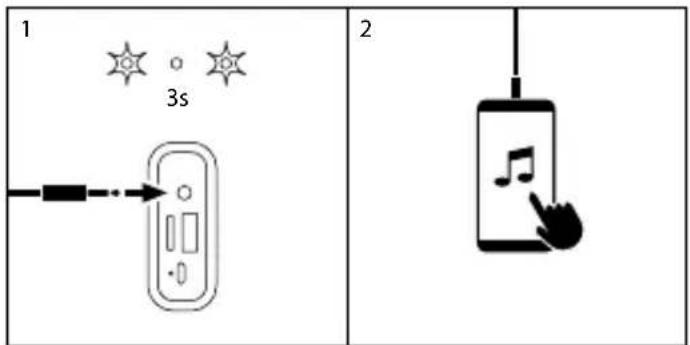
TEKNISKE SPECIFIKATIONER
Kompatibel med bluetooth 5.0 Ja
| 1 | | | |
| 1 | | 3s | [5HWS] 3s |
| 2 | √ | 0.5s |  0.5s 0.5s |
| 3 | 3s | ||
| 4"Beep" | [D&T3]"Beep" | ||
| 5 | | |
| 6 | |


"RADIO" REŽIMAS "USB/TF" REŽIMAS
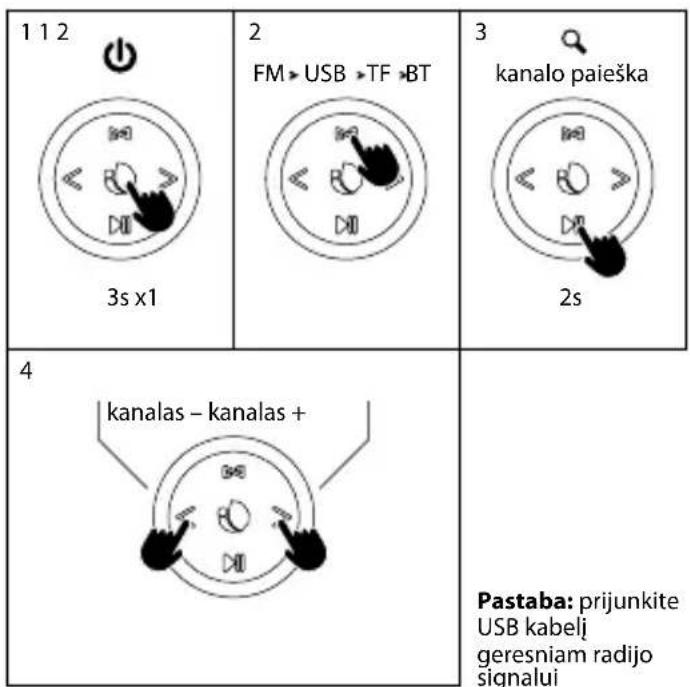
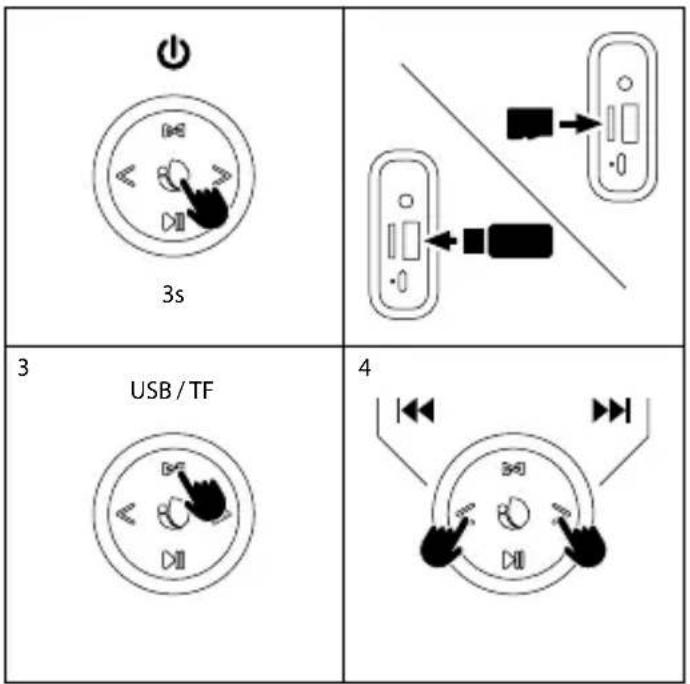
VARTOTOJO INSTRUKCIJA
"AUX IN" REŽIMAS
TECHNINĖS SPECIFIKACIJOS
Suderinamas su "Bluetooth" 5,0 taip
HAS BEEN TESTED AND FOUND IN CONFORMITY WITH THE FOLLOWING HARMONIZED EUROPEAN STANDARDS:
HA SIDO TESTADO EN CONFORMIDAD CON LAS SIGUIENTES NORMAS STANDARD EUROPEAS ARMONIZADAS:
ETSI EN 301 489-1 V 2.1.1 (2017-02) IEC 62321-4:2013
ETSI EN 301 489-17 V 3.1.1 (2017-02) IEC 62321-5:2013
ETSI EN 300 328 V 2.1.1 (2016-11) IEC 62321-7-1:2015
ETSI EN 303 345 V 1.1.7 (2017-03) IEC 62321-7-2:2017
EN 62479:2010 IEC 62321-6:2015
EN 60065:2014
AND THEREFORE COMPLY WITH THE ESSENTIAL REQUIREMENTS AND PROVISIONS OF THE FOLLOWING DIRECTIVES OF THE EUROPEAN PARLIAMENT AND EUROPEAN COUNCIL:
Y, POR LO TANTO, CUMPLE CON LOS REQUERIMIENTOS Y PROVISIONES DE LAS SIGUIENTES DIRECTIVAS DEL PARLAMENTO EUROPEO:
RADIO EQUIPMENT DIRECTIVE 2014/53/EU
ROHS DIRECTIVE 2011/65/EU & (EU) 2015/863
RAÚL MARTÍN
PRODUCT MANAGER

NGS
technical support: www.ngs.eu/support
www.ngs.eu
- USER'S MANUAL
- CONTROL BUTTONS
- BLUETOOTH MODE
- HOW TO CHARGE?
- RADIO MODE USB/TF MODE
- AUX IN MODE
- TECHNICAL SPECIFICATIONS
- Battery warranty
- MANUEL DE L'UTILISATEUR
- BOUTONS DE COMMANDE
- MODE RADIO MODE USB/TF
- MANUAL DE USUARIO
- MODO RADIO MODO USB/TF
- GEBRUIKERSHANDLEIDING
- RADIO-MODUS USB/TF-MODUS
- TECNISCHE SPEZIFIKATIONEN
- INSTRUZIONI D'USO
- SPECIFICHE TECNICHE
- MANUAL DO UTILIZADOR
- BOTÕES DE CONTROLE
- ESPECIFICAÇÕES TÉCNICAS
- GEBRUIKSAANWIJZING
- MODUS RADIO MODUS USB/TF
- TECHNISCHE SPECIFICATIES
- REŽIM RADIO REŽIM USB/TF
- UŽIVATELSKÁ PŘÍRUČKA
- REŽIM AUX IN
- TECHNICKÉ SPECIFIKACE
- POUŽÍVATELŠKÁ PRÍRUČKA
- TECHNICKÉ ŠPECIFIKÁCIE
- ΟΔΗΓΙΕΣ ΧΡΗΣΗΣ
- BLUETOOTH MÓD HOGYAN KELL TÖLTENI?
- FELHASZNÁLÓI ÚTMUTATÓ
- RADIO MÓD USB/TF MÓD
- AUX IN MÓD
- MÜSZAKI ADATLAP
- BRUKERVEILEDNING
- RADIO MODUS USB/TF MODUS
- TEKNISKE SPESIFIKASJONER
- RADIO-TILA USB/TF-TILA
- TEKNISET TIEDOT
- ANVÄNDARMANUAL
- AUX IN-LÄGE
- TEKNISKA SPECIFIKATIONER
- BRUGERVEJLEDNING
- RADIO-PROGRAM USB/TF-PROGRAM
- TEKNISKE SPECIFIKATIONER
- "RADIO" REŽIMAS "USB/TF" REŽIMAS
- "AUX IN" REŽIMAS
- TECHNINĖS SPECIFIKACIJOS
Brand : NGS
Model : Roller Nitro 2
Category : Loudspeaker