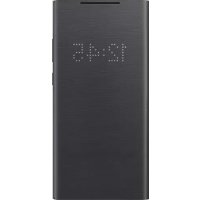
EFNN980 - Smartphone accessory SAMSUNG - Free user manual and instructions
Find the device manual for free EFNN980 SAMSUNG in PDF.



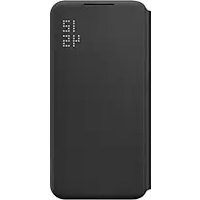
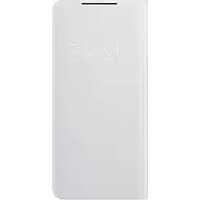
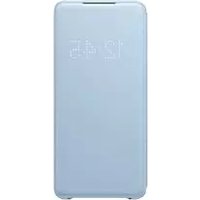
| Product Type | LED View Cover for smartphone |
| Dimensions | 160 x 80 x 15 mm |
| Weight | 50 g |
| Power source | None (powered by smartphone via NFC) |
| Main functions | LED display for notifications, calls and alarms; answer/reject calls without opening the case; automatic screen unlock; create custom LED images |
| Care and cleaning | Avoid moisture and solvents; clean with a soft dry cloth |
| Safety | Contains magnets; keep away from magnetic stripe cards; use only Samsung approved accessories |
| Spare parts and repairability | Not applicable (non-repairable product) |
| General information | Brand: Samsung; Model: EFNN980; Compatible with Samsung smartphones equipped with NFC |
Frequently Asked Questions - EFNN980 SAMSUNG
User questions about EFNN980 SAMSUNG
0 question about this device. Answer the ones you know or ask your own.
Ask a new question about this device
Download the instructions for your Smartphone accessory in PDF format for free! Find your manual EFNN980 - SAMSUNG and take your electronic device back in hand. On this page are published all the documents necessary for the use of your device. EFNN980 by SAMSUNG.
USER MANUAL EFNN980 SAMSUNG
Please read this manual before using the device to ensure safe and proper use.
- Images may differ in appearance from the actual product. Content is subject to change without prior notice.
- Before using the LED View Cover, make sure it is compatible with your device.
- Verify that the NFC function is working properly before using the device with the LED window functions, Auto Screen On/Off feature, or Theme Curation Service feature active.
- If your device is running Mobile Device Management (MDM) or is located near a metallic object, the NFC function may not work properly.
- If you flip the front cover and block the back of the mobile device, the NFC function may not work properly.
- The LED View Cover contains magnets. Keep cards with magnetic strips only in the pocket of the LED View Cover.
- If the product is exposed to humidity or solvents such as acetone, it may get stained, wrinkled, misshapen, or change colour.
- While using the case, be cautious to prevent scratches or damage from debris.
Instructional icons

Warning: situations that could cause injury to yourself or others

Caution: situations that could cause damage to your device or other equipment

Notice: notes, usage tips, or additional information
Getting started
Package contents
Check the product box for the following items:
- LED View Cover
- Quick start guide

- The items supplied with the device and any available accessories may vary depending on the region or service provider.
- The supplied items are designed only for this device and may not be compatible with other devices.
• Appearances and specifications are subject to change without prior notice. - You can purchase additional accessories from your local Samsung retailer. Make sure they are compatible with the device before purchase.
- Use only Samsung-approved accessories. Using unapproved accessories may cause the performance problems and malfunctions that are not covered by the warranty.
- Availability of all accessories is subject to change depending entirely on manufacturing companies. For more information about available accessories, refer to the Samsung website.
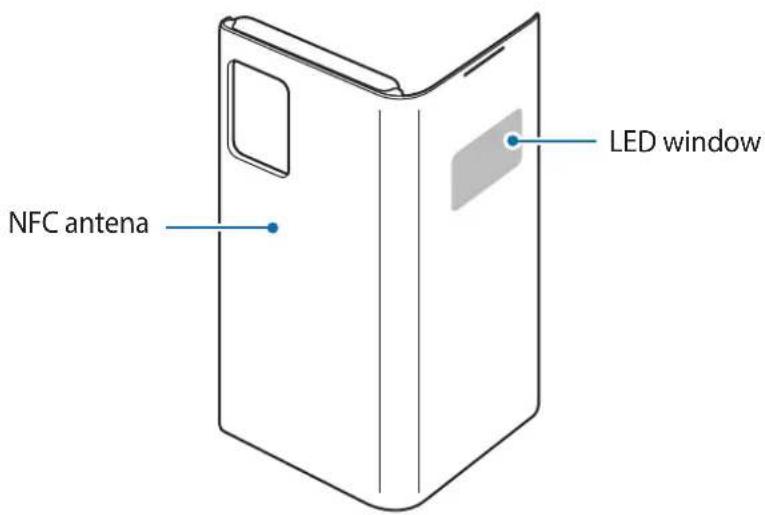
Device layout
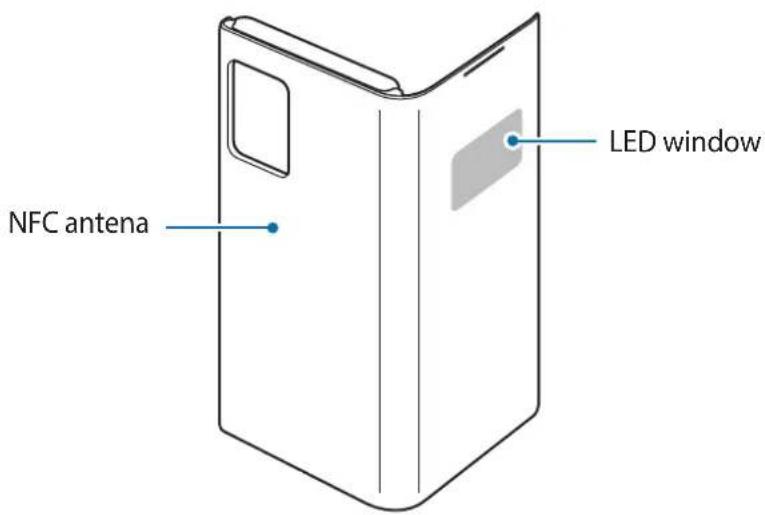
Using the LED View Cover
Attaching or detaching the LED View Cover
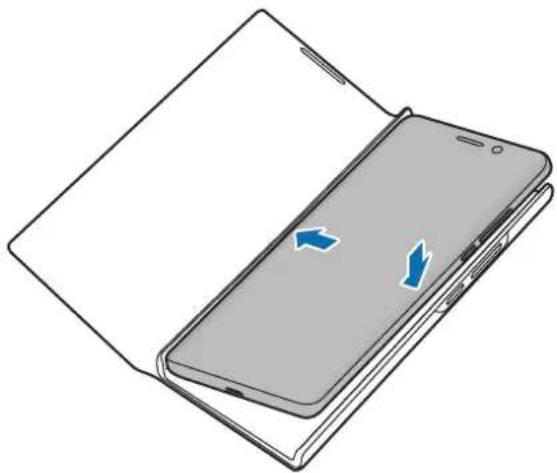
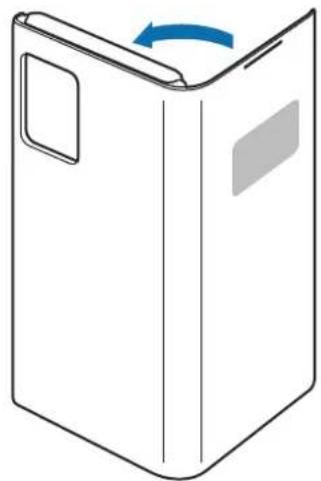
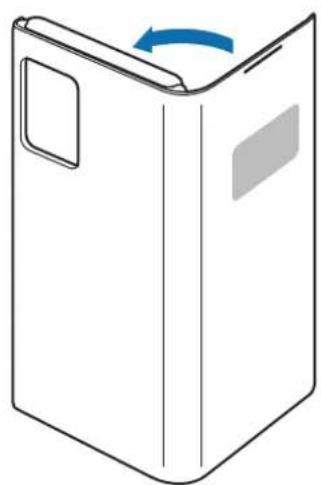
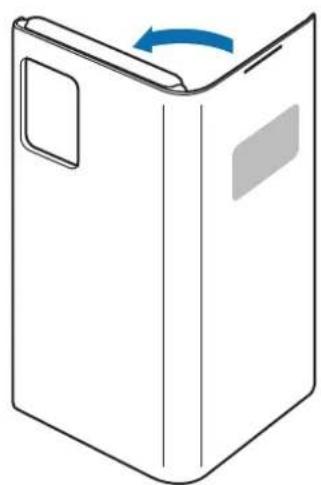
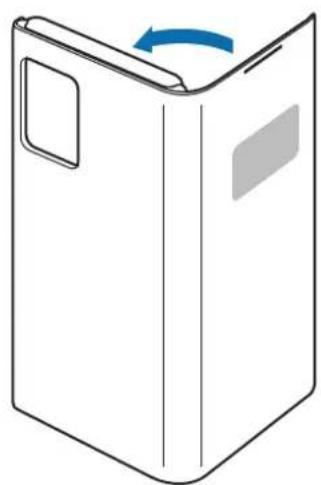
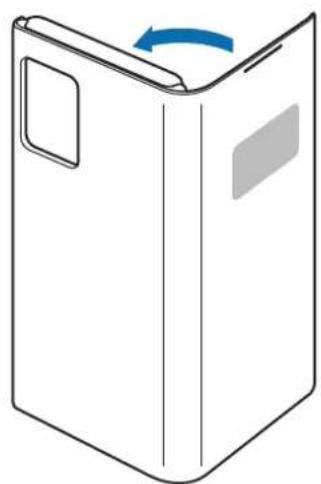
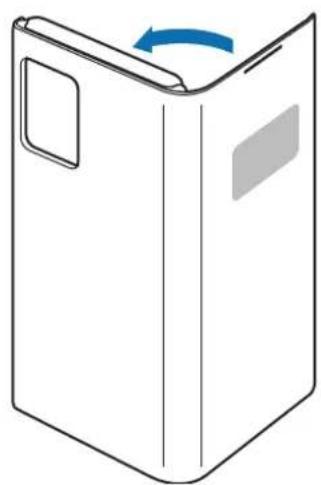
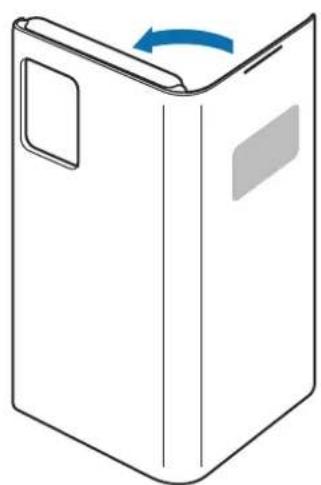
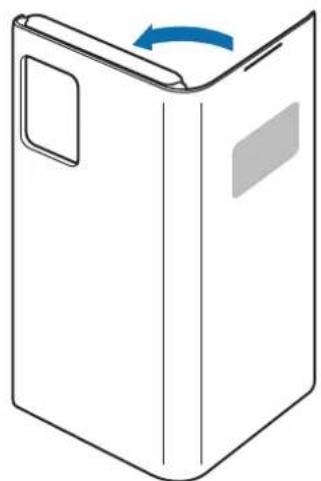
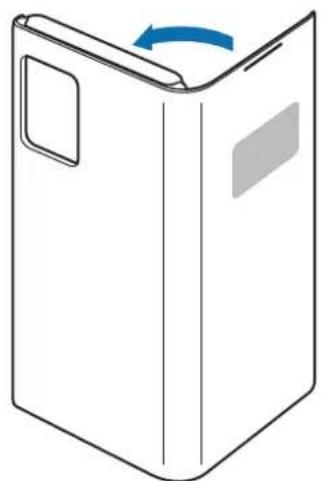
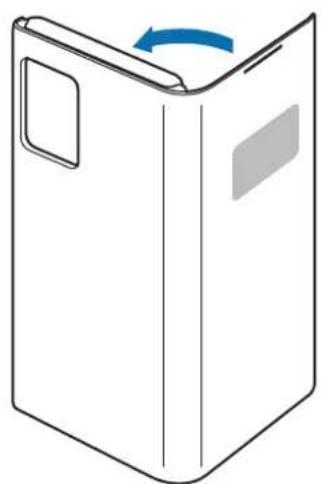
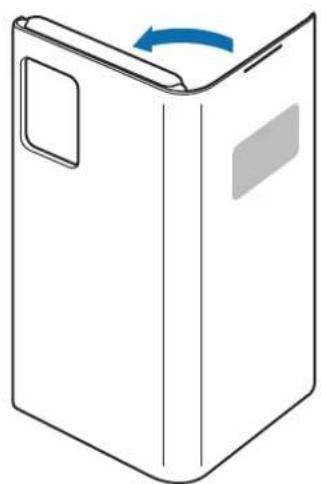
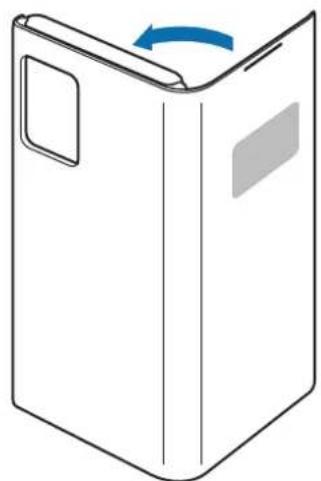
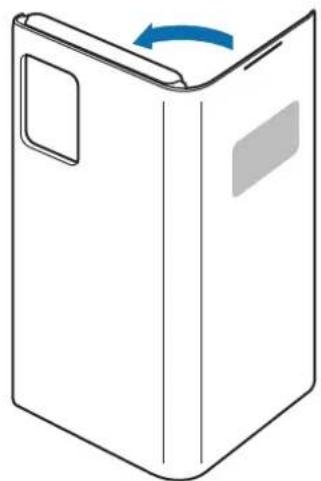
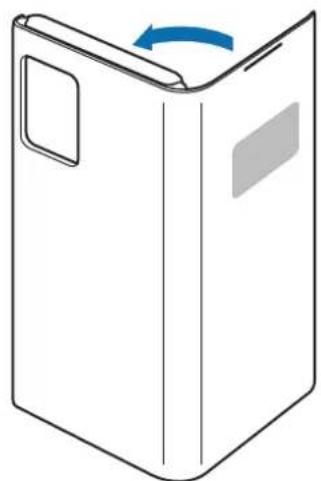
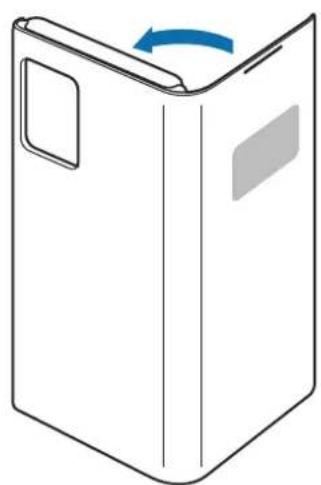
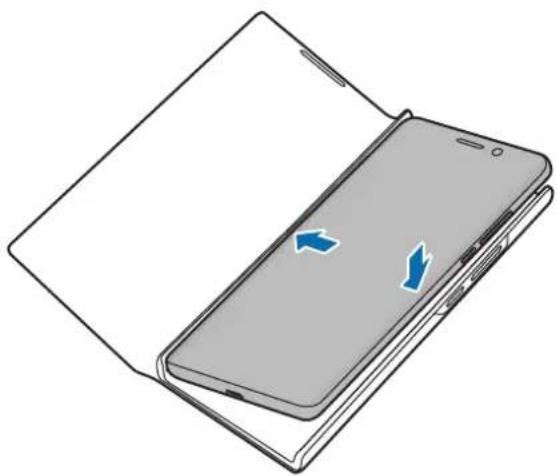
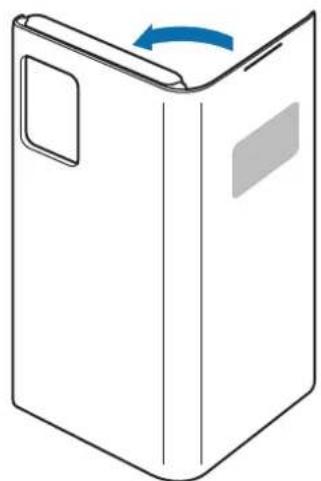
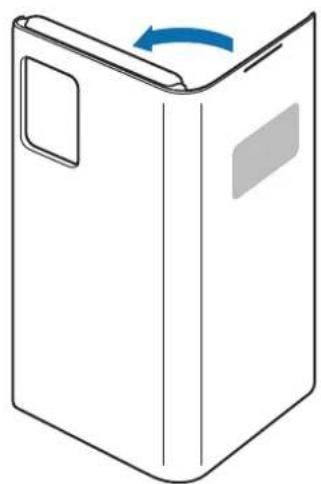
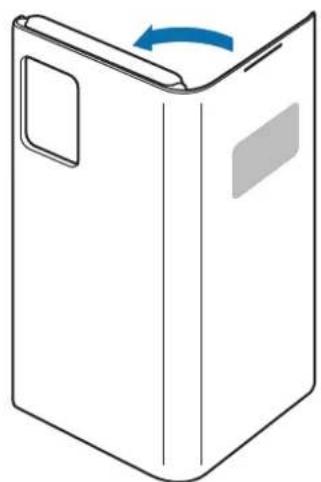
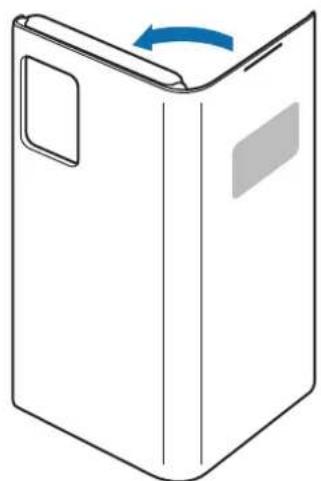
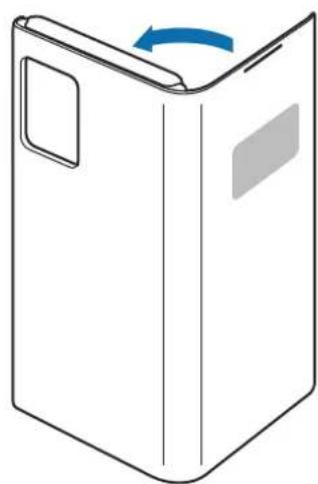
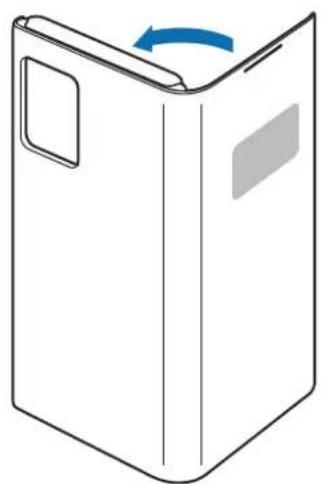
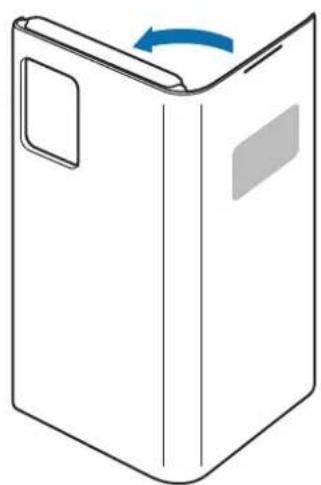
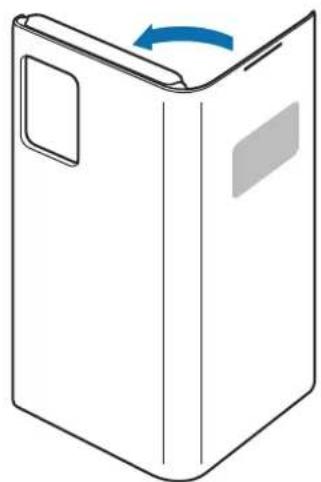
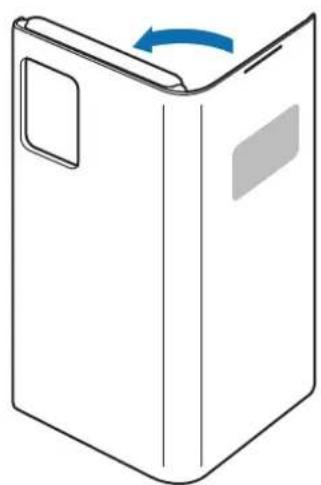
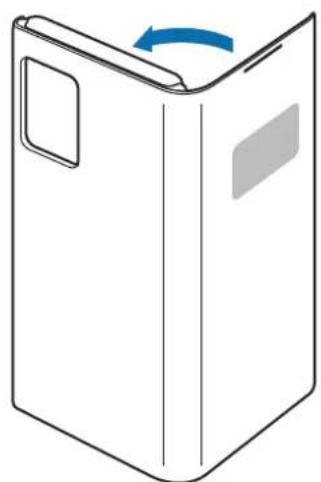
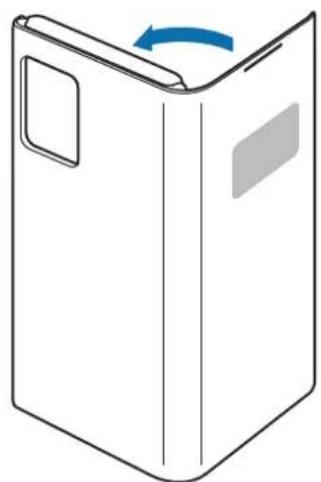
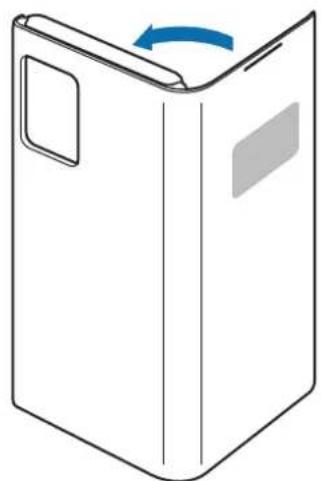
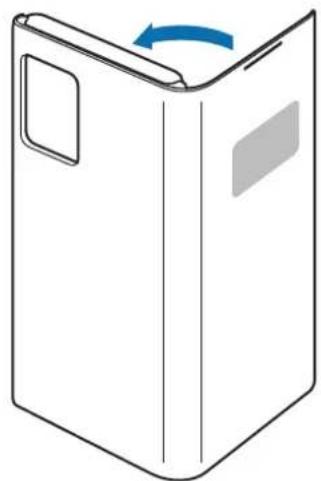
Attach the LED View Cover to your mobile device (1) and close the cover (2) to use it.
1
natural_image
Illustration of a smartphone partially open, showing the left side with blue directional arrows indicating rotation (no text or symbols present)2
natural_image
Simple line drawing of a rectangular box with a blue arrow indicating rotation (no text or symbols)To detach the LED View Cover, open the LED View Cover and pull on the bottom of it to remove it from the mobile device.
Answering or rejecting calls
You can answer or reject a call on your mobile device using the LED window without opening the LED View Cover.
To answer a call, drag your finger to the right on the LED window. To reject a call, drag your finger to the left on the LED window.
To stop an alarm or timer, drag your finger to the right on the LED window.

- You cannot answer or reject an incoming call on the LED View Cover during a video call.
- The LED window may not work while wireless charging.
- It is recommended to remove your device cover before using the Wireless PowerShare feature.
- It is recommended to use your device cover without flipping it back before using the UWB feature.
Unlocking the mobile device's screen automatically
You can set your mobile device to unlock automatically when the LED View Cover is opened.
On your mobile device, tap Settings → Advanced features → Accessories, and then activate the automatic unlock feature.

This feature is available only when secure lock is disabled.
Setting LED images
Using your mobile device, you can create and set LED images to display for contacts during incoming calls or for notifications on the LED window.
On your mobile device, tap Settings → Advanced features → Accessories, and then use the LED icon editor feature.
You can also use the LED icon editor app that appears when you attach the LED View Cover to the mobile device.
Copyright
Copyright © 2020 Samsung Electronics Co., Ltd.
This manual is protected under international copyright laws.
No part of this manual may be reproduced, distributed, translated, or transmitted in any form or by any means, electronic or mechanical, including photocopying, recording, or storing in any information storage and retrieval system.
Trademarks
- SAMSUNG and the SAMSUNG logo are registered trademarks of Samsung Electronics Co., Ltd.
• All other trademarks and copyrights are the property of their respective owners.
natural_image
Illustration of a smartphone partially open, showing the left side with blue arrows indicating rotation or movement (no text or symbols present)2
natural_image
Simple line drawing of a rectangular box with a blue arrow indicating rotation (no text or symbols)Copyright © 2020 Samsung Electronics Co., Ltd.
natural_image
Illustration of a smartphone partially open, showing the left side with blue directional arrows indicating rotation (no text or symbols present)2
natural_image
Simple line drawing of a folded paper or box with a blue arrow indicating rotation (no text or symbols)Copyright © 2020 Samsung Electronics Co., Ltd.
natural_image
Illustration of a smartphone partially open, showing its open body and internal screen with blue directional arrows indicating rotation (no text or symbols)2
natural_image
Simple line drawing of a rectangular box with a blue arrow indicating rotation (no text or symbols)Copyright © 2020 Samsung Electronics Co., Ltd.
natural_image
Illustration of a smartphone partially open, showing the left side with blue arrows indicating rotation or movement (no text or symbols present)2
natural_image
Simple line drawing of a rectangular box with a blue arrow indicating rotation (no text or symbols)Copyright © 2020 Samsung Electronics Co., Ltd.
natural_image
Illustration of a smartphone partially open, showing the left side with blue arrows indicating rotation or movement (no text or symbols present)2
natural_image
Simple line drawing of a rectangular box with a blue arrow indicating rotation (no text or symbols)Copyright © 2020 Samsung Electronics Co., Ltd.
natural_image
Illustration of a smartphone partially open, showing the left side with blue directional arrows indicating rotation (no text or symbols present)2
natural_image
Simple line drawing of a rectangular box with a blue arrow indicating rotation (no text or symbols)Copyright © 2020 Samsung Electronics Co., Ltd.
natural_image
Illustration of a smartphone partially open, showing the left side with blue arrows indicating rotation or movement (no text or symbols present)2
natural_image
Simple line drawing of a rectangular box with a blue arrow indicating rotation (no text or symbols)natural_image
Illustration of a smartphone partially open, showing the left side with blue directional arrows indicating rotation (no text or symbols present)2
natural_image
Simple line drawing of a folded paper or box with a blue arrow indicating rotation (no text or symbols)Copyright © 2020 Samsung Electronics Co., Ltd.
- LED View Cover
- Kratke upute

Korištenje LED View Covera
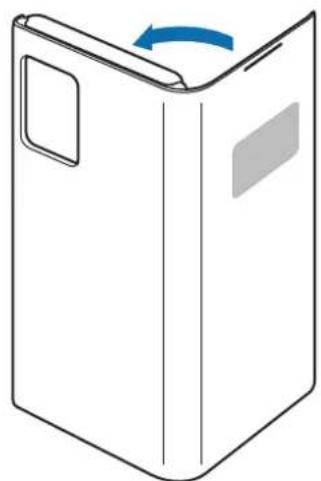
Pričvršćivanje ili uklanjanje LED View Covera
natural_image
Illustration of a smartphone partially open, showing its open body and internal panel with blue directional arrows indicating rotation (no text or symbols present)2
natural_image
Simple line drawing of a rectangular box with a blue arrow indicating rotation (no text or symbols)Za uklanjanje LED View Covera, otvorite LED View Cover i povucite donji dio kako biste ga uklonili s mobilnog uređaja.
Odgovaranje ili odbijanje poziva
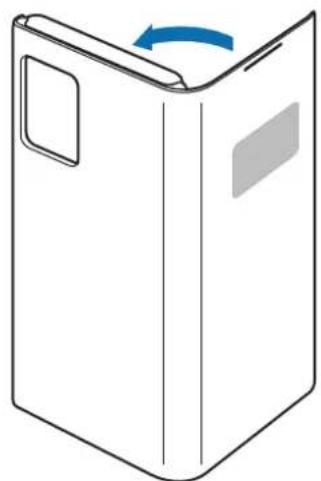
Na poziv možete odgovoriti ili ga odbiti na svojem mobilnom uređaju s pomoću LED prozora bez otvaranja LED View Covera.
Za odgovaranje na poziv povucite prst udesno na LED prozoru. Za odbijanje poziva povucite prst ulijevo na LED prozoru.
Za zaustavljanje alarma ili timera povucite prst udesno na LED prozoru.

Copyright © 2020 Samsung Electronics Co., Ltd.
natural_image
Illustration of a smartphone partially open, showing its open body and internal screen with blue directional arrows indicating rotation (no text or symbols present)2
natural_image
Simple line drawing of a rectangular box with a blue arrow indicating rotation (no text or symbols)Copyright © 2020 Samsung Electronics Co., Ltd.
Ovaj priručnik je zaštićen međunarodnim zakonima o autorskim pravima.
Nijedan deo ovog priručnika se ne sme reprodukovati, distribuirati, prevoditi niti prenositi ni u jednom obliku niti bilo kojim putem, elektronskim niti mehaničkim, što podrazumeva fotokopiranje, snimanje i skladištenje u okviru bilo kog skladišta informacija i sistema za preuzimanje.
Trgovačke marke
- SAMSUNG i SAMSUNG logotip su registrovane trgovačke marke kompanije Samsung Electronics Co., Ltd.
• Sve ostale trgovačke marke i autorska prava su vlasništvo njihovih vlasnika.
Leia primeiro
Utilizar a LED View Cover
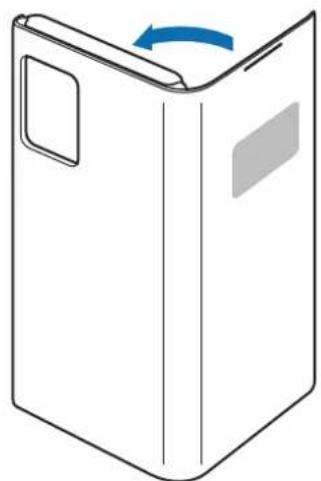
Colocar ou retirar a LED View Cover
natural_image
Illustration of a smartphone partially open, showing the left side with blue directional arrows indicating rotation (no text or symbols present)2
natural_image
Simple line drawing of a rectangular box with a blue arrow indicating rotation (no text or symbols)Copyright © 2020 Samsung Electronics Co., Ltd.
Este manual está protegido pelas leis internacionais de copyright.
natural_image
Illustration of a smartphone partially open, showing its open body and internal screen with blue directional arrows indicating rotation (no text or symbols)2
natural_image
Simple line drawing of a rectangular box with a blue arrow indicating rotation (no text or symbols)natural_image
Illustration of a smartphone partially open, showing the left side with blue directional arrows indicating movement or rotation (no text or symbols present)2
natural_image
Simple line drawing of a rectangular box with a blue arrow indicating rotation (no text or symbols)natural_image
Illustration of a smartphone partially open, showing the screen and fold (no text or symbols)2
natural_image
Simple line drawing of a rectangular box with a blue arrow indicating rotation (no text or symbols)Copyright © 2020 Samsung Electronics Co., Ltd.
- LED View Cover
- Snelstartgids

natural_image
Illustration of a smartphone partially open, showing its open body and internal screen with blue directional arrows indicating rotation (no text or symbols present)2
natural_image
Simple line drawing of a rectangular box with a blue arrow indicating rotation (no text or symbols)Copyright © 2020 Samsung Electronics Co., Ltd.
natural_image
Illustration of a smartphone partially open, showing the left side of its open sheet and the right side with blue arrows indicating rotation (no text or symbols present)2

natural_image
Simple line drawing of a rectangular box with a blue arrow indicating rotation (no text or symbols)Copyright © 2020 Samsung Electronics Co., Ltd.
Bruke LED View Cover
natural_image
Illustration of a smartphone partially open, showing its open body and internal screen with blue directional arrows indicating rotation (no text or symbols)2
natural_image
Simple line drawing of a rectangular box with a blue arrow indicating rotation (no text or symbols)Stille inn LED-bilder
- LED View Cover
- Pikaopas

natural_image
Illustration of a smartphone partially open, showing its open lid and internal screen with blue directional arrows indicating rotation (no text or symbols)2
natural_image
Simple line drawing of a rectangular box with a blue arrow indicating rotation (no text or symbols)Copyright © 2020 Samsung Electronics Co., Ltd.
- LED View Cover
- Hurtigstart

natural_image
Illustration of a smartphone partially open, showing its open body and internal screen with blue directional arrows indicating rotation (no text or symbols)2
natural_image
Simple line drawing of a rectangular box with a blue arrow indicating rotation (no text or symbols)natural_image
Illustration of a smartphone partially open, showing its open body and internal panel with blue directional arrows indicating rotation (no text or symbols present)2
natural_image
Simple line drawing of a folded paper or box with a blue arrow indicating rotation (no text or symbols)Uporaba LED View Cover
Pritrjevanje ali snetje LED View Cover
Pritrdite LED View Cover na vašo mobilno napravo (1) in zaprite pokrov (2), da ga uporabite.
1
natural_image
Illustration of a smartphone partially open, showing the left side with blue directional arrows indicating rotation (no text or symbols present)2
natural_image
Simple line drawing of a rectangular box with a blue arrow indicating rotation (no text or symbols)Da snamete LED View Cover, odprite LED View Cover in povlecite spodnji del, da ga odstranite z mobilne naprave.
natural_image
Illustration of a smartphone partially open, showing the left side with blue directional arrows indicating rotation (no text or symbols present)2
natural_image
Simple line drawing of a folded paper or box with a blue arrow indicating rotation (no text or symbols)Copyright © 2020 Samsung Electronics Co., Ltd.
natural_image
Illustration of a smartphone partially open, showing its open body and internal screen with blue directional arrows indicating rotation (no text or symbols present)2
natural_image
Simple line drawing of a rectangular box with a blue arrow indicating rotation (no text or symbols)Copyright © 2020 Samsung Electronics Co., Ltd.
natural_image
Illustration of a smartphone partially open, showing the left side with blue arrows indicating rotation or movement (no text or symbols present)2
natural_image
Simple line drawing of a rectangular box with a blue arrow indicating rotation (no text or symbols)Telif hakki © 2020 Samsung Electronics Co., Ltd.
natural_image
Illustration of a smartphone partially open, showing the screen and fold (no text or symbols)
natural_image
Simple line drawing of a rectangular box with a blue arrow indicating rotation (no text or symbols)
Samsung Electronics Co., Ltd. ٢٠٢٠ © whocq the public and the national
natural_image
Illustration of a smartphone partially open, showing its open lid and internal screen with blue directional arrows indicating rotation (no text or symbols)[Non-Text]
natural_image
Simple line drawing of a rectangular box with a blue arrow indicating rotation (no text or symbols)[Non-Text]
Copyright © 2020 Samsung Electronics Co., Ltd.
natural_image
Illustration of a smartphone partially open, showing the left side with blue directional arrows indicating rotation (no text or symbols present)2
natural_image
Simple line drawing of a rectangular box with a blue arrow indicating rotation (no text or symbols)natural_image
Illustration of a smartphone partially open, showing the left side with blue directional arrows indicating rotation (no text or symbols present)2
natural_image
Simple line drawing of a folded paper or box with a blue arrow indicating rotation (no text or symbols)© Samsung Electronics Co., Ltd., 2020
natural_image
Illustration of a smartphone partially open, showing its open body and internal screen with blue directional arrows indicating rotation (no text or symbols present)2

natural_image
Simple line drawing of a rectangular box with a blue arrow indicating rotation (no text or symbols)Copyright © 2020 Samsung Electronics Co., Ltd.
Please read this manual before using the device to ensure safe and proper use.
- Images may differ in appearance from the actual product. Content is subject to change without prior notice.
- Before using the LED View Cover, make sure it is compatible with your device.
- Verify that the NFC function is working properly before using the device with the LED window functions, Auto Screen On/Off feature, or Theme Curation Service feature active.
- If your device is running Mobile Device Management (MDM) or is located near a metallic object, the NFC function may not work properly.
- If you flip the front cover and block the back of the mobile device, the NFC function may not work properly.
- The LED View Cover contains magnets. Keep cards with magnetic strips only in the pocket of the LED View Cover.
- If the product is exposed to humidity or solvents such as acetone, it may get stained, wrinkled, misshapen, or change color.
- While using the case, be cautious to prevent scratches or damage from debris.
Instructional icons

Warning: situations that could cause injury to yourself or others

Caution: situations that could cause damage to your device or other equipment

Notice: notes, usage tips, or additional information
Getting started
Package contents
Check the product box for the following items:
- LED View Cover
- Quick start guide

- The items supplied with the device and any available accessories may vary depending on the region or service provider.
- The supplied items are designed only for this device and may not be compatible with other devices.
• Appearances and specifications are subject to change without prior notice. - You can purchase additional accessories from your local Samsung retailer. Make sure they are compatible with the device before purchase.
- Use only Samsung-approved accessories. Using unapproved accessories may cause the performance problems and malfunctions that are not covered by the warranty.
- Availability of all accessories is subject to change depending entirely on manufacturing companies. For more information about available accessories, refer to the Samsung website.
Device layout
Using the LED View Cover
Attaching or detaching the LED View Cover
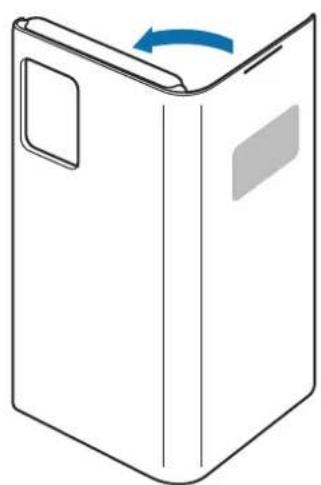
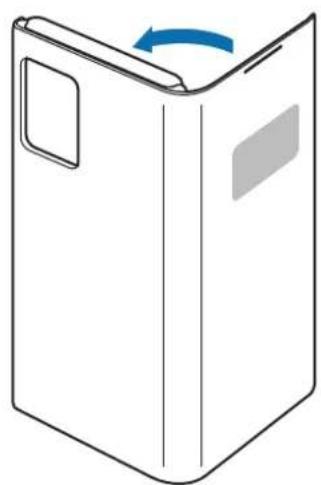
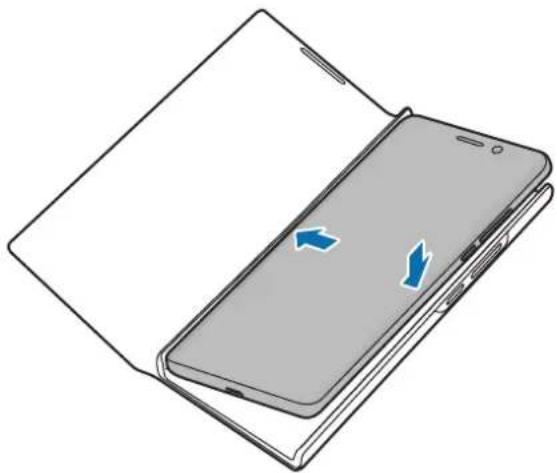
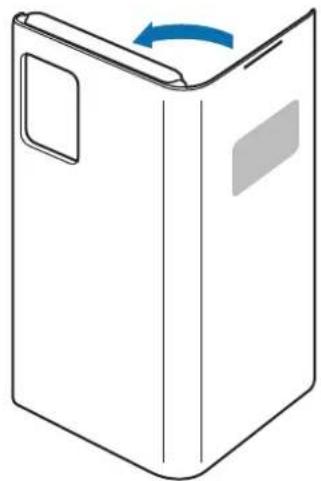
Attach the LED View Cover to your mobile device (1) and close the cover (2) to use it.
1
natural_image
Illustration of a smartphone partially open, showing the left side with blue directional arrows indicating rotation (no text or symbols present)2
natural_image
Simple line drawing of a rectangular box with a blue arrow indicating rotation (no text or symbols)To detach the LED View Cover, open the LED View Cover and pull on the bottom of it to remove it from the mobile device.
Answering or rejecting calls
You can answer or reject a call on your mobile device using the LED window without opening the LED View Cover.
To answer a call, drag your finger to the right on the LED window. To reject a call, drag your finger to the left on the LED window.
To stop an alarm or timer, drag your finger to the right on the LED window.

- You cannot answer or reject an incoming call on the LED View Cover during a video call.
- The LED window may not work while wireless charging.
- It is recommended to remove your device cover before using the Wireless PowerShare feature.
- It is recommended to use your device cover without flipping it back before using the UWB feature.
Unlocking the mobile device's screen automatically
You can set your mobile device to unlock automatically when the LED View Cover is opened.
On your mobile device, tap Settings → Advanced features → Accessories, and then activate the automatic unlock feature.

This feature is available only when secure lock is disabled.
Setting LED images
Using your mobile device, you can create and set LED images to display for contacts during incoming calls or for notifications on the LED window.
On your mobile device, tap Settings → Advanced features → Accessories, and then use the LED icon editor feature.
You can also use the LED icon editor app that appears when you attach the LED View Cover to the mobile device.
Copyright
Copyright © 2020 Samsung Electronics Co., Ltd.
This manual is protected under international copyright laws.
No part of this manual may be reproduced, distributed, translated, or transmitted in any form or by any means, electronic or mechanical, including photocopying, recording, or storing in any information storage and retrieval system.
Trademarks
- SAMSUNG and the SAMSUNG logo are registered trademarks of Samsung Electronics Co., Ltd.
• All other trademarks and copyrights are the property of their respective owners.
Para usar la LED View Cover
Para colocar o quitar la LED View Cover
natural_image
Illustration of a smartphone partially open, showing the left side with blue arrows indicating rotation (no text or symbols present)2
natural_image
Simple line drawing of a rectangular box with a blue arrow indicating rotation (no text or symbols)Copyright © 2020 Samsung Electronics Co., Ltd.
套上或卸下 LED View Cover
natural_image
Illustration of a foldable smartphone with blue directional arrows indicating internal movement (no text or symbols)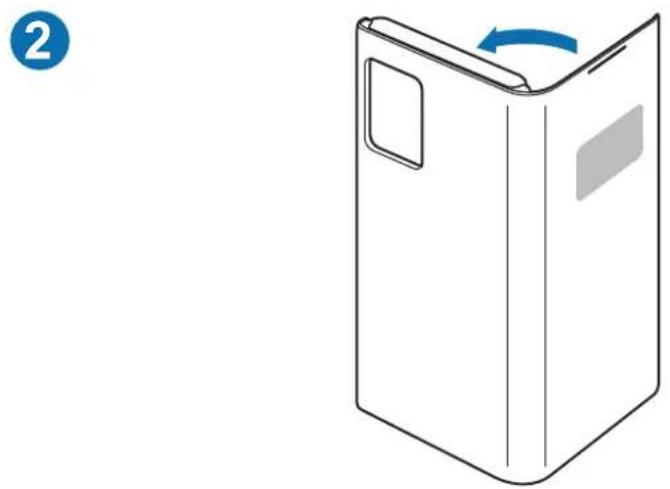
natural_image
Simple line drawing of a folded paper or box with a blue arrow indicating rotation (no text or symbols)natural_image
Illustration of a smartphone partially open, showing the left side with blue arrows indicating rotation or movement (no text or symbols present)2
natural_image
Simple line drawing of a rectangular box with a blue arrow indicating rotation (no text or symbols)Copyright © 2020 Samsung Electronics Co., Ltd.
本手册受國際版權法保護。
natural_image
Illustration of a smartphone partially open, showing the left side with blue directional arrows indicating rotation (no text or symbols present)2
natural_image
Simple line drawing of a rectangular box with a blue arrow indicating rotation (no text or symbols)Copyright © 2020 Samsung Electronics Co., Ltd.
Usar a LED View Cover
Colocar ou retirar a LED View Cover
natural_image
Illustration of a smartphone partially open, showing the left side with blue directional arrows indicating movement or rotation (no text or symbols present)2
natural_image
Simple line drawing of a rectangular box with a blue arrow indicating rotation (no text or symbols)natural_image
Illustration of a smartphone partially open, showing the left side with blue arrows indicating rotation or movement (no text or symbols present)2
natural_image
Simple line drawing of a rectangular box with a blue arrow indicating rotation (no text or symbols)
- Instructional icons
- Getting started
- Package contents
- Device layout
- Using the LED View Cover
- Attaching or detaching the LED View Cover
- Answering or rejecting calls
- Unlocking the mobile device's screen automatically
- Setting LED images
- Copyright
- Trademarks
- Korištenje LED View Covera
- Pričvršćivanje ili uklanjanje LED View Covera
- Odgovaranje ili odbijanje poziva
- Trgovačke marke
- Leia primeiro
- Utilizar a LED View Cover
- Colocar ou retirar a LED View Cover
- Bruke LED View Cover
- Stille inn LED-bilder
- Uporaba LED View Cover
- Pritrjevanje ali snetje LED View Cover
- Para usar la LED View Cover
- Para colocar o quitar la LED View Cover
- 套上或卸下 LED View Cover
- Usar a LED View Cover
Brand : SAMSUNG
Model : EFNN980
Category : Smartphone accessory