Snorky - Night lamp Promate - Free user manual and instructions
Find the device manual for free Snorky Promate in PDF.


User questions about Snorky Promate
0 question about this device. Answer the ones you know or ask your own.
Ask a new question about this device
Download the instructions for your Night lamp in PDF format for free! Find your manual Snorky - Promate and take your electronic device back in hand. On this page are published all the documents necessary for the use of your device. Snorky by Promate.
USER MANUAL Snorky Promate
promate® Incredible knowhow
Snorky
Touch Control Kids Table and Night LED Lamp 3 Brightness Modes • Soothing LED Light • Eye Safe Light
natural_image
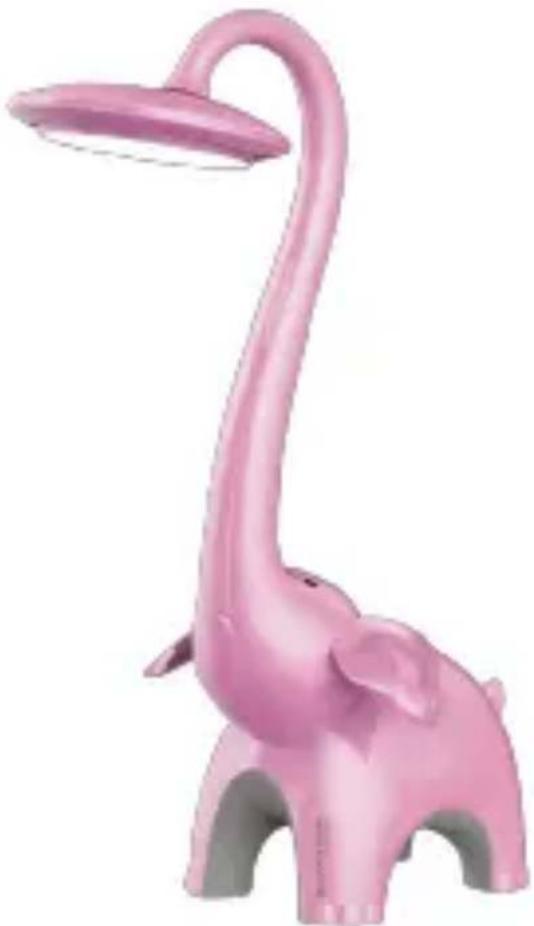
Pink elephant-shaped lamp with a long neck and curved base, no text or symbols visibleUser Guide
English
Introduction
This LED table light can illuminate any dark space in your home and give a sense of security to your child. The light emitted via the LED bulbs protect your childs eyes as the blue light emitted is reduced. Safety tested and tamper-proof to protect little fingers. Easy to dim by pressing the button, so that your child gets the perfect light for arts and crafts, reading or relaxing.
Packaging Contents:
•Melman
- Power Adapter
- User Guide
Specification:
- Input: 5V, 350mA
• LED Brightness: 350lumens - Power: 6W
Features:
- Soothing light: The controllable light is perfect to create the best soothing and relaxing ambience.
- Touch Sensor: Touch or tap to increase or decrease the brightness level of the lamp.
- Ultra-Bright LED: Melman features a 350 Lumen LED light with over 50 hours of usage time (in low light mode)
- 2-in-1 Design: Combined desk lamp with night light together, two lights can work simultaneously and separately
- Touch Brightness Control: Sensitive touch controls let you control the brightness and contrast of the LED light
•Eco-Friendly: Eco-friendly low power consumption designed for longer LED lifespan
English
Precautions:
Please read all safety instructions and warnings thoroughly before using this product. Improper use of this product may result in damage to this or attached products.
- Do not disassemble the device or attempt to fix it.
- Do not attempt to replace any part of this product.
- Do not crush, puncture or dispose of in fire.
- Do not store or use the device in a high temperature environment, including intense sunlight or heat.
- Avoid excessive drops, bumps, abrasions and impacts.
- If there is any reason to believe that there is internal damage to the device, discontinue using immediately.
- If you find that the device is too hot, is emitting an odor, or is deformed, punctured or exhibits any suspicious or abnormal behavior, discontinue use immediately and contact our customer service.
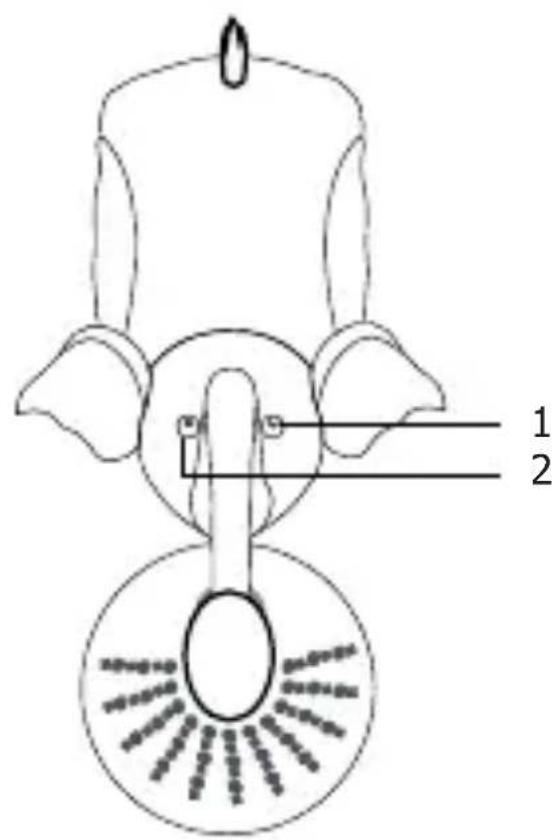
Appearance & Interface Description
1.PowerSwitch
2.Brightnesscontrol
text_image
1 2sage Instructions
- Plug the LED Light into the Power Socket
- Press the Power Button once to turn on the LED light
- Press again to control the contrast
- Press and hold the Power Button to turn off the LED light
- Press the brightness control switch as required to control the brightness
- Press and hold the Brightness control switch to turn on the night light function
- Press and hold the Brightness control switch again to turn off the night light function