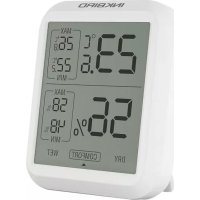
ITH20 - Food thermometer Inkbird - Free user manual and instructions
Find the device manual for free ITH20 Inkbird in PDF.


| Product Type | Food Thermometer |
| Brand | Inkbird |
| Model | ITH20 |
| Dimensions (approx.) | 20 cm x 2.5 cm x 2 cm |
| Weight | 50 g (with battery) |
| Power Supply | 1 CR2032 button cell (included) |
| Measurement Range | -20 °C to 300 °C (-4 °F to 572 °F) |
| Accuracy | ±1 °C (between 0 °C and 100 °C) |
| Response Time | 2 to 4 seconds |
| Display | Backlit LCD screen |
| Main Functions | Instant measurement, °C/°F switching, temperature hold, auto-off |
| Probe Length | 12 cm (insertion) |
| Probe Material | Stainless steel |
| Usage | For meats, pastries, oils, etc. |
| Care and Cleaning | Clean with a damp cloth, do not immerse |
| Safety | Do not expose to direct flame, keep out of reach of children |
| Compatible Replacement Batteries | CR2032 (commercially available) |
| Warranty | 1 year |
| Package Contents | Thermometer, battery (installed), user manual |
Frequently Asked Questions - ITH20 Inkbird
User questions about ITH20 Inkbird
0 question about this device. Answer the ones you know or ask your own.
Ask a new question about this device
Download the instructions for your Food thermometer in PDF format for free! Find your manual ITH20 - Inkbird and take your electronic device back in hand. On this page are published all the documents necessary for the use of your device. ITH20 by Inkbird.
USER MANUAL ITH20 Inkbird
Thermometer and Hygrometer
Model:ITH-20

Please keep this manual properly for reference. You can also scan the QR code below to visit our official web site for product usage videos. For any usage issues, please feel free to contact us at support@inkbird.com.
natural_image
Simple line drawing of a light bulb with radiating lines (no text or symbols)Warm tips
- To quickly jump to a specific chapter page, click on the relevant text on the contents page.
- You can also use the thumbnail or document outline in the top left corner to quickly find a specific page.
01 Know the Thermometer and Hygrometer 1
02 Function Parameter 2
03 Button Icon Description ---- 3
04 Degree of comfort 4
05 Troubleshooting Guide ---- 4
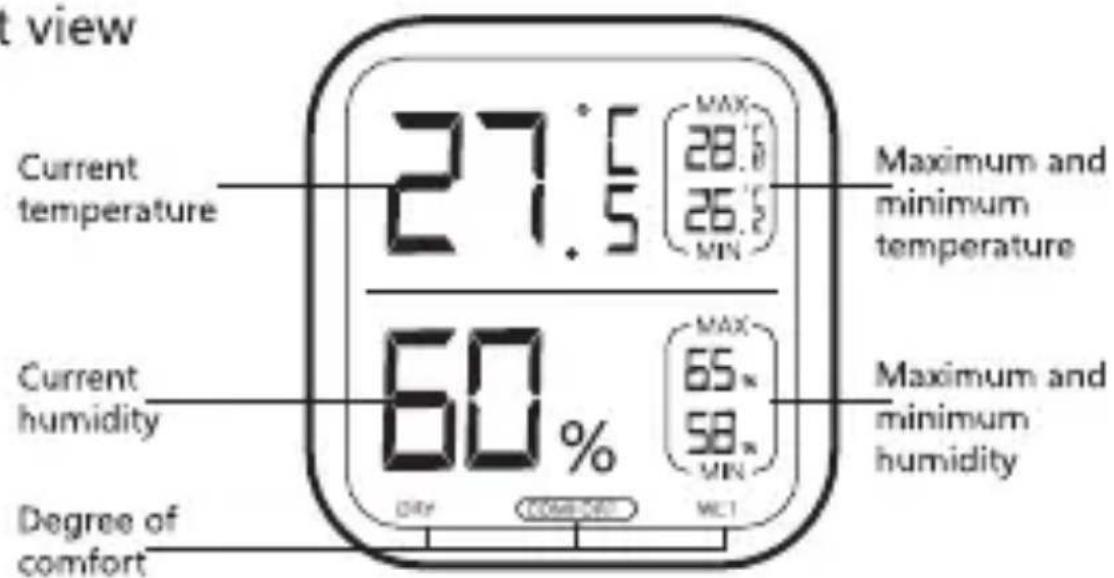
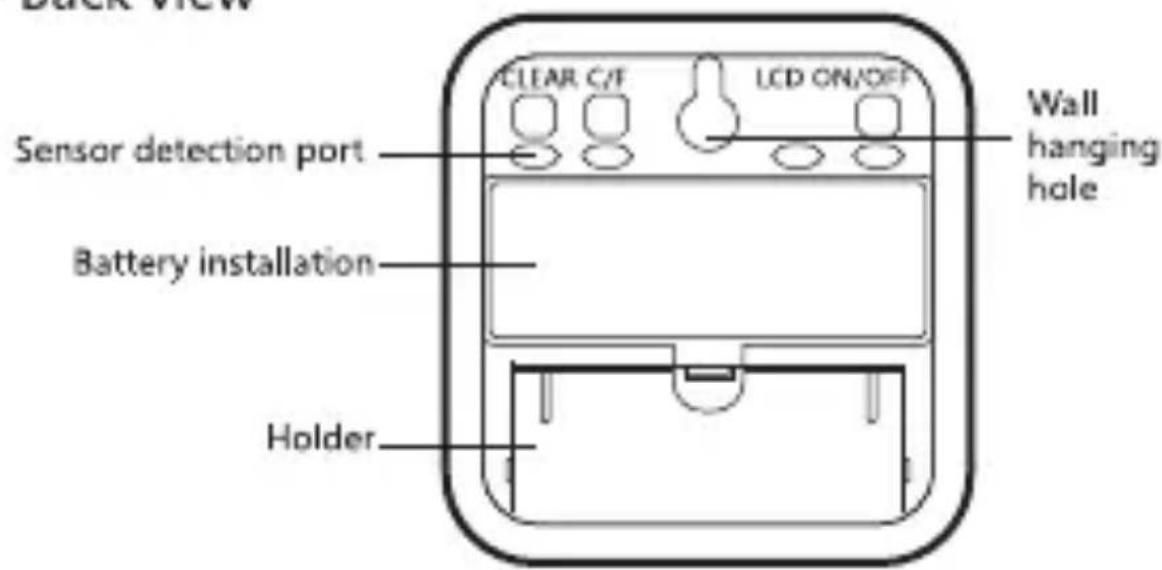
1.Know the Thermometer and Hygrometer
- Front view
- Back view
2.Function Parameter
• Dimensions: 64mmx75mmx20mm
- Weight:47g
● Battery: 2xAAA Batteries
● Real-time temperature and humidity display, MAX/MIN displays on the same screen
- Temperature Measurement Range: -10°C \~ 50°C (14°F \~ 122°F)
● Humidity Measurement Range: 10% \~ 99%
- Temperature Display Accuracy: 0.1°C (0.1°F)
- Temperature Measurement Accuracy: ±1.0°C
● Humidity Measurement Accuracy: ±5%
● Humidity Display Accuracy: 1%
● Temperature and humidity sampling period: 10 seconds
- Out of range display "HH.H" or "LL.L", sensor Error, display "-- -- --"
- LCD can be turned off
- Warranty: 1 year
3. Button Icon Description
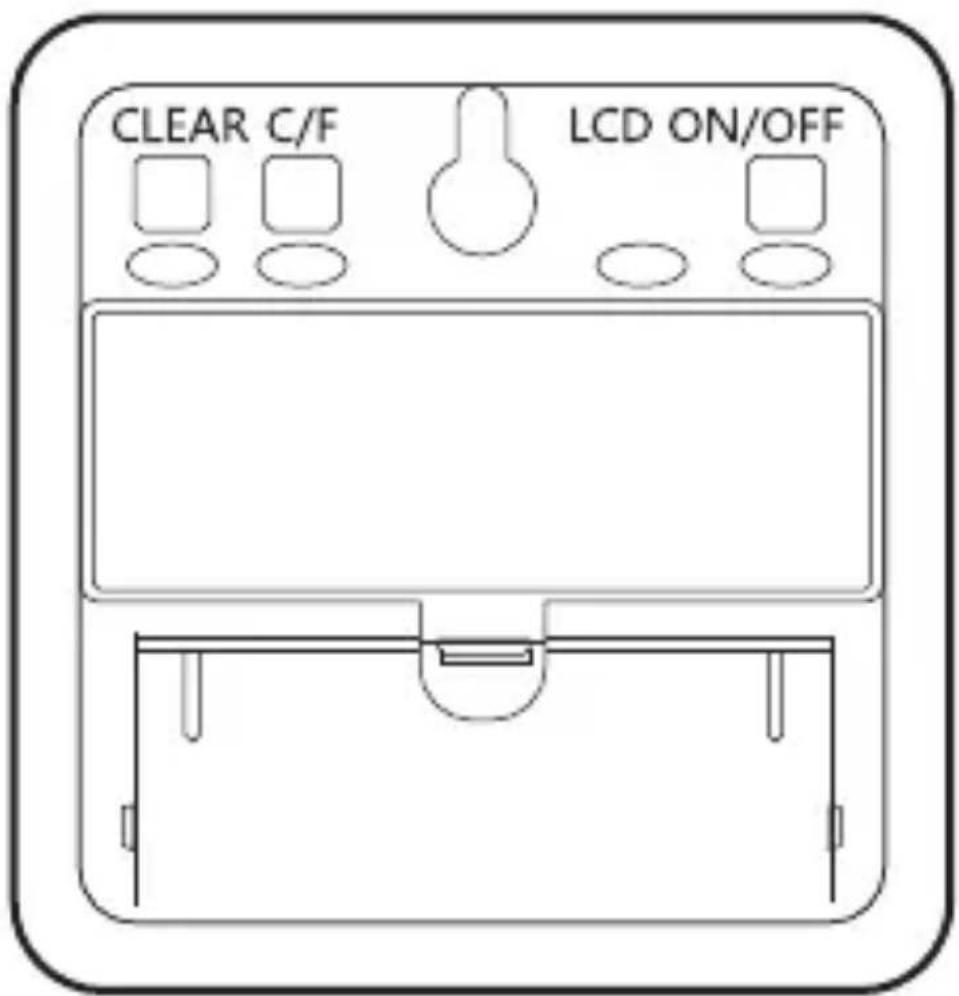
CLEAR: Clear MAX/MIN Memory Value
C/F: Temperature Unit Switching
LCD ON/OFF: LCD ON/OFF
4. Degree of comfort
● (DRY): Relative humidity below 40% RH at any temperature
- (COMFORT): The temperature range is (20 \~ 30)°C the relative humidity is (40 \~ 70)% RH
• (WET): Relative humidity above 70% RH at any temperature
5. Troubleshooting Guide
| Issues Causes Solutions | ||
| Inaccurate temperature reading. | 1. It is placed in a area with poor temperature circulation.2. The probe port is blocked.3. Device malfunction. | 1. Adjust the position of the device. Leave it for a while so that the reading can stabilize.2. Check whether the probe port is blocked. |
| Inaccurate humidity reading. | 1. Water or condensation enters the probe.2. The probe port is blocked.3. Device malfunction. | 1. Adjust the position of the device. Leave it for a while so that the reading can stabilize.2. Check whether the probe port is blocked. |
Shenzhen Inkbird Technology Co., Ltd. support@inkbird.com
Consignor: Shenzhen Inkbird Technology Co., Ltd.
Office Address: Room 1803, Guowei Building, No.68 Guowei Road,
Xianhu Community, Liantang, Luohu District, Shenzhen, China
Manufacturer: Shenzhen Inkbird Technology Co., Ltd.
Factory Address: Room 501, Building 138, No. 71, Yiqing Road,
Xianhu Community, Liantang Street, Luohu District, Shenzhen, China
MADE IN CHINA
DESIGNED BY INKBIRD
V5.0