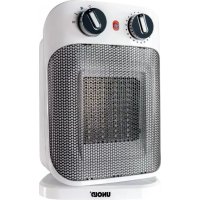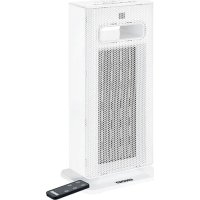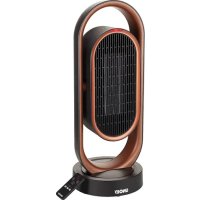
86535 - Heating UNOLD - Free user manual and instructions
Find the device manual for free 86535 UNOLD in PDF.


User questions about 86535 UNOLD
0 question about this device. Answer the ones you know or ask your own.
Ask a new question about this device
Download the instructions for your Heating in PDF format for free! Find your manual 86535 - UNOLD and take your electronic device back in hand. On this page are published all the documents necessary for the use of your device. 86535 by UNOLD.
USER MANUAL 86535 UNOLD
natural_image
Exterior view of a modern office building (no signage)KERAMIK-HEIZLÜFTER 3D
Bedienungsanleitung
This product is only suitable for well insulated spaces or occasional use.
natural_image
Modern kitchen appliance with digital display and bucket containing food items (no visible text or symbols)
natural_image
Modern industrial bread machine with control panel and side bowl of milk, accompanied by small kitchen utensils (no visible text or symbols)UNOLD®
Care + Style
natural_image
Product photo of a red and black electric toothbrush with a brush holder, next to a black conical clip (no text or symbols visible)
natural_image
Close-up of a metallic mechanical device with a cable and adjustment lever (no visible text or symbols)UNOLD®
Fan + Heat
natural_image
Close-up of a desktop electric fan with visible blades and base (no text or symbols)
natural_image
Red electric fan with cooling fan and control panel (no visible text or symbols)INHALTSVERZEICHNIS
Instructions for use Model 86535
Technical Specifications.... 20
Explanation of the symbols 20
For your safety.... 20
Tilt protection.... 23
The ideal location 24
Remote control/battery replacement 24
Before the first use 25
Display/control panel.... 25
Operation 25
Cleaning and care 27
Overheating protection circuit 27
Guarantee Conditions....28
Waste Disposal/Environmental Protection .... 28
Service 19
Kiepbeveiliging....42
1 Control panel
2 Remote control unit
3 Air outlet
4 Filter
5 Filter cover
FR Page 29
natural_image
Close-up of a black and brown electronic device with a red arrow indicating rotation (no text or symbols visible)natural_image
Diagram showing a rectangular device with internal components and an arrow indicating transformation (no text or symbols)text_image
2h 4h 8h 2 sec. 2 sec. ↑ d c b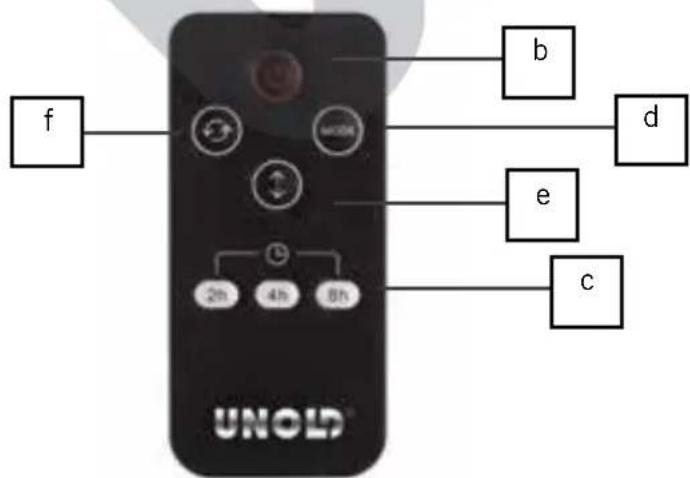
text_image
f b d e c UNOLDBEDIENEN
(level I:1,200 W, level II: 1.800 W)
Dimensions: Approx. 20.2 x 21.0 x 53.0 cm (L/W/H)
Power cord: Approx. 150 cm
Weight: Approx. 2.3 kg
Housing: Plastic
Degree of
protection: II
Features: PTC ceramic heating element, removable and washable filter, dual oscillation (left, right, as well as upward), overheating protection circuit, timer, handle, ON/OFF switch
Accessories: Operating instructions, remote control unit

text_image
CE
Equipment features, technology, colours and design are subject to change without notice.
EXPLANATION OF THE SYMBOLS

This symbol indicates potential hazards that may result in injury or damage to the appliance.
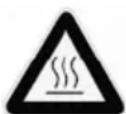
This symbol indicates a potential burning hazard. Please be especially careful at all times here.
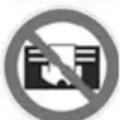
This symbol warns that the appliance must not be covered with objects.
FOR YOUR SAFETY
General safety instructions
Please read the following instructions and keep them on hand for later reference.
- Children of less than 3 years should be kept away unless continuously supervised.
-
Children aged from 3 years and less than 8 years shall only switch on/off the appliance provided that it has been placed or installed in its intended normal operating position and they have been given supervision or instruction concerning use of the appliance in a safe way and understand the hazards involved. Children aged from 3 years and less than 8 years shall not plug in, regulate and clean the appliance or perform user maintenance.
-
This appliance can be used by children aged from 8 years and above and persons with reduced physical, sensory or mental capabilities or lack of experience and knowledge if they have been given supervision or instruction concerning use of the appliance in a safe way and understand the hazards involved.
-
Children shall not play with the appliance.
-
Cleaning and user maintenance must not be performed by children, unless they are older than 8 years and are supervised.
-
Keep the appliance and the power cord out of the reach of children under 8 years.
-
CAUTION – parts of this product can become very hot and cause burn injuries! Particular caution is required if children or persons at risk are present.
-
Only connect the appliance to an AC power supply with voltage corresponding to the voltage specified on the rating plate.
-
Do not operate this appliance with an external timer or remote control system.
-
Never immerse the appliance or the power cord in water or other liquids - life-threatening danger!
-
Do not open the motor housing under any circumstances, there is danger of electric shock!
-
The appliance is intended for household use only, or for similar areas of use, such as,
■ kitchenettes in businesses, offices or other workplaces,
■ for use by guests in hotels, motels or other lodgings,
■ in private guest houses or holiday homes.
-
Check the appliance, the plug and the power cord regularly for wear or damage. In the event of damage to the power cord cable or other parts, please send the appliance or the power cord to our customer service organisation for inspection and repair. Unauthorised repairs can result in serious hazards for the user and void the warranty.
-
To avoid damage, do not use the appliance with accessories of other manufacturers or brands.
-
Unplug the mains plug from the electrical outlet after use and before cleaning. Never leave the appliance unattended when the mains plug is plugged in.
-
We assume no liability for damage that occurs due to improper operation, power failure, frost, poor insulation or if the heating capacity is incorrectly selected for the size of the room.
Safety instructions for set-up and operation of the appliance
-
The appliance is only suitable for indoor use, in dry closed spaces.
-
Do not operate the appliance in garages, woodsheds or similar spaces.
-
Only place the appliance on a suitable, level, heat-resistant substrate.
-
Ensure that the power cord is laid out in such a manner that there is no possibility of stumbling over it.
-
To avoid damage to the cord, never wrap the power cord around the appliance.
-
To avoid damage to the cord, always unplug the mains plug from the electrical outlet by grasping the plug, never pull the power cord to unplug the appliance.
-
Ensure that the electrical outlet used is easily accessible, in order to unplug the appliance in an emergency.
-
To avoid damage to the power cord, ensure that it is not pinched or pulled over corners.
-
If possible, do not use an extension cord. If you must use an extension cord, completely unwind the extension cord and comply with the power limits of the respective extension cord.
-
The appliance is very hot during and after operation, consequently ensure that the power cord cannot touch hot appliance parts.
-
Never place the appliance directly under an electrical outlet.
-
For safety reasons, the appliance must not be used in the vicinity of sinks, bathtubs, or water connections.
-
Never touch the appliance with wet or moist hands - life-threatening danger due to electric shock!
-
For safety reasons do not use the appliance for the following purposes:
■ For defrosting iced-up vehicle windows/heating vehicle interiors
■ For animal breeding or animal husbandry applications
■ Commercial use
-
Maintain a safety distance (at least 1 meter) to other objects, such as furniture, curtains, etc. and ensure that air can flow in and out unhindered.
-
Do not use the appliance to dry laundry - fire hazard.
-
Never leave the house when the appliance is switched on. Do not allow the appliance to run unattended.
- Injuries can occur due to escaping hot air. Consequently always keep children away from the appliance.
- To exclude the possibility of overheating the room, only rooms that are larger than 4 square meters should be heated.
- Do not stick any objects in the appliance openings, this can result in electric shock.
- Do to use any highly flammable substances or sprays, for example, in the vicinity of the appliance - fire hazard!
- When it is not in use, only store the appliance in closed, dry interior spaces.
- Ensure that dust does not accumulate on the appliance and clean it regularly.
- This product is only suitable for well-insulated rooms or for occasional use.
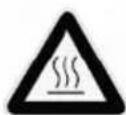
The appliance is very hot during and after operation - danger of burn injuries!
Do not use timers or other external switch-on / switch-off systems to operate the appliance. Use of such items could unintentionally reset the overheating protection circuit and cause a fire hazard.
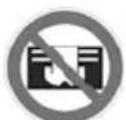
To prevent overheating and the associated fire hazard, never cover the appliance during operation.

Do not operate the appliance in the vicinity of sinks, bathtubs or other containers filled with water. Never open the housing of the appliance. This can result in electric shock.
The manufacturer will not be liable in the event of incorrect assembly, improper or incorrect use or if repairs are carried out by unauthorized third parties.
TILT PROTECTION
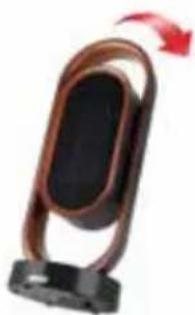
natural_image
Close-up of a black electronic device with a brown strap and black base, no visible text or symbols.The tilt protection switches the appliance off immediately, as soon as the appliance tilts to a position where safe operation is in jeopardy.
THE IDEAL LOCATION
- Maintain an adequate safety distance (at least 1 meter) to other objects, such as furniture, curtains, etc.
- Only place the appliance in operation in a vertical position.
- Ensure that air can flow in and out unhindered - do not, under any circumstances, cover the air inlets of the appliance.
- Only place the appliance on a solid and level substrate. Do not place the appliance on soft surfaces (sofa, bed) because the appliance can tip over.
- In addition, ensure that the appliance is not set up on deep-pile carpets or in dusty environments.
- For safety reasons, the appliance must not be used in the vicinity of sinks, bathtubs, or water connections.
- Never place the appliance directly under an electrical outlet, and ensure that the power socket used is easily accessible at all times.
- Check whether the power cord is routed in such a manner that no one can stumble over it.
- The power cord should not touch any housing parts, this could cause the cable to melt.
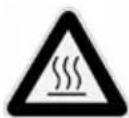
Be aware that the appliance can become very hot - fire hazard! Particularly ensure that children are kept away from the appliance.
REMOTE CONTROL/BATTERY REPLACEMENT

natural_image
Diagram showing a device with a rectangular frame and a circular connector, no text or symbols present-
Carefully pull the cover of the battery compartment out of the remote control unit.
-
Ins ert the batte ry in to the intended holder.
- If you want to insert a different battery, ensure that you use a CR2025 button cell battery.
- Carefully slide the cover back into the remote control unit.
- If you adjust the appliance with the remote control unit, ensure that you hold it in the direction of the fan heater while you are making the settings.
- The remote control unit is magnetic for easy storage and can simply be affixed on the cover on the right side of the appliance.
BEFORE THE FIRST USE
- Remove all packaging materials and any transport safeguards. Keep packaging materials away from children – danger of suffocation!
- Check whether all listed accessory parts are present and intact.
- Comply with all instructions that are specified in the chapter, “The ideal location”, and find a suitable location.
- When you use the appliance for the first time, or if it has not been operated for an extended period of time, a slight odour can occur.
CONTROL PANEL
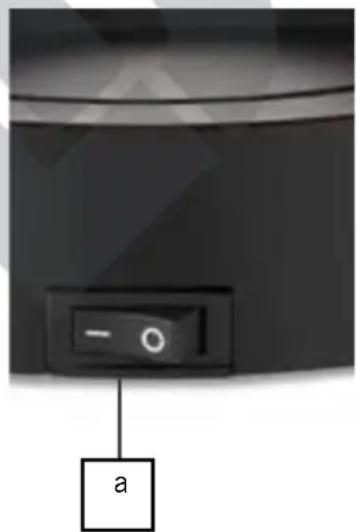
Control panel:
a Main switch
b ON/OFF button
c Button - Timer, Oscillation up and down
d Button - Mode: Fan/High/Low (heating capacity Oscillation left and right
Remote control only:
e Button Oscillation up andown
f Button - Oscillation left and
text_image
a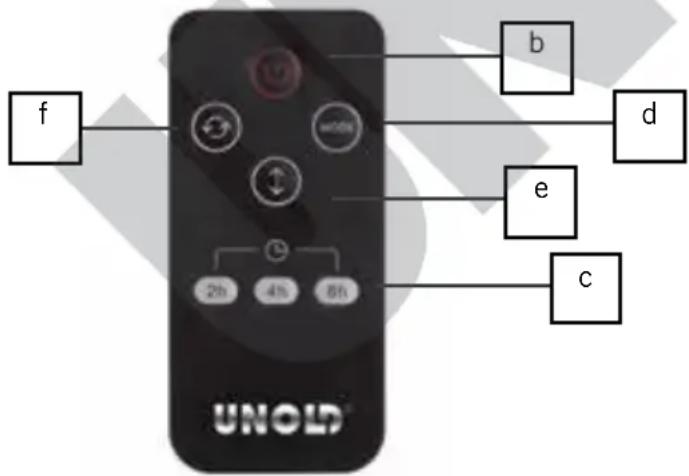
text_image
f b d e c UNOLD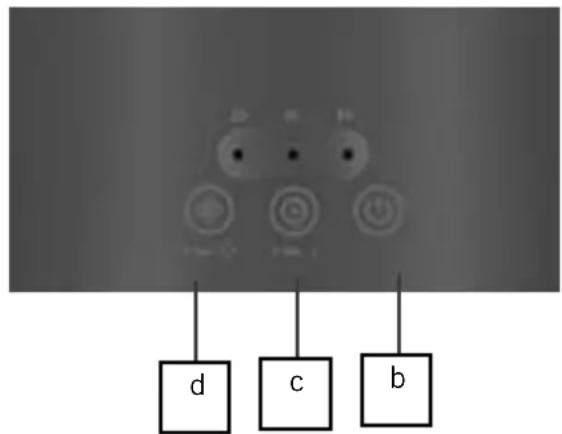
text_image
d c bOPERATION
- Comply with all safety instructions and safety regulations.
- Ensure that you have selected a safe location.
- Plug the mains plug of the appliance into an electrical outlet (220–240 V \~ 50/60 Hz).
- Place the main switch on the rear of the appliance on "I"
- The appliance is now in standby mode, only the ON/OFF button is active.
- Press the ON/OFF button. A short signal tone will sound.
- Caution: The following explanations apply for adjustment on the control panel itself, and via the remote control unit. The button designation is identical in each case.
Modus
- You can select from two heating capacities. Use the "Mode" button to select the desired capacity. The respective indicator lamp shows the level at which the appliance is operating.
■ “Low” level for low capacity (approx. 1,200 watt)
■ “High” level for high capacity (approx. 1,800 watt)
Note: It takes a few moments until the higher capacity is completely active.
■ Fan operation for the fan function (cool air)
Attention: If the appliance was previously on heating operation, the outflowing air will still be warm initially. Depending on the previous heating capacity it can take some time until the appliance provides cool air.
Swing function/oscillation vertical
- Press the „Timer” button for 2 secs or (remote control) to switch on the up and down swing function. Press the button again to stop the appliance in the current position.
Swing function/oscillation horizontal
- Press the „Mode“ button for 2 sec. or (remote control) to switch on left to right swing function. Press the button again to stop the appliance in the current position, the fan however continues to run.
Note: Both functions can be used simultaneously.
Timer
- Via the Timer button “Timer” you can select the desired runtime of the appliance. This is possible in the range 2, 4 or 8 hours. Press the „Timer“ button until the selected time is illuminated. After this time elapses the
appliance switches off automatically. If you do not make a time setting, the appliance will run continuously.
Switching off
- To switch off the appliance, press the ON/OFF button, switch the main switch on the rear of the appliance to "O" and unplug the plug from the electrical outlet.
- Important note: The appliance has an automatic switch-off with cooling mode. If the appliance was running in heating mode, it takes about 30 seconds for the appliance to turn off after pressing the ON / OFF button.
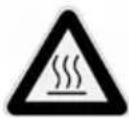
Be aware that the appliance can become very hot – danger of burns! Particularly ensure that children are kept away from the appliance.
CLEANING AND CARE

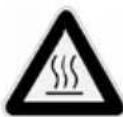
Switch off the appliance. Unplug the plug from the electrical outlet. Allow the appliance to cool completely.
- Never use any abrasive scouring agents, steel wool, metal objects, hot cleaning agents or disinfectants.
- To clean the filter, open the filter cover. Remove the filter and clean it with warm water that must not be hotter than 30^ C.
- Allow the filter to dry completely, before you reinsert it. Then carefully close the filter cover.
- You can remove dust in the appliance if you carefully hold a vacuum cleaner against the air outlet grille or air inlet grille.
- Store the fan heater in a dry, safe place so that it is protected from dust, shocks, heat and moisture.
OVERHEATING PROTECTION CIRCUIT
- The appliance is equipped with an overheating protection circuit that switches the appliance off when it is heated over 70^ C.
-
If the overheating protection circuit has been tripped, switch the appliance off, unplug the plug from the electrical outlet and let the appliance cool for at least 30 minutes.
-
Eliminate the cause of the overheating, (e.g. excessive dust in the appliance, air outlet grille is covered) and start up the appliance again.
- If after eliminating the cause, you still cannot switch the appliance back on, or if the overheating protection circuit switches on without an apparent reason, contact our customer service organisation.
GUARANTEE CONDITIONS
We grant a 24 months guarantee, and in case of commercial use a 12 months guarantee, starting from the date of purchase for any damage demonstrably due to manufacturing defects and when the appliance has been used according to its intended use. Within the warranty period we will remedy defective materials or workmanship through repair or replacement, at our option. Our warranty terms apply only to appliances sold in Germany and Austria. For other countries, please contact the responsible importer. In the event of a claim for remedy of defects, please send the appliance to our after sales service, properly packaged, together with a copy of the automatically generated sales receipt, which must show the date of purchase, and a description of the defect. You can print out a return receipt on our website www.unold.de/ruecksendung. (only for entries from Germany and Austria). The warranty does not cover damage from normal wear, improper handling and failure to comply with the maintenance and care instructions. The warranty is void if repairs or modifications are made to the appliance by third parties. Any claims of the end consumer vis-à-vis the retailer are not limited by this warranty.
WASTE DISPOSAL / ENVIRONMENTAL PROTECTION
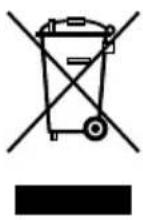
Our appliances are produced on a high quality level for a long lifetime. Regular maintenance and expert repairs by our after-sales service can extend the useful life of the appliance. If an appliance is defective and repair is not possible we ask you to follow the following instructions for disposal. Do not dispose this appliance together with your standard household waste. Please bring this product to an approved collection point for recycling of electric and electronic products. By separate collection and disposal of waste products you help to protect natural resources and ensure, that the product is disposed in an adequate way to protect health and environment.
Do not dispose of used batteries as household waste. Dispose of this product via your appliance dealer or take it to the municipal collection point.
The instruction booklet is also available for download: www.unold.de
NOTICE D'UTILISATION MODÈLE 86535
SPÉCIFICATION TECHNIQUE
Puissance : 1 800 Watts, 220-240 V\~, 50/60 Hz
natural_image
Diagram showing two rectangular components with internal square cutouts and a separate circular component, no text or symbols present.CONDITIONS DE GARANTIE
natural_image
Diagram showing a rectangular object with internal components and an arrow indicating rotation (no text or symbols)natural_image
Close-up of a black and brown electronic device with a red arrow indicating rotation (no visible text or symbols)flowchart
graph TD
    A["Rectangular Panel"] --> B["Internal Component"]
    B --> C["3D Mechanical Part"]