EBMDC2 - Network card / adapter Edimax - Free user manual and instructions
Find the device manual for free EBMDC2 Edimax in PDF.



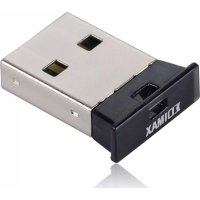
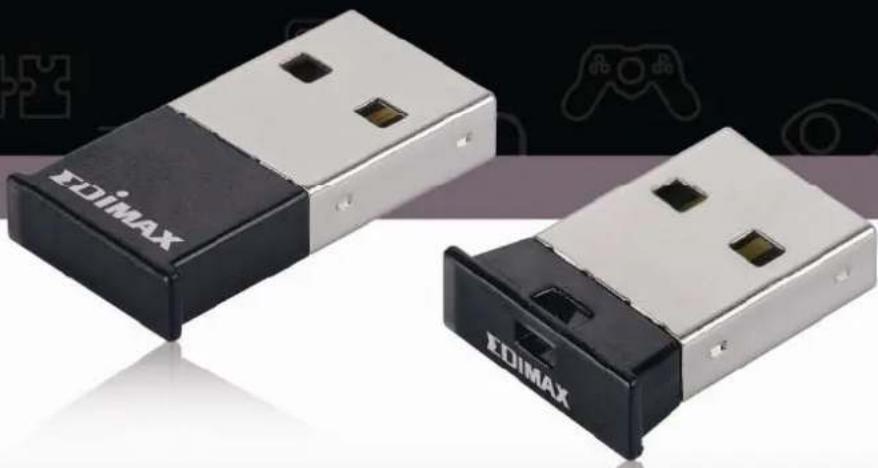
| Product Type | Bluetooth USB Adapter |
| Brand | Edimax |
| Model | EBMDC2 |
| Dimensions (approx.) | 2.5 x 1.5 x 0.5 cm |
| Weight (approx.) | 5 g |
| Power Supply | USB port (5 V) |
| Bluetooth Version | 2.0+EDR (compatible with later versions) |
| Maximum Range | Approximately 10 meters (open space) |
| Compatible Operating Systems | Windows 2000, XP, Vista |
| Main Functions | File transfer, Bluetooth peripheral connection, synchronization |
| Maintenance and Cleaning | Clean with a dry, soft cloth |
| Safety | Do not expose to water or extreme temperatures |
| Spare Parts and Repairability | Not applicable (non-repairable device) |
| Package Contents | Bluetooth adapter, Installation CD, Quick start guide |
| Color | Black |
| Operating Temperature | 0 to 40 °C |
Frequently Asked Questions - EBMDC2 Edimax
User questions about EBMDC2 Edimax
0 question about this device. Answer the ones you know or ask your own.
Ask a new question about this device
Download the instructions for your Network card / adapter in PDF format for free! Find your manual EBMDC2 - Edimax and take your electronic device back in hand. On this page are published all the documents necessary for the use of your device. EBMDC2 by Edimax.
USER MANUAL EBMDC2 Edimax
Mini Bluetooth USB Dongle With TOSHIBA software
Quick Guide
October, 2008
Multi-Languages QIG
Český 3
Deutsch 6
English 9
Espanol 12
Francais 15
Italiano 18
Magyar 21
Nederland's 24
Polski 27
Portugues 30
Pccnn 33
Romania 36
Slovencina 39
Limitations
(a) On Swedish Windows XP, an error message (error code = 633) may be seen during dial-up. Please update the operating system to Windows XP Service Pack 2 or refer to Microsoft knowledge base #831717.
(b) Windows XP fast user switch is not supported. When switching to another user, the Bluetooth Manager is not launched. Please log off before switching to another user.
Ceský
Nastaveni pro Windows 2000/XP/Vista
Instalace Bluetooth software pro Windows
Installing Bluetooth software for Windows
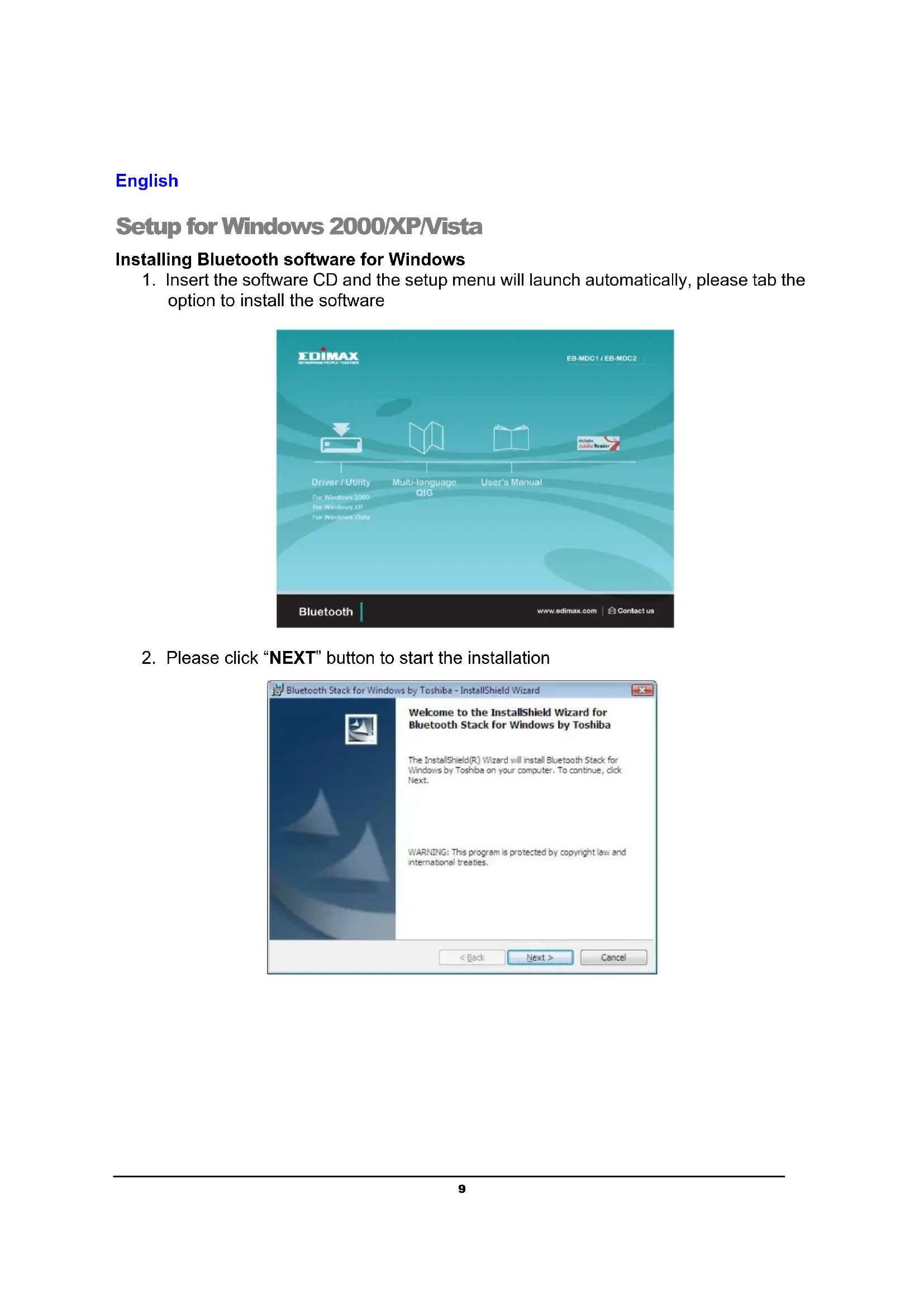
- Insert the software CD and the setup menu will launch automatically, please tab the option to install the software

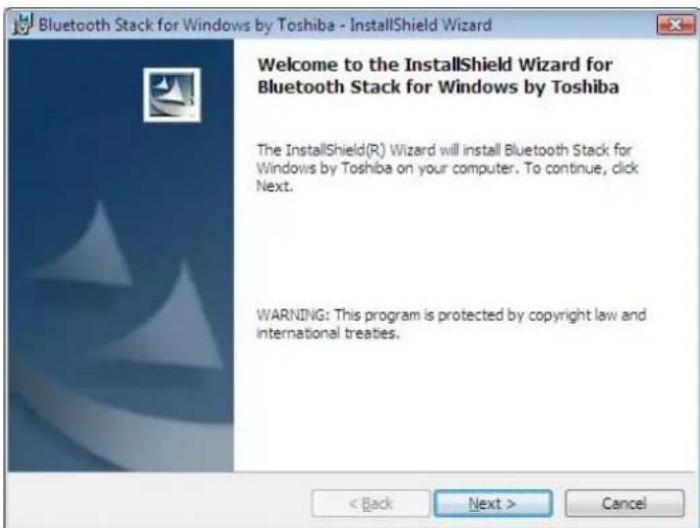
- Please click "NEXT" button to start the installation
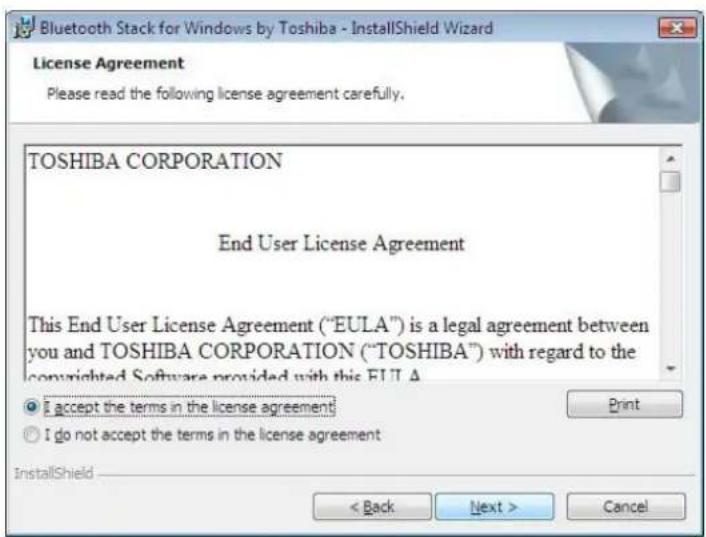
- When the License Agreement screen is displayed, read the License Agreement, then clicks the radio button to the left of "I accept the terms in the license agreement" and then clicks the "Next" button.
- Please click "install" to begin the installation.

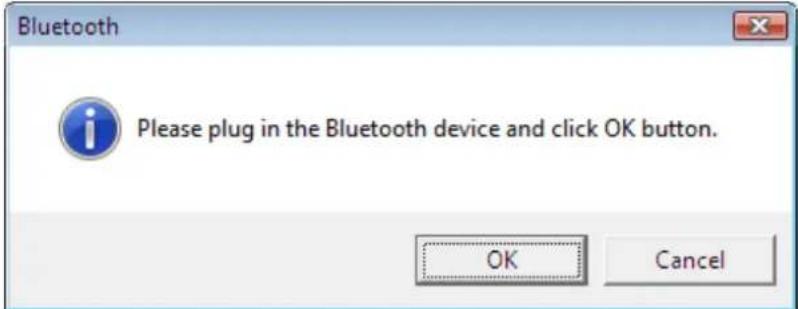
- During the installation, the system will try to detect your Bluetooth device, please plug in your Bluetooth device and then click on the "OK" button.
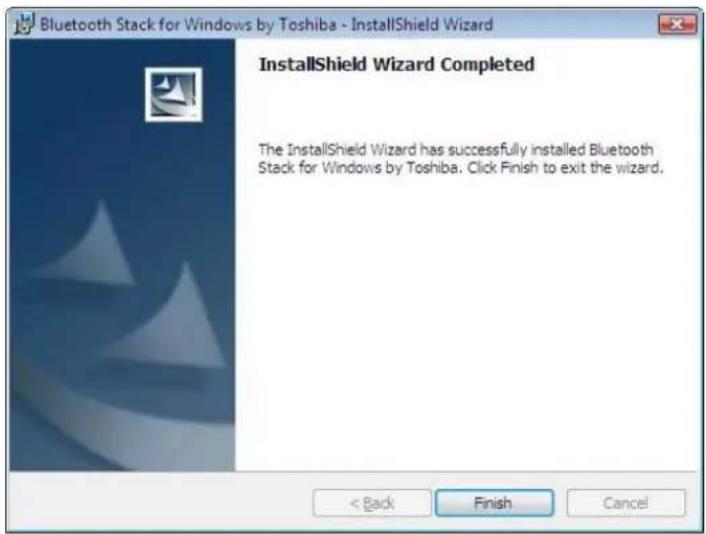
- Please click "Finish" to complete the installation.
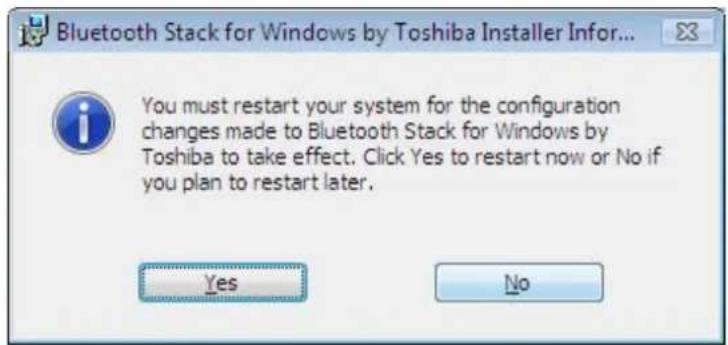
- You may need to restart for made the software effective.