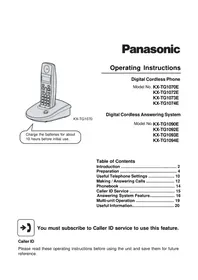
PANASONIC KXTGA659EX - Cordless phone

KXTGA659EX - Cordless phone PANASONIC - Free user manual and instructions

Find the device manual for free KXTGA659EX PANASONIC in PDF.
📄 44 pages English EN Download 💬 AI Question 10 questions ⚙️ Specs
Notice PANASONIC KXTGA659EX - page 4
Pick your language and provide your email: we'll send you a specifically translated version.
Product Type Digital Cordless Additional Handset
Brand Panasonic
Model KX-TGA659EX
Category Cordless Phone
Compatibility Bases KX-TG6571 / KX-TG6591
Power - Charger Panasonic AC adapter PQLV219CE
Power - Batteries 2 Ni-MH AAA rechargeable batteries (HHR-55AAAB or N4DHYYY00005)
Battery Life (approx.) Up to 10 hours talk time, 100 hours standby
Range (approx.) Up to 50 m indoors, 300 m outdoors
Display Languages Multiple languages available (select at first power on)
Main Features Base registration, language selection, emergency call (on KX-TG6591 base)
Supplied Accessories Charger, AC adapter, 2 rechargeable batteries, belt clip, handset cover
Dimensions (approx.) Approx. 150 x 50 x 20 mm
Weight (approx.) Approx. 100 g (with batteries)
Cleaning Soft damp cloth, do not use solvents
Safety Use only supplied batteries, do not expose to moisture, unplug if malfunctioning
After-Sales Service 08 92 35 05 05 (€0.34/min) | Online support at panasonic.fr

Frequently Asked Questions - KXTGA659EX PANASONIC

How to register the handset to the base?
Place the handset on the charger, lift and hold the ✗️ key. On the base, press ••• for 5 seconds until you hear a tone. Place the handset on the base and wait for confirmation.
How long does it take to charge the batteries for the first time?
Approximately 7 hours before first use. Use only the supplied rechargeable batteries.
Can I use alkaline or Ni-Cd batteries?
No, use only Ni-MH AAA rechargeable batteries. Alkaline, manganese or Ni-Cd batteries are not compatible.
How to change the display language?
Press # 1 1 0, then select the language with ▼/▲ keys and confirm with OK.
What to do if the handset displays 'Wait 1 minute'?
This message appears if the handset is not yet registered to the base. Follow the registration procedure described in the manual.
What is the range of the phone?
Typical range is about 50 meters indoors and up to 300 meters outdoors, but it depends on the environment.
How to clean the handset?
Use a soft, slightly damp cloth. Never use benzene, thinner, or abrasive powder.
The handset does not ring, what to do?
Check that the handset is registered to the base, batteries are charged, and ring volume is set. Consult the base manual.
Can I use this handset with another Panasonic base?
This handset is compatible only with KX-TG6571 and KX-TG6591 bases. It may not work with other models.
How to erase personal data before disposing of the device?
Consult the base manual to erase the phonebook and call list. This protects your privacy.

User questions about KXTGA659EX PANASONIC

0 question about this device. Answer the ones you know or ask your own.

Ask a new question about this device

The email remains private: it is only used to notify you if someone responds to your question.

No questions yet. Be the first to ask one.

Download the instructions for your Cordless phone in PDF format for free! Find your manual KXTGA659EX - PANASONIC and take your electronic device back in hand. On this page are published all the documents necessary for the use of your device. KXTGA659EX by PANASONIC.

USER MANUAL KXTGA659EX PANASONIC
TGA659EX(ex).book Page 1 Monday, August 23, 2010 4:14 PM

PANASONIC KXTGA659EX - 1

natural_image Pure geometric diagram with intersecting lines and circles, no text or symbols present

Panasonic®

KX-TGA659EX

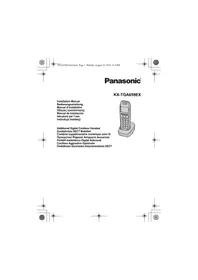
Installation Manual

Bedienungsanleitung
natural_image Line drawing of a classic mobile phone with keypad and front-mounted base (no text or symbols)

PANASONIC KXTGA659EX - KX-TGA659EX - 1

Additional Digital Cordless Handset
natural_image Pure geometric diagram with intersecting lines and shaded circles, no text or symbols present

PANASONIC KXTGA659EX - KX-TGA659EX - 2

PANASONIC KXTGA659EX - KX-TGA659EX - 3

natural_image Pure geometric diagram with intersecting lines and circles, no text or symbols present

PANASONIC KXTGA659EX - KX-TGA659EX - 4

PANASONIC KXTGA659EX - KX-TGA659EX - 5

PANASONIC KXTGA659EX - KX-TGA659EX - 6

TGA659EX(ex).book Page 3 Monday, August 23, 2010 4:14 PM

PANASONIC KXTGA659EX - KX-TGA659EX - 7

natural_image Pure geometric diagram with intersecting lines and circles, no text or symbols present

Contents/Inhalt/Table des matières/Περιεχόμενα/Contenido/Indice/Spis treści

English 4

Deutsch 9

Français.... 14

Ελληνικά.... 19

Español 24

Italiano....29

Polski 34
PANASONIC KXTGA659EX - Contents/Inhalt/Table des matières/Περιεχόμενα/Contenido/Indice/Spis treści - 1

PANASONIC KXTGA659EX - Contents/Inhalt/Table des matières/Περιεχόμενα/Contenido/Indice/Spis treści - 2

PANASONIC KXTGA659EX - Contents/Inhalt/Table des matières/Περιεχόμενα/Contenido/Indice/Spis treści - 3

natural_image Pure geometric diagram with intersecting lines and shaded circles, no text or symbols present

PANASONIC KXTGA659EX - Contents/Inhalt/Table des matières/Περιεχόμενα/Contenido/Indice/Spis treści - 4

PANASONIC KXTGA659EX - Contents/Inhalt/Table des matières/Περιεχόμενα/Contenido/Indice/Spis treści - 5

natural_image Pure geometric diagram with intersecting lines and shapes, no text or symbols present

PANASONIC KXTGA659EX - Contents/Inhalt/Table des matières/Περιεχόμενα/Contenido/Indice/Spis treści - 6

PANASONIC KXTGA659EX - Contents/Inhalt/Table des matières/Περιεχόμενα/Contenido/Indice/Spis treści - 7

TGA659EX(ex).book Page 4 Monday, August 23, 2010 4:14 PM

PANASONIC KXTGA659EX - Contents/Inhalt/Table des matières/Περιεχόμενα/Contenido/Indice/Spis treści - 8

natural_image Pure geometric diagram with intersecting lines and circles, no text or symbols present

English

PLEASE READ BEFORE USE AND SAVE

This unit is an additional handset compatible with the following series of Panasonic Digital Cordless Phone: KX-TG6571/KX-TG6591

You must register this handset with your base unit before it can be used. This installation manual describes only the steps needed to register and begin using the handset. Please read the base unit's operating instructions for further details.

Supplied accessories

Charger....1AC adaptor (PQLV219CE)....1Rechargeable batteries*1....2(HHR-55AAAB or N4DHYYY00005)
Belt clip....1Handset cover*2....1

*1 Please read the base unit's operating instructions for replacement battery information.
*2 The handset cover comes attached to the handset.

Note:

  • Please read the base unit's operating instructions for additional/replacement accessories.
  • This equipment is designed for use in Germany, Spain, Italy, France, Greece, and Poland.
  • In the event of problems, you should contact your equipment supplier in the first instance.

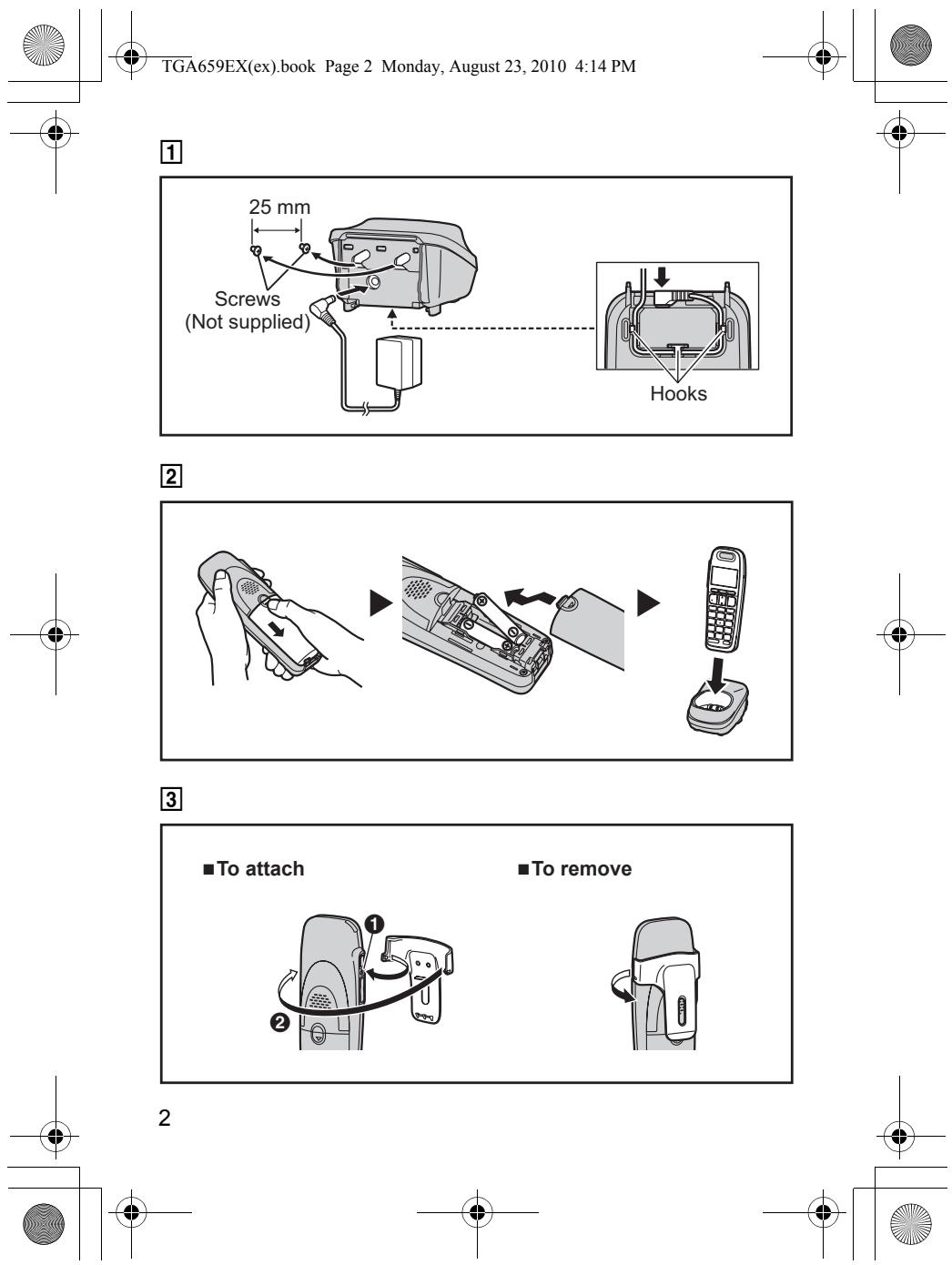
Connection (page 2: 1)

  • Use only the supplied Panasonic AC adaptor PQLV219CE.
  • The AC adaptor must remain connected at all times. (It is normal for the adaptor to feel warm during use.)
  • Make sure that the wall is strong enough to support the weight of the unit.
PANASONIC KXTGA659EX - Connection (page 2: 1) - 1

PANASONIC KXTGA659EX - Connection (page 2: 1) - 2

PANASONIC KXTGA659EX - Connection (page 2: 1) - 3

natural_image Pure geometric diagram with intersecting lines and circles, no text or symbols present

PANASONIC KXTGA659EX - Connection (page 2: 1) - 4

PANASONIC KXTGA659EX - Connection (page 2: 1) - 5

natural_image Pure geometric diagram with intersecting lines and circles, no text or symbols present

PANASONIC KXTGA659EX - Connection (page 2: 1) - 6

TGA659EX(ex).book Page 5 Monday, August 23, 2010 4:14 PM

PANASONIC KXTGA659EX - Connection (page 2: 1) - 7

natural_image Abstract geometric diagram with intersecting lines and shaded circles (no text or symbols)

Battery installation/Battery charge (page 2: 2)

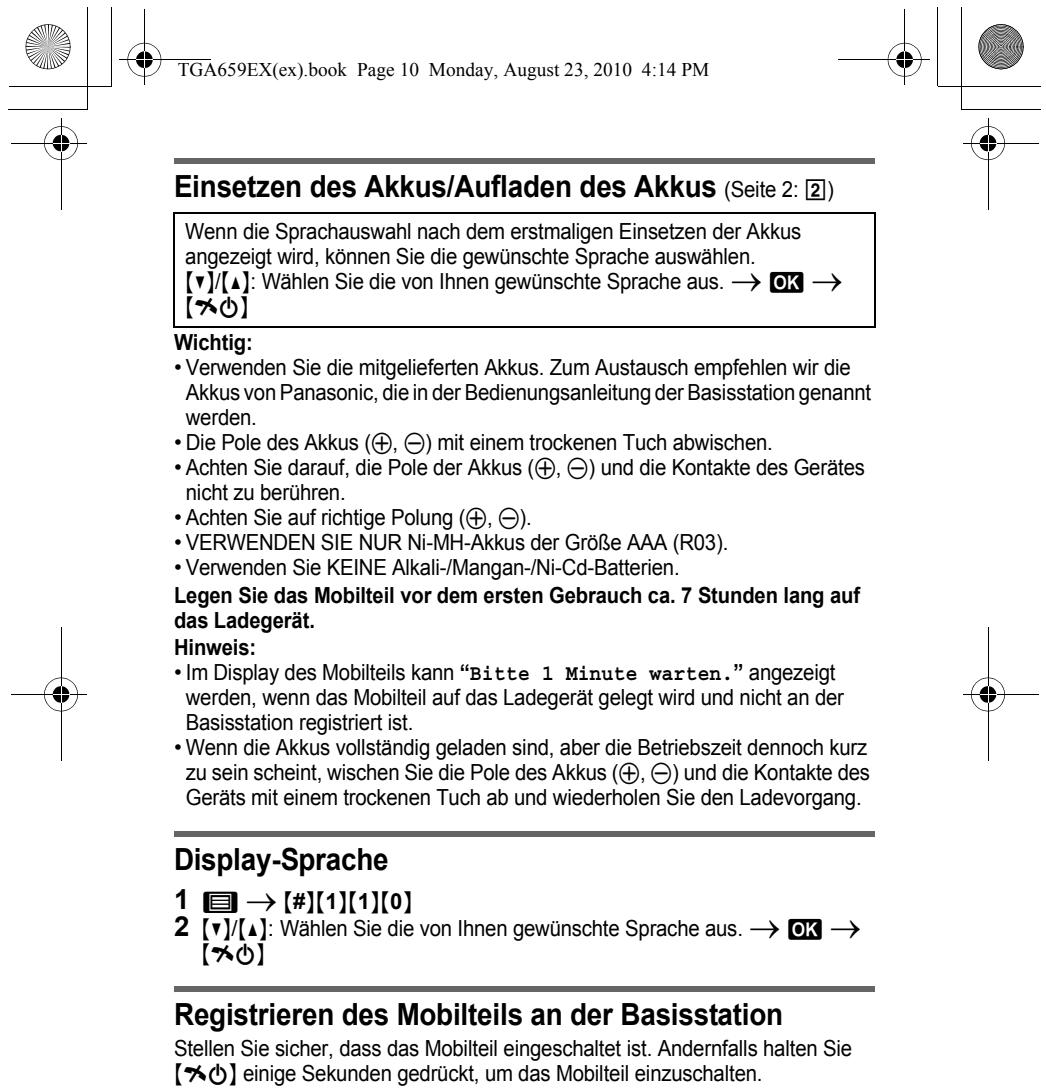
When the language selection is displayed after installing the batteries for the first time, you can select your desired language.

[▼]/[▲]: Select your desired language. → OK → [✗]

Important:

  • Use the supplied rechargeable batteries. For replacement, we recommend using the Panasonic rechargeable batteries noted in the base unit's operating instructions.
  • Wipe the battery ends (, ) with a dry cloth.
  • Avoid touching the battery ends (, ) or the unit contacts.
  • Confirm correct polarities (⊕, ⊖)
  • USE ONLY Ni-MH batteries AAA (R03) size.
  • Do NOT use Alkaline/Manganese/Ni-Cd batteries.

Place the handset on the charger for about 7 hours before initial use.

Note:

  • The handset display may show “Please wait for 1 minute.” when the handset is placed on the charger if it is not registered to the base unit.
  • If the batteries are fully charged, but the operating time seems to be shorter, clean the battery ends (, ) and the charge contacts with a dry cloth and charge again.

Registering the handset to the base unit

Ensure that the handset is switched on. If it is not on, press and hold [✗] for few seconds to turn the handset on.

1 Handset:

Lift the handset and press [✗️].

2 Base unit:

Press and hold [•••] for about 5 seconds, until the registration tone sounds.

- If all registered handsets start ringing, press the same button to stop. Then repeat this step.
PANASONIC KXTGA659EX - Base unit: - 1

PANASONIC KXTGA659EX - Base unit: - 2

PANASONIC KXTGA659EX - Base unit: - 3

natural_image Pure geometric diagram with intersecting lines and shaded circles, no text or symbols present

PANASONIC KXTGA659EX - Base unit: - 4

PANASONIC KXTGA659EX - Base unit: - 5

natural_image Pure geometric diagram with intersecting lines and circles, no text or symbols present

PANASONIC KXTGA659EX - Base unit: - 6

PANASONIC KXTGA659EX - Base unit: - 7

TGA659EX(ex).book Page 6 Monday, August 23, 2010 4:14 PM

PANASONIC KXTGA659EX - Base unit: - 8

natural_image Pure geometric diagram with intersecting lines and circles, no text or symbols present

3 Handset:

Place the handset on the base unit.

- Continue the operation even when the handset display shows "Please wait for 1 minute.".

4 With the handset still on the base unit, wait until a confirmation tone sounds and is displayed.

5 Handset:

Lift the handset.

- “Set Date/Time” is displayed.

If the date and time has already been set:

Press [→] to exit.

If you want to correct the date and time:

Press OK. Enter the current date, month, and year. → OK →

Enter the current hour and minute. → OK → [✗]

Note:

  • If an error tone sounds, or if is displayed, register the handset according to the base unit's operating instructions.
  • Distress call function are available only when this handset is registered to the KX-TG6591.

For your safety

To prevent severe injury and loss of life/property, read this section carefully before using the product to ensure proper and safe operation of your product.

WARNING

Power connection

  • Completely insert the AC adaptor/power plug into the power outlet. Failure to do so may cause electric shock and/or excessive heat resulting in a fire.
  • Regularly remove any dust, etc. from the AC adaptor/power plug by pulling it from the power outlet, then wiping with a dry cloth. Accumulated dust may cause an insulation defect from moisture, etc. resulting in a fire.
  • Unplug the product from power outlets if it emits smoke, an abnormal smell, or makes an unusual noise. These conditions can cause fire or electric shock. Confirm that smoke has stopped emitting and contact an authorised service centre.

Installation

  • To prevent the risk of fire or electrical shock, do not expose the product to rain or any type of moisture.
  • Do not place or use this product near automatically controlled devices such as automatic doors and fire alarms. Radio waves emitted from this product may cause such devices to malfunction resulting in an accident.

Operating safeguards

- The use of excessive sound volume through earphones, headphones, or headsets may cause hearing loss.

6
PANASONIC KXTGA659EX - Operating safeguards - 1

PANASONIC KXTGA659EX - Operating safeguards - 2

PANASONIC KXTGA659EX - Operating safeguards - 3

PANASONIC KXTGA659EX - Operating safeguards - 4

natural_image Pure geometric diagram with intersecting lines and circles, no text or symbols present

PANASONIC KXTGA659EX - Operating safeguards - 5

PANASONIC KXTGA659EX - Operating safeguards - 6

TGA659EX(ex).book Page 7 Monday, August 23, 2010 4:14 PM

PANASONIC KXTGA659EX - Operating safeguards - 7

natural_image Pure geometric diagram with intersecting lines and circles, no text or symbols present

CAUTION

Installation and location

- The AC adaptor is used as the main disconnect device. Ensure that the AC outlet is installed near the product and is easily accessible.

Battery

  • We recommend using the supplied batteries or additional/replacement batteries noted in the base unit's operating instructions for replacement battery information. USE ONLY rechargeable Ni-MH batteries AAA (R03) size.
  • Do not mix old and new batteries.
  • Do not open or mutilate the batteries. Released electrolyte from the batteries is corrosive and may cause burns or injury to the eyes or skin. The electrolyte is toxic and may be harmful if swallowed.
  • Exercise care when handling the batteries. Do not allow conductive materials such as rings, bracelets, or keys to touch the batteries, otherwise a short circuit may cause the batteries and/or the conductive material to overheat and cause burns.
  • Charge the batteries provided with or identified for use with this product only, in accordance with the instructions and limitations specified in this manual.
  • Only use a compatible base unit (or charger) to charge the batteries. Do not tamper with the base unit (or charger). Failure to follow these instructions may cause the batteries to swell or explode.

Other information

  • Operating the product near electrical appliances may cause interference. Move away from the electrical appliances.
  • Use only the power cord and batteries indicated in this manual. Do not dispose of batteries in a fire. They may explode. Check with local codes for possible special disposal instructions.

Routine care

  • Wipe the outer surface of the product with a soft moist cloth.
  • Do not use benzine, thinner, or any abrasive powder.

Notice for product disposal, transfer, or return

- This product can store your private/confidential information. To protect your privacy/confidentiality, we recommend that you erase information such as phonebook or caller list entries from the memory before you dispose of, transfer, or return the product.
PANASONIC KXTGA659EX - Notice for product disposal, transfer, or return - 1

PANASONIC KXTGA659EX - Notice for product disposal, transfer, or return - 2

natural_image Pure geometric diagram with intersecting lines and circles, no text or symbols present

PANASONIC KXTGA659EX - Notice for product disposal, transfer, or return - 3

PANASONIC KXTGA659EX - Notice for product disposal, transfer, or return - 4

natural_image Pure geometric diagram with intersecting lines and circles, no text or symbols present

PANASONIC KXTGA659EX - Notice for product disposal, transfer, or return - 5

PANASONIC KXTGA659EX - Notice for product disposal, transfer, or return - 6

TGA659EX(ex).book Page 8 Monday, August 23, 2010 4:14 PM

PANASONIC KXTGA659EX - Notice for product disposal, transfer, or return - 7

natural_image Pure geometric diagram with intersecting lines and circles, no text or symbols present

Information for Users on Collection and Disposal of Old Equipment and used Batteries
PANASONIC KXTGA659EX - Information for Users on Collection and Disposal of Old Equipment and used Batteries - 1
PANASONIC KXTGA659EX - Information for Users on Collection and Disposal of Old Equipment and used Batteries - 2
PANASONIC KXTGA659EX - Information for Users on Collection and Disposal of Old Equipment and used Batteries - 3

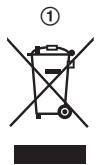
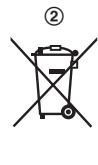
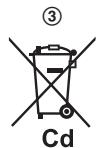
These symbols (①, ②, ③) on the products, packaging, and/or accompanying documents mean that used electrical and electronic products and batteries should not be mixed with general household waste. For proper treatment, recovery and recycling of old products and used batteries, please take them to applicable collection points, in accordance with your national

legislation and the Directives 2002/96/EC and 2006/66/EC.

By disposing of these products and batteries correctly, you will help to save valuable resources and prevent any potential negative effects on human health and the environment which could otherwise arise from inappropriate waste handling.

For more information about collection and recycling of old products and batteries, please contact your local municipality, your waste disposal service or the point of sale where you purchased the items.

Penalties may be applicable for incorrect disposal of this waste, in accordance with national legislation.

For business users in the European Union

If you wish to discard electrical and electronic equipment, please contact your dealer or supplier for further information.

Information on Disposal in other Countries outside the European Union

These symbols (①, ②, ③) are only valid in the European Union. If you wish to discard these items, please contact your local authorities or dealer and ask for the correct method of disposal.

Note for the battery symbol

This symbol (②) might be used in combination with a chemical symbol (③). In this case it complies with the requirement set by the Directive for the chemical involved.
PANASONIC KXTGA659EX - Note for the battery symbol - 1

PANASONIC KXTGA659EX - Note for the battery symbol - 2

PANASONIC KXTGA659EX - Note for the battery symbol - 3

natural_image Abstract geometric diagram with intersecting lines and a central circular pattern (no text or symbols)

PANASONIC KXTGA659EX - Note for the battery symbol - 4

natural_image Pure geometric diagram with crosshair and concentric circles, no text or symbols present

PANASONIC KXTGA659EX - Note for the battery symbol - 5

TGA659EX(ex).book Page 9 Monday, August 23, 2010 4:14 PM

PANASONIC KXTGA659EX - Note for the battery symbol - 6

natural_image Pure geometric diagram with intersecting lines and circles, no text or symbols present

Deutsch

natural_image Pure geometric diagram with intersecting lines and shaded circles, no text or symbols present

PANASONIC KXTGA659EX - Deutsch - 1

PANASONIC KXTGA659EX - Deutsch - 2

natural_image Pure geometric diagram with intersecting lines and circles, no text or symbols present

9

PANASONIC KXTGA659EX - Deutsch - 3

natural_image Pure geometric diagram with crosshair and circular shapes, no text or symbols present

PANASONIC KXTGA659EX - Deutsch - 4

PANASONIC KXTGA659EX - Deutsch - 5

TGA659EX(ex).book Page 11 Monday, August 23, 2010 4:14 PM

PANASONIC KXTGA659EX - Deutsch - 6

natural_image Pure geometric diagram with intersecting lines and circles, no text or symbols present

1 Mobilteil:

natural_image Pure geometric diagram with intersecting lines and shapes, no text or symbols present

PANASONIC KXTGA659EX - Mobilteil: - 1

TGA659EX(ex).book Page 12 Monday, August 23, 2010 4:14 PM

PANASONIC KXTGA659EX - Mobilteil: - 2

natural_image Pure geometric diagram with intersecting lines and circles, no text or symbols present

PANASONIC KXTGA659EX - Mobilteil: - 3

PANASONIC KXTGA659EX - Mobilteil: - 4

TGA659EX(ex).book Page 13 Monday, August 23, 2010 4:14 PM

PANASONIC KXTGA659EX - Mobilteil: - 5

natural_image Pure geometric diagram with intersecting lines and circles, no text or symbols present
natural_image Pure geometric diagram with intersecting lines and shaded circles, no text or symbols present

PANASONIC KXTGA659EX - Mobilteil: - 6

PANASONIC KXTGA659EX - Mobilteil: - 7

natural_image Pure geometric diagram with intersecting lines and circles, no text or symbols present

PANASONIC KXTGA659EX - Mobilteil: - 8

TGA659EX(ex).book Page 14 Monday, August 23, 2010 4:14 PM

PANASONIC KXTGA659EX - Mobilteil: - 9

natural_image Pure geometric diagram with intersecting lines and circles, no text or symbols present

Français

VEUILLEZ LIRE CE DOCUMENT AVANT TOUTE UTILISATION ET LE CONSERVER

natural_image Pure geometric diagram with intersecting lines and a shaded circle, no text or symbols present

14

PANASONIC KXTGA659EX - VEUILLEZ LIRE CE DOCUMENT AVANT TOUTE UTILISATION ET LE CONSERVER - 1

PANASONIC KXTGA659EX - VEUILLEZ LIRE CE DOCUMENT AVANT TOUTE UTILISATION ET LE CONSERVER - 2

natural_image Pure geometric diagram with intersecting lines and circles, no text or symbols present

PANASONIC KXTGA659EX - VEUILLEZ LIRE CE DOCUMENT AVANT TOUTE UTILISATION ET LE CONSERVER - 3

TGA659EX(ex).book Page 15 Monday, August 23, 2010 4:14 PM

PANASONIC KXTGA659EX - VEUILLEZ LIRE CE DOCUMENT AVANT TOUTE UTILISATION ET LE CONSERVER - 4

natural_image Abstract geometric diagram with intersecting lines and shaded circles (no text or symbols)
natural_image Pure geometric diagram with intersecting lines and shaded circles, no text or symbols present

PANASONIC KXTGA659EX - VEUILLEZ LIRE CE DOCUMENT AVANT TOUTE UTILISATION ET LE CONSERVER - 5

PANASONIC KXTGA659EX - VEUILLEZ LIRE CE DOCUMENT AVANT TOUTE UTILISATION ET LE CONSERVER - 6

natural_image Pure geometric diagram with intersecting lines and circles, no text or symbols present

3 Combiné :

natural_image Pure geometric diagram with intersecting lines and circles, no text or symbols present

PANASONIC KXTGA659EX - Combiné : - 1

PANASONIC KXTGA659EX - Combiné : - 2

natural_image Pure geometric diagram with intersecting lines and shapes, no text or symbols present

PANASONIC KXTGA659EX - Combiné : - 3

PANASONIC KXTGA659EX - Combiné : - 4

TGA659EX(ex).book Page 17 Monday, August 23, 2010 4:14 PM

PANASONIC KXTGA659EX - Combiné : - 5

natural_image Pure geometric diagram with intersecting lines and circles, no text or symbols present

PANASONIC KXTGA659EX - Combiné : - 6

PANASONIC KXTGA659EX - Combiné : - 7

natural_image Pure geometric diagram with intersecting lines and circles, no text or symbols present

17

natural_image Pure geometric diagram with intersecting lines and circles, no text or symbols present

PANASONIC KXTGA659EX - Combiné : - 8

PANASONIC KXTGA659EX - Combiné : - 9

natural_image Pure geometric diagram with intersecting lines and circles, no text or symbols present

Ελληνικά

natural_image Pure geometric diagram with intersecting lines and circles, no text or symbols present

PANASONIC KXTGA659EX - Ελληνικά - 1

PANASONIC KXTGA659EX - Ελληνικά - 2

natural_image Pure geometric diagram with intersecting lines and circles, no text or symbols present

PANASONIC KXTGA659EX - Ελληνικά - 3

TGA659EX(ex).book Page 20 Monday, August 23, 2010 4:14 PM

PANASONIC KXTGA659EX - Ελληνικά - 4

natural_image Pure geometric diagram with intersecting lines and circles, no text or symbols present

20

PANASONIC KXTGA659EX - Ελληνικά - 5

PANASONIC KXTGA659EX - Ελληνικά - 6

natural_image Pure geometric diagram with intersecting lines and circles, no text or symbols present

1 Ακουστικό:

natural_image Pure geometric diagram with intersecting lines and circles, no text or symbols present

PANASONIC KXTGA659EX - Ακουστικό: - 1

PANASONIC KXTGA659EX - Ακουστικό: - 2

natural_image Pure geometric diagram with intersecting lines and circles, no text or symbols present

PANASONIC KXTGA659EX - Ακουστικό: - 3

TGA659EX(ex).book Page 22 Monday, August 23, 2010 4:14 PM

PANASONIC KXTGA659EX - Ακουστικό: - 4

natural_image Abstract geometric diagram with concentric circles and intersecting lines (no text or symbols)
natural_image Pure geometric diagram with intersecting lines and circles, no text or symbols present

PANASONIC KXTGA659EX - Ακουστικό: - 5

PANASONIC KXTGA659EX - Ακουστικό: - 6

natural_image Pure geometric diagram with intersecting lines and circles, no text or symbols present

PANASONIC KXTGA659EX - Ακουστικό: - 7

TGA659EX(ex).book Page 24 Monday, August 23, 2010 4:14 PM

PANASONIC KXTGA659EX - Ακουστικό: - 8

natural_image Pure geometric diagram with intersecting lines and circles, no text or symbols present

Español

natural_image Pure geometric diagram with intersecting lines and circles, no text or symbols present

24

PANASONIC KXTGA659EX - Español - 1

PANASONIC KXTGA659EX - Español - 2

natural_image Pure geometric diagram with intersecting lines and circles, no text or symbols present

PANASONIC KXTGA659EX - Español - 3

natural_image Pure geometric diagram with crosshair and circular patterns, no text or symbols present

PANASONIC KXTGA659EX - Español - 4

TGA659EX(ex).book Page 26 Monday, August 23, 2010 4:14 PM

PANASONIC KXTGA659EX - Español - 5

natural_image Abstract geometric diagram with intersecting lines and shaded circles, no text or symbols present

2 Unidad base:

natural_image Pure geometric diagram with intersecting lines and circles, no text or symbols present

PANASONIC KXTGA659EX - Unidad base: - 1

TGA659EX(ex).book Page 27 Monday, August 23, 2010 4:14 PM

PANASONIC KXTGA659EX - Unidad base: - 2

natural_image Pure geometric diagram with intersecting lines and circles, no text or symbols present

Colocación

natural_image Pure geometric diagram with intersecting lines and circles, no text or symbols present

PANASONIC KXTGA659EX - Colocación - 1

PANASONIC KXTGA659EX - Colocación - 2

TGA659EX(ex).book Page 29 Monday, August 23, 2010 4:14 PM

PANASONIC KXTGA659EX - Colocación - 3

natural_image Pure geometric diagram with intersecting lines and circles, no text or symbols present

Italiano

LEGGERE PRIMA DELL'USO E CONSERVARE

natural_image Pure geometric diagram with intersecting lines and shaded circles, no text or symbols present

PANASONIC KXTGA659EX - LEGGERE PRIMA DELL'USO E CONSERVARE - 1

PANASONIC KXTGA659EX - LEGGERE PRIMA DELL'USO E CONSERVARE - 2

natural_image Pure geometric diagram with intersecting lines and shapes, no text or symbols present

29

PANASONIC KXTGA659EX - LEGGERE PRIMA DELL'USO E CONSERVARE - 3

TGA659EX(ex).book Page 30 Monday, August 23, 2010 4:14 PM

PANASONIC KXTGA659EX - LEGGERE PRIMA DELL'USO E CONSERVARE - 4

natural_image Pure geometric diagram with intersecting lines and circles, no text or symbols present

30

PANASONIC KXTGA659EX - LEGGERE PRIMA DELL'USO E CONSERVARE - 5

PANASONIC KXTGA659EX - LEGGERE PRIMA DELL'USO E CONSERVARE - 6

natural_image Pure geometric diagram with intersecting lines and circles, no text or symbols present

PANASONIC KXTGA659EX - LEGGERE PRIMA DELL'USO E CONSERVARE - 7

PANASONIC KXTGA659EX - LEGGERE PRIMA DELL'USO E CONSERVARE - 8

TGA659EX(ex).book Page 31 Monday, August 23, 2010 4:14 PM

PANASONIC KXTGA659EX - LEGGERE PRIMA DELL'USO E CONSERVARE - 9

natural_image Pure geometric diagram with intersecting lines and circles, no text or symbols present

3 Portatile:

natural_image Pure geometric diagram with intersecting lines and circles, no text or symbols present

31

PANASONIC KXTGA659EX - Portatile: - 1

PANASONIC KXTGA659EX - Portatile: - 2

PANASONIC KXTGA659EX - Portatile: - 3

TGA659EX(ex).book Page 32 Monday, August 23, 2010 4:14 PM

PANASONIC KXTGA659EX - Portatile: - 4

natural_image Pure geometric diagram with intersecting lines and circles, no text or symbols present

PANASONIC KXTGA659EX - Portatile: - 5

PANASONIC KXTGA659EX - Portatile: - 6

TGA659EX(ex).book Page 33 Monday, August 23, 2010 4:14 PM

PANASONIC KXTGA659EX - Portatile: - 7

natural_image Pure geometric diagram with concentric circles and crosshairs, no text or symbols present
natural_image Pure geometric diagram with intersecting lines and circles, no text or symbols present

PANASONIC KXTGA659EX - Portatile: - 8

33
PANASONIC KXTGA659EX - Portatile: - 9

PANASONIC KXTGA659EX - Portatile: - 10

TGA659EX(ex).book Page 34 Monday, August 23, 2010 4:14 PM

PANASONIC KXTGA659EX - Portatile: - 11

natural_image Pure geometric diagram with intersecting lines and circles, no text or symbols present

Polski

PRZECZYTAJ PRZED ROZPOCZĘCIEM UŻYTKOWANIA I ZACHOWAJ NA PRŻYSZŁOŚĆ

natural_image Pure geometric diagram with intersecting lines and circles, no text or symbols present

PANASONIC KXTGA659EX - PRZECZYTAJ PRZED ROZPOCZĘCIEM UŻYTKOWANIA I ZACHOWAJ NA PRŻYSZŁOŚĆ - 1

natural_image Pure geometric diagram with crosshair and circular patterns, no text or symbols present

PANASONIC KXTGA659EX - PRZECZYTAJ PRZED ROZPOCZĘCIEM UŻYTKOWANIA I ZACHOWAJ NA PRŻYSZŁOŚĆ - 2

PANASONIC KXTGA659EX - PRZECZYTAJ PRZED ROZPOCZĘCIEM UŻYTKOWANIA I ZACHOWAJ NA PRŻYSZŁOŚĆ - 3

TGA659EX(ex).book Page 36 Monday, August 23, 2010 4:14 PM

PANASONIC KXTGA659EX - PRZECZYTAJ PRZED ROZPOCZĘCIEM UŻYTKOWANIA I ZACHOWAJ NA PRŻYSZŁOŚĆ - 4

natural_image Abstract geometric diagram with intersecting lines, circles, and a shaded circle (no text or symbols)
natural_image Pure geometric diagram with intersecting lines and circles, no text or symbols present

PANASONIC KXTGA659EX - PRZECZYTAJ PRZED ROZPOCZĘCIEM UŻYTKOWANIA I ZACHOWAJ NA PRŻYSZŁOŚĆ - 5

PANASONIC KXTGA659EX - PRZECZYTAJ PRZED ROZPOCZĘCIEM UŻYTKOWANIA I ZACHOWAJ NA PRŻYSZŁOŚĆ - 6

TGA659EX(ex).book Page 37 Monday, August 23, 2010 4:14 PM

PANASONIC KXTGA659EX - PRZECZYTAJ PRZED ROZPOCZĘCIEM UŻYTKOWANIA I ZACHOWAJ NA PRŻYSZŁOŚĆ - 7

natural_image Pure geometric diagram with intersecting lines and circles, no text or symbols present

PANASONIC KXTGA659EX - PRZECZYTAJ PRZED ROZPOCZĘCIEM UŻYTKOWANIA I ZACHOWAJ NA PRŻYSZŁOŚĆ - 8

TGA659EX(ex).book Page 39 Monday, August 23, 2010 4:14 PM

TGA659EX(ex).book Page 40 Monday, August 23, 2010 4:14 PM

PANASONIC KXTGA659EX - PRZECZYTAJ PRZED ROZPOCZĘCIEM UŻYTKOWANIA I ZACHOWAJ NA PRŻYSZŁOŚĆ - 9

natural_image Abstract geometric diagram with intersecting lines and shaded circles, no text or symbols present

Declaration of Conformity:

  • Panasonic System Networks Co., Ltd. declares that this equipment is in compliance with the essential requirements and other relevant provisions of Radio & Telecommunications Terminal Equipment (R&TTE) Directive 1999/5/EC.
    Declarations of Conformity for the relevant Panasonic products described in this manual are available for download by visiting: http://www.doc.panasonic.de
natural_image Pure geometric diagram with intersecting lines and circles, no text or symbols present

PANASONIC KXTGA659EX - Declaration of Conformity: - 1

PANASONIC KXTGA659EX - Declaration of Conformity: - 2

TGA659EX(ex).book Page 41 Monday, August 23, 2010 4:14 PM

PANASONIC KXTGA659EX - Declaration of Conformity: - 3

natural_image Pure geometric diagram with intersecting lines and circles, no text or symbols present

Panasonic Testing Centre

Panasonic Marketing Europe GmbH

Winsbergring 15, 22525 Hamburg, Germany
PANASONIC KXTGA659EX - Declaration of Conformity: - 4

natural_image Pure geometric diagram with intersecting lines and shaded circles, no text or symbols present

PANASONIC KXTGA659EX - Declaration of Conformity: - 5

PANASONIC KXTGA659EX - Declaration of Conformity: - 6

natural_image Pure geometric diagram with intersecting lines and shapes, no text or symbols present

41

PANASONIC KXTGA659EX - Declaration of Conformity: - 7

TGA659EX(ex).book Page 42 Monday, August 23, 2010 4:14 PM
PANASONIC KXTGA659EX - Declaration of Conformity: - 8

natural_image Pure geometric diagram with intersecting lines and circles, no text or symbols present

Sales department/Vertrieb/Organisation Commerciale/Tμήμα Πωλήσεων/Departamento de ventas/Ufficio Vendite/Dystrybucja

■ France

Panasonic France SAS

1-3 avenue François Mitterrand

93218 Saint-Denis La Plaine

Cedex France

Panafax: 210.9648.588

e-mail: info@intertech.gr

Υποκατάστημα

Βόρειας Ελλάδας

Panafax: 2310.968.083

e-mail: intertech-th@intertech.gr

www.panasonic.gr

42

■ Italiana

Panasonic Italia S.p.a.

natural_image Pure geometric diagram with intersecting lines and circles, no text or symbols present

PANASONIC KXTGA659EX - ■ Italiana - 1

TGA659EX(ex).book Page 43 Monday, August 23, 2010 4:14 PM
TGA659EX(ex).book Page 44 Monday, August 23, 2010 4:14 PM

C€0470

PANASONIC KXTGA659EX - C€0470 - 1

natural_image Pure geometric lines and crosshair symbols without any text, numbers, or labels

Panasonic System Networks Co., Ltd.

1-62, 4-chome, Minoshima, Hakata-ku, Fukuoka 812-8531, Japan

© Panasonic System Networks Co., Ltd. 2010

PANASONIC KXTGA659EX - C€0470 - 2
*TGA659EX*

PNQX2874ZA DC0810DC0 (A)

PNQX2874ZA DC0810DC0 (A)

Manual assistant
Powered by Anthropic
Waiting for your message
Product information

Brand : PANASONIC

Model : KXTGA659EX

Category : Cordless phone