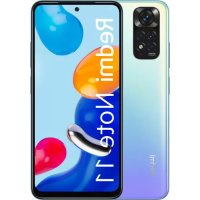
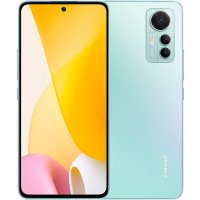
USER MANUAL Redmi 10A Xiaomi
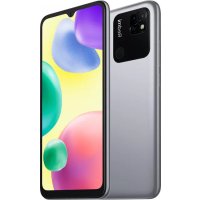
Thank you for choosing Redmi 10A
Long press the power button to turn on the device.
Follow the on-screen instructions to configure the device.
For more information, visit our official website:
www.mi.com/global/service/userguide
MIUI
Redmi 10A comes pre-installed with MIUI, our customized Android-based OS which provides frequent updates and user-friendly features based on suggestions from over 200 million active users worldwide. For more information, please visit en.miui.com
About Dual SIM:
- Dual 4G SIM is offered by select telecom operators and may not be available in all regions.
- Supports dual nano-SIM cards. When using both SIM card slots, either card can be set as the primary card.
- VoLTE is only supported by telecom operators in certain regions.
- System may be automatically updated for optimal network performance. For details, please refer to the system version in use on the device.
- Please do not insert non-standard SIM cards into the SIM card slot. They may damage the SIM card slot.
- WARNING: Do not disassemble this device.
WEEE

Special precautions must be taken to safely dispose of this product. This marking indicates that this product may not be discarded with other household waste in the EU.
To prevent harm to the environment or human health from inappropriate waste disposal, and to promote sustainable reuse of
material resources, please recycle responsibly.
To safely recycle your device, please use return and collection systems or contact the retailer where the device was originally purchased.
To view our Environmental Declaration, please refer to the following link: www.mi.com/en/about/environment
CAUTION
RISK OF EXPLOSION IF BATTERY IS REPLACED BY AN INCORRECT TYPE. DISPOSE OF USED BATTERIES ACCORDING TO INSTRUCTIONS.
To prevent possible hearing damage, do not listen at high volume levels for long periods.
Additional safety information and precautions can be accessed at
the following link: www.mi.com/en/certification
Read all safety information below before using your device:
- Use of unauthorized cables, power adapters, or batteries can cause fire, explosion, or pose other risks.
- Use only authorized accessories which are compatible with your device.
- This device's operating temperature range is 0^ to 40^ . Using this device in an environment outside of this temperature range may damage the device.
- If your device is provided with a built-in battery, to avoid damaging the battery or the device, do not attempt to replace the battery yourself.
- Charge this device only with the included or authorized cable and power adapter. Using other adapters may cause fire, electric shock, and damage the device and the adapter.
- After charging is complete, disconnect the adapter from both the device and the power outlet. Do not charge the device for more than 12 hours.
- The battery must be recycled or disposed of separately from household waste. Mishandling the battery may cause fire or explosion. Dispose of or recycle the device, its battery, and accessories according to your local regulations.
-
Do not disassemble, hit, crush, or burn the battery. If the battery appears deformed or damaged, stop using it immediately.
-
Do not short circuit the battery, as this may cause overheating, burns, or other injury.
- Do not place the battery in a high-temperature environment.
- Overheating may cause explosion.
Do not disassemble, hit, or crush the battery, as this may cause the battery to leak, overheat, or explode.
- Do not burn the battery, as this may cause fire or explosion.
- If the battery appears deformed or damaged, stop using it immediately.
- User shall not remove or alter the battery. Removal or repair of the battery shall only be done by an authorized repair center of the manufacturer.
- Keep your device dry.
- Do not try to repair the device yourself. If any part of the device does not work properly, contact Mi customer support or bring your device to an authorized repair center.
- Connect other devices according to their instruction manuals. Do not connect incompatible devices to this device.
- For AC/DC adapters, the socket-outlet shall be installed near the equipment and shall be easily accessible.
Safety Precautions
- Observe all applicable laws and rules restricting use of mobile phones in specific situations and environments.
- Do not use your phone at petrol stations or in any explosive atmosphere or potentially explosive environment, including fueling areas, below decks on boats, fuel or chemical transfer or storage facilities, or areas where the air may contain chemicals or particles such as grain, dust, or metal powders. Obey all posted signs to turn off wireless devices such as your phone or other radio equipment. Turn off your mobile phone or wireless device when in a blasting area or in areas requiring “two-way radios” or “electronic devices” to be turned off to prevent potential hazards.
-
Do not use your phone in hospital operating rooms, emergency rooms, or intensive care units. Always comply with all rules and regulations of hospitals and health centers. If you have a medical device, please consult your doctor and the device manufacturer to determine whether your phone may interfere with the device's operation. To avoid potential interference with a pacemaker, always maintain a minimum distance of 15 cm between your mobile phone and the pacemaker. This can be done by using your phone on the ear opposite to your pacemaker and not carrying your phone in a breast pocket. To avoid interference with medical equipment, do not use your phone near hearing aids, cochlear implants, or other similar devices.
-
Observe all aircraft safety regulations and turn off your phone on board aircraft when required.
- When driving a vehicle, use your phone in accordance with relevant traffic laws and regulations.
- To avoid being struck by lightning, do not use your phone outdoors during thunderstorms.
- Do not use your phone to make calls while it is charging.
- Do not use your phone in places with high humidity, such as bathrooms. Doing so may result in electric shock, injury, fire, and charger damage.
Security Statement
Please update your phone's operating system using the built-in software update feature, or visit any of our authorized service outlets. Updating software through other means may damage the device or result in data loss, security issues, and other risks.
This device may be operated in all member states of the EU.
Observe national and local regulations where the device is used.
Usability of this device may be restricted depending on the network provider.
Restrictions in the 2.4 GHz band:
Norway: This subsection does not apply for the geographical area within a radius of 20 km from the centre of Ny-Ålesund.
Ensure the power adapter used meets the requirements of Clause 6.4.5 in IEC/EN 62368-1 and has been tested and approved according to national or local standards.
Disclaimer
This user guide is published by Xiaomi or its local affiliated company.
Improvements and changes to this user guide necessitated by typographical errors, inaccuracies of current information, or improvements to programs and/or equipment, may be made by Xiaomi at any time and without notice.
Such changes will, however, be incorporated into new online editions of the user guide (please see details at www.mi.com/global/service/userguide). All illustrations are for illustration purposes only and may not accurately depict the actual device.
FR
www.mi.com/global/service/userguide
MIUI
019, 9th Floor, Building 6, 33 Xi'erqi Middle Road, Haidian District, Beijing, China, 100085
IT
www.mi.com/global/service/userguide
MIUI
www.mi.com/global/service/userguide
MIUI
www.mi.com/en/about/environment
PRECAUCIÓN
www.mi.com/global/service/userguide
MIUI
www.mi.com/global/service/userguide
MIUI
www.mi.com/global/service/userguide
MIUI
Manufacturer's Authorized EU Representative
Name: Xiaomi Technology Netherlands B.V
Address: Prinses Beatrixlaan 582, 2595BM, The Hague, The Netherlands
Manufacturer: Xiaomi Communications Co., Ltd.
Manufacturer postal address:
019, 9th Floor, Building 6, 33 Xi'erqi Middle Road,
Haidian District, Beijing, China, 100085
Brand: Redmi Model: 220233L2G
© Xiaomi Inc. All rights reserved.