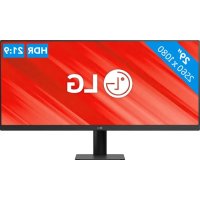
UltraWide 29U511A - Monitor LG - Free user manual and instructions
Find the device manual for free UltraWide 29U511A LG in PDF.

Document temporarily unavailable
The manual is currently being transferred to our new server. It will be accessible again in a few hours. Thank you for your patience.

| Product Type | LED LCD Monitor |
| Screen Size | 29 inches (UltraWide 21:9) |
| Maximum Resolution | 2560 x 1080 @ 100 Hz |
| Recommended Resolution | 2560 x 1080 @ 60 Hz |
| Connectivity | HDMI, DisplayPort, USB-C (DP Alt Mode), headphone jack |
| Dimensions with Stand (W x H x D) | 688.5 x 408.7 x 220.0 mm |
| Dimensions without Stand (W x H x D) | 688.5 x 313.4 x 76.9 mm |
| Weight with Stand | 5.1 kg |
| Power Supply | Power adapter 19 V / 1.3 A |
| Power Consumption (Standby) | Less than 0.5 W (Standby mode) |
| Tilt Angle | -5° to 15° |
| VESA Mounting | 100 x 100 mm, screws M4 x L10 |
| Main Functions | Picture Mode (Custom, Vivid, HDR Effect, Reader, Cinema, FPS, RTS, Color Weakness), SUPER RESOLUTION+, Black Stabilizer, Crosshair, 1ms Motion Blur Reduction, DFC |
| User Settings | Navigation joystick, multilingual OSD, OSD lock |
| Supported Software | OnScreen Control, Dual Controller |
| Care and Cleaning | Clean with a soft dry cloth. Do not use chemical products. |
| Security | Kensington lock, wall mount, adjustable auto-off |
| Box Contents | HDMI cable, power adapter, quick start guide |
Frequently Asked Questions - UltraWide 29U511A LG
User questions about UltraWide 29U511A LG
0 question about this device. Answer the ones you know or ask your own.
Ask a new question about this device
Download the instructions for your Monitor in PDF format for free! Find your manual UltraWide 29U511A - LG and take your electronic device back in hand. On this page are published all the documents necessary for the use of your device. UltraWide 29U511A by LG.