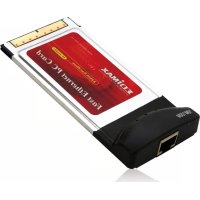
Edimax EP4103DL - Network card / adapter

EP4103DL - Network card / adapter Edimax - Free user manual and instructions

Find the device manual for free EP4103DL Edimax in PDF.

📄 21 pages English EN 💬 AI Question
Notice Edimax EP4103DL - page 3
View the manual : Français FR English EN

Download the instructions for your Network card / adapter in PDF format for free! Find your manual EP4103DL - Edimax and take your electronic device back in hand. On this page are published all the documents necessary for the use of your device. EP4103DL by Edimax.

USER MANUAL EP4103DL Edimax

This equipment has been tested and found to comply with the limits of a Class B computing devices, pursuant to Part 1 5 of the FCC rules. These limits are designed to provide reasonable protection against harmful interference in a residential installation. This equipment generates uses and can radiate radio frequency energy and, if not installed and used in accordance with the instructions, may cause harmful interference to radio communications. If you suspect this product is causing interference, turn your computer on and off while your radio or TV is showing interference. If the interference disappears then when you turn the computer off and reappears then you turn the computer on, something in the computer is causing interference. You can try to correct the interference by one or more of the following measures:

1. Reorient/Relocate the receiving antenna.

2. Increase the separation between the equipment and receiver.

3. Connect the equipment into an outlet on a circuit difference

from that to which the receiver is connected.

4. Ensure that all expansion slots (on the back or side of the

computer) are covered. Also ensure that all metal retaining brackets are tightly attached to the computer.3

Thank you for purchasing our Fast Ethernet Cardbus adapter, this guide provides help with the installation and usage of this adapter for network installers and users. The Fast Ethernet Cardbus is a credit card size network adapter that connects a notebook to IEEE 802.3 standard Fast Ethernet networking environments. The adapter is designed for Type II and Type III PCMCIA / Cardbus compliant notebooks and takes full advantage of the power of high performance 32bit architecture laptops. The Full / Half duplex operation are auto-detected. In Full-duplex, the notebook is connected to a switch on a dedicated segment with transmission and reception taking place simultaneously so data transfer is double. Simply plug in this adapter to your notebook’s Cardbus slot and your laptop PC will be up and running on the network. This adapter supports Windows 95, 98/98SE, NT, 2000, XP and other popular operation systems. Whatever your requirements; are ease of installation, superior performance backed up by unlimited technical support, this adapter is the best choice for an IEEE 802.3/802.3u standard fast Ethernet network.

2. Features & Specifications

Complies with IEEE 802.3 10Base-T and 802.3u 100Base-TX and 802.3ad 1000Base-TX (EP-4203DL only) standards. Automatically negotiates the network connection rate 32bit Cardbus architecture offers high performance. Provides Full-duplex to enhance the throughput. 3V low power consumption.

3. Technical Specifications

Connector: RJ-45 Dongle-less design PC Interface: PC Card 32bit Cardbus Standard LED:10M, 100M or 1000M (for EP-4203DL only) Temperature: 0 ~ 50゚C / Humidity: 10 ~ 90% Certification: FCC Class B, CE Mark4

1. Hardware Installation: Hold the Card label up and insert the card into

the notebook PCMCIA / Cardbus slot with 68 pin connector facing the notebook.

2. Software Installation: The drivers and utilities are supplied by the

CD-ROM included in this product. For a detailed description, please see the description on the CD Rom.

If you are experiencing any problems with the PC Card, first make sure the appropriate driver is loaded, the proper cable is connected to the PC card, and the hub is on and working and then check the LED.

1. 10M: When the light is on, it indicates that the 10Mbps connection is

established, when the light is blinking, it indicates that the packets are transmitting.

2. 100M: When the light is on, it indicates that the 100Mbps connection

is established, when the light is blinking, it indicates that the packets are transmitting. EP-4203DL

1. 10M/100/1000M : When the light is off, it indicates that the 10Mbps

UTP connection is established, when the light is Green, it indicates that the 100Mbps Fast Ethernet connection is established, when the light is Amber, it indicates that the 1000Mbps Ethernet connection is established

2. Link/Activity: The Link/Activity LED indicates the network

connection status, when the light is OFF, it indicates that the 10/100Mbps port has not been connected or linked, when the light is ON, it indicates that the 10/10Mbps port is connected, when the light is blinking, it indicates that there is traffic flow on the network which the adapter is connected to.5

6. Wskazania diod LED

Manual assistant
Powered by ChatGPT
Waiting for your message
Product information

Brand : Edimax

Model : EP4103DL

Category : Network card / adapter