ManualGo.com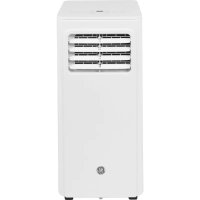
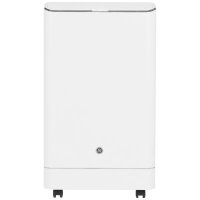
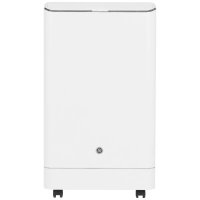
APFA10YBMW - Air Conditioning GE - Free user manual and instructions
Find the device manual for free APFA10YBMW GE in PDF.



Download the instructions for your Air Conditioning in PDF format for free! Find your manual APFA10YBMW - GE and take your electronic device back in hand. On this page are published all the documents necessary for the use of your device. APFA10YBMW by GE.
USER MANUAL APFA10YBMW GE
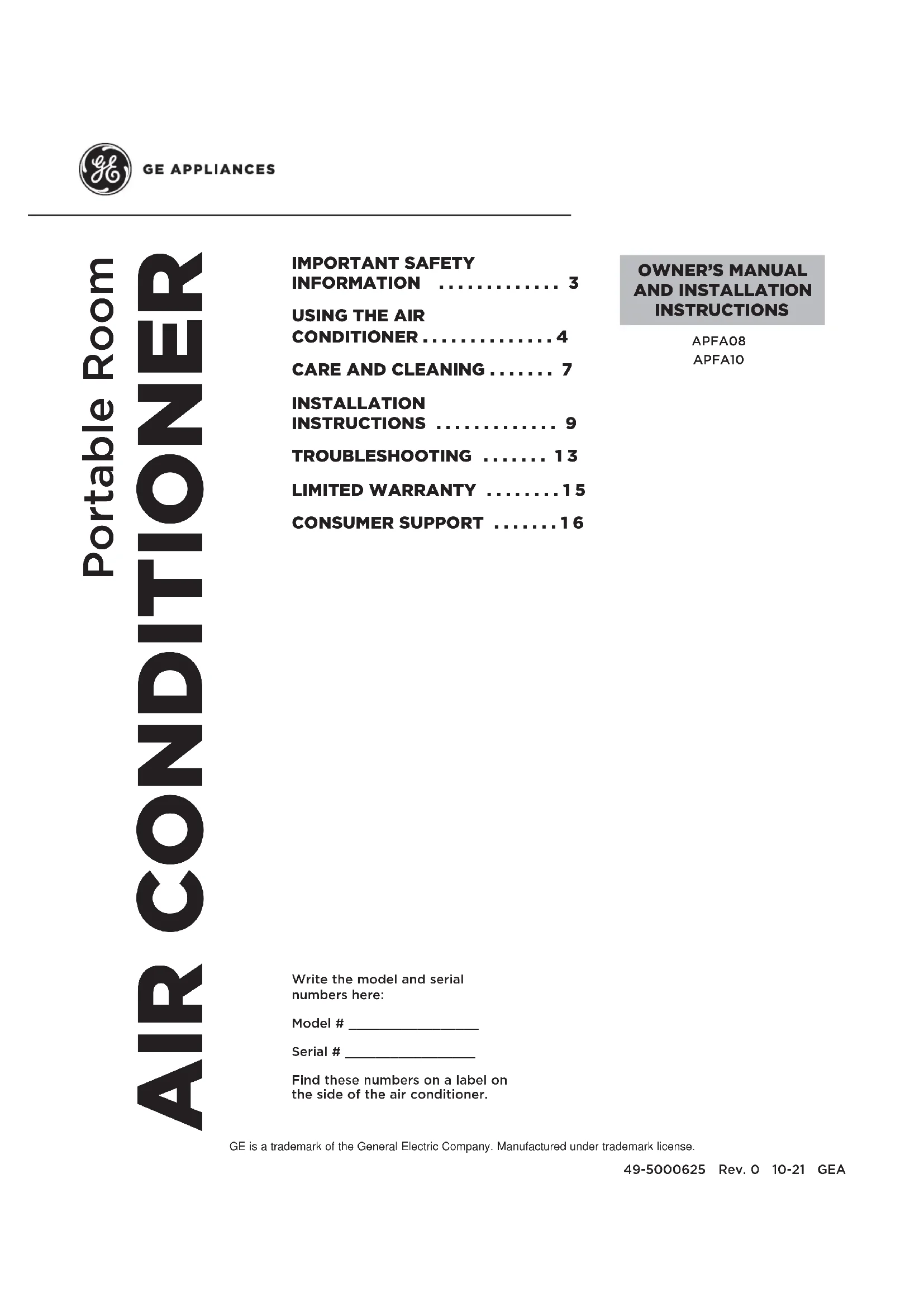
Write the model and serial numbers here: Model # _________________ Serial # _________________ Find these numbers on a label on the side of the air conditioner. GE is a trademark of the General Electric Company. Manufactured under trademark license.
AND INSTALLATION INSTRUCTIONS AIR CONDITIONER Portable Room 49-5000625 Rev. 0 10-21 GEA APFA08 APFA10 IMPORTANT SAFETY INFORMATION ............. 3
- INSTALLATION INSTRUCTIONS p. 9
- TROUBLESHOOTING p. 13
- LIMITED WARRANTY p. 15
- CONSUMER SUPPORT 49-5000625 Rev. 0 THANK YOU FOR MAKING GE APPLIANCES A PART OF YOUR HOME. Whether you grew up with GE Appliances, or this is your first, we’re happy to have you in the family. We take pride in the craftsmanship, innovation and design that goes into every GE Appliances product, and we think you will too. Among other things, registration of your appliance ensures that we can deliver important product information and warranty details when you need them. Register your GE appliance now online. Helpful websites and phone numbers are available in the Consumer Support section of this Owner’s Manual. You may also mail in the pre-printed registration card included in the packing material.49-5000625 Rev. 0 3 p. 162
IMPORTANT SAFETY INSTRUCTIONS
WARNING To reduce the risk of fire, electrical shock, injury to persons, or damage when using the air conditioner, follow basic precautions, including the following:
- Read all of the instructions before using this appliance.
- Plug into a grounded 3 prong outlet.
- Do not remove ground prong.
- Do not use an adapter.
- Do not use an extension cord.
- Do not operate the air conditioner if it has a damaged cord or plug, if it is not working properly, or if it has been damaged or dropped.
- The air conditioner should be serviced only by qualified service personnel. Call an authorized service company for examination, repair, or adjustment.
- Disconnect power before servicing.
- Disconnect power before cleaning. NOTE: Turning off power by pressing the Power button does NOT disconnect the appliance from the power supply.
- Do not install or use the air conditioner in any area where the atmosphere contains combustible gases or where the atmosphere is contaminated. Avoid any chemicals coming in contact with your air conditioner.
- Do not store anything directly on top of the air conditioner.
- Use two or more people to move and install air conditioner.
- Never operate the air conditioner without the filters in place.
- Do not use the air conditioner near a bathtub, shower or wash basin or other wet area.
READ AND SAVE THESE INSTRUCTIONS
- Do not use means to accelerate the defrosting process or to clean, other than those recommended by the manufacturer.
- The appliance shall be stored in a room without continuously operating ignition sources (for example: open flames, an operating gas appliance or an operating electric heater.
- Do not pierce or burn refrigerant tubing. Be aware that refrigerants may not contain an odor.
- Keep ventilation openings clear of obstruction.
- When handling, installing, and operating the appliance, care should be taken to avoid damage to the refrigerant tubing.
- Do not drill holes in the unit.
- Maintenance, cleaning, and service should only be performed by technicians properly trained and qualified in the use of flammable refrigerants.
- GE Appliances does not support any servicing of the air conditioner.
- Dispose of air conditioner in accordance with Federal and Local Regulations. Flammable refrigerants require special disposal procedures. Contact your local authorities for the environmentally safe disposal of your air conditioner. WARNING Risk of Fire or Explosion. This unit contains flammable refrigerant. Additional safety precautions must be followed. WARNING How to Insert the Batteries in the Remote Control
Ŷ5HPRYHWKHEDWWHU\FRYHUE\VOLGLQJLWDFFRUGLQJWR
the arrow direction. Ŷ,QVHUWQHZEDWWHULHVPDNLQJVXUHWKDWWKHDQG RIEDWWHU\DUHLQVWDOOHGFRUUHFWO\ Ŷ5HDWWDFKWKHFRYHUE\VOLGLQJLWEDFNLQWRSRVLWLRQ NOTES: Ŷ8VH³$$$´YROWDONDOLQHEDWWHULHV'RQRWXVH rechargeable batteries Ŷ5HPRYHWKHEDWWHULHVIURPWKHUHPRWHFRQWUROLIWKH system is not going to be used for a long time. ŶDo not mix old and new batteries. Do not mix DONDOLQHVWDQGDUGFDUERQ]LQFRUUHFKDUJHDEOH QLFDGQLPKHWFEDWWHULHV WARNING Caution for Ingestion. The battery may cause suffocation if swallowed by children.4 49-5000625 Rev. 0 Features and appearance will vary. Lights next to the touch pads on the air conditioner control panel indicate the selected settings.
Press the FAN button to choose High/Low speed.
3. + / – Button for Temperature and Timer
,QCooling mode, press the + or – button to increase or decrease the temperature setting. ,QTimer mode, press the + or – button to set time to turn the unit on. Pressing the + or – buttons together will switch between °C and °F.
Press the Mode button to choose Cool, Fan, or Dry.
Pressing the Timer button in Standby mode will set the time for the unit to turn ON. Pressing the Timer button in ON mode would set the time for the unit to turn OFF.
6. Temperature and Timer Display
The window will indicate temperature and time.
7. Temperature Switch Button (on remote)
Pressing the °C/°F button will switch between °C and °F.
8. Sleep button (on remote)
Pressing the Sleep button is to choose sleep mode. Controls
USING THE AIR CONDITIONER
FanModeTimer Power49-5000625 Rev. 0 5 Controls Cool Mode Use the COOL mode for cooling. To set the COOL mode:
1. Press the MODE pad until the COOL indicator light is lit.
2. Press the FANSDGWRVHW+,*+0(',80RU/2:
3. Press + or - to set the desired temperature between
64°F and 86°F in 1°F increments. After settings have been made, the display will not change back to show the room temperature. The temperature control is used to maintain the room temperature. The compressor will cycle on and off to keep the room at the set level of comfort. Set the temperature control at a lower number and the indoor air will become cooler. Set the temperature control at a higher number and the indoor air will become warmer. NOTE: ,IWKHDLUFRQGLWLRQHULVRIIDQGLVWKHQWXUQHGRQ while set to COOL, it will take approximately 3 minutes for the compressor to start and cooling to begin. Cooling Descriptions For Normal Cooling—Select the COOL mode and
OFF, wait 3 minutes before restarting. DRY Mode—Dehumidification Use the DRY mode to provide dehumidification only. The fan will run at a fixed speed at this setting, so a fan speed cannot be set. Keep windows and doors closed for the best dehumidifying effects. To set the DRY mode:
- Press the MODE pad until the DRY indicator light is lit. ,QWKH'5<PRGHDVHWWHPSHUDWXUHZLOOQRWEH displayed. After DRY mode has been set, the display will change back to show the room temperature.
NOTE: ,I\RXVZLWFKIURPD'5<VHWWLQJWR2))RUWRD
fan setting, wait at least 3 minutes before switching back to a DRY setting. ,IXVLQJWKHXQLWLQWKH'5<PRGHDVDGHKXPLGLILHUIRU an extended time. 1 . Unplug the power cord.
2. Connect a drain hose to the upper drain port (see
SDJHXSSHUGUDLQDQGOHDGKRVHWRIORRU drain.
3. Reconnect the power cord and press the MODE pad
until the DRY indicator light is lit. FAN Mode Use the FAN mode to provide air circulation and filtering without cooling. To set the FAN mode:
- Press the FAN pad until the desired indicator light for
+,*+0(',80RU/2:IDQVSHHGLVOLW
Since fan only settings do not provide cooling, a set temperature will not be displayed. After FAN speed has been set, the display will change back to show the room temperature. The exhaust hose and window kit do not need to be installed when operating in fan mode. Power Outage Recovery Feature ,QWKHFDVHRIDSRZHURXWDJHRULQWHUUXSWLRQWKHXQLWZLOO automatically re-start in the settings last used after the power is restored. 127(,IWKH7,0(5ZDVVHWEHIRUHWKHSRZHURXWDJHLW will need to be reset after power is restored. Set Temperature will be shown when unit is in operation. USING THE AIR CONDITIONER6 49-5000625 Rev. 0 Controls
USING THE AIR CONDITIONER
Features and appearance may vary. ,FRQVRQWKHUHPRWHFRQWUROLQGLFDWHWKHVHOHFWHGVHWWLQJV Remote Control
Press the FAN button to choose High/Low speed.
3. + / – Button for Temperature and Timer
,QCooling mode, press the + or – button to increase or decrease the temperature setting. ,QTimer mode, press the + or – button to set time to turn the unit on. Pressing the + or – buttons together will switch between °C and °F.
Press the Mode button to choose Cool, Fan, or Dry.
Pressing the Timer button in Standby mode will set the time for the unit to turn ON. Pressing the Timer button in ON mode would set the time for the unit to turn OFF.
6. Temperature and Timer Display
The window will indicate temperature and time.
7. Temperature Switch Button (on remote)
Pressing the °C/°F button will switch between °C and °F.
8. Sleep button (on remote)
Pressing the Sleep button is to choose sleep mode.49-5000625 Rev. 0 7 Care and Cleaning
Air Filter The air filters should be cleaned at least every two weeks for your unit to operate at optimum efficiency. CAUTION DO NOT operate the air conditioner without a filter because dirt and lint will clog it and reduce performance.To remove: 1. Unplug or disconnect power. 2. Pull to remove upper filter panel. 3. Wash or vacuum the dust from the air filters.
NOTE:,IZDVKHGJHQWO\VKDNHWKHILOWHUWRUHPRYHWKHH[FHVVZDWHUDQGGXVWSDUWLFOHVWUDSSHGLQWKHILOWHU
4. Reinstall the filters. 5. Plug in or reconnect power.
CLEANING 1. Unplug or disconnect power. 2. Use only a soft cloth dampened with water to clean the cabinet. NOTE: •Do not use a liquid or spray cleaner to clean the air conditioner. •DO NOT use chemicals, abrasives, ammonia, chlorine bleach, concentrated detergents, solvents or scouring pads. Some of these chemicals/items may damage and/or discolor your air conditioner. 3. Dry thoroughly with a soft cloth. 4. Plug in or reconnect power. WARNING Electrical Shock Hazard Disconnect power before cleaning. Failure to do so can result in death or electrical shock. 2 18 49-5000625 Rev. 0 How to Insert the Batteries in the Remote Control
1. Remove the battery cover by sliding it according to the
arrow direction. ,QVHUWQHZEDWWHULHVPDNLQJVXUHWKDWWKHDQG± of battery are installed correctly.
3. Reattach the cover by sliding it back into position.
NOTES: Ŷ8VH³$$$´YROWDONDOLQHEDWWHULHV'RQRWXVH rechargeable batteries. Ŷ5HPRYHWKHEDWWHULHVIURPWKHUHPRWHFRQWUROLIWKH system is not going to be used for a long time.
Ŷ'RQRWPL[ROGDQGQHZEDWWHULHV'RQRWPL[DONDOLQH
VWDQGDUGFDUERQ]LQFRUUHFKDUJHDEOHQLFDGQLPK HWFEDWWHULHV Storage If the unit is not being used for a long period of time: To Empty the Internal Water Tank:
1. Unplug or disconnect power.
3. Use the original packaging to repack the unit to avoid
a buildup of dust or dirt.
4. Store the air conditioner in a cool, dry location.
Internal Water Tank The Water Full indicator (“FL” on the control panel GLVSOD\LOOXPLQDWHVZKHQWKHLQWHUQDOZDWHUWDQNKDV filled with condensed water.
7R(PSW\WKH,QWHUQDO:DWHU7DQN
1. Unplug or disconnect power.
3ODFHDVKDOORZTXDUWRUODUJHUSDQQRWLQFOXGHG below the lower drain located on the back (near the ERWWRPRIWKHDLUFRQGLWLRQHU
3. Remove the cap and the rubber plug and drain the
4. Re-insert the drain plug and screw the cap snugly into
5. Plug in or reconnect power.49-5000625 Rev. 0 9
Location Requirements
- Place the air conditioner on a flat, level surface in a ORFDWLRQWKDWLVDWOHDVW´FPIURPDQ\ZDOONOTE:$PLQLPXPFOHDUDQFHRI´FPIURPthe air conditioner to the wall must be maintained to ensure proper airflow. 0DLQWDLQDPLQLPXP´FPFOHDUDQFHaround the air conditioner to not block airflow. • Keep the air conditioner free of any obstructions such as drapes, curtains, blinds, etc. • The exhaust hose should be free of any obstructions. • Do not place the air conditioner on an unstable or raised surface because it could fall and cause damage or injury. Do not place the air conditioner in direct sunlight or near a heat source such as baseboard heaters, stoves, etc.• The window panel can be installed in a window ZLWKDPLQLPXP´FPWRDPD[LPXP´RSHQLQJ Installation Instructions INSTALLATION INSTRUCTIONS Questions? Call GE Appliances at 800.GE.CARES (800.432.2737) or visit our Website at: GEAppliances.com. In Canada, call 1.800.561.3344 or visit our Website at: www.GEAppliances.ca
Read these instructions completely and carefully.
- IMPORTANT — Save these instructions for local inspector’s use.
- IMPORTANT — Observe all governing codes and ordinances.• Note to Installer±%HVXUHWROHDYHWKHVHinstructions with the Consumer.• Note to Consumer – Keep these instructions for future reference.• Skill level –,QVWDOODWLRQRIWKLVDSSOLDQFHUHTXLUHVbasic mechanical skills.
- Completion time – Approximately 1 hour
- We recommend that two people install this product.• Proper installation is the responsibility of the installer.• Product failure due to improper installation is not covered under the Warranty.• You MUST use all supplied parts and use proper installation procedures as described in these instructions when installing this air conditioner. CAUTION Do not, under any circumstances, cut or remove the WKLUGJURXQGSURQJIURPWKHSRZHUFRUGDo not change the plug on the power cord of this air conditioner.Aluminium house wiring may present special problems—consult a qualified electrician.Power cord includes a current interrupter device. A test and reset button is provided on the plug case. The device should be tested on a periodic basis by first pressing the TEST button and then the RESET button while plugged into WKHRXWOHW,IWKH7(67 EXWWRQGRHVnot trip or if the RESET button will not stay engaged, discontinue use of the air conditioner and contact a qualified service technician.RESET TEST ELECTRICAL REQUIREMENTS Some models require a 115/120-volt AC,60-Hz grounded outlet protected with a 15-amp time-delay fuse or circuit breaker.The 3-prong grounding plug minimizes the possibility RIHOHFWULFVKRFNKD]DUG,IWKHZDOORXWOHW\RXSODQWRuse is only a 2-prong outlet, it is your responsibility to have it replaced with a properly grounded 3-prong wall outlet.10 49-5000625 Rev. 0 INSTALLATION INSTRUCTIONS Installation Instructions PARTS INCLUDED (Appearance may vary)
9. Air Exhaust Duct Assembly
10.Window Sealing Kit49-5000625 Rev. 0 11 INSTALLATION INSTRUCTIONS Installation Instructions
2. Install Exhaust Hose Assembly
to Back of Unit ,QVWDOOWKHH[KDXVWKRVHDVVHPEO\E\VFUHZLQJWKHhose counterclockwise into the exhaust port on the back of the Air Conditioner.
1. UNPACK AIR CONDITIONER
- Remove packaging materials. Save the carton and the foam packaging for storing the air conditioner when not in use. NOTE: There are NO packing materials inside the air conditioner to remove—Do Not open the cabinet. • Properly dispose of/recycle all packing material. • Handle the air conditioner gently. • Keep the air conditioner upright and level. Do not set the air conditioner on its side, front, back or upside down. WARNING Excessive Weight Hazard Use two or more people to move and install air conditioner. Failure to do so can result in back or other injury.
3. INSTALL WINDOW PANELS
A. Measure the window opening. For a 20” opening, use just the middle panel of the Window Kit with the opening for the Exhaust Hose Adapter. For openings from 20” to 33”, insert one side panel to the middle panel, for openings from 33” to 46”, insert both side panels. B. Place the Window Kit into the window opening (the Cam Locks should be towards \RXDQGVOLGHWKHVLGHSDQHOVLIEHLQJXVHGRXWZDUGWRILOOWKHRSHQLQJ/RFNWKHpanels in place with the Cam Locks. Slide the window shut against the Window Kit.IndoorIndoor Cam lock12 49-5000625 Rev. 0 Installation Instructions
4. Connect Exhaust Hose to the
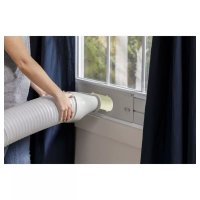
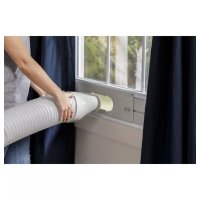
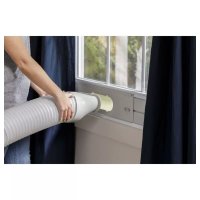
Window Panel Place the Air Conditioner close to the window ensuring there is at least 20” of clearance from the wall and any other obstructions. Extend the KRVHVRWKDWLWUHDFKHVWKH:LQGRZ.LW,QVHUWthe Exhaust Hose Adapter into the opening in the Window Kit and slide it into the locking position. Ensure that the hose runs straight to the window with no excess extension. Use the small screw to attach the exhaust hose assembly to the window sealing plate assembly. Important: The Air Conditioner must be vented to the outside. Do not use a longer hose or extend the hose included with the Air Conditioner or the unit will not cool properly and will overheat. INSTALLATION INSTRUCTIONS
5. COMPLETE INSTALLATION
1. Plug the power cord into a grounded 3 prong outlet.2. Press the Reset button on the plug to ensure the safety plug is providing power to the Air Conditioner.3. Allow 20” of clearance around the Air Conditioner for proper air circulation4. When removing the Air Conditioner, be sure to remove the Window Kit. WARNING Electrical Shock Hazard Plug into a grounded 3 prong outlet. Do not remove the ground prong from the power cord plug. Do not use an adapter. Do not use an extension cord. Failure to do so can result in death, fire or electrical shock. RESET TEST 50cm90cm 20”49-5000625 Rev. 0 13 TROUBLESHOOTING TIPS Troubleshooting Tips Problem Possible Causes Solution Unit does not start or operate Power supply cord is not plugged into an outlet. Plug the power cord into a grounded 3 prong outlet. Power supply cord has tripped. Press and release the RESET button on the power supply cord. The Power button has not been pressed. Press the Power button on the Control Panel or Remote Control to turn ON the air conditioner. There is no power to the electrical outlet. Plug a working lamp into the outlet to check for power. A household fuse has blown or a circuit breaker has tripped. Replace the fuse or reset the circuit breaker. The control was programmed for a Time Delay. Cancel the Time Delay. See “Control Panel.” The batteries in the remote control are dead. Replace the batteries. The internal water tank is full. NOTE: The air conditioner automatically turns off, and the Water Full indicator illuminates to alert you of this condition. Empty the water tank. See “Air Conditioner Care.” Remote control is not working Batteries are dead. Replace the batteries. Batteries are installed incorrectly. Make sure the batteries are inserted in the correct position. Air conditioner is working but the room is not cooling. The room temperature is hot. NOTE: On extremely hot and humid days,the air conditioner will take longer to cool the room. Allow time for the room to cool when you first turn on the unit. Make sure the air conditioner has an adequate BTU rating for the size of the room being cooled. The control is set incorrectly to Fan or Dehum mode. Set the Mode to Cool and the Fan Speed to High. Airflow is restricted. Remove any obstacles to the airflow and redirect airflow for uniform cooling. Temperature set too high. Lower the set temperature. Air filters are dirty or restricted. Clean the air filter. See “Air Conditioner Care.” Air conditioner installed incorrectly Check the exhaust hose and window panel for proper installation. Doors and windows are open. Close the doors and windows to the room being cooled to prevent cooled air from escaping. Error Codes Code Meaning E1 The hose temperature sensor is abnormal E2 The room temperature sensor is abnormal E4 Anti-freeze protection FL Full-water14 49-5000625 Rev. 0 Notes49-5000625 Rev. 0 15 Limited Warranty Staple your receipt here. Proof of the original purchase date is needed to obtain service under the warranty. EXCLUSION OF IMPLIED WARRANTIES - Your sole and exclusive remedy is product repair as provided in this Limited Warranty. Any implied warranties, including the implied warranties of merchantability or fitness for a particular purpose, are limited to one year or the shortest period allowed by law. For US Customers: This limited warranty is extended to the original purchaser and any succeeding owner for products
SXUFKDVHGIRUKRPHXVHZLWKLQWKH86$,IWKHSURGXFWLVORFDWHGLQDQDUHDZKHUHVHUYLFHE\D*($SSOLDQFHV
Authorized Servicer is not available, you may be responsible for a trip charge or you may be required to bring the SURGXFWWRDQ$XWKRUL]HG*($SSOLDQFHV6HUYLFHORFDWLRQIRUVHUYLFH,Q$ODVNDWKHOLPLWHGZDUUDQW\H[FOXGHVWKHFRVW of shipping or service calls to your home. Some states do not allow the exclusion or limitation of incidental or consequential damages. This limited warranty gives you specific legal rights, and you may also have other rights which vary from state to state. To know what your legal rights are, consult your local or state consumer affairs office or your state’s Attorney General. Warrantor US: GE Appliances, a Haier company Louisville, KY 40225
- Customer instruction. This owner’s manual provides information regarding operating instructions and user controls.
- ,PSURSHULQVWDOODWLRQ,I\RXKDYHDQLQVWDOODWLRQ problem, or if the air conditioner is of improper capacity, contact your dealer or installer. You are responsible for providing adequate electrical connecting facilities.
- Failure of the product resulting from modifications to the product or due to unreasonable use including failure to provide reasonable and necessary maintenance.
- Replacement of house fuses or resetting of circuit breakers.
- Failure due to corrosion on models not corrosion- protected.
- Damage to the product caused by improper power supply voltage, accident, fire, floods or acts of God.
- ,QFLGHQWDORUFRQVHTXHQWLDOGDPDJHFDXVHGE\ possible defects with this air conditioner.
- Damage caused after delivery. What Will Not Cover: For The Period Of: Will Replace: One Year From the date of the original purchase Replacement, repair, or refund of the original retail price for any product which fails due
WRDGHIHFWLQPDWHULDOVRUZRUNPDQVKLS,IWKHXQLWLVH[FKDQJHGWKHUHSODFHPHQWXQLWLV
warranted for the remainder of your product’s original one-year warranty period. GE Appliances will, at its sole discretion, replace the product with a product of the same or comparable functionality and quality or refund the original retail price.
Properly pack your unit. We recommend using the original carton and packing materials.
- Return the product to the retail location where it was purchased.
- ,QFOXGHLQWKHSDFNDJHDFRS\RIWKHVDOHVUHFHLSW or other evidence of date of original purchase. Also print your name and address and a description of the defect. In Order to Make a Warranty Claim During the First 90 Days from the Date of Original Purchase:
- Locate your original sales receipt and make a note of your model and serial number.
- Call *(&$5(6RUYLVLW *($SSOLDQFHVFRPVHUYLFHLQWKH8QLWHG6WDWHV to initiate the product replacement process.
- You will be asked to provide your name, address, date of purchase, model and serial number.
- GE Appliances will arrange for a carton to be sent to your home to recover the product.
- Please return all requested materials (postage SUHSDLGLQWKHFDUWRQSURYLGHG3OHDVHLQFOXGHD description of the defect.
- You should receive your replacement product or refund within 7 to 10 business days after your package is received. In Order to Make a Warranty Claim During the Remainder of the One-Year Warranty: LIMITED WARRANTY16 49-5000625 Rev. 0 Consumer Support GE Appliances Website Have a question or need assistance with your appliance? Try the GE Appliances Website 24 hours a day, any day of the year! You can also shop for more great GE Appliances products and take advantage of all our on-line support VHUYLFHVGHVLJQHGIRU\RXUFRQYHQLHQFH,QWKH86GEAppliances.com Register Your Appliance Register your new appliance on-line at your convenience! Timely product registration will allow for enhanced communication and prompt service under the terms of your warranty, should the need arise. You may also mail in WKHSUHSULQWHGUHJLVWUDWLRQFDUGLQFOXGHGLQWKHSDFNLQJPDWHULDO,QWKH86GEAppliances.com/register Schedule Service Expert GE Appliances repair service is only one step away from your door. Get on-line and schedule your service at \RXUFRQYHQLHQFHDQ\GD\RIWKH\HDU,QWKH86GEAppliances.com/service or call 800.432.2737 during normal business hours. Extended Warranties Purchase a GE Appliances extended warranty and learn about special discounts that are available while your warranty is still in effect. You can purchase it on-line anytime. GE Appliances Services will still be there after your ZDUUDQW\H[SLUHV,QWKH86GEAppliances.com/extended-warranty or call 800.626.2224 during normal business hours. Remote Connectivity )RUDVVLVWDQFHZLWKZLUHOHVVQHWZRUNFRQQHFWLYLW\IRUPRGHOVZLWKUHPRWHHQDEOHYLVLWRXUZHEVLWHDW GEAppliances.com/connect or call 800.220.6899 in the US. Parts and Accessories ,QGLYLGXDOVTXDOLILHGWRVHUYLFHWKHLURZQDSSOLDQFHVFDQKDYHSDUWVRUDFFHVVRULHVVHQWGLUHFWO\WRWKHLUKRPHV
9,6$0DVWHU&DUGDQG'LVFRYHUFDUGVDUHDFFHSWHG2UGHURQOLQHWRGD\KRXUVHYHU\GD\
,QWKH86GEApplianceparts.com or by phone at 877.959.8688 during normal business hours. Instructions contained in this manual cover procedures to be performed by any user. Other servicing generally should be referred to qualified service personnel. Caution must be exercised, since improper servicing may cause unsafe operation. Contact Us
.LWGHVHOODGRGHYHQWDQDV49-5000625 Rev. 0