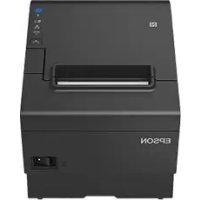
TMT88VII - Printer EPSON - Free user manual and instructions
Find the device manual for free TMT88VII EPSON in PDF.



User questions about TMT88VII EPSON
0 question about this device. Answer the ones you know or ask your own.
Ask a new question about this device
Download the instructions for your Printer in PDF format for free! Find your manual TMT88VII - EPSON and take your electronic device back in hand. On this page are published all the documents necessary for the use of your device. TMT88VII by EPSON.
USER MANUAL TMT88VII EPSON
Wireless LAN Cable Set
OT-WL02
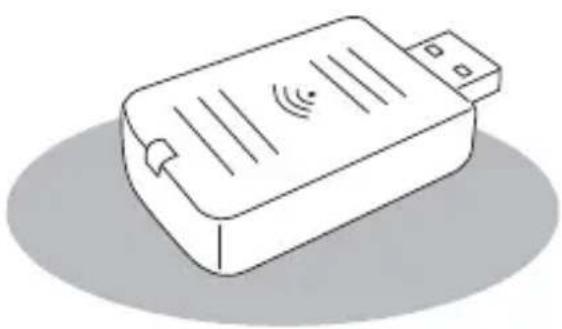
natural_image
Illustration of a rectangular electronic device with ventilation slots and a USB port (no text or symbols)User's Manual....3
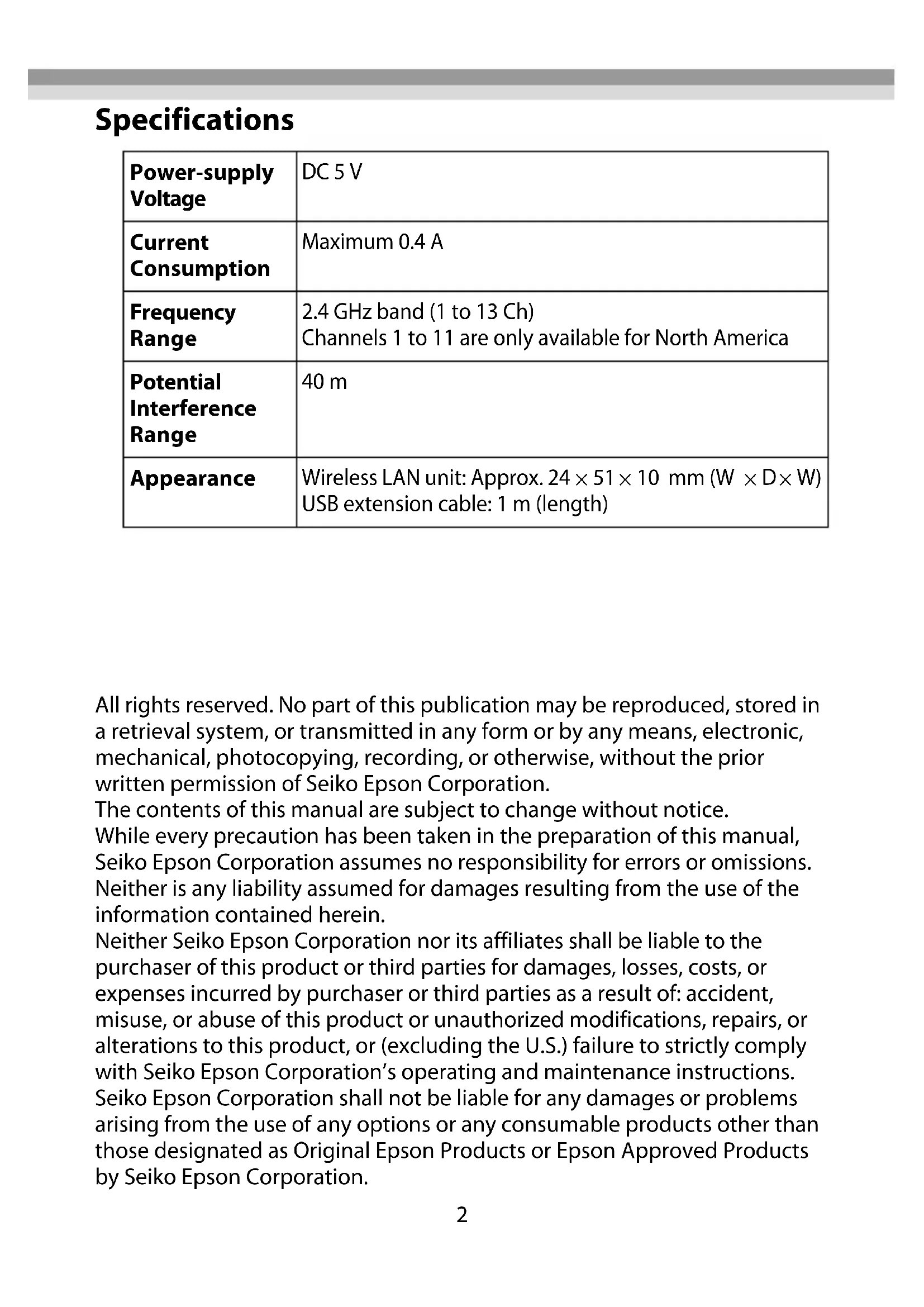
| Power-supply Voltage | DC 5 V |
| Current Consumption | Maximum 0.4 A |
| Frequency Range | 2.4 GHz band (1 to 13 Ch)Channels 1 to 11 are only available for North America |
| Potential Interference Range | 40 m |
| Appearance | Wireless LAN unit: Approx. 24 × 51 × 10 mm ( W × D × W )USB extension cable: 1 m (length) |
All rights reserved. No part of this publication may be reproduced, stored in a retrieval system, or transmitted in any form or by any means, electronic, mechanical, photocopying, recording, or otherwise, without the prior written permission of Seiko Epson Corporation.
The contents of this manual are subject to change without notice.
While every precaution has been taken in the preparation of this manual, Seiko Epson Corporation assumes no responsibility for errors or omissions. Neither is any liability assumed for damages resulting from the use of the information contained herein.
Neither Seiko Epson Corporation nor its affiliates shall be liable to the purchaser of this product or third parties for damages, losses, costs, or expenses incurred by purchaser or third parties as a result of: accident, misuse, or abuse of this product or unauthorized modifications, repairs, or alterations to this product, or (excluding the U.S.) failure to strictly comply with Seiko Epson Corporation's operating and maintenance instructions. Seiko Epson Corporation shall not be liable for any damages or problems arising from the use of any options or any consumable products other than those designated as Original Epson Products or Epson Approved Products by Seiko Epson Corporation.
Introduction
This product is Wireless LAN Cable Set for Epson TM Printers.
Make sure this product can be used with your printer by checking the printer's manuals and so on.
This manual provides information about installation and basic operations to enable safe and correct use of this product.
Read this manual carefully, and store it in an accessible location to allow you to solve any unknown points quickly.
Usage Precautions
Notes on Security when Using Wireless LAN
(Important information on customer rights (maintaining privacy))
The advantage of using a wireless LAN over a LAN cable is that, because information is exchanged using radio signals, you can easily connect to the network if you are within range of the radio signals. A disadvantage of this is that within a certain range, the electromagnetic signals can pass through barriers such as walls, so that if security countermeasures are not implemented in some way, problems such as the following may occur.
●Communicated data can be intercepted
A third party may be able to receive wireless transmissions without authorization, and they could obtain personal information from these transmissions such as IDs, passwords, or credit card numbers, or they could intercept the contents of personal e-mail messages.
●Unauthorized access to the network
A third party could access an individual or intra-company network without permission and carry out any of the following activities.
- Retrieve personal data or other secret information (information leakage)
- Pose as another user and send inappropriate data (impersonation)
- Overwrite the contents of intercepted data and resend it (falsification)
- Introduce a computer virus which could cause data loss or system crashes (damage)
Initially, the possibility that such problems could occur through settings concerning the security of the wireless LAN product and by using the product are decreased, because the wireless LAN card and the access point have security measures to deal with these problems. We recommend that you use this product after making security settings using your own judgment and assuming full responsibility, and with your full understanding of problems that may occur if you do not make any security settings.
Notes on Setting SSID (Service Set Identifier)
For protection of security, note the following precautions when setting the SSID.
- Change the SSID from the default setting.
- Do not set texts by which the owner can be identified as the SSID.
Notes on Setting Cryptographic Key
For protection of security, note the following precautions when setting the cryptographic key.
- Avoid using words on a dictionary as practicably as possible.
- Combine meaningless alphanumeric characters and symbols.
- Use texts consisted of at least 13 characters or more or of 20 characters or more if possible.
Connectable Products
This product can be connected to the following products in accordance with IEEE 802.11b, 802.11g, and 802.11n.
●Computers with a built-in wireless LAN function
- Access points
However, available communication modes may be restricted by the specifications of the connected device.
Connecting the Wireless LAN Unit
To connect the wireless LAN unit to the printer, you can connect it directly or use the USB extension cable.
If connecting the wireless LAN unit directly causes interference with other cables or bad communication situation, use the included USB extension cable.
Connecting the Unit Directly with the Printer
Insert the wireless LAN unit to an USB connector of the printer.
The position of the USB connector varies by printer. For details, see the user's manual for each printer.
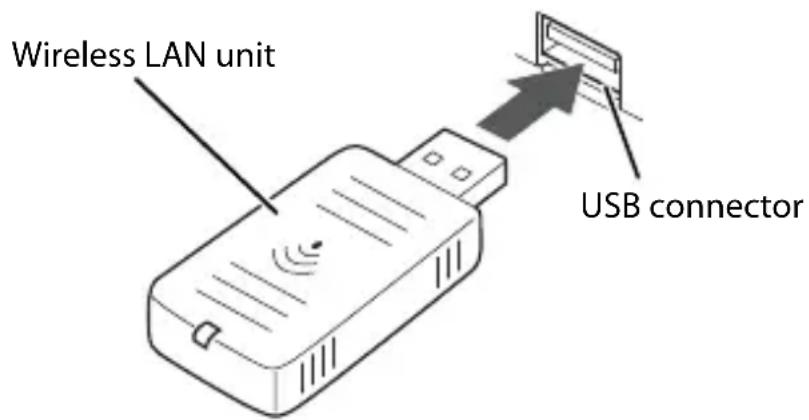
text_image
Wireless LAN unit USB connectorUsing the USB Extension Cable
-
Attach the included rubber cover to the connector of the USB extension cable into which the wireless LAN unit will be inserted, to prevent the unit from coming off.
-
Insert the wireless LAN unit into the connector of the cable.
CAUTION:
Adjust the position of the rubber cover so that a description of the label on the back side of the wireless LAN unit is not covered.
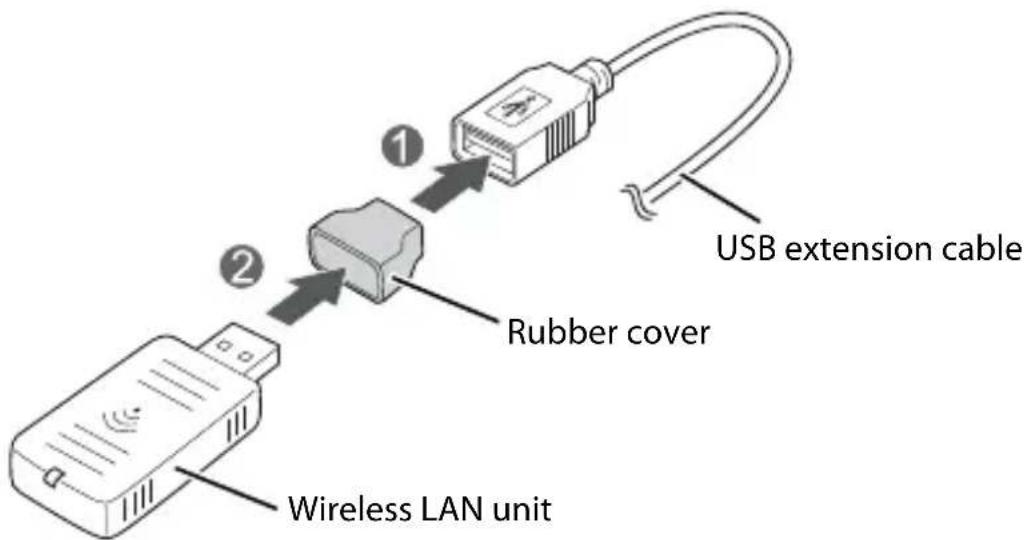
text_image
USB extension cable ① ② Rubber cover Wireless LAN unit- Connect the USB extension cable to the USB connector of the printer.
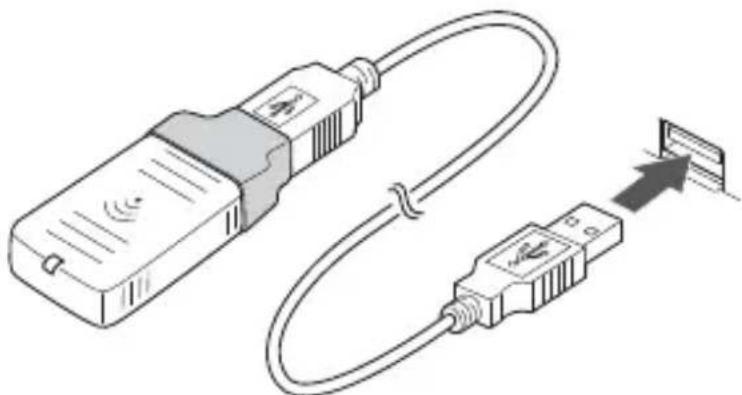
natural_image
Illustration of a USB device connected to a separate USB port, showing signal and connection details (no text or symbols)If you want to fix the wireless LAN unit, cut the included affixing tape to fit and put on the unit, and fix the unit in a place of good communication environment.
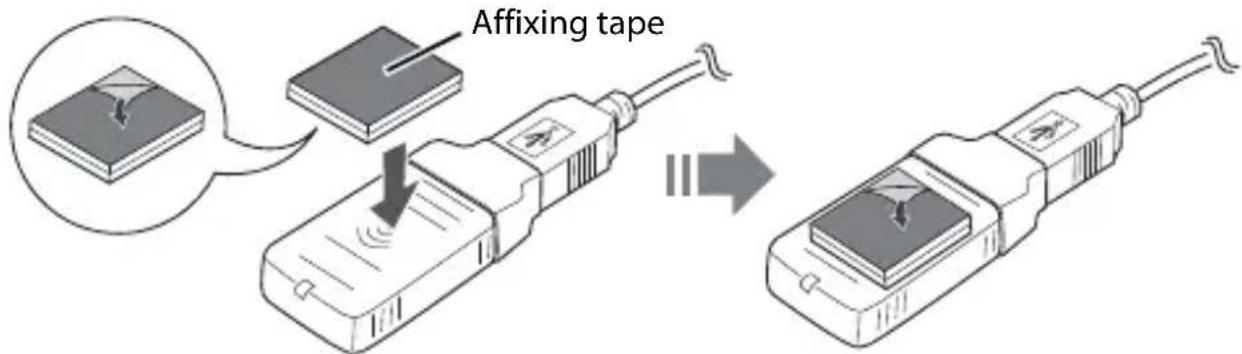
text_image
Affixing tapeConnecting to the Network
For how to connect the TM printer to the network with this product, see the
OT-WL02 Technical Reference Guide.
The OT-WL02 Technical Reference Guide can be downloaded from the
following URL
http://www.epson-biz.com/?prd=ot-wl02&inf=trg
Reading the Wireless LAN Indicator
The position of the wireless LAN indicator is shown in the illustration below.
Wireless LAN indicator
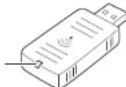

: Flashing
:On :Off □
| Status Wireless LAN Indicator | |
| The wireless LAN unit is not connected to the printer. Or the printer power is OFF. | |
| This wireless LAN unit is connected to the printer and is in operation. | |
| This wireless LAN unit is connected to the printer and is in operation.This unit is communicating on a network. | |
| An error has occurred. Turn off the printer,reinstall the wireless LAN unit, and then turn on the printer. |
EPSON is a registered trademark of Seiko Epson Corporation.
Exceed Your Vision is a registered trademark or trademark of Selko Epson Corporation.
All other trademarks are the property of their respective owners and used for identification purpose only. Product Information is subject to change without due notice.
© Seiko Epson Corporation 2015-2016. All rights reserved.
Introduction
natural_image
Illustration of a USB cable being inserted into a separate USB port (no text or symbols present)http://www.epson-biz.com/?prd=ot-wl02&inf=trg
natural_image
Illustration of a USB cable connector with an external USB port, showing signal and connection details (no text or symbols)http://www.epson-biz.com/?prd=ot-wl02&inf=trg
natural_image
Illustration of a USB cable and connector with signal icon, showing connection to an external device (no text or symbols present)http://www.epson-biz.com/?prd=ot-wl02&inf=trg
natural_image
Line drawing of a rectangular electronic device with ventilation slots and a pointer (no text or symbols)
natural_image
Illustration of a USB cable connector with an external USB port, showing signal and connection details (no text or symbols)http://www.epson-biz.com/?prd=ot-wl02&inf=trg
natural_image
Isometric line drawing of a rectangular electronic device with ventilation slots and a pointer (no text or symbols)
: Lampeggiante

: On

: Off
natural_image
Illustration of a USB cable connector with an external USB port, showing signal and connection details (no text or symbols)http://www.epson-biz.com/?prd=ot-wl02&inf=trg
natural_image
Line drawing of a rectangular electronic device with ventilation slots and a connector (no text or symbols)
natural_image
Illustration of a USB cable and USB connector with signal icons, showing connection to a small electronic device (no text or symbols present)http://www.epson-biz.com/?prd=ot-wl02&inf=trg
Compreender o indicador de rede local sem fios
natural_image
Line drawing of a rectangular electronic device with ventilation slots and a cable (no text or symbols)
: Intermitente : Ligado : Desligado
natural_image
Illustration of a USB cable connector with signal waves, showing connection to an external port (no text or symbols)http://www.epson-biz.com/?prd=ot-wl02&inf=trg
natural_image
Line drawing of a rectangular electronic device with ventilation slots and a probe inserted (no text or symbols)natural_image
Illustration of a USB device connected to a separate USB port (no text or symbols present)natural_image
Line drawing of a rectangular electronic device with ventilation slots and a cable (no text or symbols)
閃爍

:點亮

:熄滅