ManualGo.com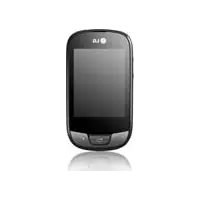
LGT505 - Smartphone LG - Free user manual and instructions
Find the device manual for free LGT505 LG in PDF.



Download the instructions for your Smartphone in PDF format for free! Find your manual LGT505 - LG and take your electronic device back in hand. On this page are published all the documents necessary for the use of your device. LGT505 by LG.
USER MANUAL LGT505 LG
English Some of the contents in this manual may differ from your phone depending on the software of the phone or your service provider.2 Installing the SIM card and the handset battery Installing the SIM Card When you subscribe to a cellular network, you are provided with a plug-in SIM card loaded with your subscription details, such as your PIN, any optional services available and many others. Important! The plug-in SIM card and its contacts can be easily damaged by scratches or bending, so be careful when handling, inserting or removing the card. Keep all SIM cards out of the reach of small children. Illustrations Always switch the device off and disconnect the charger before removing the battery. 1 Remove the back cover. 2 Lift battery away. 3 Insert the SIM card. 4 Insert the battery pack. 5 Attach the back cover. 6 Charge the battery.
Earpiece Call key Dials a phone number and answers incoming calls. End key Volume keys
- When the screen is at the Home screen: Ring tone and touch tone volume.
- During a call: Earpiece volume.
- Down volume key: Press and hold to activate/ deactivate Silent mode. Back key Go back to a previous screen. Handsfree or Stereo earphone connector Power/Lock key
- Short press to turn on/off the screen.
- Long press for power on/off. Phone Components4 Using your touch screen Touch screen tips
- To select an item, touch the centre of the icon.
- Do not press too hard. The touchscreen is sensitive enough to pick up a light, firm touch.
- Use the tip of your finger to touch the option you require. Be careful not to touch any other keys.
- Whenever your LG-T505 is not in use, it will return to the lock screen. Control the touch screen The controls on the LG-T505 touch screen change dynamically depending on the task you are carrying out. Opening Applications To open any application, simply touch its icon. Scrolling Drag from side to side to scroll. On some screens, such as the call history list, you can also scroll up or down.5 Camera Taking a quick photo 1 Touch Camera menu. 2 When the camera has focused on your subject, touch the on the right-center of the screen to take a photo. TIP: To switch to the camera mode or video mode, slide up/down the camera or video icon on the centre-right of the viewfinder. After taking a photo Your captured photo will appear on the screen. The following options are available. Touch
Touch to upload the photo. Send via - Touch to send the photo as a Message, E-mail or via Bluetooth. Set as - Touch to set as Homescreen wallpaper, Lockscreen wallpaper, Contacts image. Edit - Touch to edit the photo. Touch to delete the image. Touch to take another photo immediately. Touch to view a gallery of your saved photos.6 Video camera Making a quick video To switch to the camera mode or video mode, slide up/down the camera or video icon on the right centre of the viewfinder. 1 Holding the phone horizontally, point the lens towards the subject of the video. 2 Press the red dot
REC will appear at the bottom of the viewfinder with a timer at the bottom showing the length of the video. 4 To pause the video, touch and resume by selecting . 5 Touch on screen.