ManualGo.com
 HFN123154 - Fan Emerio - Free user manual and instructions
Find the device manual for free HFN123154 Emerio in PDF.



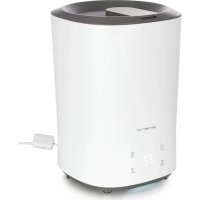
Download the instructions for your Fan in PDF format for free! Find your manual HFN123154 - Emerio and take your electronic device back in hand. On this page are published all the documents necessary for the use of your device. HFN123154 by Emerio.
USER MANUAL HFN123154 Emerio
WARNING – When using electrical appliance, basic safety precautions should always be followed to reduce the risk of fire, electrical shock and personal injury.
1. This appliance can be used by children aged from 8 years
and above and persons with reduced physical, sensory or mental capabilities or lack of experience and knowledge if they have been given supervision or instruction concerning use of the appliance in a safe way and understand the hazards involved. Children shall not play with the appliance. Cleaning and user maintenance shall not be made by children without supervision.
2. This appliance must only be supplied at safety extra low
voltage corresponding to the marking on the appliance.
3. Incorrect use of this appliance may cause damage to the
appliance or any products that is may be connected to.
4. Always unplug the appliance when it is fully charged or
before cleaning. When unplugging, make sure to grasp by the USB plug and not the cable.
5. Ensure that the USB cable is not hung over sharp edges and
keep it away from hot objects and open flames.
6. Do not immerse the appliance or USB cable in water or
other liquids. There is danger to life due to electric shock!
7. Do not plug or unplug the appliance from the USB port with
8. Never attempt to open the housing of the appliance, or to- 3 -
repair the appliance yourself. This could cause electric shock.
9. Never leave the appliance unattended during use.
10. This appliance is not designed for commercial use.
11. Do not use the appliance for other than intended use.
12. Keep the appliance away from damp, and protect from
13. Keep the appliance in a dry place for storage, inaccessible
to children (in its packaging).
14. Never put fingers or any other objects through the fan
guards when the fan is running.
15. Never operate the product without the fan guards in place,
as serious personal injury may result.
16. Watch out for long hair! It can be caught in the fan owing
to the air turbulence.
17. Do not point the air flow at people for a long time.
18. Ensure that the fan is switched off from the supply mains
PARTS DESCRIPTION The device consists of the following main components:
3. On/off/ speed switch
1. Connect one end of the USB cable to the charge jack of the appliance, and another end to the USB port of
the computer or other DC5V/1A adaptor USB port. Be sure it fits tightly.
2. When the fan is being charged, the indicator light will flash slowly. When the battery is full, the indicator
light will be on and still. The fan will be fully charged in about 4 hours when its first use. Note: The indicator light will flash quickly when the fan has low battery, and the fan speed will turn slow. To prevent overloading a USB port, do not plug the fan into a USB port that is servicing other electrical needs.
FIRST USE / OPERATION
1. Press the on/off/speed switch once, the appliance will work on low speed; press twice, the appliance will
work on middle speed; press three times, the appliance will work on high speed; press four times, the appliance will be off. When the appliance is working, the indicator light is on.
2. You can use the appliance in three ways:
1) Hold the fan in hand.
2) Fold and seat the fan on a stable and flat surface. Follow the illustration below.
CLEANING AND MAINTENANCE
1. Before servicing the fan and after each occasion of use, switch off the appliance and unplug the appliance.
2. Never immerse the appliance in water (danger of short-circuit). To clean the appliance, only wipe it down
with a damp cloth and then dry it carefully.
3. Take care that excessive dust does not build up in the air-intake and air-outlet grille, and clean it
occasionally using a dry brush or vacuum cleaner.
4. Pack the appliance in its original box and place it in a dry, well-ventilated place when it is not to be used
for a long period of time. TECHNICAL DATA Mains voltage: DC5V Power consumption: 2.5W Battery voltage:DC3.7V Battery capacity: 800mAh Technical changes and errors reserved.
GUARANTEE AND CUSTOMER SERVICE
Before delivery our devices are subjected to rigorous quality control. If, despite all care, damage has occurred during production or transportation, please return the device to your dealer. In addition to statutory legal rights, the purchaser has an option to claim under the terms of the following guarantee: For the purchased device we provide 2 years guarantee, commencing from the day of sale. If you have a defective product, you can directly go back to the point of purchase. Defects which arise due to improper handling of the device and malfunctions due to interventions and repairs by third parties or the fitting of non-original parts are not covered by this guarantee. Always keep your receipt, without the receipt you can’t claim any form of warranty. Damage caused by not following the instruction manual, will lead to a void of warranty, if this results in consequential damages then we will not be liable. Neither can we hold responsible for material damage or personal injury caused by improper use if the instruction manual is not properly executed. Damage to accessories does not mean free replacement of the whole appliance. In such case please contact our service department. Broken glass or breakage of plastic parts is always subject to a charge. Defects to consumables or parts subjected to wearing, as well as cleaning, maintenance, replacement of said parts or shipping and transportation costs to and from any place of repair are not covered by the warranty and are to be paid.