F7AC - Phone charger OLYMPUS - Free user manual and instructions
Find the device manual for free F7AC OLYMPUS in PDF.



User questions about F7AC OLYMPUS
0 question about this device. Answer the ones you know or ask your own.
Ask a new question about this device
Download the instructions for your Phone charger in PDF format for free! Find your manual F7AC - OLYMPUS and take your electronic device back in hand. On this page are published all the documents necessary for the use of your device. F7AC by OLYMPUS.
USER MANUAL F7AC OLYMPUS
date of issue 2021.08.
OM SYSTEM
OM Digital Solutions Corporation
https://om-digitalsolutions.com/
© 2021 OM Digital Solutions Corporation
WD850500
Printed in Vietnam
OM SYSTEM
F-7AC
04 - JP 取扱説明書
06 - EN INSTRUCTIONS
09 - FR MODE D'EMPLOI
44 FS INSTRUCCIONES
11 - INSTRUCCIONES
12 - REDIENUNO SAN LEITUNG
13 - DE BEDIENUNGSANLEITUNG
15 - ВС ИНСТРУКЦИИ
17 - CS NÁVOD K POUŽITÍ
19 - DA BETJENINGSVEJLEDNING
21 - EL ODHΓIEΣ
23 - ET JUHISED
25. F KÄYTTÖOHJEET
25 - KATTT
27 - F5 UPUTE
27 - 0FOTE
28. UASZHÁLATÍUTMUTATÓ
29 - HASZNALATTUTMUTATO
31 - ISTRUZIONI
33 - LT INSTRUKCIJA
35 - LV NORĀDĪJUMI
37 - NL INSTRUCTIES
39 - NC INSTRUKSJONER
41 - PL INSTRUKCJA
43 - PT INSTRUÇÕES
45 - RG INSTRUCTIUNI
47. ПИОТРУКЦИЯ
47 - КИ ИНСТРУКЦИЯ
10 - ВК НАЧОР НА РОНДИГ
49 - SN NAVOD NA POUZITIE
51 - SL NAVODILA
53 - SV BRUKSANVISNING
55 - TR TALİMATLAR
57 - CHT 使用說明書
60 - TH ค่าแนะนําการใช้งาน
JP 取扱説明書
The following important description is applied to constructs, imported and then the UK directly by CM Digital Solutions GmbH only. CM Digital Solutions GmbH Domstrate 10, 2005 Hamburg, Germany Manufactured by CM Digital Solutions Corporation (UK) Tokyo-Kamada, Japan (UK) Tokyo-UK The following important description is applied to constructs, imported and then the UK directly by CM Digital Solutions GmbH UK Brand only. CM Digital Solutions GmbH - UK Brand (UK) Upper Kingdom, London, NZC-HKAF
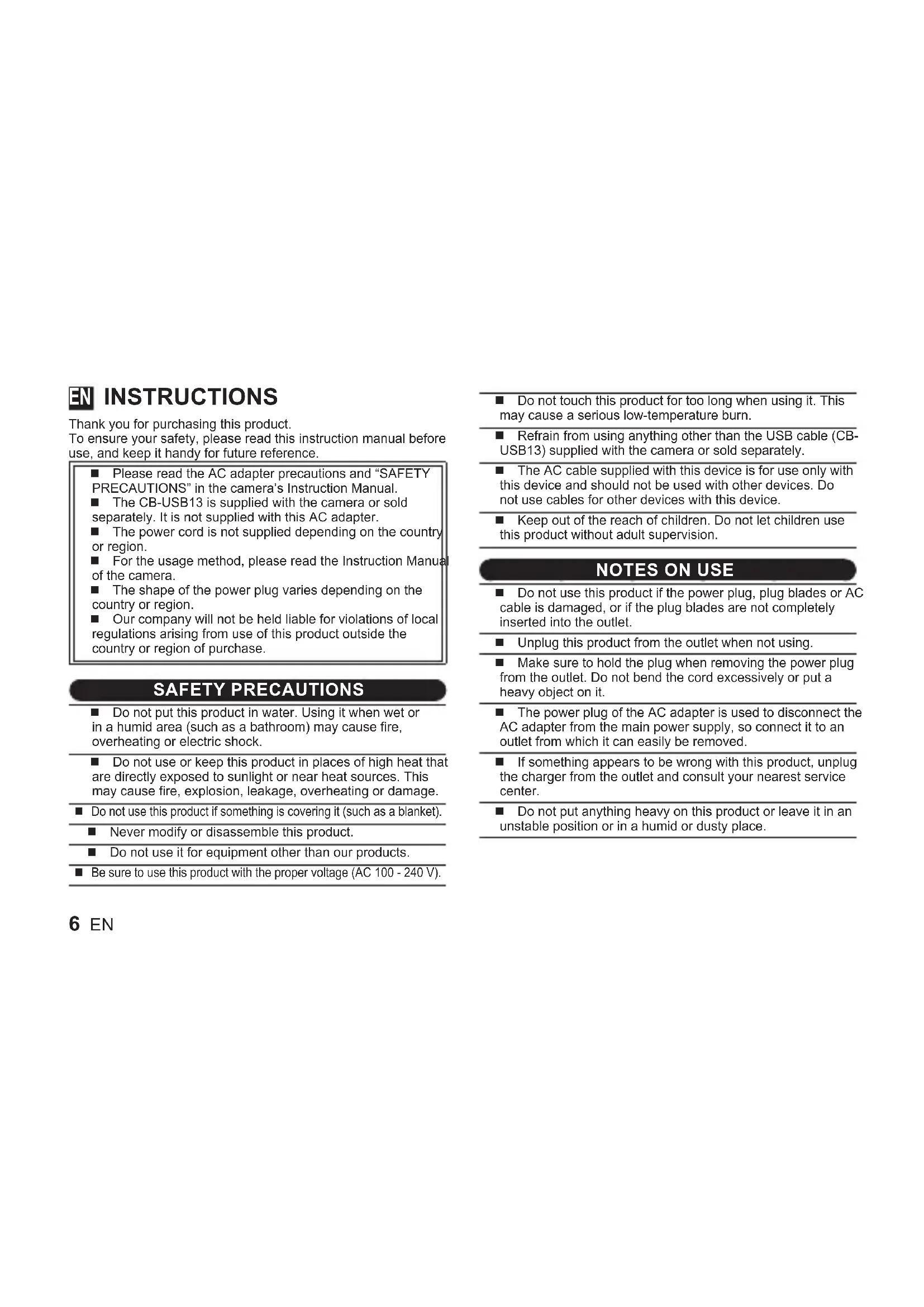
Thank you for purchasing this product.
To ensure your safety, please read this instruction manual before use, and keep it handy for future reference.
■ Please read the AC adapter precautions and "SAFETY PRECAUTIONS" in the camera's Instruction Manual.
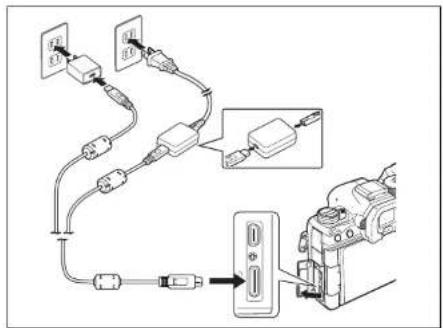
■ The CB-USB13 is supplied with the camera or sold separately. It is not supplied with this AC adapter.
■ The power cord is not supplied depending on the country or region.
■ For the usage method, please read the Instruction Manual of the camera.
■ The shape of the power plug varies depending on the country or region.
■ Our company will not be held liable for violations of local regulations arising from use of this product outside the country or region of purchase.
SAFETY PRECAUTIONS
■ Do not put this product in water. Using it when wet or in a humid area (such as a bathroom) may cause fire, overheating or electric shock.
■ Do not use or keep this product in places of high heat that are directly exposed to sunlight or near heat sources. This may cause fire, explosion, leakage, overheating or damage.
■ Do not use this product if something is covering it (such as a blanket).
■ Never modify or disassemble this product.
■ Do not use it for equipment other than our products.
■ Be sure to use this product with the proper voltage (AC 100 - 240 V).
■ Do not touch this product for too long when using it. This may cause a serious low-temperature burn.
■ Refrain from using anything other than the USB cable (CB-USB13) supplied with the camera or sold separately.
The AC cable supplied with this device is for use only with this device and should not be used with other devices. Do not use cables for other devices with this device.
- Keep out of the reach of children. Do not let children use this product without adult supervision.
NOTES ON USE
- Do not use this product if the power plug, plug blades or AC cable is damaged, or if the plug blades are not completely inserted into the outlet.
■ Unplug this product from the outlet when not using.
■ Make sure to hold the plug when removing the power plug from the outlet. Do not bend the cord excessively or put a heavy object on it.
■ The power plug of the AC adapter is used to disconnect the AC adapter from the main power supply, so connect it to an outlet from which it can easily be removed.
If something appears to be wrong with this product, unplug the charger from the outlet and consult your nearest service center.
■ Do not put anything heavy on this product or leave it in an unstable position or in a humid or dusty place.
SPECIFICATIONS
| F-7AC-1 F-7AC-2 | ||
| Power requirements AC100 to 240V (50/60Hz) | ||
| Output DC 5V 3A, DC 9V 3A | ||
| Recommended temperature | 0°C to 40°C (operation)-20°C to 60°C (storage) | |
| Dimensions 46×23×70mm 46×23×69mm | ||
| Weight Approx. 69g Approx. 75g* | ||
* without AC cable
The date of manufacture is indicated on the AC adapter body. Design and specifications subject to change without notice.
For customers in North America, Central America, South America and the Caribbean
FCC Notice
This device complies with part 15 of the FCC rules. Operation is subject to the following two conditions:
(1) This device may not cause harmful interference, and (2) this device must accept any interference received, including interference that may cause undesired operation.
This equipment has been tested and found to comply with the limits for a Class B digital device, pursuant to part 15 of the FCC Rules. These limits are designed to provide reasonable protection against harmful interference in a residential installation.
This equipment generates, uses and can radiate radio frequency energy and, if not installed and used in accordance with the instructions, may cause harmful interference to radio communications.
However, there is no guarantee that interference will not occur in a particular installation.
If this equipment does cause harmful interference to radio or television reception, which can be determined by turning the equipment off and on, the user is encouraged to try to correct the interference by one or more of the following measures:
- Reorient or relocate the receiving antenna.
- Increase the separation between the equipment and receiver.
- Connect the equipment into an outlet on a circuit different from that to which the receiver is connected.
- Consult the dealer or an experienced radio/TV technician for help.
- Only the our-supplied USB cable should be used to connect the camera to USB enabled personal computers.
FCC CAUTION
Changes or modifications not expressly approved by the party responsible for compliance could void the user's authority to operate the equipment.
This Class B digital apparatus complies with Canadian ICES-003. CAN ICES-3(B)/NMB-3(B)
Declaration of Conformity
Model Number: F-7AC
Trade Name: OM Digital Solutions Corporation
Responsible Party : OM Digital Solutions Americas, Inc.
Address : 306 South new street, Suite 110 Bethlehem, PA 18015
Telephone Number : 1-800-622-6372
Tested To Comply With FCC Standards
FOR HOME OR OFFICE USE
For customers in Europe (excluding England, Wales and Scotland)
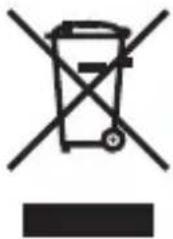
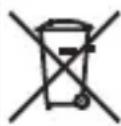
This symbol [crossed-out wheeled bin WEEE Annex IV] indicates separate collection of waste electrical and electronic equipment in the EU countries.
Please do not throw the equipment into the domestic refuse.
Please use the return and collection systems available in your country for the disposal of this product.

MODE D'EMPLOI
The Ground Truth image displays a single, solid horizontal line. According to Rule 2 (UNDERSCORE & LINE RULES), this is a stylistic or background line, not a placeholder underscore. Therefore, the OCR result must ignore it and output nothing or only meaningful text. The provided OCR content is "____", which consists of four underscores. This is an incorrect interpretation of the line as a placeholder, violating the rule that stylistic lines must be ignored. The OCR has hallucinated underscores where none should exist based on the GT's visual context. Hence, the OCR result is inconsistent with the Ground Truth.