ManualGo.com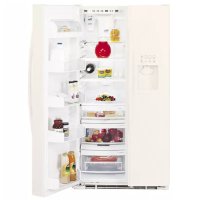
Profile Arctica PSS29NGMCC - Fridge GE - Free user manual and instructions
Find the device manual for free Profile Arctica PSS29NGMCC GE in PDF.



Download the instructions for your Fridge in PDF format for free! Find your manual Profile Arctica PSS29NGMCC - GE and take your electronic device back in hand. On this page are published all the documents necessary for the use of your device. Profile Arctica PSS29NGMCC by GE.
USER MANUAL Profile Arctica PSS29NGMCC GE
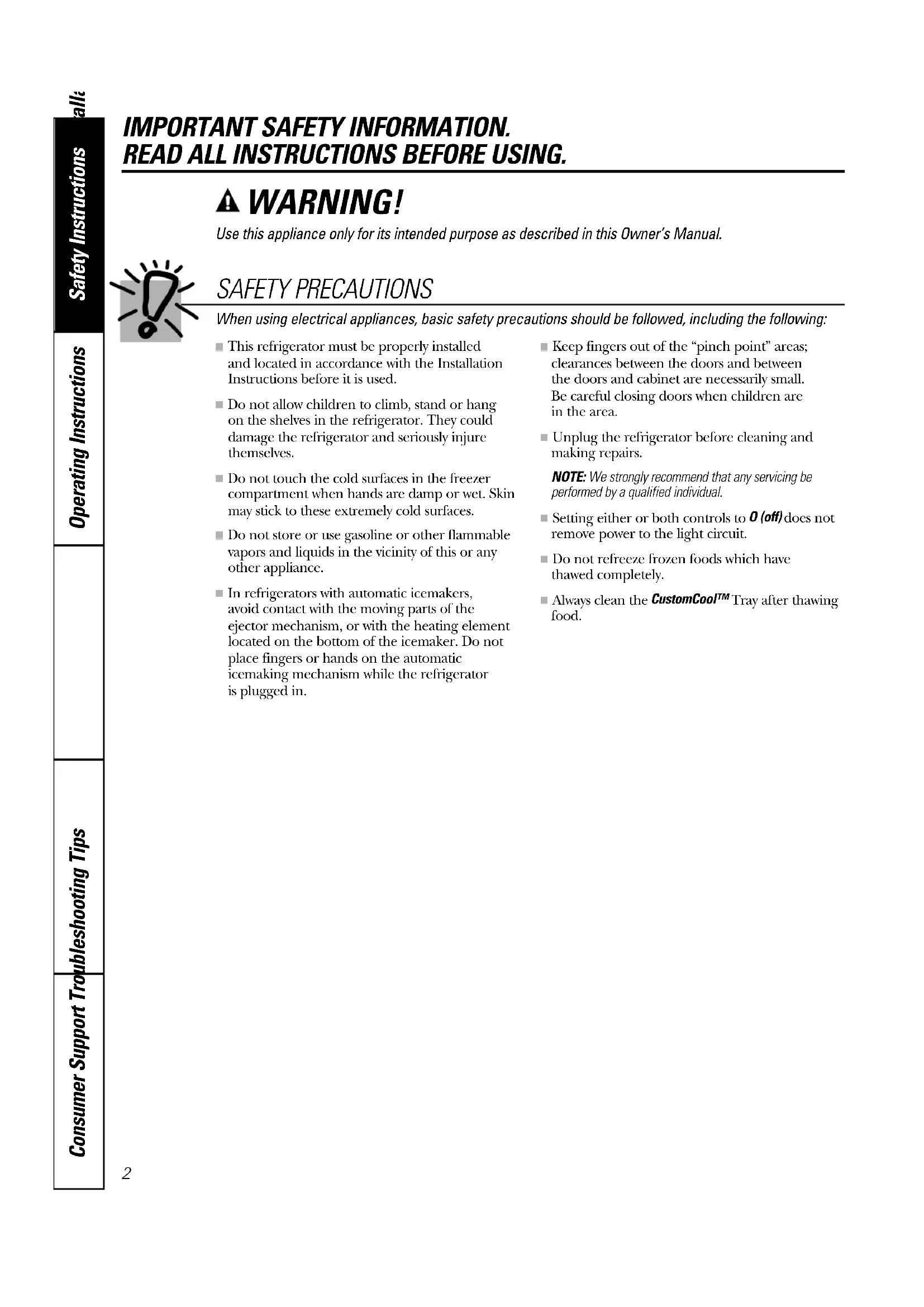
IMPORTANT SAFETY INFORMATION. READ ALL INSTRUCTIONS BEFORE USING. WARNING! Use this appliance only for its intended purpose as described in this Owner’s Manual. SAFETY PRECAUTIONS When using electrical appliances, basic safety precautions should be followed, including the following:
■ This refrigerator must be properly installed and located in accordance with the InstallationInstructions before it is used. ■ Do not allow children to climb, stand or hang on the shelves in the refrigerator. They coulddamage the refrigerator and seriously injurethemselves. ■ Do not touch the cold surfaces in the freezercompartment when hands are damp or wet. Skinmay stick to these extremely cold surfaces. ■ Do not store or use gasoline or other flammablevapors and liquids in the vicinity of this or anyother appliance. ■ In refrigerators with automatic icemakers, avoid contact with the moving parts of the ejector mechanism, or with the heating elementlocated on the bottom of the icemaker. Do notplace fingers or hands on the automaticicemaking mechanism while the refrigerator is plugged in. ■ Keep fingers out of the “pinch point” areas;clearances between the doors and between the doors and cabinet are necessarily small. Be careful closing doors when children are in the area. ■ Unplug the refrigerator before cleaning andmaking repairs.NOTE: We strongly recommend that any servicing beperformed by a qualified individual. ■ Setting either or both controls to O (off) does notremove power to the light circuit. ■ Do not refreeze frozen foods which have thawed completely. ■ Always clean the CustomCool™Tray after thawingfood.Consumer SupportTroubleshooting Tips Operating Instructions Safety Instructions Installation Instructions www.GEAppliances.com
PROPER DISPOSAL OF THE REFRIGERATOR
Child entrapment and suffocation are not problemsof the past. Junked or abandoned refrigerators arestill dangerous…even if they will sit for “just a fewdays.” If you are getting rid of your old refrigerator,please follow the instructions below to help preventaccidents. Before You Throw Away Your Old Refrigerator or Freezer: ■ Take off the doors.■ Leave the shelves in place so that children maynot easily climb inside. CFC Disposal Your old refrigerator may have a cooling system that used CFCs (chlorofluorocarbons). CFCs arebelieved to harm stratospheric ozone. If you are throwing away your old refrigerator, makesure the CFC refrigerant is removed for properdisposal by a qualified servicer. If you intentionallyrelease this CFC refrigerant you can be subject tofines and imprisonment under provisions ofenvironmental legislation.
USE OF EXTENSION CORDS
Because of potential safety hazards under certain conditions, we strongly recommend against the use of an extension cord.However, if you must use an extension cord, it is absolutely necessary that it be a UL-listed (in the UnitedStates) or a CSA-listed (in Canada), 3-wire grounding type appliance extension cord having a groundingtype plug and outlet and that the electrical rating of the cord be 15 amperes (minimum) and 120 volts.
Do not, under any circumstances, cut or remove the third (ground) prong from the power cord. For personal safety, this appliance must be properly grounded. The power cord of this appliance is equipped with a 3-prong (grounding) plug which mates with astandard 3-prong (grounding) wall outlet tominimize the possibility of electric shock hazardfrom this appliance.Have the wall outlet and circuit checked by aqualified electrician to make sure the outlet isproperly grounded.If the outlet is a standard 2-prong outlet, it is yourpersonal responsibility and obligation to have itreplaced with a properly grounded 3-prong walloutlet.The refrigerator should always be plugged into itsown individual electrical outlet which has a voltagerating that matches the rating plate.This provides the best performance and alsoprevents overloading house wiring circuits whichcould cause a fire hazard from overheated wires.Never unplug your refrigerator by pulling on thepower cord. Always grip plug firmly and pullstraight out from the outlet.Repair or replace immediately all power cords thathave become frayed or otherwise damaged. Do notuse a cord that shows cracks or abrasion damagealong its length or at either end.When moving the refrigerator away from the wall, be careful not to roll over or damage the power cord.
USE OF ADAPTER PLUGS
(Adapter plugs not permitted in Canada) Because of potential safety hazards under certain conditions, we strongly recommend against the use of an adapter plug. However, if you must use an adapter, where localcodes permit, a temporary connection may be madeto a properly grounded 2-prong wall outlet by use of a UL-listed adapter available at most localhardware stores.The larger slot in the adapter must be aligned withthe larger slot in the wall outlet to provide properpolarity in the connection of the power cord.When disconnecting the power cord from theadapter, always hold the adapter in place with onehand while pulling the power cord plug with theother hand. If this is not done, the adapter groundterminal is very likely to break with repeated use.If the adapter ground terminal breaks, DO NOT USE the refrigerator until a proper ground has been established.Attaching the adapter ground terminal to a wall outletcover screw does not ground the appliance unless thecover screw is metal, and not insulated, and the walloutlet is grounded through the house wiring. You shouldhave the circuit checked by a qualified electrician to makesure the outlet is properly grounded. READ AND FOLLOW THIS SAFETY INFORMATION CAREFULLY. SAVE THESE INSTRUCTIONSConsumer SupportTroubleshooting Tips Operating InstructionsSafety Instructions Installation Instructions
About the temperature controls. www.GEAppliances.com The temperature controls are preset in the factory at 37°F for the refrigerator compartment and 0°F for the freezer compartment. Allow 24 hours for the temperature to stabilize to the preset recommended settings. The temperature controls can display both the SET temperature as well as the actual temperature in the refrigerator and freezer. The actual temperature may vary slightly from the SET temperature based on usage and operating environment. Setting either or both controls to OFF stops cooling in both the freezer and refrigerator compartments, but does not shut off electrical power to the refrigerator. NOTE: The refrigerator is shipped with protective film covering the temperature controls. If this film was not removed during installation, remove it now. The Performance Air-Flow System is designed tomaximize temperature control in the refrigeratorand freezer compartments. This unique specialfeature consists of the Air Tower along the top andback walls of the refrigerator and the Air Tunnel onthe bottom portion of the freezer rear wall. Placingfood in front of the louvers on these componentswill not affect performance. Although the Air Towerand the Air Tunnel can be removed, doing so willaffect temperature performance. (For removalinstructions, on-line, 24 hours a day, contact us atwww.GEAppliances.com or call 800-GE-CARES. In Canada, contact us at www.geappliances.ca or call 1.800.361.3400.) Performance Air Flow System To change the temperature, press and release the WARMER
COLDER pad. The SET light will comeon and the display will show the set temperature. To change the temperature, tap either the WARMER
COLDER pad until the desiredtemperature is displayed. Refrigerator temperaturescan be adjusted between 34°F and 44°F and thefreezer temperatures can be adjusted between -6°F and +6°F.Once the desired temperature has been set, the temperature display will return to the actualrefrigerator and freezer temperatures after 5 seconds. Several adjustments may be required.Each time you adjust controls, allow 24 hours for the refrigerator to reach the temperature you have set. To turn the cooling system off, tap the WARMER pad for either the refrigerator or the freezer until thedisplay shows OFF
To turn the unit back on, press the COLDER pad for either the refrigerator or freezer. The SET light will illuminate on the side youselected. Then press the COLDER pad again (on theside where the SET light is illuminated) and it willgo to the preset points of 0°F for the freezer and 37°F for the refrigerator. Setting either or bothcontrols to OFF stops cooling in both the freezerand refrigerator compartments, but does not shut off electrical power to the refrigerator.Empty the pan. Place the Chill/Thawtray in the pan with the metal platefacing down to chill and store items, orwith the metal plate facing up to thawitems. Place the items on the tray andclose the pan completely.Select the ExpressThaw™
SelectTemp™ pad. The display and SET light will come on.Tap the pad until the light appears nextto the desired setting. Use the chart todetermine the best setting to use.■ To stop a feature before it is finished, tap that feature’s pad until no options are selected and the display is off.■ During ExpressThaw™ and ExpressChill™ , the display on thecontrols will count down the time in the cycle.■ After the ExpressThaw™ cycle iscomplete, the pan will reset to the MEAT setting (30°F) to help preservethawed items until they are used.■ The displayed actual temperature of the CustomCool pan may vary slightlyfrom the SET temperature based onusage and operating environment. NOTE: For food safety reasons, it isrecommended that foods be wrapped in plastic wrap when using ExpressThaw™
This will help contain meat juices andimprove thawing performance.
Consumer Support Troubleshooting Tips Operating Instructions Safety InstructionsInstallation Instructions About CustomCool
The CustomCool™ feature is a system ofdampers, a fan, a temperature thermistor,and a heater. Depending on the functionselected, a combination of these will beused to quickly chill items, thaw items orhold the pan at a specific temperature.The pan is tightly sealed to prevent the pan’stemperature from causing temperaturefluctuations in the rest of the refrigerator.The controls for this pan are located at thetop of the refrigerator with the temperaturecontrols. How to Use How it Works ExpressThaw™ ExpressChill™7 Consumer SupportTroubleshooting Tips Operating Instructions Safety Instructions Installation Instructions www.GEAppliances.com CustomCool™ Chart NOTE: Results may vary depending on packaging, starting temperature, and other food traits. To clean the Chill/Thaw tray, disassemble the metal tray from the plastic stand by lightly pushing in on the handles of the plastic stand and removing the metal tray. Both the metal tray and the plastic stand are dishwasher safe. To reassemble the tray, place the plastic stand upside down (handles on bottom) on a solid surface. Place the metal plate on top of the stand matching up the curved side of the plate with the curved side of the stand. Insert one side of the plate into the notches on the stand. Push in on the handle on the other side of the stand while pushing that end of the plate down and into place. You should hear the plate “click” into place. About the CustomCool™ Pan Rack and Tray Disassembling the Chill/Thaw tray
■ Hamburger Patties (0.5 lb) ■ Individually Wrapped Filet Mignon (0.5 lb)
■ Chicken Breasts (1.5 lbs) ■ Ground Beef (1.5 lbs) ■ Steak (1.5 lbs)
■ Strawberries, Raspberries, Kiwifruit, Pears, Cherries, Blackberries, Grapes, Plums, Nectarines, Apples ■ Asparagus, Broccoli, Corn, Mushrooms, Spinach, Cauliflower, Kale, Green Onion, Beets, Onions Meat Setting (30°F) ■ Raw Meat, Fish and PoultryConsumer Support Troubleshooting Tips Operating Instructions Safety InstructionsInstallation Instructions About the water and FreshSaver
Water Filter Cartridge The water filter cartridge is located in theback upper right corner of the refrigeratorcompartment. When to Replace the Filter There is a replacement indicator light forthe water filter cartridge on the dispenser.This light will turn orange to tell you thatyou need to replace the filter soon.The filter cartridge should be replacedwhen the replacement indicator light turnsred or if the flow of water to the dispenseror icemaker decreases. Installing the Filter Cartridge If you are replacing the cartridge, firstremove the old one by slowly turning it to the left. Do notpull down on thecartridge. A small amount of water maydrip down.Fill the replacement cartridge withwater from the tap to allow for betterflow from the dispenser immediatelyafter installation.Lining up the arrow on the cartridgeand the cartridge holder, place the top of the new cartridge up inside the holder. Do notpush it up into the holder.Slowly turn it to the right until the filtercartridge stops. DO NOT OVERTIGHTEN.As you turn the cartridge, it willautomatically raise itself into position.Cartridge will rotate about 1/4 turn.Run water from the dispenser for 3 minutes (about 1 ⁄2 gallons) to clearthe system and prevent sputtering.Press and hold the RESET WATER FILTERpad on the dispenser for 3 seconds.NOTE:A newly-installed water filtercartridge may cause water to spurtfrom the dispenser. Filter Bypass Plug You must use the filter bypass plug when a replacement filter cartridge is notavailable. The dispenser and the icemakerwill not operate without the filter or filterbypass plug.Replacement Filters:To order additional filter cartridges in the United States, visit our Website,www.GEAppliances.com, or call GE Parts and Accessories, 800.626.2002. GWF Suggested Retail $34.95Customers in Canada should consult the yellow pages for the nearest CamcoService Center.Place the top of the cartridge upinside the cartridge holder andslowly turn it to the right.Filter Bypass PlugCartridgeHolder FreshSaver
Filter This filter is located inside the freshproduce drawer.The filter should last approximately eight years.9 Consumer SupportTroubleshooting Tips Operating Instructions Safety Instructions Installation Instructions About the shelves and bins. www.GEAppliances.com Refrigerator Door Bins and Freezer Door Tilt-Out Bins Large BinsThe larger refrigerator door bins andfreezer tilt-out door bins are adjustable. To remove: Lift the front of the bin straightup, then lift up and out.To replace or relocate: Engage the back sideof the bin in the molded supports of thedoor. Then push down on the front of thebin. Bin will lock in place.Small BinsTo remove: Lift the front of the bin straightup then out.To replace: Position the bin above therectangular molded supports on the door.Then slide the bin down onto the supportto lock it in place.The snugger helps prevent tipping, spilling or sliding of small items stored on the doorshelf. Place a finger on either side of thesnugger near the rear and move it back and forth to fit your needs. Not all features are on all models. Refrigerator binFreezer tilt-out binSnugger10 Consumer Support Troubleshooting Tips Operating Instructions Safety InstructionsInstallation Instructions About the shelves and bins. Not all features are on all models. QuickSpace
Shelf This shelf splits in half and slides underitself for storage of tall items on the shelfbelow.This shelf can be removed and replaced or relocated just like Slide-Out SpillproofShelves.On some models, this shelf can not be usedin the lowest position. Slide-Out Spillproof Shelf The slide-out spillproof shelf allows you toreach items stored behind others. Thespecial edges are designed to help preventspills from dripping to lower shelves. To remove:Slide the shelf out until it reaches the stop,then press down on the tab and slide theshelf straight out.To replace or relocate:Line the shelf up with the supports andslide it into place. The shelf can berepositioned when the door is at 90° ormore. To reposition the shelf, slide the shelfpast the stops and angle downward. Slideshelf down to the desired position, line upwith the supports and slide into place.Make sure you push the shelves all the way backin before you close the door. Slide-Out Freezer Shelves To remove,slide out to the stop position, lift the front past the stop position, and slide out.Make sure you push the shelves all the way backin before you close the door. Freezer Baskets To remove,push the basket all the way to theback of the freezer. Lift up until the backpins are disengaged. Lift the entire basketup and pull out.Make sure you push the baskets all the way backin before you close the door.Press tab and pull shelfforward to remove Fixed Freezer Shelves To remove,lift the shelf up at the left sideand then bring the shelf out.About the additional features.
Consumer SupportTroubleshooting Tips Operating InstructionsSafety Instructions Installation Instructions www.GEAppliances.com Not all features are on all models. Removable Beverage Rack The beverage rack is designed to hold a bottle on its side. It can be attached to any slide-out shelf.To install: Line up the large part of the slots on the top of the rack with the tabs underthe shelf.Then slide the rack back to lock it in place. About the refrigerator doors. Refrigerator Doors The refrigerator doors may feel differentthan the ones you are used to. The specialdoor opening/closing feature makes surethe doors close all the way and are securelysealed.When opening and closing the door youwill notice a stop position. If the door isopened past this stop point, the door willremain open to allow you to load andunload food more easily. When the door is only partially open it will automaticallyclose.The resistance you feel at the stop position will be reduced as the door is loaded with food.When the door is only partially openit will automatically close.Beyond this stop the door will stay open.
Consumer Support Troubleshooting Tips Operating Instructions Safety InstructionsInstallation Instructions About crisper removal. Not all features are on all models. Crisper Removal Crispers can easily be removed by pullingthe drawer straight out and lifting thedrawer up and over the stop location.If the door prevents you from taking out the drawers, first try to remove the doorbins. If this does not offer enoughclearance, the refrigerator will need to be rolled forward until the door opensenough to slide the drawers out. In somecases, when you roll the refrigerator out, you will need to move the refrigerator to the left or right as you roll it out. About the crispers and pans. Not all features are on all models. Fruit and Vegetable Crispers Excess water that may accumulate in thebottom of the drawers should be wiped dry.On some modelsthe bottom drawer has a cover that slides back as the drawer isopened. This allows full access to thedrawer. As the drawer is closed, the coverwill slide forward into its original position. Adjustable Humidity Crispers Slide the control all the way to the settingto provide high humidity recommended formost vegetables.Slide the control all the way to the setting to provide lower humidity levelsrecommended for most fruits. HI LO Convertible Meat Pan The convertible meat pan has its own coldair duct to allow a stream of cold air fromthe freezer compartment to flow to the pan.The variable temperature control regulatesthe air flow from the Climate Keeper.Set the control to the coldestsetting tostore fresh meats. Set the control to cold to convert the panto normal refrigerator temperature andprovide extra vegetable storage space. Thecold air duct is turned off. Variable settingsbetween these extremes can be selected.
T13 Consumer SupportTroubleshooting Tips Operating Instructions Safety Instructions Installation Instructions www.GEAppliances.com Automatic Icemaker The icemaker will produce seven cubes per cycle—approximately 100–130 cubes in a 24-hour period, depending on freezercompartment temperature, roomtemperature, number of door openings and other use conditions.If the refrigerator is operated before thewater connection is made to the icemaker,set the power switch in the O (off) position.When the refrigerator has been connectedto the water supply, set the power switch to the l (on)position.The icemaker will fill with water when it cools to 15°F (–10°C). A newly-installedrefrigerator may take 12 to 24 hours to beginmaking ice cubes.Throw away the first few batches of ice toallow the water line to clear.Be sure nothing interferes with the sweep of the feeler arm.When the bin fills to the level of the feelerarm, the icemaker will stop producing ice. It is normal for several cubes to bejoined together.If ice is not used frequently, old ice cubeswill become cloudy, taste stale and shrink. If ice cubes get stuck in the icemaker, thegreen power light will blink. To correct this,set the power switch to O (off)and removethe cubes. Set the power switch to I (on) restart the icemaker. After the icemaker hasbeen turned on again, there will be a delayof about 45 minutes before the icemakerresumes operation.NOTE: In homes with lower-than-average waterpressure, you may hear the icemaker cycle multipletimes when making one batch of ice. About the automatic icemaker. A newly-installed refrigerator may take 12 to 24 hours to begin making ice. Pull the upper freezer shelf straightout to access the icemaker. Alwaysbe sure to replace the shelf. Theshelf can be used for storage. Ice Storage Drawer To access ice,pull the drawer forward.To remove the drawer,pull it straight out andlift it past the stop location.IcemakerFeeler ArmPowerSwitchGreenPower LightIce DrawerIce DrawerShelfImportant Facts About Your Dispenser ■ Do not add ice from trays or bags to the storage drawer. It may not crush ordispense well.■ Avoid overfilling glass with ice and use ofnarrow glasses. Backed-up ice can jam thechute or cause the door in the chute tofreeze shut. If ice is blocking the chute,poke it through with a wooden spoon.■ Beverages and foods should not be quick-chilled in the ice storage drawer. Cans, bottles or food packages in thestorage drawer may cause the icemaker or auger to jam.■ To keep dispensed ice from missing the glass, put the glass close to, but nottouching, the dispenser opening.■ Some crushed ice may be dispensed even though you selected CUBED ICE. This happens occasionally when a fewcubes accidentally get directed to thecrusher.■ After crushed ice is dispensed, somewater may drip from the chute.■ Sometimes a small mound of snow willform on the door in the ice chute. Thiscondition is normal and usually occurswhen you have dispensed crushed icerepeatedly. The snow will eventuallyevaporate. Consumer Support Troubleshooting Tips Operating Instructions Safety InstructionsInstallation Instructions
About the ice and water dispenser. To Use the Dispenser Select
WATER . Press the glass gently against the top of the dispenser cradle.The spill shelf is not self-draining. To reduce water spotting, the shelf and its grille should be cleaned regularly. If no water is dispensed when the refrigerator is first installed, there may be air in the water line system. Press the dispenser arm for at least two minutes to remove trapped air from the water line and to fill the water system. To flush out impurities in the water line, throw away the first six glassfuls of water. CAUTION: Never put fingers or any other objects into the ice crusher discharge opening. Locking the Dispenser Press the LOCK CONTROL pad for 3 seconds tolock the dispenser andcontrol panel. Tounlock, press and hold the pad again for 3 seconds. Dispenser Light This pad turns the night light in the dispenser on and off. The lightalso comes on when the dispenser cradle ispressed. If this lightburns out, it should bereplaced with a 6 watt12V maximum bulb. Quick Ice When you need ice in a hurry, press this pad to speed up iceproduction. This willincrease ice productionfor the following 48 hours or until you press the pad again. Door Alarm To set the alarm, pressthis pad until theindicator light comeson. This alarm willsound if either door isopen for more than 3 minutes. The lightgoes out and thebeeping stops when you close the door.Spill ShelfConsumer SupportTroubleshooting Tips Operating InstructionsSafety Instructions Installation Instructions
www.GEAppliances.com Care and cleaning of the refrigerator. Cleaning the Outside The dispenser drip area, beneath the grille,should be wiped dry. Water left in this areamay leave deposits. Remove the deposits byadding undiluted vinegar to the well. Soakuntil the deposits disappear or becomeloose enough to rinse away. The dispenser cradle . Before cleaning, lockthe dispenser by pressing and holding the LOCK CONTROL pad for 3 seconds. Cleanwith warm water and baking sodasolution—about a tablespoon (15 ml) ofbaking soda to a quart (1 liter) of water.Rinse thoroughly and wipe dry. The door handles and trim. Clean with a cloth dampened with soapy water. Dry with a soft cloth. Keep the outside clean. Wipe with a cleancloth lightly dampened with kitchenappliance wax or mild liquid dish detergent.Dry and polish with a clean, soft cloth. Do not wipe the refrigerator with a soiled dish cloth or wet towel. These may leave a residue that can erode the paint. Do not use scouring pads, powdered cleaners, bleach or cleaners containing bleach because these products can scratch and weaken the paint finish. Cleaning the Inside To help prevent odors, leave an open box ofbaking soda in the fresh food and freezercompartments. Unplug the refrigerator before cleaning. If thisis not practical, wring excess moisture out of sponge or cloth when cleaning aroundswitches, lights or controls. Use warm water and baking soda solution—about a tablespoon (15 ml) of baking sodato a quart (1 liter) of water. This bothcleans and neutralizes odors. Rinse andwipe dry. Use of any cleaning solution other than that which is recommended, especially those that contain petroleum distillates, can crack or damage the interior of the refrigerator. Avoid cleaning cold glass shelves with hot water because the extreme temperature difference may cause them to break. Handle glass shelves carefully. Bumping tempered glass can cause it to shatter. Do not wash any plastic refrigerator parts in the dishwasher. Ice Storage Drawer on Dispenser Models To remove: Set the icemaker power switch to the 0 (off) position. Pull the drawer straight out andthen lift past the stop position. To replace: When replacing the drawer, be sure topress it firmly into place. If it does not goall the way back, remove it and rotate thedrive mechanism 1/4 turn. Then push thedrawer back again.RotateDriveMechanismDispenser drip area.16 Consumer Support Troubleshooting Tips Operating Instructions Safety InstructionsInstallation Instructions For long vacations or absences, removefood and unplug the refrigerator. Clean theinterior with a baking soda solution of onetablespoon (15 ml) of baking soda to onequart (1 liter) of water. Leave the doorsopen.Set the icemaker power switch to the 0 (off) position and shut off the water supply to the refrigerator.If the temperature can drop belowfreezing, have a qualified servicer drain thewater supply system to prevent seriousproperty damage due to flooding. Care and cleaning of the refrigerator. Behind the Refrigerator Be careful when moving the refrigeratoraway from the wall. All types of floorcoverings can be damaged, particularlycushioned coverings and those withembossed surfaces. Pull the refrigerator straight out and returnit to position by pushing it straight in.Moving the refrigerator in a side directionmay result in damage to the floor coveringor refrigerator. When pushing the refrigerator back, make sure you don’t roll over the power cord or icemaker supply line. Preparing for Vacation Preparing to Move Secure all loose items such as shelves anddrawers by taping them securely in place to prevent damage.When using a hand truck to move therefrigerator, do not rest the front or back ofthe refrigerator against the hand truck.This could damage the refrigerator. Handleonly from the sides of the refrigerator. Be sure the refrigerator stays in an upright position during moving.Consumer SupportTroubleshooting Tips Operating InstructionsSafety Instructions Installation Instructions
www.GEAppliances.com Replacing the lightbulbs. Setting the controls to OFF does not remove power to the light circuit. Refrigerator Compartment—Upper Light Unplug the refrigerator.The bulbs are located at the top of thecompartment, inside the light shield.On some models, a screw at the front ofthe light shield will have to be removed. To remove the light shield, press in onthe tabs on the sides of the shield andslide forward and out.After replacing the bulb with anappliance bulb of the same or lowerwattage, replace the light shield andscrews (on some models). Whenreplacing the light shield, make surethat the tabs at the back of the shield fitinto the slots at the back of the lightshield housing.Plug the refrigerator back in. Refrigerator Compartment—Lower Light This light is located above the top drawer.Unplug the refrigerator.Remove the convertible meat drawercontrol knob by pulling straight out. Lift the light shield up and pull it out.After replacing the bulb with anappliance bulb of the same or lowerwattage, replace the shield and the knob.Plug the refrigerator back in. Freezer Compartment Unplug the refrigerator.Remove the shelf just above the lightshield. (The shelf will be easier toremove if it is emptied first.) On somemodels, a screw at the top of the lightshield will need to be removed.To remove the light shield, press in onthe sides, and lift up and out.Replace the bulb with an appliancebulb of the same or lower wattage,and reinstall the light shield. Whenreinstalling the light shield, makesure the top tabs snap securely into place. Replace the screw (on some models).Reinstall the shelf and plug therefrigerator back in.
Dispenser Unplug the refrigerator.The bulb is located on the dispenserunder the control panel.Remove the lightbulb by turningit counterclockwise.Replace the bulb with a bulb of thesame size and wattage.Plug the refrigerator back in. Tabs18 Trim kits and decorator panels. Read these instructions completely and carefully. Before You Begin Some models are equipped with trim kits that allow you to install door panels. You can order pre-cutblack, white, almond, bisque, or stainless steel decorator panels from GE Parts and Accessories,800.626.2002, or you can add wood panels to match your kitchen cabinets. Panels less than 1/4
(6 mm) thick When installing wood panels less than 1/4″ (6 mm) thick, you need to create a filler panel, such as 1/8″ cardboard, that will fit between the face of the door and the wood panel. If you are installing the pre-cutdecorator panels, pre-cut filler panels are included in the kit. The combined thickness of the decorator orwood panel and the filler panel should be 1/4″ (6 mm). Consumer Support Troubleshooting Tips Operating Instructions Safety InstructionsInstallation Instructions For CustomStyle models 3/4
(19 mm) or Raised Panel A raised panel design screwed or glued to a 1/4″ (6 mm) thick backing, or a 3/4″ (19 mm) routed board can be used. The raised portion of the panel must be fabricated to permit clearances of at least 2″ (5.1 cm) from the handle side for fingertip clearance. Panels thicker than 1/4″ ( 6mm), up to 3/4″ (19 mm) max, will require that the outer 5/16″ (8 mm) of panel perimeter be no thicker than 1/4″ (6 mm).Weight limitations for custom panels:Fresh Food 38 lbs. (17 kg) max.Freezer Door 28 lbs. (13 kg) max.2″ (5.1 cm)ClearanceHandle SideAppearancePanelRefrigerator Door 1/4″ (6 mm)Thick Backing3/4″(19 mm)Panels 1/4″ thick or lessPanels thicker than 1/4″ (6 mm)1/4″ max1/4″ (6 mm) max3/4″ (19 mm)5/16″ (8 mm)19 Consumer SupportTroubleshooting Tips Operating Instructions Safety Instructions Installation Instructions The areas at the top of the panels need to be cut out of the panels. The shaded areas indicate areas that mustbe routed out about 5/32″ (4 mm) on the back side of panels 1/4″ (6 mm) thick or more. For panels less than 1/4″ (6 mm) thick, these areas can be cut out of the filler panels. Example of Routing 1/4″(6 mm)5/32″(4 mm)
⁄8″(2.9 cm)FrontDepth of materialto be routed out Freezer Panel Without Dispenser Freezer Panel With Dispenser Fresh Food Panel Cut out 5/16″(8 mm)1″(2.5 cm)
⁄32″(49.5 cm)FRONT Dimensions for Custom Wood Panels20 Consumer Support Troubleshooting Tips Operating Instructions Safety InstructionsInstallation Instructions Inserting the door panels. Loosen the Top Trim on the Freezer and Fresh Food Doors. Using a T-20 Torx driver, loosen the two screwsattaching the Top Trim about 1/4″ (6 mm). Insert the Freezer Panel and Fresh Food Panel. Lift the Top Trim up 1/4″ (6 mm) and carefullypush the freezer panel in until it slides into the slotbehind the door handle. Push the filler panel(required with some door panels) in behind thedecorator panel. Repeat for fresh food panel.If your model has a dispenser and/or aRefreshment Center, this step only applies to the top panels. Insert the Bottom Panel. Carefully push the panel in until it slides into theslot behind the door handle. Push the filler panel(required with some door panels) in behind thedecorator panel. Hand tighten the two screws on the Top Trim. Cut-OutCut-OutTop Trim Screws Top FreezerPanelBottomFreezerPanelTape LinerSide TrimSide TrimFresh Food Panel Read these instructions completely and carefully.21 Consumer SupportTroubleshooting Tips Operating InstructionsSafety Instructions Installation Instructions Install the Side Trim. These pieces are tucked inside the refrigerator door handle. Do not remove the protective film on the outside of the Side Trim until the Side Trim is installed. Fit the bottom of the Side Trim under the Bottom Trim as illustrated. Hold the Side Trim against the front face of the decorator panels and fit the Side Trim under the Top Trim. Make sure the Side Trim is fitted correctly and that you are satisfied with the appearance of all the parts before pulling the tape liner. Secure the Side Trim. Place one hand between the two pieces of tape liner and hold the Side Trim firmly against the panels and the side of the door. Pull the top tape liner up about 3″ (80 mm), pressing the trim with your hand as the adhesive is exposed to the door. Then pull the bottom tape liner down about 3″ (80 mm). Follow the tape with your hand, pressing the trim adhesive against the door. Continue pulling the tape liner loose, alternating between the top and bottom and pressing the Side Trim against the door. Remove the Protective Film From the Outside of the Side Trim. Side Trim Side Trim Bottom Trim Tape Liner Tape LinerTop Trim22 Consumer Support Troubleshooting Tips Operating Instructions Safety InstructionsInstallation Instructions Installing and removing previously installed decorator panels. Removing the Handles In order to remove the decorator panels and replace with new panels you need to remove the handles. A T-20 Torx driver is needed.Loosen and remove the 2 screws in the Top Trim.Loosen and remove the 2 screws in thebracket that attaches the Handle to the top of the Door.Grip the Handle firmly and slide upwards. The keyhole slots on the Handle slide offthe buttons on the door.Open the door and slide out the decoratorpanels. Read these instructions completely and carefully. Top Trim ScrewsBracket ScrewsSlots Slot ButtonButtonsBracket Inserting the Door Panels Before installing the decorator panels, make sure they have been routed out in the proper areas as shown in thebeginning of this section. Slide in the panels to perform a trial fit before fastening down the Handle and Top Trim.Slide the keyhole slots on the Handle downonto the buttons mounted to the face of thedoor. Slide the Handle downward until thebracket at the top of the Handle fits flush on the top of the door.Replace the two screws in the bracket thatattach the Handle to the top of the Door andtighten the screws to 45 in-lbs torque.Replace the Top Trim making sure it fits overthe Side Trim and that the locating tabs fit theinside of the Handle profile.Replace the Top Trim screws and tighten to 30 in-lbs torque. Installing the Handles Once the panels are fitted properly, install the Handle and Top Trim.23 Consumer SupportTroubleshooting Tips Operating InstructionsSafety Instructions Installation Instructions Removing and replacing the doors. When installing or moving the refrigerator, the doors may need to be removed in order to fit the refrigerator through a doorway. Removing the Doors Make sure the doors are closed and the refrigerator is unplugged. Disconnect water line and wiring harness.Near the lower hinge on the freezer side, push in on thecollars at each end of the coupling, and pull the water line tubing from the coupling. Also, disconnect wiringharness. Pull the water line and the harness through thelower rail.Remove the hinge covers and the hinges.In order to access the hinges, the hinge covers need to beremoved. Remove the cover by grasping it on the sides,near the back of the cover. Push back on the cover and lift up at the back, then the front.NOTE: DO NOT use a screwdriver to remove the cover. BE CAREFULnot to break the rear retaining tab on the hinge cover. Remove thehinges using a Torx T-20.Remove the doors.Carefully rotate the door to 90°. Guiding the disconnectedwater line and wiring harness, lift the door straight up.NOTE: Not lifting the door straight up may damage the bottom hinge.Place doors on a protected surface.NOTE: Be careful not to pinch the water tubing and the wire harnessat the bottom of the door.NOTE: Do not allow the connector to contact the floor. Hard contactcan damage the connector. See “Replacing the Doors.” Replacing the Doors Place doors on bottom hinges.With the door at 90°, lower the door straight down ontothe bottom hinge. Carefully close the door.NOTE: Not lowering the door straight down onto the bottom hingemay damage the hinge.NOTE: Do not allow the connector to contact the floor. Hard contactcan damage the connector.Replace top hinges and hinge covers.Reinstall the top hinges using a Torx T-20. Replace thehinge covers. If the doors are not level, adjust the bottomright hinge with a 7/16″ open ended wrench.Reconnect water line and wiring harness.Insert water tubing back into coupling, making sure thetubing is pushed far enough into the coupling so that youno longer see the mark on the tubing. Reconnect thewiring harness.Turn on the water supply and plug the refrigerator back in.
Hinge Cover Door Hinge PinWire HarnessCollarsConnectorBEFORE YOU BEGIN Read these instructions completely and carefully.
Observe allgoverning codes and ordinances.• Note to Installer Be sure to leave theseinstructions with the Consumer.• Note to Consumer Keep these instructionsfor future reference.
- Skill level – Installation of this appliance requires basic mechanical skills.
- Completion time – Refrigerator Installation 15 minutes• Proper installation is the responsibility of theinstaller. • Product failure due to improper installation is notcovered under the Warranty.• Do not install the refrigerator where the temperaturewill go below 60°F (16°C) because it will not run oftenenough to maintain proper temperatures.• Do not install the refrigerator where the temperaturewill go above 100°F (37°C) because it will not performproperly.• Install it on a floor strong enough to support it fullyloaded.REFRIGERATOR LOCATION Questions? Call 800.GE.CARES (800.432.2737) or Visit our Website at: www.GEAppliances.com In Canada, call 1.800.361.3400 or Visit our Website at: www.geappliances.ca Installation Refrigerator Instructions Models 21, 23, 25, 27 & 29 Allow the following clearances for ease of installation,proper air circulation and plumbing and electricalconnections:CLEARANCESThe rollers have 3 purposes: Rollers adjust so the door closes easily when openedabout halfway. [Raise the front about 5/8″ (16 mm) fromthe floor.] Rollers adjust so the refrigerator is firmly positioned onthe floor and does not wobble. Rollers allow you to move the refrigerator away from thewall for cleaning. Final leveling adjustments should be made after therefrigerator has been installed. To adjust the rollers on 25′, 27′, and 29′ models:
Turn the rolleradjusting screwsclockwise to raisethe refrigerator,counterclockwise tolower it. Use a 3/8″hex socket or wrench,or an adjustablewrench.ROLLERSIf the refrigerator has an icemaker, it will have to beconnected to a cold water line. A GE water supply kit(containing tubing, shutoff valve, fittings andinstructions) is available at extra cost from your dealer, by visiting our Website at www.GEAppliances.com (in Canada at www.geappliances.ca) or from Parts andAccessories, 800.626.2002 (in Canada 1.888.261.3055).WATER SUPPLY TO THE ICEMAKER(ON SOME MODELS) Roller adjusting screw 21′ and 23′ 25′, 27′, and 29′
After leveling, make sure that doors are even at the top. To make the doors even, adjust the refrigerator door. Using a 7/16″ socket wrench, turn the door adjusting screw to the right to raise the door, to the left to lower it. (A nylon plug, imbedded in the threads of the pin, prevents the pin from turning unless a wrench is used.) After one or two turns of the wrench, open and close the refrigerator door and check the alignment at the top of the doors. To remove the base grille, open the doors, remove the screw at each end of the base grille and then pull the grille straight out. 7/16″ Socket Wrench Raise
⁄4″ (178.4 cm) 36″ (91.4 cm) 24″ (61 cm) 24″ (61 cm) Cabinet Water Electrical 3/4″ (19 mm) Airspace (1/2″ [13 mm] Gap + 1/4″ [6 mm] Wall Plates) 25″ (63.5 cm) Countertop Installation Instructions DOOR ALIGNMENT To adjust the rollers on 21′ and 23′ models: Remove the base grille by opening the doors, removing the screws at each end, and pulling it straight out. Turn the front roller adjusting screws clockwise to raise the refrigerator, counterclockwise to lower it. Use a 3/8″ hex socket or wrench, or an adjustable wrench. These models also have rear adjustable rollers so you can align the refrigerator with your kitchen cabinets. Use a long-handled 5/16″ socket wrench to turn the screws for the rear rollers—clockwise to raise the refrigerator, counterclockwise to lower it. Replace the base grille. Roller adjusting screwsINSTALLING THE WATER LINE (ON SOME MODELS) Recommended copper water supply kits are WX8X2, WX8X3 or WX8X4, depending on the amount of tubing you need. Approved plastic water supply lines are GE SmartConnect™ Refrigerator Tubing (WX08X10002, WX08X10006, WX08X10015 and WX08X10025). When connecting your refrigerator to a GE Reverse Osmosis Water System, the only approved installation is with a GE RVKit. For other reverse osmosis water systems, follow the manufacturer’s recommendations. If the water supply to the refrigerator is from a Reverse Osmosis Water Filtration System AND the refrigerator also has a water filter, use the refrigerator’s filter bypass plug. Using the refrigerator’s water filtration cartridge in conjunction with the RO filter can result in hollow ice cubes and slower water flow from the water dispenser. This water line installation is not warranted by the refrigerator or icemaker manufacturer. Follow these instructions carefully to minimize the risk of expensive water damage. Water hammer (water banging in the pipes) in house plumbing can cause damage to refrigerator parts and lead to water leakage or flooding. Call a qualified plumber to correct water hammer before installing the water supply line to the refrigerator. To prevent burns and product damage, do not hook up the water line to the hot water line. If you use your refrigerator before connecting the water line, make sure the icemaker power switch is in the 0 (off) position. Do not install the icemaker tubing in areas where temperatures fall below freezing. When using any electrical device (such as a power drill) during installation, be sure the device is double insulated or grounded in a manner to prevent the hazard of electric shock, or is battery powered. All installations must be in accordance with local plumbing code requirements.
Installation Instructions
- Copper or GE SmartConnect™ Refrigerator Tubing kit, 1/4″ outer diameter to connect the refrigerator to the water supply. If using copper, be sure both ends of the tubing are cut square. To determine how much tubing you need: measure the distance from the water valve on the back of the refrigerator to the water supply pipe. Then add 8′ (2.4 m). Be sure there is sufficient extra tubing (about 8′ [2.4 m] coiled into 3 turns of about 10″ [25 cm] diameter) to allow the refrigerator to move out from the wall after installation. GE SmartConnect™ Refrigerator Tubing Kits are available in the following lengths: 2′ (.6 m) – WX08X10002 6′ (1.8 m) – WX08X10006 15′ (4.6 m) – WX08X10015 25′ (7.6 m) – WX08X10025 Be sure that the kit you select allows at least 8′ (2.4 m) as described above. 26NOTE: The only GE approved plastic tubing is that supplied in GE SmartConnect™ Refrigerator Tubing kits. Do not use any other plastic water supply line because the line is under pressure at all times. Certain types of plastic will crack or rupture with age and cause water damage to your home.
- A GE water supply kit (containing tubing, shutoff valve and fittings listed below) is available at extra cost from your dealer or from Parts and Accessories, 800-626-2002 (in Canada 1.888.261.3055).
- A cold water supply. The water pressure must be between 20 and 120 p.s.i. (1.4–8.1 bar).
- 1/2″ or adjustable wrench.
- Straight and Phillips blade screwdriver.
- Two 1/4″ outer diameter compression nuts and 2 ferrules (sleeves)—to connect the copper tubing to the shutoff valve and the refrigerator water valve.
- If you are using a GE SmartConnect™ Refrigerator Tubing kit, the necessary fittings are preassembled to the tubing.
- If your existing copper water line has a flared fitting at the end, you will need an adapter (available at plumbing supply stores) to connect the water line to the refrigerator OR you can cut off the flared fitting with a tube cutter and then use a compression fitting. Do not cut formed end from GE SmartConnect™ Refrigerator tubing.
- Shutoff valve to connect to the cold water line. The shutoff valve should have a water inlet with a minimum inside diameter of 5/32″ at the point of connection to the COLD WATER LINE. Saddle-type shutoff valves are included in many water supply kits. Before purchasing, make sure a saddle-type valve complies with your local plumbing codes. WHAT YOU WILL NEED (CONT.) Installation Instructions
SHUT OFF THE MAIN WATER
SUPPLY Turn on the nearest faucet long enough to clear the line of water. Install the shutoff valve on the nearest frequently used drinking water line.
Choose a location for the valve that is easily accessible. It is best to connect into the side of a vertical water pipe. When it is necessary to connect into a horizontal water pipe, make the connection to the top or side, rather than at the bottom, to avoid drawing off any sediment from the water pipe.
Drill a 1/4″ hole in the water pipe (even if using a self-piercing valve), using a sharp bit. Remove any burrs resulting from drilling the hole in the pipe. Take care not to allow water to drain into the drill. Failure to drill a 1/4″ hole may result in reduced ice production or smaller cubes.Place the compression nut and ferrule (sleeve) for copper tubing onto the end of the tubing and connect it to the shutoff valve. Make sure the tubing is fully inserted into the valve. Tighten the compression nut securely. For plastic tubing from a GE SmartConnect™ Refrigerator Tubing kit, insert the molded end of the tubing into the shutoff valve and tighten compression nut until it is hand tight, then tighten one additional turn with a wrench. Overtightening may cause leaks. NOTE: Commonwealth of Massachusetts Plumbing Codes 248CMR shall be adhered to. Saddle valves are illegal and use is not permitted in Massachusetts. Consult with your licensed plumber.
Saddle-Type Shutoff ValveCompression NutPacking NutOutlet ValveFerrule (sleeve) Turn the main water supply on and flush out the tubing until the water is clear. Shut the water off at the water valve after about one quart (1 liter) of water has been flushed through the tubing.
Fasten the shutoff valve to the cold water pipe with the pipe clamp. NOTE: Commonwealth of Massachusetts Plumbing Codes 248CMR shall be adhered to. Saddle valves are illegal and use is not permitted in Massachusetts. Consult with your licensed plumber.
Tighten the clamp screws until the sealing washer begins to swell. NOTE: Do not overtighten or you may crush the tubing.
TIGHTEN THE PIPE CLAMP
Pipe ClampVertical Cold Water PipeSaddle-TypeShutoff ValveWasherInlet EndPipe ClampClampScrew Route the tubing between the cold water line and the refrigerator. Route the tubing through a hole drilled in the wall or floor (behind the refrigerator or adjacent base cabinet) as close to the wall as possible. NOTE: Be sure there is sufficient extra tubing (about 8
[2.4 m] coiled into 3 turns of about 10″ [25 cm] diameter) to allow the refrigerator to move out from the wall after installation
Place the compression nut and ferrule (sleeve) onto the end of the tubing as shown. On the GE SmartConnect™ Refrigerator Tubing kit, the nuts are already assembled to the tubing. NOTES:
- Before making the connection to the refrigerator, be sure the refrigerator power cord is not plugged into the wall outlet.
- If your refrigerator does not have a water filter, we recommend installing one. If your water supply has sand or particles that could clog the screen of the refrigerator’s water valve. Install it in the water line near the refrigerator. If using GE SmartConnect Refrigerator Tubing kit, you will need an additional tube (WX08X10002) to connect the filter. Do not cut plastic tube to install filter. Some models have the refrigerator connection at the end of tubing located outside the compressor compartment access cover. On other models the compressor compartment access cover must be removed in order to access the refrigerator connection at the water valve.
On models using the refrigeration connection at the water valve, remove the plastic flexible cap. Insert the end of the tubing into the water valve connection as far as possible. While holding the tubing, tighten the fitting. For plastic tubing from a GE SmartConnect™ Refrigerator Tubing kit, insert the molded end of the tubing into the refrigerator connection and tighten the compression nut until it is hand tight, then tighten one additional turn with a wrench. Overtightening may cause leaks. Fasten the tubing into the clamp provided to hold it in a vertical position. You may need to pry open the clamp. One of the illustrations below will look like the connection on your refrigerator. 1/4″ Compression Nut Tubing Clamp 1/4″ Tubing Ferrule (sleeve) Refrigerator Connection SmartConnect™ Tubing 1/4″ Tubing Tubing Clamp 1/4″ Compression Nut Ferrule (sleeve) SmartConnect™ Tubing Refrigerator Connection
Installation Instructions Set the icemaker power switch to the l (on) position. The icemaker will not begin to operate until it reaches its operating temperature of 15°F (-9°C) or below. It will then begin operation automatically if the icemaker power switch is in the l (on) position. NOTE: In lower water pressure conditions, the water valve may turn on up to 3 times to deliver enough water to the icemaker. Powerswitch
Arrange the coil of tubing so that it does not vibrate against the back of the refrigerator or against the wall. Push the refrigerator back to the wall.
Tighten any connections that leak.
Replace access cover. INSTALLING THE WATER LINE (CONT.)Consumer SupportTroubleshooting Tips Operating InstructionsSafety Instructions Installation Instructions www.GEAppliances.com Normal operating sounds. These sounds are normal and are due mostly to highly efficient operation. The new high efficiency compressor runs faster and will have a higher pitch humor pulsating sound while operating.The fans circulating air inside the freezer and refrigerator compartments whichkeep the temperatures uniform throughout.The fans operating at a high speed. This happens when the refrigerator is firstplugged in, when the doors are opened frequently, or when a large amount offood is added to the refrigerator or freezer compartments.Water dropping on the defrost heater causing a sizzling, hissing or popping sound during the defrost cycle.The flow of refrigerant through the freezer cooling coils sounds like boiling water or a gurgling noise.Cracking or popping of cooling coils caused by expansion and contraction during defrost and refrigeration following defrost.Water dripping as it melts from the evaporator and flows to the drain pan during the defrost cycle. Icemaker The icemaker water valve will buzz when the icemaker fills with water. If thepower switch is in the l (on)position it will buzz even if it has not yet been hookedup to water. Keeping the power switch in the l (on)position before it is hooked upto water can damage the icemaker. To prevent this, set the power switch to the 0 (off)position. This will stop the buzzing.The sound of cubes dropping into the bin and water running in pipes as icemaker refills. 31Before you call for service… Troubleshooting Tips Save time and money! Review the charts on the following pages first and you may not need to call for service. Problem Possible Causes What To Do Refrigerator does not Refrigerator in defrost cycle. • Wait about 30 minutes for defrost cycle to end. operate Either or both controls set to OFF . • Set the controls to a temperature setting. Refrigerator is unplugged. • Push the plug completely into the outlet. The fuse is blown/circuit •Replace fuse or reset the breaker.breaker is tripped. The refrigerator is in •Unplug the refrigerator and plug it back in. showroom mode. Vibration or rattling Rollers need adjusting. •See Rollers. (slight vibration is normal) Motor operates for Normal when refrigerator • Wait 24 hours for the refrigerator to completely long periods or cycles is first plugged in. cool down. on and off frequently. Often occurs when large • This is normal. (Modern refrigerators amounts of food are with more storage placed in refrigerator. space and a larger Door left open. • Check to see if package is holding door open. freezer require more Hot weather or frequent • This is normal. operating time. They door openings. start and stop often Temperature controls • See About the controls. to maintain even set at the coldest temperatures.) setting. Refrigerator or freezer Temperature control not set • See About the controls. compartment too warm cold enough. Warm weather or frequent • Set the temperature control one step colder. door openings. See About the controls. Door left open. •Check to see if package is holding door open. Frost or ice crystals Door left open. • Check to see if package is holding door open. on frozen food Too frequent or too long (frost within package door openings. is normal) Divider between Automatic energy saver •This helps prevent condensation on the outside. refrigerator and freezer system circulates warm compartments liquid around front edge feels warm of freezer compartment. Automatic icemaker Icemaker power switch • Set the power switch to the on position. does not work is in the off position. Water supply turned off or • See Installing the water line. not connected. Freezer compartment • Wait 24 hours for the refrigerator to completely too warm. cool down. Piled up cubes in the storage •Level cubes by hand. bin cause the icemaker to shut off. Ice cubes stuck in icemaker. • Turn off the icemaker, remove cubes, and turn the (Green power light on icemaker back on.icemaker blinking).
Consumer Support Troubleshooting Tips Operating Instructions Safety InstructionsInstallation Instructionswww.GEAppliances.com Consumer SupportTroubleshooting Tips Operating InstructionsSafety Instructions Installation Instructions Problem Possible Causes What To Do Ice cubes have Ice storage bin needs cleaning. • Empty and wash bin. Discard old cubes. odor/taste Food transmitting odor/taste • Wrap foods well.to ice cubes.Interior of refrigerator •See Care and cleaning. needs cleaning. Small or hollow cubes Water filter clogged. •Replace filter cartridge with new cartridge or with plug. Slow ice cube freezing Door left open. • Check to see if package is holding door open. Temperature control not set •See About the controls. cold enough. Cube dispenser does not Icemaker turned off or • Turn on icemaker or water supply. work water supply turned off. Ice cubes are frozen to • Remove cubes. icemaker feeler arm. Irregular ice clumps in • Break up with fingertip pressure and discard storage container. remaining clumps.•Freezer may be too warm. Adjust the freezer control to a colder setting, one position at a time, until clumps do not form.Dispenser is LOCKED . •Press and hold the LOCK CONTROL pad for 3 seconds. Water has poor taste/odor Water dispenser has not been •Dispense water until all water in system is replenished. used for a long time. Water in first glass is Normal when refrigerator • Wait 24 hours for the refrigerator to completely warm is first installed. cool down. Water dispenser has not been • Dispense water until all water in system is replenished. used for a long time. Water system has been drained. •Allow several hours for replenished supply to chill. Water dispenser does Water supply line turned • See Installing the water line. not work off or not connected. Water filter clogged. • Replace filter cartridge or remove filter and install plug. Air may be trapped in the •Press the dispenser arm for at least two minutes. water system.Dispenser is LOCKED . •Press and hold the LOCK CONTROL pad for 3 seconds. Water spurting from Newly-installed filter cartridge. •Run water from the dispenser for 3 minutes (about dispenser one and a half gallons). Water is not dispensed Water in reservoir is •Call for service. but icemaker is working frozen. Refrigerator control setting •Set to a warmer setting. is too cold. No water or ice cube Supply line or shutoff • Call a plumber. production valve is clogged. Water filter clogged. •Replace filter cartridge or remove filter and install plug. Dispenser is LOCKED . •Press and hold the LOCK CONTROL pad for 3 seconds. CUBED ICE was selected Last setting was •A few cubes were left in the crusher from the previous but CRUSHED ICE CRUSHED ICE. setting. This is normal. was dispensed 33Consumer Support Troubleshooting Tips Operating Instructions Safety InstructionsInstallation Instructions Before you call for service…
Problem Possible Causes What To Do Orange glow in Defrost heater is on. •This is normal. the freezer Refrigerator has odor Foods transmitting •Foods with strong odors should be tightly wrapped. odor to refrigerator. •Keep an open box of baking soda in the refrigerator; replace every three months.Interior needs cleaning. • See Care and cleaning. Door not closing properly Door gasket on hinge side •Apply paraffin wax to the face of the gasket. sticking or folding over. A door bin is hitting a shelf • Move the door bin up one position. inside the refrigerator. Moisture forms on Not unusual during •Wipe surface dry. outside of refrigerator periods of high humidity. Moisture collects inside Too frequent or too (in humid weather, air long door openings. carries moisture into refrigerator when doors are opened) Interior light does No power at outlet. • Replace fuse or reset the breaker. not work lightbulb burned out. •See Replacing the lightbulbs. Water on kitchen floor or Cubes jammed in chute. • Poke ice through with a wooden spoon. on bottom of freezer Hot air from bottom Normal air flow cooling motor. of refrigerator In the refrigeration process, it is normal that heat be expelled in thearea under the refrigerator. Some floor coverings are sensitive and will discolor at these normal and safe temperatures. Refrigerator never Adaptive defrost keeps • This is normal. The refrigerator will cycle off after the shuts off but the compressor running during door remains closed for 2 hours. temperatures are OK door openings. Refrigerator beeping Door open. • Close door. Food isn’t thawing/chilling Packaging. • Increase time or re-package in plastic. Wrong weight selected. • Select a larger weight. Item with high fat content. • Select a larger weight. Not using Chill/Thaw tray. • Place items on tray and allow space in between items for better air flow. Actual temperature not Unit just plugged in. •Allow 24 hours for system to stabilize. equal to Set temperature Door open for too long. • Allow 24 hours for system to stabilize. Warm food added to refrigerator. • Allow 24 hours for system to stabilize. Defrost cycle is in process. • Allow 24 hours for system to stabilize. Select Temp feature is Refrigerator comparment • This is normal. In order to minimize energy usage, the not working temperature control is set Select Temp feature is disabled when the refrigerator at warmest setting. temperature control is set at the warmest setting.35 CONSUMER WARRANTY (for customers in Canada) Your refrigerator is warranted to be free of defects in material and workmanship. What is covered How Long Warranted Parts Labour(From Date of Sale) Repair or Replaceat Camco’s OptionCompressor Ten (10) Years Ten (10) Years Ten (10) YearsSealed System (including Five (5) Years Five (5) Years Five (5) Yearsevaporator, condensertubing and refrigerant)All Other Parts One (1) Year One (1) Year One (1) Year TERMS AND CONDITIONS: This warranty applies only for single family domestic use in Canada when the Refrigerator has been properly installed according to the instructions supplied by Camco and is connected to an adequate and proper utility service. Damage due to abuse, accident, commercial use, and alteration or defacing of the serial plate cancels all obligations of this warranty. Service during this warranty must be performed by an Authorized Camco Service Agent. Neither Camco nor the Dealer is liable for any claims or damages resulting from any failure of the Refrigerator or from service delays beyond their reasonable control. To obtain warranty service, purchaser must present the original bill of sale. Components repaired or replaced are warranted through the remainder of the original warranty period only. This warranty is in addition to any statutory warranty. WHAT IS NOT COVERED:
- Service trips to your home to teach you how to use the product.
- Damage to finish after delivery.
- Improper installation—proper installation includes adequate air circulation to the refrigeration system, adequate electrical, plumbing and other connecting facilities.
- Replacement of house fuses or resetting of circuit breakers.
- Replacement of lightbulbs.
- Damage to product caused by accident, fire, floods or acts of God.
- Loss of food due to spoilage.
- Proper use and care of product as listed in the owner’s manual, proper setting of controls.
- WARRANTOR IS NOT RESPONSIBLE FOR CONSEQUENTIAL DAMAGES. IMPORTANT Keep this warranty and your bill of sale as proof of original purchase and purchase date. Camco Service is available coast to coast. If further help is needed concerning this warranty, contact: Manager, Consumer Relations, Camco Inc., Suite 310, 1 Factory Lane, Moncton, N.B. E1C 9M3 Staple your receipt here. Proof of the original purchase date is needed to obtain service under the warranty.36 Refrigerator Warranty. (For customers in the United States) All warranty service provided by our Factory Service Centers, or an authorized Customer Care
technician. To schedule service, on-line, 24 hours a day, contact us at www.GEAppliances.com, or call 800.GE.CARES (800.432.2737). For The Period Of: GE Will Replace: One Year Any part of the refrigerator which fails due to a defect in materials or workmanship. During thisFrom the date of the full one-year warranty, GE will also provide, free of charge, all labor and in-home service to replaceoriginal purchasethe defective part.Five Years Any part of the sealed refrigerating system (the compressor, condenser, evaporator andFrom the date of theall connecting tubing) which fails due to a defect in materials or workmanship. During thisoriginal purchase full five-year sealed refrigerating system warranty, GE will also provide, free of charge, all labor and in-home service to replace the defective part in the sealed refrigerating system.■ Service trips to your home to teach you how to use theproduct.■ Improper installation.■ Failure of the product if it is abused, misused, or used forother than the intended purpose or used commercially.■ Loss of food due to spoilage.■ Replacement of house fuses or resetting of circuitbreakers.■ Replacement of the water filter cartridge due to waterpressure that is outside the specified operating range ordue to excessive sediment in the water supply.■ Replacement of the water filter cartridge after itsexpected useful life.■ Damage to the product caused by accident, fire, floods oracts of God.■ Incidental or consequential damage caused by possibledefects with this appliance. What GE Will Not Cover: This warranty is extended to the original purchaser and any succeeding owner for products purchased for home use within the USA. In Alaska, the warranty excludes the cost of shipping or service calls to your home. Some states do not allow the exclusion or limitation of incidental or consequential damages. This warranty gives you specific legal rights, and you may also have other rights which vary from state to state. To know what your legal rights are, consult your local or state consumer affairs office or your state’s Attorney General. Warrantor: General Electric Company. Louisville, KY 40225 Staple your receipt here. Proof of the original purchasedate is needed to obtain serviceunder the warranty. Consumer Support Troubleshooting Tips Operating Instructions Safety InstructionsInstallation Instructions37 Performance Data Sheet GE SmartWater Filtration System GWF Cartridge Health Claim Performance Certified by NSF/ANSI* (100% safety factors built in for unmetered usage) Standard No. 42: Aesthetic EffectsParameter USEPA Influent Effluent % ReductionMCL Challenge Average Maximum Average MinimumChlorine – 1.9 ppm 0.02 ppm 0.05 ppm 98.90% 97.37% T & O – – – – – – Particulate** – 200,000 3,978 7,800 98.00% 96.10% Standard No. 53: Health EffectsParameter USEPA Influent Effluent % Reduction MCL Challenge Average Maximum Average Minimum Turbidity 1 NTU*** 24.3 NTU 0.07 NTU 0.1 NTU 99.71% 99.59% Cysts 99.95% Reduction 105,750 26 55 99.97% 99.95% Lead at PH 6.5 15 ppb 160 ppb 1 ppb 1 ppb 99.37% 99.37% Lead at pH 8.5 15 ppb 150 ppb 1.8 ppb 4.3 ppb 98.80% 97.13% Lindane 0.0002 ppm 0.00062 ppm 0.00005 ppm 0.00005 ppm 91.93% 91.93% Atrazine 0.003 ppm 0.0084 ppm 0.002 ppm 0.003 ppm 76.19% 64.28% 2,4-D 0.100 ppm 0.272 ppm 0.042 ppm 0.090 ppm 84.89% 67.63% Asbestos 99% 690 MFL/ml 0.32 MFL/ml 1.2 MFL/ml 99.95% 99.82%
- Tested using a flow rate of 0.5 gpm (1.8927 l/m); pressure of 120 psig (8.437 kg/cm ); pH of 7.5±0.5; temp. of 68°±4.5° F (20°±2.5° C)** Measurement in particles/ml*** NTU = Nephelometric Units Operating Specifications ■ Capacity: certified for up to 300 gallons (1135 l); up to one year ■ Pressure requirement: 40-120 psi (2.8-8.2 bar), non-shock ■ Temperature: 33°-100° F (0.6°-38° C) ■ Flow rate: 0.5 gpm (1.9 lpm) General Installation/Operation/Maintenance Requirements ■ Flush new cartridge at full flow for 3 minutes to purge out trapped air. ■ Replace cartridge when flow becomes too slow. Special Notices
Installation instructions; parts and service availability; and standard warranty are included with the product when shipped. ■ This drinking water system must be maintained according to manufacturer’s instructions, including replacement of filter cartridges. ■ Do not use with water that is microbiologically unsafe or of unknown quality without adequate disinfection before or after the system. Systems certified for cyst reduction may be used on disinfected water that may contain filterable cysts.
The contaminants or other substances removed or reduced by this water treatment system are not necessarily in your water. ■ Check for compliance with the state and local laws and regulations. Manufactured for: General Electric Company, Louisville, KY 40225 NSF
System Tested and Certified by NSF International against ANSI/NSF Standard 42 & 53 for the reduction of:Standard No. 42: Aesthetic EffectsChemical UnitTaste and Odor ReductionChlorine Reduction, Class IMechanical Filtration UnitParticulate Reduction, Class IStandard No. 53: Health EffectsChemical Reduction UnitLead and Atrazine ReductionLindane and 2,4-D ReductionMechanical Filtration UnitTurbidity ReductionCyst and Asbestos Reduction38 State of California Department of Health Services Water Treatment Device Certificate Number Date Issued: May 30, 2000Date Revised: February 9, 2001
GE Smart Water Filtration Systems - GWF06 GWF06GE Smart Water Filtration Systems - GWF GWFHotpoint Refrigerator Systems - HWF HWFGeneral Electric AppliancesCysts (protozoan)TurbidityAsbestos Lead AtrazineLindane2,4-D300 gallons* 0.5 gpm For Purchases Made In Iowa: This form must be signed and dated by the buyer and seller prior to the consummation of this sale. This form should be retained on file by the seller for a minimum of two years. BUYER: SELLER: Name Name Address Address City State Zip City State Zip Signature Date Signature Date39 General Electric Company Warranty Registration Department P.O. Box 32150 Louisville, KY 40232-2150 GE Service Protection Plus
GE, a name recognized worldwide for quality and dependability, offers you Service Protection Plus –comprehensive protection on all your appliances–No Matter What Brand!Benefits Include:• Backed by GE• All brands covered• Unlimited service calls• All parts and labor costs included• No out-of-pocket expenses• No hidden deductibles• One 800 number to callYou will be completely satisfied with our service protection or you may request your money back on the remaining value of your contract. No questions asked. It’s that simple. Protect your refrigerator, dishwasher, washer and dryer, range, TV, VCR and much more–any brand! Plus there’s no extra charge for emergency service and low monthly financing is available. Even icemakercoverage and food spoilage protection is offered. You can rest easy, knowing that all your valuablehousehold products are protected against expensive repairs.Place your confidence in GE and call us in the U.S. toll-free at 800.626.2224for more information.*All brands covered, up to 20 years old, in the continental U.S. We’ll Cover Any Appliance. Anywhere. Anytime.* Please place in envelope and mail to:
Consumer Product Ownership Registration Dear Customer: Thank you for purchasing our product and thank you for placing your confidence in us. We are proud to have you as a customer! Follow these three steps to protect your new appliance investment: Important: If you did not get a registration card with your product, detach and return the form below to ensure that your product is registered, or register online at www.GEAppliances.com.
Cut here Complete and mail your Consumer Product Ownership Registration today. Have the peace of mind of knowing we can contact you in the unlikely event of a safety modification. After mailing the registration below, store this document in a safe place. It contains information you will need should you require service. Our service number is 800 GE CARES (800.432.2737). Read your Owner’s Manual carefully. It will help you operate your new appliance properly. Model Number Serial Number E-mail Address*
” your questions, and so much more... In Canada: www.geappliances.ca Schedule Service In the U.S.: www.GEAppliances.com Expert GE repair service is only one step away from your door. Get on-line and schedule your service at your convenience 24 hours any day of the year! Or call 800.GE.CARES (800.432.2737) during normal business hours. In Canada, call 1.800.361.3400 Real Life Design Studio In the U.S.: www.GEAppliances.com GE supports the Universal Design concept—products, services and environments that can be used by people of all ages, sizes and capabilities. We recognize the need to design for a wide range of physical and mental abilities and impairments. For details of GE’s Universal Design applications, including kitchen design ideas for people with disabilities, check out our Website today. For the hearing impaired, please call 800.TDD.GEAC (800.833.4322). In Canada, contact: Manager, Consumer Relations, Camco, Inc. Suite 310, 1 Factory Lane Moncton, N.B. E1C 9M3 Extended Warranties In the U.S.: www.GEAppliances.com Purchase a GE extended warranty and learn about special discounts that are available while your warranty is still in effect. You can purchase it on-line anytime, or call 800.626.2224 during normal business hours. GE Consumer Home Services will still be there after your warranty expires. In Canada, call 1.888.261.2133 Parts and Accessories In the U.S.: www.GEAppliances.com Individuals qualified to service their own appliances can have parts or accessories sent directly to their homes (VISA, MasterCard and Discover cards are accepted). Order on-line today, 24 hours every day or by phone at
800.626.2002 during normal business hours.
Instructions contained in this manual cover procedures to be performed by any user. Other servicing generally should be referred to qualified service personnel. Caution must be exercised, since improper servicing may cause unsafe operation. Customers in Canada should consult the yellow pages for the nearest Camco service center, or call 1.888.261.3055. Contact Us In the U.S.: www.GEAppliances.com If you are not satisfied with the service you receive from GE, contact us on our Website with all the details including your phone number, or write to: General Manager, Customer Relations GE Appliances, Appliance Park Louisville, KY 40225 In Canada: www.geappliances.ca, or write to: Director, Consumer Relations, Camco, Inc. Suite 310, 1 Factory Lane Moncton, N.B. E1C 9M3 Register Your Appliance In the U.S.: www.GEAppliances.com Register your new appliance on-line–at your convenience! Timely product registration will allow for enhanced communication and prompt service under the terms of your warranty, should the need arise. You may also mail in the pre-printed registration card included in the packing material, or detach and use the form in this Owner’s Manual. In Canada: www.geappliances.ca Printed in Mexico