GPS Locator - GPS device Lamax - Free user manual and instructions
Find the device manual for free GPS Locator Lamax in PDF.



| Product Type | GPS Locator |
| Brand | Lamax |
| Model | GPS Locator |
| Power Supply | Rechargeable battery, charging via magnetic connector (5V/1A) |
| Connectivity | Mobile network (GSM) and GPS |
| Main Functions | Real-time location, SOS emergency button, ambient listening (microphone), speaker |
| LED Indicator | Solid blue (charging), blue flashing (network search), off (connected) |
| SIM Card Type | Nano SIM with data plan, PIN disabled |
| Mobile App | LAMAX Tracking (free on Google Play and AppStore) |
| Device Registration | 10-digit identifier on the packaging |
| Emergency Contacts | Programmable via the app (international format numbers) |
| Dimensions (estimated) | Approximately 60 × 30 × 15 mm |
| Weight (estimated) | Approximately 30 g |
| Box Contents | Locator, magnetic charging cable, screwdriver, manual |
| Maintenance | Clean with a soft, dry cloth; do not use liquid products |
| Safety | Use only a 5V/1A adapter; do not immerse in water |
| Repairability | Removable cover with screw for SIM card access; non-removable battery |
| Operating Temperature | 0 °C to +40 °C (estimated) |
| Warranty | 2 years (common estimate) |
Frequently Asked Questions - GPS Locator Lamax
User questions about GPS Locator Lamax
0 question about this device. Answer the ones you know or ask your own.
Ask a new question about this device
Download the instructions for your GPS device in PDF format for free! Find your manual GPS Locator - Lamax and take your electronic device back in hand. On this page are published all the documents necessary for the use of your device. GPS Locator by Lamax.
USER MANUAL GPS Locator Lamax
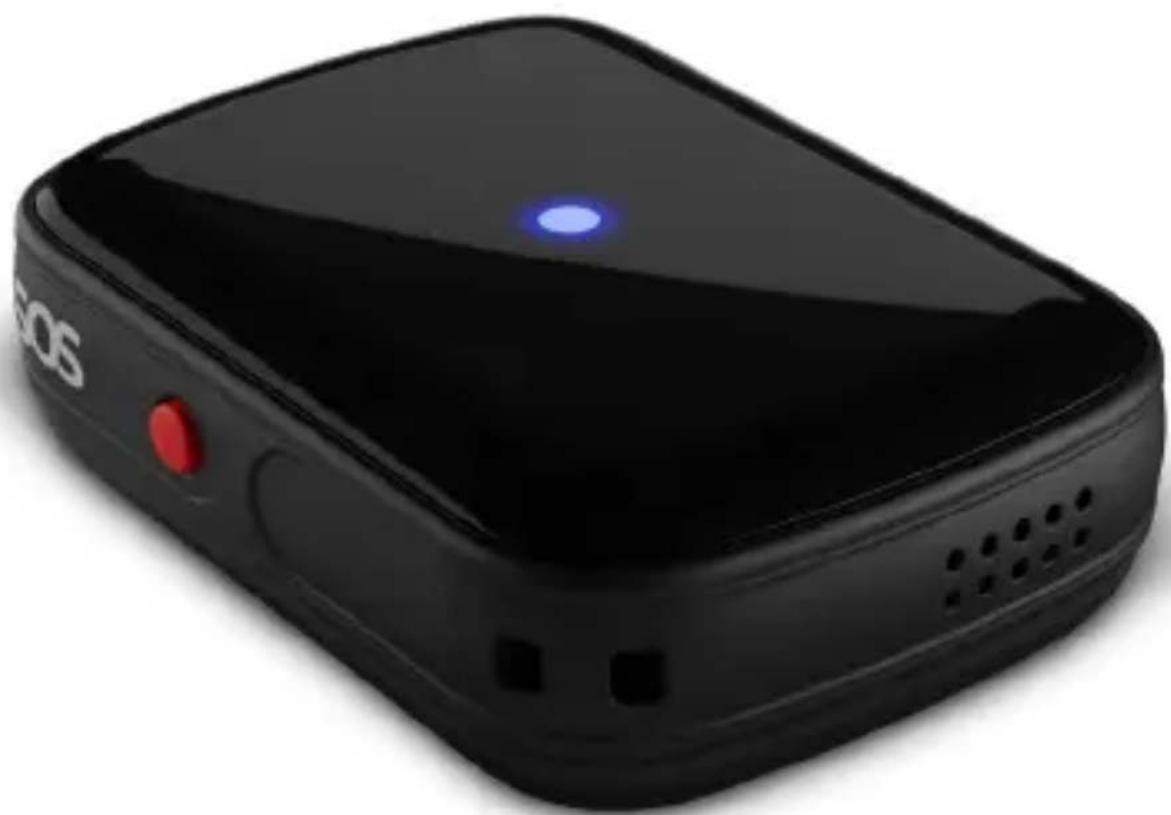
Getting to Know the LAMAX GPS Locator
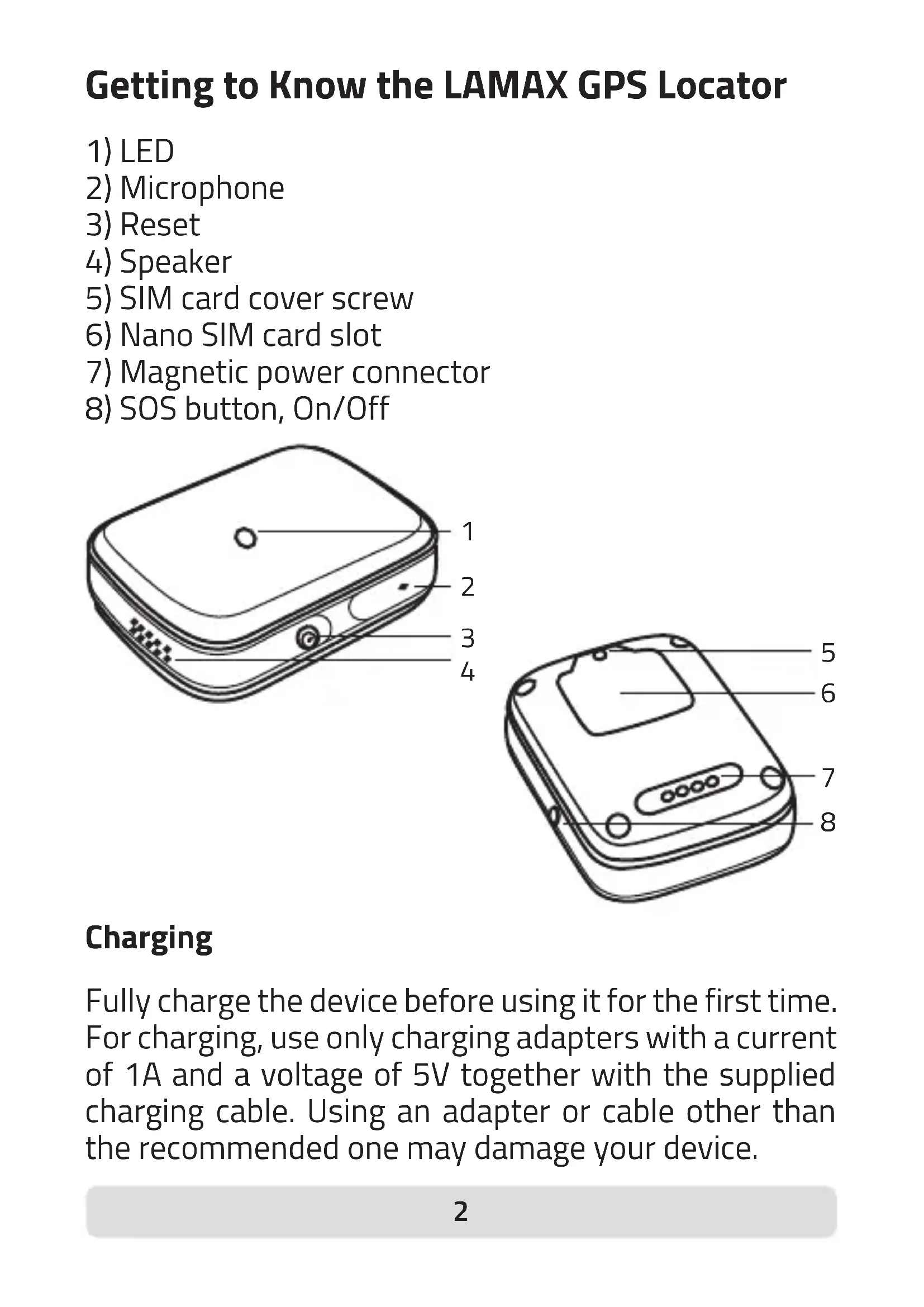
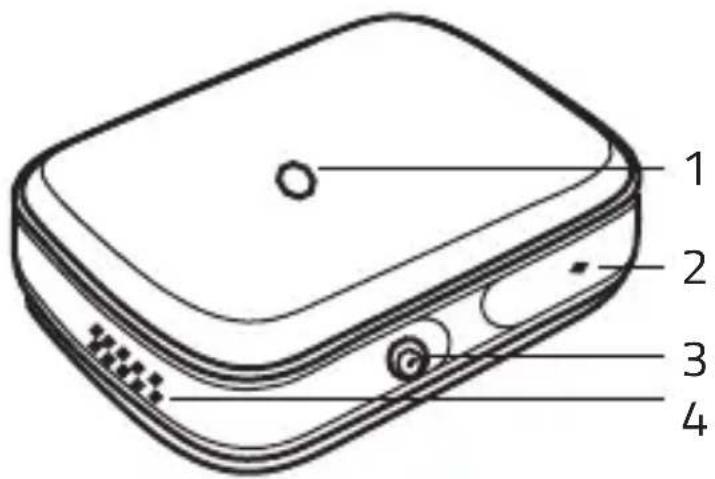
1) LED
2) Microphone
3) Reset
4) Speaker
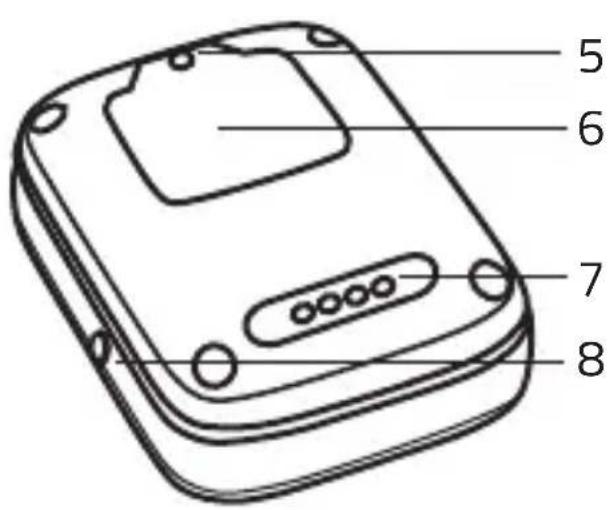
5) SIM card cover screw
6) Nano SIM card slot
7) Magnetic power connector
8) SOS button, On/Off
Charging
Fully charge the device before using it for the first time. For charging, use only charging adapters with a current of 1A and a voltage of 5V together with the supplied charging cable. Using an adapter or cable other than the recommended one may damage your device.
Complete manual
The complete manual is available for download in the LAMAX Tracking application, using the QR code on the right or at the following link.

https://www.lamax-electronics.com/lamax-tracking-manual/
Getting started with the LAMAX GPS Locator 1) Setting up the LAMAX GPS Locator
- Insert the SIM card into the device, see picture on page 6.
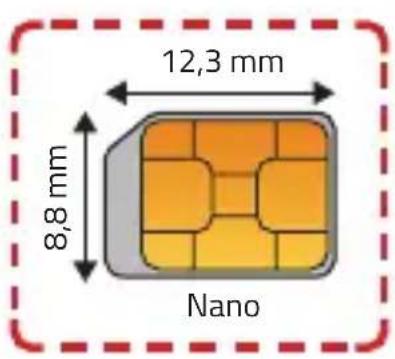
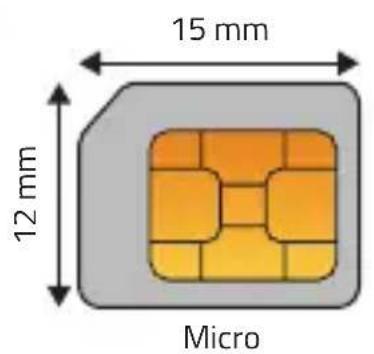
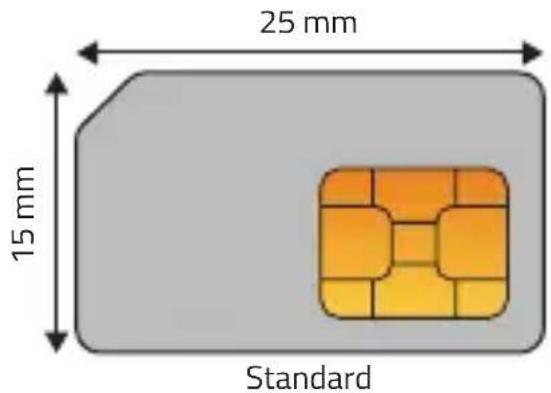
SIM card notes
- The SIM card must have a disabled PIN and an activated data plan. If you are unsure, you can verify the functionality on your mobile phone.
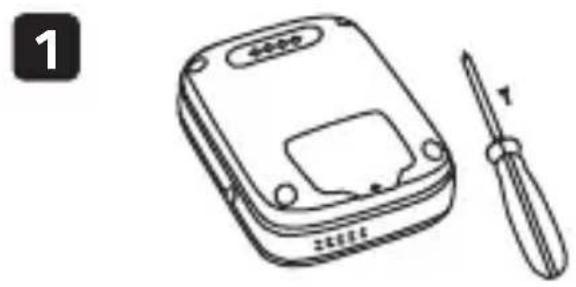
- Use the enclosed screwdriver to unscrew the screw in the protective cover.
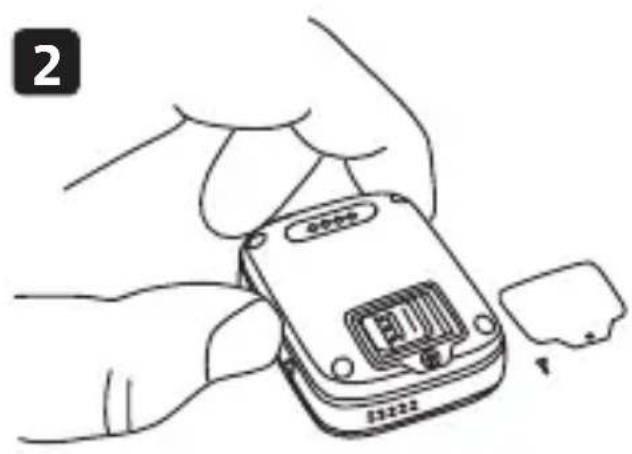
- Remove the cover with your fingernail by moving upwards from the screw position. Slide the lock of the SIM slot according to the arrow shown towards the „OPEN“ position, insert the Nano SIM card and slide the lock back to the „LOCK“.
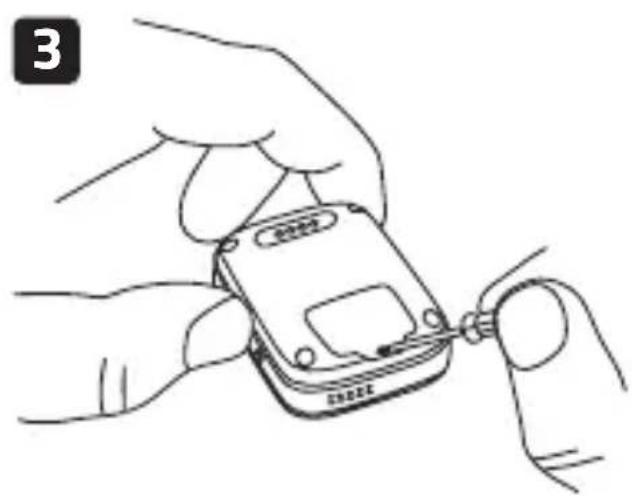
-
Replace the cover and screw in the screw.
-
Turn on the device by holding down the "On/Off" button.
LED and its meaning
- Illuminates for 3s
- device is switched on.
- Charging: Solid blue - device is charging.
Off - device is charged.
- Flashes blue once every 2s - device is searching for a mobile signal.
- Off - device is online.
2) Installing the LAMAX Tracking application
To take full advantage of all the device's features, you need the LAMAX Tracking mobile application, which is available for free on Google Play and the Appstore.
www.lamax-electronics.com/download/lamax-tracking/app


3)User registration
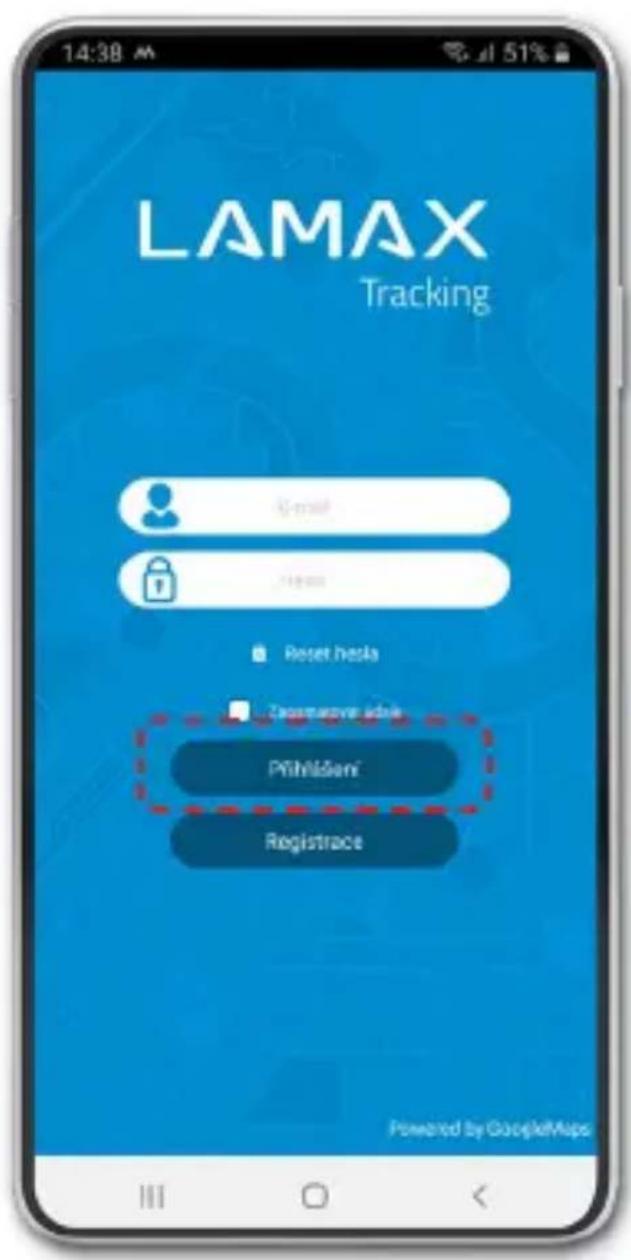
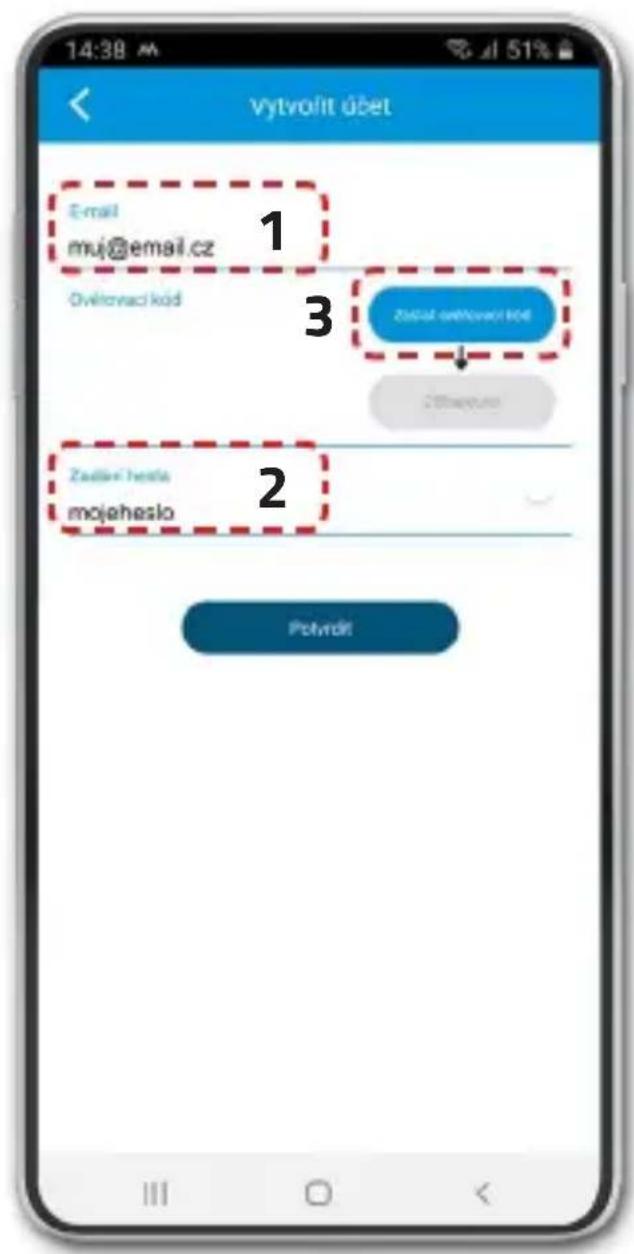
Fill in the E-mail (1) and password (2). Click “Submit Verification Code” (3). A timer will appear showing the time until you can send the code again. Check your email inbox, including the SPAM folder, and copy the verification code.
4) Device registration
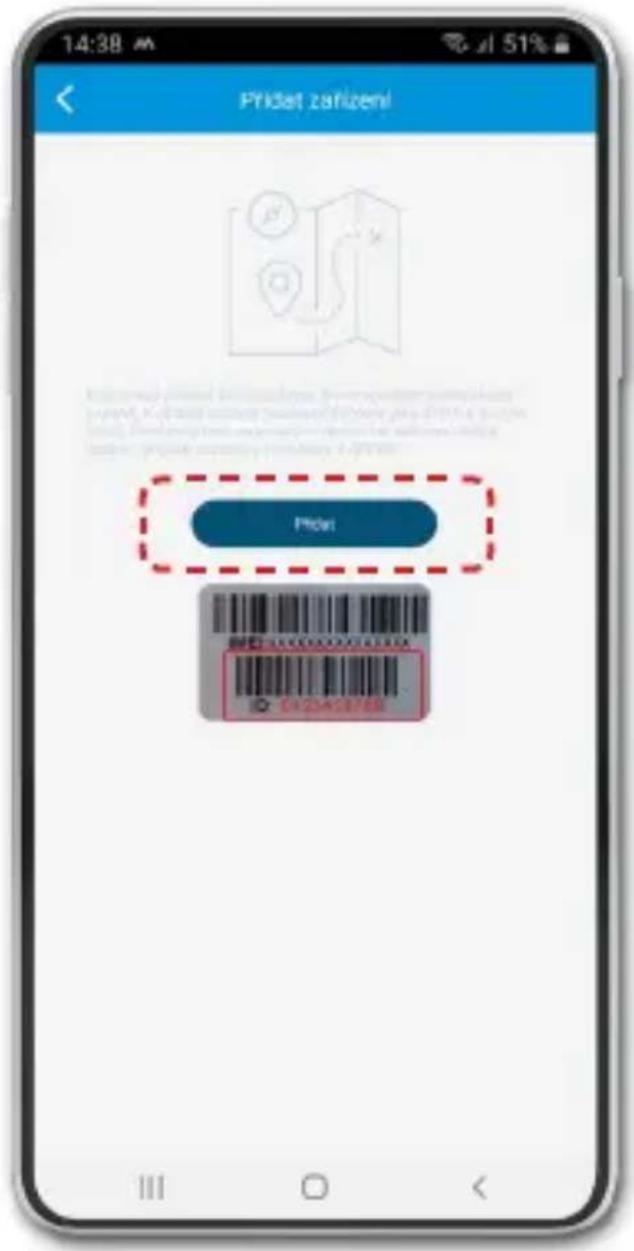
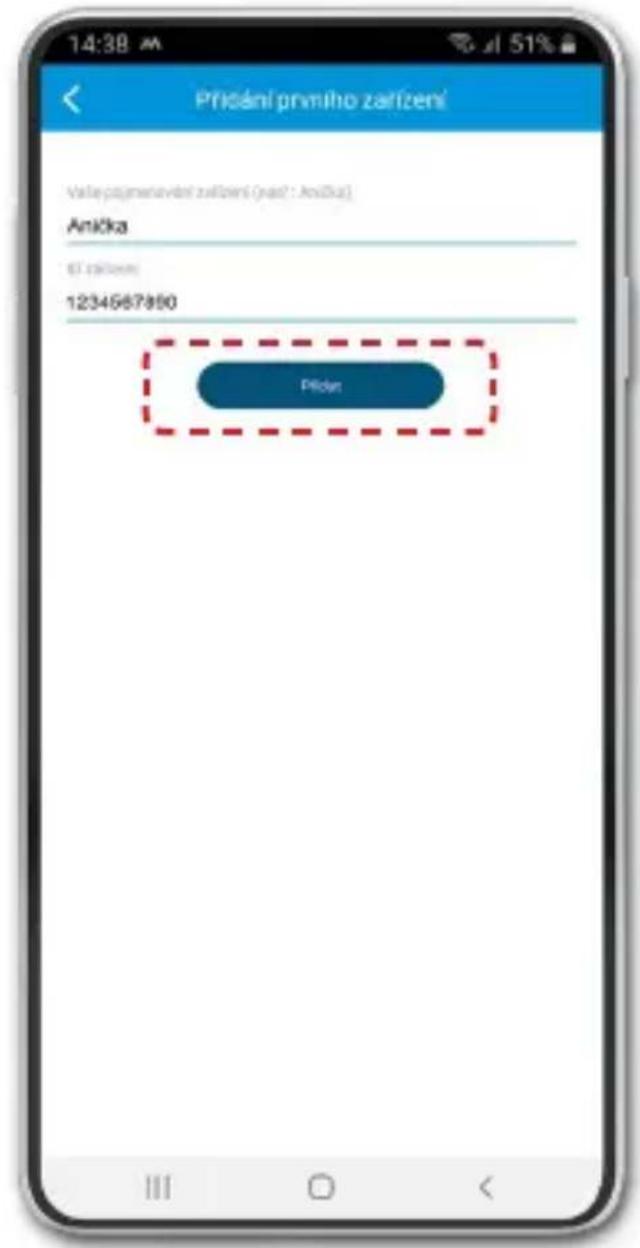
To add a device to your account, prepare the 10-digit device ID, which can be found on the box on the silver label.
5) Basic device settings
After successful registration of the device, a setup wizard will be opened in the application, in which you can enter all the necessary data. If it is skipped, follow the procedure below.
On the home screen with the map, enter the "Menu" -> "Current device settings" and here set:
"Administrator phone number" - Your mobile phone number.
"Default SOS contacts" - Phone numbers that are designated as recipients of SOS calls from the LAMAX GPS Locator.
"Contact list" - Phone numbers that can be called on the LAMAX GPS Locator.
- Enter all telephone numbers in the international format without spaces +44XXXXXXXXX.
** If you do not enter an administrator number, you will be able to call the device from any phone number. If you enter the administrator number, it will only be possible to call from the numbers that you have entered in the SOS contacts, contact list, or administrator numbers in the application.
DE
LAMAX|GPS Locator
Schnellanleitung

- Getting to Know the LAMAX GPS Locator
- Charging
- Complete manual
- Getting started with the LAMAX GPS Locator 1) Setting up the LAMAX GPS Locator
- SIM card notes
- LED and its meaning
- 2) Installing the LAMAX Tracking application
- 3)User registration
- 4) Device registration
- 5) Basic device settings
- DE
- LAMAX|GPS Locator
Brand : Lamax
Model : GPS Locator
Category : GPS device